2007 SUZUKI AERIO automatic
[x] Cancel search: automaticPage 82 of 232
Downloaded from www.Manualslib.com manuals search engine 4-17 INSTRUMENT PANEL
54G27-03E
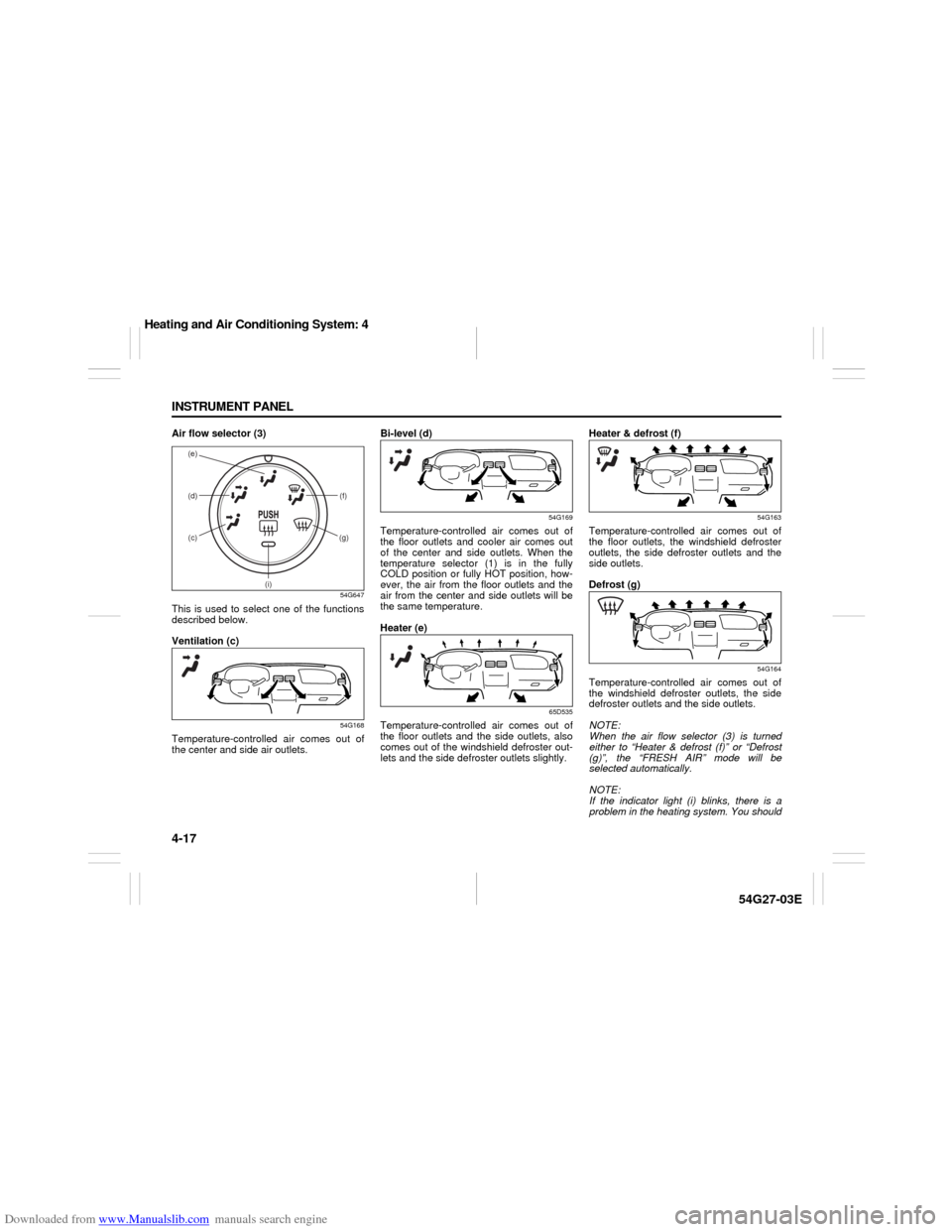
Air flow selector (3)
54G647
This is used to select one of the functions
described below.
Ventilation (c)
54G168
Temperature-controlled air comes out of
the center and side air outlets.Bi-level (d)
54G169
Temperature-controlled air comes out of
the floor outlets and cooler air comes out
of the center and side outlets. When the
temperature selector (1) is in the fully
COLD position or fully HOT position, how-
ever, the air from the floor outlets and the
air from the center and side outlets will be
the same temperature.
Heater (e)
65D535
Temperature-controlled air comes out of
the floor outlets and the side outlets, also
comes out of the windshield defroster out-
lets and the side defroster outlets slightly.Heater & defrost (f)
54G163
Temperature-controlled air comes out of
the floor outlets, the windshield defroster
outlets, the side defroster outlets and the
side outlets.
Defrost (g)
54G164
Temperature-controlled air comes out of
the windshield defroster outlets, the side
defroster outlets and the side outlets.
NOTE:
When the air flow selector (3) is turned
either to “Heater & defrost (f)” or “Defrost
(g)”, the “FRESH AIR” mode will be
selected automatically.
NOTE:
If the indicator light (i) blinks, there is a
problem in the heating system. You should
(d)
(c) (e)
(f)
(g)
(i)
Heating and Air Conditioning System: 4
Page 85 of 232
Downloaded from www.Manualslib.com manuals search engine 4-20 INSTRUMENT PANEL
54G27-03E
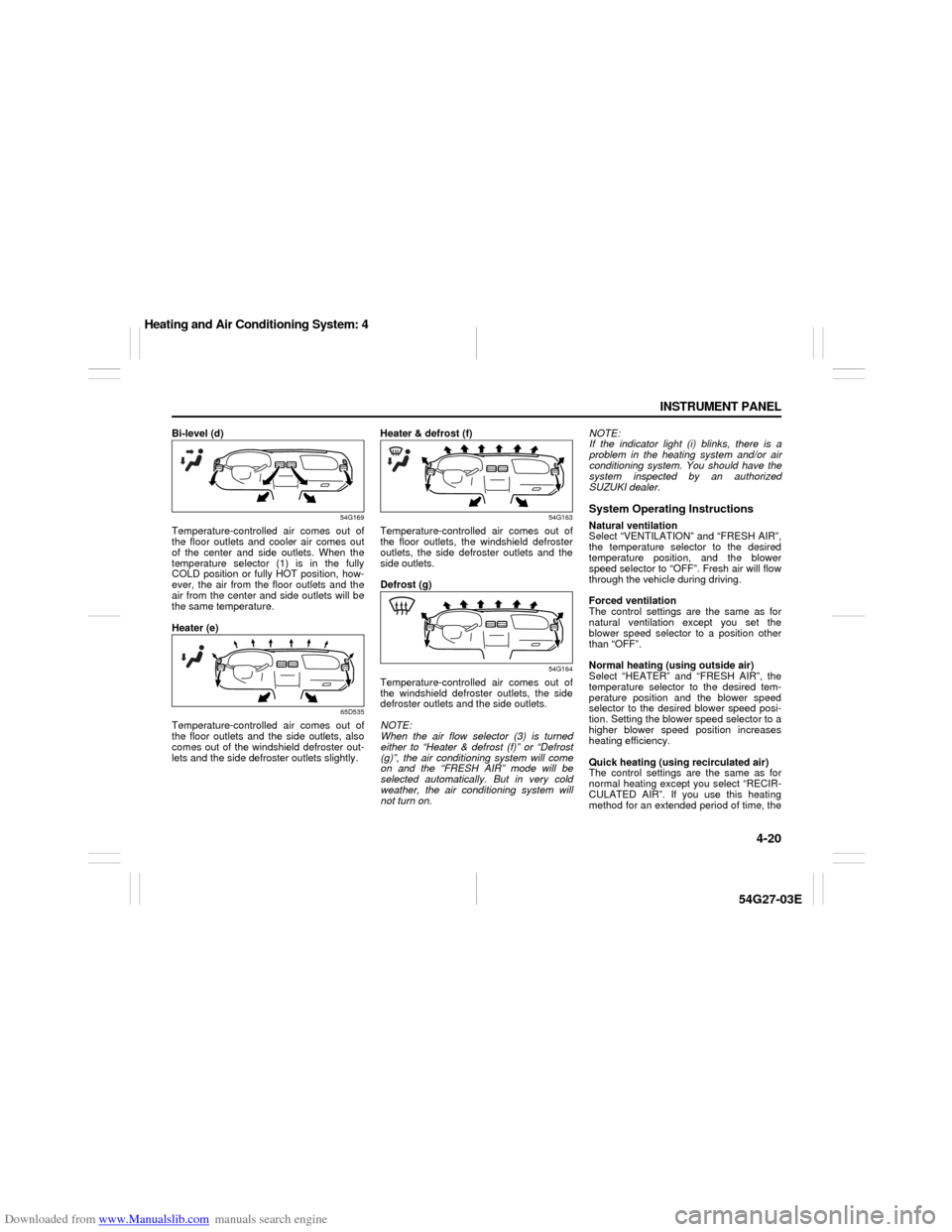
Bi-level (d)
54G169
Temperature-controlled air comes out of
the floor outlets and cooler air comes out
of the center and side outlets. When the
temperature selector (1) is in the fully
COLD position or fully HOT position, how-
ever, the air from the floor outlets and the
air from the center and side outlets will be
the same temperature.
Heater (e)
65D535
Temperature-controlled air comes out of
the floor outlets and the side outlets, also
comes out of the windshield defroster out-
lets and the side defroster outlets slightly.Heater & defrost (f)
54G163
Temperature-controlled air comes out of
the floor outlets, the windshield defroster
outlets, the side defroster outlets and the
side outlets.
Defrost (g)
54G164
Temperature-controlled air comes out of
the windshield defroster outlets, the side
defroster outlets and the side outlets.
NOTE:
When the air flow selector (3) is turned
either to “Heater & defrost (f)” or “Defrost
(g)”, the air conditioning system will come
on and the “FRESH AIR” mode will be
selected automatically. But in very cold
weather, the air conditioning system will
not turn on.NOTE:
If the indicator light (i) blinks, there is a
problem in the heating system and/or air
conditioning system. You should have the
system inspected by an authorized
SUZUKI dealer.
System Operating InstructionsNatural ventilation
Select “VENTILATION” and “FRESH AIR”,
the temperature selector to the desired
temperature position, and the blower
speed selector to “OFF”. Fresh air will flow
through the vehicle during driving.
Forced ventilation
The control settings are the same as for
natural ventilation except you set the
blower speed selector to a position other
than “OFF”.
Normal heating (using outside air)
Select “HEATER” and “FRESH AIR”, the
temperature selector to the desired tem-
perature position and the blower speed
selector to the desired blower speed posi-
tion. Setting the blower speed selector to a
higher blower speed position increases
heating efficiency.
Quick heating (using recirculated air)
The control settings are the same as for
normal heating except you select “RECIR-
CULATED AIR”. If you use this heating
method for an extended period of time, the
Heating and Air Conditioning System: 4
Page 87 of 232
Downloaded from www.Manualslib.com manuals search engine 4-22 INSTRUMENT PANEL
54G27-03E
54G571
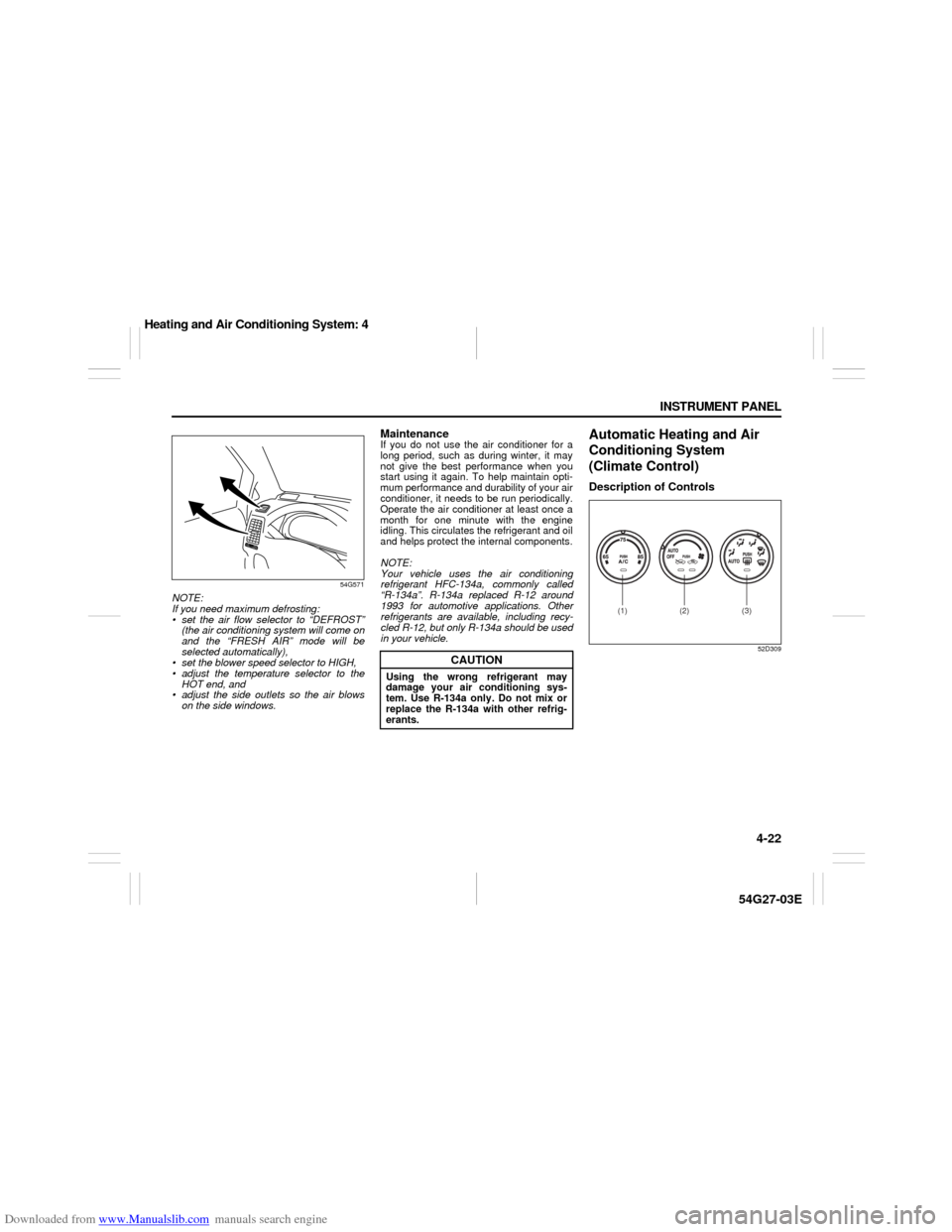
NOTE:
If you need maximum defrosting:
set the air flow selector to “DEFROST”
(the air conditioning system will come on
and the “FRESH AIR” mode will be
selected automatically),
set the blower speed selector to HIGH,
adjust the temperature selector to the
HOT end, and
adjust the side outlets so the air blows
on the side windows.
MaintenanceIf you do not use the air conditioner for a
long period, such as during winter, it may
not give the best performance when you
start using it again. To help maintain opti-
mum performance and durability of your air
conditioner, it needs to be run periodically.
Operate the air conditioner at least once a
month for one minute with the engine
idling. This circulates the refrigerant and oil
and helps protect the internal components.
NOTE:
Your vehicle uses the air conditioning
refrigerant HFC-134a, commonly called
“R-134a”. R-134a replaced R-12 around
1993 for automotive applications. Other
refrigerants are available, including recy-
cled R-12, but only R-134a should be used
in your vehicle.
Automatic Heating and Air
Conditioning System
(Climate Control)Description of Controls
52D309
CAUTION
Using the wrong refrigerant may
damage your air conditioning sys-
tem. Use R-134a only. Do not mix or
replace the R-134a with other refrig-
erants.
(1) (2) (3)
Heating and Air Conditioning System: 4
Page 89 of 232
Downloaded from www.Manualslib.com manuals search engine 4-24 INSTRUMENT PANEL
54G27-03E
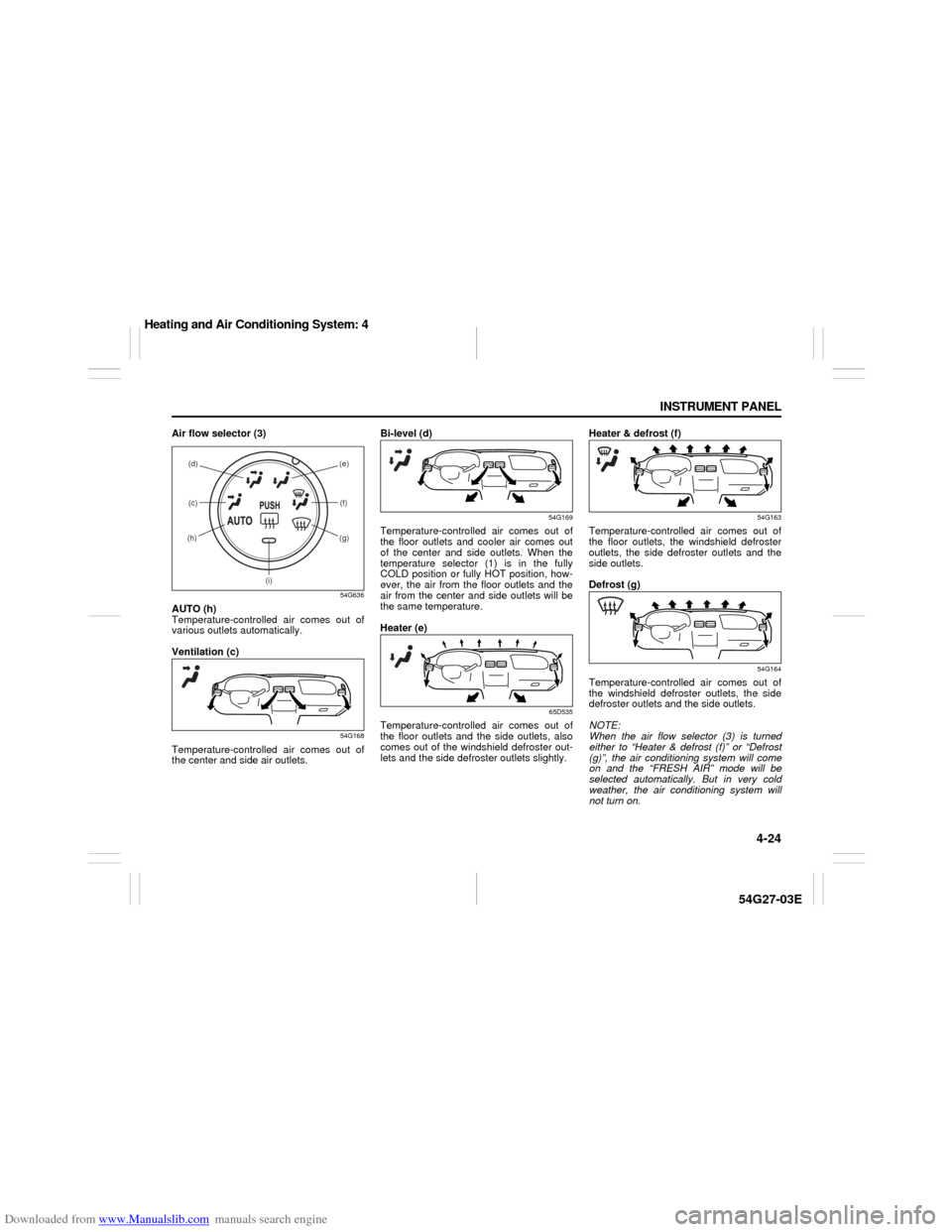
Air flow selector (3)
54G636
AUTO (h)
Temperature-controlled air comes out of
various outlets automatically.
Ventilation (c)
54G168
Temperature-controlled air comes out of
the center and side air outlets.Bi-level (d)
54G169
Temperature-controlled air comes out of
the floor outlets and cooler air comes out
of the center and side outlets. When the
temperature selector (1) is in the fully
COLD position or fully HOT position, how-
ever, the air from the floor outlets and the
air from the center and side outlets will be
the same temperature.
Heater (e)
65D535
Temperature-controlled air comes out of
the floor outlets and the side outlets, also
comes out of the windshield defroster out-
lets and the side defroster outlets slightly.Heater & defrost (f)
54G163
Temperature-controlled air comes out of
the floor outlets, the windshield defroster
outlets, the side defroster outlets and the
side outlets.
Defrost (g)
54G164
Temperature-controlled air comes out of
the windshield defroster outlets, the side
defroster outlets and the side outlets.
NOTE:
When the air flow selector (3) is turned
either to “Heater & defrost (f)” or “Defrost
(g)”, the air conditioning system will come
on and the “FRESH AIR” mode will be
selected automatically. But in very cold
weather, the air conditioning system will
not turn on.
(c) (d) (e)
(f)
(g)(h)
(i)
Heating and Air Conditioning System: 4
Page 90 of 232

Downloaded from www.Manualslib.com manuals search engine 4-25 INSTRUMENT PANEL
54G27-03E
NOTE:
If the indicator light (i) blinks, there is a
problem in the heating system and/or air
conditioning system. You should have the
system inspected by an authorized
SUZUKI dealer.System Operating InstructionsAutomatic Operation
52D308
You can let the climate control system work
automatically. To set the system in fully-
automatic operation, follow the procedure
below.
1) Set the desired temperature by turning
the temperature selector (1).
2) Turn the blower speed selector (2) to
the “AUTO” position.
3) Turn the air flow selector (3) to the
“AUTO” position.Then the blower speed selector/air intake
selector (2) and air flow selector (3) are
controlled automatically to maintain the set
temperature.
The air conditioning switch (1) is to be
selected manually according to your taste.
When you turn the air conditioning switch
off, the climate control system cannot
lower the inside temperature below outside
temperature.
To turn the climate control system off, turn
the blower speed selector (2) to the “OFF”
position
NOTE:
To find your comfortable zone, start with
the 25°C (75°F) setting.
If you turn the temperature selector (1) to
the highest or lowest limit, the climate
control system will operate at the maxi-
mum cooling or heating and the blower
will run at full speed.
To avoid blowing cold air in cold weather
or hot air in hot weather, the system will
delay turning on the blower until warmed
or chilled air is available.
If your vehicle has been left in the sun
with the windows closed, it will cool
faster if you open the windows briefly.
Even under the automatic operation, you
can set some of the blower speed selec-
tor/air intake selector (2) and air flow
selector (3) into manual mode. Then the
manually selected function is maintainedpreferentially, and the other functions
remain under automatic operation.
To return the air intake selector (2) to
automatic operation when both the
blower speed selector (2) and the air
flow selector (3) are in the “AUTO” posi-
tion, turn either the selector (2) or (3) to
a position other than “AUTO” then turn to
the “AUTO” position again.
54G507
Be careful not to cover the interior temper-
ature sensor (F) located under the climate
control panel, or the solar sensor (G)
located at the top of the driver’s side dash-
board. These sensors are used by the
automatic system to regulate temperature.
Manual Operation
You can manually control the climate con-
trol system. Set the selectors to your
desired position.
(1) (2) (3)
(F)
(G)
EXAMPLE
Heating and Air Conditioning System: 4
Page 91 of 232
Downloaded from www.Manualslib.com manuals search engine 4-26 INSTRUMENT PANEL
54G27-03E
54G571
NOTE:
If you need maximum defrosting:
set the air flow selector to “DEFROST”
(the air conditioning system will come on
and the “FRESH AIR” mode will be
selected automatically),
set the blower speed selector to HIGH,
adjust the temperature selector to the
HOT end, and
adjust the side outlets so the air blows
on the side windows.
MaintenanceIf you do not use the air conditioner for a
long period, such as during winter, it may
not give the best performance when you
start using it again. To help maintain opti-
mum performance and durability of your air
conditioner, it needs to be run periodically.
Operate the air conditioner at least once a
month for one minute with the engine
idling. This circulates the refrigerant and oil
and helps protect the internal components.
NOTE:
Your vehicle uses the air conditioning
refrigerant HFC-134a, commonly called
“R-134a”. R-134a replaced R-12 around
1993 for automotive applications. Other
refrigerants are available, including recy-
cled R-12, but only R-134a should be used
in your vehicle.
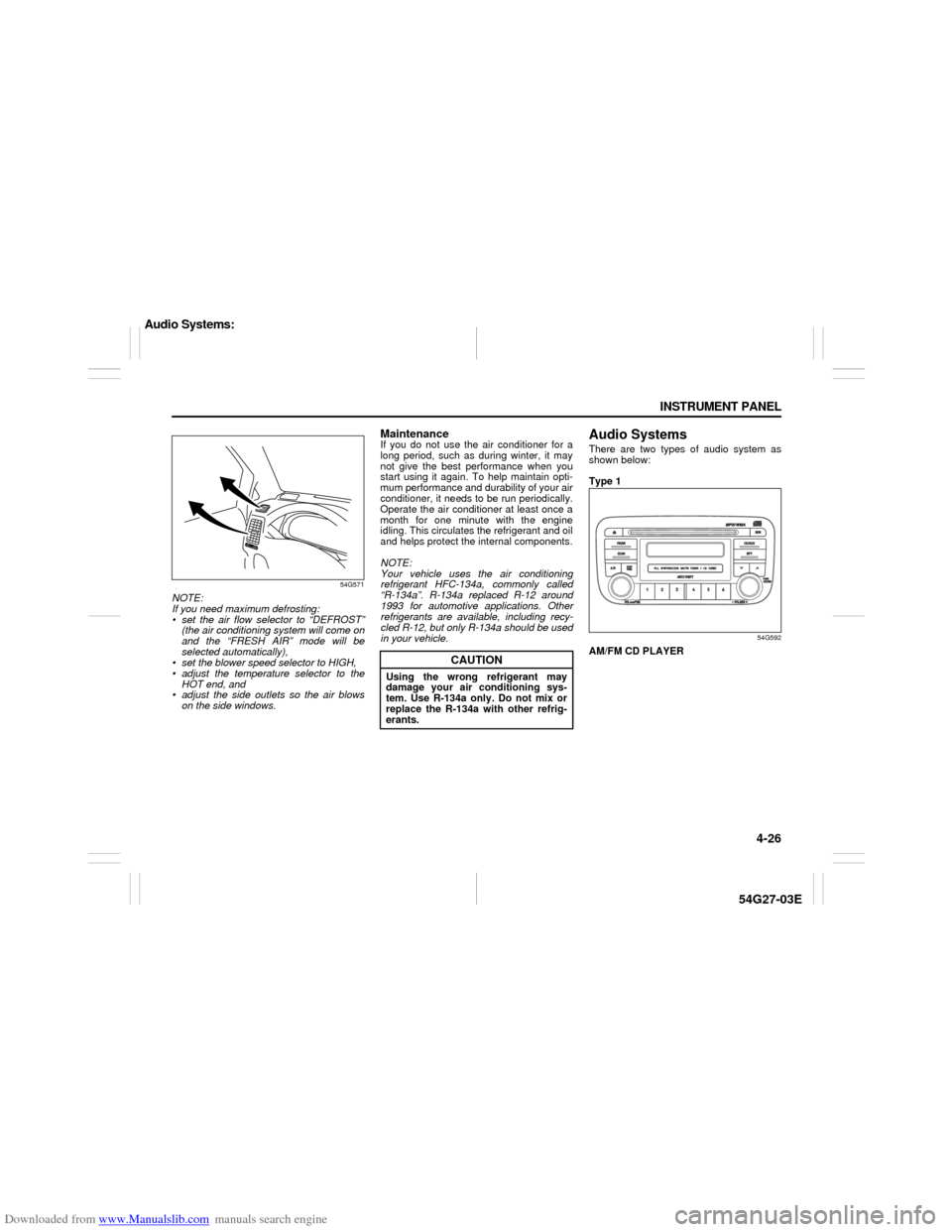
Audio SystemsThere are two types of audio system as
shown below:
Type 1
54G592
AM/FM CD PLAYER
CAUTION
Using the wrong refrigerant may
damage your air conditioning sys-
tem. Use R-134a only. Do not mix or
replace the R-134a with other refrig-
erants.
Audio Systems:
Page 97 of 232

Downloaded from www.Manualslib.com manuals search engine 4-32 INSTRUMENT PANEL
54G27-03E
Selecting the reception band
Press the band switch button (1).
Each time the button is pressed, the recep-
tion band is switched as follows:
54G550
Seek tuning
Press the seek up button (2) or the seek
down button (3).
The unit stops searching for a station at a
frequency where a broadcast station is
available.
Manual tuning
Turn the manual tuning knob (4).
The frequency being received is displayed.
Preset memory
1) Select the desired station.
2) Select the preset button (5) to which
you want to store the station and press
and hold the button for 2 seconds or
longer.
Auto store
1) Press the band switch button (1) and
select the band (FM2 or AM2).
2) Press the auto store button (6).Six stations in total are automatically
stored to the preset buttons (5) in sequen-
tial order, starting from the lower frequen-
cies.
NOTE:
When the auto store is performed, the
station previously stored in the memory
at the position is overwritten.
When there are fewer than 6 stations
that can be stored even if 2 rounds of
auto store operation are performed, the
stations previously stored at the remain-
ing preset buttons (5) are not overwrit-
ten.
Scan tuning
1) Press the scan button (7).
Stations are automatically sought for in
a sequential order, starting from a sta-
tion being currently received, and scan
stops for 5 seconds at a frequency
where there is a station available.
2) Press the scan button (7) again to stop
scanning at the frequency being cur-
rently received.
Receiving a stereo broadcast station
If a stereo broadcast station is received,
the stereo indicator (C) will light.
Radio Reception Radio reception can be affected by envi-
ronment, atmospheric conditions, or
radio signal’s power and distance from
the station. Nearby mountains and build-
ings may interfere or deflect radio recep-
tion, causing poor reception. Poor
reception or radio static can also be
caused by electric current from over-
head wires or high voltage power lines.
When listening to a radio while using a
cell phone or walkie-talkie in or close to
your vehicle, the radio may experience
noise interference.
Audio Systems:
Page 102 of 232

Downloaded from www.Manualslib.com manuals search engine 4-37 INSTRUMENT PANEL
54G27-03E
Loading a CD
Insert a CD in the CD insertion slot (1).
When a CD is loaded, play starts and the
disc indicator (A) lights.
Ejecting a CD
Press the CD eject button (2).
The backup eject function:
This function allows you to eject a CD with
the power turned off by pressing the CD
eject button (2).
Listening to a CD
When a CD is inserted, it is automatically
played back.
When a CD is already inside the unit,
press the CD button (3) to play back the
CD. When a CD is inside the unit, the disc
indicator (A) is lit on the display unit.
When a disc included CD-DA and MP3/
WMA files is loaded and played back,
pressing and holding the CD/AUX button
(3) for 2 seconds changes the file type
between CD-DA and MP3/WMA. If a file
type is not selected, CD-DA files are
played back first. After all CD-DA files are
played back, MP3/WMA files are automati-
cally played back.Selecting a track
Press the track up button (4) to listen to
the next track.
Press the track down button (5) twice to
listen to the previous track.
When the track down button (5) is
pressed once, the track being currently
played will return to the beginning.
Fast forwarding/Rewinding a track
Press the fast forward button (4) to
advance a track rapidly.
Press the rewind button (5) to rewind a
track.
Selecting a folder (while an MP3/WMA
file is played back)
Turning button (9) clockwise advances
to the next folder.
Turning button (9) counterclockwise
returns to the previous folder.
Repeat play
Press the repeat button (6).
The repeat indicator “RPT” (B) lights and a
track being currently played is played
repeatedly.
Press the repeat button (6) again to cancel
repeat play.
Repeat play in the current folder (while
an MP3/WMA file is played back)
Press and hold the repeat button (6) for 2
seconds.The repeat indicator “D-RPT” (B) lights,
and tracks in the current folder are played
back repeatedly.
Press the repeat button (6) again to cancel
repeat play in the current folder.
Random play
Press the random button (7).
The random indicator “RDM” (C) lights and
tracks on the disc are played randomly.
Press the random button (7) again to can-
cel random play.
While an MP3/WMA file is played back,
tracks in the current folder are played back
at random. (If CD-DA and MP3/WMA files
are loaded and played back, the playback
operation is performed in the same for-
mat.)
All-folder random play (while an MP3/
WMA file is played back)
Press and hold the random button (7) for 2
seconds.
The random indicator “D-RDM” (C) lights,
and tracks in all folders in the current disc
are played back at random.
Press the random button (7) again to can-
cel the all-folder random play.
CAUTION
If you forcefully try to push an ejected
CD inside the unit before auto reload-
ing, the disc surface might be
scratched.
Audio Systems: