2007 SUZUKI AERIO change time
[x] Cancel search: change timePage 100 of 232

Downloaded from www.Manualslib.com manuals search engine 4-35 INSTRUMENT PANEL
54G27-03E
Playable WMA files
Applicable sampling frequencies are 32,
44.1 and 48 kHz.
Applicable bit rates are from 32 to 320
kbps. (As the bit rate is higher, the sound
quality is better.)
The CD player is compatible with vari-
able bit rate (VBR). (The time may not
be displayed correctly.)
The CD player is compatible with tags
specified by the Advanced Systems For-
mat (ASF) Specification.
Make sure to add the extension (“.WMA”
or “.wma”) to the WMA file name.
Explanation of terms
MP3
This is the abbreviation of “MPEG Audio
Layer 3”, and indicates a sound compres-
sion method.
This method can compress sound data
into approximately 1/10 of the original
quantity, and offers high quality sound.
WMA
This is the abbreviation of “Windows Media
Audio”, and indicates a sound compres-
sion method developed by Microsoft. This
method can create and store music files in
which sound data is compressed at a rate
higher than that of MP3.ID3 Tag
This identifies the data including the track
name, artist name and album name
recorded in an MP3 file.
VBR
This is the abbreviation of “Variable Bit
Rate”, and indicates a method which can
change the bit rate in accordance with the
data quantity.
ISO9660
This is the standard describing the logical
format for CD-ROMs specified by the Inter-
national Standardization Organization
(ISO).
Level 1:
The maximum number of characters in
folder names is 8 characters.
The file name consists of up to 8 charac-
ters plus an extension (3 characters).
Half-width capital alphabets, half-width
numeric characters and “_ (underscore)”
can be used.
Level 2:
The maximum number of characters in
folder names is 31 characters.
The file name consists of up to 27 charac-
ters plus an extension (3 characters).
Half-width capital alphabets, half-width
numeric characters and “_ (underscore)”
can be used.Joliet
This is a proposed logical format for CD-
ROMs by Microsoft, and maximum number
of characters is 64 characters.
Romeo
This is a proposed logical format for CD-
ROMs, and maximum number of charac-
ters is 128 characters.
Audio Systems:
Page 104 of 232
Downloaded from www.Manualslib.com manuals search engine 4-39 INSTRUMENT PANEL
54G27-03E
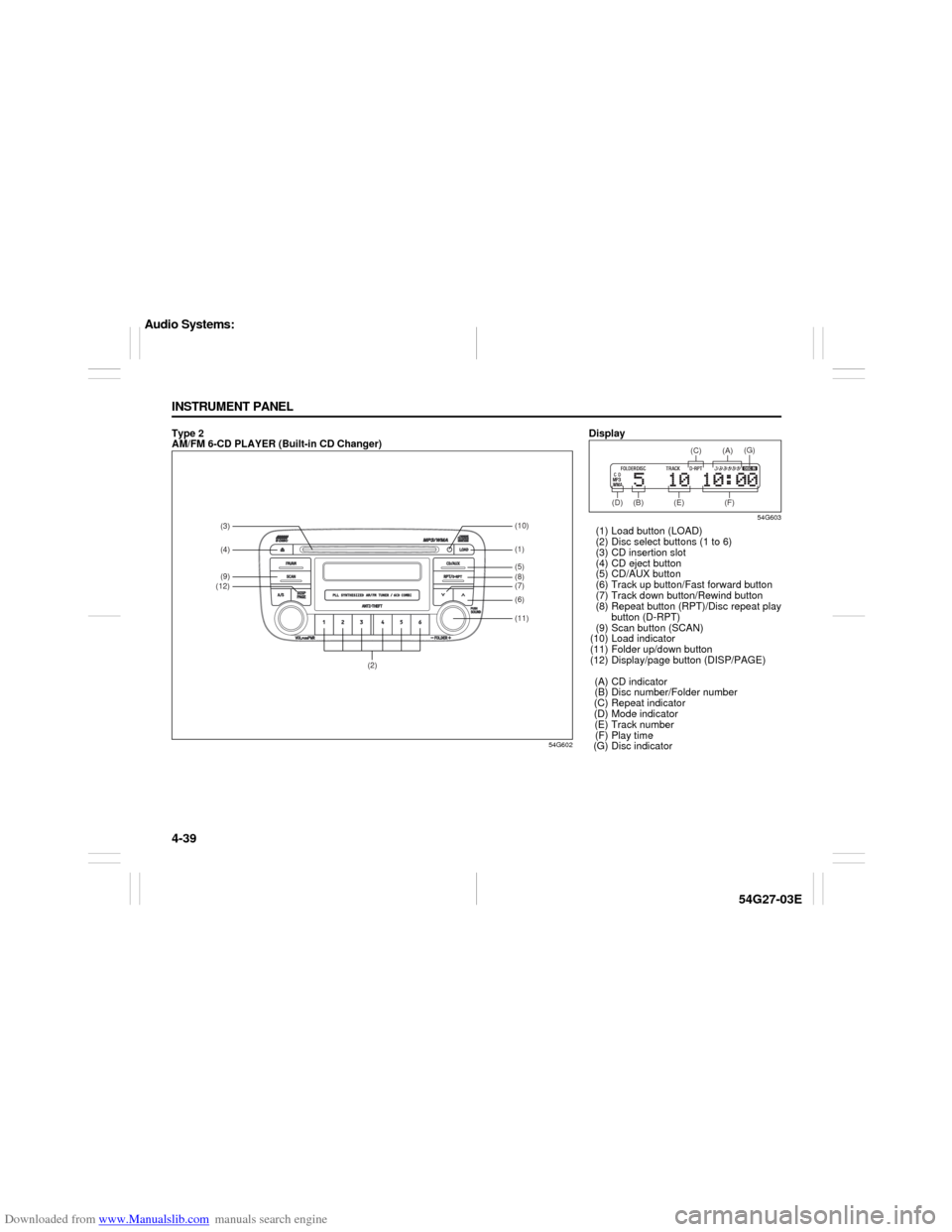
Type 2
AM/FM 6-CD PLAYER (Built-in CD Changer)
54G602
(2)
(3)(4)(9)(12)
(11) (8)(6)(7) (5)(1)(10)
Display
54G603
(1) Load button (LOAD)
(2) Disc select buttons (1 to 6)
(3) CD insertion slot
(4) CD eject button
(5) CD/AUX button
(6) Track up button/Fast forward button
(7) Track down button/Rewind button
(8) Repeat button (RPT)/Disc repeat play
button (D-RPT)
(9) Scan button (SCAN)
(10) Load indicator
(11) Folder up/down button
(12) Display/page button (DISP/PAGE)
(A) CD indicator
(B) Disc number/Folder number
(C) Repeat indicator
(D) Mode indicator
(E) Track number
(F) Play time
(G) Disc indicator
(B) (D) (E) (F)(C) (A)
(G)
Audio Systems:
Page 110 of 232
![SUZUKI AERIO 2007 1.G Owners Manual Downloaded from www.Manualslib.com manuals search engine 4-45 INSTRUMENT PANEL
54G27-03E
How to input the code number
(for example “0364”)
54G564
1. Press the disc select button [1] once.
The numb](/manual-img/20/7570/w960_7570-109.png "SUZUKI AERIO 2007 1.G Owners Manual Downloaded from www.Manualslib.com manuals search engine 4-45 INSTRUMENT PANEL
54G27-03E
How to input the code number
(for example “0364”)
54G564
1. Press the disc select button [1] once.
The numb")
Downloaded from www.Manualslib.com manuals search engine 4-45 INSTRUMENT PANEL
54G27-03E
How to input the code number
(for example “0364”)
54G564
1. Press the disc select button [1] once.
The number “0” is displayed.
Every time this button is pressed, the
displayed number changes over in
the order “0” to “9”.
54G565
2. Press the disc select button [2] four
times. The number “3” is displayed.
54G566
3. Manipulate the disc select buttons
[3] and [4] in the same way as
above, and input “0364”.
54G567
4. Press the CD button (3).
Pressing the CD button (3) will
cause the unit to beep and enter PIN
confirmation mode. Re-input the PIN
to confirm it, and press the CD but-
ton (3). If the number entered the
second time is different from the first
number, the unit will beep and go
back to first input mode.
NOTE:
Write down your PIN for the future use.
Cancel Your Established PIN
SettingThis operation is to be done when you
want to cancel the anti-theft code or
change your code number.
1) Turn off the power by pressing the
power on/off knob (2).
54G568
2) Press the power on/off knob (2) while
pressing and holding the track up but-
ton (4).
3) Input your PIN and press the CD button
(3).
Input a four-digit PIN using the disc
select buttons [1] through [4]. If the PIN
matches, the unit will emit a short beep
and the PIN will be erased. The unit will
return to normal operation.
If the PIN does not match, the unit will
emit a long beep and return to normal
position. In this case, the PIN will not be
erased.
To change your PIN, first erase your
current PIN, then set the new one.
Audio Systems:
Page 128 of 232
Downloaded from www.Manualslib.com manuals search engine 5-13 OTHER CONTROLS AND EQUIPMENT
54G27-03E
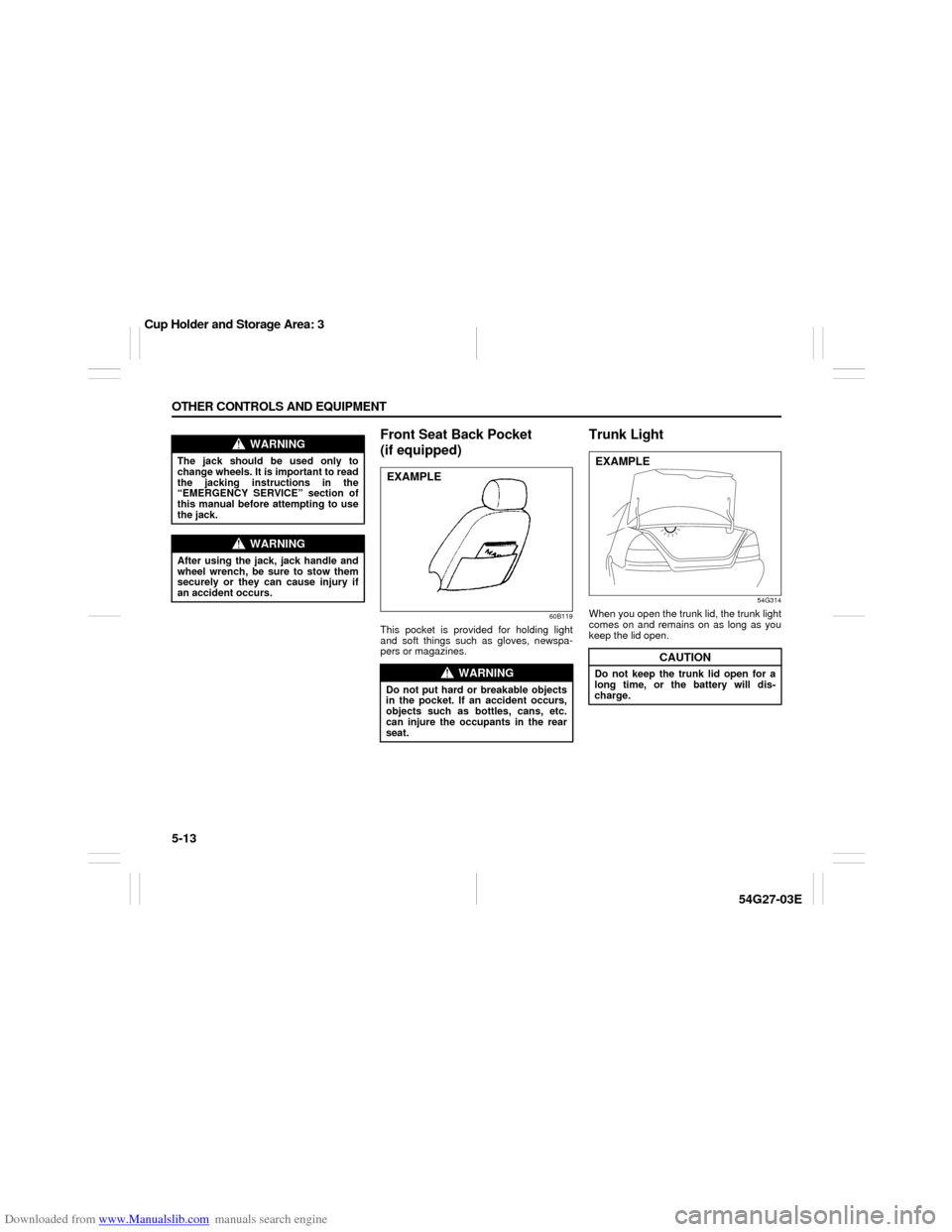
Front Seat Back Pocket
(if equipped)
60B119
This pocket is provided for holding light
and soft things such as gloves, newspa-
pers or magazines.
Trunk Light
54G314
When you open the trunk lid, the trunk light
comes on and remains on as long as you
keep the lid open.
WARNING
The jack should be used only to
change wheels. It is important to read
the jacking instructions in the
“EMERGENCY SERVICE” section of
this manual before attempting to use
the jack.
WARNING
After using the jack, jack handle and
wheel wrench, be sure to stow them
securely or they can cause injury if
an accident occurs.
WARNING
Do not put hard or breakable objects
in the pocket. If an accident occurs,
objects such as bottles, cans, etc.
can injure the occupants in the rear
seat.EXAMPLE
CAUTION
Do not keep the trunk lid open for a
long time, or the battery will dis-
charge.EXAMPLE
Cup Holder and Storage Area: 3
Page 138 of 232

Downloaded from www.Manualslib.com manuals search engine 6-9 OPERATING YOUR VEHICLE
54G27-03E
How the ABS WorksA computer continuously monitors wheel
speed. The computer compares the
changes in wheel speed when braking. If
the wheels slow suddenly, indicating a
skidding situation, the computer will
change braking pressure several times
each second to prevent the wheels from
locking. When you start your vehicle or
when you accelerate after a hard stop, you
may hear a momentary motor or clicking
noise as the system resets or checks itself.
Break-In Catalytic Converter
54G236
The purpose of the catalytic converter is to
minimize the amount of harmful pollutants
in your vehicle’s exhaust. Use of leaded
fuel in vehicles equipped with catalytic
converters is prohibited by federal law,
because lead deactivates the pollutant-
reducing components of the catalyst sys-
tem.
The converter is designed to last the life of
the vehicle under normal usage and when
unleaded fuel is used. No special mainte-
nance is required on the converter. How-
ever, it is very important to keep the engine
properly tuned. Engine misfiring, which
can result from an improperly tuned
engine, may cause overheating of the cat-
alyst. This may result in permanent heat
damage to the catalyst and other vehicle
components.
WARNING
The ABS may not work properly if
tires or wheels other than those
specified in the owner’s manual are
used. This is because the ABS works
by comparing changes in wheel
speed. When replacing tires or
wheels, use only the size and type
specified in this owner’s manual.
CAUTION
The future performance and reliabil-
ity of the engine depends on the care
and restraint exercised during its
early life. It is especially important to
observe the following precautions
during the initial 960 km (600 miles)
of vehicle operation.
After starting, do not race the
engine. Warm it up gradually.
Avoid prolonged vehicle operation
at a constant speed. Moving parts
will break in better if you vary your
speed.
Start off from a stop slowly. Avoid
full throttle starts.
Avoid hard stopping, especially
during the first 320 km (200 miles)
of driving.
Do not drive slowly with the tran-
saxle in a high gear.
Drive the vehicle at moderate
engine speeds.
Braking: 6
Break-In: 6
Catalytic Converter: NO
Page 183 of 232

Downloaded from www.Manualslib.com manuals search engine 9-30 INSPECTION AND MAINTENANCE
54G27-03E
schedule. After rotation, adjust front and
rear tire pressures to the specification
listed on your vehicle’s Tire and Loading
Information Label.
Compact Spare Tire (if equipped)
54G115
(1) Wear indicator
(2) Indicator location mark
Your vehicle comes equipped with the
compact spare tire. The compact spare is
designed to save space in your storage
area, and its lighter weight makes it easier
to install if a flat tire occurs. It is only
intended for temporary emergency use,
until the conventional tire can be repaired
or replaced. The inflation pressure of the
compact spare tire should be checked at
least monthly. Use a quality pocket-type
inflation pressure gauge and set at 420
kPa (60 psi). At the same time, check that
the tire is stored securely. If it is not,
tighten it.
Note that two or more compact spare tires
should not be used on one vehicle simulta-
neously.
WARNING
Rust or dirt on a wheel, or on the
parts to which it is fastened, can
make wheel nuts become loose after
a time. The wheel could come off and
cause an accident. When you change
a wheel, remove any rust or dirt from
places where the wheel attaches to
the vehicle. In an emergency, you can
use a cloth or a paper towel to do
this; but be sure to use a scraper or
wire brush later, if you need to, to get
all the rust or dirt off.
WARNING
The compact spare tire and wheel are
intended for temporary emergency
use only. Continuous use of this
spare can result in tire failure and
loss of control. Always observe these
precautions when using this spare:
Your vehicle will handle differently
with this temporary spare.
Do not exceed 80 km/h (50 mph)
speed.
Replace this spare with a standard
tire and wheel as soon as possible.
Use of this spare will reduce
ground clearance.
Recommended air pressure for this
spare is 420 kPa (60 psi).
Do not use tire chains on the com-
pact spare. If you must use tire
chains, rearrange the wheels so
standard tires and wheels are fitted
to the front axle.
The compact spare tire has a much
shorter tread life than the conven-
tional tires on your vehicle.
Replace the tire as soon as the
tread wear indicator appears.
When replacing the compact tire,
use a replacement tire with the
exact same size and construction.
Tires: 6