2007 SUBARU OUTBACK buttons
[x] Cancel search: buttonsPage 102 of 442
as possible.
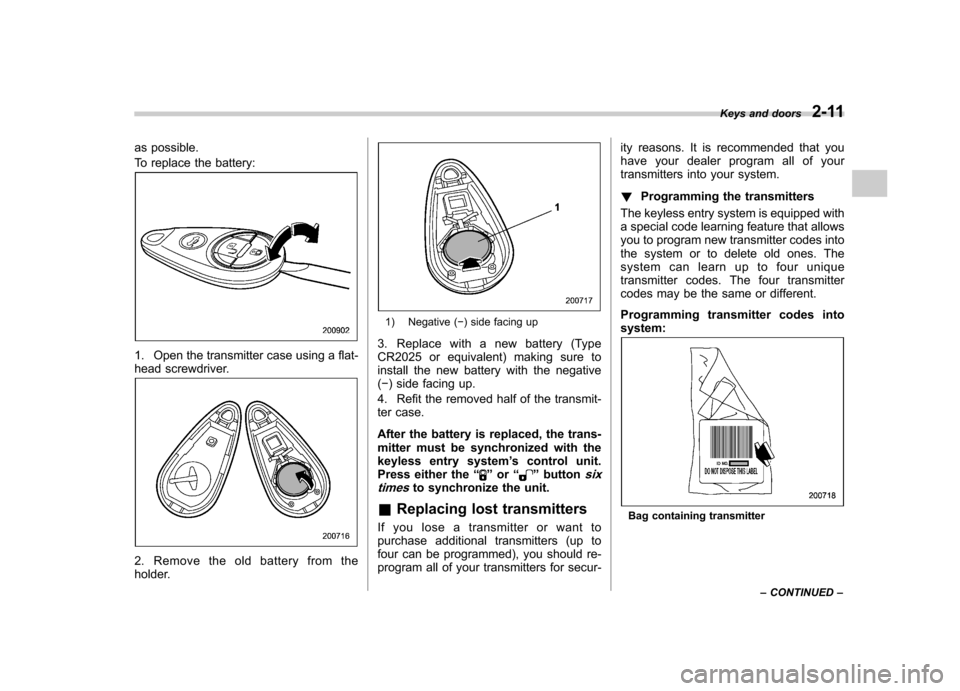
To replace the battery:
1. Open the transmitter case using a flat-
head screwdriver.
2. Remove the old battery from the
holder.
1) Negative () side facing up
3. Replace with a new battery (Type
CR2025 or equivalent) making sure to
install the new battery with the negative( ) side facing up.
4. Refit the removed half of the transmit-
ter case.
After the battery is replaced, the trans-
mitter must be synchronized with the
keyless entry system ’s control unit.
Press either the “
”or “”buttonsix
timesto synchronize the unit.
& Replacing lost transmitters
If you lose a transmitter or want to
purchase additional transmitters (up to
four can be programmed), you should re-
program all of your transmitters for secur- ity reasons. It is recommended that you
have your dealer program all of your
transmitters into your system. !
Programming the transmitters
The keyless entry system is equipped with
a special code learning feature that allows
you to program new transmitter codes into
the system or to delete old ones. The
system can learn up to four unique
transmitter codes. The four transmitter
codes may be the same or different.
Programming transmitter codes into system:
Bag containing transmitter Keys and doors
2-11
– CONTINUED –
Page 181 of 442
4-8Climate control
Automatic climate control
system (if equipped) NOTE .Operate the automatic climate con-
trol system when the engine is running. . The blower fan rotates at a low
speed when the engine coolant tem-
perature is low.
For efficient defogging or dehumidify-
ing in cold weather, press the “A/C ”
button.. Even when cooling is not necessary,
setting the temperature much lower
than the current outlet air temperature
turns on the air conditioner compres-
sor automatically and the “A/C ”indi-
cator light on the control panel comeson.
The automatic climate control system
automatically controls outlet air tempera-
ture, fan speed, air flow distribution air-
inlet control, and air conditioner compres-
sor operation. It activates when the“ AUTO ”button is pressed, and is used to
maintain a constant, comfortable climate
within the passenger compartment.
The temperature can be set within a range
of 65 to 85 8F (18 to 32 8C). &
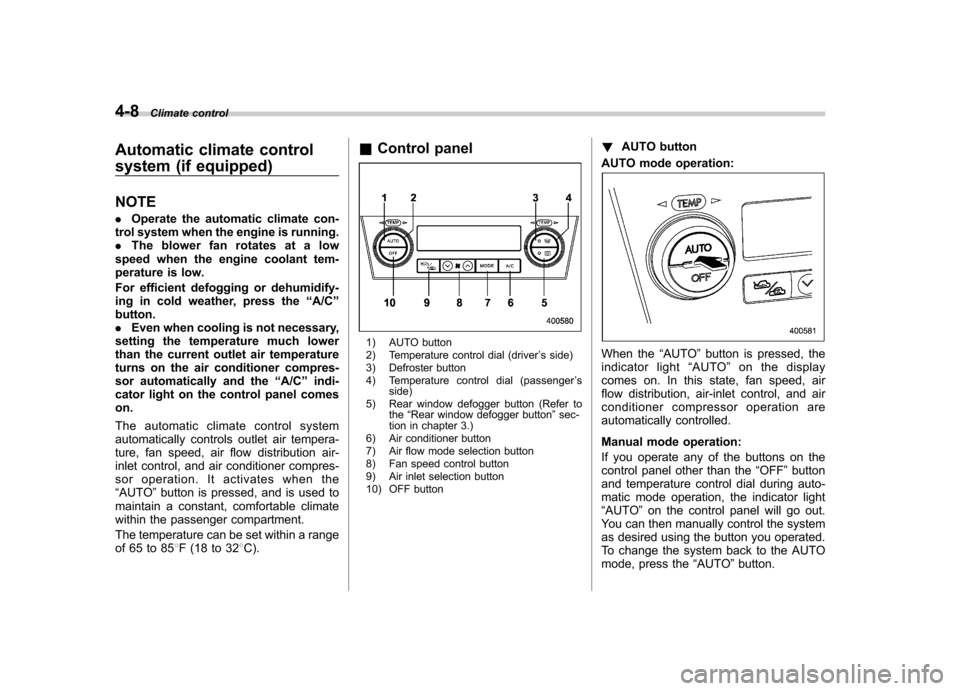
Control panel
1) AUTO button
2) Temperature control dial (driver ’s side)
3) Defroster button
4) Temperature control dial (passenger ’s
side)
5) Rear window defogger button (Refer to the“Rear window defogger button ”sec-
tion in chapter 3.)
6) Air conditioner button
7) Air flow mode selection button
8) Fan speed control button
9) Air inlet selection button
10) OFF button !
AUTO button
AUTO mode operation:When the “AUTO ”button is pressed, the
indicator light “AUTO ”on the display
comes on. In this state, fan speed, air
flow distribution, air-inlet control, and air
conditioner compressor operation are
automatically controlled.
Manual mode operation:
If you operate any of the buttons on the
control panel other than the “OFF ”button
and temperature control dial during auto-
matic mode operation, the indicator light“ AUTO ”on the control panel will go out.
You can then manually control the system
as desired using the button you operated.
To change the system back to the AUTO
mode, press the “AUTO ”button.
Page 183 of 442
4-10Climate control
the air conditioner compressor turns on,
air flow is directed towards the windshield
and front door windows, and the indicator
light on the button comes on.
After eliminating the fogging from the
windshield, return the climate control
system to the AUTO mode by pushingthe “AUTO ”button or turn off by pushing
the “OFF ”button.
Alternatively, push the “
”button again
to return the system to the setting that was
selected before you activated the defros-
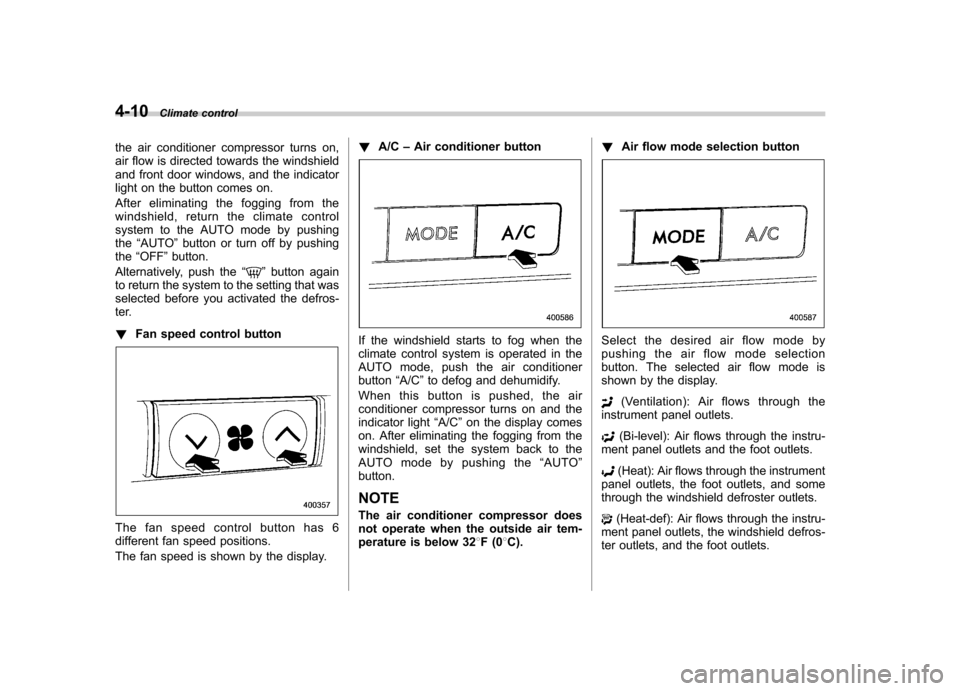
ter. ! Fan speed control button
The fan speed control button has 6
different fan speed positions.
The fan speed is shown by the display. !
A/C –Air conditioner button
If the windshield starts to fog when the
climate control system is operated in the
AUTO mode, push the air conditionerbutton “A/C ”to defog and dehumidify.
When this button is pushed, the air
conditioner compressor turns on and the
indicator light “A/C ”on the display comes
on. After eliminating the fogging from the
windshield, set the system back to the
AUTO mode by pushing the “AUTO ”
button.
NOTE
The air conditioner compressor does
not operate when the outside air tem-
perature is below 32 8F(0 8C). !
Air flow mode selection buttonSelect the desired air flow mode by
pushing the air flow mode selection
button. The selected air flow mode is
shown by the display.
(Ventilation): Ai r flows through the
instrument panel outlets.
(Bi-level): Air flows through the instru-
ment panel outlets and the foot outlets.
(Heat): Air flows through the instrument
panel outlets, the foot outlets, and some
through the windshield defroster outlets.
(Heat-def): Air flows through the instru-
ment panel outlets, the windshield defros-
ter outlets, and the foot outlets.
Page 188 of 442
Antenna system.................................................. 5-2
Printed antenna ................................................... 5-2
FM reception ....................................................... 5-2
XM
TMSatellite radio reception (if equipped) ..... 5-2
Installation of accessories .................................. 5-4
Audio set ............................................................ 5-5
Type A audio set (if equipped) ............................. 5-5
Type B audio set (if equipped) ............................. 5-6
Power and sound controls ................................. 5-7
Power switch and volume control ........................ 5-7
Tone and balance control .................................... 5-7
Audio effector switching (type B) ......................... 5-9
FM/AM radio operation ...................................... 5-10
FM/AM selection ................................................. 5-10
Tuning ............................................................... 5-10
Station preset .................................................... 5-11
Satellite radio operation (if equipped) .............. 5-12
XM
TMsatellite radio ............................................ 5-12
Satellite radio reception ...................................... 5-12
Band selection ................................................... 5-12
Channel and category selection .......................... 5-13
Channel preset ................................................... 5-14
Display selection ................................................ 5-14 CD player operation
.......................................... 5-15
How to insert a CD (type A) ................................ 5-15
How to insert a CD(s) (type B) .. .......................... 5-15
How to play back a CD ...................................... 5-17
To select a track from its beginning. ................... 5-17
Fast-forwarding and fast-reversing ..................... 5-18
Repeating .......................................................... 5-19
Random playback .............................................. 5-20
Scan ................................................................. 5-21
Display selection ............................................... 5-22
Folder selection ................................................. 5-22
How to eject a CD from the player (type A) .... ..... 5-23
How to eject CDs from the player (type B) ..... ..... 5-23
When the following messages are displayed ......................................................... 5-24
AUX unit operation ............................................ 5-25
AUX jack ........................................................... 5-25
AUX inputs selection button ............................... 5-25
Audio control buttons (if equipped) ................. 5-26
MODE button ..................................................... 5-26
Precautions to observe when handling a compact disc ................................................... 5-27 Audio
5
Page 198 of 442
NOTE
While you are holding down either side
of the TUNE/TRACK button, the tuning
frequency will not stop changing even
if the frequency of a receivable station
is reached. !Stereo indicator
The stereo indicator “ST ”will come on
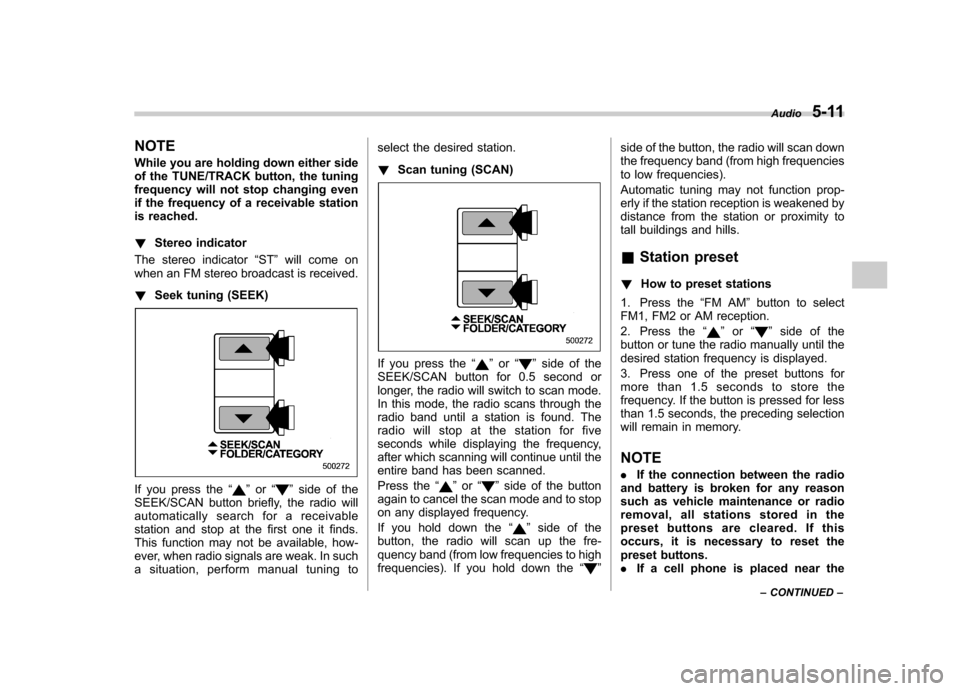
when an FM stereo broadcast is received. ! Seek tuning (SEEK)
If you press the “”or “”side of the
SEEK/SCAN button briefly, the radio will
automatically search for a receivable
station and stop at the first one it finds.
This function may not be available, how-
ever, when radio signals are weak. In such
a situation, perform manual tuning to select the desired station. !
Scan tuning (SCAN)
If you press the “”or “”side of the
SEEK/SCAN button for 0.5 second or
longer, the radio will switch to scan mode.
In this mode, the radio scans through the
radio band until a station is found. The
radio will stop at the station for five
seconds while displaying the frequency,
after which scanning will continue until the
entire band has been scanned.
Press the “
”or “”side of the button
again to cancel the scan mode and to stop
on any displayed frequency.
If you hold down the “
”side of the
button, the radio will scan up the fre-
quency band (from low frequencies to high
frequencies). If you hold down the “
”side of the button, the radio will scan down
the frequency band (from high frequencies
to low frequencies).
Automatic tuning may not function prop-
erly if the station reception is weakened by
distance from the station or proximity to
tall buildings and hills. &
Station preset
! How to preset stations
1. Press the “FM AM ”button to select
FM1, FM2 or AM reception.
2. Press the “
”or “”side of the
button or tune the radio manually until the
desired station frequency is displayed.
3. Press one of the preset buttons for
more than 1.5 seconds to store the
frequency. If the button is pressed for less
than 1.5 seconds, the preceding selection
will remain in memory. NOTE . If the connection between the radio
and battery is broken for any reason
such as vehicle maintenance or radio
removal, all stations stored in the
preset buttons are cleared. If this
occurs, it is necessary to reset the
preset buttons.. If a cell phone is placed near the Audio
5-11
– CONTINUED –
Page 201 of 442
5-14Audio
& Channel preset
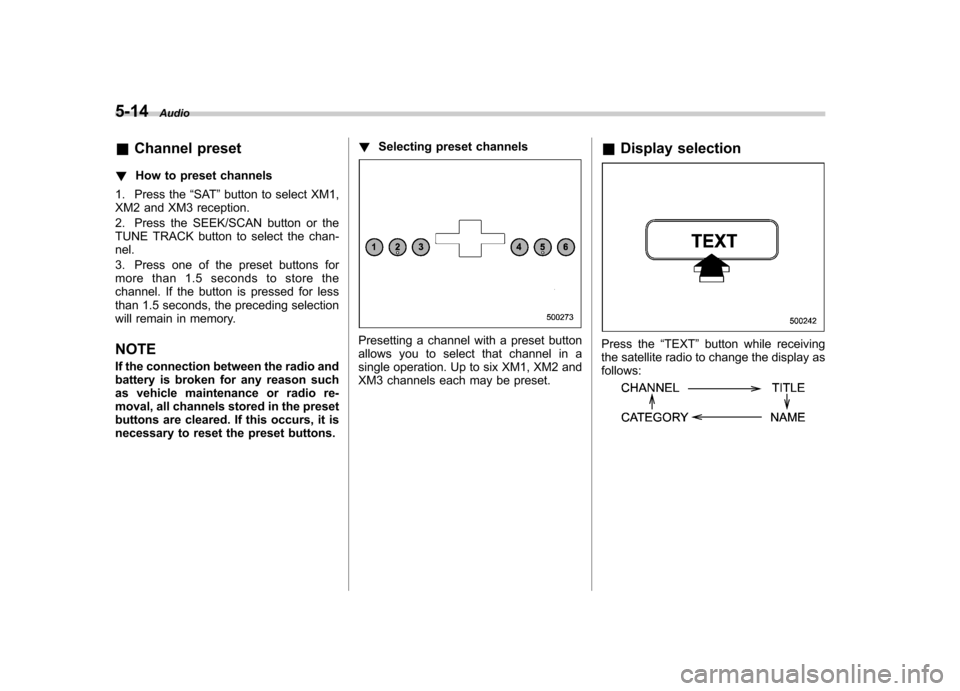
! How to preset channels
1. Press the “SAT ”button to select XM1,
XM2 and XM3 reception.
2. Press the SEEK/SCAN button or the
TUNE TRACK button to select the chan-nel.
3. Press one of the preset buttons for
more than 1.5 seconds to store the
channel. If the button is pressed for less
than 1.5 seconds, the preceding selection
will remain in memory. NOTE
If the connection between the radio and
battery is broken for any reason such
as vehicle maintenance or radio re-
moval, all channels stored in the preset
buttons are cleared. If this occurs, it is
necessary to reset the preset buttons. !
Selecting preset channels
Presetting a channel with a preset button
allows you to select that channel in a
single operation. Up to six XM1, XM2 and
XM3 channels each may be preset. &
Display selectionPress the “TEXT ”button while receiving
the satellite radio to change the display as follows:
Page 204 of 442
start playback of the discs, beginning with
the one inserted first.
If you fail to insert any disc during each 15
seconds interval, the full disc loading
mode will be canceled, and the player will
start playback of the disc inserted first. &How to play back a CD
! When there is no CD inserted
Insert a CD by referring to “How to insert a
CD (type A) ”/“How to insert a CD(s) (type
B) ”.
When a CD is loaded, the player will start
playback of the CD, beginning with the
first track. ! When CD is in the player (type A)
When the “CD ”button is pressed, the player will start playback. !
When there are CDs loaded (type B)
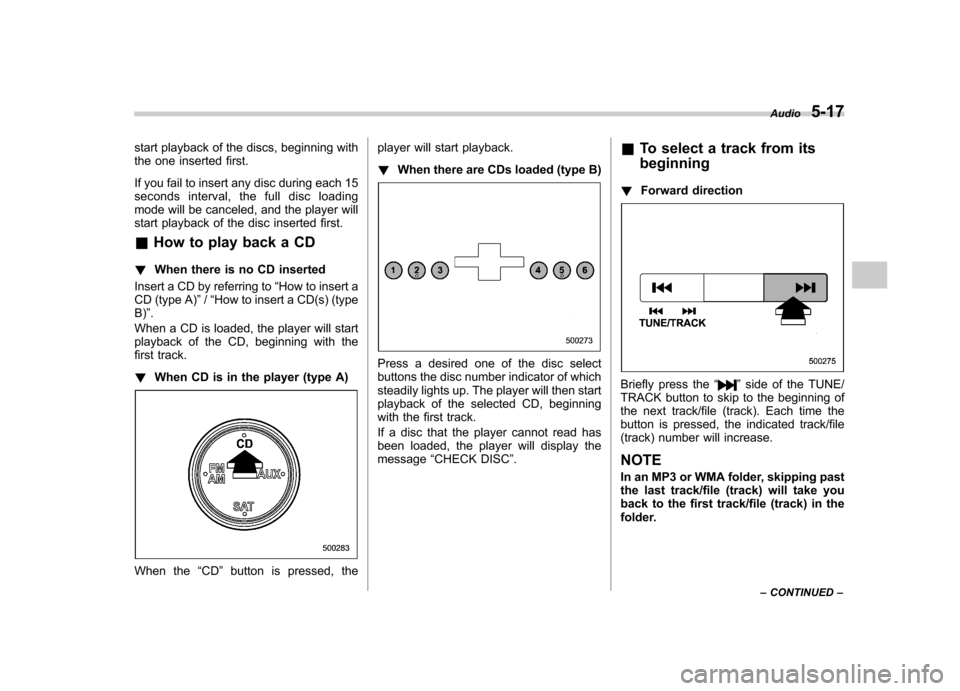
Press a desired one of the disc select
buttons the disc number indicator of which
steadily lights up. The player will then start
playback of the selected CD, beginning
with the first track.
If a disc that the player cannot read has
been loaded, the player will display themessage “CHECK DISC ”. &
To select a track from its beginning
! Forward direction
Briefly press the “”side of the TUNE/
TRACK button to skip to the beginning of
the next track/file (track). Each time the
button is pressed, the indicated track/file
(track) number will increase. NOTE
In an MP3 or WMA folder, skipping past
the last track/file (track) will take you
back to the first track/file (track) in the
folder. Audio
5-17
– CONTINUED –
Page 209 of 442
5-22Audio
& Display selection
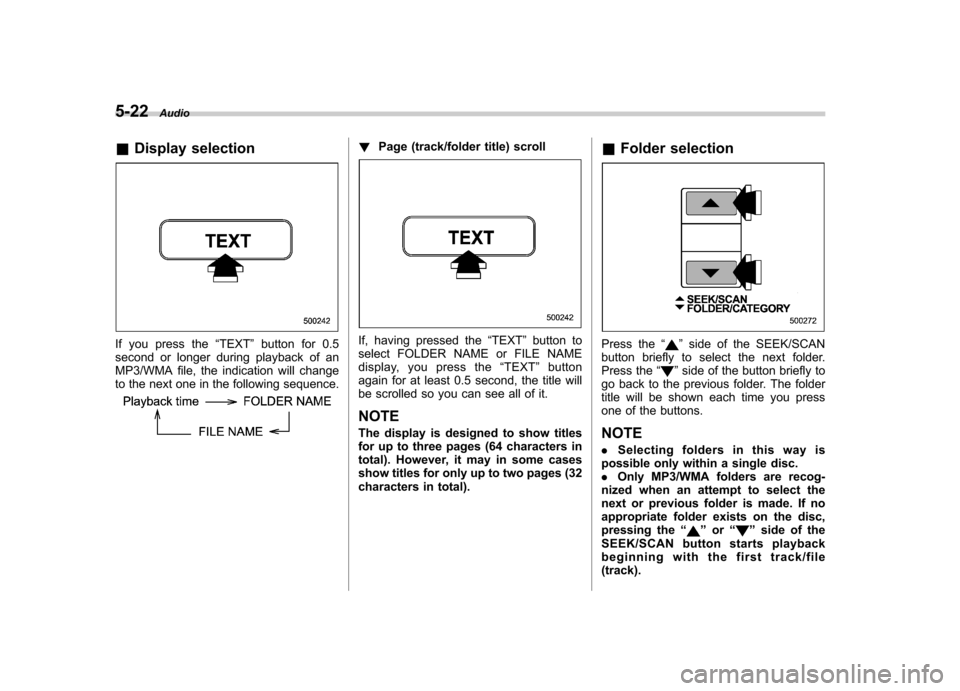
If you press the “TEXT ”button for 0.5
second or longer during playback of an
MP3/WMA file, the indication will change
to the next one in the following sequence.
! Page (track/folder title) scroll
If, having pressed the “TEXT ”button to
select FOLDER NAME or FILE NAME
display, you press the “TEXT ”button
again for at least 0.5 second, the title will
be scrolled so you can see all of it.
NOTE
The display is designed to show titles
for up to three pages (64 characters in
total). However, it may in some cases
show titles for only up to two pages (32
characters in total). &
Folder selectionPress the “”side of the SEEK/SCAN
button briefly to select the next folder.
Press the “
”side of the button briefly to
go back to the previous folder. The folder
title will be shown each time you press
one of the buttons. NOTE . Selecting folders in this way is
possible only within a single disc. . Only MP3/WMA folders are recog-
nized when an attempt to select the
next or previous folder is made. If no
appropriate folder exists on the disc,
pressing the “
”or “”side of the
SEEK/SCAN button starts playback
beginning with the first track/file(track).