2007 SATURN AURA auto
[x] Cancel search: autoPage 136 of 406

Engine Coolant Temperature
Warning Light........................................ 171
Malfunction Indicator Lamp........................ 172
Oil Pressure Light..................................... 175
Security Light............................................ 176
Cruise Control Light.................................. 176
Highbeam On Light................................... 176
Fuel Gage................................................. 177
Auto Stop Mode........................................ 178
Charge/Assist Gage................................... 178
Fuel Economy Light.................................. 179
Driver Information Center (DIC).................. 179
DIC Operation and Displays...................... 180
DIC Warnings and Messages.................... 182
DIC Vehicle Personalization....................... 187Audio System(s)......................................... 192
Setting the Time........................................ 194
Radio with CD (MP3)................................ 195
Using an MP3........................................... 200
Theft-Deterrent Feature............................. 206
Audio Steering Wheel Controls.................. 206
Radio Reception........................................ 207
Care of Your CDs..................................... 207
Care of the CD Player.............................. 207
Backglass Antenna.................................... 208
Section 3 Instrument Panel
136
ProCarManuals.com
Page 139 of 406
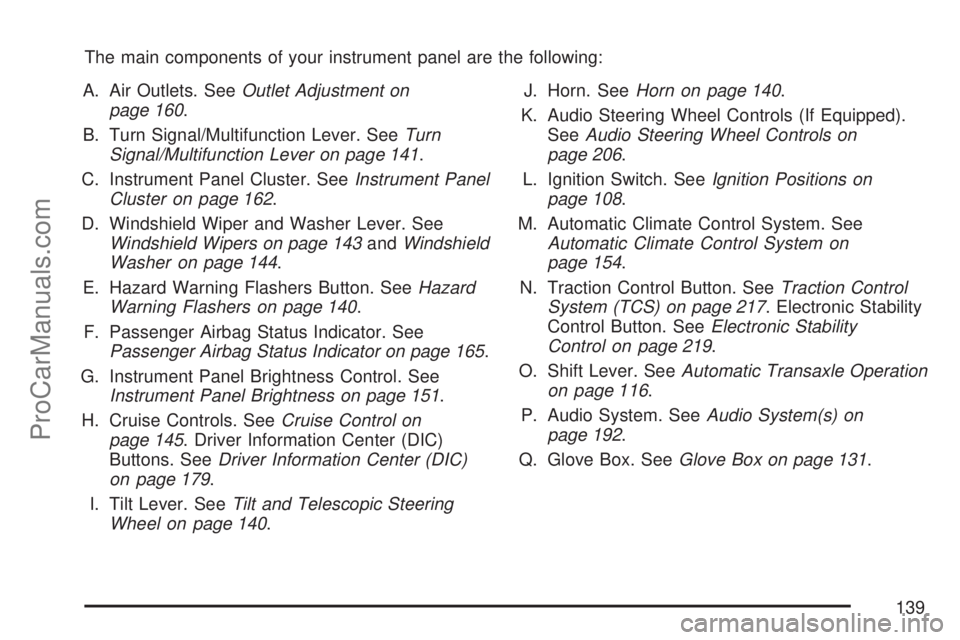
The main components of your instrument panel are the following:
A. Air Outlets. SeeOutlet Adjustment on
page 160.
B. Turn Signal/Multifunction Lever. SeeTurn
Signal/Multifunction Lever on page 141.
C. Instrument Panel Cluster. SeeInstrument Panel
Cluster on page 162.
D. Windshield Wiper and Washer Lever. See
Windshield Wipers on page 143andWindshield
Washer on page 144.
E. Hazard Warning Flashers Button. SeeHazard
Warning Flashers on page 140.
F. Passenger Airbag Status Indicator. See
Passenger Airbag Status Indicator on page 165.
G. Instrument Panel Brightness Control. See
Instrument Panel Brightness on page 151.
H. Cruise Controls. SeeCruise Control on
page 145. Driver Information Center (DIC)
Buttons. SeeDriver Information Center (DIC)
on page 179.
I. Tilt Lever. SeeTilt and Telescopic Steering
Wheel on page 140.J. Horn. SeeHorn on page 140.
K. Audio Steering Wheel Controls (If Equipped).
SeeAudio Steering Wheel Controls on
page 206.
L. Ignition Switch. SeeIgnition Positions on
page 108.
M. Automatic Climate Control System. See
Automatic Climate Control System on
page 154.
N. Traction Control Button. SeeTraction Control
System (TCS) on page 217. Electronic Stability
Control Button. SeeElectronic Stability
Control on page 219.
O. Shift Lever. SeeAutomatic Transaxle Operation
on page 116.
P. Audio System. SeeAudio System(s) on
page 192.
Q. Glove Box. SeeGlove Box on page 131.
139
ProCarManuals.com
Page 142 of 406

Turn and Lane-Change Signals
The turn signal has two upward (for right) and two
downward (for left) positions. These positions
let you signal a turn or a lane change.
To signal a turn, move the lever all the way up or
down. When the turn is nished, the lever
returns automatically to the normal position.
An arrow on the
instrument panel cluster
ashes in the direction of
the turn or lane change.
To signal a lane change, raise or lower the lever
until the arrow starts to ash. Hold it there until you
complete your lane change. The lever returns
by itself when it is released.
If the arrows ash rapidly or do not go on at all as
you signal a turn or lane change, a signal bulb
could be burned out and other drivers will not see
your turn signal.
Replace burned out bulbs to help avoid an
accident. Also, check the appropriate fuses. See
Fuses on page 343.
Headlamp High/Low-Beam Changer
To change the headlamps from low beam to
high beam, push the turn signal/multifunction lever
toward the front of the vehicle.
This light on the
instrument panel cluster
comes on if the high
beam lamps are turned
on while the ignition
is on.
To change the headlamps from high beam to low
beam, pull the turn signal lever toward the rear
of the vehicle.
Flash-to-Pass
This feature lets you use your high-beam
headlamps to signal a driver in front of you that
you want to pass.
To use it, pull the turn signal/multifunction lever
toward you until the high-beam headlamps
come on, then release the lever to turn them off.
142
ProCarManuals.com
Page 144 of 406

Damaged wiper blades can prevent you from
seeing well enough to drive safely. Clear ice and
snow from the wiper blades before using them
to prevent damage.
If the wiper blades are frozen to the windshield,
carefully loosen or thaw them. If your blades
do become damaged, get new blades.
Heavy snow or ice can overload the wiper motor.
A circuit breaker stops the motor until it cools.
Clear away snow or ice to prevent an overload.
If the motor gets stuck, turn the wipers off,
clear away the snow or ice, and then turn the
wipers back on.
As an added safety feature, if the wipers are on
for more than 15 seconds, the vehicle’s headlamps
turn on automatically. They turn off 15 seconds
after the wipers are turned off.Windshield Washer
To wash the windshield, press the button at the
end of the lever until the washers begin.
{CAUTION:
In freezing weather, do not use your
washer until the windshield is warmed.
Otherwise the washer uid can form ice
on the windshield, blocking your vision.
When the button is released, the washers stop,
but the wipers continue to wipe about three times
or resume the previous speed.
144
ProCarManuals.com
Page 146 of 406

RES+ (Resume):Press RES+ to resume a set
speed and to accelerate the speed.
SET−(Set):Press SET– to set a speed and to
decrease the speed.
To set a speed do the following:
1. Press
Ito turn cruise control on. The
indicator light on the button comes on.
2. Get up to the desired speed.
3. Press the SET−and release it. The cruise
symbol displays in the instrument panel
cluster to show the system is engaged.
4. Take your foot off the accelerator pedal.
When the brakes are applied, the cruise control
shuts off.
If the vehicle is in cruise control and the Traction
Control System (TCS) begins to limit wheel
spin, the cruise control automatically disengages.
SeeTraction Control System (TCS) on page 217.
When road conditions allow, the cruise control
can be used again.
Resuming a Set Speed
Suppose you set the cruise control at a desired
speed and then apply the brakes. This disengages
the cruise control. The cruise symbol in the
instrument panel cluster also goes out indicating
cruise is no longer engaged. To return to the
previously set speed, you do not need to
go through the set process again. Once the
vehicle is at a speed of about 25 mph (40 km/h) or
more, you can briey press the RES+.
This takes the vehicle back up to the previously
chosen speed and stays there.
Increasing Speed While Using Cruise
Control
There are two ways to go to a higher speed.
If the cruise control system is already
engaged, press the RES+. Hold it there until
you reach the desired speed, and then release
the button.
To increase the vehicle’s speed in very small
amounts, briey press the RES+ and then
release it. Each time this is done, the vehicle
goes about 1 mph (1.6 km/h) faster.
146
ProCarManuals.com
Page 148 of 406

Headlamps
The band on the lever on the outboard side of the
steering column operates the exterior lamps.
The exterior lamp control has the following four
positions:
2(Headlamps):Turn the band to this position
to turn on the headlamps, parking lamps, and
taillamps.
;(Parking Lamps):Turn the band to this
position to turn on the parking lamps and
taillamps only.AUTO (Automatic Headlamp System):Turn the
band to this position to automatically turn on
the Daytime Running Lamps during daytime, and
the headlamps, parking lamps, and taillamps
at night.
P(Off/On):Turn the band to this position to turn
on the Automatic Headlamp System. In Canada,
this position only works when a vehicle is in
the PARK (P) position.
To turn on the Automatic Headlamp System, turn
the switch to off/on. To turn them off, turn the
switch to off/on again. This is a momentary control
switch that springs back when released. The
Automatic Headlamp System always turns on at
the beginning of an ignition cycle.
Headlamps on Reminder
If you open the driver’s door and turn off the
ignition while leaving the lamps on, you will hear a
warning chime.
148
ProCarManuals.com
Page 149 of 406

Headlamps Off in PARK (P)
This feature works when the ignition is ON and it
is dark outside. To turn the headlamps off
when it is dark outside but keep other exterior
lights on, turn the exterior lamp control to
the parking lamp position. In this position, the
parking lamps, sidemarker lamps, taillamps,
license plate lamps and instrument panel lights
are on, but the headlamps are off.
To turn on the headlamps along with the other
lamps when it is dark outside, turn the exterior
lamp control to the AUTO or headlamp position.
This feature will not work for Canadian vehicles.
Delayed Headlamps
The delayed headlamps feature keeps the
headlamps on for 20 seconds after the key is
turned to OFF, then the headlamps automatically
turn off.
To override the 20 second delayed headlamp
feature while it is active turn the turn
signal/multifunction lever up one position and then
back to AUTO.
Daytime Running Lamps (DRL)
Daytime Running Lamps (DRL) can make it easier
for others to see the front of your vehicle during
the day. DRL are helpful in many different
driving conditions, but they can be especially
helpful in the short periods after dawn and before
sunset. Fully functional DRL are required on all
vehicles rst sold in Canada. The vehicle has
a light sensor on top of the instrument panel that
controls the DRL. Make sure it is not covered,
or the head lamps will be on when they are
not needed.
The DRL system makes the low-beam headlamps
come on at a reduced brightness when the
following conditions are met:
The ignition is on.
The exterior lamps control is in AUTO.
The exterior lamps control is in the parking
lamps only position (This applies only to
vehicles that are rst sold in Canada).
The light sensor detects daytime light.
The parking brake is released or the vehicle is
not in PARK.
149
ProCarManuals.com
Page 150 of 406

When the DRL system is on, the taillamps,
sidemarker lamps, parking lamps, and instrument
panel lights are not on unless you turn the
exterior lamps control to the parking lamp position.
As with any vehicle, you should turn on the
regular headlamp system when they are needed.
Automatic Headlamp System
When it is dark enough outside, the automatic
headlamp system turns on the headlamps at the
normal brightness along with other lamps such
as the taillamps, sidemarker, parking lamps, and
the instrument panel lights. The radio lights
will also be dim.
Your vehicle has a light sensor on top of the
instrument panel that controls the automatic
headlamp system. Make sure it is not covered or
the automatic headlamp system will be on
when it is not needed.
There is a delay in the transition between the
daytime and nighttime operation of the DRL and
the automatic headlamp systems so that
driving under bridges or bright overhead street
lights does not affect the system. The DRLand automatic headlamp systems will only be
affected when the light sensor sees a change in
lighting lasting longer than this delay.
If you start your vehicle in a dark garage, the
automatic headlamp system comes on
immediately. Once you leave the garage, it takes
about one minute for the automatic headlamp
system to change to DRL if it is light outside.
During that delay, the instrument panel cluster may
not be as bright as usual. Make sure the
instrument panel brightness control is in the full
bright position. See “Instrument Panel Brightness
Control” underInstrument Panel Brightness on
page 151.
To idle your vehicle with the automatic headlamp
system off, turn the ignition on and set the
exterior light switch to the off/on position. For
Canadian vehicles, the transmission must stay in
PARK (P) for this function.
As with any vehicle, you should turn on the
regular headlamps when they are needed.
150
ProCarManuals.com