Page 141 of 428

Flash-to-Pass
This feature lets you use your high-beam
headlamps to signal a driver in front of you that
you want to pass.
To use it, pull the turn signal/multifunction lever
toward you until the high-beam headlamps
come on, then release the lever to turn them off.
Windshield Wipers
Use this lever, located on the right side of the
steering wheel, to operate the windshield wipers.
9(Off):Move the lever to this position to turn off
the windshield wipers.
&(Intermittent; Speed Sensitive Wipers):
Move the lever to this position for intermittent or
speed sensitive operation. When you select this
position, the delay will vary depending on the
vehicles speed, as well as, the manually selected
delay.
x(Delay):When the lever is in the intermittent
position, turn the intermittent adjust band with this
symbol on it up or down to set for a shorter or
longer delay between wipes. To the left of the
adjust band are bars, increasing in size from bottom
to top, that indicate the frequency of the wipes.
Smaller bars mean the wipers movement is less
frequent. Larger bars mean the movement is more
frequent.
6(Low Speed):Move the lever up to the rst
setting past intermittent, for steady wiping at
low speed.
1(High Speed):Move the lever up to the
second setting past intermittent, for wiping at high
speed.
141
Page 143 of 428
Cruise Control
With cruise control, you can maintain a speed of
about 25 mph (40 km/h) or more without keeping
your foot on the accelerator. This can really help on
long trips. Cruise control does not work at speeds
below 25 mph (40 km/h).
{CAUTION:
Cruise control can be dangerous where
you cannot drive safely at a steady speed.
So, do not use your cruise control on
winding roads or in heavy traffic.
Cruise control can be dangerous on
slippery roads. On such roads, fast
changes in tire traction can cause
excessive wheel slip, and you could lose
control. Do not use cruise control on
slippery roads.
Setting Cruise Control
{CAUTION:
If you leave your cruise control on when
you are not using cruise, you might hit a
button and go into cruise when you do
not want to. You could be startled and
even lose control. Keep the cruise control
switch off until you want to use cruise
control.
The cruise control
buttons are located on
the left side of the
steering wheel.
143
Page 144 of 428

J(On/Off):Press this button to turn the cruise
control system on and off.
RES+ (Resume):Press this button to resume a
set speed and to accelerate the speed.
SET– (Set):Press this button to set a speed and
to decrease the speed.
To set a speed do the following:
1. Press the on/off button to turn cruise control
on. The indicator light on the button will
come on.
2. Get to the speed you want.
3. Press the SET– part of the control button and
release it. The CRUISE ENGAGED message
will appear on the Driver Information Center
(DIC) to show the system is engaged.
4. Take your foot off the accelerator pedal.
If the vehicle is in cruise control and the Traction
Control System (TCS) begins to limit wheel spin,
the cruise control will automatically disengage. See
Enhanced Traction System (ETS) on page 226.
When road conditions allow, the cruise control can
be used again.Resuming a Set Speed
Suppose you set the cruise control at a desired
speed and then you apply the brake. This, of
course, disengages the cruise control. To return to
the previously set speed, you do not need to go
through the set process again. Once you are going
about 25 mph (40 km/h) or more, you can press
the RES+ part of the button briey.
This will take you back up to your previously
chosen speed and stay there.
Increasing Speed While Using Cruise
Control
There are two ways to go to a higher speed.
1. Disengage the cruise control by applying the
brake pedal but do not turn it off. Accelerate
to a higher speed and reset the cruise control.
2. If the cruise control system is already engaged,
press the RES+ part of the button. Hold it there
until you get up to the speed desired, and then
release the button. To increase the vehicle
speed in very small amounts, press the RES+
part of the button briey and then release it.
Each time you do this, the vehicle will go about
1 mph (1.6 km/h) faster.
144
Page 148 of 428

The DRL system will be off any time your vehicle is
in PARK (P). The DRL system on U.S. vehicles can
also be turned off by using the off/on switch for one
ignition cycle.
As with any vehicle, you should turn on the
regular headlamp system when you need it.
Fog Lamps
If equipped, the fog
lamp button is located
on the instrument panel,
to the left of the
steering wheel.
The ignition must be on to turn your fog lamps on.
Push the button to turn the fog lamps on. An
indicator light on the cluster will come on when the
fog lamps are on. Push the button again to turn the
fog lamps off.The parking lamps will automatically turn on and
off when the fog lamps are turned on and off.
The fog lamps will turn off while the high-beam
headlamps are turned on.
Some localities have laws that require the
headlamps to be on along with the fog lamps.
Instrument Panel Brightness
The control for this
feature is located on
the instrument panel to
the left of the steering
wheel.
Turn the knob clockwise to brighten the lights or
counterclockwise to dim them.
148
Page 155 of 428

Outlet Adjustment
Use the thumbwheels located next to and below
the air outlets to change the direction of the airow
and to open and close the outlets.
Operation Tips
Clear away any ice, snow or leaves from the
air inlets at the base of the windshield that
may block the ow of air into your vehicle.
Use of non-GM approved hood deectors may
adversely affect the performance of the system.
Keep the path under the front seats clear of
objects to help circulate the air inside of your
vehicle more effectively.
Passenger Compartment Air Filter
Passenger compartment air, both outside air and
recirculated air, is routed through a passenger
compartment lter. The lter removes certain
particles from the air, including pollen and dust
particles. Reductions in airow, which may occur
more quickly in dusty areas, indicate that the lter
needs to be replaced early.The lter should be replaced as part of routine
scheduled maintenance. SeeScheduled
Maintenance on page 375for replacement
intervals. See your dealer for details on changing
the lter. To nd out what type of lter to use, see
Normal Maintenance Replacement Parts on
page 387.
To access the passenger compartment air lter
you must go through the glove box.
1. Open the glove box and remove all articles
from the inside.
2. Tilt the glove box door down by squeezing on
each side of the glove box until the door can
be lowered from its track. Lower the glove
box door.
155
Page 166 of 428

Anti-Lock Brake System Warning
Light
Your vehicle may have
an Anti-Lock Brake
System (ABS)
warning light.
The ABS warning light will come on briey when
you turn the ignition key to LOCK. This is normal.
If the light does not come on then, have it xed
so it will be ready to warn you if there is a problem.
If the light stays on, turn the ignition off, if the light
comes on when you are driving, stop as soon as
possible and turn the ignition off. Then start the
engine again to reset the system. If the light still
stays on, or comes on again while you are driving,
your vehicle needs service. If the regular brake
system warning light is not on, you still have brakes,
but you do not have anti-lock brakes. If the regular
brake system warning light is also on, you do not
have anti-lock brakes and there is a problem with
your regular brakes. SeeBrake System Warning
Light on page 165.
Enhanced Traction System
Warning Light
If your vehicle is
equipped with the
Enhanced Traction
System (ETS), this
warning light should
come on briey as you
start the engine.
If the warning light does not come on, then have it
xed so it will be ready to warn you if there is a
problem.
If the warning light stays on, or comes on when you
are driving, there may be a problem with your
Enhanced Traction System and your vehicle may
need service. When this warning light is on, the
system will not limit wheel spin. Adjust your driving
accordingly.
166
Page 174 of 428
Driver Information Center (DIC)
Your vehicle has a Driver Information Center
(DIC). The DIC display gives you the status of
many of your vehicle’s systems. The DIC is also
used to display driver personalization menu modes
and warning/status messages. All messages will
appear in the DIC display, located at the bottom of
the instrument panel cluster.
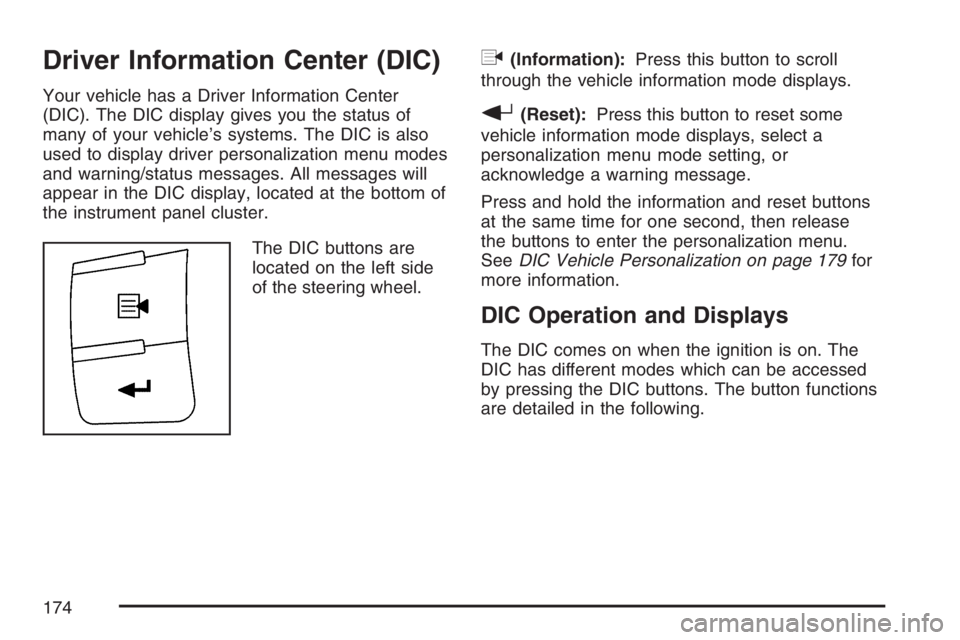
The DIC buttons are
located on the left side
of the steering wheel.
q(Information):Press this button to scroll
through the vehicle information mode displays.
r(Reset):Press this button to reset some
vehicle information mode displays, select a
personalization menu mode setting, or
acknowledge a warning message.
Press and hold the information and reset buttons
at the same time for one second, then release
the buttons to enter the personalization menu.
SeeDIC Vehicle Personalization on page 179for
more information.
DIC Operation and Displays
The DIC comes on when the ignition is on. The
DIC has different modes which can be accessed
by pressing the DIC buttons. The button functions
are detailed in the following.
174
Page 179 of 428

LOW FUEL
This message displays when your vehicle is low
on fuel. Rell the fuel tank as soon as possible.
SeeFuel Gage on page 173,Fuel on page 270,
andFilling the Tank on page 274for more
information.
LOW TRACTION
This message displays when the Enhanced
Traction System (ETS) is actively limiting wheel
spin. Slippery road conditions may exist if this
message displays, so adjust your driving
accordingly. SeeEnhanced Traction System (ETS)
on page 226for more information.
PARKING BRAKE
This message displays if the parking brake is left
engaged. SeeParking Brake on page 118for
more information.
POWER STEERING
This message displays if a problem has been
detected with the electric power steering. Have
your vehicle serviced by your dealer immediately.
SERVICE AIR BAG
This message displays when there is a problem
with the airbag system. Have your vehicle serviced
by your dealer immediately.
TRUNK AJAR
This message displays when the trunk lid is not
closed completely. Make sure that the trunk
lid is closed completely. SeeTrunk on page 98.
DIC Vehicle Personalization
Your vehicle has personalization capabilities that
allow you to program certain features to a preferred
setting. All of the features listed may not be
available on your vehicle. Only the features
available will be displayed on the DIC.
The default settings for the features were set
when your vehicle left the factory, but may have
been changed from their default state since
that time.
179
