2007 NISSAN VERSA Power
[x] Cancel search: PowerPage 9 of 304

1. Engine hood (P. 3-23)
2. Windshield wiper and washer switch
(P. 2-17)
3. Windshield (P. 8-18)
4. Sunroof (if so equipped) (P. 2-31)
5. Power windows (P. 2-28)
6. Door locks, keyfob, Intelligent Key
system, keys (P. 3-4, 3-7, 3-10, 3-2)
7. Mirrors (P. 3-30)
8. Tire pressure (P. 8-31)
9. Flat tire (P. 6-2)
10. Tire chains (P. 8-37)
11. Headlight and turn signal switch
(P. 2-19)
12. Replacing bulbs (P. 8-26)
13. Fog light switch (P. 2-19)
14. Tie down hook (P. 6-13)
See the page number indicated in paren-
theses for operating details.
WII0101
EXTERIOR FRONT
Illustrated table of contents0-3
ZREVIEW COPYÐ2007 Versa(vrs)
Owners ManualÐUSA_English(nna)
10/05/06Ðdebbie
X
Page 15 of 304
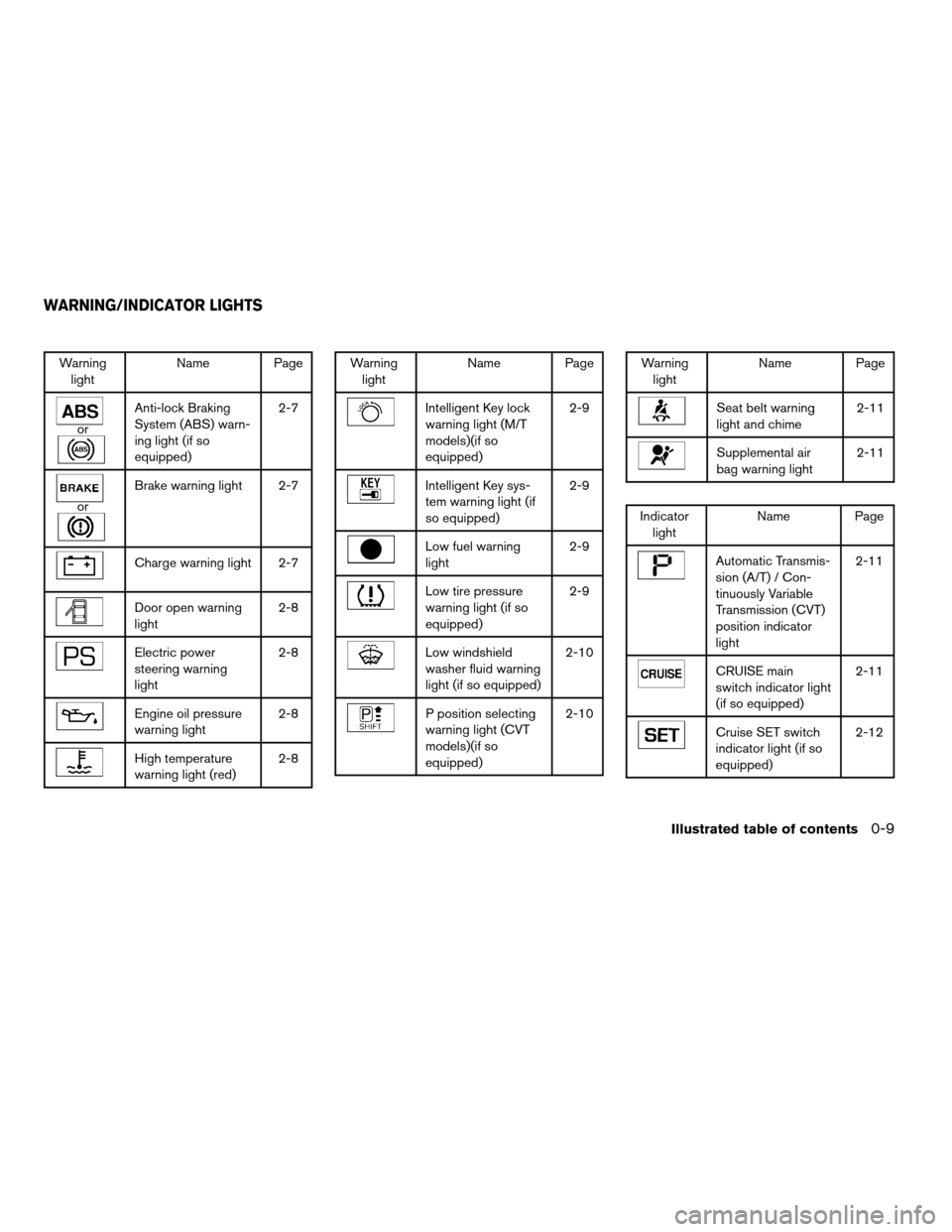
Warning
lightName Page
or
Anti-lock Braking
System (ABS) warn-
ing light (if so
equipped)2-7
or
Brake warning light 2-7
Charge warning light 2-7
Door open warning
light2-8
Electric power
steering warning
light2-8
Engine oil pressure
warning light2-8
High temperature
warning light (red)2-8
Warning
lightName Page
Intelligent Key lock
warning light (M/T
models)(if so
equipped)2-9
Intelligent Key sys-
tem warning light (if
so equipped)2-9
Low fuel warning
light2-9
Low tire pressure
warning light (if so
equipped)2-9
Low windshield
washer fluid warning
light (if so equipped)2-10
P position selecting
warning light (CVT
models)(if so
equipped)2-10
Warning
lightName Page
Seat belt warning
light and chime2-11
Supplemental air
bag warning light2-11
Indicator
lightName Page
Automatic Transmis-
sion (A/T) / Con-
tinuously Variable
Transmission (CVT)
position indicator
light2-11
CRUISE main
switch indicator light
(if so equipped)2-11
Cruise SET switch
indicator light (if so
equipped)2-12
WARNING/INDICATOR LIGHTS
Illustrated table of contents0-9
ZREVIEW COPYÐ2007 Versa(vrs)
Owners ManualÐUSA_English(nna)
10/05/06Ðdebbie
X
Page 67 of 304

2 Instruments and controls
Instrument panel...................................2-2
Meters and gauges................................2-3
Speedometer and odometer.....................2-3
Tachometer....................................2-4
Fuel gauge....................................2-5
Warning/indicator lights and audible reminders.......2-6
Checking bulbs................................2-7
Warning lights.................................2-7
Indicator lights................................2-11
Audible reminders.............................2-13
Security systems (if so equipped)..................2-14
Vehicle security system (if so equipped)..........2-14
NISSAN vehicle immobilizer system.............2-15
Windshield wiper and washer switch...............2-17
Switch operation..............................2-17
Rear window wiper and washer switch
(if so equipped)..................................2-18
Rear window and outside mirror (if so equipped)
defroster switch..................................2-18
Headlight and turn signal switch....................2-19
Headlight control switch........................2-19
Daytime running light system (Canada only)......2-20
Instrument brightness control...................2-20Turn signal switch.............................2-21
Fog light switch (if so equipped)................2-21
Hazard warning flasher switch.....................2-21
Horn............................................2-22
Power outlet.....................................2-22
Storage.........................................2-23
Map pockets..................................2-23
Storage trays.................................2-23
Sunglasses holder (if so equipped)..............2-24
Cup holders..................................2-25
Glove box....................................2-26
Console box (if so equipped)...................2-26
Covered storage bin...........................2-27
Tonneau cover (if so equipped)..................2-27
Windows........................................2-28
Power windows (if so equipped)................2-28
Manual windows..............................2-30
Sunroof (if so equipped)...........................2-31
Automatic sunroof.............................2-31
Interior light......................................2-32
Map lights (if so equipped)........................2-33
Luggage compartment light........................2-33
ZREVIEW COPYÐ2007 Versa(vrs)
Owners ManualÐUSA_English(nna)
10/05/06Ðdebbie
X
Page 72 of 304

orAnti-lock braking system (ABS)
warning light (if so equipped)Low fuel warning lightCruise SET switch indicator light
(if so equipped)
orBrake warning lightLow tire pressure warning light
(if so equipped)Front passenger air bag status light
Charge warning lightLow windshield washer fluid warning light
(if so equipped)High beam indicator light (Blue)
Door open warning lightP position selecting warning light
(CVT models) (if so equipped)Low temperature indicator light (Blue)
Electric power steering warning lightSeat belt warning light and chimeMalfunction indicator light (MIL)
Engine oil pressure warning lightSupplemental air bag warning lightOverdrive off indicator light
(A/T / CVT models)
High temperature warning light (Red)Automatic Transmission (A/T)/Continuously
Variable Transmission (CVT) position indicator
lightSecurity indicator light
Intelligent Key lock warning light (M/T models)
(if so equipped)CRUISE main switch indicator light
(if so equipped)Turn signal/hazard indicator lights
Intelligent Key system warning light
(if so equipped)
WARNING/INDICATOR LIGHTS AND
AUDIBLE REMINDERS
2-6Instruments and controls
ZREVIEW COPYÐ2007 Versa(vrs)
Owners ManualÐUSA_English(nna)
10/05/06Ðdebbie
X
Page 74 of 304
the generator belt. If the belt is loose, broken,
missing, or if the light remains on, see a NISSAN
dealer immediately.
CAUTION
Do not continue driving if the generator
belt is loose, broken or missing.
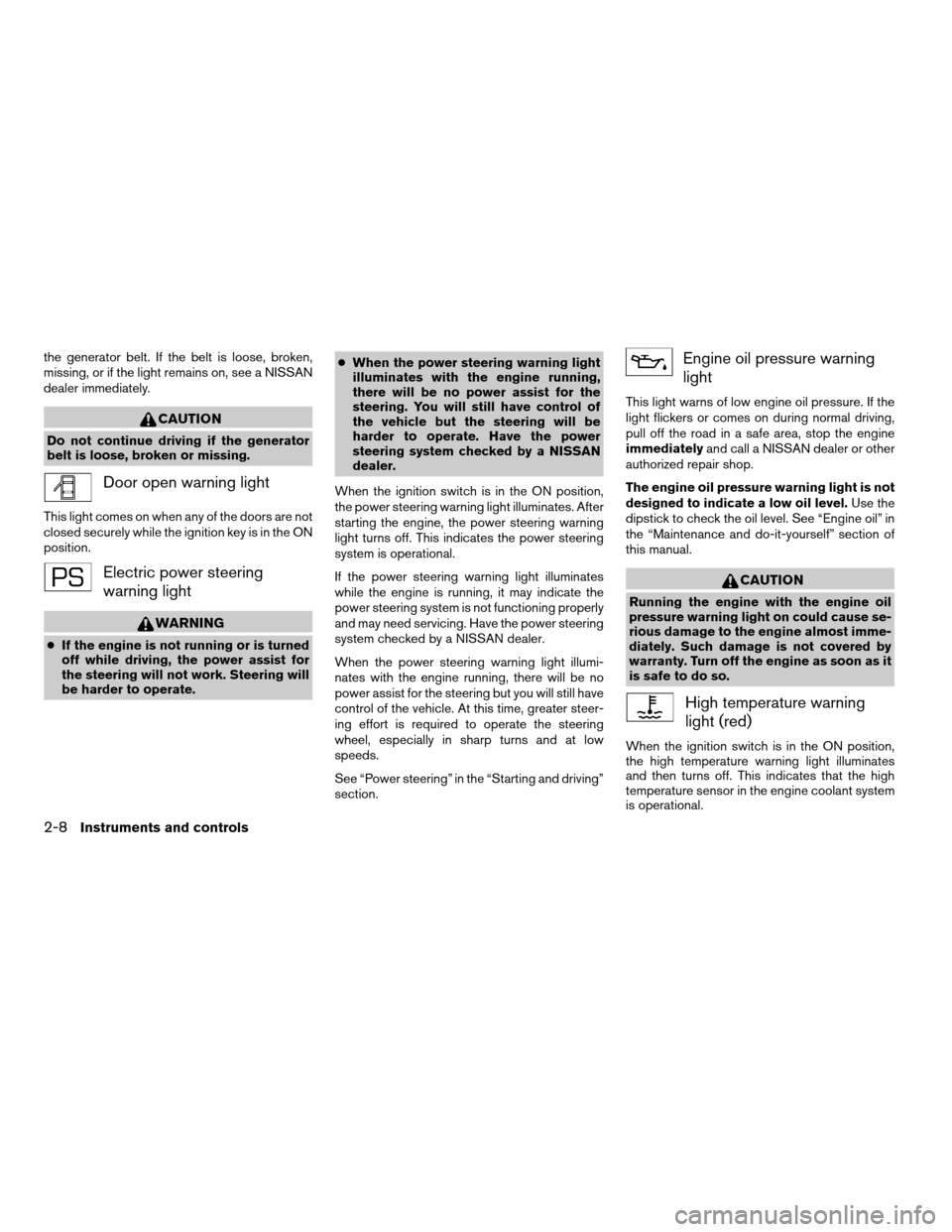
Door open warning light
This light comes on when any of the doors are not
closed securely while the ignition key is in the ON
position.
Electric power steering
warning light
WARNING
cIf the engine is not running or is turned
off while driving, the power assist for
the steering will not work. Steering will
be harder to operate.cWhen the power steering warning light
illuminates with the engine running,
there will be no power assist for the
steering. You will still have control of
the vehicle but the steering will be
harder to operate. Have the power
steering system checked by a NISSAN
dealer.
When the ignition switch is in the ON position,
the power steering warning light illuminates. After
starting the engine, the power steering warning
light turns off. This indicates the power steering
system is operational.
If the power steering warning light illuminates
while the engine is running, it may indicate the
power steering system is not functioning properly
and may need servicing. Have the power steering
system checked by a NISSAN dealer.
When the power steering warning light illumi-
nates with the engine running, there will be no
power assist for the steering but you will still have
control of the vehicle. At this time, greater steer-
ing effort is required to operate the steering
wheel, especially in sharp turns and at low
speeds.
See “Power steering” in the “Starting and driving”
section.
Engine oil pressure warning
light
This light warns of low engine oil pressure. If the
light flickers or comes on during normal driving,
pull off the road in a safe area, stop the engine
immediatelyand call a NISSAN dealer or other
authorized repair shop.
The engine oil pressure warning light is not
designed to indicate a low oil level.Use the
dipstick to check the oil level. See “Engine oil” in
the “Maintenance and do-it-yourself” section of
this manual.
CAUTION
Running the engine with the engine oil
pressure warning light on could cause se-
rious damage to the engine almost imme-
diately. Such damage is not covered by
warranty. Turn off the engine as soon as it
is safe to do so.
High temperature warning
light (red)
When the ignition switch is in the ON position,
the high temperature warning light illuminates
and then turns off. This indicates that the high
temperature sensor in the engine coolant system
is operational.
2-8Instruments and controls
ZREVIEW COPYÐ2007 Versa(vrs)
Owners ManualÐUSA_English(nna)
10/05/06Ðdebbie
X
Page 80 of 304

cAny doors are not closed securely when
locking the doors.
When the buzzer sounds, be sure to check both
the vehicle and the Intelligent Key. See “Intelli-
gent Key system” in the “Pre-driving checks and
adjustments” section.
Light reminder chime
With the ignition switch in the OFF position, a
chime sounds when the driver’s door is opened if
the headlights or parking lights are on.
Turn the headlight control switch off before leav-
ing the vehicle.
Your vehicle may have two types of security sys-
tems:
cVehicle security system (if so equipped)
cNISSAN Vehicle Immobilizer System
VEHICLE SECURITY SYSTEM (if so
equipped)
The vehicle security system provides visual and
audible alarm signals if someone opens the doors
when the system is armed. It is not, however, a
motion detection type system that activates when
a vehicle is moved or when a vibration occurs.The system helps deter vehicle theft but cannot
prevent it, nor can it prevent the theft of interior or
exterior vehicle components in all situations. Al-
ways secure your vehicle even if parking for a
brief period. Never leave your keys in the ignition,
and always lock the vehicle when unattended. Be
aware of your surroundings, and park in secure,
well-lit areas whenever possible.
Many devices offering additional protection, such
as component locks, identification markers, and
tracking systems, are available at auto supply
stores and specialty shops. Your NISSAN dealer
may also offer such equipment. Check with your
insurance company to see if you may be eligible
for discounts for various theft protection features.
How to arm the vehicle security
system
1. Close all windows.(The system can be
armed even if the windows are open.)
2. Turn the ignition switch to the LOCK posi-
tion and remove the key.
3. Close all doors. Lock all doors. The doors
can be locked with:
cthe power door lock switch (if the door is
opened, locked and then closed) .
cthe key — master or mechanical (Intelli-
gent Key models) .
LIC0978
SECURITY SYSTEMS (if so equipped)
2-14Instruments and controls
ZREVIEW COPYÐ2007 Versa(vrs)
Owners ManualÐUSA_English(nna)
10/05/06Ðdebbie
X
Page 81 of 304

cany request switch (Intelligent Key mod-
els) .
cthe keyfob or Intelligent Key.
Keyfob and Intelligent Key operation:
cPush the
button. All doors lock.
The hazard lights flash twice and the horn
beeps once to indicate all doors are
locked.
cWhen the
button is pushed with
all doors locked, the hazard lights flash
twice and the horn beeps once as a re-
minder that the doors are already locked.
The horn may or may not beep. Refer to
“Silencing the horn beep feature” in the
“Pre-driving checks and adjustments” sec-
tion later in this manual.
4. Confirm that the
indicator light comes
on. Thelight stays on for about 30
seconds. The vehicle security system is now
pre-armed. After about 30 seconds the ve-
hicle security system automatically shifts
into the armed phase. The
light begins
to flash once every 3 seconds. If, during the
30-second pre-arm time period, the driver’s
door is unlocked by the key, a request
switch, the keyfob or Intelligent Key, or if the
ignition switch is turned to ACC or ON, the
system will not arm.cIf the key is turned slowly when locking
the driver’s door, the system may not
arm. Furthermore, if the key is turned
beyond the vertical position toward the
unlock position to remove the key, the
system may be disarmed when the key
is removed. If the indicator light fails to
glow for 30 seconds, unlock the door
once and lock it again.
cEven when the driver and/or passen-
gers are in the vehicle, the system will
arm with all doors closed and locked
with the ignition key in the OFF posi-
tion.
Vehicle security system activation
The vehicle security system will give the following
alarm:
cThe headlights blink and the horn sounds
intermittently.
cThe alarm automatically turns off after ap-
proximately 50 seconds. However, the alarm
reactivates if the vehicle is tampered with
again. The alarm can be shut off by unlocking
the driver’s door with the key, a request
switch or by pressing the
button on
the keyfob or Intelligent Key.The alarm is activated by:
copening a door without using the key, a
request switch, keyfob or Intelligent Key
(even if the door is unlocked by using the
inside lock knob or the power door lock
switch) .
How to stop an activated alarm
The alarm stops only by unlocking the driver’s
door with the key, pressing thebutton on
the keyfob or Intelligent Key, or by unlocking all
doors with any request switch (Intelligent Key
models) .
NISSAN VEHICLE IMMOBILIZER
SYSTEM
The NISSAN Vehicle Immobilizer System will not
allow the engine to start without the use of a
registered key.
If the engine fails to start using a registered key (for
example, when interference is caused by another
registered key, an automated toll road device or
automatic payment device on the key ring) , restart
the engine using the following procedures:
1. Leave the ignition switch in the ON position
for approximately 5 seconds.
2.
Turn the ignition switch to the OFF or LOCK
position, and wait approximately 10 seconds.
Instruments and controls2-15
ZREVIEW COPYÐ2007 Versa(vrs)
Owners ManualÐUSA_English(nna)
10/05/06Ðdebbie
X
Page 88 of 304
cTurn signals do not work when the haz-
ard warning flasher lights are on.
The flashers will operate with the ignition switch
in any position.
Some state laws may prohibit the use of
the hazard warning flasher switch while
driving.
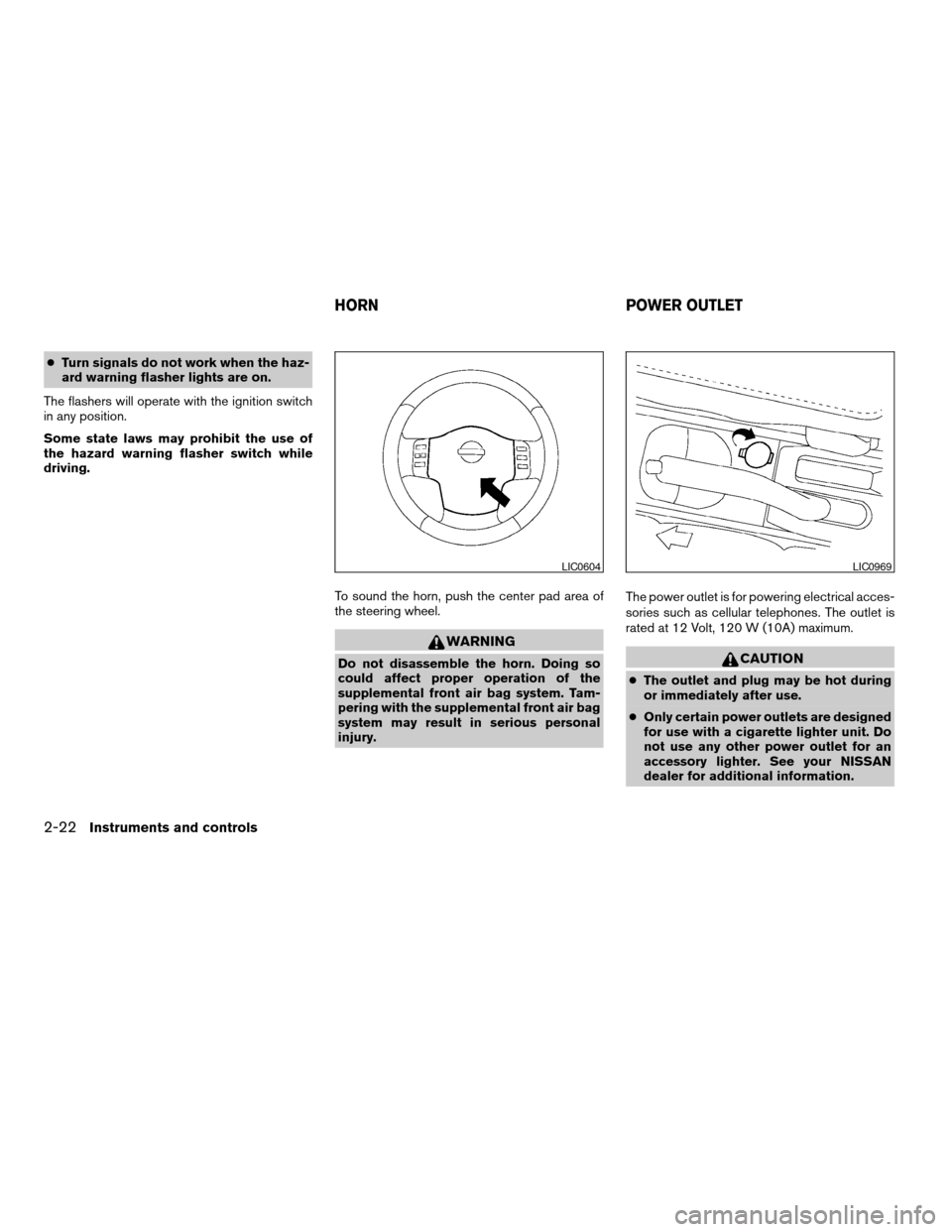
To sound the horn, push the center pad area of
the steering wheel.
WARNING
Do not disassemble the horn. Doing so
could affect proper operation of the
supplemental front air bag system. Tam-
pering with the supplemental front air bag
system may result in serious personal
injury.The power outlet is for powering electrical acces-
sories such as cellular telephones. The outlet is
rated at 12 Volt, 120 W (10A) maximum.CAUTION
cThe outlet and plug may be hot during
or immediately after use.
cOnly certain power outlets are designed
for use with a cigarette lighter unit. Do
not use any other power outlet for an
accessory lighter. See your NISSAN
dealer for additional information.
LIC0604LIC0969
HORN POWER OUTLET
2-22Instruments and controls
ZREVIEW COPYÐ2007 Versa(vrs)
Owners ManualÐUSA_English(nna)
10/05/06Ðdebbie
X