2007 NISSAN SENTRA lock
[x] Cancel search: lockPage 105 of 320

Front passenger’s power window
switch
The passenger’s window switch operates only
the corresponding passenger’s window. To open
the window, push the switch to the first detent
and continue to hold it down until the desired
window position is reached
s1. To close the
window, pull the switch to the first detent and
continue to hold it up until the desired window
position is reached
s2.
Rear power window switch
The rear power window switches open or close
only the corresponding windows. To open the
window, push the switch and hold it down
s1.To
close the window, pull the switch up
s2.
Locking passengers’ windows
When the window lock button is depressed, only
the driver’s side window can be opened or
closed. Push it again to cancel the window lock
function.
Automatic operation
To fully open a window equipped with automatic
operation, press the window switch down to the
second detent and release it; it need not be held.
The window automatically opens all the way. To
stop the window, lift the switch up while the
window is opening.
When power window switch does not
operate
If the power window automatic function (closing
only) does not operate properly, perform the fol-
lowing procedure to initialize the power window
system.
WIC1129LIC0718LIC0410
Instruments and controls2-31
ZREVIEW COPYÐ2007 Sentra(sen)
Owners ManualÐUSA_English(nna)
12/07/06Ðcathy
X
Page 108 of 320
NOTE:
If
is released anytime during the re-
starting process, all learned profile data
will be discarded and the procedure will
have to be started over.
If the sunroof still does not operate properly, have
the sunroof system checked, and if necessary
repaired, by a NISSAN dealer.
Auto reverse function (when closing or
tilting down the sunroof)
The auto reverse function can be activated when
the sunroof is closed or tilted down by automatic
operation when the ignition key is in the ON
position or for about 45 seconds after the ignition
key is turned to the OFF position.
Depending on the environment or driving
conditions, the auto reverse function may
be activated if an impact or load similar to
something being caught in the sunroof oc-
curs.
WARNING
There are some small distances immedi-
ately before the closed position which
cannot be detected. Make sure that all
passengers have their hands, etc., inside
the vehicle before closing the sunroof.When closing:
If the control unit detects something caught in the
sunroof as it moves to the front, the sunroof will
immediately open backward.
When tilting down:
If the control unit detects something caught in the
sunroof as it tilts down, the sunroof will immedi-
ately tilt up.
If the auto reverse function malfunctions and re-
peats opening or tilting up the sunroof, keep
pushing the tilt down switch within 5 seconds
after it happens; the sunroof will fully close gradu-
ally. Make sure nothing is caught in the sunroof.
Sunshade
Open and close the sunshade by sliding it for-
ward or backward.
If the sunroof does not close
Have your NISSAN dealer check and repair the
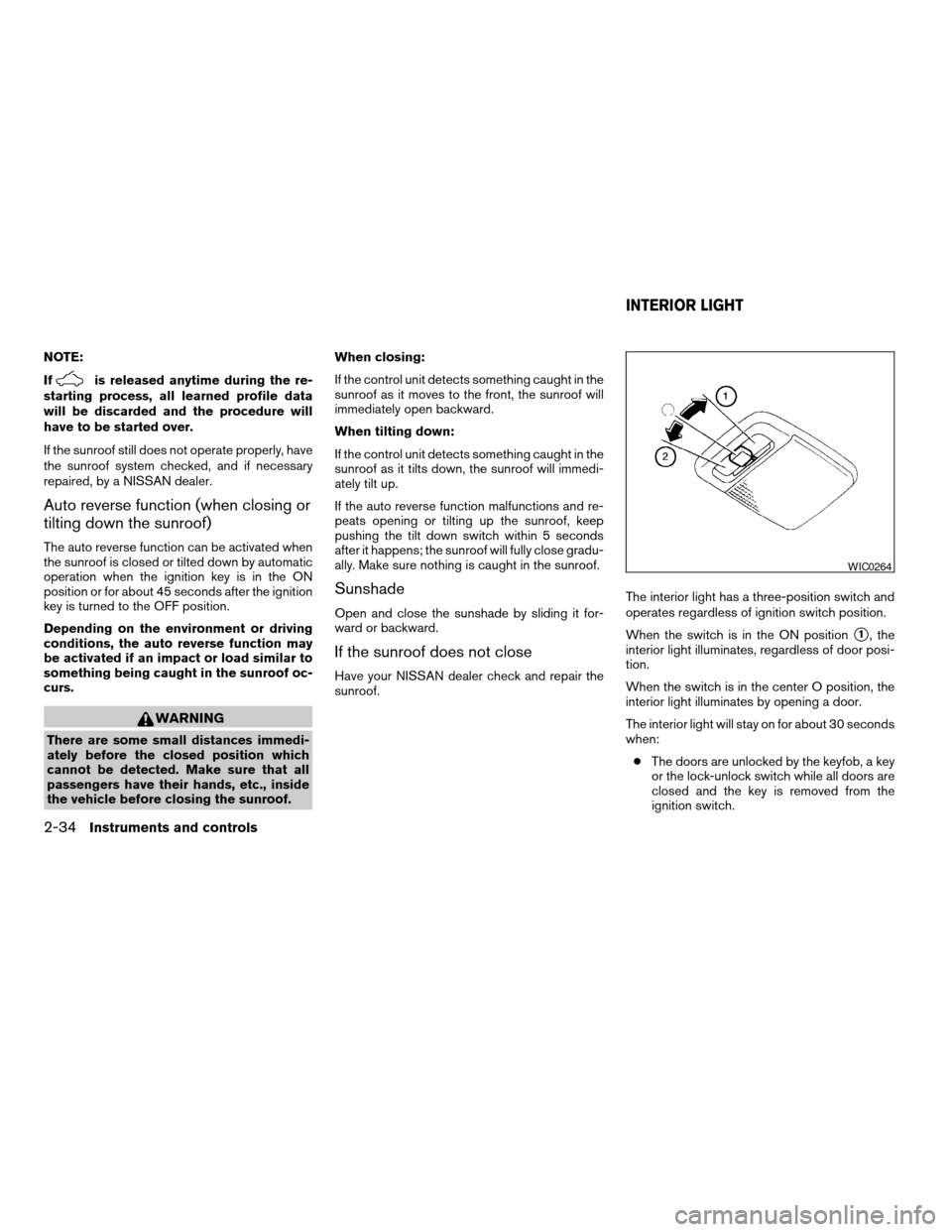
sunroof.The interior light has a three-position switch and
operates regardless of ignition switch position.
When the switch is in the ON position
s1, the
interior light illuminates, regardless of door posi-
tion.
When the switch is in the center O position, the
interior light illuminates by opening a door.
The interior light will stay on for about 30 seconds
when:
cThe doors are unlocked by the keyfob, a key
or the lock-unlock switch while all doors are
closed and the key is removed from the
ignition switch.
WIC0264
INTERIOR LIGHT
2-34Instruments and controls
ZREVIEW COPYÐ2007 Sentra(sen)
Owners ManualÐUSA_English(nna)
11/27/06Ðarosenma
X
Page 109 of 320
cThe driver’s door is opened and then closed
while the key is removed from the ignition
switch.
cThe key is removed from the ignition switch
while all doors are closed.
The interior light will turn off while the 30 second
timer is activated when:
cThe driver’s door is locked by the keyfob, a
key or the lock-unlock switch.
cThe ignition switch is turned ON.
When the switch is in the OFF position
s2, the
interior light does not illuminate, regardless of
door position.
Some vehicles are equipped with a battery saver
feature that will automatically turn off the interior
lights after approximately 10 minutes if:
cdoors are open, or
cthe interior light switch is in the ON position.NOTE:
If the interior lights are turned off automati-
cally by the battery saver feature, the igni-
tion key must be turned to the ON position
before the interior lights will illuminate
again.
For information regarding the interior light bulb
replacement, refer to “Exterior and interior lights”
in the “Maintenance and do-it-yourself” section of
this manual.CAUTION
Do not use for extended periods of time
with the engine stopped. This could result
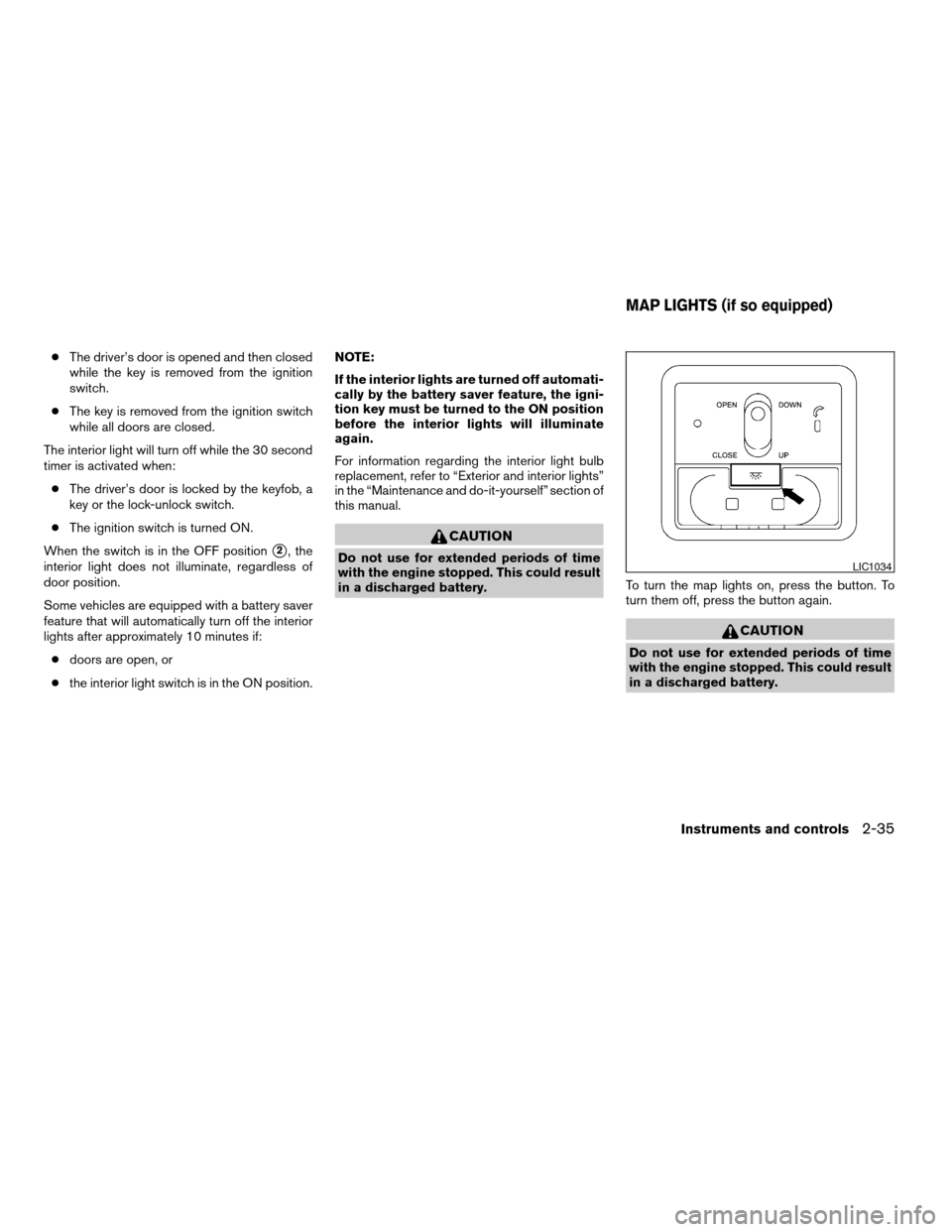
in a discharged battery.To turn the map lights on, press the button. To
turn them off, press the button again.
CAUTION
Do not use for extended periods of time
with the engine stopped. This could result
in a discharged battery.
LIC1034
MAP LIGHTS (if so equipped)
Instruments and controls2-35
ZREVIEW COPYÐ2007 Sentra(sen)
Owners ManualÐUSA_English(nna)
11/27/06Ðarosenma
X
Page 111 of 320

3 Pre-driving checks and adjustments
Keys .............................................3-2
NISSAN vehicle immobilizer system keys..........3-2
Intelligent keys (if so equipped)..................3-3
Doors............................................3-4
Locking with key................................3-4
Locking with inside lock knob....................3-5
Locking with power door lock switch
(if so equipped)................................3-5
Child safety rear door lock.......................3-6
Remote keyless entry system
(models without Intelligent Key system)
(if so equipped)...................................3-6
How to use remote keyless entry system..........3-7
Intelligent Key system (if so equipped)..............3-10
Operating range...............................3-11
Door locks/unlocks precaution..................3-12
Intelligent Key operation........................3-12
How to use the remote keyless entry
function......................................3-16Warning lights and audible reminders............3-19
Warning signals...............................3-19
Troubleshooting guide.........................3-21
Hood...........................................3-22
Trunk lid.........................................3-22
Trunk lid release switch........................3-23
Key operation (if so equipped)..................3-23
Interior trunk lid release........................3-23
Fuel-filler door...................................3-24
Opener operation..............................3-24
Fuel-filler cap.................................3-24
Steering wheel...................................3-26
Tilt operation..................................3-26
Sun visors.......................................3-26
Vanity mirrors (if so equipped)...................3-26
Mirrors..........................................3-27
Rearview mirror...............................3-27
Outside mirrors...............................3-27
ZREVIEW COPYÐ2007 Sentra(sen)
Owners ManualÐUSA_English(nna)
11/28/06Ðarosenma
X
Page 112 of 320

1. Two master keys (black) with transpon-
der chip and chrome NISSAN brand
symbol on one side
2. Transponder chip
3. Key number plate
A key number plate is supplied with your keys.
Record the key number and keep it in a safe place
(such as your wallet) , not in the vehicle. If you lose
your keys, see a NISSAN dealer for duplicates by
using the key number. NISSAN does not record
key numbers so it is very important to keep track
of your key number plate.A key number is only necessary when you have
lost all keys and do not have one to duplicate
from. If you still have a key, your NISSAN dealer
can duplicate it.
NISSAN VEHICLE IMMOBILIZER
SYSTEM KEYS
You can only drive your vehicle using the master
keys which are registered to the NISSAN Vehicle
Immobilizer System components in your vehicle.
These keys have a transponder chip in the key
head.
The master key can be used for all the locks.
Never leave these keys in the vehicle.
Additional or replacement keys:
If you still have a key, the key number is not
necessary when you need extra NISSAN Vehicle
Immobilizer System keys. Your dealer can dupli-
cate your existing key. As many as five NISSAN
Vehicle Immobilizer System keys can be used
with one vehicle. You should bring all NISSAN
Vehicle Immobilizer System keys that you have to
your NISSAN dealer for registration. This is be-
cause the registration process will erase the
memory of all key codes previously registered
into the NISSAN Vehicle Immobilizer System.
After the registration process, these components
will only recognize keys coded into the NISSANVehicle Immobilizer System during registration.
Any key that is not given to your dealer at the time
of registration will no longer be able to start your
vehicle.
Do not allow the immobilizer system key, which
contains an electrical transponder, to come into
contact with salt water. This could affect system
function.
LPD0348
KEYS
3-2Pre-driving checks and adjustments
ZREVIEW COPYÐ2007 Sentra(sen)
Owners ManualÐUSA_English(nna)
11/27/06Ðarosenma
X
Page 113 of 320
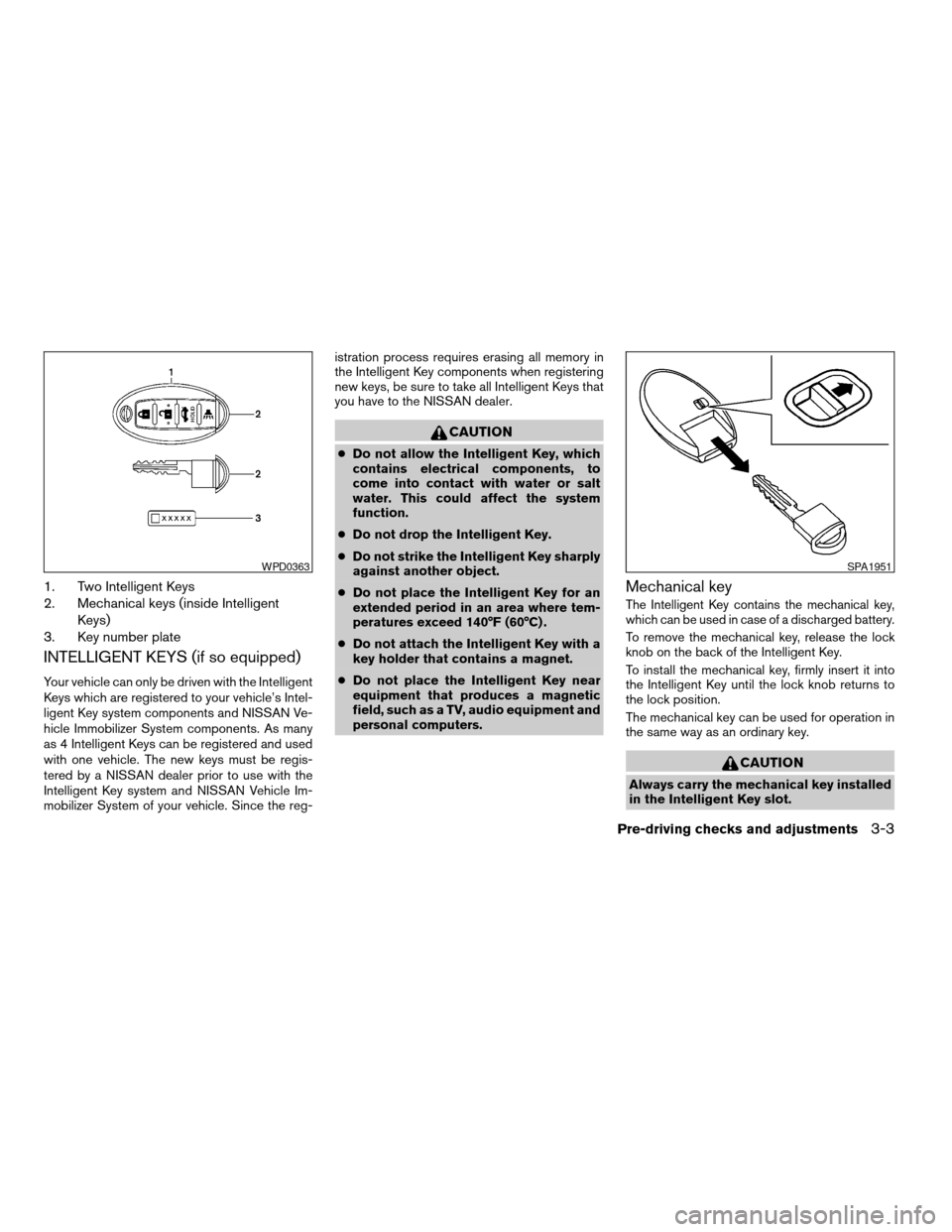
1. Two Intelligent Keys
2. Mechanical keys (inside Intelligent
Keys)
3. Key number plate
INTELLIGENT KEYS (if so equipped)
Your vehicle can only be driven with the Intelligent
Keys which are registered to your vehicle’s Intel-
ligent Key system components and NISSAN Ve-
hicle Immobilizer System components. As many
as 4 Intelligent Keys can be registered and used
with one vehicle. The new keys must be regis-
tered by a NISSAN dealer prior to use with the
Intelligent Key system and NISSAN Vehicle Im-
mobilizer System of your vehicle. Since the reg-istration process requires erasing all memory in
the Intelligent Key components when registering
new keys, be sure to take all Intelligent Keys that
you have to the NISSAN dealer.
CAUTION
cDo not allow the Intelligent Key, which
contains electrical components, to
come into contact with water or salt
water. This could affect the system
function.
cDo not drop the Intelligent Key.
cDo not strike the Intelligent Key sharply
against another object.
cDo not place the Intelligent Key for an
extended period in an area where tem-
peratures exceed 140°F (60°C) .
cDo not attach the Intelligent Key with a
key holder that contains a magnet.
cDo not place the Intelligent Key near
equipment that produces a magnetic
field, such as a TV, audio equipment and
personal computers.
Mechanical key
The Intelligent Key contains the mechanical key,
which can be used in case of a discharged battery.
To remove the mechanical key, release the lock
knob on the back of the Intelligent Key.
To install the mechanical key, firmly insert it into
the Intelligent Key until the lock knob returns to
the lock position.
The mechanical key can be used for operation in
the same way as an ordinary key.
CAUTION
Always carry the mechanical key installed
in the Intelligent Key slot.
WPD0363SPA1951
Pre-driving checks and adjustments3-3
ZREVIEW COPYÐ2007 Sentra(sen)
Owners ManualÐUSA_English(nna)
11/27/06Ðarosenma
X
Page 114 of 320
WARNING
cAlways have the doors locked while
driving. Along with the use of seat belts,
this provides greater safety in the event
of an accident by helping to prevent
persons from being thrown from the
vehicle. This also helps keep children
and others from unintentionally open-
ing the doors, and will help keep out
intruders.
cBefore opening any door, always look
for and avoid oncoming traffic.
cDo not leave children unattended inside
the vehicle. They could unknowingly ac-
tivate switches or controls. Unattended
children could become involved in seri-
ous accidents.
LOCKING WITH KEY
Manual
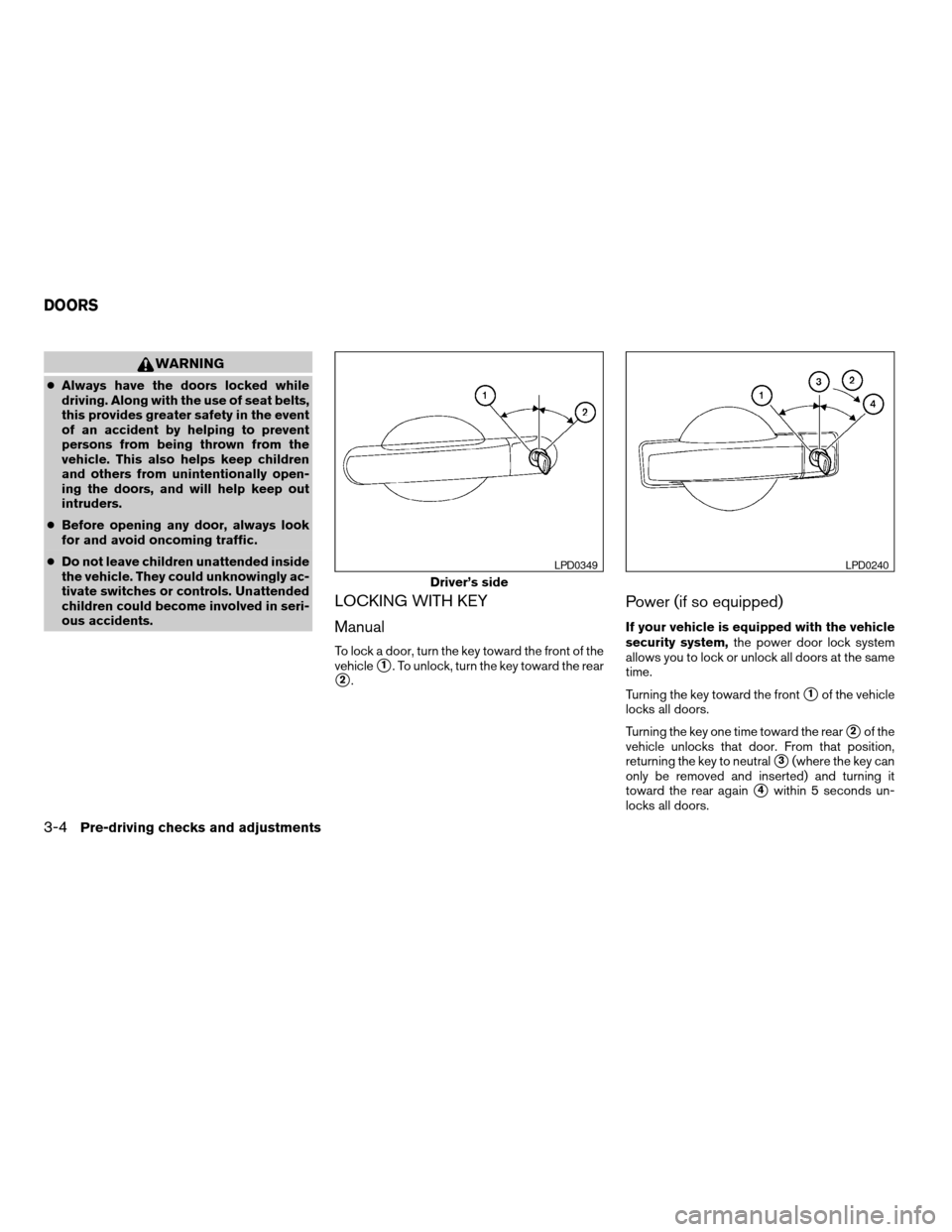
To lock a door, turn the key toward the front of the
vehicle
s1. To unlock, turn the key toward the rear
s2.
Power (if so equipped)
If your vehicle is equipped with the vehicle
security system,the power door lock system
allows you to lock or unlock all doors at the same
time.
Turning the key toward the front
s1of the vehicle
locks all doors.
Turning the key one time toward the rear
s2of the
vehicle unlocks that door. From that position,
returning the key to neutral
s3(where the key can
only be removed and inserted) and turning it
toward the rear again
s4within 5 seconds un-
locks all doors.
Driver’s side
LPD0349LPD0240
DOORS
3-4Pre-driving checks and adjustments
ZREVIEW COPYÐ2007 Sentra(sen)
Owners ManualÐUSA_English(nna)
11/27/06Ðarosenma
X
Page 115 of 320

LOCKING WITH INSIDE LOCK
KNOB
To lock the door without the key, move the inside
lock knob to the lock position
s1, then close the
door.
To unlock the door without the key, move the
inside lock knob to the unlock position
s2.
LOCKING WITH POWER DOOR
LOCK SWITCH (if so equipped)
To lock all the doors without a key, push the door
lock switch (driver’s or front passenger’s side) to
the lock position
s1. When locking the door this
way, be certain not to leave the key inside the
vehicle.
To unlock all the doors without a key, push the
door lock switch (driver’s or front passenger’s
side) to the unlock position
s2.
Lockout protection
When the power door lock switch (driver’s or
front passenger’s side) is moved to the lock
position with the key in the ignition and any door
open, all doors will lock and then unlock auto-
matically. This helps to prevent the keys from
being accidently locked inside the vehicle.
Inside lock
WPD0291
Door lock switch
WPD0381
Pre-driving checks and adjustments3-5
ZREVIEW COPYÐ2007 Sentra(sen)
Owners ManualÐUSA_English(nna)
11/27/06Ðarosenma
X