2007 NISSAN ARMADA ignition
[x] Cancel search: ignitionPage 78 of 344

SUPPLEMENTAL AIR BAG
WARNING LABELS
Warning labels about the supplemental front air
bags and supplemental side-impact and rollover
air bag systems are placed in the vehicle as
shown in the illustration.
SUPPLEMENTAL AIR BAG
WARNING LIGHT
The supplemental air bag warning light,
displayingin the instrument panel, moni-
tors the circuits of the supplemental front air bag,
supplemental side-impact air bag and curtain
side-impact and rollover air bag and pre-
tensioner seat belt systems. The circuits moni-
tored by the supplemental air bag warning light
are the diagnosis sensor unit, crash zone sensor,
satellite sensors, rollover sensor, front air bag
modules, side air bag modules, curtain air bag
modules, pre-tensioner seat belts and all related
wiring.When the ignition key is in the ON or START
position, the supplemental air bag warning light
illuminates for about 7 seconds and then turns
off. This means the system is operational.
If any of the following conditions occur, the
supplemental front air bag, supplemental side air
bag, curtain air bag and pre-tensioner seat belt
systems need servicing:
cThe supplemental air bag warning light re-
mains on after approximately 7 seconds.
cThe supplemental air bag warning light
flashes intermittently.
cThe supplemental air bag warning light does
not come on at all.
Under these conditions, the supplemental front
air bag, supplemental side air bags and curtain air
bag or pre-tensioner seat belt systems may not
operate properly. It must be checked and re-
paired. Take your vehicle to the nearest NISSAN
dealer.
LRS0100
1-62Safety—Seats, seat belts and supplemental restraint system
ZREVIEW COPYÐ2007 Armada(wzw)
Owners ManualÐUSA_English(nna)
07/08/06Ðtbrooks
X
Page 79 of 344
WARNING
If the supplemental air bag warning light
is on, it could mean that the supplemental
front air bag, supplemental side air bag,
curtain air bag systems and/or pre-
tensioner seat belt systems will not oper-
ate in an accident. To help avoid injury to
yourself or others, have your vehicle
checked by a NISSAN dealer as soon as
possible.
Repair and replacement procedure
The supplemental front air bags, supplemental
side air bags, curtain air bags and pre-tensioner
seat belts are designed to inflate on a one-time-
only basis. As a reminder, unless it is damaged,
the supplemental air bag warning light remains
illuminated after inflation has occurred. Repair
and replacement of these supplemental air bag
systems should be done only by a NISSAN
dealer.
When maintenance work is required on the ve-
hicle, the supplemental front air bags, supple-
mental side air bags, curtain air bags, pre-
tensioner seat belts and related parts should be
pointed out to the person performing the mainte-
nance. The ignition key should always be in the
LOCK position when working under the hood or
inside the vehicle.
WARNING
cOnce a supplemental front air bag,
supplemental side air bag or curtain air
bag has inflated, the air bag module will
not function again and must be re-
placed. Additionally, if any of the
supplemental front air bags inflate, the
activated pre-tensioner seat belts must
also be replaced. The air bag module
and pre-tensioner seat belt system
should be replaced by a NISSAN dealer.
The air bag module and pre-tensioner
seat belt system cannot be repaired.
cThe supplemental front air bag, side air
bag and curtain air bag systems, and
the pre-tensioner seat belt system
should be inspected by a NISSAN
dealer if there is any damage to the
front end or side portion of the vehicle.
cIf you need to dispose of the supple-
mental air bag, pre-tensioner seat belt
system or scrap the vehicle, contact a
NISSAN dealer. Correct supplemental
air bag and pre-tensioner seat belt sys-
tem disposal procedures are set forth in
the appropriate NISSAN Service
Manual. Incorrect disposal procedures
could cause personal injury.
Safety—Seats, seat belts and supplemental restraint system1-63
ZREVIEW COPYÐ2007 Armada(wzw)
Owners ManualÐUSA_English(nna)
07/08/06Ðtbrooks
X
Page 82 of 344

1. Ventilators (P. 4-16)
2. Instrument brightness control (P. 2-27)
3. Headlight/fog light (if so equipped)/turn
signal switch (P. 2-24)
4. Steering wheel switch for audio control
(P. 4-36)
5. Driver supplemental air bag/horn
(P. 1-47, P. 2-29)
6. Meters, gauges and warning/indicator
lights (P. 2-3, 2-12)
7. Cruise control main/set switches
(P. 5-15)
8. Windshield wiper/washer switch and
rear window wiper/washer switch
(P. 2-22, P. 2-23)
9. Ignition switch (P. 5-8)
10. Navigation system* (if so equipped)
(P. 4-2)
11. Navigation system* controls
(if so equipped) (P. 4-2)
12. Audio system controls (P. 4-21)
13. Front passenger supplemental air bag
(P. 1-47)
14. Glove box (P. 2-35)
15. Climate controls (P. 4-17)
16. Aux jack (if so equipped) (P. 4-35)
WIC0851
INSTRUMENT PANEL
2-2Instruments and controls
ZREVIEW COPYÐ2007 Armada(wzw)
Owners ManualÐUSA_English(nna)
07/08/06Ðtbrooks
X
Page 84 of 344

1. Speedometer
2. Odometer/twin trip display
3. Change button
SPEEDOMETER AND ODOMETER
Speedometer
The speedometer indicates vehicle speed in
miles per hour (MPH) and kilometers per hour
(km/h) .
Odometer/Twin trip odometer
The odometer/twin trip odometer is displayed
when the ignition key is in the ON position.
The odometer records the total distance the ve-
hicle has been driven.
The twin trip odometer records the distance of
individual trips.
Changing the display:
Pushing the change button changes the display
as follows:
Trip
!Trip!Odometer only
Resetting the trip odometer:
Pushing the change button for more than 1 sec-
ond resets the trip odometer to zero.
Elapsed time, driving distance and average
speed information is also available for vehicles
with navigation system (if so equipped) . Refer to
“Control panel buttons” in the “Display screen,
heater, air conditioner and audio systems” sec-
tion later in this manual.
LIC0541LIC0542
2-4Instruments and controls
ZREVIEW COPYÐ2007 Armada(wzw)
Owners ManualÐUSA_English(nna)
07/08/06Ðtbrooks
X
Page 86 of 344
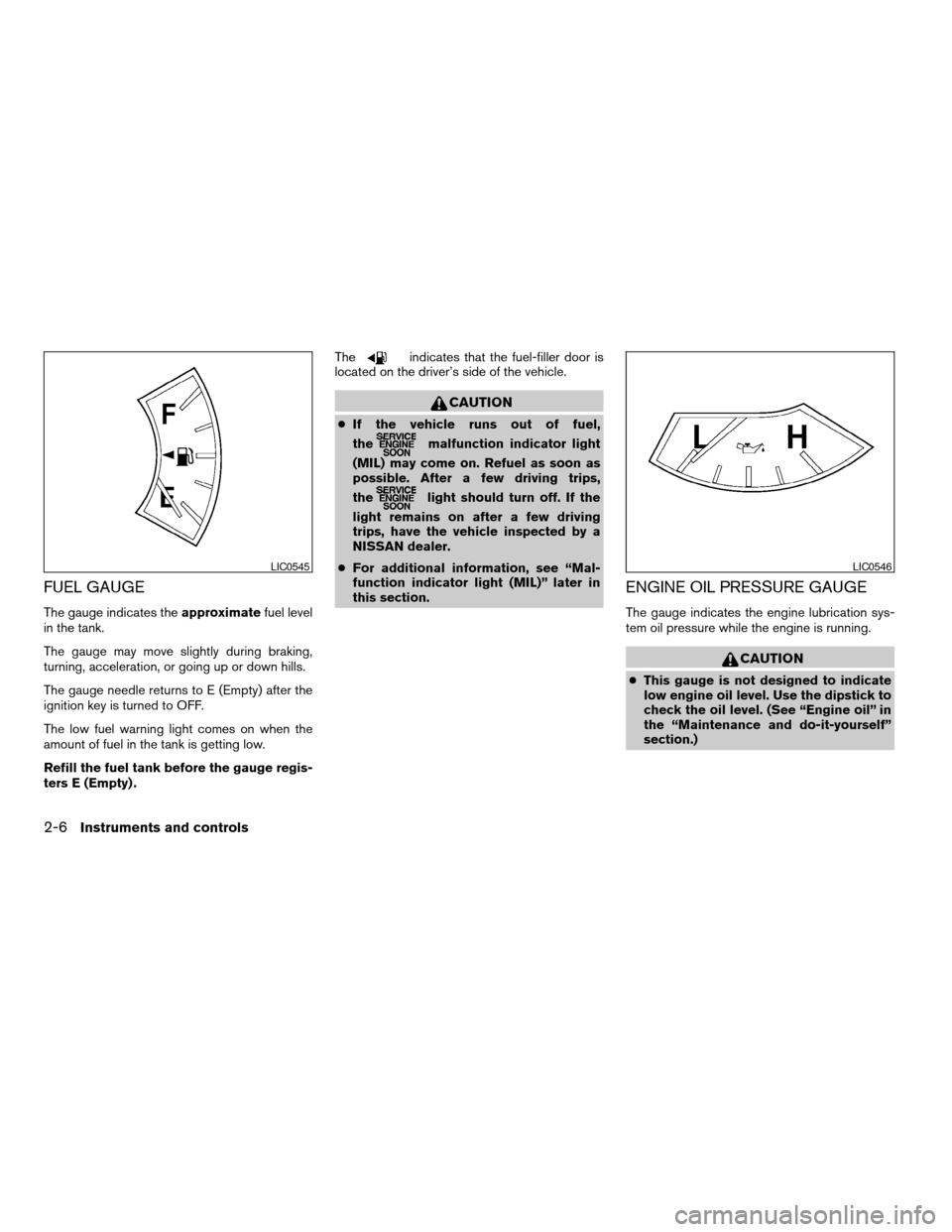
FUEL GAUGE
The gauge indicates theapproximatefuel level
in the tank.
The gauge may move slightly during braking,
turning, acceleration, or going up or down hills.
The gauge needle returns to E (Empty) after the
ignition key is turned to OFF.
The low fuel warning light comes on when the
amount of fuel in the tank is getting low.
Refill the fuel tank before the gauge regis-
ters E (Empty) .The
indicates that the fuel-filler door is
located on the driver’s side of the vehicle.
CAUTION
cIf the vehicle runs out of fuel,
the
malfunction indicator light
(MIL) may come on. Refuel as soon as
possible. After a few driving trips,
the
light should turn off. If the
light remains on after a few driving
trips, have the vehicle inspected by a
NISSAN dealer.
cFor additional information, see “Mal-
function indicator light (MIL)” later in
this section.
ENGINE OIL PRESSURE GAUGE
The gauge indicates the engine lubrication sys-
tem oil pressure while the engine is running.
CAUTION
cThis gauge is not designed to indicate
low engine oil level. Use the dipstick to
check the oil level. (See “Engine oil” in
the “Maintenance and do-it-yourself”
section.)
LIC0545LIC0546
2-6Instruments and controls
ZREVIEW COPYÐ2007 Armada(wzw)
Owners ManualÐUSA_English(nna)
07/08/06Ðtbrooks
X
Page 87 of 344
cIf the gauge needle does not move with
the proper amount of engine oil, have
the vehicle checked by a NISSAN
dealer. Continued vehicle operation in
such a condition could cause serious
damage to the engine.
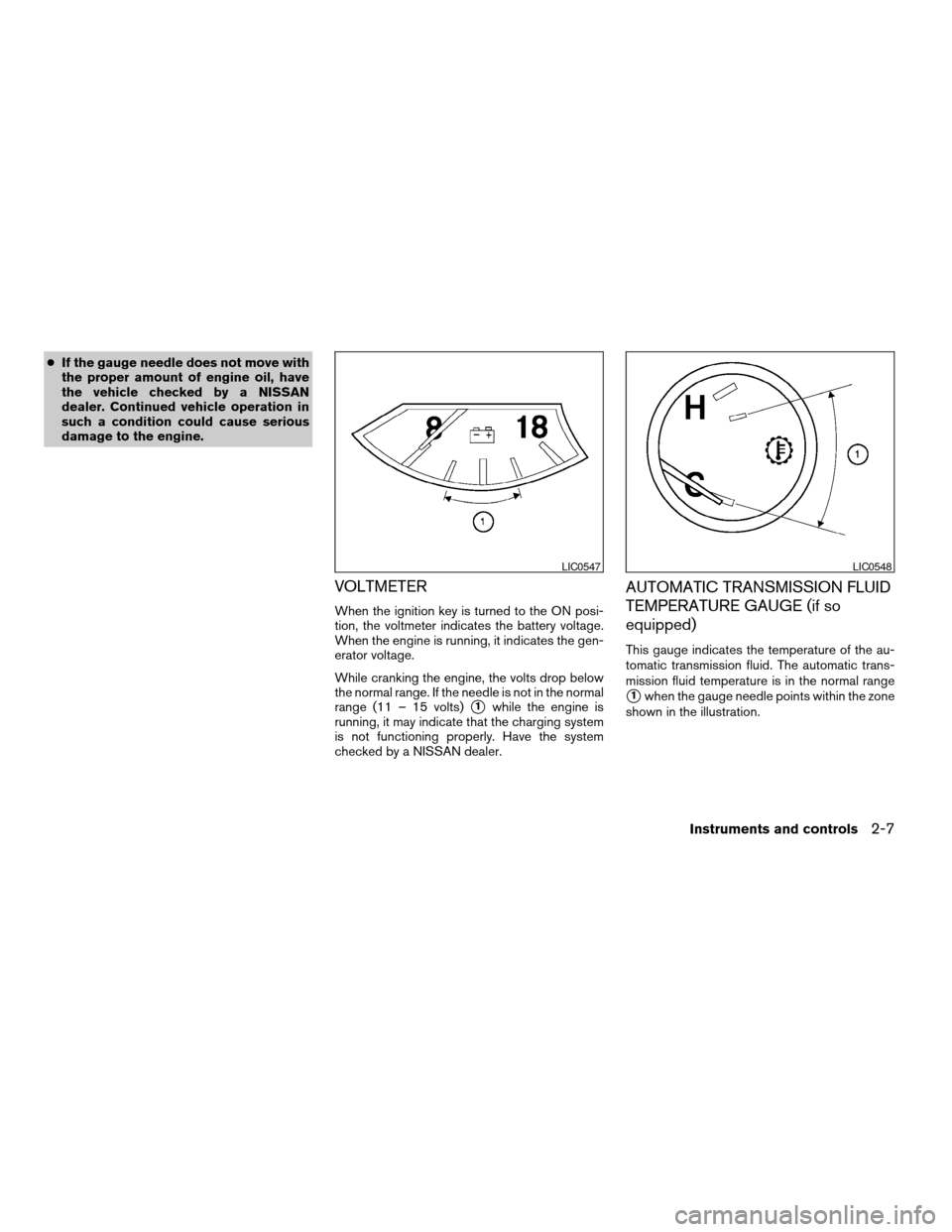
VOLTMETER
When the ignition key is turned to the ON posi-
tion, the voltmeter indicates the battery voltage.
When the engine is running, it indicates the gen-
erator voltage.
While cranking the engine, the volts drop below
the normal range. If the needle is not in the normal
range (11 – 15 volts)
s1while the engine is
running, it may indicate that the charging system
is not functioning properly. Have the system
checked by a NISSAN dealer.
AUTOMATIC TRANSMISSION FLUID
TEMPERATURE GAUGE (if so
equipped)
This gauge indicates the temperature of the au-
tomatic transmission fluid. The automatic trans-
mission fluid temperature is in the normal range
s1when the gauge needle points within the zone
shown in the illustration.
LIC0547LIC0548
Instruments and controls2-7
ZREVIEW COPYÐ2007 Armada(wzw)
Owners ManualÐUSA_English(nna)
07/08/06Ðtbrooks
X
Page 88 of 344
CAUTION
cThis gauge is not designed to indicate
low automatic transmission fluid level.
Use the dipstick to check the fluid level.
(See “5-speed automatic transmission
fluid” in the “Maintenance and do-it-
yourself” section.)
cIf the gauge indicates automatic trans-
mission fluid temperature over the nor-
mal range, stop the vehicle as soon as
safely possible. Have the vehicle
checked by a NISSAN dealer. Contin-
ued operation of the vehicle may seri-
ously damage the transmission.This unit has the following functions:
cMeasures terrestrial magnetism and indi-
cates heading direction of vehicle
cIndicates outside air temperature
cIndicates possible frozen road conditions
With the ignition switch in the ON position, press
the mode button as described in the chart below
to activate various features of the compass and
outside temperature display.
Push and hold
the mode button
for about:Feature:
(Push button again for about 1 sec-
ond to change settings)
1 secondCompass display toggles: °F!°C
!OFF!°F
5 secondsCompass zone can be changed to
correct false compass readings
10 seconds Compass enters calibration mode
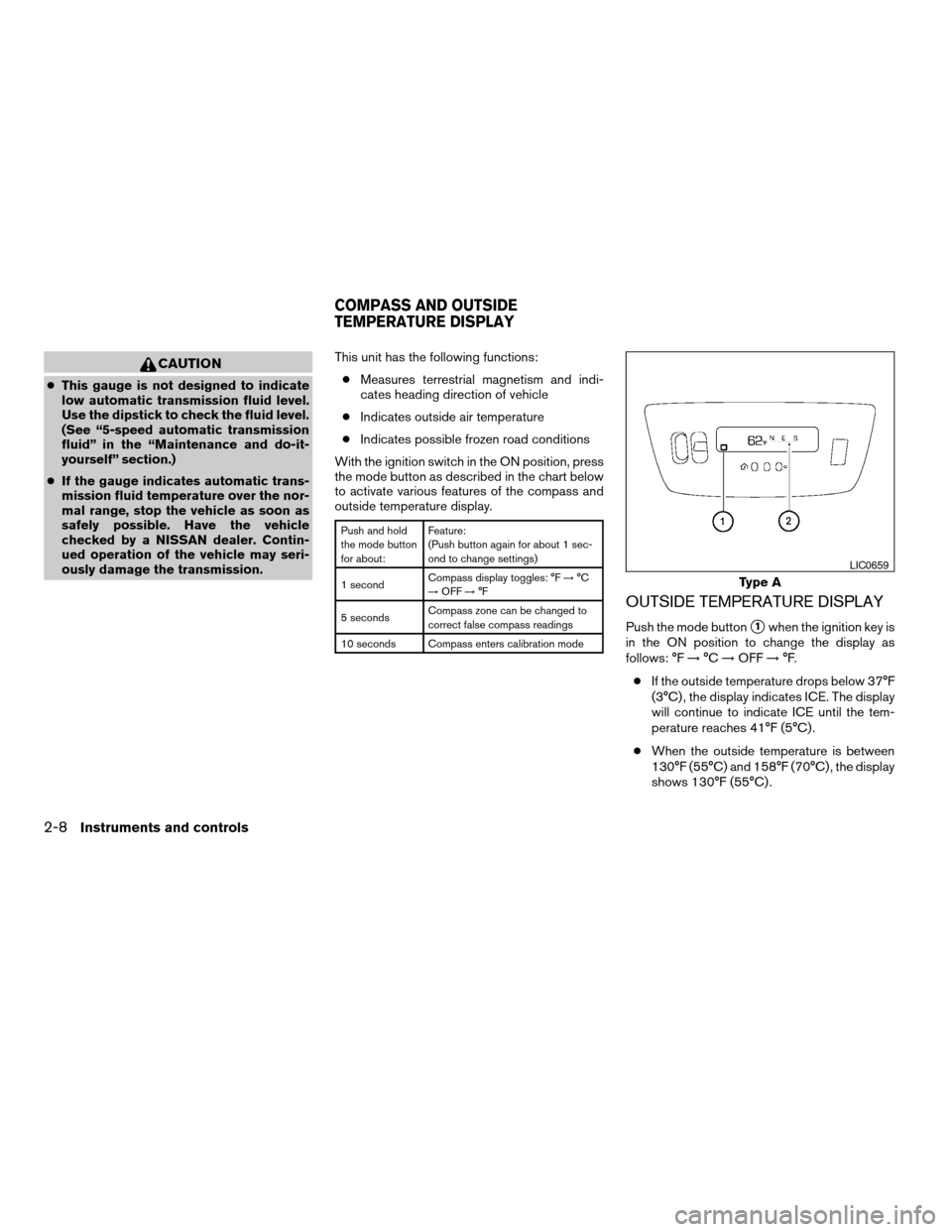
OUTSIDE TEMPERATURE DISPLAY
Push the mode buttons1when the ignition key is
in the ON position to change the display as
follows: °F!°C!OFF!°F.
cIf the outside temperature drops below 37°F
(3°C) , the display indicates ICE. The display
will continue to indicate ICE until the tem-
perature reaches 41°F (5°C) .
cWhen the outside temperature is between
130°F (55°C) and 158°F (70°C) , the display
shows 130°F (55°C) .
Type A
LIC0659
COMPASS AND OUTSIDE
TEMPERATURE DISPLAY
2-8Instruments and controls
ZREVIEW COPYÐ2007 Armada(wzw)
Owners ManualÐUSA_English(nna)
07/08/06Ðtbrooks
X
Page 89 of 344

cWhen the outside temperature is between
-22°F (-30°C) and -40°F (-40°C) , the dis-
play shows -22°F (-30°C) .
cWhen the outside temperature is lower than
-40°F (-40°C) or higher than 158°F (70°C) ,
the display shows only———though it is
operating. This is not a malfunction.
cThe outside temperature sensor is located in
front of the radiator. The sensor may be
affected by road or engine heat, wind direc-
tion and other driving conditions. The display
may differ from the actual outside tempera-ture or the temperature displayed on various
signs or billboards.
cTemperature display will not increase unless
the vehicle is moving faster than 12 mph (20
km/h) .
cIf the ignition has been off for less than 2
hours and the outside temperature is greater
than the last detected temperature, the dis-
play will show the last detected temperature
when the ignition is turned on.
COMPASS DISPLAY
Push the mode buttons1when the ignition key is
in the ON position to turn on the compass dis-
play. The arrow
s2indicates direction.
N: North
E: East
S: South
W: West
If the compass display flashes, calibrate the com-
pass by driving the vehicle one and a half circles
at a maximum speed of 6 MPH (10 km/h) .
You can also calibrate the compass by driving
your vehicle on your everyday route. The com-
pass will be calibrated once it has tracked one
and a half circles.Type B
LIC0660
Instruments and controls2-9
ZREVIEW COPYÐ2007 Armada(wzw)
Owners ManualÐUSA_English(nna)
07/08/06Ðtbrooks
X