2007 NISSAN ALTIMA HYBRID stop start
[x] Cancel search: stop startPage 117 of 344
CUP HOLDERS
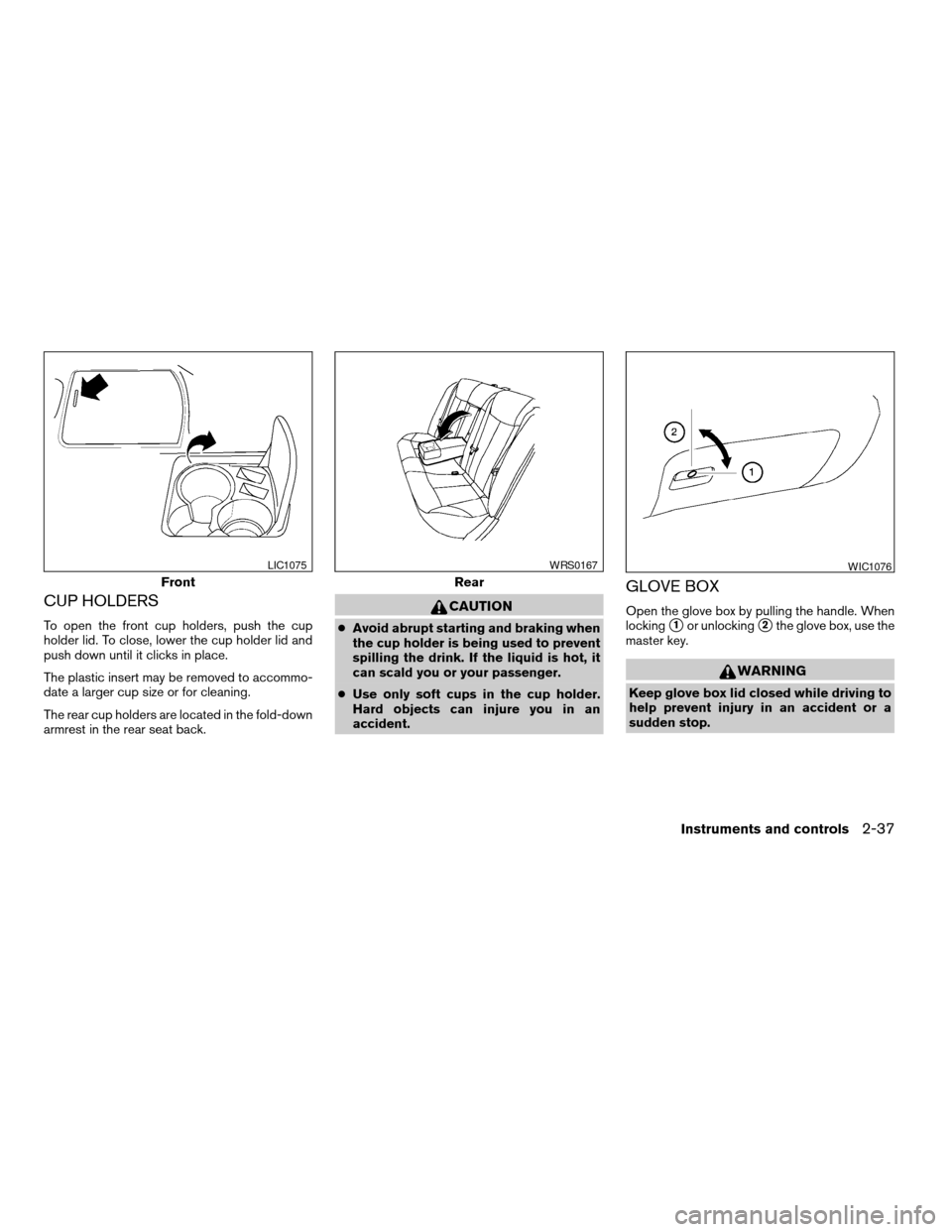
To open the front cup holders, push the cup
holder lid. To close, lower the cup holder lid and
push down until it clicks in place.
The plastic insert may be removed to accommo-
date a larger cup size or for cleaning.
The rear cup holders are located in the fold-down
armrest in the rear seat back.
CAUTION
cAvoid abrupt starting and braking when
the cup holder is being used to prevent
spilling the drink. If the liquid is hot, it
can scald you or your passenger.
cUse only soft cups in the cup holder.
Hard objects can injure you in an
accident.
GLOVE BOX
Open the glove box by pulling the handle. When
locking
s1or unlockings2the glove box, use the
master key.
WARNING
Keep glove box lid closed while driving to
help prevent injury in an accident or a
sudden stop.
Front
LIC1075
Rear
WRS0167WIC1076
Instruments and controls2-37
ZREVIEW COPYÐ2007 Altima Hybrid Electric
(ahv)
Owners ManualÐUSA_English(nna)
11/27/06Ðdebbie
X
Page 124 of 344
To open or close the sunroof part way, push the
switch in any direction while the sunroof is sliding
to stop it in the desired position.
Tilting the sunroof
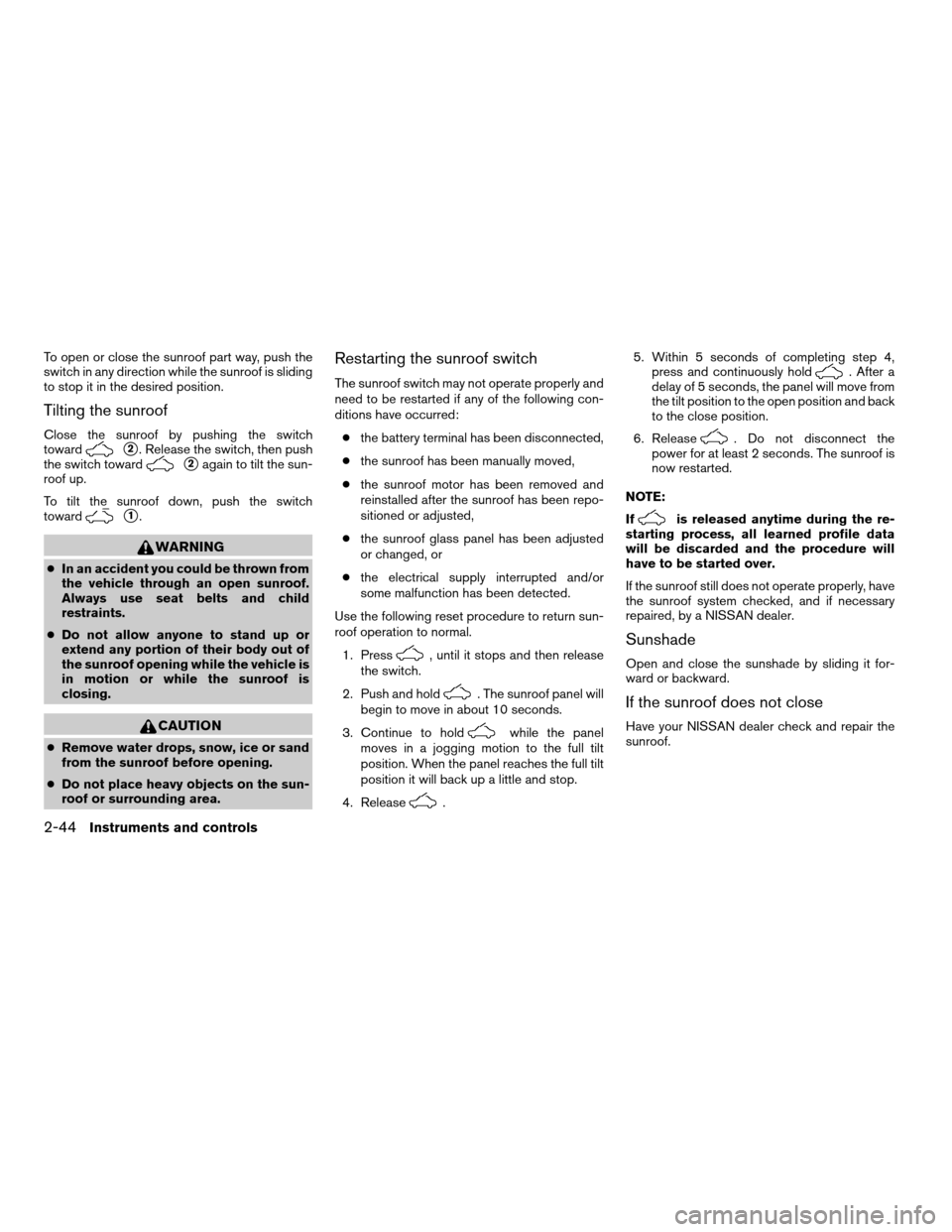
Close the sunroof by pushing the switch
toward
s2. Release the switch, then push
the switch toward
s2again to tilt the sun-
roof up.
To tilt the sunroof down, push the switch
toward
s1.
WARNING
cIn an accident you could be thrown from
the vehicle through an open sunroof.
Always use seat belts and child
restraints.
cDo not allow anyone to stand up or
extend any portion of their body out of
the sunroof opening while the vehicle is
in motion or while the sunroof is
closing.
CAUTION
cRemove water drops, snow, ice or sand
from the sunroof before opening.
cDo not place heavy objects on the sun-
roof or surrounding area.
Restarting the sunroof switch
The sunroof switch may not operate properly and
need to be restarted if any of the following con-
ditions have occurred:
cthe battery terminal has been disconnected,
cthe sunroof has been manually moved,
cthe sunroof motor has been removed and
reinstalled after the sunroof has been repo-
sitioned or adjusted,
cthe sunroof glass panel has been adjusted
or changed, or
cthe electrical supply interrupted and/or
some malfunction has been detected.
Use the following reset procedure to return sun-
roof operation to normal.
1. Press
, until it stops and then release
the switch.
2. Push and hold
. The sunroof panel will
begin to move in about 10 seconds.
3. Continue to hold
while the panel
moves in a jogging motion to the full tilt
position. When the panel reaches the full tilt
position it will back up a little and stop.
4. Release
.5. Within 5 seconds of completing step 4,
press and continuously hold
. After a
delay of 5 seconds, the panel will move from
the tilt position to the open position and back
to the close position.
6. Release
. Do not disconnect the
power for at least 2 seconds. The sunroof is
now restarted.
NOTE:
If
is released anytime during the re-
starting process, all learned profile data
will be discarded and the procedure will
have to be started over.
If the sunroof still does not operate properly, have
the sunroof system checked, and if necessary
repaired, by a NISSAN dealer.
Sunshade
Open and close the sunshade by sliding it for-
ward or backward.
If the sunroof does not close
Have your NISSAN dealer check and repair the
sunroof.
2-44Instruments and controls
ZREVIEW COPYÐ2007 Altima Hybrid Electric
(ahv)
Owners ManualÐUSA_English(nna)
11/27/06Ðarosenma
X
Page 150 of 344
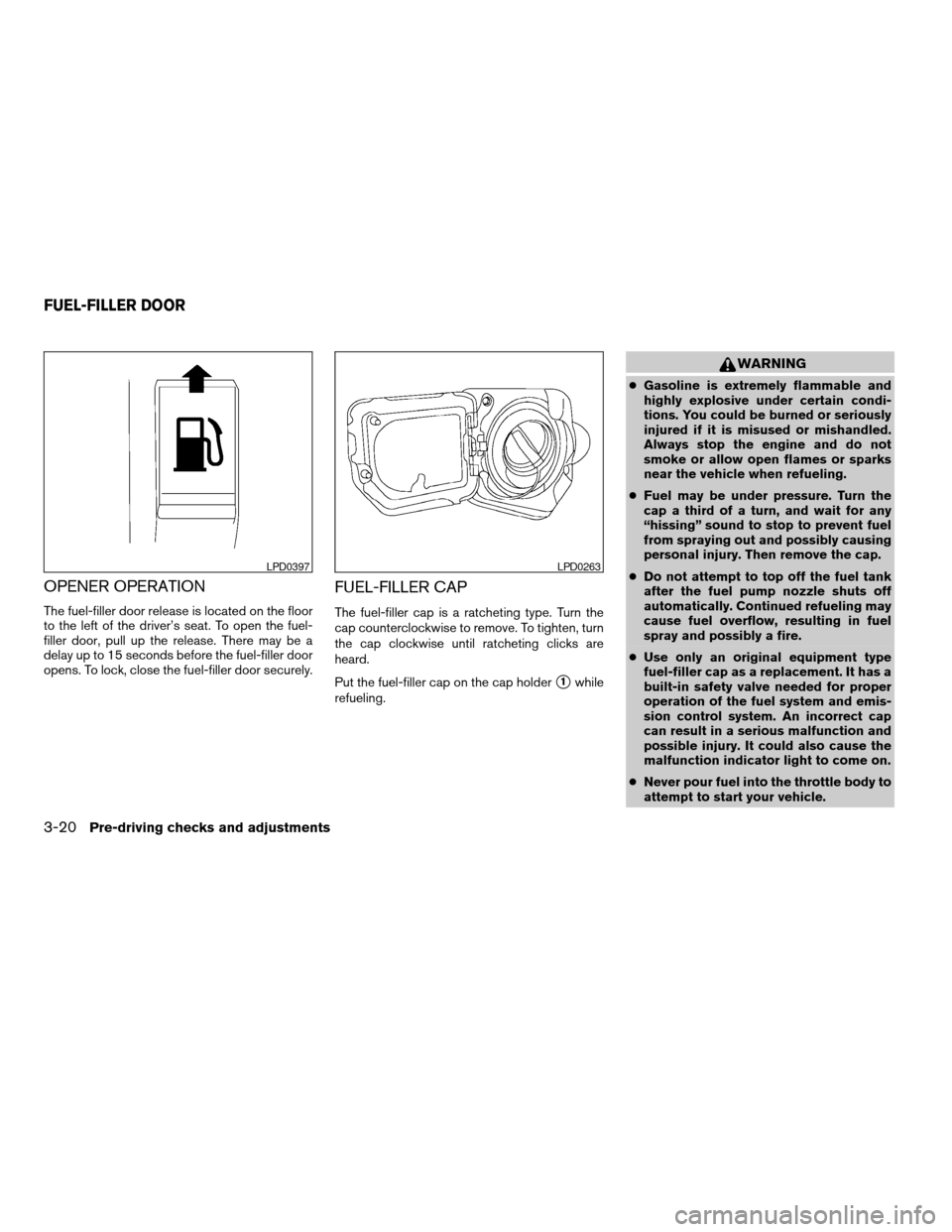
OPENER OPERATION
The fuel-filler door release is located on the floor
to the left of the driver’s seat. To open the fuel-
filler door, pull up the release. There may be a
delay up to 15 seconds before the fuel-filler door
opens. To lock, close the fuel-filler door securely.
FUEL-FILLER CAP
The fuel-filler cap is a ratcheting type. Turn the
cap counterclockwise to remove. To tighten, turn
the cap clockwise until ratcheting clicks are
heard.
Put the fuel-filler cap on the cap holder
s1while
refueling.
WARNING
cGasoline is extremely flammable and
highly explosive under certain condi-
tions. You could be burned or seriously
injured if it is misused or mishandled.
Always stop the engine and do not
smoke or allow open flames or sparks
near the vehicle when refueling.
cFuel may be under pressure. Turn the
cap a third of a turn, and wait for any
“hissing” sound to stop to prevent fuel
from spraying out and possibly causing
personal injury. Then remove the cap.
cDo not attempt to top off the fuel tank
after the fuel pump nozzle shuts off
automatically. Continued refueling may
cause fuel overflow, resulting in fuel
spray and possibly a fire.
cUse only an original equipment type
fuel-filler cap as a replacement. It has a
built-in safety valve needed for proper
operation of the fuel system and emis-
sion control system. An incorrect cap
can result in a serious malfunction and
possible injury. It could also cause the
malfunction indicator light to come on.
cNever pour fuel into the throttle body to
attempt to start your vehicle.
LPD0397LPD0263
FUEL-FILLER DOOR
3-20Pre-driving checks and adjustments
ZREVIEW COPYÐ2007 Altima Hybrid Electric
(ahv)
Owners ManualÐUSA_English(nna)
11/27/06Ðdebbie
X
Page 177 of 344

When the RADIO button is pressed while the
ignition switch is in the ACC or ON position, the
radio will come on at the station last played.
If a compact disc is playing when the RADIO
button is pressed, the compact disc will auto-
matically be turned off and the last radio station
played will come on.
The FM stereo indicator, ST, illuminates during
FM stereo reception. When the stereo broadcast
signal is weak, the radio automatically changes
from stereo to monaural reception.
TUNE/FF·REW (tuning)
button:
Press the TUNE/FF·REW button
orfor manual tuning. To move quickly through the
channels, hold the tuning buttons down.
SEEK (tuning) button:
Press the SEEK/TRACK button
orto tune from high to low or low to high frequen-
cies and stop at the next broadcasting station.
SCAN (tuning) button:
Press the SCAN button. SCAN illuminates in the
display window. Scan tuning begins from low to
high frequencies. Scan tuning stops for 5 sec-
onds at each broadcasting station that has suffi-
cient signal strength. When scanning, SCANblinks in the display. Pressing the SCAN button
again during this 5 second period stops scan
tuning and the radio remains tuned to that station.
Station memory operations:
18 stations can be set for the FM and AM radio to
the A, B and C preset button in any combination
of AM or FM stations.
1. Press the PRESET A·B·C button to change
between storage banks. The radio displays
the icon A, B or C to indicate which set of
presets are active.
2. Tune to the desired station using manual
TUNE or SEEK tuning. Press and hold any of
the desired station memory buttons (1 – 6)
until a beep sound is heard. (The radio mutes
when the select button is pressed.)
3. The channel indicator will then come on and
the sound will resume. Programming is now
complete.
4.Other buttons can be set in the same manner.
If the battery cable is disconnected, or if the fuse
opens, the radio memory will be canceled. In that
case, reset the desired stations.
Compact disc (CD) player operation
Place the ignition switch in the ACC or ON
position, and carefully insert the compact discinto the slot with the label side up. The compact
disc is automatically pulled into the slot and starts
to play.
If the radio is already operating, it automatically
turns off and the compact disc begins to play.
CD button:
When the CD button is pressed with a compact
disc loaded and the radio playing, the radio turns
off and the last used compact disc starts to play.
TUNE/FF·REW (Fast For-
ward, Rewind) button:
When the TUNE/FF·REW button
oris pressed while the compact disc is playing, the
compact disc plays at an increased speed while
fast forwarding or rewinding. When the button is
released, the compact disc returns to normal play
speed.
SEEK/TRACK button:
When
is pressed while the compact disc
is playing, the next track following the present
one starts to play from the beginning.
Press
several times to skip several tracks.
Each time the button is pressed, the CD ad-
vances 1 additional track. The track number ap-
pears in the display window. (When the last track
on the compact disc is skipped, the first track is
played.)
Monitor, climate, audio, phone and voice recognition systems4-21
ZREVIEW COPYÐ2007 Altima Hybrid Electric
(ahv)
Owners ManualÐUSA_English(nna)
11/27/06Ðdebbie
X
Page 182 of 344

SCAN (tuning) button:
Press the SCAN button. SCAN illuminates in the
display window. Scan tuning begins from low to
high frequencies. Scan tuning stops for 5 sec-
onds at each broadcasting station that has suffi-
cient signal strength. When scanning, SCAN
blinks in the display. Pressing the SCAN button
again during this 5 second period stops scan
tuning and the radio remains tuned to that station.
Station memory operations:
18 stations can be set for the FM and AM radio to
the A, B and C preset button in any combination
of AM or FM stations.
1. Press the PRESET A·B·C button to change
between storage banks. The radio displays
the icon A, B or C to indicate which set of
presets are active.
2. Tune to the desired station using manual
TUNE or SEEK tuning. Press and hold any of
the desired station memory buttons (1 – 6)
until a beep sound is heard. (The radio mutes
when the select button is pressed.)
3. The channel indicator will then come on and
the sound will resume. Programming is now
complete.
4. Other buttons can be set in the same man-
ner.If the battery cable is disconnected, or if the fuse
opens, the radio memory will be canceled. In that
case, reset the desired stations.
Radio data system (RDS):
RDS stands for Radio Data System, and is a data
information service transmitted by some radio
stations on the FM band (not AM band) and/or
SAT radio encoded within a regular radio broad-
cast. Currently, most RDS stations are in large
cities, but many stations are now considering
broadcasting RDS data.
RDS can display:
cStation call sign, such as “WHFR 98.3”.
cStation name, such as “The Groove”.
cMusic or programming type such as “Clas-
sical”, “Country”, or “Rock”.
If the station broadcasts RDS information, the
RDS icon is displayed.
Compact disc (CD) changer operation
Place the ignition switch in the ACC or ON
position and insert the compact disc into the slot
with the label side facing up. The compact disc
will be guided automatically into the slot and start
playing. To insert the disc, first press the
button.If the radio is already operating, it will automati-
cally turn off and the compact disc will play.
If the system has been turned off while the com-
pact disc was playing, pressing the PWR button
will start the compact disc.
Do not use 3.1 in (8 cm) diameter compact discs
in the CD changer.
CD load button:
To insert a CD in the CD changer, press
the
load button for less than 1.5 seconds.
Select the loading slot by pressing the CD insert
select button (1 – 6) , then insert the CD.
To insert 6 CDs to the CD changer, press
the
load button for more than 1.5 seconds.
The slot numbers (1 – 6) will illuminate on the
display when CDs are loaded into the changer.
CD button:
When the CD button is pressed with the system
off and the compact disc loaded, the system will
turn on and the compact disc will start to play.
When the CD button is pressed with the com-
pact disc loaded but the radio playing, the radio
will automatically be turned off and the compact
disc will start to play.
4-26Monitor, climate, audio, phone and voice recognition systems
ZREVIEW COPYÐ2007 Altima Hybrid Electric
(ahv)
Owners ManualÐUSA_English(nna)
11/27/06Ðdebbie
X
Page 183 of 344

TUNE/FF·REW (fast for-
ward, rewind) button:
When the TUNE/FF·REW button
orbutton is pressed while the compact disc is play-
ing, the compact disc plays at an increased
speed while fast forwarding or rewinding. When
the button is released, the CD returns to normal
play speed.
MP3 TUNE/FF·REW but-
ton:
While playing an MP3, press the TUNE/FF·REW
button
orto scan forward or back-
ward through available folders.
To fast forward or rewind through an MP3 audio
track, press the TUNE/FF·REW button
orfor more than 1.5 seconds.
SEEK/TRACK button:
When
is pressed while the compact disc
is playing, the track following the present one
starts to play from the beginning. Press
several times to skip several tracks. Each time the
button is pressed, the CD advances 1 additional
track. The track number appears in the display
window. (When the last track on the compact
disc is skipped, the first track is played.)
When
is pressed, the track being played
returns to the beginning. Pressseveraltimes to skip back several tracks. Each time the
button is pressed, the CD moves back 1 track.
CD select buttons:
To play another CD that has been loaded, press a
CD select button (1 – 6) .
RDM/RPT button:
When the RDM/RPT button is pressed while a
compact disc is being played, the play pattern
can be changed as follows:
Random All Discs*!Random Disc!Repeat
Disc!Repeat Track!normal!Random All
Discs
Random All Discs: The loaded discs will be
played randomly, not in sequence of how they are
loaded.
Random Disc: The tracks on the current selected
disc will be played randomly.
Repeat Disc: The disc that is currently playing will
be repeated.
Repeat Track: The current track will be repeated.
*This mode is only available when multiple CDs
are loaded into the CD changer.
MP3 RDM/RPT button:
When the RDM/RPT button is pressed while an
MP3 compact disc is being played, the play
pattern can be changed as follows:Random All Discs*!Random Disc!Repeat
Disc!Random Folder!Repeat Folder!
Repeat Track!normal!Random All Discs
Random All Discs: The loaded discs will be
played randomly, not in sequence of how they are
loaded.
Random Disc: The tracks on the current selected
disc will be played randomly.
Repeat Disc: The disc that is currently playing will
be repeated.
Random Folder: The folders on the current MP3
disc will be played randomly.
Repeat Folder: The current folder being played
will be repeated.
Repeat Track: The current track will be repeated.
*This mode is only available when multiple CDs
are loaded into the CD changer.
SCAN button:
1 Disc, All Tracks
While listening to a CD, press the SCAN button
to preview the first 10 seconds of each track on
the CD playing. Pressing the SCAN button again
during this 10 second period stops the scan and
the CD remains on that track.
All Discs, 1 Track
While listening to a CD with other CDs loaded
into the CD changer, press and hold the SCAN
Monitor, climate, audio, phone and voice recognition systems4-27
ZREVIEW COPYÐ2007 Altima Hybrid Electric
(ahv)
Owners ManualÐUSA_English(nna)
11/27/06Ðdebbie
X
Page 189 of 344

When the CD/AUX button is pressed with the
compact disc loaded but the radio playing, the
radio will automatically be turned off and the
compact disc will start to play.
TUNE·FOLDER knob:
While playing an MP3 CD to skip through folders
turn the TUNE·FOLDER knob right or left to skip
forward or backward through the available fold-
ers.
This function will only operate on an MP3 CD with
multiple folders.
“Folder” key:
While playing an MP3 CD you can select a track
inside a folder. Touch the “Folder” key; a list
screen displays. Touch one of the folder select
keys; another list screen displays. Touch one of
the file select keys; the system will start playing
that track in the selected folder.
SEEK/TRACK button:
When the SEEK/TRACK
button is
pressed for less than 1.5 seconds while a com-
pact disc is playing, the track being played re-
turns to its beginning. Press several times to skip
back through tracks. The compact disc will go
back the number of times the button is pressed.When the SEEK/TRACK
button is
pressed for less than 1.5 seconds while the
compact disc is playing, the next track will start to
play from its beginning. Press several times to
skip through tracks. The compact disc will ad-
vance the number of times the button is pressed.
(When the last track on the compact disc is
skipped through, the first track will be played.)
When pressing the SEEK/TRACK
(fast
forward) or(rewind) button for more than
1.5 seconds, the CD being played will fast for-
ward or rewind. When the button is released, the
CD will return to normal play speed.
“Track” key:
While playing a CD or an MP3 CD you can select
a track or file on the disc. Touch the “Track” key, a
list screen displays. Touch one of the track or file
select keys, the system will start playing that track
or file.
CD select buttons:
To play another CD that has been loaded:
cTouch one of the CD select (1–6) keys on
the touch-screen or
cPress one of the station and CD select (1 –
6) buttons on the radio or
cPress one of the CD changer (1 – 6) select
buttons.“Scan” key:
While listening to a CD, touch the “Scan” key to
preview the first 10 seconds of each track on the
current CD playing. Touching the “Scan” key
during this 10 second period stops the scan and
the CD remains on that track.
“Repeat” key:
When the “Repeat” key is touched while a com-
pact disc is played, the play pattern can be
changed as follows:
CD:
1 DISC RPT!1 TRACK RPT
MP3 CD:
1 DISC RPT!1 FOLDER RPT!1 TRACK
RPT
1 DISC RPT: The disc that is currently playing will
be repeated.
1 TRACK RPT: The track that is currently playing
will be repeated
1 FOLDER RPT: The folder that is currently play-
ing will be repeated.
Monitor, climate, audio, phone and voice recognition systems4-33
ZREVIEW COPYÐ2007 Altima Hybrid Electric
(ahv)
Owners ManualÐUSA_English(nna)
11/27/06Ðdebbie
X
Page 221 of 344
c. You notice a change in the sound of
the exhaust system.
d. You have had an accident involving
damage to the exhaust system, un-
derbody, or rear of the vehicle.
THREE-WAY CATALYST
The three-way catalyst is an emission control
device installed in the exhaust system. Exhaust
gases in the three-way catalyst are burned at
high temperatures to help reduce pollutants.
WARNING
cThe exhaust gas and the exhaust sys-
tem are very hot. Keep people, animals
or flammable materials away from the
exhaust system components.
cDo not stop or park the vehicle over
flammable materials such as dry grass,
waste paper or rags. They may ignite
and cause a fire.
CAUTION
cDo not use leaded gasoline. Deposits
from leaded gasoline will seriously re-
duce the three-way catalyst’s ability to
help reduce exhaust pollutants.cKeep your engine tuned up. Malfunc-
tions in the ignition, fuel injection, or
electrical systems can cause overrich
fuel flow into the three-way catalyst,
causing it to overheat. Do not keep driv-
ing if the engine misfires, or if notice-
able loss of performance or other un-
usual operating conditions are
detected. Have the vehicle inspected
promptly by a NISSAN dealer.
cAvoid driving with an extremely low fuel
level. Running out of fuel could cause
the engine to misfire, damaging the
three-way catalyst.
cDo not race the engine while warming it
up.
cDo not push or tow your vehicle to start
the engine.
TIRE PRESSURE MONITORING
SYSTEM (TPMS)
Each tire, including the spare (if provided) ,
should be checked monthly when cold and in-
flated to the inflation pressure recommended by
the vehicle manufacturer on the vehicle placard
or tire inflation pressure label. (If your vehicle has
tires of a different size than the size indicated on
the vehicle placard or tire inflation pressure label,you should determine the proper tire inflation
pressure for those tires.)
As an added safety feature, your vehicle has been
equipped with a Tire Pressure Monitoring System
(TPMS) that illuminates a low tire pressure telltale
when one or more of your tires is significantly
under-inflated. Accordingly, when the low tire
pressure telltale illuminates, you should stop and
check your tires as soon as possible, and inflate
them to the proper pressure. Driving on a signifi-
cantly under-inflated tire causes the tire to over-
heat and can lead to tire failure. Under-inflation
also reduces fuel efficiency and tire tread life, and
may affect the vehicle’s handling and stopping
ability.
Please note that the TPMS is not a substitute for
proper tire maintenance, and it is the driver’s
responsibility to maintain correct tire pressure,
even if under-inflation has not reached the level to
trigger illumination of the TPMS low tire pressure
telltale.
Your vehicle has also been equipped with a
TPMS malfunction indicator to indicate when the
system is not operating properly. The TPMS mal-
function indicator is combined with the low tire
pressure telltale. When the system detects a
malfunction, the telltale will flash for approxi-
mately one minute and then remain continuously
illuminated. This sequence will continue upon
Starting and driving5-3
ZREVIEW COPYÐ2007 Altima Hybrid Electric
(ahv)
Owners ManualÐUSA_English(nna)
11/27/06Ðdebbie
X