Page 12 of 280

Safety belt:Reminds you to fasten
your safety belt. A BeltMinder�
chime will also sound to remind you
to fasten your safety belt. Refer to
theSeating and safety restraints
chapter to activate/deactivate the BeltMinder�chime feature.
Charging system:Illuminates when
the battery is not charging properly.
Engine oil pressure:Illuminates
when the oil pressure falls below the
normal range, refer toEngine oilin
theMaintenance and
Specificationschapter.
Engine coolant level:Illuminates
when the engine coolant is low. Stop
the vehicle as soon as possible,
switch off the engine and let cool.
Refer toEngine coolantin theMaintenance and Specifications
chapter.
Never remove the coolant reservoir cap while the engine is
running or hot.
Traction Control�active (if
equipped):Illuminates when the
Traction Control�is active. If the
light remains on, have the system
serviced immediately, refer to the
Drivingchapter for more
information.
Low fuel (if equipped):
Illuminates when the fuel level in
the fuel tank is at or near empty
(refer toFuel gaugein this
chapter).
2007 Montego(mgo)
Owners Guide (post-2002-fmt)
USA(fus)
Instrument Cluster
12
Page 32 of 280
4.ENTERcontrol
Press to select the function highlighted on the active menu. ENTER may
also be used by some user interactive discs during movie play.
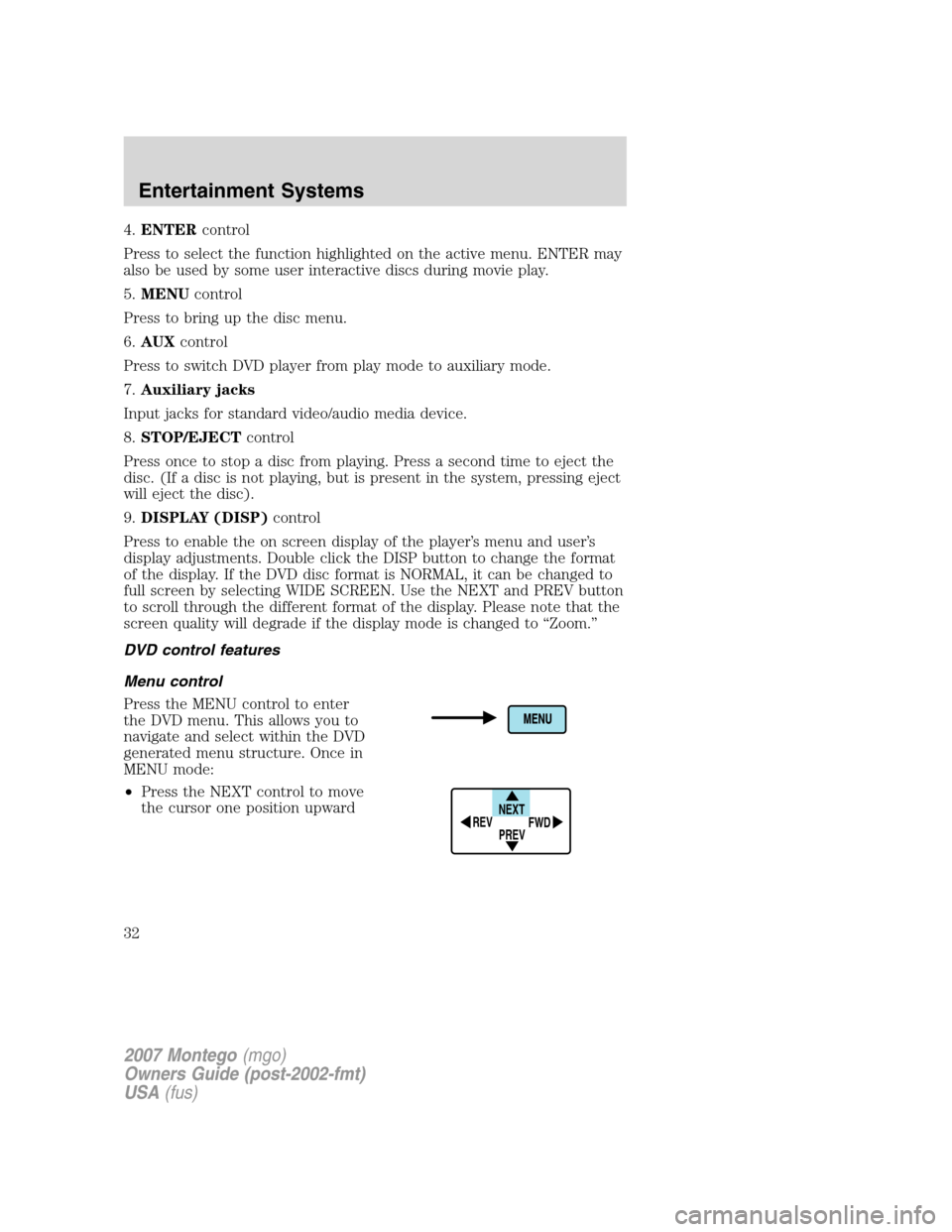
5.MENUcontrol
Press to bring up the disc menu.
6.AUXcontrol
Press to switch DVD player from play mode to auxiliary mode.
7.Auxiliary jacks
Input jacks for standard video/audio media device.
8.STOP/EJECTcontrol
Press once to stop a disc from playing. Press a second time to eject the
disc. (If a disc is not playing, but is present in the system, pressing eject
will eject the disc).
9.DISPLAY (DISP)control
Press to enable the on screen display of the player’s menu and user’s
display adjustments. Double click the DISP button to change the format
of the display. If the DVD disc format is NORMAL, it can be changed to
full screen by selecting WIDE SCREEN. Use the NEXT and PREV button
to scroll through the different format of the display. Please note that the
screen quality will degrade if the display mode is changed to “Zoom.”
DVD control features
Menu control
Press the MENU control to enter
the DVD menu. This allows you to
navigate and select within the DVD
generated menu structure. Once in
MENU mode:
•Press the NEXT control to move
the cursor one position upward
NEXT
PREV REV
FWD
2007 Montego(mgo)
Owners Guide (post-2002-fmt)
USA(fus)
Entertainment Systems
32
Page 65 of 280

Do not hold the lighter in with your hand while it is heating, this will
damage the lighter element and socket. The lighter will be released from
its heating position when it is ready to be used.
Improper use of the lighter can cause damage not covered by your
warranty.
POWER WINDOWS
Do not leave children unattended in the vehicle and do not let
children play with the power windows. They may seriously injure
themselves.
When closing the power windows, you should verify they are free
of obstructions and ensure that children and/or pets are not in
the proximity of the window openings.
Press and pull the window switches
to open and close windows.
•Push down (to the first detent)
and hold the switch to open.
•Pull up (to the first detent) and
hold the switch to close.
One touch up or down
This feature is present on the driver’s window only.
To operate ONE TOUCH DOWN:
•Press the switch completely down
to the second detent and release
quickly. The driver’s window will
open fully. Momentarily press the
switch to any position to stop the
window operation.
If the switch is pressed and held to
the normal close or ONE TOUCH UP position during a ONE TOUCH
DOWN event, the window will stop. If, after 1/2 second the switch is still
held, the window will perform a normal close or ONE TOUCH UP.
A
U
T
O
2007 Montego(mgo)
Owners Guide (post-2002-fmt)
USA(fus)
Driver Controls
65
Page 74 of 280

HOMELINK�WIRELESS CONTROL SYSTEM (IF EQUIPPED)
The HomeLink�Wireless Control
System, located on the driver’s visor,
provides a convenient way to
replace up to three hand-held
transmitters with a single built-in
device. This feature will learn the
radio frequency codes of most
transmitters to operate garage
doors, entry gate operators, security systems, entry door locks, and
home or office lighting.
When programming your HomeLink�Wireless Control System to
a garage door or gate, be sure that people and objects are out of
the way to prevent potential harm or damage.
Do not use the HomeLink�Wireless Control System with any garage
door opener that lacks safety stop and reverse features as required by
U.S. federal safety standards (this includes any garage door opener
model manufactured before April 1, 1982). A garage door which cannot
detect an object, signaling the door to stop and reverse, does not meet
current U.S. federal safety standards. For more information, contact
HomeLink�at:www.homelink.comor1–800–355–3515.
Retain the original transmitter for use in other vehicles as well as for
future programming procedures (i.e. new HomeLink�equipped vehicle
purchase). It is also suggested that upon the sale of the vehicle, the
programmed Homelink�buttons be erased for security purposes, refer to
Programmingin this section.
Programming
Do not program HomeLink�with the vehicle parked in the garage.
Note:Your vehicle may require the ignition switch to be turned to the
ACC position for programming and/or operation of the HomeLink�.Itis
also recommended that a new battery be placed in the hand-held
transmitter of the device being programmed to HomeLink�for quicker
training and accurate transmission of the radio-frequency signal.
2007 Montego(mgo)
Owners Guide (post-2002-fmt)
USA(fus)
Driver Controls
74
Page 202 of 280

Fuse/Relay
LocationFuse Amp
RatingPassenger Compartment Fuse
Panel Description
F8 15A Park lamps, Side markers, Trailer
tow protect
F9 20A Cigar lighter, Data Link Connector
(DLC)
F10 7.5A Mirrors and memory module,
SDARS
F11 20A Audio, Family Entertainment
System (FES)
F12 10A Back-up lamps, Electrochromatic
mirror, Reverse Sensing System
(RSS), Trailer tow protect
F13 7.5A Audio
F14 7.5A Starter relay coil, PCM
F15 10A Delayed accessory (Driver window
motor logic, Moonroof, Audio,
Driver door lock switch
illumination)
F16 10A Rear defroster indicator, Heated
mirrors
F17 30A Rear defroster
F18 10A PCM relay coil, Shifter Brake-Shift
Interlock (BSI), Passive
Anti-Theft System (PATS)
module, Fuel relay coil, Brake
lamps, Center High-Mounted Stop
Lamp (CHMSL)
F19 10A Anti-lock Brake System
(ABS)/Traction control module,
All Wheel Drive (AWD) module,
RSS, Heated seat modules
F20 7.5A Cluster, Climate control
F21 7.5A Restraint Control Module (RCM)
2007 Montego(mgo)
Owners Guide (post-2002-fmt)
USA(fus)
Roadside Emergencies
202