91 Control systems
COMAND introduction
Adjusting balance or fader
Balance is used to determine whether the
sound focus should be shifted toward the
driver’s side or the passenger’s side.
Fader is used to determine whether the
sound focus should be shifted toward the
front or rear of the vehicle�
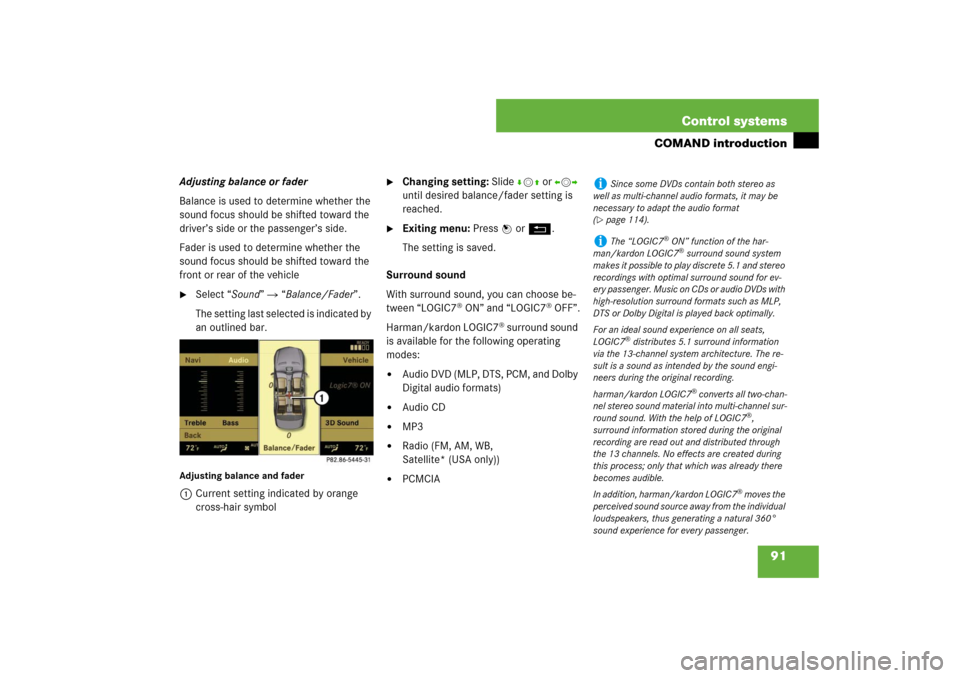
Select “Sound” � “Balance/Fader”.
The setting last selected is indicated by
an outlined bar.
Adjusting balance and fader1Current setting indicated by orange
cross-hair symbol
�
Changing setting: Slide rmq or omp
until desired balance/fader setting is
reached.
�
Exiting menu: Press n or L.
The setting is saved.
Surround sound
With surround sound, you can choose be-
tween “LOGIC7
® ON” and “LOGIC7
® OFF”.
Harman/kardon LOGIC7
® surround sound
is available for the following operating
modes:
�
Audio DVD (MLP, DTS, PCM, and Dolby
Digital audio formats)
�
Audio CD
�
MP3
�
Radio (FM, AM, WB,
Satellite* (USA only))
�
PCMCIA
i
Since some DVDs contain both stereo as
well as multi-channel audio formats, it may be
necessary to adapt the audio format
(
�page 114).
i
The “LOGIC7
® ON” function of the har-
man/kardon LOGIC7® surround sound system
makes it possible to play discrete 5.1 and stereo
recordings with optimal surround sound for ev-
ery passenger. Music on CDs or audio DVDs with
high-resolution surround formats such as MLP,
DTS or Dolby Digital is played back optimally.
For an ideal sound experience on all seats,
LOGIC7
® distributes 5.1 surround information
via the 13-channel system architecture. The re-
sult is a sound as intended by the sound engi-
neers during the original recording.
harman/kardon LOGIC7
® converts all two-chan-
nel stereo sound material into multi-channel sur-
round sound. With the help of LOGIC7
®,
surround information stored during the original
recording are read out and distributed through
the 13 channels. No effects are created during
this process; only that which was already there
becomes audible.
In addition, harman/kardon LOGIC7
® moves the
perceived sound source away from the individual
loudspeakers, thus generating a natural 360°
sound experience for every passenger.
375 Controls in detail
Automatic transmission
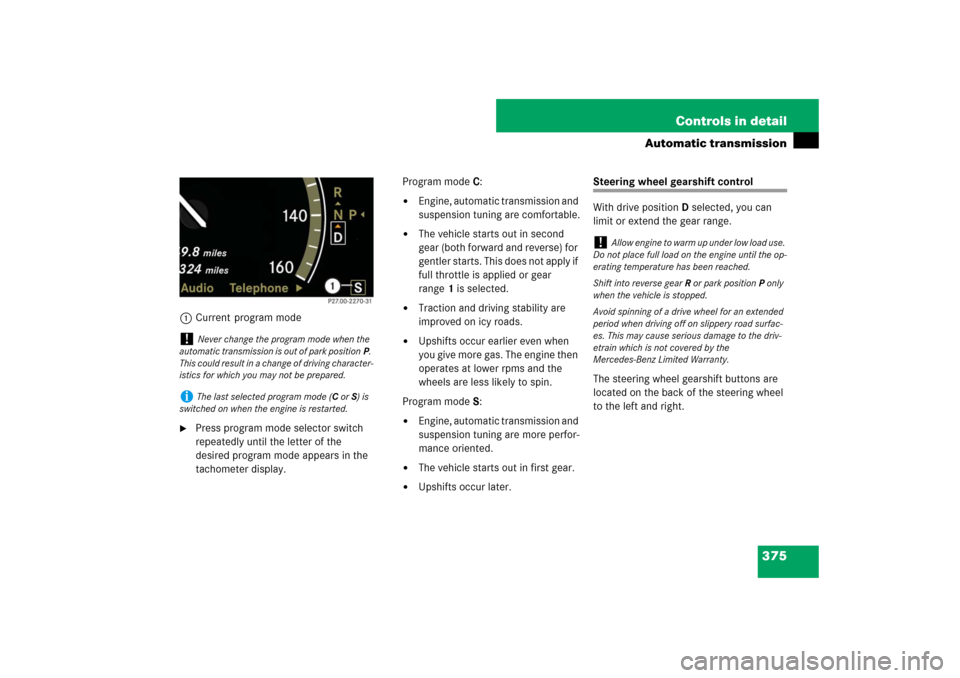
1Current program mode�
Press program mode selector switch
repeatedly until the letter of the
desired program mode appears in the
tachometer display.Program modeC:
�
Engine, automatic transmission and
suspension tuning are comfortable.
�
The vehicle starts out in second
gear (both forward and reverse) for
gentler starts. This does not apply if
full throttle is applied or gear
range1 is selected.
�
Traction and driving stability are
improved on icy roads.
�
Upshifts occur earlier even when
you give more gas. The engine then
operates at lower rpms and the
wheels are less likely to spin.
Program modeS:
�
Engine, automatic transmission and
suspension tuning are more perfor-
mance oriented.
�
The vehicle starts out in first gear.
�
Upshifts occur later.
Steering wheel gearshift control
With drive positionD selected, you can
limit or extend the gear range.
The steering wheel gearshift buttons are
located on the back of the steering wheel
to the left and right.
!
Never change the program mode when the
automatic transmission is out of park positionP.
This could result in a change of driving character-
istics for which you may not be prepared.
i
The last selected program mode (CorS) is
switched on when the engine is restarted.
!
Allow engine to warm up under low load use.
Do not place full load on the engine until the op-
erating temperature has been reached.
Shift into reverse gearR or park positionP only
when the vehicle is stopped.
Avoid spinning of a drive wheel for an extended
period when driving off on slippery road surfac-
es. This may cause serious damage to the driv-
etrain which is not covered by the
Mercedes-Benz Limited Warranty.