Page 431 of 705
430 Controls in detailAutomatic climate controlDeactivating�
Press button; (
�page 426) up or
down.
The indicator lamp on the button goes
out.
The previous settings are once again in
effect, except air recirculation mode
stays off.
Windshield fogged on the outside
�
Switch the windshield wipers on
(�page 351).
�
Press buttonU (
�page 426) up or
down.
The indicator lamp on the button
comes on.
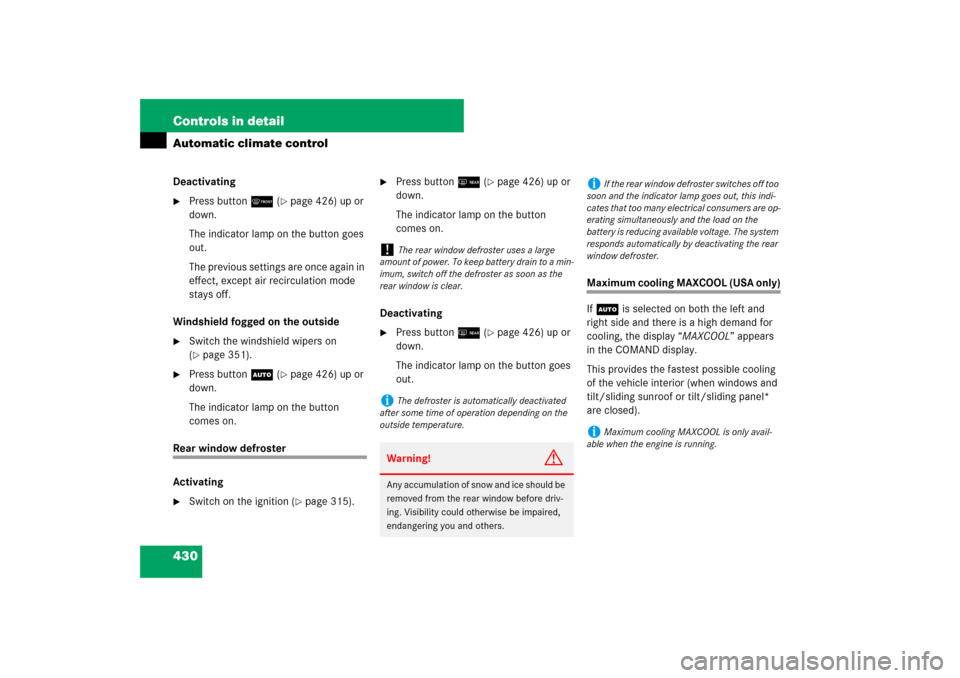
Rear window defroster
Activating�
Switch on the ignition (
�page 315).
�
Press button< (
�page 426) up or
down.
The indicator lamp on the button
comes on.
Deactivating
�
Press button< (
�page 426) up or
down.
The indicator lamp on the button goes
out.
Maximum cooling MAXCOOL (USA only)
If U is selected on both the left and
right side and there is a high demand for
cooling, the display “MAXCOOL” appears
in the COMAND display.
This provides the fastest possible cooling
of the vehicle interior (when windows and
tilt/sliding sunroof or tilt/sliding panel*
are closed).
!
The rear window defroster uses a large
amount of power. To keep battery drain to a min-
imum, switch off the defroster as soon as the
rear window is clear.
i
The defroster is automatically deactivated
after some time of operation depending on the
outside temperature.Warning!
G
Any accumulation of snow and ice should be
removed from the rear window before driv-
ing. Visibility could otherwise be impaired,
endangering you and others.
i
If the rear window defroster switches off too
soon and the indicator lamp goes out, this indi-
cates that too many electrical consumers are op-
erating simultaneously and the load on the
battery is reducing available voltage. The system
responds automatically by deactivating the rear
window defroster.
i
Maximum cooling MAXCOOL is only avail-
able when the engine is running.
Page 681 of 705

680 IndexAquaplaning see Hydroplaning
Armrest 448, 450
Ashtrays 456
Aspect ratio 526
Audio (COMAND) 104
CD mode 111
DVD mode 111
MP3 mode 111
Audio (Control system instrument
cluster) 248
CD changer 249
DVD changer 249
Audio DVD
Fast forward/rewind (COMAND) 113
Menu overview (COMAND) 110
Pause function (COMAND) 112
Stop function (COMAND) 112
Auto-dimming, Rear view mirrors 334
Automatic climate control 424
Adjusting air distribution
(COMAND) 230
Adjusting air flow from air vents
(COMAND) 233
Adjusting air volume (COMAND) 230
Adjusting the footwell temperature
(COMAND) 232Air recirculation mode 431
Central climate control menu
(COMAND) 231
Central menu for rear climate control*
(COMAND) 234
Defrosting 429
Operating the rear climate control*
from the front 234
Operating via COMAND 229
Rear window defroster 430
Selecting Mono mode
(COMAND) 232
Setting temperature (COMAND) 230
Setting the temperature 429
Setting the temperature in the rear
passenger compartment 435
Switching cooling on or off
(COMAND) 231
Automatic headlamp mode 255, 343
Automatic lighting control, Interior
lighting 349
Automatic locking when driving 313
Automatic shift program 374
Automatic transmission
Accelerator position 373
Automatic shift program 374Emergency operation (limp-home
mode) 377
Fluid 661
Fluid level 497
Gear ranges 372
Gear selector lever 367
Gear shifting malfunctions 377
Hill start assist system 374
Kickdown 373
Program mode selector switch 374
Shifting procedure 369
Starting the engine 359
Steering wheel gearshift control 375
Transmission fluid 497
Transmission positions 370
B
Backup lamps
Replacing bulbs 622
Bar 526
BAS 71
Batteries, SmartKey
Checking battery condition 311
Replacing 619
Batteries, SmartKey with KEYLESS-GO*
Checking battery condition 311
Replacing 619
Page 684 of 705

683 Index
Corner-illuminating lamps 347
Courtesy lighting 350
Cruise control 380, 671
Activating 381
Canceling 382
Driving downhill 382
Driving uphill 382
Message in display 559
Setting current speed 381
Setting to last stored speed (“Resume”
function) 384
Cup holder
Cleaning 541
In front seat armrest 452
In rear seat armrest 452
Curb weight 526, 671
Customer Assistance Center see CAC
D
Date
Setting (COMAND) 214
Daytime running lamp mode 344
Deceleration
With DISTRONIC Plus* 388
Deep water see Standing water
Defrosting 429Delayed switch-off
Exterior lighting (COMAND) 220
Interior lighting (COMAND) 226
Department of Transportation see DOT
Destination entry (COMAND) 153
Destination memory (COMAND) 195
Difficulties
While driving 362
While starting 360
Digital speedometer 246
Additional speedometer 255
Dimensions, Vehicle 660
Direction of rotation, Tires 503
Displays
Additional speedometer 255
Digital speedometer 246
DISTRONIC Plus* 387
Maintenance service indicator 532
Multifunction display 241
Vehicle status message see Multifunc-
tion display messages
Distance
Decreasing in DISTRONIC Plus* 397
Increasing in DISTRONIC Plus* 396
Setting in DISTRONIC Plus* 396
Distance to Empty (Range) 246Distance warning function*
Activating 397
Deactivating 397
Distance warning lamp 397
Intermittent warning sound 397
DISTRONIC Plus* 385
Activated 389
Activating 390
Calling up settings 389
Cleaning system sensor 537
Deactivated 389
Deactivating 395
Deceleration 388
Decreasing distance 397
Decreasing time interval 396
Displays in the speedometer dial 387
Distance warning function 397
Driving hints 397
Increasing distance 396
Increasing time interval 396
Intermittent signal tone 388
Lever 390
Menu 389
Messages in display 560
Sensor cover 537
Setting a higher speed 393
Page 694 of 705
693 Index
Power folding exterior rear view
mirrors 333
Power outlet 458
Power tilt/sliding sunroof 441
Emergency operations 617
Opening/closing 441
Opening/closing in an
emergency 617
Synchronizing 442
Power train 676
Power washer 535
Power windows 353
Blocking of rear window operation 67
Cleaning 540
Opening/closing 353
Practical hints 557, 611
Premium unleaded gasoline 490, 662,
664
PRE-SAFE
®
60
Message in display 567
Messages in display 572
Preventive occupant safety see PRE-SAFE
®
Problems
While driving 362
With vehicle 20
Product information 13Production options weight 527
Program mode see Automatic transmis-
sion, Automatic shift program
Program mode selector switch 676
Automatic shift program 374
Proper use of the vehicle 19
PSI 527
Push-start see Tow-start
R
Radio
FM/AM operation (COMAND) 93
Saving stations, FM/AM
(COMAND) 96
Selecting satellite radio* channel (In-
strument cluster control
system) 248
Selecting stations 248
Submenu overview, FM/AM
(COMAND) 93
Switching wavebands, FM/AM
(COMAND) 94
Tuning in stations/channels 94
Voice Control* 282
Radio transmitters, control and
operation 486Range (distance to empty) 246
Reading lamps in the front 349
Reading lamps in the rear 350
Rear door window
Blocking operation 67
Rear fog lamp
Replacing bulbs 622
Rear lamps see Tail lamps
Rear passenger compartment
Adjustable air vents 434
Rear seats
Adjustment 318
Folding back and placing upright rear
head restraints 325
Head restraints 324
Heating* 322
Multicontour* 327
Setting front passenger seat position
from rear 321
Ventilation* 323
Rear view mirrors see Mirrors
Rear window defroster 430
Activating 430
Deactivating 430
Recommended inflation pressure 527,
676