Page 206 of 441

205 Controls in detail
Audio system
1CD
2CD changer
3CD tray
4CD magazine
�Remove magazine4 and pull
CD tray3 fully out.
�Place CD1 in recess of tray, label side
up.
�Push tray into magazine in direction of
arrow.
�Push magazine into CD changer*2 in
direction of arrow and close sliding
door.
Playing CDs
Single CD player in the audio unit
�Pressi button.
CD 0 will appear in the upper left-hand
corner of the display.
The CD will resume playback at the point
where it was switched off.
CD changer*
�Press Q button.
CD and the selected magazine slot
number appear in the upper left-hand
corner of the display.
If you have not removed a CD since the last
time the CD audio source was activated,
the last CD listened to will begin to play at
the point where it was switched off.After the last track on a CD has finished,
the next CD is automatically played.
Playing tracks
You have the following options:
�Audio system with CD changer*:
selecting CDs
�Direct track entry
�Track skip forward/reverse
�Fast forward/reverse
�Scan
�Random tracks
�Repeat track
iCDs which have been inserted improperly or
are unreadable will not be played.
Page 207 of 441

206 Controls in detail
Audio system
Selecting CDs in the audio unit with CD
changer*
�You can select from among the
inserted CDs with buttons
Rto6.
R = CD player in the audio unit
1to6 = CDs in the
CD changer*
The magazine slot number of the
selected CD appears next to
CD in the
display, and the number of the
currently played track appears next
to
TRACK.Direct track entry
You can make a direct selection from
among the tracks on a CD.
�Press * button.
�Enter track number using buttons 1
to R.
The number of the track being played
appears next to
TRACK in the display.
You can only enter available track
numbers.Skipping tracks forward/backward
�Skipping tracks forward
�Press S button briefly.
The next track will be played.
�Skipping tracks backward
�Press T button briefly.
If the track has been playing for
more than 10 seconds, the unit
skips back to the beginning of the
track currently playing. If less than
10 seconds have been played, the
unit skips back to the beginning of
the previous track.
Pressing the T or S button
repeatedly will result in multiple tracks
being skipped.
iIf there is no CD in the selected magazine
slot,
NO CD appears in the display with the cor-
responding slot number.
Page 208 of 441

207 Controls in detail
Audio system
Fast forward/reverse
�Fast forward
�Press and hold S button until
desired point has been reached.
�Reverse
�Press and hold T button until
desired point has been reached.
Scan
�Starting scan
�Press SC soft key.
SC will appear in the display.
Each track on the current CD will be
played for approx. 8 seconds in as-
cending order.
�Ending scan
�Press SC soft key or T or S.Random play
The random function (RDM) plays the
tracks of the current CD in random order.
�Switching on random
�Press RDM soft key.
RDM appears in the display.
A randomly selected track is
played.
�Switching off random
�Press RDM soft key again.Repeat
The track being played is repeated until the
repeat function is switched off.
�Switching on repeat
�Press RPT soft key.
RPT appears in the display.
�Switching off repeat
�Press RPT soft key again.
iThe track number and the relative time of
the track is shown in the display during the
search.
iWhen you start the RDM function, the RPT
function is automatically switched off.iWhen you start the RPT function, the RDM
function is automatically switched off.
Page 209 of 441

208 Controls in detail
Audio system
Pause function
The CD changer mode is interrupted by an
incoming call on the telephone*
(
�page 212).
�Switching on pause function
�Press U button.
The CD changer mode is
interrupted and
PAUSE appears in
the display.
�Switching off pause function
�Press U button.
The CD changer mode is active
again.Track and time display
�Press T soft key.
The number of the track being played
and the elapsed playing time appear in
the display.
�Press T soft key again.
The total number of tracks and the total
playing time of the CD appear in the
display.
�Press T soft key.
The standard CD playback menu
appears in the display.
GSM network phones
Using your Mercedes-Benz specified
mobile telephone*, a number of functions
and operating steps can be performed and
displayed in the audio system display.
Further operating instructions not covered
here can be found in the operating instruc-
tions for the multifunction steering wheel
and the cellular telephone*.
If your audio system is set up for telephone
operation, the tsymbol will appear in
the display.
When you insert your Mercedes-Benz
specified mobile telephone* into the
telephone cradle, you will be prompted to
enter your PIN for 30 seconds
(
�page 209). This display disappears
when you press any button.
When your mobile telephone is inserted
into the telephone cradle, you will see the
reception strength in the upper right-hand
corner of the display.
Page 210 of 441
209 Controls in detail
Audio system
Switching on the telephone
Switching on the telephone
�Pressh button.
If the telephone was previously
switched off,
PROCESSING appears in
the display and you will then be
prompted to enter your PIN.
Switching off the telephone
�Pressh button for approx.
3 seconds.
PROCESSING appears in the display until
the telephone is off. Afterward,
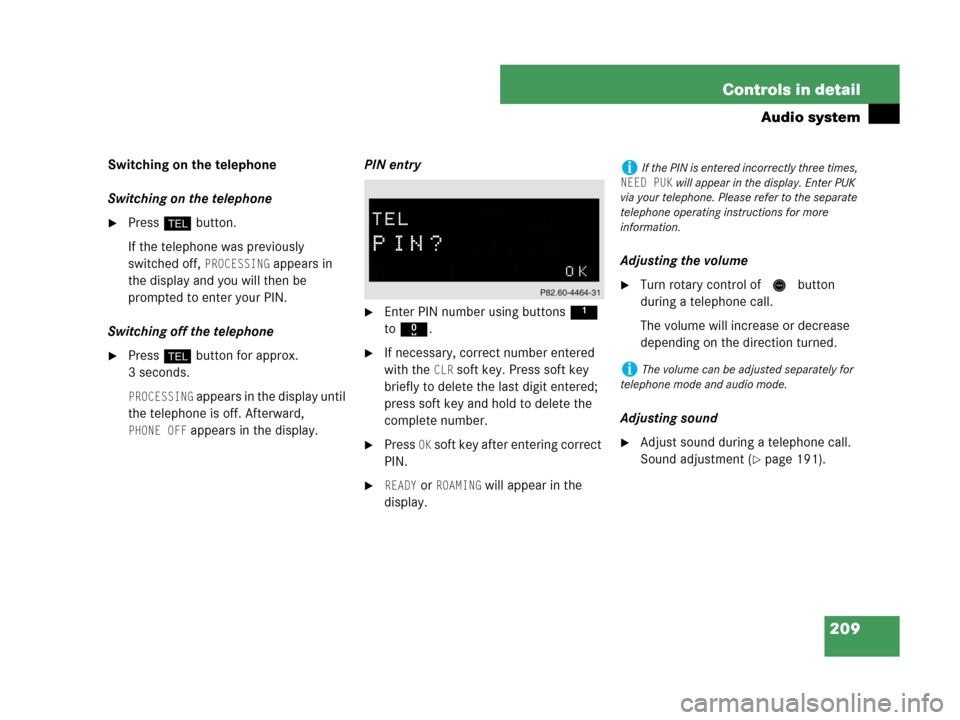
PHONE OFF appears in the display.PIN entry
�Enter PIN number using buttons 1
to R.
�If necessary, correct number entered
with the
CLR soft key. Press soft key
briefly to delete the last digit entered;
press soft key and hold to delete the
complete number.
�Press OK soft key after entering correct
PIN.
�READY or ROAMING will appear in the
display.Adjusting the volume
�Turn rotary control of N button
during a telephone call.
The volume will increase or decrease
depending on the direction turned.
Adjusting sound
�Adjust sound during a telephone call.
Sound adjustment (
�page 191).
iIf the PIN is entered incorrectly three times,
NEED PUK will appear in the display. Enter PUK
via your telephone. Please refer to the separate
telephone operating instructions for more
information.
iThe volume can be adjusted separately for
telephone mode and audio mode.
Page 211 of 441

210 Controls in detail
Audio system
Placing a call
Entering a telephone number and
starting the dialing process
�Enter desired telephone number using
buttons 1 to R.
The number can have up to 32 digits,
but only twelve of these are visible in
the display.
�If necessary, correct number entered
with the
CLR soft key. Press soft key
briefly to delete the last digit entered;
press soft key and hold to delete the
complete number.
�After correct telephone number has
been entered, press s button.Phone book
The numbers stored in the phone book of
the telephone can be called up either by
name or number.
In addition, incoming calls are stored in the
phone book.
�Searching and calling up telephone
book entries by name
You can access your mobile
telephone’s phone book using the
audio system. You can access both the
main entries and the sub-entries of
your phone book.
�Press MEM soft key or press
button‚ orƒ.
�Press desired numerical key 2
to 9.
The stored entries are selected
according to the alphabetical order
of the initial letters (e.g. for
S-Smith, press button 7 four
times).
or
�Press and hold button ‚
orƒ.
The system jumps from one initial
letter to the next in ascending or
descending order.
iIf the telephone number has been saved to-
gether with a name in the telephone book, the
name will appear in the display.
iThis is only possible, however, when the call
information transmitted includes the number of
the person calling. If the telephone number is not
transmitted,
NO NUMBER will be stored in the
phone book.
Page 212 of 441
211 Controls in detail
Audio system
�Press and hold button ‚
orƒ until desired initial letter
has been reached.
or
�Press button ‚ or ƒ
repeatedly until desired entry has
been reached.
The stored entries are selected in
alphabetical order with the
sub-entries.
�When you have selected a number,
press s button.
The call will be made.
�Viewing the telephone number of a
telephone book entry
�Search for desired entry.
�Press NUM soft key.
The telephone number of the phone
book entry appears in the display.
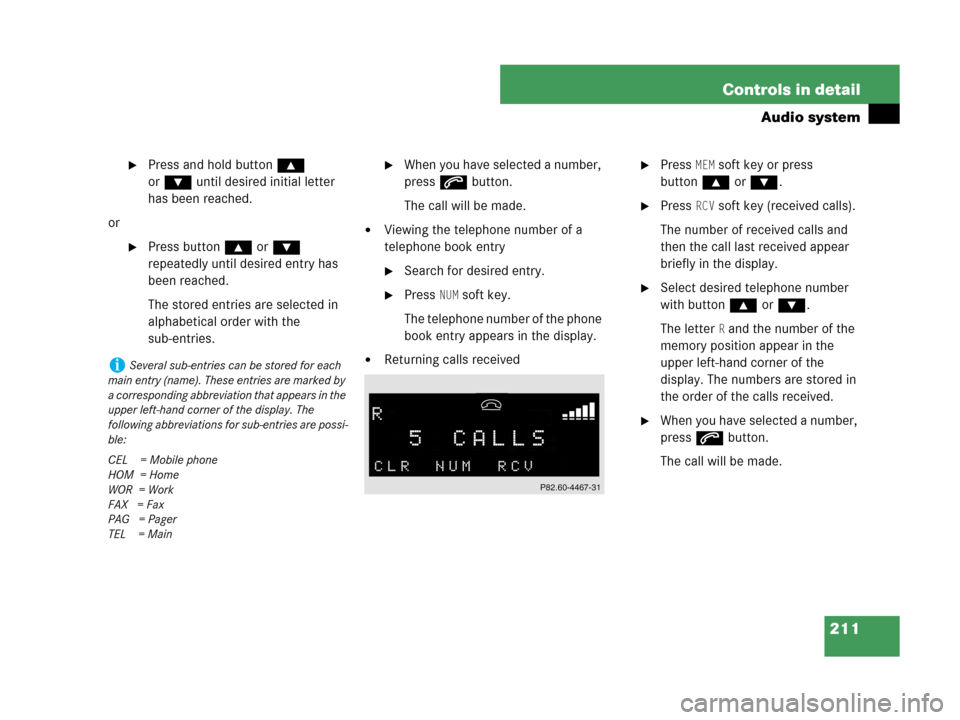
�Returning calls received
�Press MEM soft key or press
button‚ orƒ.
�Press RCV soft key (received calls).
The number of received calls and
then the call last received appear
briefly in the display.
�Select desired telephone number
with button ‚ or ƒ.
The letter
R and the number of the
memory position appear in the
upper left-hand corner of the
display. The numbers are stored in
the order of the calls received.
�When you have selected a number,
press s button.
The call will be made.
iSeveral sub-entries can be stored for each
main entry (name). These entries are marked by
a corresponding abbreviation that appears in the
upper left-hand corner of the display. The
following abbreviations for sub-entries are possi-
ble:
CEL = Mobile phone
HOM = Home
WOR = Work
FAX = Fax
PAG = Pager
TEL = Main
Page 213 of 441

212 Controls in detail
Audio system
�Speed dial
If you have stored telephone numbers
as speed dial numbers in your
telephone, you can also enter these
with buttons 1 to R on the radio
head unit.
�Press desired button 1 to R
briefly.
�Press s button.
The call will be made.
�Turbo dial
If you have stored telephone numbers
as turbo dial numbers in your
telephone, you can also enter these
with buttons 1 to R on the radio
head unit.
�Press desired button 1 to R
until the call is made.Redial
If the number you have dialed is busy, you
can again place calls to the last ten
telephone numbers dialed using the redial
function.
�Manual redial
�Press s button.
The telephone number last dialed
will appear in the display.
�Select desired telephone number
with button ‚ or ƒ.The letter
L and the number of the
memory position appears in the
left-hand corner of the display. The
numbers are stored in the order of
the calls received.
�When you have selected a number,
press s button.
The call will be made.
Accepting an incoming call
If the telephone is active in the background
(reception symbol is visible in the display),
the audio source is muted when an incom-
ing call is received. A ringing tone can be
heard and the caller’s telephone number,
or the name under which the telephone
number has been saved in the phone book,
appears in the display. If the caller’s
number is not transmitted with the call,
CALL will appear in the display.
�Press s button.
The call is accepted.
iIf you have activated the automatic redial
function on your telephone, the number of the
person being called is automatically redialed af-
ter a short waiting period if there is a busy signal.
Refer to the separate operating instructions for
the mobile telephone.