Page 205 of 409
Black plate (206,1)
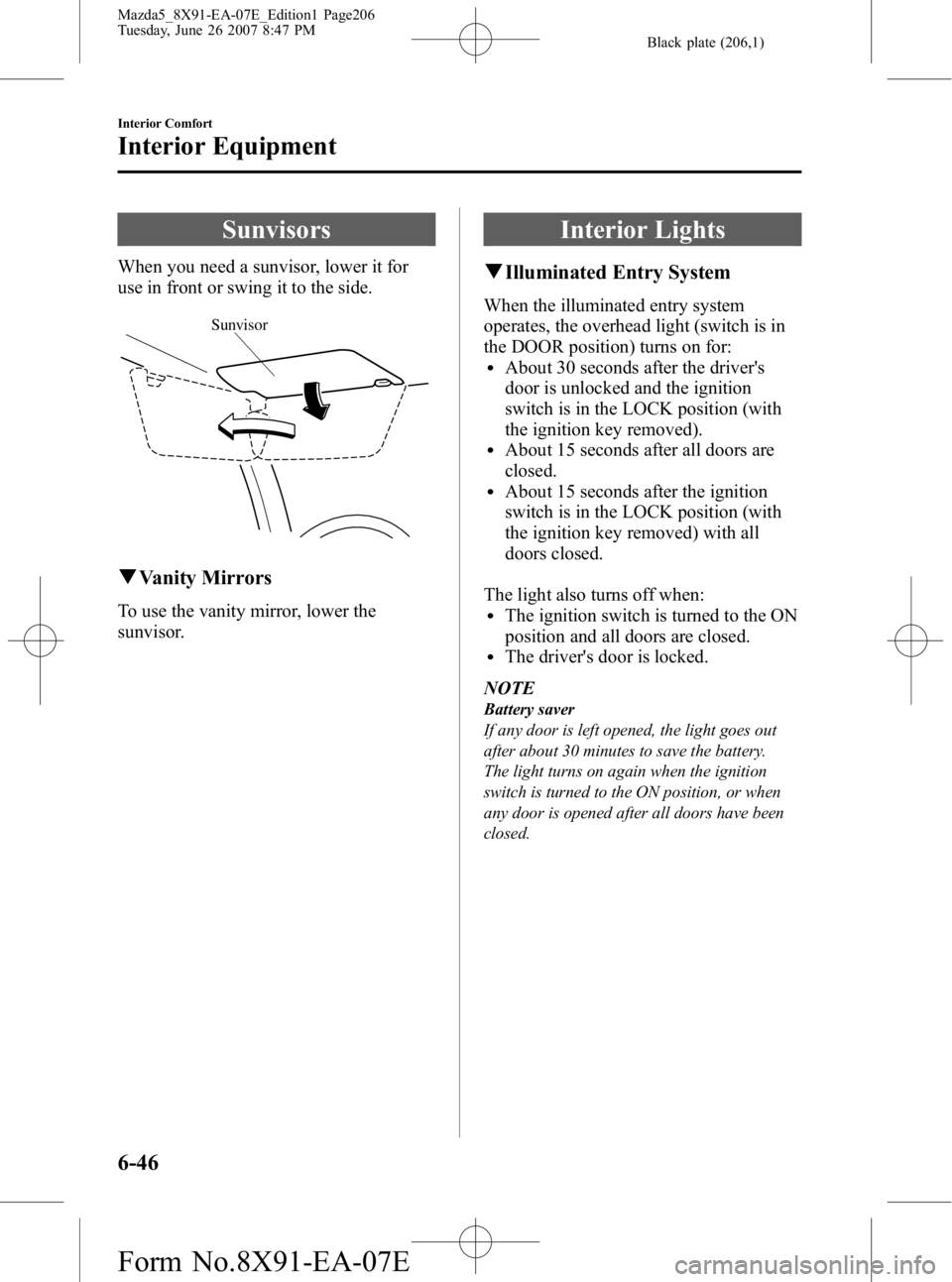
Sunvisors
When you need a sunvisor, lower it for
use in front or swing it to the side.
Sunvisor
qVanity Mirrors
To use the vanity mirror, lower the
sunvisor.
Interior Lights
qIlluminated Entry System
When the illuminated entry system
operates, the overhead light (switch is in
the DOOR position) turns on for:
lAbout 30 seconds after the driver's
door is unlocked and the ignition
switch is in the LOCK position (with
the ignition key removed).
lAbout 15 seconds after all doors are
closed.
lAbout 15 seconds after the ignition
switch is in the LOCK position (with
the ignition key removed) with all
doors closed.
The light also turns off when:
lThe ignition switch is turned to the ON
position and all doors are closed.
lThe driver's door is locked.
NOTE
Battery saver
If any door is left opened, the light goes out
after about 30 minutes to save the battery.
The light turns on again when the ignition
switch is turned to the ON position, or when
any door is opened after all doors have been
closed.
6-46
Interior Comfort
Interior Equipment
Mazda5_8X91-EA-07E_Edition1 Page206
Tuesday, June 26 2007 8:47 PM
Form No.8X91-EA-07E
Page 207 of 409
Black plate (208,1)
Information Display
Climate control display/
Ambient temperature display
Clock Audio display
q
Information Display Functions
The information display has the following functions:lClocklAmbient Temperature Display (Outside Temperature Display, Fully Automatic Type)lClimate Control Display (Fully Automatic Type)lAudio Display
6-48
Interior Comfort
Interior Equipment
Mazda5_8X91-EA-07E_Edition1 Page208
Tuesday, June 26 2007 8:47 PM
Form No.8X91-EA-07E
Page 208 of 409

Black plate (209,1)
qClock
When the ignition switch is in the ACC or
ON position, the time is displayed.
Time setting
1. Press the CLOCK switch until a beep
sounds, and “12Hr ”and “24Hr ”will be
displayed.
2. Press the SET switch to switch between “12Hr ”and “24Hr ”displays. The
selected display will flash.
To select the desired clock setting,
press the CLOCK switch again while
the preferred setting is flashing.
3. “Hr. ADJUST ”will be displayed next,
and the hour portion of the display will
flash. Press the SET switch to set the
hour, then press the CLOCK switch.
4. “Min. ADJUST ”will be displayed
next, and the minutes portion of the
display will flash. Press the SET switch
to set the minutes, then press the
CLOCK switch.
Time resetting
While the clock is displayed, press the
SET switch 1.5 seconds or more. When
the switch is released, a beep will sound
and the clock will be reset as follows:
(Example) 12:01
―12:29 →12:00
12:30 ―12:59 →1:00
NOTE
When the SET switch is released, the seconds
are reset to “00 ”.
q Ambient Temperature Display
(Fully Automatic Type)
When the ignition switch is in the ON
position, press the AMB switch (page
6-10) to display the ambient temperature.
NOTElUnder the following conditions, the ambient
temperature display may differ from the
actual ambient temperature depending on
the surroundings and vehicle conditions:
lSignificantly cold or hot temperatures.lSudden changes in ambient temperature.lThe vehicle is parked.lThe vehicle is driven at low speeds.lPress the AMB switch 2 seconds or more to
switch the display from Fahrenheit to
Centigrade or vice versa.
lPress the AMB switch again to switch the
display from ambient temperature to the
temperature set for the air conditioner.
Interior Comfort
Interior Equipment
6-49
Mazda5_8X91-EA-07E_Edition1 Page209
Tuesday, June 26 2007 8:47 PM
Form No.8X91-EA-07E
Page 211 of 409
Black plate (212,1)
Bottle Holder
Bottle holders are on the inside of the
doors.
Bottle holder
CAUTION
Do not use the bottle holders for
containers without caps. The
contents may spill when the door is
opened or closed.
Storage Compartments
WARNING
Keep storage boxes closed when
driving:Driving with the storage boxes open
is dangerous. To reduce the
possibility of injury in an accident or
a sudden stop, keep the storage
boxes closed when driving.
CAUTION
Do not leave lighters or eyeglasses in
the storage boxes while parked under
the sun. A lighter could explode or
the plastic material in eyeglasses
could deform and crack from high
temperature.
qGlove Box
To open the glove box, pull the latch
toward you.
Insert the key and turn it clockwise to
lock, counterclockwise to unlock.
Unlock
Lock
6-52
Interior Comfort
Interior Equipment
Mazda5_8X91-EA-07E_Edition1 Page212
Tuesday, June 26 2007 8:47 PM
Form No.8X91-EA-07E
Page 213 of 409
Black plate (214,1)
CAUTION
Do not store items above the marked
line indicated in the illustration
below. If the items are stored above
the marked line, the seat bottom will
not lock and could cause serious
injury.
Marked line
To return the seat bottom
Carefully lower the seat bottom backward
until it locks in place. Attempt to lift the
seat bottom to make sure it is firmly
locked down.
qStorage Boxí
The storage box is stowed under the
bottom of the right second-row seat.
Small items can be stored in this box.
To use the storage box
1. Pull the strap and lift the seat bottom
up and forward.
NOTE
If it is hard to lift the seat bottom, raise the
reclining lever and lean back slightly.
2. Pull out the storage box.
6-54
Interior Comfort
íSome models.
Interior Equipment
Mazda5_8X91-EA-07E_Edition1 Page214
Tuesday, June 26 2007 8:47 PM
Form No.8X91-EA-07E
Page 214 of 409
Black plate (215,1)
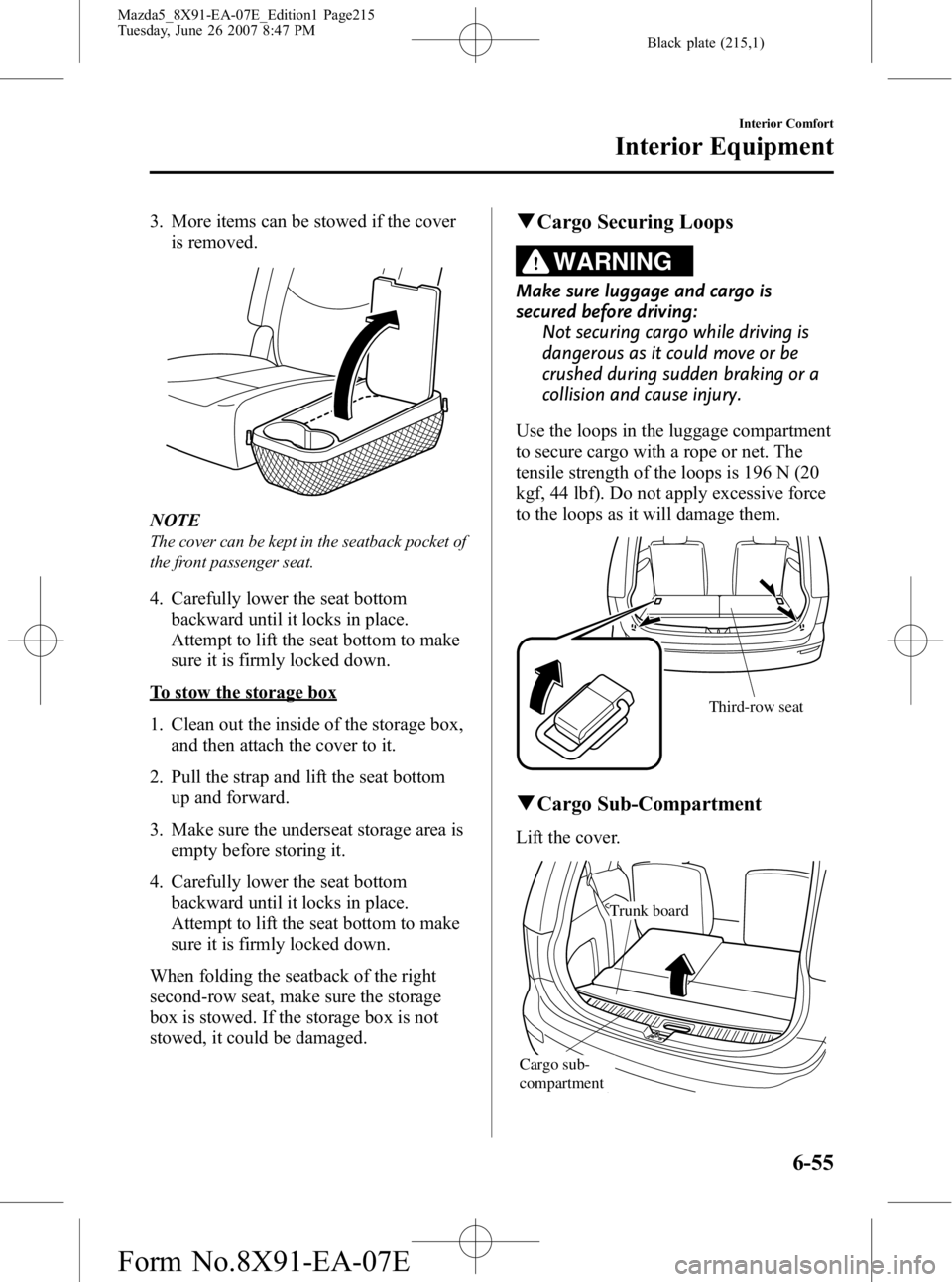
3. More items can be stowed if the coveris removed.
NOTE
The cover can be kept in the seatback pocket of
the front passenger seat.
4. Carefully lower the seat bottom
backward until it locks in place.
Attempt to lift the seat bottom to make
sure it is firmly locked down.
To stow the storage box
1. Clean out the inside of the storage box,and then attach the cover to it.
2. Pull the strap and lift the seat bottom up and forward.
3. Make sure the underseat storage area is empty before storing it.
4. Carefully lower the seat bottom backward until it locks in place.
Attempt to lift the seat bottom to make
sure it is firmly locked down.
When folding the seatback of the right
second-row seat, make sure the storage
box is stowed. If the storage box is not
stowed, it could be damaged.
q Cargo Securing Loops
WARNING
Make sure luggage and cargo is
secured before driving:
Not securing cargo while driving is
dangerous as it could move or be
crushed during sudden braking or a
collision and cause injury.
Use the loops in the luggage compartment
to secure cargo with a rope or net. The
tensile strength of the loops is 196 N (20
kgf, 44 lbf). Do not apply excessive force
to the loops as it will damage them.
Third-row seat
q Cargo Sub-Compartment
Lift the cover.
Trunk board
Cargo sub-
compartment
Interior Comfort
Interior Equipment
6-55
Mazda5_8X91-EA-07E_Edition1 Page215
Tuesday, June 26 2007 8:47 PM
Form No.8X91-EA-07E
Page 221 of 409
Black plate (222,1)
qJack
To remove the jack
1. Remove the cover.
2. Turn the wing bolt and jack screw
counterclockwise.
Wing bolt
Jack screw
To secure the jack
1. Insert the wing bolt into the jack with the jack screw pointing down and turn
the wing bolt clockwise to temporarily
tighten it.
2. Turn the jack screw in the direction shown in the figure.
Wing bolt
Jack screw
3. Turn the wing bolt completely to secure the jack.
NOTE
If the jack is not completely secured, it could
rattle while driving. Make sure the jack screw
is sufficiently tightened.
Maintenance
lAlways keep the jack clean.lMake sure the moving parts are kept
free from dirt or rust.
lMake sure the screw thread is
adequately lubricated.
7-4
In Case of an Emergency
Flat Tire
Mazda5_8X91-EA-07E_Edition1 Page222
Tuesday, June 26 2007 8:47 PM
Form No.8X91-EA-07E
Page 223 of 409
Black plate (224,1)
2. Open and fold back the trunk boardover the third-row seatback.
Trunk board
Cargo sub-
compartment
3. Remove the cargo sub-compartment.
4. Turn the tire hold-down bolt
counterclockwise with the lug wrench.
To secure the spare tire
Perform the removal procedure in reverse.
7-6
In Case of an Emergency
Flat Tire
Mazda5_8X91-EA-07E_Edition1 Page224
Tuesday, June 26 2007 8:47 PM
Form No.8X91-EA-07E


