Page 127 of 325
Knowing your vehicle118
3Using External Controls1. The Dimmer control
The Dimmer control setting determines
the brightness of the entire vehicle's dis-
plays.
Turn the scroll wheel up or down to
increase or decrease the brightness of
the vehicle's instrument panels, backlit
displays and the audio system's LCD
screen and backlit controls.
2. Steering wheel audio controls
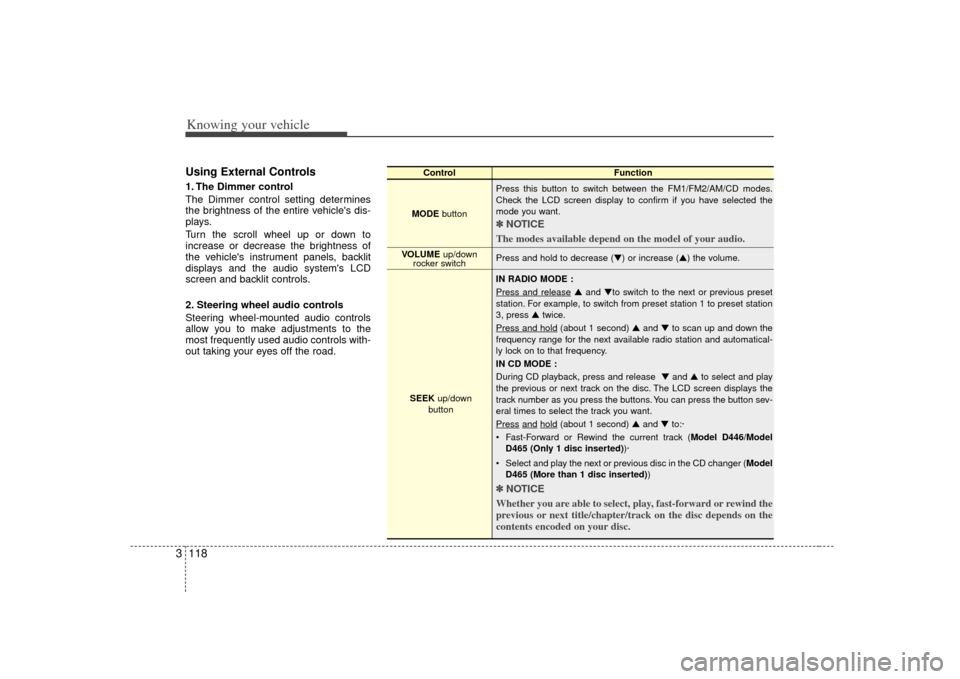
Steering wheel-mounted audio controls
allow you to make adjustments to the
most frequently used audio controls with-
out taking your eyes off the road.
Control Function
MODE button Press this button to switch between the FM1/FM2/AM/CD modes.
Check the LCD screen display to confirm if you have selected the
mode you want.
✽ ✽
NOTICE
The modes available depend on the model of your audio. Press and hold to decrease (▼) or increase (▲) the volume.
IN RADIO MODE :
Press and release
▲ and ▼to switch to the next or previous preset
station. For example, to switch from preset station 1 to preset station
3, press ▲ twice.
Press and hold
(about 1 second) ▲ and ▼to scan up and down the
frequency range for the next available radio station and automatical-
ly lock on to that frequency.
IN CD MODE :
During CD playback, press and release ▼ and ▲to select and play
the previous or next track on the disc. The LCD screen displays the
track number as you press the buttons. You can press the button sev-
eral times to select the track you want.
Press
and
hold
(about 1 second) ▲ and ▼to:·
Fast-Forward or Rewind the current track ( Model D446/Model
D465 (Only 1 disc inserted) )·
Select and play the next or previous disc in the CD changer (Model D465 (More than 1 disc inserted) )
✽ ✽
NOTICE
Whether you are able to select, play, fast-forward or rewind the
previous or next title/chapter/track on the disc depends on the
contents encoded on your disc.
VOLUME up/down
rocker switch
SEEK up/down
button
Page 158 of 325
Driving your vehicle28
4To cancel cruise control, do one
of the following: Press the brake pedal.
Press the clutch pedal with a manual
transmission or shift into N (Neutral)
with an automatic transmission.
Press the CANCEL switch located on the steering wheel.
Press the COAST/SET and RES/ ACCEL switches at the same time.Each of these actions will cancel cruisecontrol operation (the SET indicator lightin the instrument cluster will go OFF), butit will not turn the system off. If you wishto resume cruise control operation, push the RES/ACCEL switch located on yoursteering wheel. You will return to yourpreviously preset speed.
To turn cruise control off, do one
of the following: Push the CRUISE ON-OFF button (the CRUISE indicator light in the instru-
ment cluster will go OFF).
Turn the ignition off.Both of these actions cancel cruise con- trol operation. If you want to resumecruise control operation, repeat the stepsprovided in “To Set Cruise ControlSpeed” on the previous page.
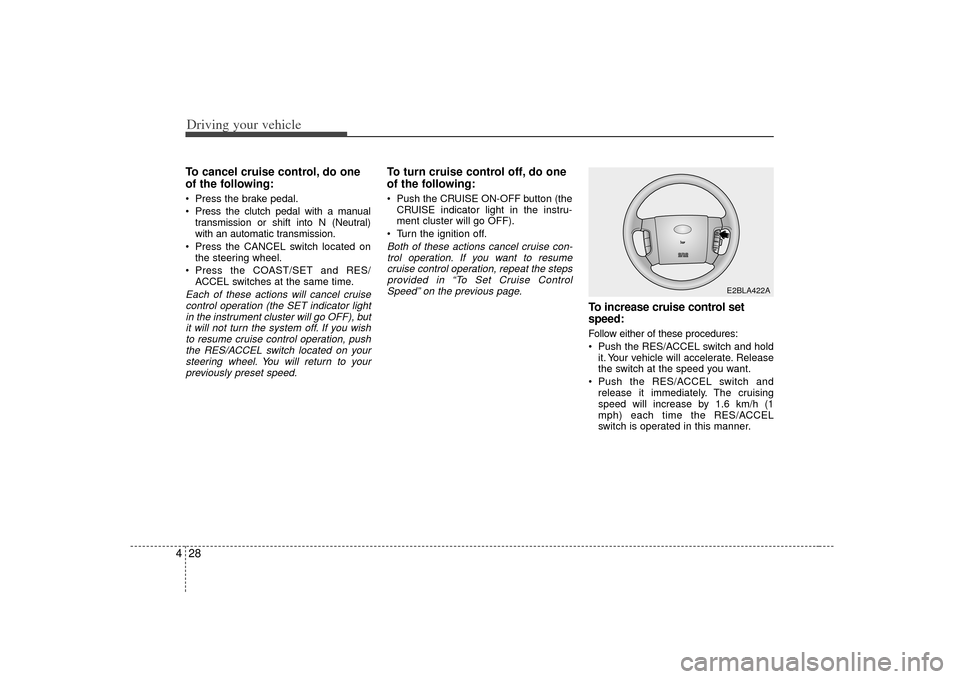
To increase cruise control set
speed:Follow either of these procedures:
Push the RES/ACCEL switch and hold it. Your vehicle will accelerate. Release
the switch at the speed you want.
Push the RES/ACCEL switch and release it immediately. The cruising
speed will increase by 1.6 km/h (1
mph) each time the RES/ACCEL
switch is operated in this manner.
E2BLA422A
Page 166 of 325
Driving your vehicle36
4INSTRUMENT CLUSTER
ESC
ESC
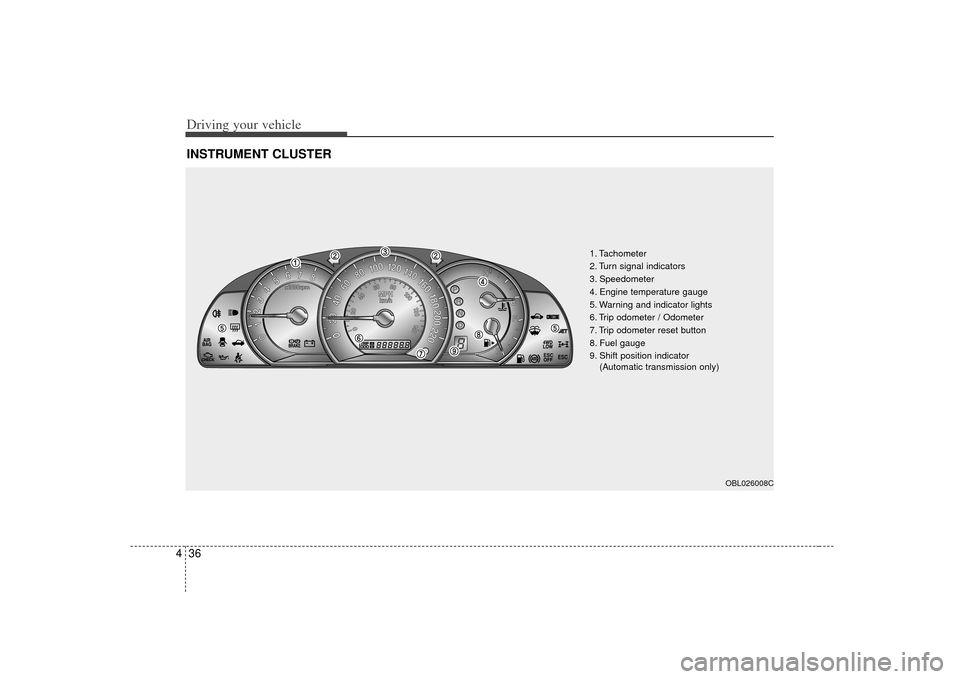
1. Tachometer
2. Turn signal indicators
3. Speedometer
4. Engine temperature gauge
5. Warning and indicator lights
6. Trip odometer / Odometer
7. Trip odometer reset button
8. Fuel gauge
9. Shift position indicator
(Automatic transmission only)
OBL026008C
Page 167 of 325
437
Driving your vehicle
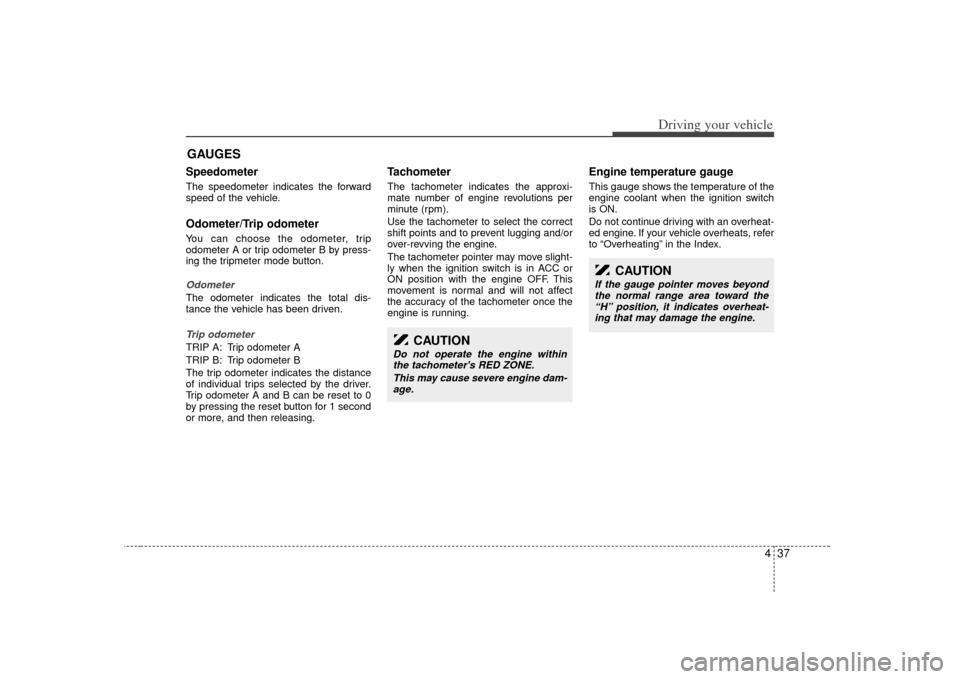
Speedometer The speedometer indicates the forward
speed of the vehicle.Odometer/Trip odometerYou can choose the odometer, trip
odometer A or trip odometer B by press-
ing the tripmeter mode button.OdometerThe odometer indicates the total dis-
tance the vehicle has been driven.Trip odometerTRIP A: Trip odometer A
TRIP B: Trip odometer B
The trip odometer indicates the distance
of individual trips selected by the driver.
Trip odometer A and B can be reset to 0
by pressing the reset button for 1 second
or more, and then releasing.
Tachometer The tachometer indicates the approxi-
mate number of engine revolutions per
minute (rpm).
Use the tachometer to select the correct
shift points and to prevent lugging and/or
over-revving the engine.
The tachometer pointer may move slight-
ly when the ignition switch is in ACC or
ON position with the engine OFF. This
movement is normal and will not affect
the accuracy of the tachometer once the
engine is running.
Engine temperature gauge This gauge shows the temperature of the
engine coolant when the ignition switch
is ON.
Do not continue driving with an overheat-
ed engine. If your vehicle overheats, refer
to “Overheating” in the Index.
GAUGES
CAUTION
Do not operate the engine withinthe tachometer's RED ZONE.
This may cause severe engine dam-age.
CAUTION
If the gauge pointer moves beyond the normal range area toward the“H” position, it indicates overheat-ing that may damage the engine.
Page 180 of 325
Driving your vehicle50
4Driving timeThis mode indicates the total time from
the starting of the vehicle to the ignition
key “OFF” after resetting. When the
“MODE/SET” switch is pushed, it will ini-
tialize to 0:00.
Reset
Push “MODE/SET” for more than 1.5
seconds to initialize the displayed infor-
mation such as average speed and driv-
ing time.
Ambient temperature (°C or °F )
(if equipped)This mode indicates the current ambient
temperature. The meter’s working range -
30°C(-30°F) to 65°C (149°F)
If you press the “DOWN” switch for more
than 5 seconds, the temperature unit
would transfer “°C” from “°F” or to “°F”
from “°C”.
E/T
OBL046903N
6BLA433
Page 198 of 325
Driving your vehicle68
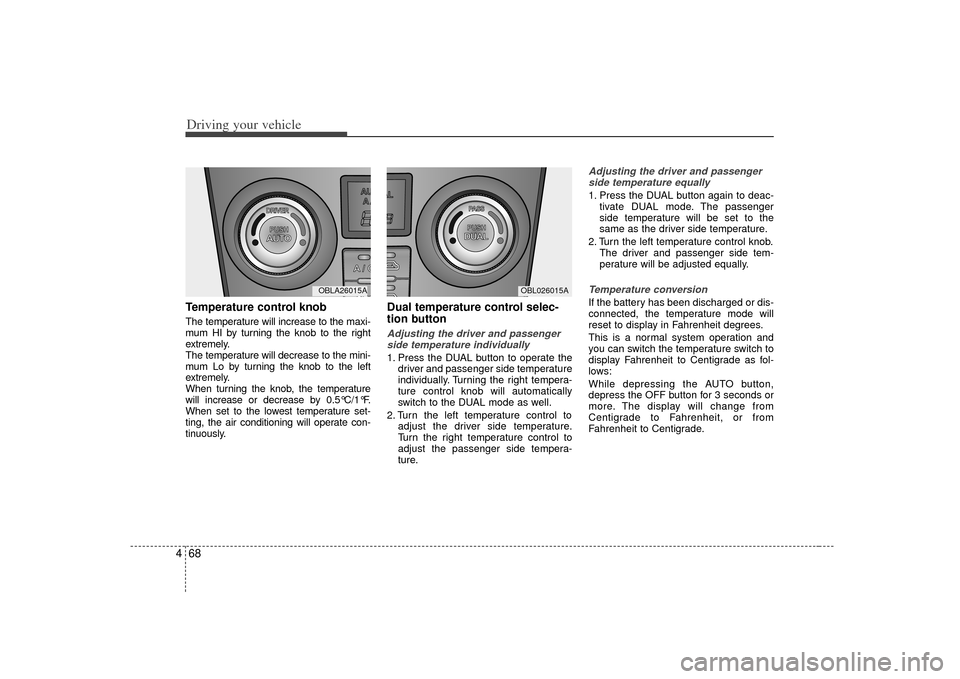
4Temperature control knobThe temperature will increase to the maxi-
mum HI by turning the knob to the right
extremely.
The temperature will decrease to the mini-
mum Lo by turning the knob to the left
extremely.
When turning the knob, the temperature
will increase or decrease by 0.5°C/1°F.
When set to the lowest temperature set-
ting, the air conditioning will operate con-
tinuously.
Dual temperature control selec-
tion buttonAdjusting the driver and passenger
side temperature individually 1. Press the DUAL button to operate the driver and passenger side temperature
individually. Turning the right tempera-
ture control knob will automatically
switch to the DUAL mode as well.
2. Turn the left temperature control to adjust the driver side temperature.
Turn the right temperature control to
adjust the passenger side tempera-
ture.
Adjusting the driver and passengerside temperature equally1. Press the DUAL button again to deac- tivate DUAL mode. The passenger
side temperature will be set to the
same as the driver side temperature.
2. Turn the left temperature control knob. The driver and passenger side tem-
perature will be adjusted equally.Temperature conversionIf the battery has been discharged or dis-
connected, the temperature mode will
reset to display in Fahrenheit degrees.
This is a normal system operation and
you can switch the temperature switch to
display Fahrenheit to Centigrade as fol-
lows:
While depressing the AUTO button,
depress the OFF button for 3 seconds or
more. The display will change from
Centigrade to Fahrenheit, or from
Fahrenheit to Centigrade.
MODE
OBL026015A
MODE
OBLA26015A
Page 207 of 325
477
Driving your vehicle
Defogging logicManual climate control systemTo reduce the probability of fogging up
the inside of the windshield, the air intake
control is set to the outside (fresh) air
position automatically if any of following
occur.
The mode is selected to the orwhile the system is activated.
The ignition switch is turned on while the mode is selected to the
*,
or .
The ignition switch is turned off.
The fan is off.
The fan begins to be operated.
Press the air intake control button to
select the recirculated air position while
the ignition switch is on.
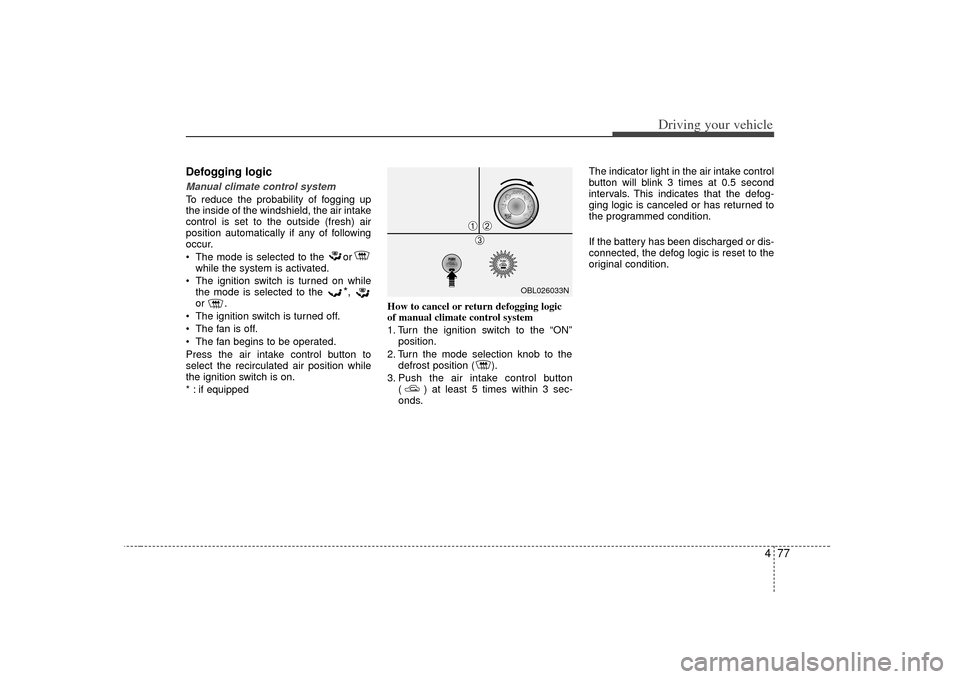
* : if equipped How to cancel or return defogging logic
of manual climate control system
1. Turn the ignition switch to the “ON”
position.
2. Turn the mode selection knob to the defrost position ( ).
3. Push the air intake control button ( ) at least 5 times within 3 sec-
onds. The indicator light in the air intake control
button will blink 3 times at 0.5 second
intervals. This indicates that the defog-
ging logic is canceled or has returned to
the programmed condition.
If the battery has been discharged or dis-
connected, the defog logic is reset to the
original condition.
OBL026033N
➀
➁\b
Page 208 of 325
Driving your vehicle78
4Automatic climate control systemTo reduce the probability of fogging up
inside of the windshield, the air intake
control is set to outside (fresh) air posi-
tion automatically if any of following
occur.
The ignition switch is turned on while
the mode is selected to the
*,
or
.
The OFF button is pushed.
The mode is selected to the
*,
or position.
In the or mode, it is impossible to
select the recirculated air position while
the ignition switch is on.
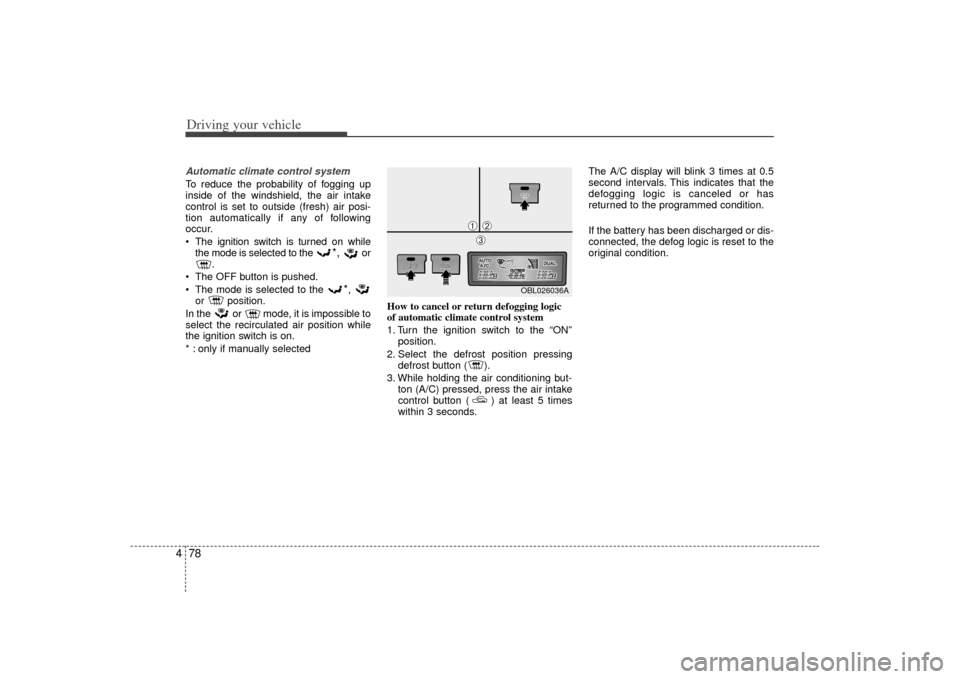
* : only if manually selected How to cancel or return defogging logic
of automatic climate control system
1. Turn the ignition switch to the “ON”
position.
2. Select the defrost position pressing defrost button ( ).
3. While holding the air conditioning but- ton (A/C) pressed, press the air intake
control button ( ) at least 5 times
within 3 seconds. The A/C display will blink 3 times at 0.5
second intervals. This indicates that the
defogging logic is canceled or has
returned to the programmed condition.
If the battery has been discharged or dis-
connected, the defog logic is reset to the
original condition.
OBL026036A
➀
➁\b