Page 93 of 294
Knowing your vehicle84
3✽
✽
NOTICE• To avoid possible theft, do not leave
valuables in the storage compartment.
• Always keep the storage compartment covers closed while driving. Do not
attempt to place many items in the
storage compartment that the storage
compartment cover can not close
securely.
Center console storageTo open either of the console storage
compartments, press button (1, if
equipped) or (2).
These compartments can be used to
store small items required by the driver
or front passenger.
Multi box (if equipped)To open the cover, push the button and
pull the cover down. It can be used for
storing small items.
STORAGE COMPARTMENT
WARNING
- Flammable
materials
Do not store cigarette lighters,
propane cylinders, or other flamma-
ble/explosive materials in the vehi-
cle. These items may catch fire
and/or explode if the vehicle is
exposed to hot temperatures for
extended periods.
OMG035078OMG035079
12
(if equipped)
OMG035080
Page 95 of 294

Knowing your vehicle86
3Cigarette lighterTo use the cigarette lighter, press the
front face then release it to allow the cig-
arette lighter and ashtray to slowly
extend from center panel.
To operate the cigarette lighter, press it in
and release it. When it is heated, it auto-
matically pops out ready for use.
If the engine is not running, the ignition
switch must be in the ACC position for
the lighter to operate.
✽ ✽
NOTICE• Do not hold the lighter in after it is
already heated because it will over-
heat.
• Only a genuine Kia lighter should be used in the cigarette lighter socket.
The use of plug-in accessories
(shavers, hand-held vacuums, and
coffee pots, for example) may damage
the socket or cause electrical failure.
• If the lighter does not pop out within 30 seconds, remove it to prevent over-
heating.
Ashtrays To use the ashtray, press the front face
and release it to allow the cigarette
lighter and ashtray to slowly extend from
center panel.
To remove the ashtray, grasp the ashtray
bucket and carefully pull it out.
INTERIOR FEATURES
WARNING
- Ashtray use
Do not use the vehicle’s ashtrays
as waste receptacles.
Putting lit cigarettes or matches in an ashtray with other combustible
materials may cause a fire.
OMG035083
OMG035084
Page 96 of 294
387
Knowing your vehicle
Cup holderCups or small beverage cans may be
placed in the cup holders.
Front The cup holder can be used by lifting its
cover.
Rear (if equipped)To use cup holders in rear seat, pull
down the rear seat armrest.
WARNING
- Hot liquids
Do not place uncovered cups ofhot liquid in the cup holder while
the vehicle is in motion. If the hot
liquid spills, you could be burned.
Such a burn to the driver could
cause a loss of control of the
vehicle.
To reduce the risk of personal injury in the event of sudden stop
or collision, do not place uncov-
ered or insecure bottles, glasses,
cans, etc., in the cup holder while
the vehicle is in motion.
HNF2185
OMG035085N
Page 100 of 294
391
Knowing your vehicle
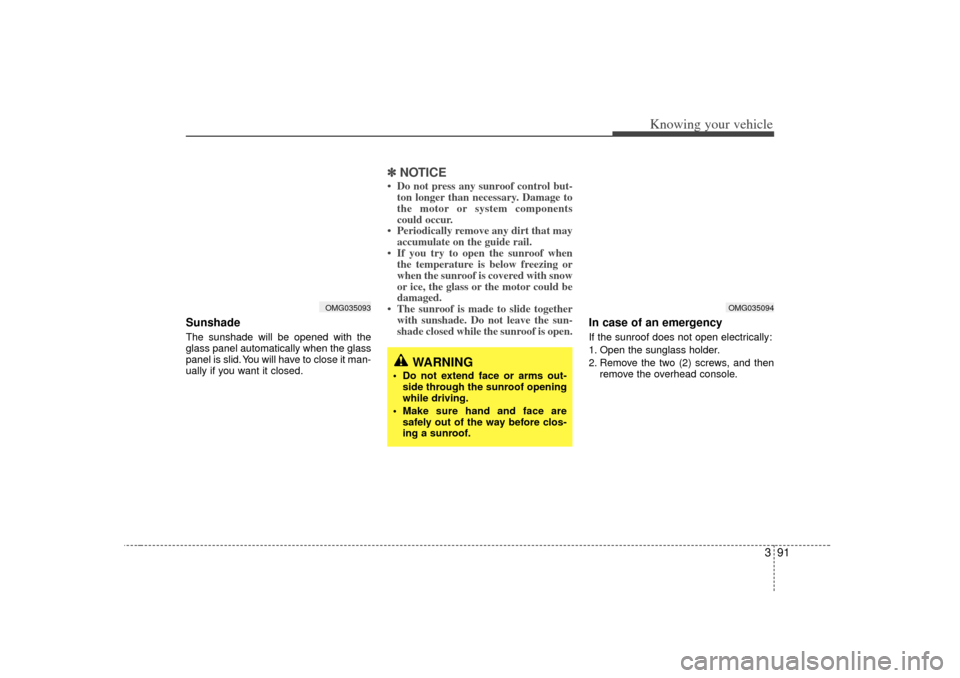
Sunshade The sunshade will be opened with the
glass panel automatically when the glass
panel is slid. You will have to close it man-
ually if you want it closed.
✽ ✽NOTICE• Do not press any sunroof control but-
ton longer than necessary. Damage to
the motor or system components
could occur.
• Periodically remove any dirt that may accumulate on the guide rail.
• If you try to open the sunroof when the temperature is below freezing or
when the sunroof is covered with snow
or ice, the glass or the motor could be
damaged.
• The sunroof is made to slide together with sunshade. Do not leave the sun-
shade closed while the sunroof is open.
In case of an emergency If the sunroof does not open electrically:
1. Open the sunglass holder.
2. Remove the two (2) screws, and then
remove the overhead console.
WARNING
Do not extend face or arms out-side through the sunroof opening
while driving.
Make sure hand and face are safely out of the way before clos-
ing a sunroof.
OMG035093
OMG035094
Page 102 of 294

393
Knowing your vehicle
Fixed rod antenna
(if equipped)Your car uses a fixed rod antenna to
receive both AM and FM broadcast sig-
nals.
This antenna is removable. To remove
the antenna, turn it counterclockwise. To
install the antenna, turn it clockwise.
Glass antenna (if equipped)When the radio power switch is turned on
while the ignition key is in either the “ON”
or “ACC ”position, your car will receive
both AM and FM broadcast signals
through the antenna in the rear window
glass.✽ ✽ NOTICE• Do not clean the inside of the rear
window glass with a cleaner or use a
scraper to remove the foreign deposits
as this may cause damage to the
antenna elements.
• Avoid adding metallic coating such as Ni, Cd, and so on. These can disturb
receiving AM and FM broadcast sig-
nals.
MMSA3076
1LDN3204
WARNING
To avoid eye injury, DO NOT over-
stretch the netting.
ALWAYS keep face and body out of
recoil path of the net, in case of
strap.
DO NOT use the luggage net when
strap has visible signs of wear or
damage.
ANTENNA
Page 105 of 294

Knowing your vehicle96
3• Fading - As your car moves away from
the radio station, the signal will weaken
and sound will begin to fade. When this
occurs, we suggest that you select
another stronger station.
Flutter/Static - Weak FM signals or large obstructions between the trans-
mitter and your radio can disturb the
signal causing static or fluttering nois-
es to occur. Reducing the treble level
may lessen this effect until the distur-
bance clears. Station Swapping - As a FM signal
weakens, another more powerful sig-
nal near the same frequency may
begin to play. This is because your
radio is designed to lock onto the clear-
est signal. If this occurs, select anoth-
er station with a stronger signal.
Multi-Path Cancellation - Radio signals being received from several directions
can cause distortion or fluttering. This
can be caused by a direct and reflect-
ed signal from the same station, or by
signals from two stations with close
frequencies. If this occurs, select
another station until the condition has
passed.
Using a cellular phone or a two-
way radio When a cellular phone is used inside the
vehicle, noise may be produced from the
audio equipment. This does not mean
that something is wrong with the audio
equipment. In such a case, use the cellu-
lar phone at a place as far as possible
from the audio equipment.
¢¢¢
JBM004
JBM005
CAUTION
When using a communication sys-tem such a cellular phone or a radioset inside the vehicle, a separate external antenna must be fitted.When a cellular phone or a radio setis used with an internal antenna alone, it may interfere with the vehi-cle's electrical system and adverse- ly affect safe operation of the vehi-cle.
WARNING
Don’t use a cellular phone when
you are driving, the driver must
stop at a safe place to use a cellular
phone.
Page 139 of 294
4
Ignition switch / 4-2
Starting the engine / 4-3
Manual transaxle / 4-4
Automatic transaxle / 4-6
Brake system / 4-10
Steering wheel / 4-16
Cruise control system / 4-18
Electronic stability control / 4-21
Instrument cluster / 4-24
Gauges / 4-25
Warnings and indicators / 4-30
Compass - Z-Nav™ compass / 4-36
Back warning system / 4-37
Lighting / 4-40
Wipers and washers / 4-43
Defroster / 4-46
Hazard warning flasher / 4-47
Manual climate control system / 4-48
Automatic climate control / 4-55
Windshield defrosting and defogging / 4-63
Driving your vehicle
Page 140 of 294

Driving your vehicle24Illuminated ignition switchWhenever a door is opened, the ignition
switch will be illuminated for your con-
venience, provided the ignition switch is
not in the ON position. The light will go off
approximately 10 seconds after closing
the door or when the ignition switch is
turned on.
Ignition switch and anti-theft
steering column lock Ignition switch positionLOCK
The steering wheel locks to protect
against theft. The ignition key can be
removed only in the LOCK position.
When turning the ignition switch to the
LOCK position, push the key inward at
the ACC position and turn the key toward
the LOCK position (manual transaxle).
ACC (Accessory)
The steering wheel is unlocked and elec-
trical accessories are operative.ON
This is the normal running position after
the engine is started. The warning lights
can be checked before the engine is
started.
Do not leave the ignition switch ON if the
engine is not running to prevent batterydischarge.START
Turn the ignition key to the START posi-
tion to start the engine. The engine will
crank until you release the key; then it
returns to the ON position. The brake
warning lamp can be checked in this
position.If it is difficult to turn the ignition key to the START position, turn the steeringwheel right and left to release resistance and then turn the key.
Automatic transaxleWhen turning the ignition switch to the
LOCK position, the shift lever must be in
the P (Park) position.
IGNITION SWITCH
OMG045001
OMG045002


