Page 76 of 440
NWindshield Wiper Operation.............125
NIntermittent Wiper System...............125
NAdding Washer Fluid..................126
mTilt Steering Column....................126
mElectronic Speed Control Ð If Equipped......127
NTo Activate..........................127
NTo Set At A Desired Speed...............128
NTo Deactivate........................128
NTo Resume Speed.....................128
NTo Vary The Speed Setting...............128
NManual Transaxle.....................129
NTo Accelerate For Passing...............129
mGarage Door Opener Ð If Equipped.........130NProgramming The Universal Transceiver.....131
NªRolling Codeº Programming............133
NCanadian Programming/Gate Programming . . 135
NOperation...........................135
NReprogramming A Single Button..........135
NSecurity............................136
mAnti-Lock Brake System (ABS) ± If Equipped . . . 136
mElectronic Brake Control System ±
ABS/TCS/BAS/ERM/HDC/ESP...........137
NAnti-Lock Brake System ± ABS............137
NTraction Control System (TCS)............138
NBrake Assist System (BAS)...............138
NElectronic Roll Mitigation (ERM)..........139
UNDERSTANDING THE FEATURES OF YOUR VEHICLE 75
3
Page 85 of 440
The UConnectŸ system can be used with any Hands-
Free Profile certified BluetoothŸ cellular phone. See
www.chrysler.com/uconnect for supported phones. If
your cellular phone supports a different profile (e.g.,
Headset Profile), you may not be able to use any UCon-
nectŸ features. Refer to your cellular service provider or
the phone manufacturer for details.
The UConnectŸ system is fully integrated with the
vehicle's audio system. The volume of the UConnectŸ
system can be adjusted either from the radio volume
control knob, or from the steering wheel radio control
(right switch), if so equipped.
The radio display will be used for visual prompts from
the UConnectŸ system such as9CELL9or caller ID on
certain radios.Operations
Voice commands can be used to operate the UConnectŸ
system and to navigate through the UConnectŸ menu
structure. Voice commands are required after most
UConnectŸ system prompts. You will be prompted for a
specific command and then guided through the available
options.
²Prior to giving a voice command, one must wait for
the voice on beep, which follows the9Ready9prompt
or another prompt.
²For certain operations, compound commands can be
used. For example, instead of saying9Setup9and then
9Phone Pairing,9the following compound command
can be said:9Setup Phone Pairing.9
²For each feature explanation in this section, only the
combined form of the voice command is given. You
can also break the commands into parts and say each
part of the command, when you are asked for it. For
84 UNDERSTANDING THE FEATURES OF YOUR VEHICLE
Page 120 of 440
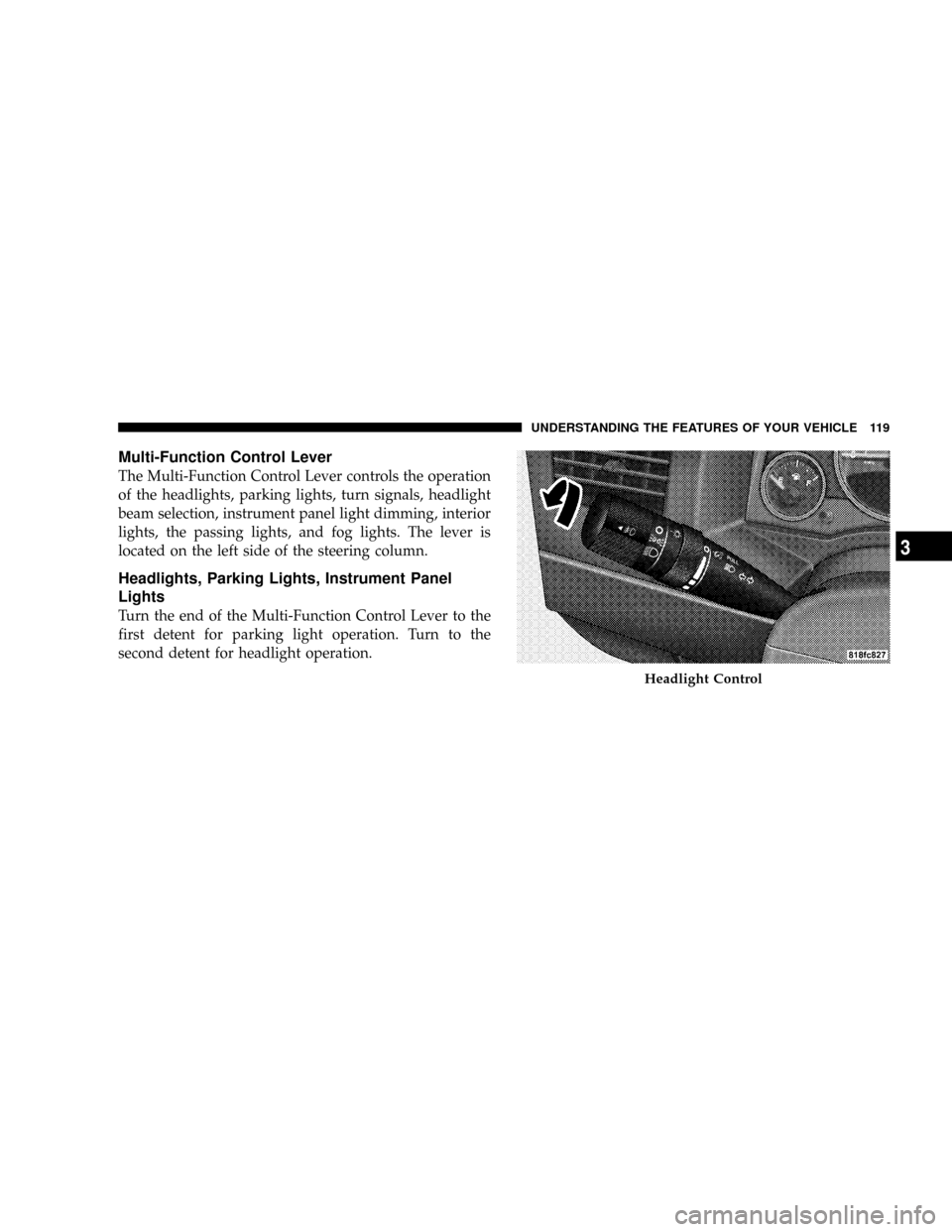
Multi-Function Control Lever
The Multi-Function Control Lever controls the operation
of the headlights, parking lights, turn signals, headlight
beam selection, instrument panel light dimming, interior
lights, the passing lights, and fog lights. The lever is
located on the left side of the steering column.
Headlights, Parking Lights, Instrument Panel
Lights
Turn the end of the Multi-Function Control Lever to the
first detent for parking light operation. Turn to the
second detent for headlight operation.
Headlight Control
UNDERSTANDING THE FEATURES OF YOUR VEHICLE 119
3
Page 124 of 440
Passing Light
You can signal another vehicle with your headlights by
lightly pulling the Multi-Function Control Lever toward
you. This will cause the headlights to turn on at high
beam and remain on until the lever is released.
NOTE:If the Multi-Function Control Lever is held in
the flash to pass position for more than 15 seconds, the
high beams will shut off. If this occurs, wait 30 seconds
for the next flash to pass operation.
Daytime Running Lights (DRL) Ð If Equipped
Functionality
The high beam lights will come on as Daytime Running
Lights (DRL) at DRL intensity (lower), whenever the
ignition is on, the engine is running, the headlight switch
is off, the parking brake is off, the turn signal is off, and
the gear shift is in any position except park.
WINDSHIELD WIPERS AND WASHERS
The wipers and washers are operated by a switch
on the control lever. The lever is located on the
right side of the steering column.
Windshield Washers
To use the washer, pull the control lever toward you and
hold while spray is desired. If the lever is pulled while in
the delay range, the wiper will operate in low speed for
two wipe cycles after the lever is released, and then
resume the intermittent interval previously selected.
UNDERSTANDING THE FEATURES OF YOUR VEHICLE 123
3
Page 127 of 440
(counterclockwise) to increase the delay time. The delay
can be regulated from a maximum of approximately 18
seconds between cycles, to a cycle every second.
Adding Washer Fluid
The fluid reservoir for the windshield washers and the
rear window washer (If Equipped) is shared. It is located
in the front of the engine compartment on the passenger
side and should be checked for fluid level at regular
intervals. Fill the reservoir with windshield washer sol-
vent (not radiator antifreeze) and operate the system for
a few seconds to flush out the residual water.
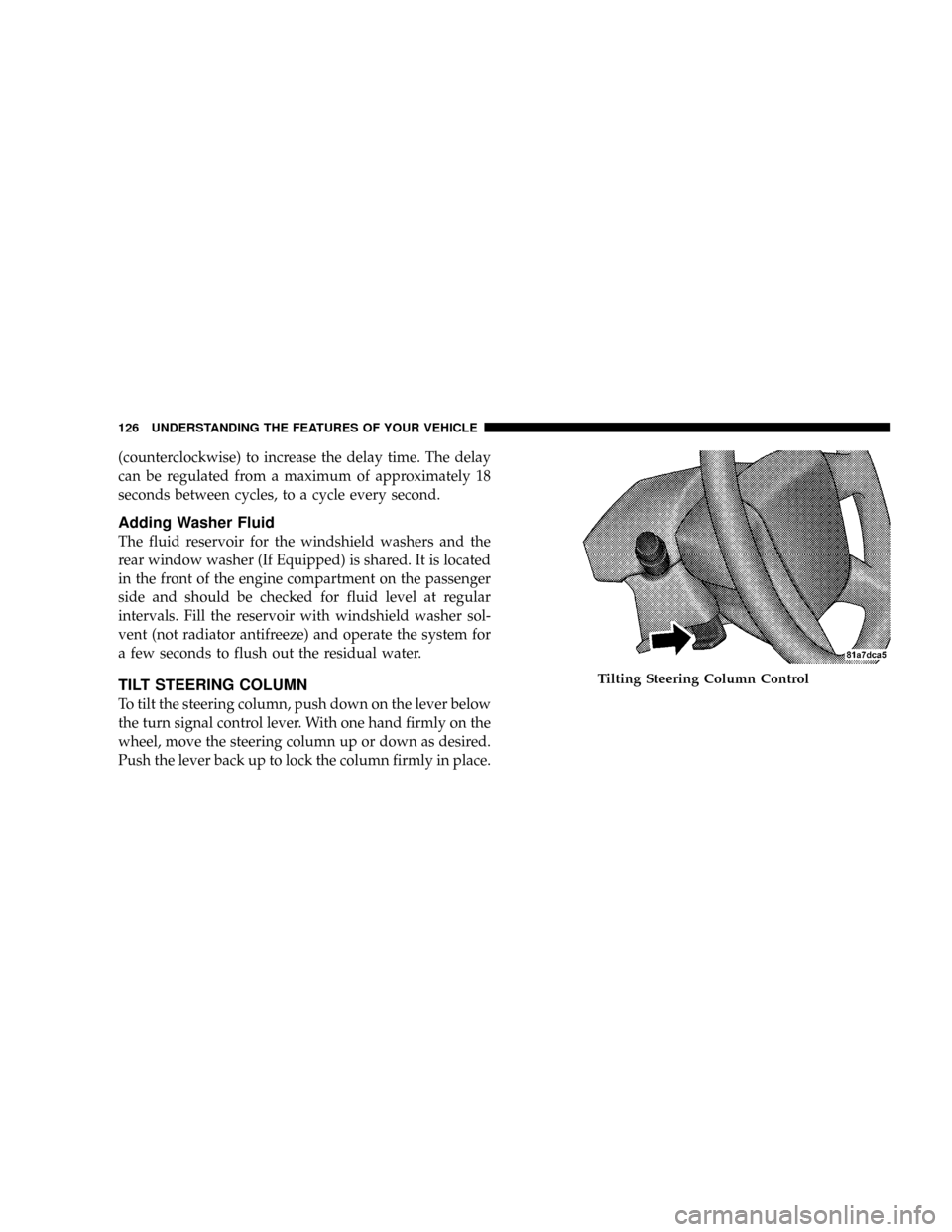
TILT STEERING COLUMN
To tilt the steering column, push down on the lever below
the turn signal control lever. With one hand firmly on the
wheel, move the steering column up or down as desired.
Push the lever back up to lock the column firmly in place.
Tilting Steering Column Control
126 UNDERSTANDING THE FEATURES OF YOUR VEHICLE
Page 128 of 440
WARNING!
Tilting the steering column while the vehicle is
moving is dangerous. Without a stable steering col-
umn, you could lose control of the vehicle and have
an accident. Adjust the column only while the ve-
hicle is stopped. Be sure it is locked before driving.
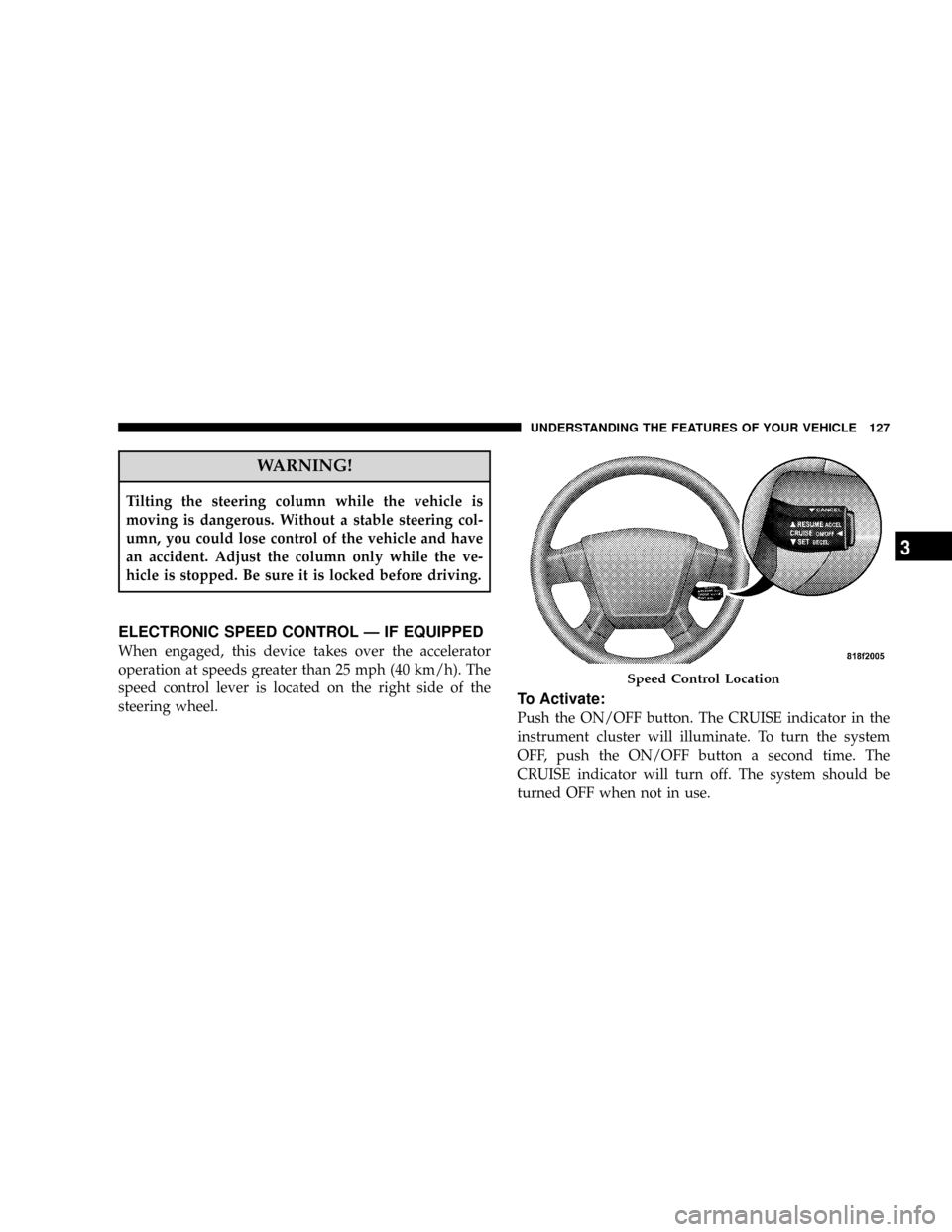
ELECTRONIC SPEED CONTROL Ð IF EQUIPPED
When engaged, this device takes over the accelerator
operation at speeds greater than 25 mph (40 km/h). The
speed control lever is located on the right side of the
steering wheel.
To Activate:
Push the ON/OFF button. The CRUISE indicator in the
instrument cluster will illuminate. To turn the system
OFF, push the ON/OFF button a second time. The
CRUISE indicator will turn off. The system should be
turned OFF when not in use.
Speed Control Location
UNDERSTANDING THE FEATURES OF YOUR VEHICLE 127
3
Page 137 of 440
Security
If you sell your vehicle, be sure to erase the frequencies.
To erase all of the previously trained frequencies, hold
down both outside buttons until the indicator light
begins to flash.
This device complies with part 15 of FCC rules and with
RS-210 of Industry Canada. Operation is subject to the
following conditions:
1. This device may not cause harmful interference.
2. This device must accept any interference that may be
received including interference that may cause undesired
operation.
NOTE:Changes or modifications not expressly ap-
proved by the party responsible for compliance could
void the user's authority to operate the equipment.HomeLinktis a trademark owned by Johnson Controls,
Inc.
ANTI-LOCK BRAKE SYSTEM (ABS) ± IF
EQUIPPED
This system aids the driver in maintaining vehicle control
under adverse braking conditions. The system controls
hydraulic brake pressure to prevent wheel lockup and
help avoid skidding on slippery surfaces during braking.
NOTE:ABS improves steering control of the vehicle
during hard braking maneuvers.
136 UNDERSTANDING THE FEATURES OF YOUR VEHICLE
Page 138 of 440
WARNING!
²Anti-lock system (ABS) cannot prevent the natural
laws of physics from acting on the vehicle, nor can
it increase braking or steering efficiency beyond
that afforded by the condition of the vehicle
brakes and tires or the traction afforded.
²The ABS cannot prevent accidents, including
those resulting from excessive speed in turns,
following another vehicle too closely, or hydro-
planing. Only a safe, attentive, and skillful driver
can prevent accidents.
²The capabilities of an ABS equipped vehicle must
never be exploited in a reckless or dangerous
manner which could jeopardize the user's safety
or the safety of others.
ELECTRONIC BRAKE CONTROL SYSTEM ±
ABS/TCS/BAS/ERM/HDC/ESP
Your vehicle may be equipped with an optional ad-
vanced electronic brake control system that includes
Anti-Lock Brake System (ABS), Traction Control System
(TCS), Brake Assist System ( BAS), Electronic Roll Miti-
gation (ERM), Hill Descent Control (HDC) and Electronic
Stability Program (ESP). All systems work together to
enhance vehicle stability and control in various driving
conditions and are commonly referred to as ESP.
Anti-Lock Brake System ± ABS
This system aids the driver in maintaining vehicle control
under adverse braking conditions. The system controls
hydraulic brake pressure to prevent wheel lockup and
help avoid skidding on slippery surfaces during braking.
Refer to ªAnti-Lock Brake Systemº in this Section of the
manual for more information about ABS.
UNDERSTANDING THE FEATURES OF YOUR VEHICLE 137
3