Page 202 of 440
SCAN Button (Radio Mode)
Pressing the SCAN button causes the tuner to search for
the next listenable station, in either AM, FM or Satellite (if
equipped) frequencies, pausing for 5 seconds at each
listenable station before continuing to the next. To stop
the search, press SCAN a second time.
MSG or INFO Button (Radio Mode)
Press the MSG or INFO button for an RBDS station (one
with call letters displayed). The radio will return a Radio
Text message broadcast from an FM station (FM mode
only).
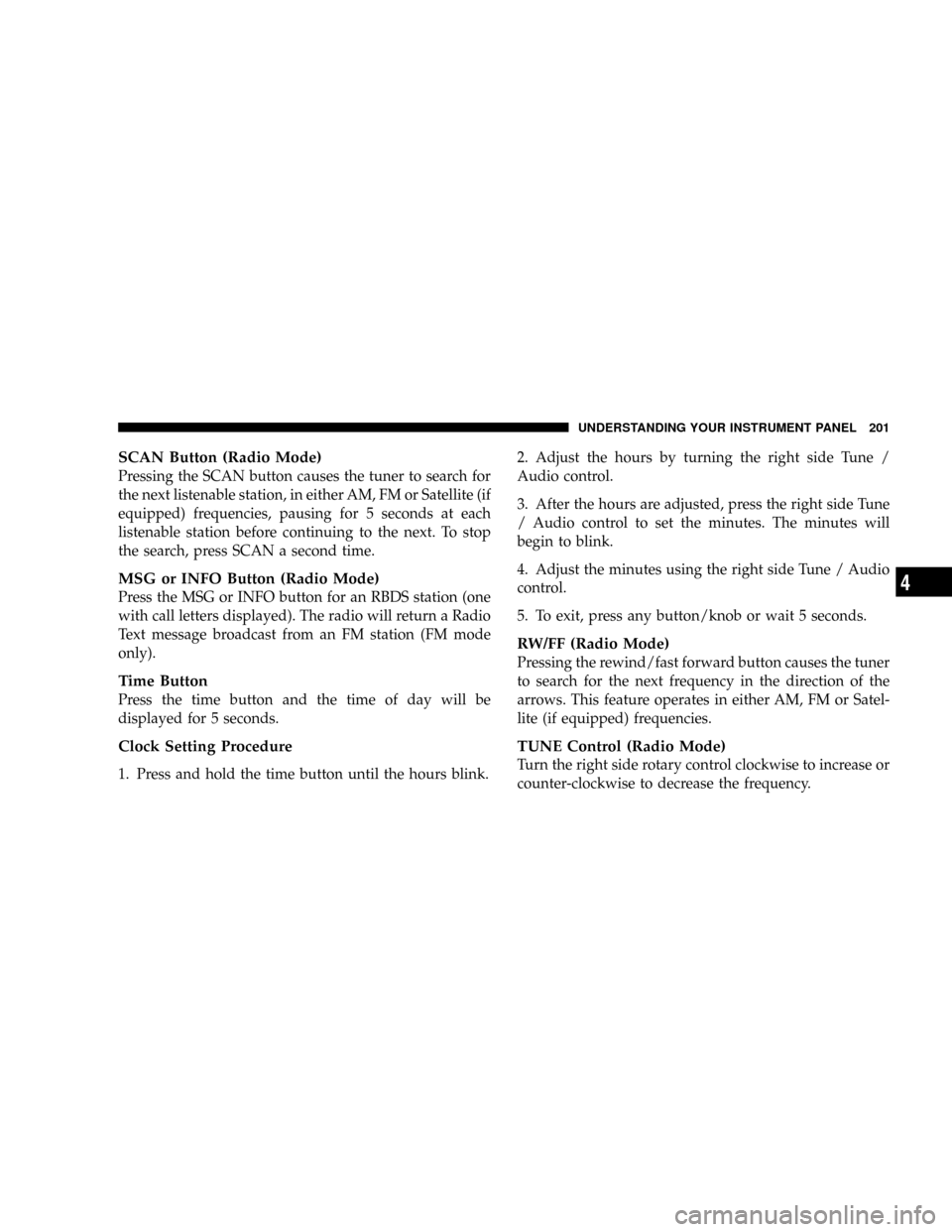
Time Button
Press the time button and the time of day will be
displayed for 5 seconds.
Clock Setting Procedure
1. Press and hold the time button until the hours blink.2. Adjust the hours by turning the right side Tune /
Audio control.
3. After the hours are adjusted, press the right side Tune
/ Audio control to set the minutes. The minutes will
begin to blink.
4. Adjust the minutes using the right side Tune / Audio
control.
5. To exit, press any button/knob or wait 5 seconds.
RW/FF (Radio Mode)
Pressing the rewind/fast forward button causes the tuner
to search for the next frequency in the direction of the
arrows. This feature operates in either AM, FM or Satel-
lite (if equipped) frequencies.
TUNE Control (Radio Mode)
Turn the right side rotary control clockwise to increase or
counter-clockwise to decrease the frequency.
UNDERSTANDING YOUR INSTRUMENT PANEL 201
4
Page 214 of 440
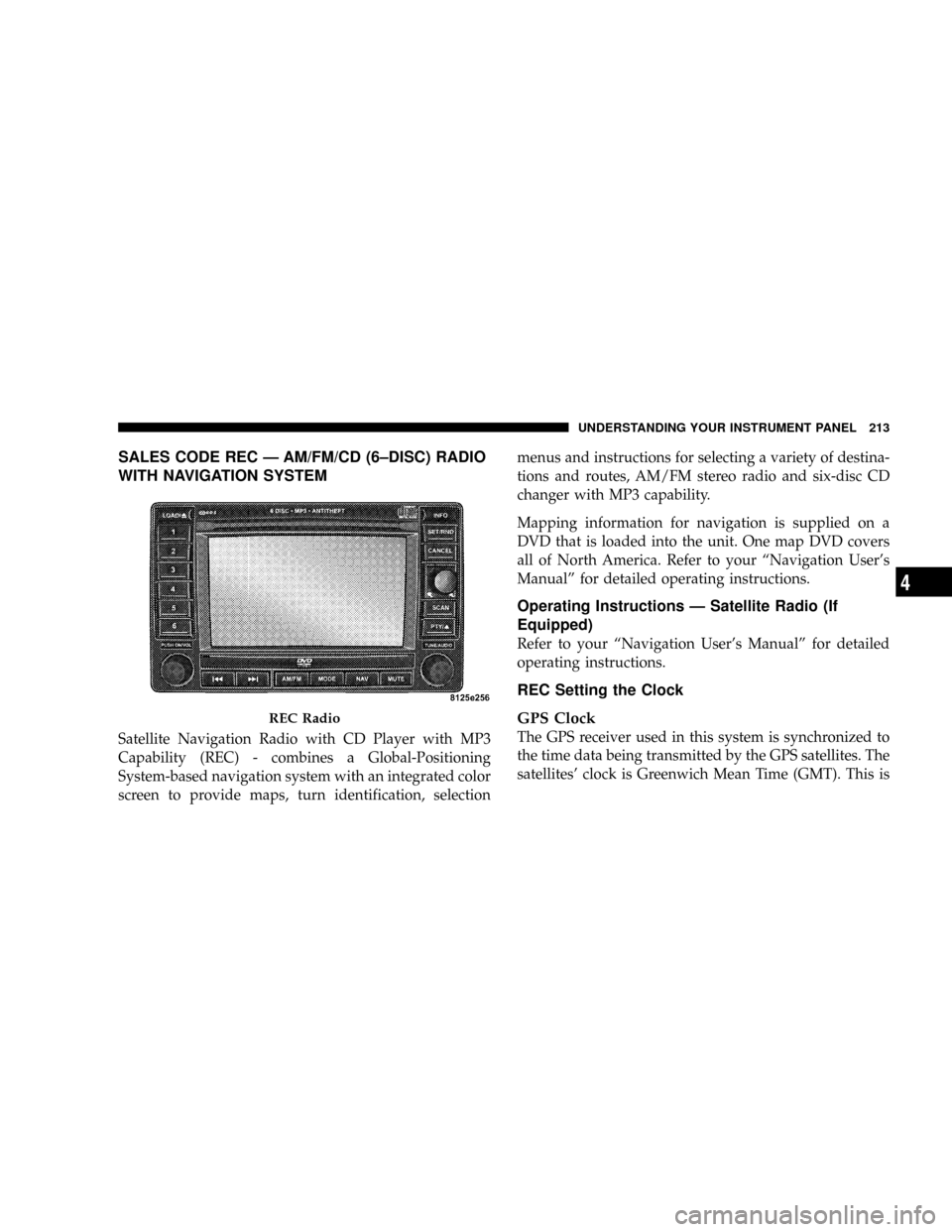
SALES CODE REC Ð AM/FM/CD (6±DISC) RADIO
WITH NAVIGATION SYSTEM
Satellite Navigation Radio with CD Player with MP3
Capability (REC) - combines a Global-Positioning
System-based navigation system with an integrated color
screen to provide maps, turn identification, selectionmenus and instructions for selecting a variety of destina-
tions and routes, AM/FM stereo radio and six-disc CD
changer with MP3 capability.
Mapping information for navigation is supplied on a
DVD that is loaded into the unit. One map DVD covers
all of North America. Refer to your ªNavigation User's
Manualº for detailed operating instructions.
Operating Instructions Ð Satellite Radio (If
Equipped)
Refer to your ªNavigation User's Manualº for detailed
operating instructions.
REC Setting the Clock
GPS Clock
The GPS receiver used in this system is synchronized to
the time data being transmitted by the GPS satellites. The
satellites' clock is Greenwich Mean Time (GMT). This is
REC Radio
UNDERSTANDING YOUR INSTRUMENT PANEL 213
4
Page 215 of 440
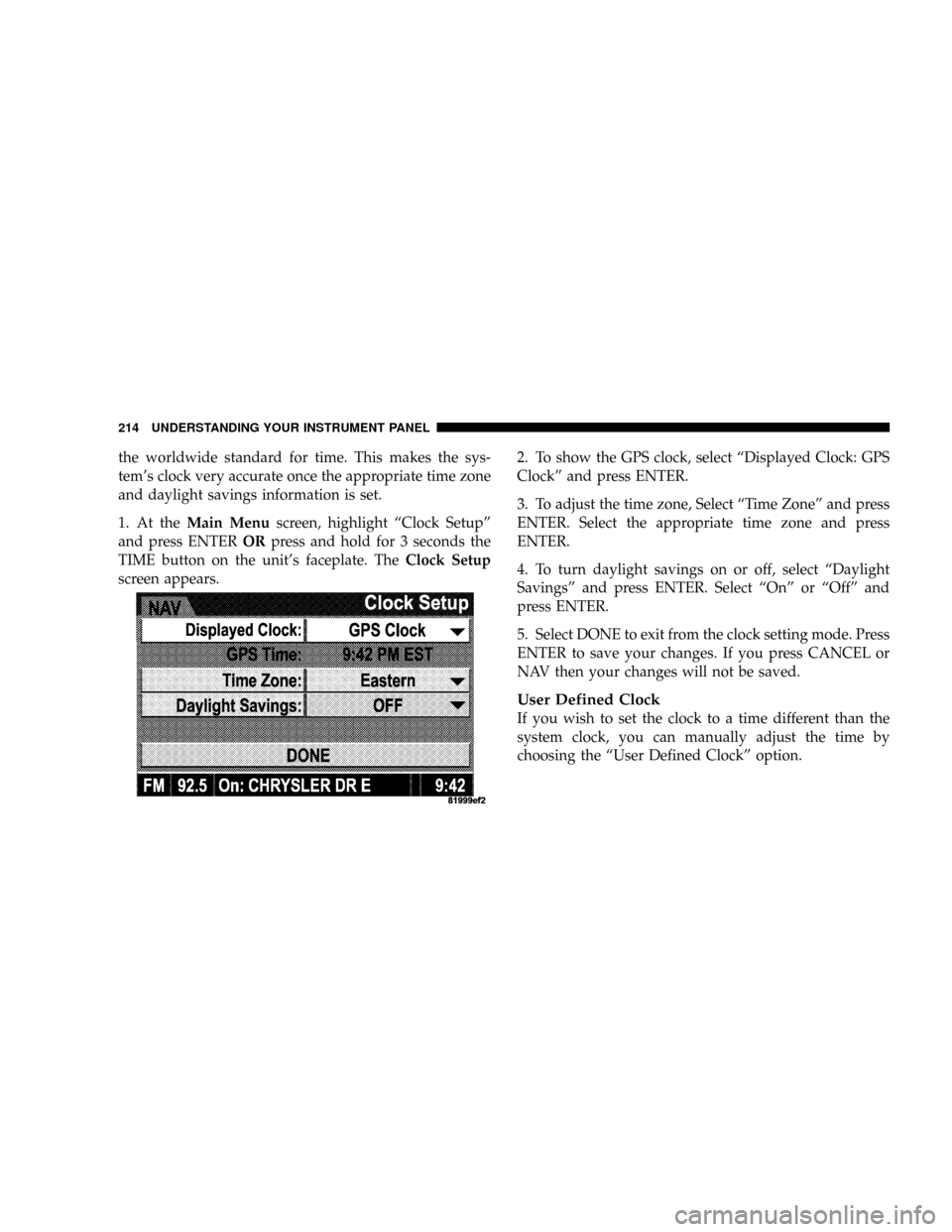
the worldwide standard for time. This makes the sys-
tem's clock very accurate once the appropriate time zone
and daylight savings information is set.
1. At theMain Menuscreen, highlight ªClock Setupº
and press ENTERORpress and hold for 3 seconds the
TIME button on the unit's faceplate. TheClock Setup
screen appears.2. To show the GPS clock, select ªDisplayed Clock: GPS
Clockº and press ENTER.
3. To adjust the time zone, Select ªTime Zoneº and press
ENTER. Select the appropriate time zone and press
ENTER.
4. To turn daylight savings on or off, select ªDaylight
Savingsº and press ENTER. Select ªOnº or ªOffº and
press ENTER.
5. Select DONE to exit from the clock setting mode. Press
ENTER to save your changes. If you press CANCEL or
NAV then your changes will not be saved.
User Defined Clock
If you wish to set the clock to a time different than the
system clock, you can manually adjust the time by
choosing the ªUser Defined Clockº option.
214 UNDERSTANDING YOUR INSTRUMENT PANEL
Page 216 of 440
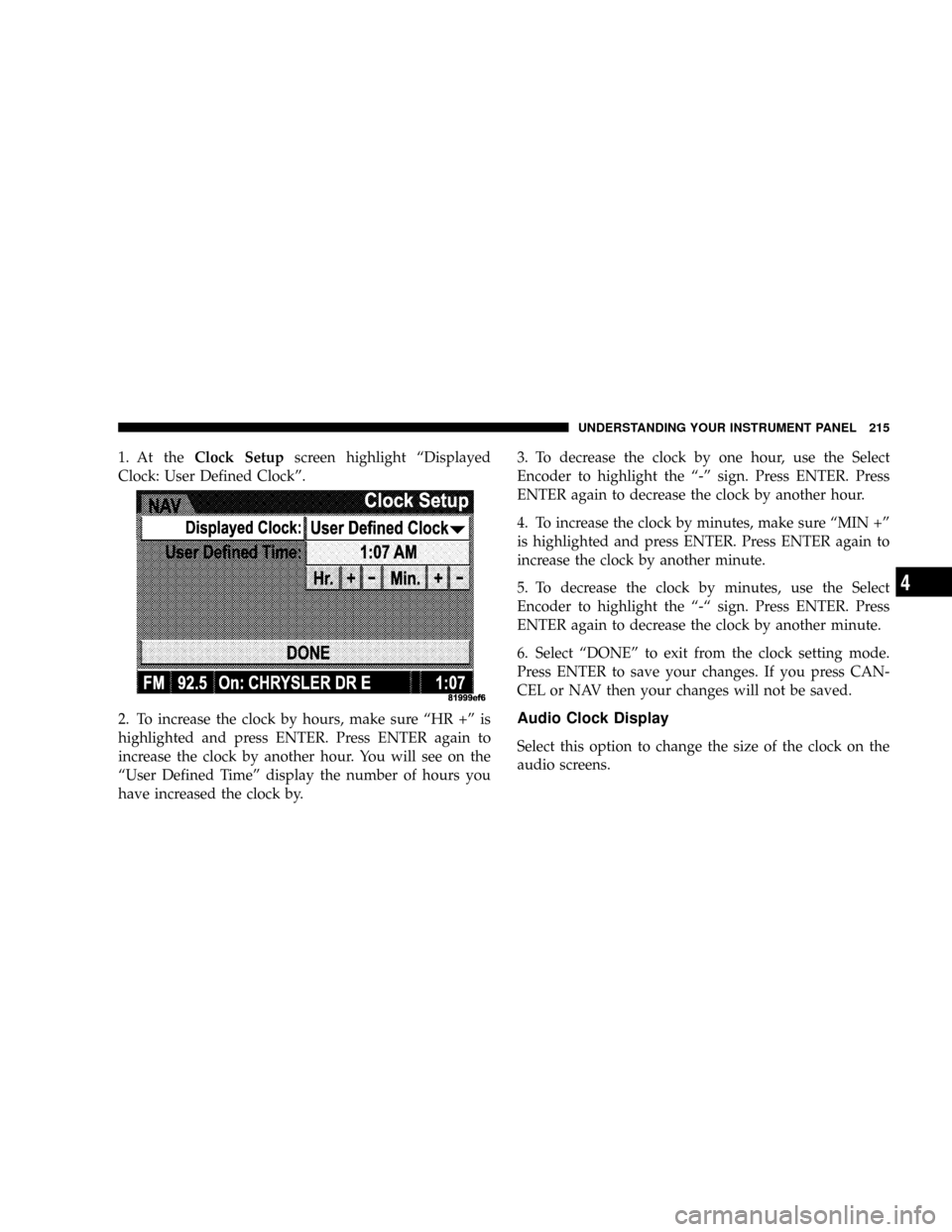
1. At theClock Setupscreen highlight ªDisplayed
Clock: User Defined Clockº.
2. To increase the clock by hours, make sure ªHR +º is
highlighted and press ENTER. Press ENTER again to
increase the clock by another hour. You will see on the
ªUser Defined Timeº display the number of hours you
have increased the clock by.3. To decrease the clock by one hour, use the Select
Encoder to highlight the ª-º sign. Press ENTER. Press
ENTER again to decrease the clock by another hour.
4. To increase the clock by minutes, make sure ªMIN +º
is highlighted and press ENTER. Press ENTER again to
increase the clock by another minute.
5. To decrease the clock by minutes, use the Select
Encoder to highlight the ª-ª sign. Press ENTER. Press
ENTER again to decrease the clock by another minute.
6. Select ªDONEº to exit from the clock setting mode.
Press ENTER to save your changes. If you press CAN-
CEL or NAV then your changes will not be saved.
Audio Clock Display
Select this option to change the size of the clock on the
audio screens.
UNDERSTANDING YOUR INSTRUMENT PANEL 215
4
Page 217 of 440
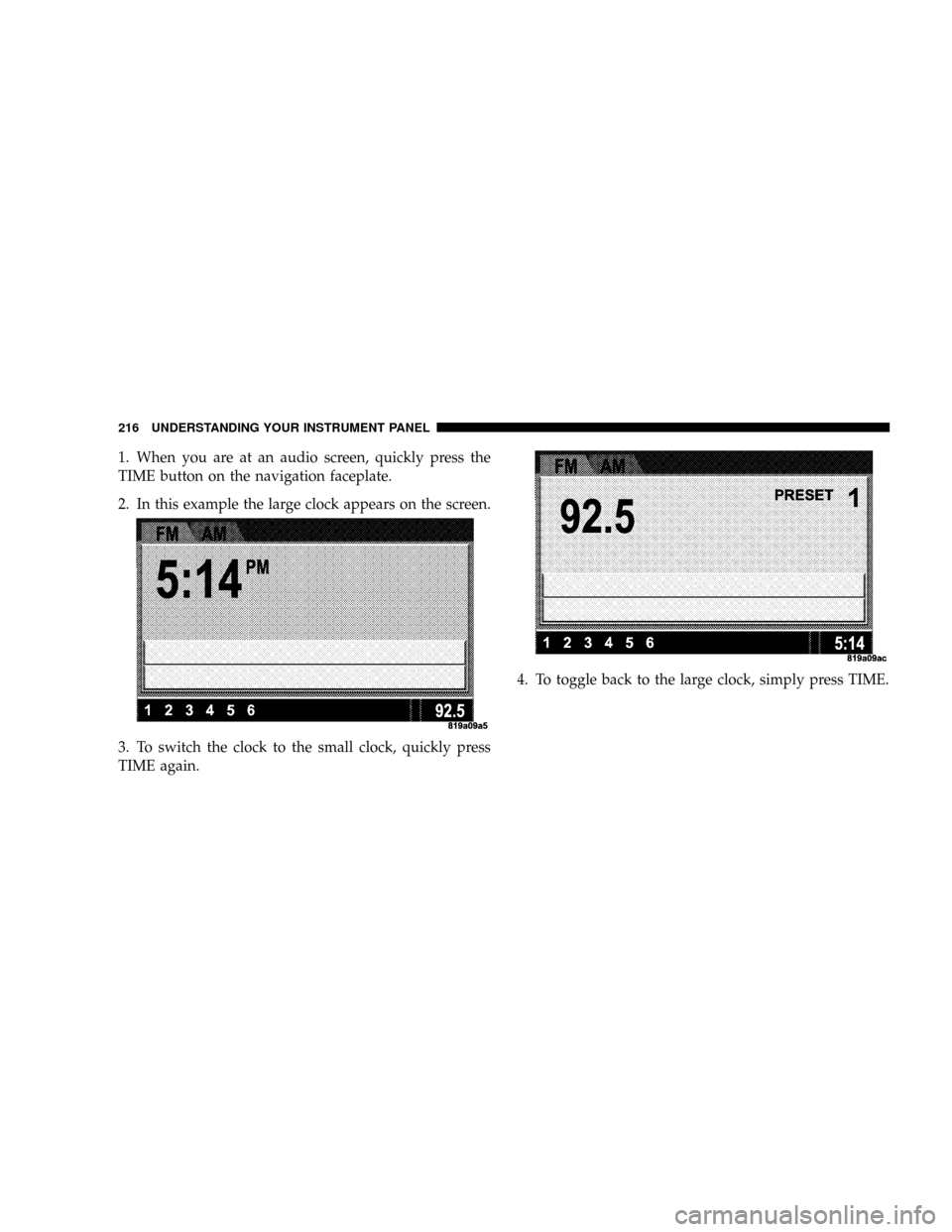
1. When you are at an audio screen, quickly press the
TIME button on the navigation faceplate.
2. In this example the large clock appears on the screen.
3. To switch the clock to the small clock, quickly press
TIME again.4. To toggle back to the large clock, simply press TIME.
216 UNDERSTANDING YOUR INSTRUMENT PANEL
Page 387 of 440
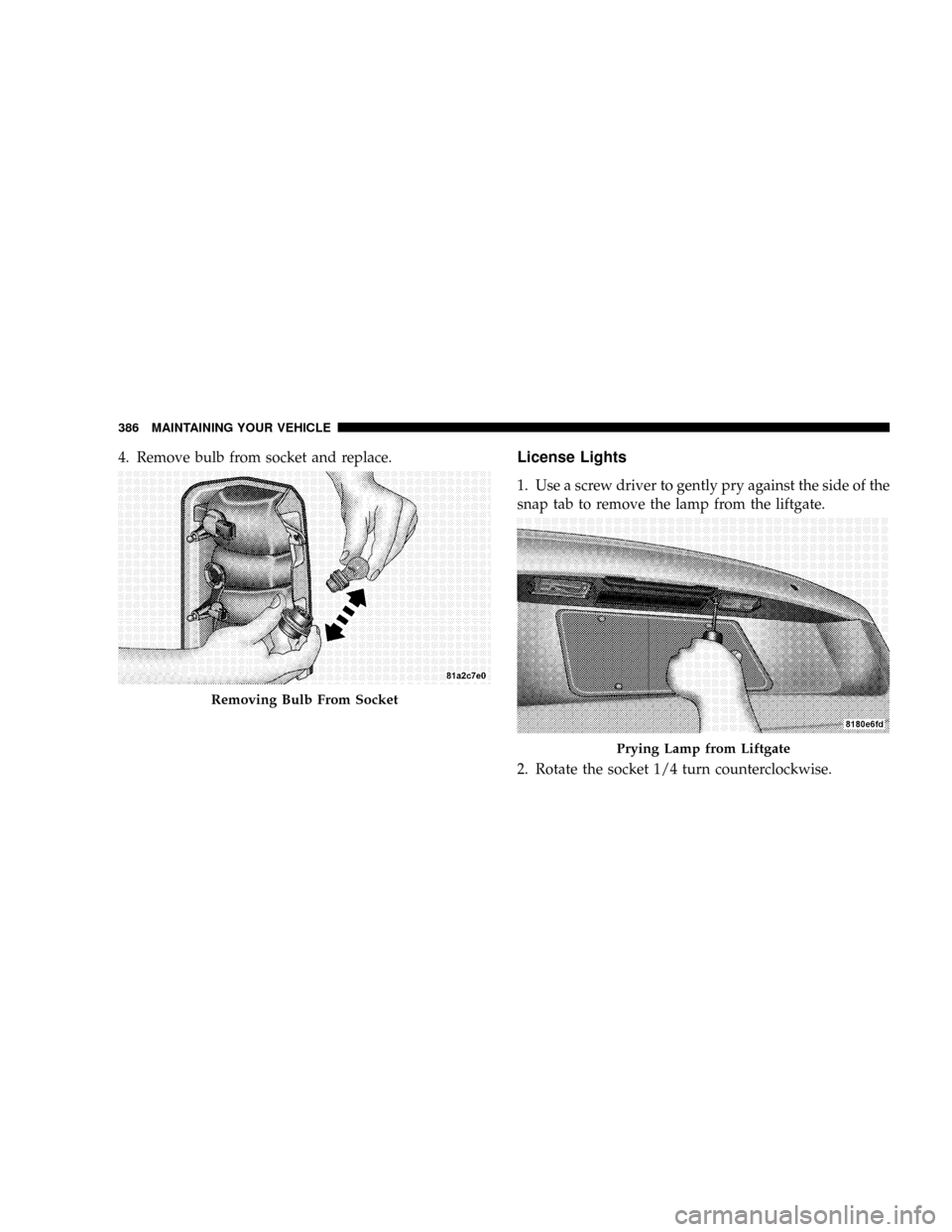
4. Remove bulb from socket and replace.License Lights
1. Use a screw driver to gently pry against the side of the
snap tab to remove the lamp from the liftgate.
2. Rotate the socket 1/4 turn counterclockwise.
Removing Bulb From Socket
Prying Lamp from Liftgate
386 MAINTAINING YOUR VEHICLE
Page 425 of 440
CD (Compact Disc) Player Maintenance........ 222
Cellular Phone........................82,223
Center High Mounted Stop Light............ 387
Chains, Tire............................ 301
Changing A Flat Tire..................... 326
Chart, Tire Sizing........................ 278
Check Engine Light (Malfunction Indicator Light) . 344
Child Restraint.......................... 60
Child Restraint Tether Anchors............... 64
Child Restraint with Automatic Belts........... 63
Child Safety Locks........................ 23
Child Seat.............................. 66
Clean Air Gasoline....................... 303
Cleaning
Wheels............................. 373
Climate Control......................... 223
Clock........................190,193,201,213
Clutch............................... 367
Clutch Fluid........................... 367Coin Holder........................... 151
Compact Disc (CD) Maintenance............. 222
Compact Spare Tire...................... 289
Compass.............................. 188
Compass Calibration..................... 188
Compass Variance....................... 186
Console.............................. 151
Contract, Service........................ 414
Coolant (Antifreeze)...................... 388
Cooling System......................... 360
Adding Coolant (Antifreeze).............. 362
Coolant Level......................360,363
Disposal of Used Coolant................ 363
Drain, Flush, and Refill.................. 360
Inspection........................... 363
Points to Remember.................362,364
Pressure Cap......................... 362
Selection of Coolant (Antifreeze)........... 361
Corrosion Protection..................... 371
424 INDEX
Page 435 of 440
Satellite Radio Antenna................... 220
Schedule, Maintenance.................... 392
Seat Belt Maintenance.................... 376
Seat Belt Reminder....................... 47
Seat Belts.............................. 36
Adjustable Shoulder Belt.................. 42
Adjustable Upper Shoulder Anchorage........ 42
And Pregnant Women................... 49
Child Restraint......................... 60
Extender............................. 48
Front Seat............................ 37
Pretensioners.......................... 46
Rear Seat............................. 37
Reminder............................ 171
Seats................................. 108
Adjustment.......................... 108
Cleaning............................ 373
Head Restraints....................... 110
Heated.............................. 111Lumbar Support....................... 109
Rear Folding......................... 114
Rear Folding (Sedan).................... 114
Seatback Release....................... 110
Tilting.............................. 110
Security Alarm (Theft Alarm)................ 30
Selection of Oil......................... 349
Sentry Key (Immobilizer).................14,31
Sentry Key Programming................... 16
Service and Maintenance.................. 392
Service Assistance....................... 412
Service Contract......................... 414
Service Manuals........................ 416
Setting the Clock................191,193,201,213
Settings, Personal........................ 183
Shift Speeds, Manual Transaxle.............. 245
Shoulder Belts........................... 37
Side Airbag............................. 55
Side Window Demisters (Defrosters).......... 231
434 INDEX