Page 166 of 440
mSales Code REC Ð AM/FM/CD (6±Disc) Radio With
Navigation System......................213
NOperating Instructions Ð Satellite Radio (If
Equipped)..........................213
NREC Setting The Clock.................213
NAudio Clock Display...................215
mSatellite Radio Ð If Equipped..............217
NSystem Activation.....................217
NElectronic Serial Number/Sirius Identification
Number (ESN/SID)....................217
NSelecting Satellite Mode In REF, And RAQ,
Radios.............................218
NSelecting a Channel....................218
NStoring And Selecting Pre-Set Channels......219NUsing The PTY (Program Type) Button (If
Equipped)..........................219
NPTY Button9Scan9.....................219
NPTY Button9Seek9.....................220
NSatellite Antenna......................220
NReception Quality.....................220
mRemote Sound System Controls Ð If Equipped . . 221
NRadio Operation......................221
NCD Player..........................222
mCD/DVD Disc Maintenance...............222
mRadio Operation And Cellular Phones........223
mClimate Controls.......................223
NClimate Controls......................223
UNDERSTANDING YOUR INSTRUMENT PANEL 165
4
Page 181 of 440
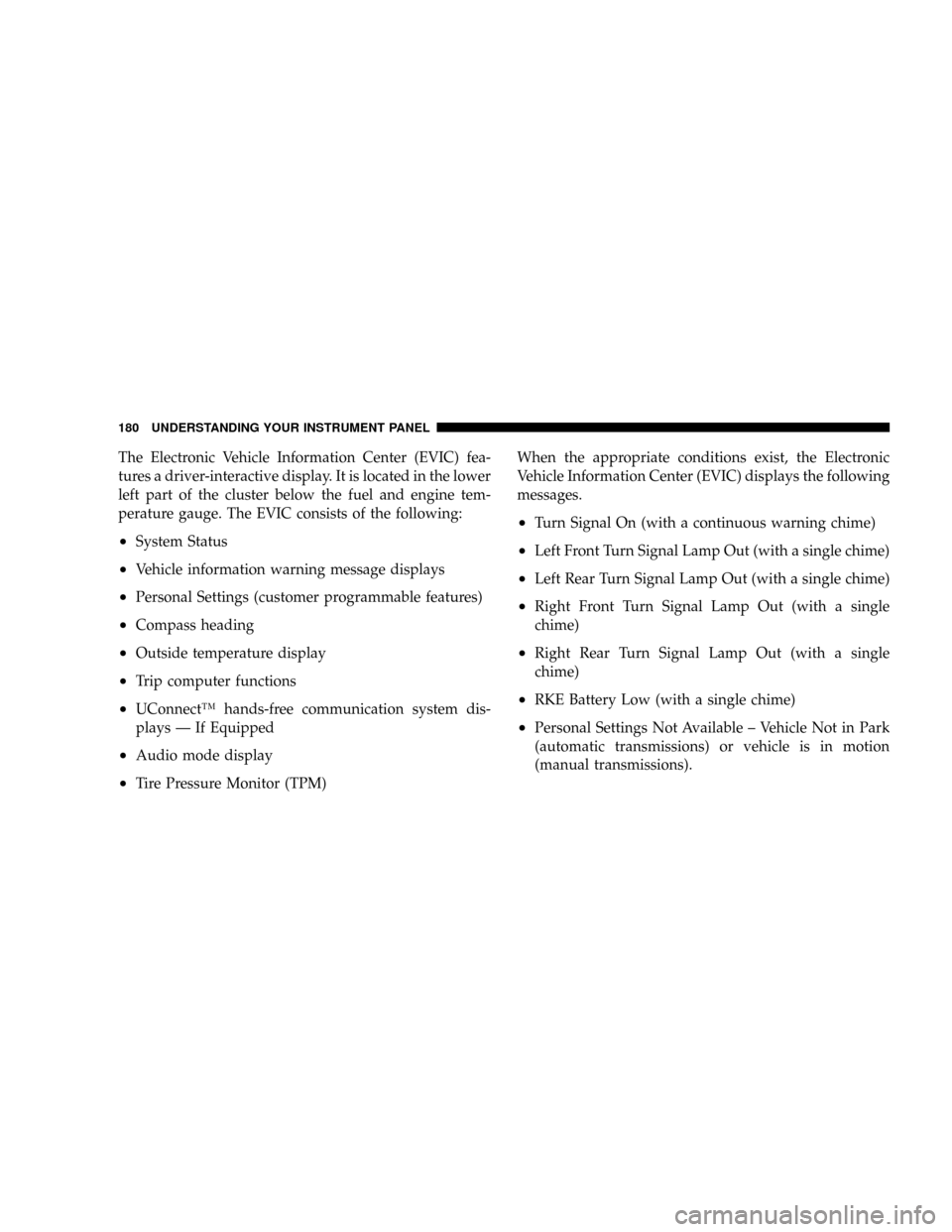
The Electronic Vehicle Information Center (EVIC) fea-
tures a driver-interactive display. It is located in the lower
left part of the cluster below the fuel and engine tem-
perature gauge. The EVIC consists of the following:
²System Status
²Vehicle information warning message displays
²Personal Settings (customer programmable features)
²Compass heading
²Outside temperature display
²Trip computer functions
²UConnectŸ hands-free communication system dis-
plays Ð If Equipped
²Audio mode display
²Tire Pressure Monitor (TPM)When the appropriate conditions exist, the Electronic
Vehicle Information Center (EVIC) displays the following
messages.
²Turn Signal On (with a continuous warning chime)
²Left Front Turn Signal Lamp Out (with a single chime)
²Left Rear Turn Signal Lamp Out (with a single chime)
²Right Front Turn Signal Lamp Out (with a single
chime)
²Right Rear Turn Signal Lamp Out (with a single
chime)
²RKE Battery Low (with a single chime)
²Personal Settings Not Available ± Vehicle Not in Park
(automatic transmissions) or vehicle is in motion
(manual transmissions).
180 UNDERSTANDING YOUR INSTRUMENT PANEL
Page 182 of 440
²Left/Right Front Door Ajar (one or more, with a single
chime if speed is above 1 mph)
²Left/Right Rear Door Ajar (one or more, with a single
chime if speed is above 1 mph)
²Door (S) Ajar (with a single chime if vehicle is in
motion)
²Gate Ajar (with a single chime)
²Low Washer Fluid (with a single chime)
²Headlamps On
²Key In Ignition
²Check TPM System
EVIC Functions
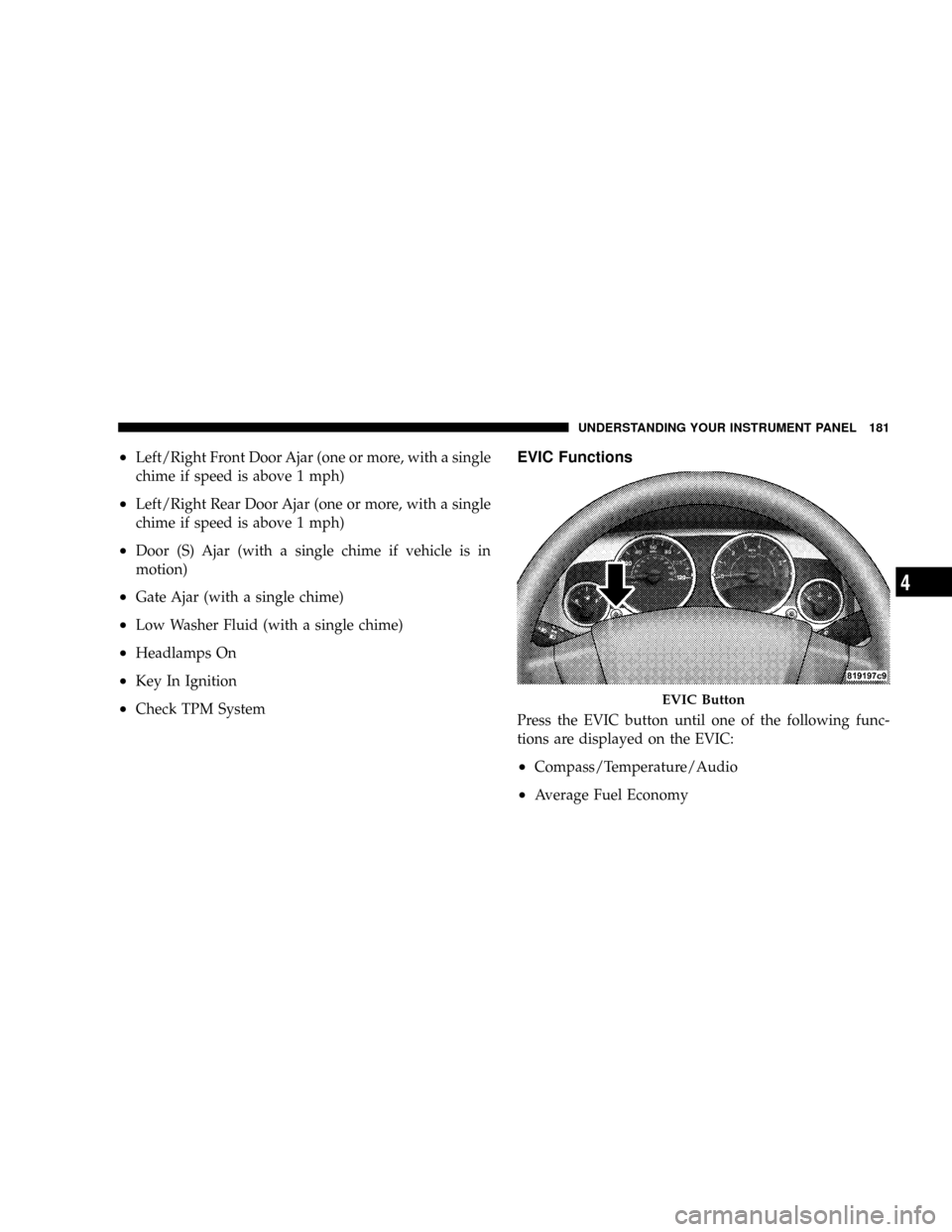
Press the EVIC button until one of the following func-
tions are displayed on the EVIC:
²Compass/Temperature/Audio
²Average Fuel Economy
EVIC Button
UNDERSTANDING YOUR INSTRUMENT PANEL 181
4
Page 183 of 440
²Distance To Empty (DTE)
²Elapsed Time
²Tire Pressure Monitor (TPM)
²Personal Settings
To Reset The Display
Pressing and holding the EVIC button once will clear the
function currently being displayed. Reset will only occur
if a resettable function is currently being displayed. To
reset all resettable functions, press and release the EVIC
button a second time within 3 seconds of resetting the
currently displayed function (Reset ALL will be dis-
played during this 3 second window).
Compass/Temperature/Audio
Press and release the EVIC button to display one of eight
compass headings to indicate the direction the vehicle is
facing, the outside temperature and the current radio
station.
For additional information regarding the compass, refer
to Personal Settings (Customer Programmable Features)
in this section.
Average Fuel Economy
Shows the average fuel economy since the last reset.
When the fuel economy is reset, the display will read
ªRESETº or show dashes for two seconds. Then, the
history information will be erased, and the averaging will
continue from the last fuel reading before the reset.
182 UNDERSTANDING YOUR INSTRUMENT PANEL
Page 192 of 440
Clock Setting Procedure
1. Press and hold the time button until the hours blink.
2. Adjust the hours by turning the right side Tune /
Audio control.
3. After the hours are adjusted, press the right side Tune
/ Audio control to set the minutes.
4. Adjust the minutes using the right side Tune / Audio
control.
5. To exit, press any button/knob or wait approximately
5 seconds.
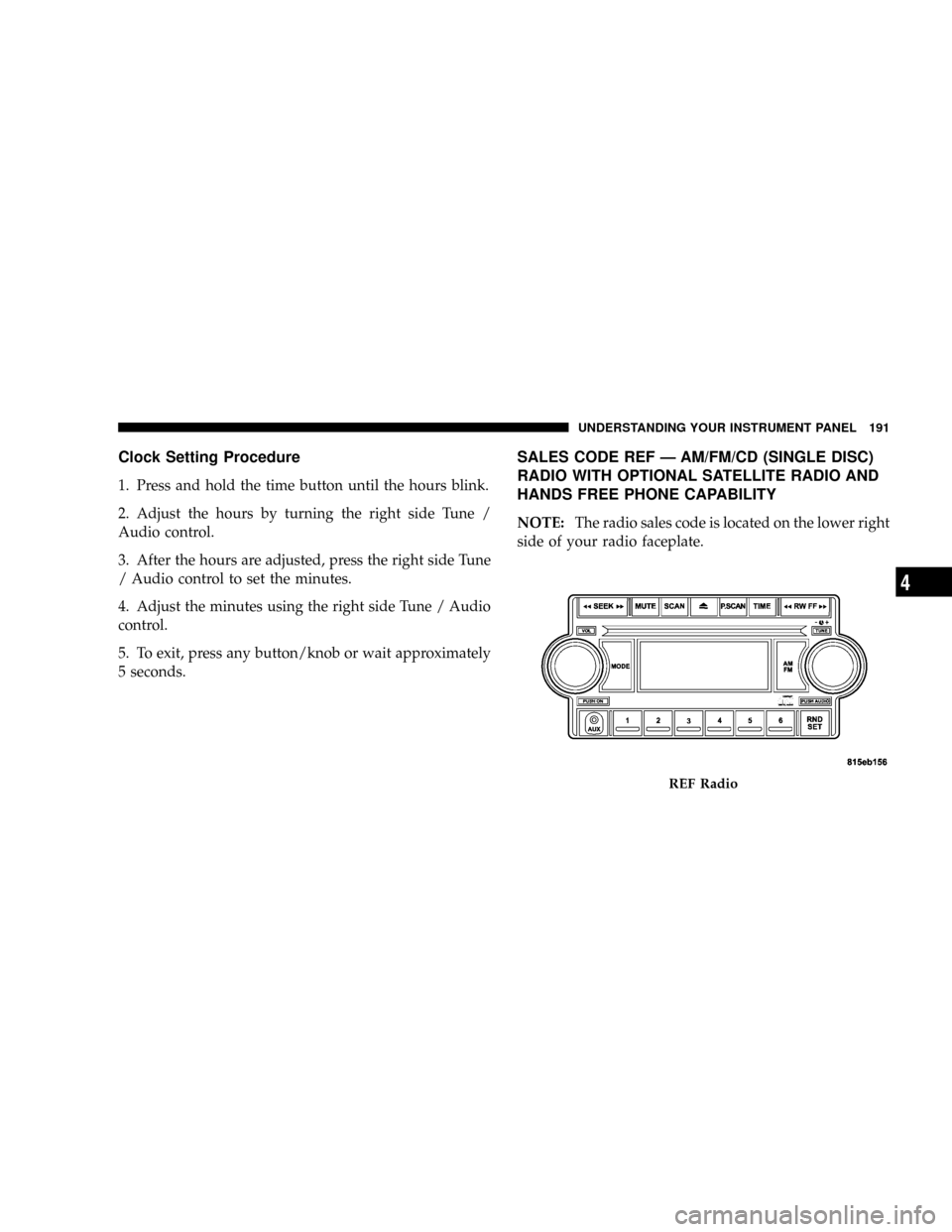
SALES CODE REF Ð AM/FM/CD (SINGLE DISC)
RADIO WITH OPTIONAL SATELLITE RADIO AND
HANDS FREE PHONE CAPABILITY
NOTE:The radio sales code is located on the lower right
side of your radio faceplate.
REF Radio
UNDERSTANDING YOUR INSTRUMENT PANEL 191
4
Page 193 of 440
Operating Instructions - Radio Mode
NOTE:The ignition switch must be in the ON or ACC
position to operate the radio.
Power Switch/Volume Control (Rotary)
Press the ON/VOL control to turn the radio ON. Press
the ON/VOL a second time to turn OFF the radio.
Electronic Volume Control
The electronic volume control turns continuously (360
degrees) in either direction without stopping. Turning the
volume control to the right increases the volume and to
the left decreases it.
When the audio system is turned on, the sound will be
set at the same volume level as last played.
For your convenience, the volume can be turned down,
but not up, when the audio system is off and the ignition
is ON.
Mode Button (Radio Mode)
Press the mode button repeatedly to select between the
CD player and Satellite Radio (if equipped).
SEEK Button (Radio Mode)
Press and release the SEEK button to search for the next
listenable station in either AM/FM or Satellite (if
equipped) mode. Press the right side of the button to seek
up and the left side to seek down. The radio will remain
tuned to the new station until you make another selec-
tion. Holding the button will bypass stations without
stopping until you release it.
MUTE Button (Radio Mode)
Press the MUTE button to cancel the sound from the
speakers.9MUTE9will display. Press the MUTE button a
second time and the sound from the speakers will return.
Rotating the volume control, turning the radio ON/OFF,
or turning ON/OFF the ignition, will cancel the MUTE
feature.
192 UNDERSTANDING YOUR INSTRUMENT PANEL
Page 194 of 440
NOTE:In Hands Free Phone (if equipped) mode, the
MUTE button mutes the microphone.
SCAN Button (Radio Mode)
Pressing the SCAN button causes the tuner to search for
the next listenable station in either, AM, FM, or Satellite
(if equipped) frequencies, pausing for 5 seconds at each
listenable station before continuing to the next. To stop
the search, press SCAN a second time.
PSCAN Button (Radio Mode)
Pressing the PSCAN button causes the tuner to scan
through preset stations in either, AM, FM, or Satellite (if
equipped) frequencies, pausing for 5 seconds at each
preset station before continuing to the next. To stop the
search, press PSCAN a second time.
Time Button
Press the time button and the time of day will display for
5 seconds.
Clock Setting Procedure
1. Press and hold the time button until the hours blink.
2. Adjust the hours by turning the right side Tune/
Audio control.
3. After the hours are adjusted, press the right side
Tune/Audio control to set the minutes. The minutes will
begin to blink.
4. Adjust the minutes using the right side Tune/Audio
control.
5. To exit, press any button/knob or wait 5 seconds.
RW/FF (Radio Mode)
Pressing the rewind/fast forward button causes the tuner
to search for the next frequency in the direction of the
arrows. This feature operates in either AM, FM or Satel-
lite (if equipped) frequencies.
UNDERSTANDING YOUR INSTRUMENT PANEL 193
4
Page 198 of 440
RND/SET Button (Random Play Button) (CD
Mode)
Press this button while the CD is playing to activate
Random Play. This feature plays the selections on the
compact disc in random order to provide an interesting
change of pace.
Press the SEEK button to move to the next randomly
selected track.
Press and hold the FF button to fast forward through the
tracks. Release the FF button to stop the fast forward
feature. If the RW button is pressed, the current track will
reverse to the beginning of the track and begin playing.
Press the RND button a second time to stop Random
Play.
Operation Instructions - Auxiliary Mode
The auxiliary (AUX) jack is an audio input jack, which
allows the user to plug in a portable device such as an
MP3 player, cassette player, or microphone and utilize
the vehicle's audio system to amplify the source and play
through the vehicle speakers.
The auxiliary mode becomes active when an electrical
device is plugged into the AUX jack using a standard 3.5
mm stereo audio cable and the user presses and releases
the MODE button until AUX appears on the display.
NOTE:The radio will return to the last stored mode if
the ignition switch is turned from the OFF/LOCK posi-
tion to the ACC position, the radio is turned on, and the
radio was previously in the AUX mode.
SEEK Button (Auxiliary Mode)
No function.
UNDERSTANDING YOUR INSTRUMENT PANEL 197
4