Page 160 of 441

Features of your vehicle78 4
D200300AEN-EERear window wiper and washer
switch (if equipped)The rear window wiper and washer
switch is located at the end of the wiper
and washer switch lever. Turn the switch
to desired position to operate the rear
wiper and washer.
OFF - Wiper is not in operation
ON - Intermittent wiper operation after
some normal wiper operation
- Spraying washer fluid and wiping
D210000AUN
CAUTION
To prevent possible damage to the
washer pump, do not operate the
washer when the fluid reservoir is
empty.
WARNING
Do not use the washer in freezing
temperatures without first warming
the windshield with the defrosters;
the washer solution could freeze on
contact with the windshield and
obscure your vision.
CAUTION
To prevent possible damage to
the wipers or windshield, do not
operate the wipers when the
windshield is dry.
To prevent damage to the wiper
blades, do not use gasoline,
kerosene, paint thinner, or other
solvents on or near them.
To prevent damage to the wiper
arms and other components, do
not attempt to move the wipers
manually.
OEN046071N
INTERIOR LIGHT
CAUTION
Do not use the interior lights for
extended periods when the engine
is not running.
It may cause battery discharge.
EN hma 4~83.qxd 11/28/2006 3:37 PM Page 78
procarmanuals.com
Page 165 of 441

483
Features of your vehicle
D220000AUN✽ ✽
NOTICEIf you want to defrost and defog the
front windshield, refer to “Windshield
defrosting and defogging” in this sec-
tion.
D220100AUNRear window defrosterThe defroster heats the window to
remove frost, fog and thin ice from the
rear window, while the engine is running.To activate the rear window defroster,
press the rear window defroster button
located in the center facia switch panel.
The indicator on the rear window
defroster button illuminates when the
defroster is ON.
If there is heavy accumulation of snow on
the rear window, brush it off before oper-
ating the rear defroster.
The rear window defroster automatically
turns off after approximately 20 minutes
or when the ignition switch is turned off.
To turn off the defroster, press the rear
window defroster button again.
D220101AENOutside rearview mirror defroster
(if equipped)If your vehicle is equipped with the out-
side rearview mirror defrosters, they will
operate at the same time you turn on the
rear window defroster.D220200AENFront windshield deicer
(if equipped)If your vehicle is equipped with the front
windshield deicer, it will be operating at
the same time you operate the rear win-
dow defroster.
CAUTION
To prevent damage to the conduc-
tors bonded to the inside surface of
the rear window, never use sharp
instruments or window cleaners
containing abrasives to clean the
window.
OEN046090OEN046091
Type AType B
DEFROSTER
EN hma 4~83.qxd 11/28/2006 3:38 PM Page 83
procarmanuals.com
Page 166 of 441
Features of your vehicle84 4MANUAL CLIMATE CONTROL SYSTEM (IF EQUIPPED)
OEN046093N/OEN046095
1. Fan speed control knob
2. Mode selection knob
3. Temperature control knob
4. Air conditioning button
5. Air intake control button
6. Rear window defroster button
7. Rear climate control selection button
8. Rear fan speed control knob
9. Rear mode selection button
10. Rear temperature control knob
D230000AEN■ ■
Front climate control
■ ■
Rear climate control (if equipped)
EN hma 4-84~120.qxd 11/27/2006 5:29 PM Page 84
procarmanuals.com
Page 169 of 441
487
Features of your vehicle
Floor-Level (C, F, A, D, E)
Most of the air flow is directed to the
floor, with a small amount of the air being
directed to the windshield and side win-
dow defrosters.
Floor/Defrost-Level (A, C, F, D, E)
Most of the air flow is directed to the floor
and the windshield with a small amount
directed to the side window defrosters.
Defrost-Level (A, D, E)
Most of the air flow is directed to the
windshield with a small amount of air
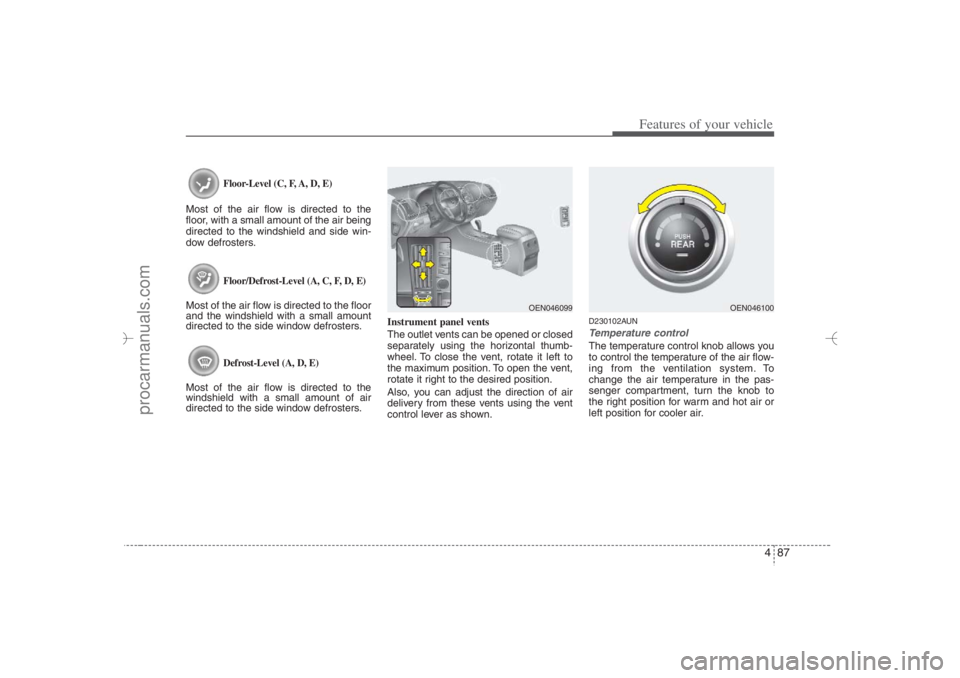
directed to the side window defrosters.Instrument panel vents
The outlet vents can be opened or closed
separately using the horizontal thumb-
wheel. To close the vent, rotate it left to
the maximum position. To open the vent,
rotate it right to the desired position.
Also, you can adjust the direction of air
delivery from these vents using the vent
control lever as shown.
D230102AUNTemperature controlThe temperature control knob allows you
to control the temperature of the air flow-
ing from the ventilation system. To
change the air temperature in the pas-
senger compartment, turn the knob to
the right position for warm and hot air or
left position for cooler air.
OEN046100
OEN046099
EN hma 4-84~120.qxd 11/27/2006 5:30 PM Page 87
procarmanuals.com
Page 170 of 441
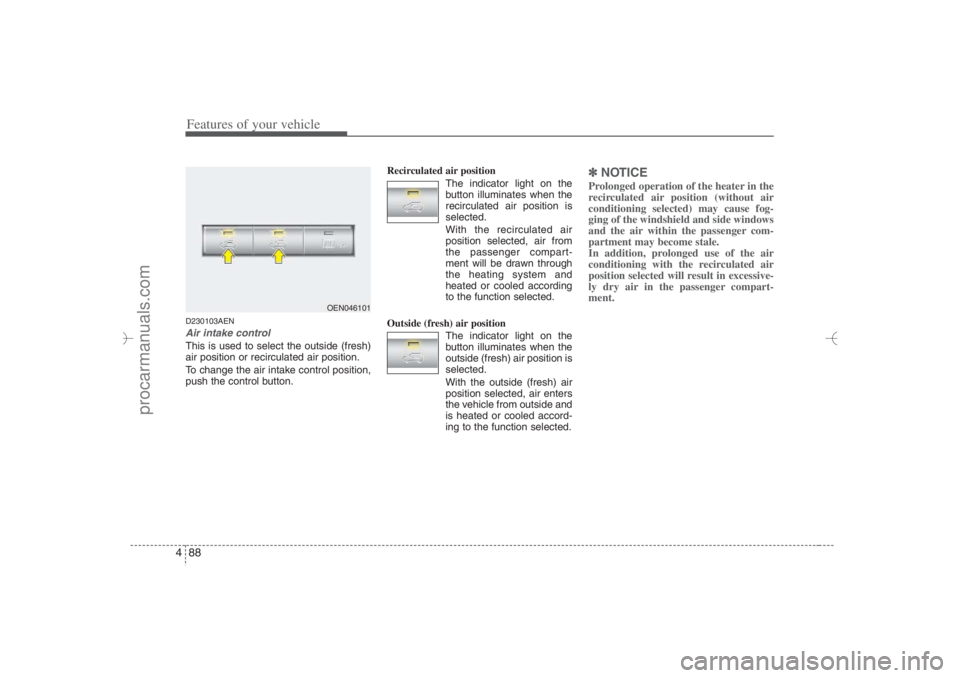
Features of your vehicle88 4D230103AENAir intake control This is used to select the outside (fresh)
air position or recirculated air position.
To change the air intake control position,
push the control button.Recirculated air position
The indicator light on the
button illuminates when the
recirculated air position is
selected.
With the recirculated air
position selected, air from
the passenger compart-
ment will be drawn through
the heating system and
heated or cooled according
to the function selected.
Outside (fresh) air position
The indicator light on the
button illuminates when the
outside (fresh) air position is
selected.
With the outside (fresh) air
position selected, air enters
the vehicle from outside and
is heated or cooled accord-
ing to the function selected.
✽ ✽
NOTICEProlonged operation of the heater in the
recirculated air position (without air
conditioning selected) may cause fog-
ging of the windshield and side windows
and the air within the passenger com-
partment may become stale.
In addition, prolonged use of the air
conditioning with the recirculated air
position selected will result in excessive-
ly dry air in the passenger compart-
ment.
OEN046101
EN hma 4-84~120.qxd 11/27/2006 5:30 PM Page 88
procarmanuals.com
Page 176 of 441
Features of your vehicle94 4✽
✽
NOTICE• When using the air conditioning sys-
tem, monitor the temperature gauge
closely while driving up hills or in
heavy traffic when outside tempera-
tures are high. Air conditioning sys-
tem operation may cause engine over-
heating. Continue to use the blower
fan but turn the air conditioning sys-
tem off if the temperature gauge indi-
cates engine overheating.
• When opening the windows in humid
weather air conditioning may create
water droplets inside the vehicle.
Since excessive water droplets may
cause damage to electrical equipment,
air conditioning should only be run
with the windows closed.
Air conditioning system operation tips
If the vehicle has been parked in direct
sunlight during hot weather, open the
windows for a short time to let the hot
air inside the vehicle escape.
To help reduce moisture inside of the
windows on rainy or humid days,
decrease the humidity inside the vehi-
cle by operating the air conditioning
system.
During air conditioning system opera-
tion, you may occasionally notice a
slight change in engine speed as the
air conditioning compressor cycles.
This is a normal system operation
characteristic.
Use the air conditioning system every
month only for a few minutes to ensure
maximum system performance. When using the air conditioning sys-
tem, you may notice clear water drip-
ping (or even puddling) on the ground
under the passenger side of the vehi-
cle. This is a normal system operation
characteristic.
Operating the air conditioning system
in the recirculated air position provides
maximum cooling, however, continual
operation in this mode may cause the
air inside the vehicle to become stale.
During cooling operation, you may
occasionally notice a misty air flow
because of rapid cooling and humid air
intake. This is a normal system opera-
tion characteristics.
EN hma 4-84~120.qxd 11/27/2006 5:31 PM Page 94
procarmanuals.com
Page 178 of 441
Features of your vehicle96 4AUTOMATIC CLIMATE CONTROL SYSTEM (IF EQUIPPED)
1. A/C display
2. Driver’s temperature control button
3. Front windshield defrost button
4. Rear window defrost button
5. AUTO (automatic control) button
6. Passenger’s temperature control button
7. Dual temperature control selection button
8. Rear climate control selection button
9. Air quality control system button (if
equipped) or air intake control button
10. OFF button
11. Fan speed control knob
12. Air conditioning button
13. Mode selection button
14. Rear fan speed control knob
15. Rear mode selection button
16. Rear temperature control knob
OEN046116/OEN046095
D240000AEN-EU
■ ■
Front climate control
■ ■
Rear climate control (if equipped)
EN hma 4-84~120.qxd 11/27/2006 5:32 PM Page 96
procarmanuals.com
Page 180 of 441
Features of your vehicle98 4D240200AENManual heating and air condition-
ingThe heating and cooling system can be
controlled manually by pushing buttons
other than the AUTO button. In this case,
the system works sequentially according
to the order of buttons selected.
When pressing any button (or turning
any knob) except the AUTO button while
using automatic operation, the functions
not selected will be controlled automati-
cally.
1. Start the engine.
2. Set the mode to the desired position.
For improving the effectiveness of
heating and cooling;
- Heating:
- Cooling:
3. Set the temperature control to the
desired position.
4. Set the air intake control to the outside
(fresh) air position.
5. Set the fan speed control to the
desired speed.
6. If air conditioning is desired, turn the
air conditioning system on.
Press the AUTO button in order to con-
vert to full automatic control of the sys-
tem.
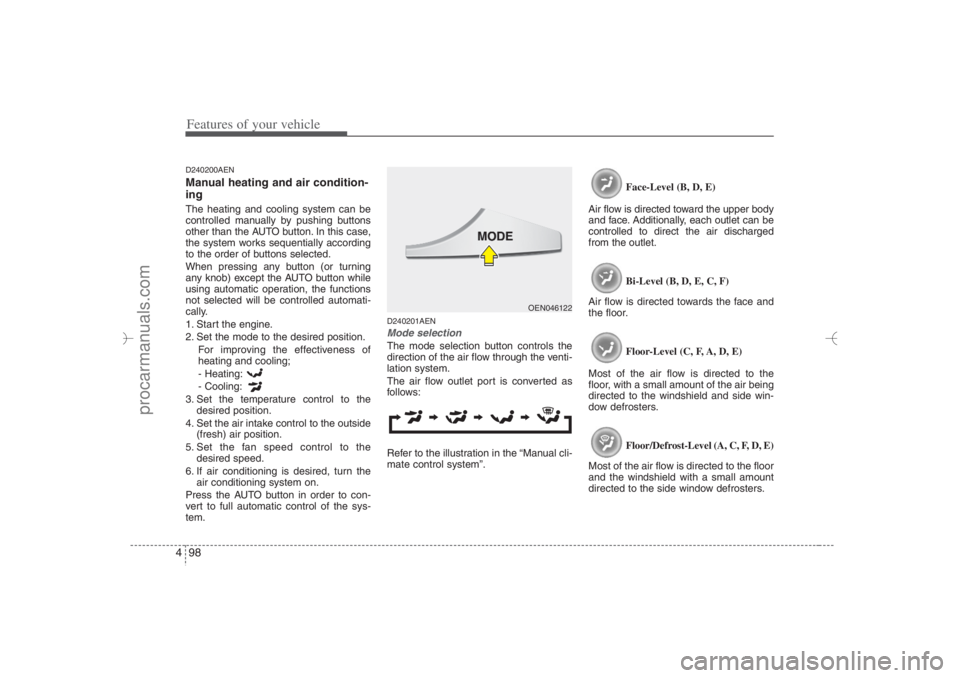
D240201AENMode selectionThe mode selection button controls the
direction of the air flow through the venti-
lation system.
The air flow outlet port is converted as
follows:
Refer to the illustration in the “Manual cli-
mate control system”.Face-Level (B, D, E)
Air flow is directed toward the upper body
and face. Additionally, each outlet can be
controlled to direct the air discharged
from the outlet.
Bi-Level (B, D, E, C, F)
Air flow is directed towards the face and
the floor.
Floor-Level (C, F, A, D, E)
Most of the air flow is directed to the
floor, with a small amount of the air being
directed to the windshield and side win-
dow defrosters.
Floor/Defrost-Level (A, C, F, D, E)
Most of the air flow is directed to the floor
and the windshield with a small amount
directed to the side window defrosters.
OEN046122
EN hma 4-84~120.qxd 11/27/2006 5:32 PM Page 98
procarmanuals.com

