2007 HYUNDAI VERACRUZ ECO mode
[x] Cancel search: ECO modePage 148 of 441
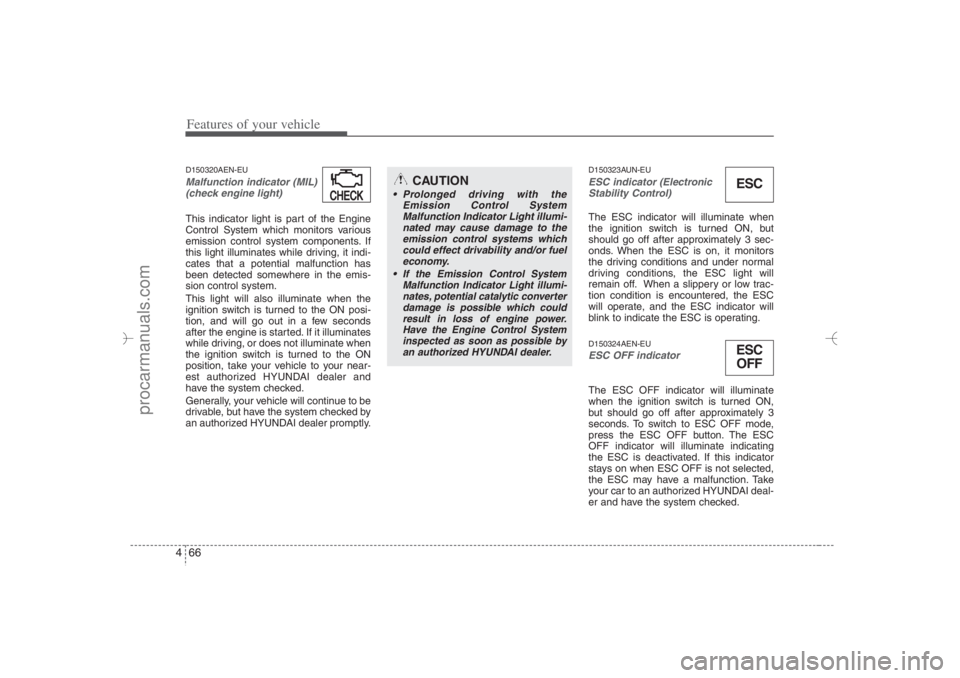
Features of your vehicle66 4D150320AEN-EUMalfunction indicator (MIL)
(check engine light) This indicator light is part of the Engine
Control System which monitors various
emission control system components. If
this light illuminates while driving, it indi-
cates that a potential malfunction has
been detected somewhere in the emis-
sion control system.
This light will also illuminate when the
ignition switch is turned to the ON posi-
tion, and will go out in a few seconds
after the engine is started. If it illuminates
while driving, or does not illuminate when
the ignition switch is turned to the ON
position, take your vehicle to your near-
est authorized HYUNDAI dealer and
have the system checked.
Generally, your vehicle will continue to be
drivable, but have the system checked by
an authorized HYUNDAI dealer promptly.
D150323AUN-EUESC indicator (Electronic
Stability Control) The ESC indicator will illuminate when
the ignition switch is turned ON, but
should go off after approximately 3 sec-
onds. When the ESC is on, it monitors
the driving conditions and under normal
driving conditions, the ESC light will
remain off. When a slippery or low trac-
tion condition is encountered, the ESC
will operate, and the ESC indicator will
blink to indicate the ESC is operating.D150324AEN-EUESC OFF indicator The ESC OFF indicator will illuminate
when the ignition switch is turned ON,
but should go off after approximately 3
seconds. To switch to ESC OFF mode,
press the ESC OFF button. The ESC
OFF indicator will illuminate indicating
the ESC is deactivated. If this indicator
stays on when ESC OFF is not selected,
the ESC may have a malfunction. Take
your car to an authorized HYUNDAI deal-
er and have the system checked.
CAUTION
Prolonged driving with the
Emission Control System
Malfunction Indicator Light illumi-
nated may cause damage to the
emission control systems which
could effect drivability and/or fuel
economy.
If the
Emission
Control System
Malfunction Indicator Light illumi-
nates, potential catalytic converter
damage is possible which could
result in loss of engine power.
Have the Engine Control System
inspected as soon as possible by
an authorized HYUNDAI dealer.
ESCESC
OFF
CHECKCHECK
EN hma 4~83.qxd 11/28/2006 3:37 PM Page 66
procarmanuals.com
Page 176 of 441
Features of your vehicle94 4✽
✽
NOTICE• When using the air conditioning sys-
tem, monitor the temperature gauge
closely while driving up hills or in
heavy traffic when outside tempera-
tures are high. Air conditioning sys-
tem operation may cause engine over-
heating. Continue to use the blower
fan but turn the air conditioning sys-
tem off if the temperature gauge indi-
cates engine overheating.
• When opening the windows in humid
weather air conditioning may create
water droplets inside the vehicle.
Since excessive water droplets may
cause damage to electrical equipment,
air conditioning should only be run
with the windows closed.
Air conditioning system operation tips
If the vehicle has been parked in direct
sunlight during hot weather, open the
windows for a short time to let the hot
air inside the vehicle escape.
To help reduce moisture inside of the
windows on rainy or humid days,
decrease the humidity inside the vehi-
cle by operating the air conditioning
system.
During air conditioning system opera-
tion, you may occasionally notice a
slight change in engine speed as the
air conditioning compressor cycles.
This is a normal system operation
characteristic.
Use the air conditioning system every
month only for a few minutes to ensure
maximum system performance. When using the air conditioning sys-
tem, you may notice clear water drip-
ping (or even puddling) on the ground
under the passenger side of the vehi-
cle. This is a normal system operation
characteristic.
Operating the air conditioning system
in the recirculated air position provides
maximum cooling, however, continual
operation in this mode may cause the
air inside the vehicle to become stale.
During cooling operation, you may
occasionally notice a misty air flow
because of rapid cooling and humid air
intake. This is a normal system opera-
tion characteristics.
EN hma 4-84~120.qxd 11/27/2006 5:31 PM Page 94
procarmanuals.com
Page 182 of 441
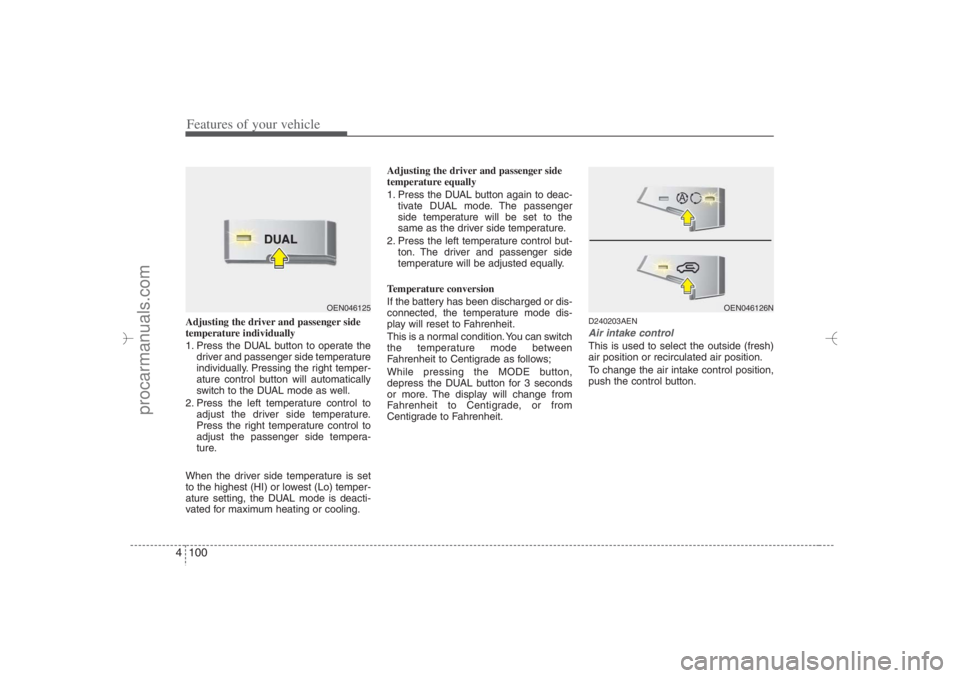
Features of your vehicle100 4Adjusting the driver and passenger side
temperature individually
1. Press the DUAL button to operate the
driver and passenger side temperature
individually. Pressing the right temper-
ature control button will automatically
switch to the DUAL mode as well.
2. Press the left temperature control to
adjust the driver side temperature.
Press the right temperature control to
adjust the passenger side tempera-
ture.
When the driver side temperature is set
to the highest (HI) or lowest (Lo) temper-
ature setting, the DUAL mode is deacti-
vated for maximum heating or cooling.Adjusting the driver and passenger side
temperature equally
1. Press the DUAL button again to deac-
tivate DUAL mode. The passenger
side temperature will be set to the
same as the driver side temperature.
2. Press the left temperature control but-
ton. The driver and passenger side
temperature will be adjusted equally.
Temperature conversion
If the battery has been discharged or dis-
connected, the temperature mode dis-
play will reset to Fahrenheit.
This is a normal condition. You can switch
the temperature mode between
Fahrenheit to Centigrade as follows;
While pressing the MODE button,
depress the DUAL button for 3 seconds
or more. The display will change from
Fahrenheit to Centigrade, or from
Centigrade to Fahrenheit.
D240203AENAir intake controlThis is used to select the outside (fresh)
air position or recirculated air position.
To change the air intake control position,
push the control button.
OEN046125
OEN046126N
EN hma 4-84~120.qxd 11/27/2006 5:33 PM Page 100
procarmanuals.com
Page 183 of 441
4 101
Features of your vehicle
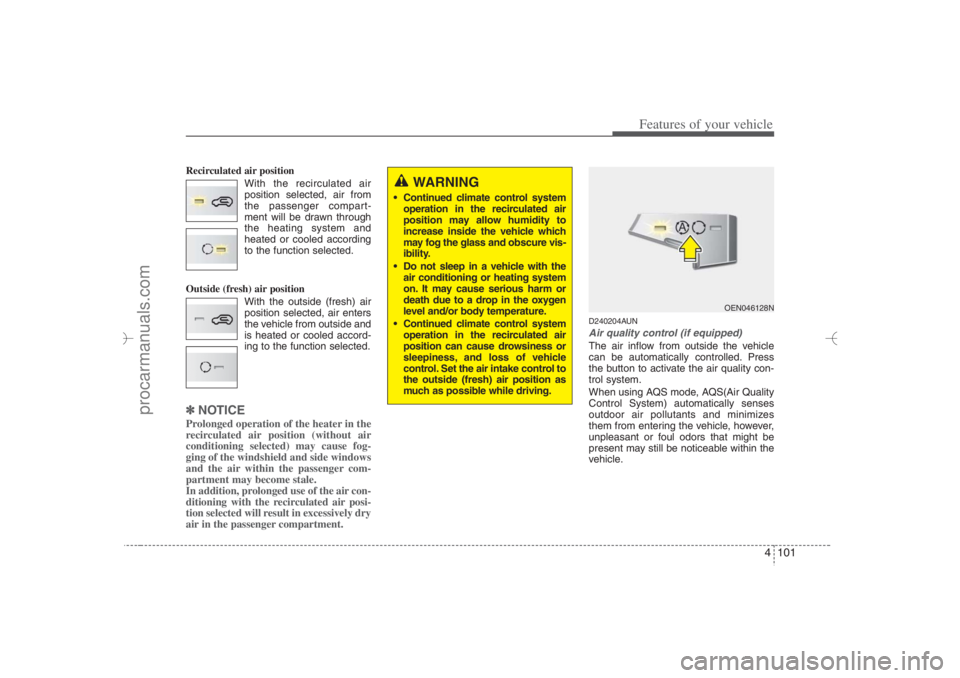
Recirculated air position
With the recirculated air
position selected, air from
the passenger compart-
ment will be drawn through
the heating system and
heated or cooled according
to the function selected.
Outside (fresh) air position
With the outside (fresh) air
position selected, air enters
the vehicle from outside and
is heated or cooled accord-
ing to the function selected.✽ ✽
NOTICEProlonged operation of the heater in the
recirculated air position (without air
conditioning selected) may cause fog-
ging of the windshield and side windows
and the air within the passenger com-
partment may become stale.
In addition, prolonged use of the air con-
ditioning with the recirculated air posi-
tion selected will result in excessively dry
air in the passenger compartment.
D240204AUNAir quality control (if equipped)The air inflow from outside the vehicle
can be automatically controlled. Press
the button to activate the air quality con-
trol system.
When using AQS mode, AQS(Air Quality
Control System) automatically senses
outdoor air pollutants and minimizes
them from entering the vehicle, however,
unpleasant or foul odors that might be
present may still be noticeable within the
vehicle.
WARNING
Continued climate control system
operation in the recirculated air
position may allow humidity to
increase inside the vehicle which
may fog the glass and obscure vis-
ibility.
Do not sleep in a vehicle with the
air conditioning or heating system
on. It may cause serious harm or
death due to a drop in the oxygen
level and/or body temperature.
Continued climate control system
operation in the recirculated air
position can cause drowsiness or
sleepiness, and loss of vehicle
control. Set the air intake control to
the outside (fresh) air position as
much as possible while driving.
OEN046128N
EN hma 4-84~120.qxd 11/27/2006 5:33 PM Page 101
procarmanuals.com
Page 184 of 441
Features of your vehicle102 4Exhaust gas cutoff mode :
Air enters the vehicle from the outside.
If exhaust gas enters the vehicle from the
outside, the exhaust gas cutoff mode is
automatically converted from the outside
air position to the recirculated air position
to prevent exhaust gas from entering the
vehicle.✽ ✽
NOTICEIt should be noted that prolonged oper-
ation of the heating system in recircula-
tion mode will give rise to misting of the
windshield and side windows and the air
within the passenger compartment will
become stale. In addition, prolonged use
of the air conditioning with the recircu-
lation mode selected may result in the
air within the passenger compartment
becoming excessively dry.
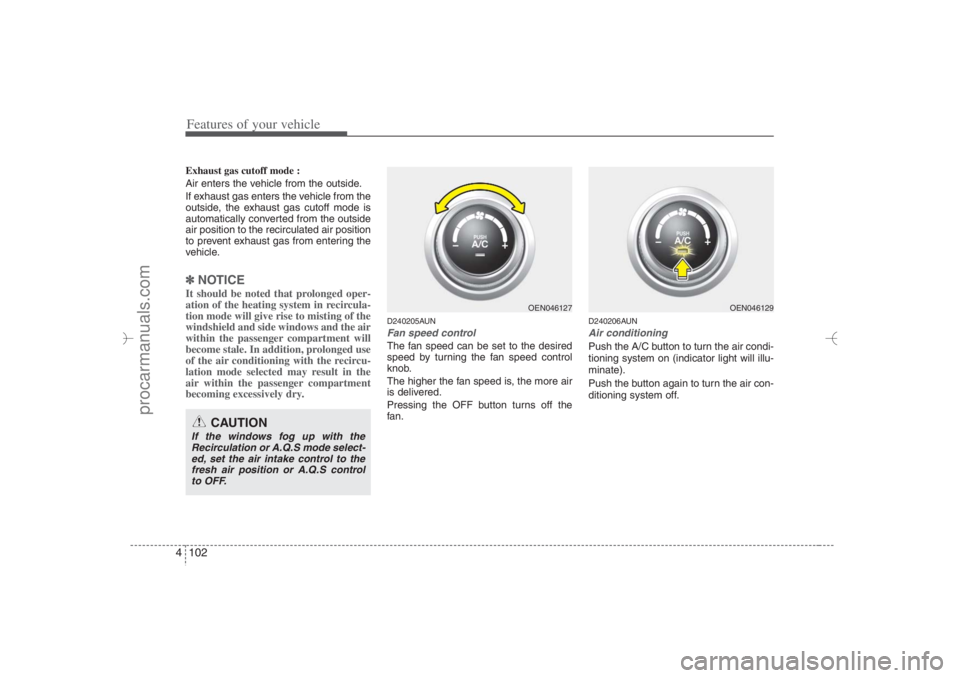
D240205AUNFan speed controlThe fan speed can be set to the desired
speed by turning the fan speed control
knob.
The higher the fan speed is, the more air
is delivered.
Pressing the OFF button turns off the
fan.
D240206AUNAir conditioningPush the A/C button to turn the air condi-
tioning system on (indicator light will illu-
minate).
Push the button again to turn the air con-
ditioning system off.
CAUTION
If the windows fog up with the
Recirculation or A.Q.S mode select-
ed, set the air intake control to the
fresh air position or A.Q.S control
to OFF.
OEN046127
OEN046129
EN hma 4-84~120.qxd 11/27/2006 5:33 PM Page 102
procarmanuals.com
Page 190 of 441
Features of your vehicle108 4D250300AUN-EUDefogging logicTo reduce the probability of fogging up
the inside of the windshield, the air intake
is controlled automatically according to
certain conditions such as or
position. To cancel or return the defog-
ging logic, do the following.
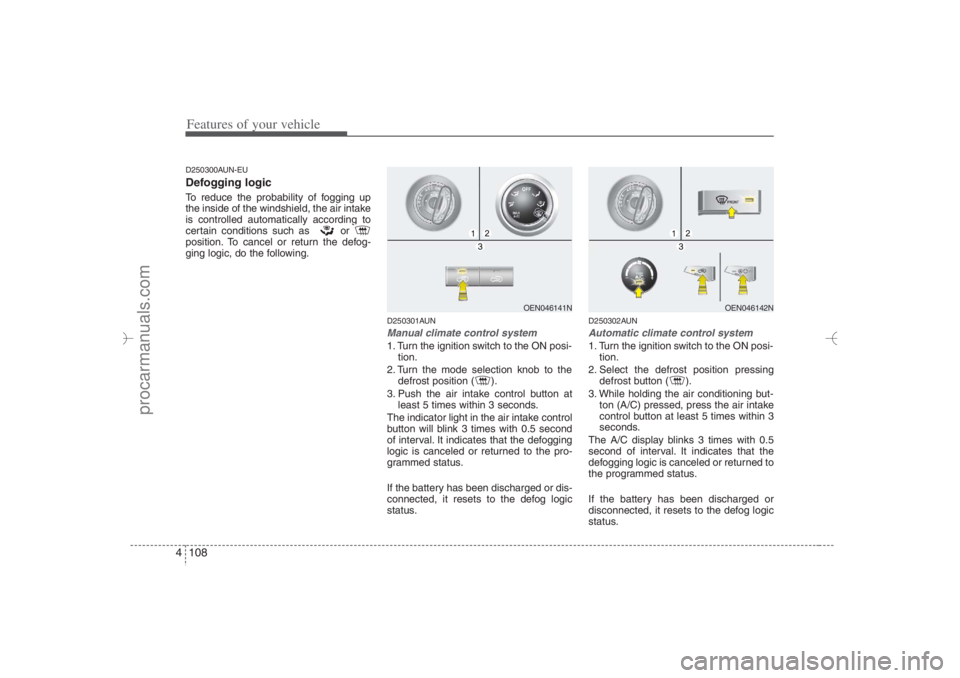
D250301AUNManual climate control system1. Turn the ignition switch to the ON posi-
tion.
2. Turn the mode selection knob to the
defrost position ( ).
3. Push the air intake control button at
least 5 times within 3 seconds.
The indicator light in the air intake control
button will blink 3 times with 0.5 second
of interval. It indicates that the defogging
logic is canceled or returned to the pro-
grammed status.
If the battery has been discharged or dis-
connected, it resets to the defog logic
status.
D250302AUNAutomatic climate control system1. Turn the ignition switch to the ON posi-
tion.
2. Select the defrost position pressing
defrost button ( ).
3. While holding the air conditioning but-
ton (A/C) pressed, press the air intake
control button at least 5 times within 3
seconds.
The A/C display blinks 3 times with 0.5
second of interval. It indicates that the
defogging logic is canceled or returned to
the programmed status.
If the battery has been discharged or
disconnected, it resets to the defog logic
status.
OEN046141N
OEN046142N
EN hma 4-84~120.qxd 11/27/2006 5:35 PM Page 108
procarmanuals.com
Page 204 of 441
Features of your vehicle122 4D300202AENMODEPress the button to select Radio or CD
(compact disc).D300204AENVOLUME (VOL +/-)• Press the up button (+) to increase vol-
ume.
Press the down button (-) to decrease
volume.D300205AENMUTE Press the MUTE button to cancel the
sound.
Press the MUTE button again to acti-
vate the sound.
D300203AENSEEK/PRESET ( / )If the SEEK/PRESET button is pressed
for 0.8 second or more, it will work as fol-
lows in each mode.
RADIO mode
It will function as the AUTO SEEK select
button.
CDP mode
It will function as the FF/REW button.
CDC mode
It will function as the DISC UP/DOWN
button.If the SEEK/PRESET button is pressed
for less than 0.8 second, it will work as
follows in each mode.
RADIO mode
It will function as the PRESET STATION
select buttons.
CDP mode
It will function as the TRACK UP/DOWN
button.
CDC mode
It will function as the TRACK UP/DOWN
button.
Detailed information for audio control
buttons is described in the following
pages in this section.
EN hma 4-121~(Audio).qxd 11/28/2006 3:06 PM Page 122
procarmanuals.com
Page 212 of 441
Features of your vehicle130 41. Power Button and Volume
Control Used for turning on/off the audio sys-
tem.
Press this button when using the audio
system to turn off the power.
Turn the volume control clockwise to
increase volume and counterclock-
wise, to decrease. (The volume level is
displayed when adjusting the volume.)2. Automatic Channel Seek
Button (SEEK)Press this button to automatically find
and tune to next available channel.
(Press [ ] to automatically seek next
available channel in higher frequencies
and [ ] in lower frequencies.)✽ ✽
NOTICEIf the channel is not received well, use
the manual control (4).
3. Preset Memory ButtonPress this button and hold for less than
0.8 seconds to easily listen to the channel
memorized to the button. Also, when you
are listening to the channel other than the
channel memorized to the button using
TUNE or SEEK, press the button you
wish to memorize current channel to and
hold for more than 0.8 seconds until it
beeps to memorize the channel.4. Manual Channel Select &
Sound Quality ControlOnly M445s/M446s with XM(satellite
radio) When listening to a radio channel,
rotate this control to manually adjust
the frequency. Turn this control to the
right to increase the frequency and left,
to decrease.
This selects all functions related with
audio quality.
When listening to the audio system,
press this button to select following
sound qualities in respective order.
- BASS MIDDLE TREBLE
FADER BALANCE
EQUALIZER Current State
Rotate the control to adjust the sound
mode when adjusting sound quality.
Only M445/M446 without XM(satellite
radio) When listening to a radio channel,
rotate this control to manually adjust
the frequency. Turn this control to the
right to increase the frequency and left,
to decrease.
This selects all functions related with
audio quality.
Rotate the control to adjust the sound
mode when adjusting sound quality.5. SCAN ButtonPress this button to tune to all available
channels for 5 seconds each. (LCD will
display "SCAN") Press the button once
again to cancel scanning.6. LCD (Liquid Crystal Display)It displays the state of the system when
listening to the radio such as AM, FM1,
FM2, Stereo(ST), preset number, fre-
quency received, EQ mode (CLASSIC,
POP, ROCK, JAZZ) and SCAN status.
EN hma 4-121~(Audio).qxd 11/28/2006 3:06 PM Page 130
procarmanuals.com