1
FEATURES OF YOUR HYUNDAI
69MULTIMETER
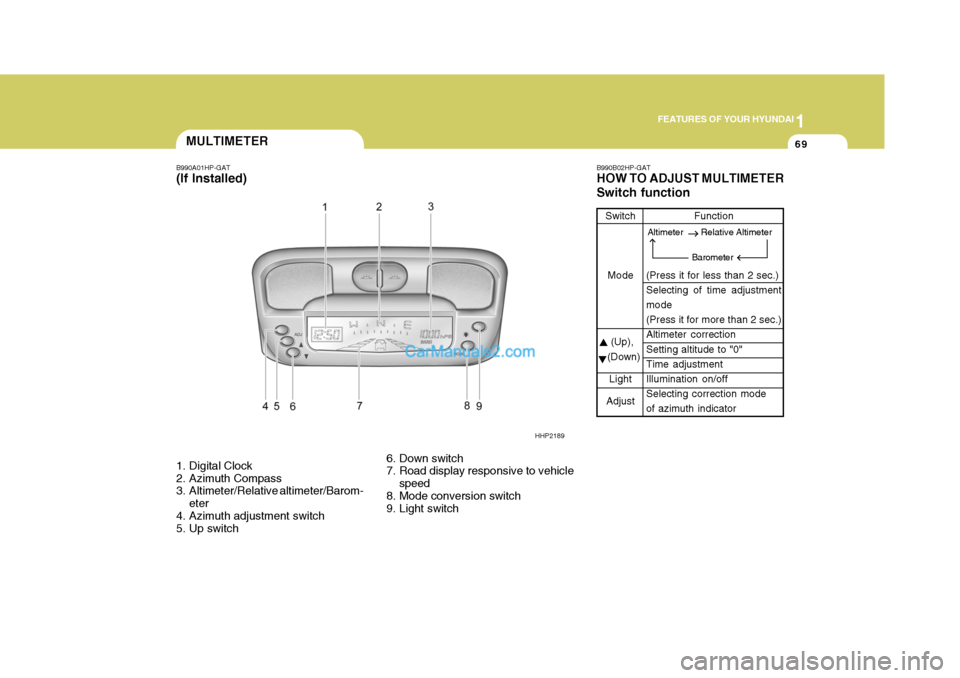
B990A01HP-GAT (If Installed)
1. Digital Clock
2. Azimuth Compass
3. Altimeter/Relative altimeter/Barom-
eter
4. Azimuth adjustment switch
5. Up switch 6. Down switch
7. Road display responsive to vehicle
speed
8. Mode conversion switch
9. Light switch B990B02HP-GAT HOW TO ADJUST MULTIMETER Switch function
Switch
Mode
(Up),
(Down)
Light
Adjust Function
(Press it for less than 2 sec.) Selecting of time adjustment mode (Press it for more than 2 sec.)Altimeter correction Setting altitude to "0" Time adjustmentIllumination on/off Selecting correction mode of azimuth indicator
HHP2189
Altimeter Relative Altimeter
Barometer
1FEATURES OF YOUR HYUNDAI
78DIGITAL CLOCK
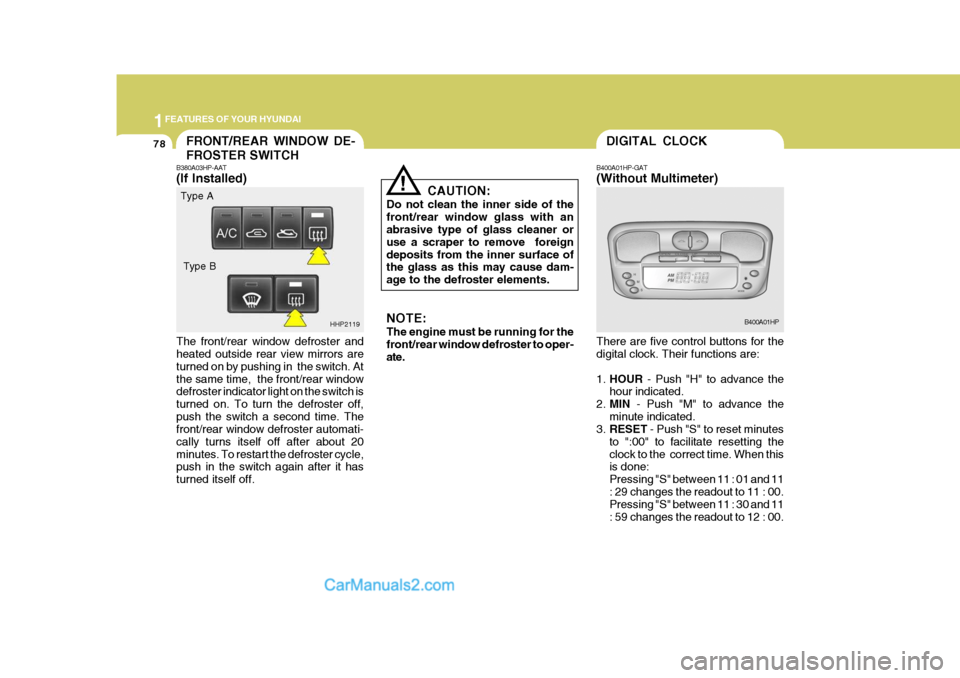
B400A01HP-GAT (Without Multimeter) There are five control buttons for the digital clock. Their functions are: 1. HOUR - Push "H" to advance the
hour indicated.
2. MIN - Push "M" to advance the
minute indicated.
3. RESET - Push "S" to reset minutes
to ":00" to facilitate resetting the clock to the correct time. When this is done: Pressing "S" between 11 : 01 and 11: 29 changes the readout to 11 : 00. Pressing "S" between 11 : 30 and 11 : 59 changes the readout to 12 : 00. B400A01HPFRONT/REAR WINDOW DE- FROSTER SWITCH
!
B380A03HP-AAT (If Installed) The front/rear window defroster and heated outside rear view mirrors are turned on by pushing in the switch. Atthe same time, the front/rear window defroster indicator light on the switch is turned on. To turn the defroster off,push the switch a second time. The front/rear window defroster automati- cally turns itself off after about 20minutes. To restart the defroster cycle, push in the switch again after it has turned itself off. CAUTION:
Do not clean the inner side of thefront/rear window glass with an abrasive type of glass cleaner or use a scraper to remove foreigndeposits from the inner surface of the glass as this may cause dam- age to the defroster elements.
HHP2119 NOTE: The engine must be running for the front/rear window defroster to oper- ate.
Type A
Type B