Page 93 of 355
1
FEATURES OF YOUR HYUNDAI
81
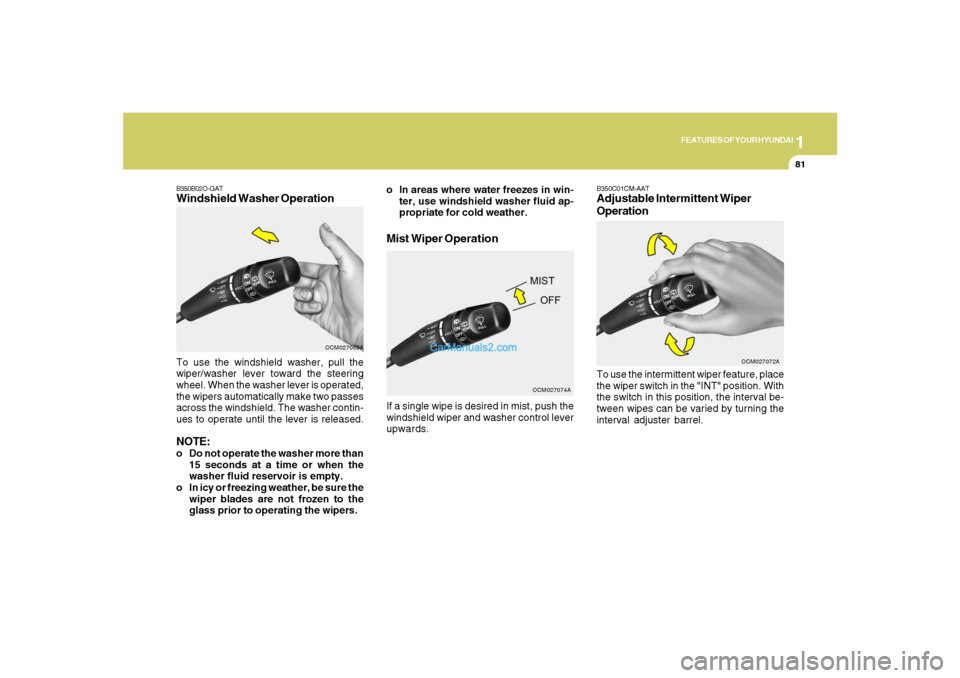
B350B02O-GATWindshield Washer OperationTo use the windshield washer, pull the
wiper/washer lever toward the steering
wheel. When the washer lever is operated,
the wipers automatically make two passes
across the windshield. The washer contin-
ues to operate until the lever is released.NOTE:o Do not operate the washer more than
15 seconds at a time or when the
washer fluid reservoir is empty.
o In icy or freezing weather, be sure the
wiper blades are not frozen to the
glass prior to operating the wipers.
OCM027069A
Mist Wiper Operation
OCM027074A
o In areas where water freezes in win-
ter, use windshield washer fluid ap-
propriate for cold weather.
If a single wipe is desired in mist, push the
windshield wiper and washer control lever
upwards.
B350C01CM-AATAdjustable Intermittent Wiper
OperationTo use the intermittent wiper feature, place
the wiper switch in the "INT" position. With
the switch in this position, the interval be-
tween wipes can be varied by turning the
interval adjuster barrel.
OCM027072A
Page 112 of 355
1FEATURES OF YOUR HYUNDAI
100
- The compass headings are inaccurate
in long distance driving.
If the vehicle’s compass headings become
inaccurate, the compass should be cali-
brated as follows:
1. Ensure the vehicle is not located near
large steel structures or under electric
power lines.
2. Turn on the compass by pressing the
button.
3. Press and hold the
button for more
than 6 but less than 9 seconds. The
current zone number will appear in the
display. Release then press the
but-
ton until your zone number appears in
the display.
4. Check the mirror angle by pressing and
holding the
button for more than
12seconds. Release then press the
button to “L”(for steering wheel on the
Left side of the vehicle). (if installed)
5. Press and hold the
button between 9
and 12 seconds. Release the
button
when a “C” appears in the display.
6. Drive the vehicle in 2 complete circles
at less than 5mph(8km/h) or until the
compass heading appears.
CAUTION:
Be sure the area is free of traffic, pedes-
trians, and obstructions.
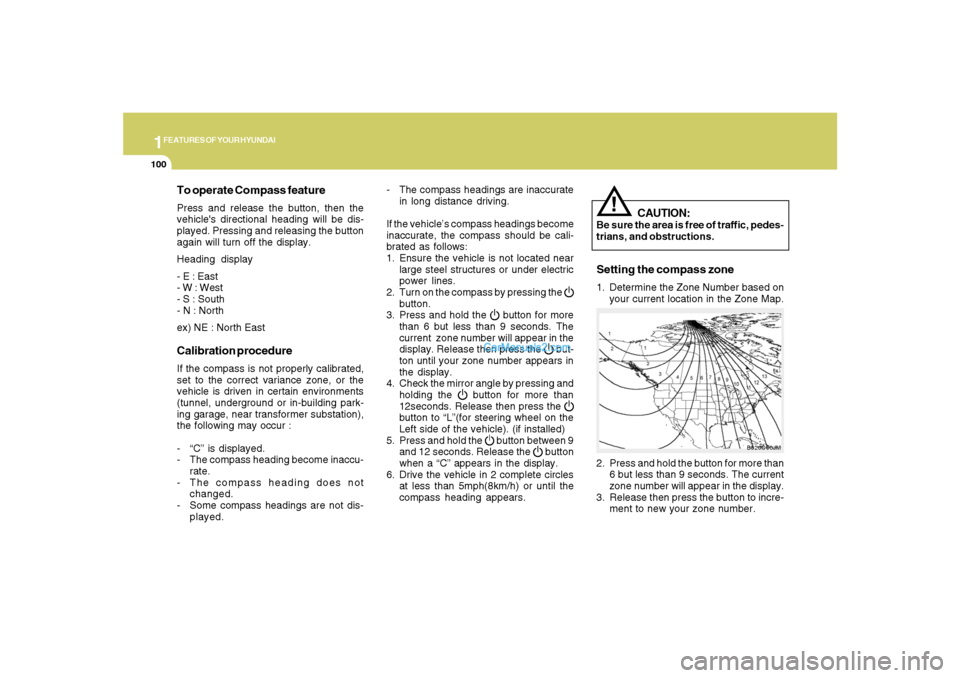
2. Press and hold the button for more than
6 but less than 9 seconds. The current
zone number will appear in the display.
3. Release then press the button to incre-
ment to new your zone number.
B520C06JM
To operate Compass featurePress and release the button, then the
vehicle's directional heading will be dis-
played. Pressing and releasing the button
again will turn off the display.
Heading display
- E : East
- W : West
- S : South
- N : North
ex) NE : North EastCalibration procedureIf the compass is not properly calibrated,
set to the correct variance zone, or the
vehicle is driven in certain environments
(tunnel, underground or in-building park-
ing garage, near transformer substation),
the following may occur :
- “C” is displayed.
- The compass heading become inaccu-
rate.
- The compass heading does not
changed.
- Some compass headings are not dis-
played.
!
Setting the compass zone1. Determine the Zone Number based on
your current location in the Zone Map.
Page 130 of 355
1FEATURES OF YOUR HYUNDAI
118
B600B01NF-GATTilt and telescopic type
(If Installed)To adjust the steering wheel:
1. Push the lever downward fully to un-
lock.
2. Adjust upward or downward and for-
ward or backward to set the steering
wheel to the desired position.
3. After adjustment, securely tighten the
lever by pulling it upward.
OCM052051
B580C01LZ-AATTicket HolderThe ticket holder is provided on the front of
the sun visor for holding a tollgate ticket.
OCM052125
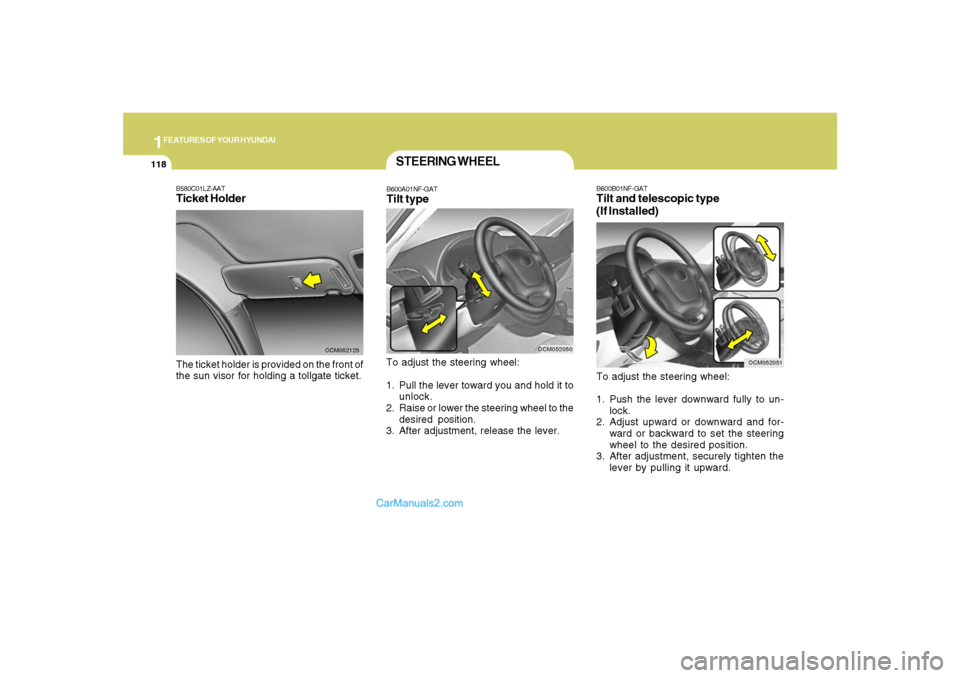
STEERING WHEELB600A01NF-GATTilt typeTo adjust the steering wheel:
1. Pull the lever toward you and hold it to
unlock.
2. Raise or lower the steering wheel to the
desired position.
3. After adjustment, release the lever.
OCM052050
Page 131 of 355
1
FEATURES OF YOUR HYUNDAI
119
FRONT DOOR EDGE
LIGHTB620A02S-AATA light comes on when the front door is
opened.
OCM051027L
!
CAUTION:
After adjusting the steering wheel, try
moving it up and down to make sure it is
locked in position.
!
WARNING:
Do not attempt to adjust the steering
wheel while driving as this may result in
loss of control of the vehicle and serious
injury or death.
OCM052052
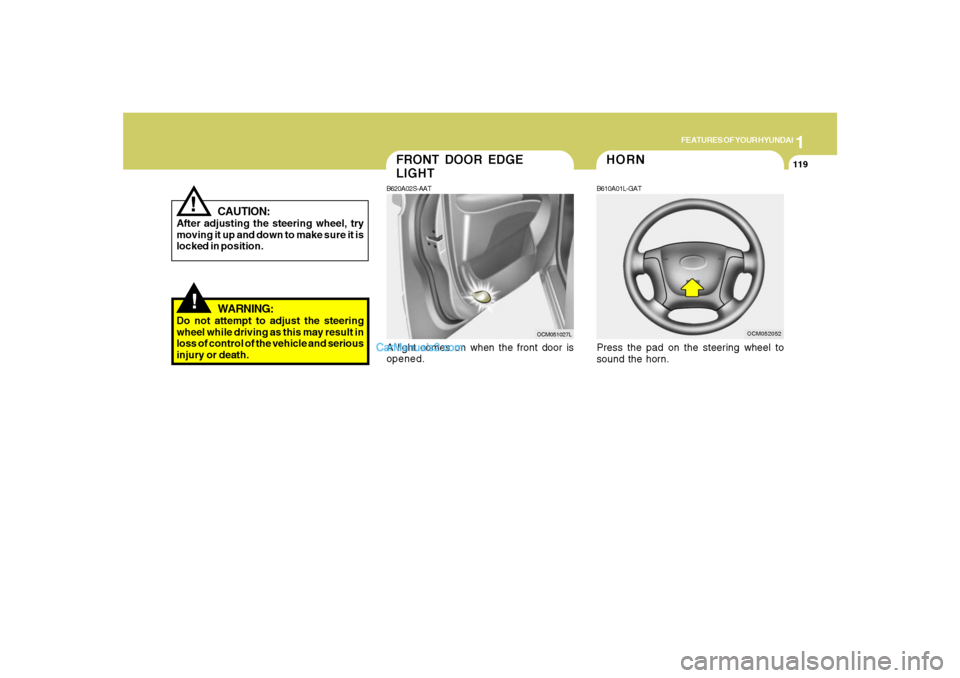
HORNB610A01L-GATPress the pad on the steering wheel to
sound the horn.
Page 135 of 355
1
FEATURES OF YOUR HYUNDAI
123
!
o During normal cruise control opera-
tion, when the "SET" switch is acti-
vated or reactivated after applying
the brakes, the cruise control will
energize after approximately 3 sec-
onds. This delay is normal.
WARNING:
AUDIO REMOTE CONTROL
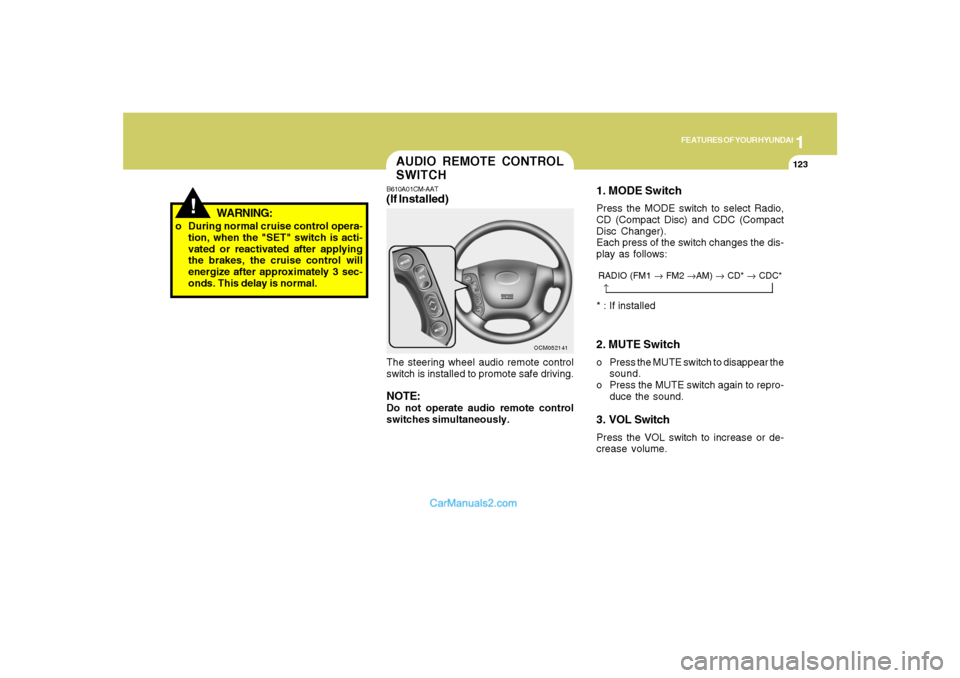
SWITCHB610A01CM-AAT(If Installed)The steering wheel audio remote control
switch is installed to promote safe driving.NOTE:Do not operate audio remote control
switches simultaneously.
OCM052141
2. MUTE Switcho Press the MUTE switch to disappear the
sound.
o Press the MUTE switch again to repro-
duce the sound.3. VOL SwitchPress the VOL switch to increase or de-
crease volume.1. MODE SwitchPress the MODE switch to select Radio,
CD (Compact Disc) and CDC (Compact
Disc Changer).
Each press of the switch changes the dis-
play as follows:
→RADIO (FM1 → FM2 →AM) → CD* → CDC** : If installed
Page 187 of 355
1175175175175175175
FEATURES OF YOUR HYUNDAI
USING EXTERNAL CONTROLSThe Dimmer controlThe Dimmer control setting determines
the brightness of the entire vehicle’s dis-
plays.
Turn the scroll wheel up or down to in-
crease or decrease the brightness of the
vehicle’s instrument panels, backlit dis-
plays and the audio system’s LCD screen
and backlit controls.
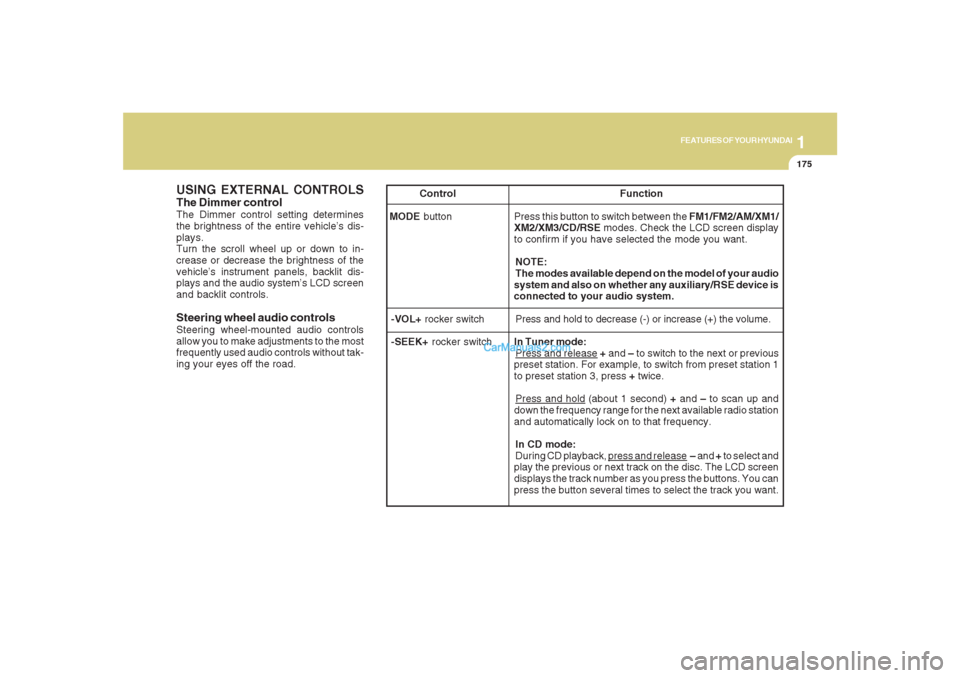
Steering wheel audio controlsSteering wheel-mounted audio controls
allow you to make adjustments to the most
frequently used audio controls without tak-
ing your eyes off the road. Control Function
MODE button Press this button to switch between the FM1/FM2/AM/XM1/
XM2/XM3/CD/RSE modes. Check the LCD screen display
to confirm if you have selected the mode you want.
NOTE:
The modes available depend on the model of your audio
system and also on whether any auxiliary/RSE device is
connected to your audio system.
-VOL+ rocker switchPress and hold to decrease (-) or increase (+) the volume.
-SEEK+ rocker switchIn Tuner mode:
Press and release + and – to switch to the next or previous
preset station. For example, to switch from preset station 1
to preset station 3, press + twice.Press and hold (about 1 second) + and – to scan up and
down the frequency range for the next available radio station
and automatically lock on to that frequency.
In CD mode:
During CD playback,
press and release – and + to select and
play the previous or next track on the disc. The LCD screen
displays the track number as you press the buttons. You can
press the button several times to select the track you want.
Page 216 of 355
2
DRIVING YOUR HYUNDAI
5
TO START THE ENGINEC030A02E-AATCombination Ignition Switcho If your Hyundai is equipped with a manual
transaxle, place the shift lever in neutral
and depress the clutch pedal fully.
o If your Hyundai has an automatic
transaxle, place the shift lever in "P"
(park).
o To start the engine, insert the ignition
key and turn it to the "START" position.
Release it as soon as the engine starts.
Do not hold the key in the "START"
position for more that 15 seconds.
NOTE:o The engine will not start if the clutch
pedal is not depressed fully (Manual
Transaxle) or the shift lever is not in
"P" or "N" Position (Automatic
Transaxle).
o The ignition key cannot be turned from
"ACC" position to "LOCK" position
unless the shift lever is in the "P"
(Park) position or the negative bat-
tery terminal is disconnected from
the battery. To remove the key, al-
ways confirm that the shift lever is
securely positioned in "P" (Park) (For
Automatic Transaxle).
o For additional information about start-
ing, see page 2-6.
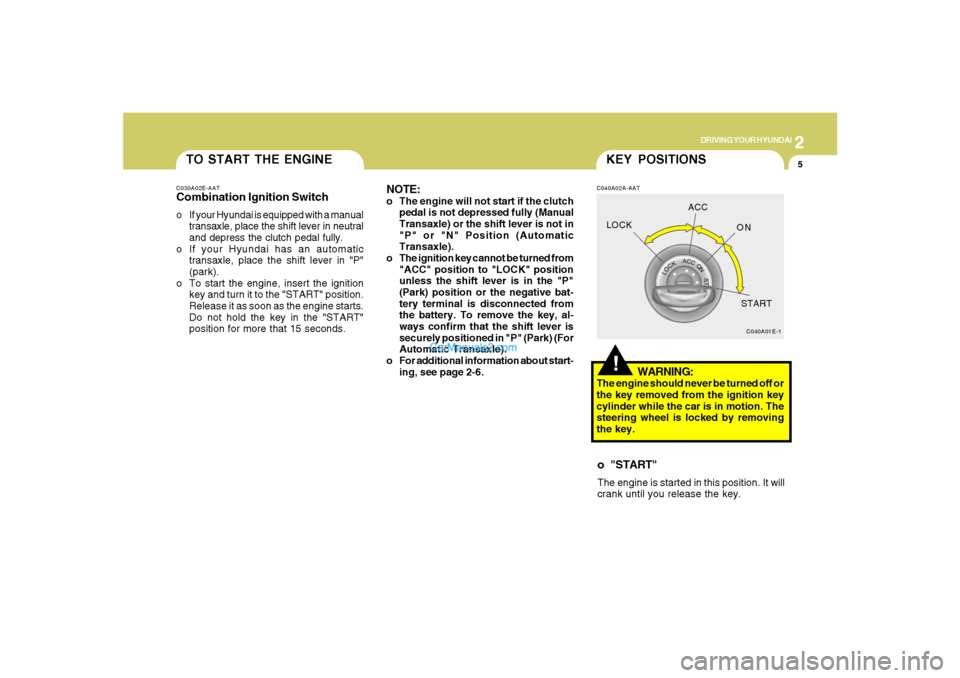
!KEY POSITIONSC040A02A-AAT
WARNING:
The engine should never be turned off or
the key removed from the ignition key
cylinder while the car is in motion. The
steering wheel is locked by removing
the key.o "START"The engine is started in this position. It will
crank until you release the key.
C040A01E-1
LOCKACC
ON
START
Page 217 of 355
2
DRIVING YOUR HYUNDAI
6
C070C01E-1
LOCKACC
ON
START
C050A01E-1
STARTING!
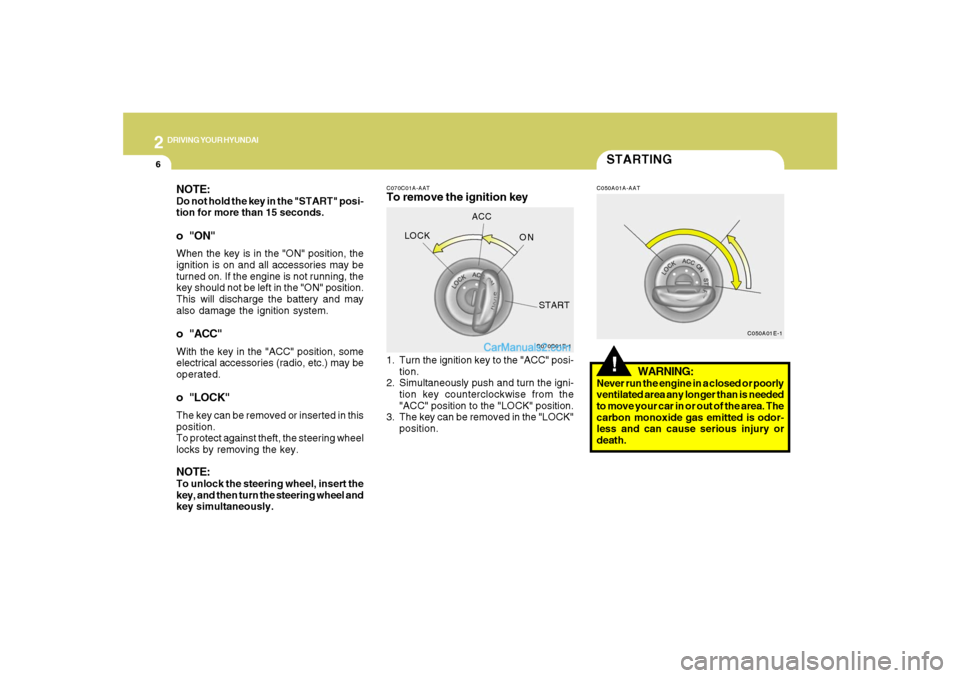
C070C01A-AATTo remove the ignition key
C050A01A-AAT
1. Turn the ignition key to the "ACC" posi-
tion.
2. Simultaneously push and turn the igni-
tion key counterclockwise from the
"ACC" position to the "LOCK" position.
3. The key can be removed in the "LOCK"
position.
WARNING:
Never run the engine in a closed or poorly
ventilated area any longer than is needed
to move your car in or out of the area. The
carbon monoxide gas emitted is odor-
less and can cause serious injury or
death.
NOTE:Do not hold the key in the "START" posi-
tion for more than 15 seconds.o "ON"When the key is in the "ON" position, the
ignition is on and all accessories may be
turned on. If the engine is not running, the
key should not be left in the "ON" position.
This will discharge the battery and may
also damage the ignition system.o "ACC"With the key in the "ACC" position, some
electrical accessories (radio, etc.) may be
operated.o "LOCK"The key can be removed or inserted in this
position.
To protect against theft, the steering wheel
locks by removing the key.NOTE:To unlock the steering wheel, insert the
key, and then turn the steering wheel and
key simultaneously.