Page 108 of 331
In HI, the heater turns off when the
seat gets warm, and turns back on
after the seat’s temperature drops.
In LO, the heater runs continuously.
It does not cycle with temperature
ch anges.
Follow these precautions when using
the seat heaters:
Use the HI setting only to heat the
seats quickly, because it draws
large amounts of current from the
battery.
If the engine is left idling for an
extended period, do not use the
seat heaters, even on the LO
setting. It can weaken the battery,
causing hard starting.
Ma
ke sure all items in the cargo area
are secured. Loose items can f ly
f orward and cause injury if you have
to brake hard (See
on page ).
You can also store small items under
the rear seats. Make sure to secure
the items so they will not shift while
you are driving.
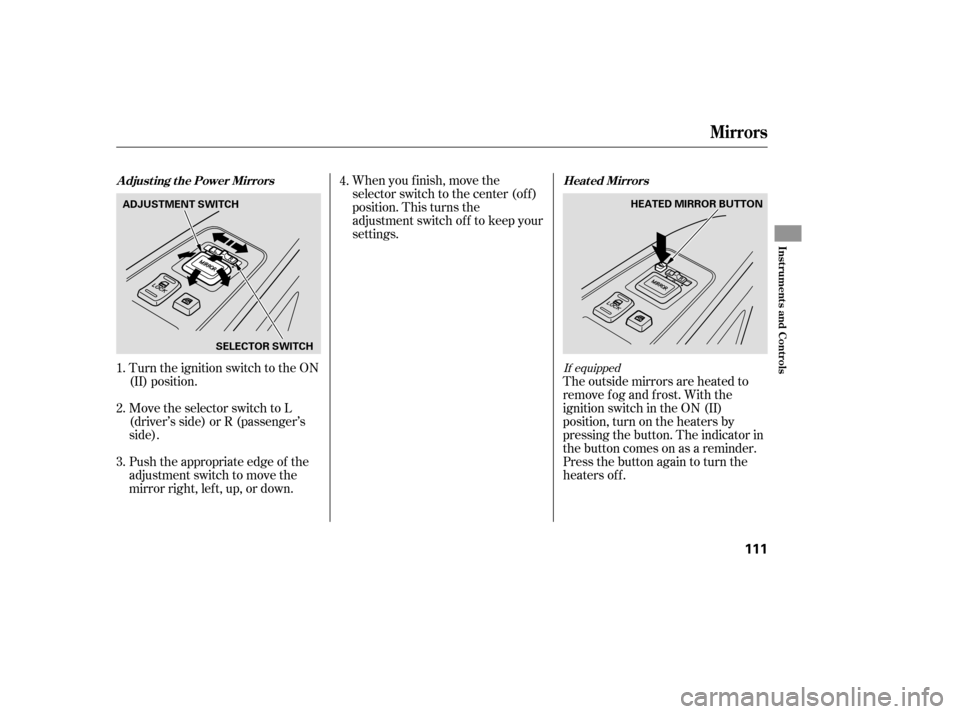
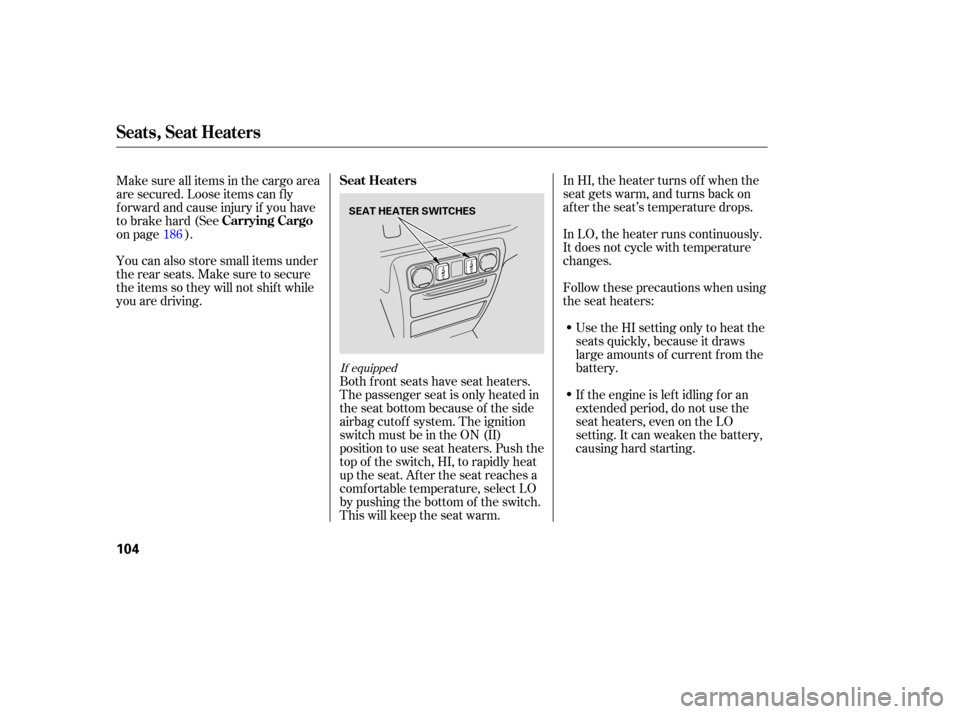
Both front seats have seat heaters.
The passenger seat is only heated in
the seat bottom because of the side
airbag cutoff system. The ignition
switch must be in the ON (II)
position to use seat heaters. Push the
top of the switch, HI, to rapidly heat
up the seat. After the seat reaches a
comf ortable temperature, select LO
by pushing the bottom of the switch.
This will keep the seat warm.
186
If equipped
Seat Heaters
Carrying Cargo
Seats, Seat Heaters
104
SEAT HEATER SWITCHES
Page 109 of 331
�µ
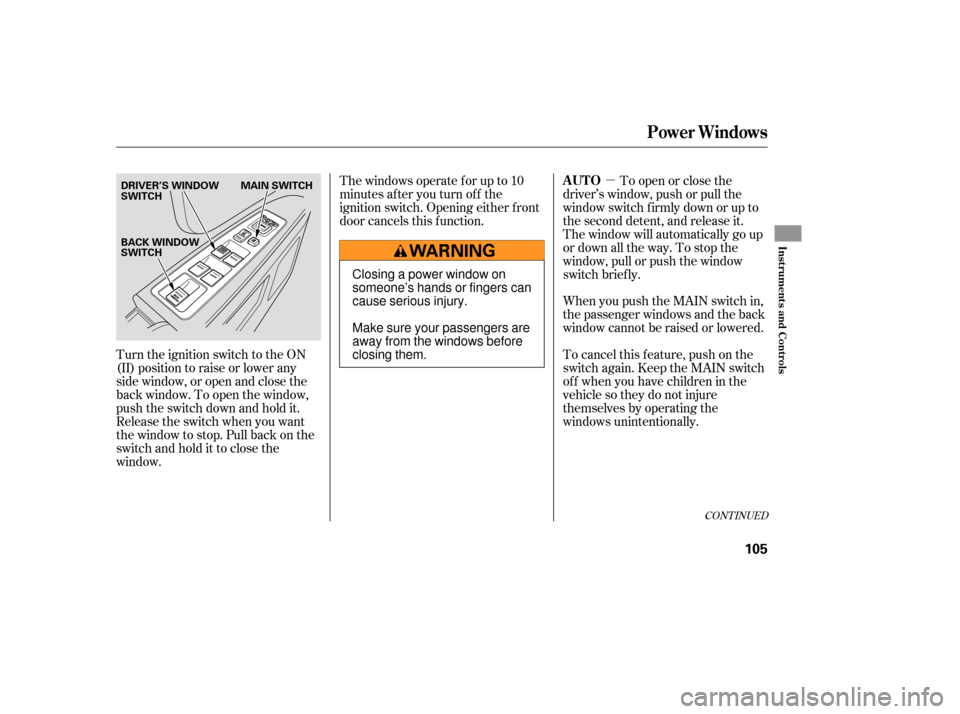
Turn the ignition switch to the ON
(II) position to raise or lower any
side window, or open and close the
back window. To open the window,
push the switch down and hold it.
Release the switch when you want
the window to stop. Pull back on the
switchandholdittoclosethe
window. Thewindowsoperateforupto10
minutes after you turn off the
ignition switch. Opening either f ront
door cancels this f unction.
To open or close the
driver’s window, push or pull the
window switch firmly down or up to
the second detent, and release it.
The window will automatically go up
or down all the way. To stop the
window, pull or push the window
switch brief ly.
When you push the MAIN switch in,
the passenger windows and the back
window cannot be raised or lowered.
To cancel this f eature, push on the
switch again. Keep the MAIN switch
off whenyouhavechildreninthe
vehicle so they do not injure
themselves by operating the
windows unintentionally.
CONT INUED
AUTO
Power Windows
Inst rument s and Cont rols
105
DRIVER’S WINDOW
SWITCH MAIN SWITCH
BACK WINDOW
SWITCH
Closing a power window on
someone’s hands or fingers can
cause serious injury.
Make sure your passengers are
away from the windows before
closing them.
Page 110 of 331

�µIf the driver’s
window senses any obstacle while it
is closing automatically, it will
reverse direction, and then stop. To
close the window, remove the
obstacle, then use the window switch
again.
Auto reverse stops sensing when the
window is almost closed. You should
always check that all passengers and
objects are away from the window
bef ore closing it. Your vehicle has a power back
window.
This indicator comes on when you
turn the ignition switch from the ON
(II) to the ACCESSORY (I) or LOCK
(0) position without closing the back
window. With the ignition switch in
the ACCESSORY (I) position, the
indicator goes of f af ter about 30
seconds. With the ignition switch in
the LOCK (0) position, the indicator
goes of f af ter about 3 minutes.
If the driver’s window f use is
removed, the AUTO f unction may be
disabled. The power window system
needs to be reset af ter reinstalling
the fuse.
Start the engine. Push down and
hold the driver’s window switch
until the window is f ully open.
Pull and hold the driver’s window
switch to close the window
completely, then hold the switch
f or about 2 seconds.
If the power windows do not operate
properly af ter resetting, have your
vehicle checked by your dealer. 1.
2.
AUTO REVERSE
Back Window
Back Window Open
Indicator
Power Windows
106
Page 111 of 331

To open:
Insert the key in the driver’s door
lock.
Turn the key clockwise, then
release it.
You
can open all of the side windows
from the outside with the remote
transmitter.
Press the UNLOCK button once
to unlock the driver’s door.
Press the UNLOCK button a
second time, and hold it. The
passenger’s doors unlock, and all
four side windows start to open.
To stop the windows, release the
button. You can open and close the side
windows with the key in the driver’s
door lock.
The
back window is not designed to
carry long items through it. Do not
use the opened back window as a
cargo area pass-through.
If
you remove the ignition key and
open the driver’s door without
closing the back window, you hear
five beeps and see the indicator blink.
If you do not close the back window
bef ore the beeper stops, the
indicator stops blinking but remains
on. It will go of f af ter about 3
minutes (see page ).
To open the windows further,
press the button again, within
about 3 seconds.
You cannot close the windows with
the remote transmitter. 1.
2.
3.
1.
2.
69
CONT INUED
Opening the Side Windows with
the Remote Transmitter
Opening/Closing the Side
Windows with the Key
Power Windows
Inst rument s and Cont rols
107
Open
Close
UNLOCK BUTTON
Page 112 of 331
Turnthekeyclockwiseagain,and
hold it. All f our side windows start
to open. To stop the windows,
release the key.
To open the windows f urther, turn
andholdthekeyagain(within
10 seconds).The moonroof has two positions: it
can be tilted up in the back f or
ventilation, or it can slide back into
the roof. Use the switch near the left
dashboard vent to operate the
moonroof . The ignition switch must
be in the ON (II) position.
NOTE: If the windows stop bef ore
the desired position, repeat steps 2
and 3.
To close the windows further, turn
andholdthekeyagain(within
10 seconds).
To close: NOTE: If the windows stop bef ore
the desired position, repeat steps 2
and 3. Insert the key in the driver’s door
lock.
Turn the key counterclockwise,
then release it.
Turn the key counterclockwise
again, and hold it. All four side
windowsstarttoclose.Tostopthe
windows, release the key.
1.
2.
3. 4.
3.
4.
If equipped
Moonroof
Power Windows, Moonroof
108
MOONROOF SWITCH
Page 113 of 331
You can open and close the
moonroof for up to 10 minutes after
you turn off the ignition switch.
Op ening either front door cancels
this function.
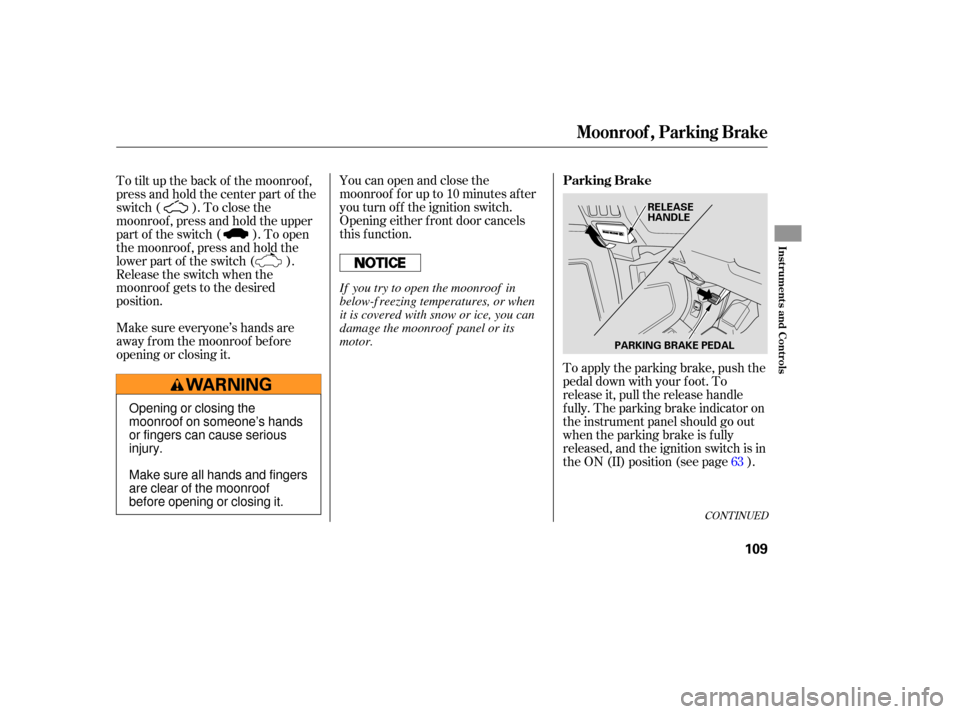
To apply the parking brake, push the
pedal down with your foot. To
release it, pull the release handle
fully. The parking brake indicator on
the instrument panel should go out
when the parking brake is fully
released, and the ignition switch is in
the ON (II) position (see page ).
To tilt up the back of the moonroof ,
press and hold the center part of the
switch ( ). To close the
moonroof , press and hold the upper
part of the switch ( ). To open
the moonroof , press and hold the
lower part of the switch ( ).
Release the switch when the
moonroof gets to the desired
position.
Make sure everyone’s hands are
away f rom the moonroof bef ore
opening or closing it.
63
CONT INUED
Parking Brake
Moonroof , Parking Brake
Inst rument s and Cont rols
109
PARKING BRAKE PEDALRELEASE
HANDLE
Opening or closing the
moonroof on someone’s hands
or fingers can cause serious
injury.
Make sure all hands and fingers
are clear of the moonroof
before opening or closing it. If you try to open the moonroof in
below-f reezing temperatures, or when
it is covered with snow or ice, you can
damage the moonroof panel or its
motor.
Page 115 of 331
Turn the ignition switch to the ON
(II) position.When you f inish, move the
selector switch to the center (off)
position. This turns the
adjustment switch of f to keep your
settings.
The outside mirrors are heated to
remove fog and frost. With the
ignition switch in the ON (II)
position, turn on the heaters by
pressing the button. The indicator in
the button comes on as a reminder.
Press the button again to turn the
heaters off.
Push the appropriate edge of the
adjustment switch to move the
mirrorright,left,up,ordown. Move the selector switch to L
(driver’s side) or R (passenger’s
side).
1.
2.
3. 4.If equipped
Adjusting the Power Mirrors Heated Mirrors
Mirrors
Inst rument s and Cont rols
111
HEATED MIRROR BUTTON
SELECTOR SWITCH
ADJUSTMENT SWITCH
Page 120 of 331
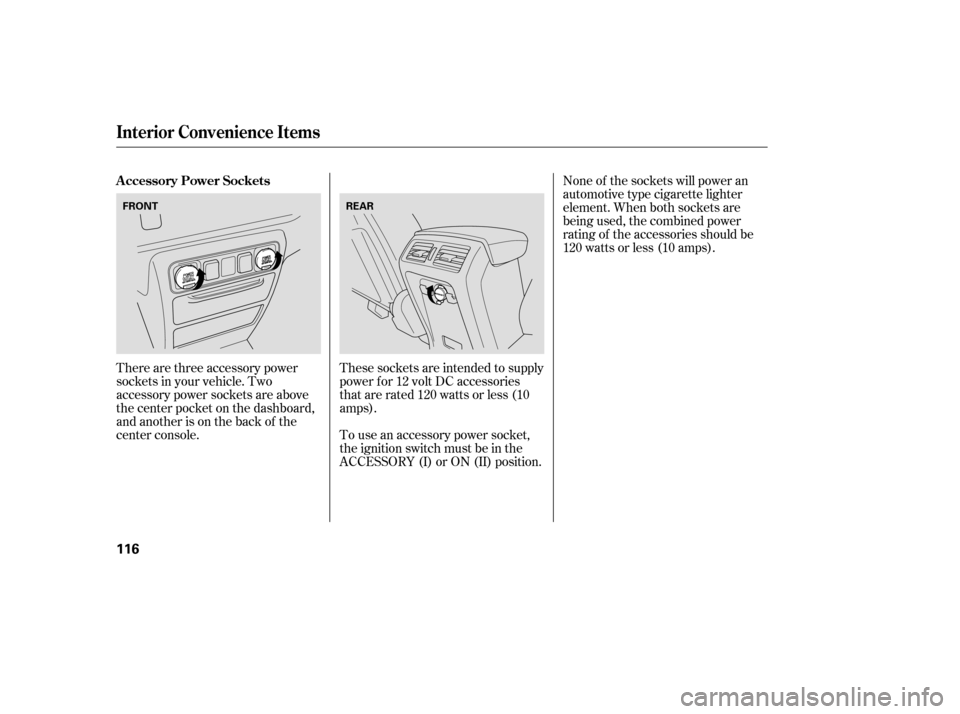
There are three accessory power
sockets in your vehicle. Two
accessory power sockets are above
the center pocket on the dashboard,
and another is on the back of the
center console.These sockets are intended to supply
power f or 12 volt DC accessories
that are rated 120 watts or less (10
amps).
To use an accessory power socket,
the ignition switch must be in the
ACCESSORY (I) or ON (II) position.None of the sockets will power an
automotive type cigarette lighter
element. When both sockets are
being used, the combined power
rating of the accessories should be
120 watts or less (10 amps).
A ccessory Power Sockets
Interior Convenience Items
116
FRONT
REAR