Page 80 of 319
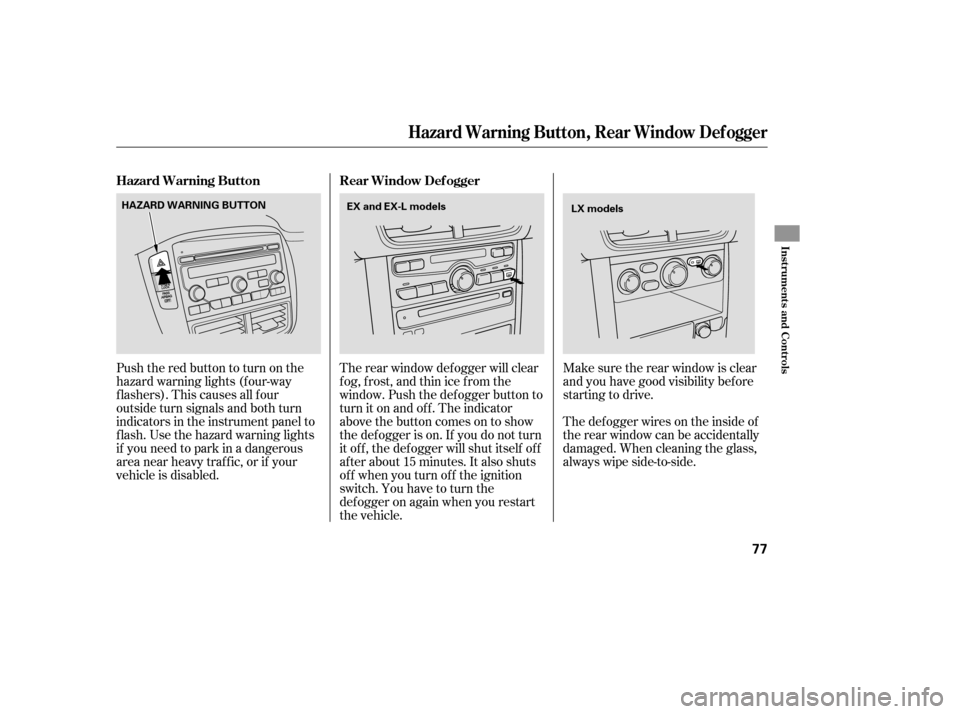
The rear window def ogger will clear
fog, frost, and thin ice from the
window. Push the def ogger button to
turn it on and off. The indicator
above the button comes on to show
the def ogger is on. If you do not turn
it of f , the def ogger will shut itself of f
af ter about 15 minutes. It also shuts
of f when you turn of f the ignition
switch. You have to turn the
def ogger on again when you restart
the vehicle.The def ogger wires on the inside of
the rear window can be accidentally
damaged. When cleaning the glass,
always wipe side-to-side. Make sure the rear window is clear
and you have good visibility bef ore
starting to drive.
Pushtheredbuttontoturnonthe
hazard warning lights (f our-way
flashers). This causes all four
outside turn signals and both turn
indicators in the instrument panel to
f lash. Use the hazard warning lights
if you need to park in a dangerous
area near heavy traffic, or if your
vehicle is disabled. Hazard Warning Button Rear Window Def ogger
Hazard Warning Button, Rear Window Def ogger
Inst rument s and Cont rols
77
HAZARD WARNING BUTTON
EX and EX-L models
LX models
Page 86 of 319
�µ
�µ
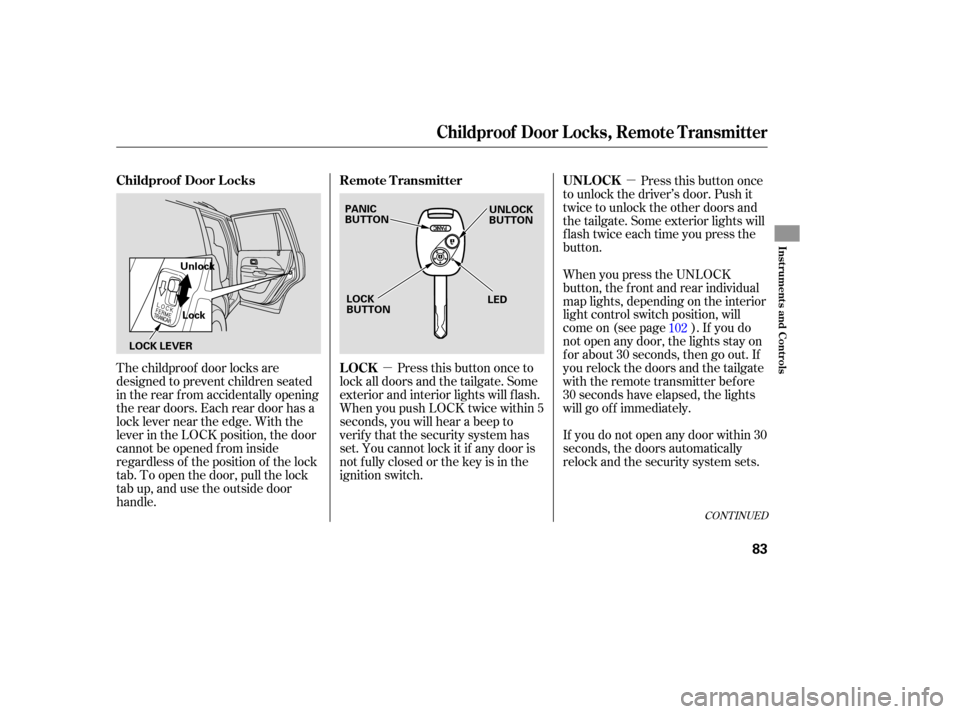
The childproof door locks are
designed to prevent children seated
in the rear from accidentally opening
the rear doors. Each rear door has a
lock lever near the edge. With the
lever in the LOCK position, the door
cannot be opened from inside
regardless of the position of the lock
tab. To open the door, pull the lock
tab up, and use the outside door
handle. Pressthisbuttononce
to unlock the driver’s door. Push it
twice to unlock the other doors and
the tailgate. Some exterior lights will
flash twice each time you press the
button.
Press this button once to
lock all doors and the tailgate. Some
exterior and interior lights will flash.
When you push LOCK twice within 5
seconds, you will hear a beep to
verify that the security system has
set. You cannot lock it if any door is
not fully closed or the key is in the
ignition switch. When
you press the UNLOCK
button, the f ront and rear individual
map lights, depending on the interior
light control switch position, will
come on (see page ). If you do
not open any door, the lights stay on
f or about 30 seconds, then go out. If
you relock the doors and the tailgate
with the remote transmitter before
30 seconds have elapsed, the lights
will go of f immediately.
If you do not open any door within 30
seconds, the doors automatically
relock and the security system sets. 102
CONT INUED
Childproof Door L ocks
UNL OCK
LOCK Remote Transmitter
Childproof Door L ocks, Remot e T ransmit t er
Inst rument s and Cont rols
83
PANIC
BUTTON LOCK
BUTTON UNLOCK
BUTTON
LED
LOCK LEVER Unlock
Lock
Page 87 of 319
�µTo replace the battery:Remove the screw at the base of
the transmitter with a small
Phillips-head screwdriver.
Separate the transmitter by prying
its middle seam with your
f ingernail.
Battery type: CR1616 If it takes several pushes on the
button to lock or unlock the doors,
replace the battery as soon as
possible.
Pressthisbuttonfor
about 1 second to attract attention;
thehornwillsoundandtheexterior
lights will f lash f or about 30 seconds.
To cancel panic mode, press any
other button on the remote
transmitter, or turn the ignition
switch to the ON (II) position.
Avoid dropping or throwing the
transmitter.
If you lose a transmitter, the
replacement needs to be
reprogrammed by your dealer. Do not immerse the transmitter in
any liquid. Protect the transmitter from
extreme temperature. 1.
2.Replacing the Transmitter Battery
Remote Transmitter CarePA NIC
Remote Transmitter
84
SCREW
Page 95 of 319
Keeptheinsideandoutsidemirrors
clean and adjusted for best visibility.
Be sure to adjust the mirrors before
you start driving.
The inside mirror has day and night
positions. The night position reduces
glare from headlights behind you.
Flip the tab on the bottom edge of
the mirror to select the day or night
position. Therearviewmirrorhasacompass
function
to indicate the vehicle’s
direction.
Refer to on page . 177
If equippedMirrors
Compass
Mirrors
92
TAB
Page 102 of 319
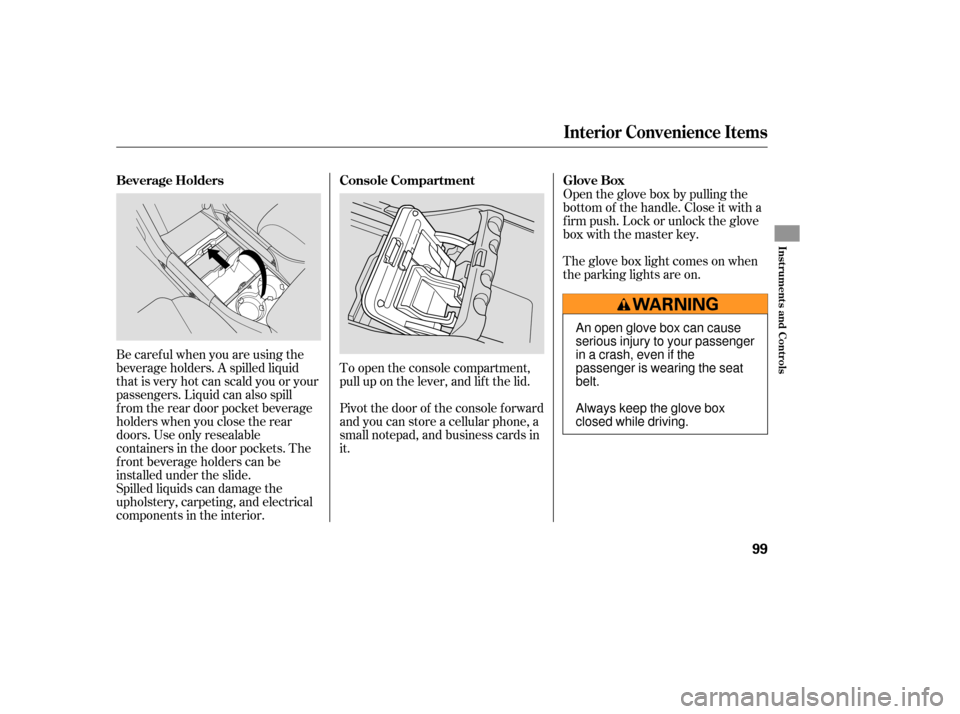
Be caref ul when you are using the
beverage holders. A spilled liquid
that is very hot can scald you or your
passengers. Liquid can also spill
f rom the rear door pocket beverage
holders when you close the rear
doors. Use only resealable
containers in the door pockets. The
f ront beverage holders can be
installed under the slide.
Spilled liquids can damage the
upholstery, carpeting, and electrical
components in the interior.Open the glove box by pulling the
bottom of the handle. Close it with a
f irm push. Lock or unlock the glove
box with the master key.
To open the console compartment,
pull up on the lever, and lif t the lid.
Pivot the door of the console f orward
and you can store a cellular phone, a
small notepad, and business cards in
it. The glove box light comes on when
the parking lights are on.
Interior Convenience Items
Beverage Holders
Console Compartment Glove Box
Inst rument s and Cont rols
99
An open glove box can cause
serious injury to your passenger
inacrash,evenifthe
passenger is wearing the seat
belt.
Always keep the glove box
closed while driving.
Page 105 of 319

Always run the engine when you use
the AC Power Outlet.The maximum capacity f or this
power outlet is 115 volt AC at 100
watts or less. If you use an appliance
which requires more than 100 watts,
it automatically stops supplying the
power. If this happens, turn the
ignition switch of f and turn it on
again.
The AC power outlet is not
designed f or electric appliances
which require high initial peak
wattage such as cathode-ray tube
type televisions, ref rigerators,
electric pumps, etc. It is also not
suitable f or devices that process
precise data such as medical
equipment or measuring instruments.
Any appliances that require an
extremely stable power supply such
as microcomputer-controlled electric
blankets, touch sensor lamps, etc.,
should not be connected to this
outlet. ON
All the individual map lights come
onandstayonaslongasthe
switch remains in the ON position.
The individual map lights in the
f ront can be turned on and of f with
the switches next to the lights. None of the lights come on when a
door or the tailgate is opened.
There is a 115 volt AC power outlet
in the console compartment. To use
the AC power outlet, open the
console compartment lid and open
the outlet cover. Insert the plug into
the receptacle slightly, turn it 90°
clockwise, then push in the plug all
the way.
When this switch is in the position:
If equipped
When the switch is in the OFF position:
Interior Convenience Items, Interior L ights
AC Power OutletLight Control Switch
102
NOTE:
DOOR
ACTIVATED
POSITIONOFF
ON
Page 106 of 319
The individual map lights in the
second and third rows cannot be
turned on.
Door
Activated
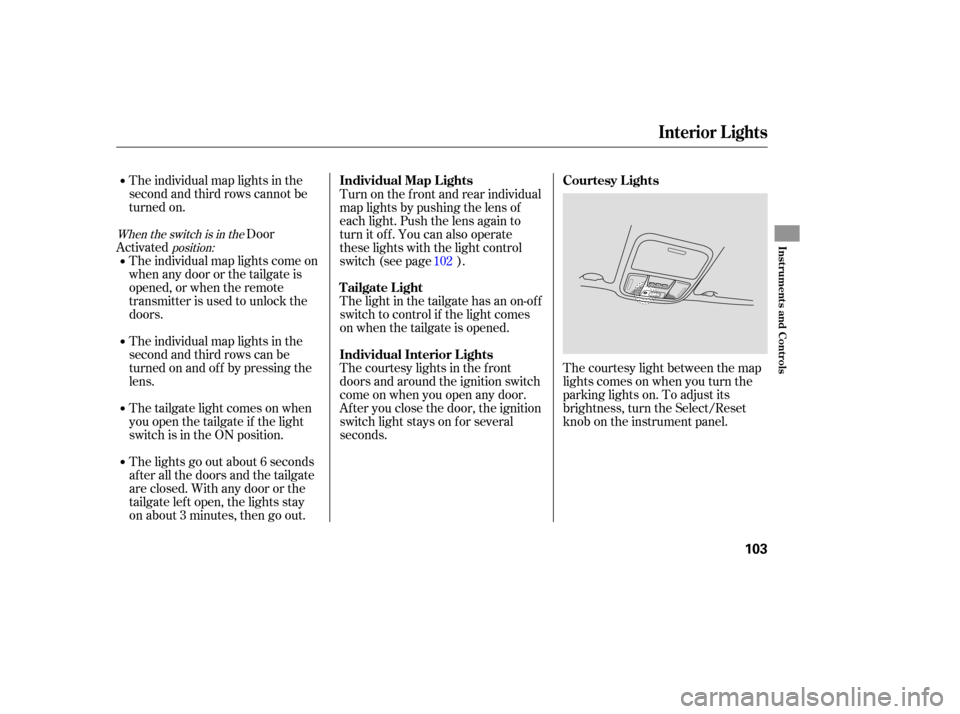
The courtesy light between the map
lights comes on when you turn the
parking lights on. To adjust its
brightness, turn the Select/Reset
knob on the instrument panel.
The
individual map lights come on
whenanydoororthetailgateis
opened, or when the remote
transmitter is used to unlock the
doors.
The individual map lights in the
second and third rows can be
tu rn ed on and off by pressing the
lens.
The tailgate light comes on when
you open the tailgate if the light
switch is in the ON position.
The lights go out about 6 seconds
after all the doors and the tailgate
are closed. With any door or the
tailgate left open, the lights stay
on about 3 minutes, then go out. The
light in the tailgate has an on-o ff
switch to control if the light comes
on when the tailgate is opened.
The courtesy lights in the front
doors and around the ignition switch
come on when you open any door.
After you close the door, the ignition
switch light stays on for several
seconds. Turn on the front and rear individual
map lights by pushing the lens of
each light. Push the lens again to
turn it off. You can also operate
these lights with the light control
switch (see page ). 102
When the switch is in the
position:
Interior Lights
Courtesy Lights
Individual Map L ights
Tailgate Light
Individual Interior L ights
Inst rument s and Cont rols
103
Page 122 of 319

�µ�µ�µ
If
you are
traveling far from home and can no
longer receive your preset stations,
you can use the auto select feature to
find stations in the local area. Use
the TRE/BAS
modes to adjust the tone to your
liking.
You can use the instrument panel
brightness control knob to adjust the
illumination of the audio system (see
page ). The audio system
illuminates when the parking lights
are on, even if the system is turned
of f .
These two
modes adjust the strength of the
sound coming f rom each speaker.
BAL adjusts the side-to-side strength,
while FAD adjusts the f ront-to-back
strength. ,pressthe
A. SEL (auto select) button. This
restores the presets you originally
set.
Press the A. SEL button. ‘‘A. SEL’’
f lashes in the display, and the system
goes into scan mode f or several
seconds. It stores the f requencies of
six AM and twelve FM stations in
the preset buttons.
You will see a ‘‘0’’ displayed af ter
pressing a preset button if auto
select cannot f ind a strong station f or
every preset button.
If you do not like the stations auto
select has stored, you can store
other f requencies on the preset
buttons as previously described. Press the MODE or SOUND knob
repeatedly to display the Bass (BAS),
Treble (TRE), Fader (FAD), and
Balance (BAL) settings.
Eachmodeisshowninthedisplayas
it changes. Turn the TUNE/SOUND
knob to adjust the setting to your
liking. When the level reaches the
center, you will see ‘‘C’’ in the display.
The system will automatically return
the display to the selected audio
mode about 5 seconds af ter you stop
adjusting a mode.
76To turn of f auto selectAUTO SELECT
A udio System L ighting Treble/Bass
Balance/Fader Adjusting the Sound
Playing the Radio
Features
119