Page 67 of 304

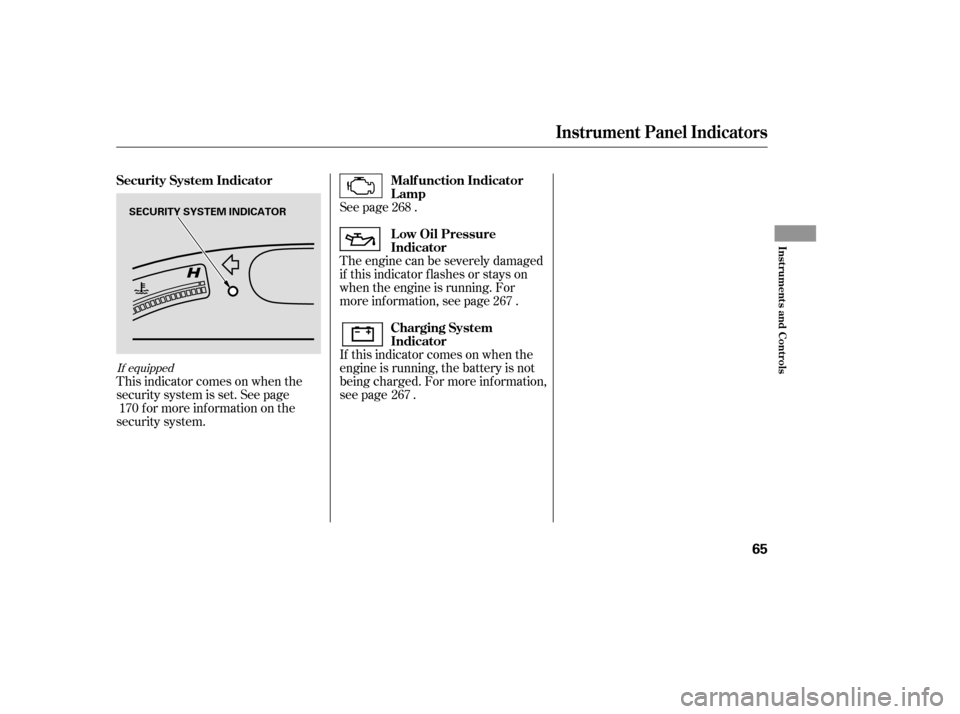
This indicator comes on when you
set the cruise control. See pagef or inf ormation on operating the
cruise control.
This indicator comes on when the
washer f luid level is low. Add washer
f luid when you see this indicator
come on (see page ).
This indicator comes on when you
turn on the cruise control system by
pressing the CRUISE button (see
page ).
This indicator is located in the f uel
gauge. It comes on as a reminder
that you must ref uel soon.
When the indicator comes on, there
is about 1.9 US gal (7.5
)of fuel
remaining in the tank bef ore the
reading reaches E. There is a small
reserve of f uel remaining in the tank
when the reading does reach E. This indicator reminds you that it is
time to take your vehicle in for
scheduled maintenance. The
maintenance main items and sub
items will be displayed in the
inf ormation display. See page f or
more inf ormation on the
maintenance minder.
This indicator goes of f when your
dealer resets it after completing the
required maintenance service.
231
171
171 213Canadian models only
If equipped
If equipped
Cruise Main Indicator
Cruise Control Indicator
Washer Level Indicator L ow Fuel Indicator Maintenance Minder
Indicator
Instrument Panel Indicators
64
LOW FUEL INDICATOR
�����—�����—�����y���������������y���
�(�#�����
���y���������y
Page 68 of 304
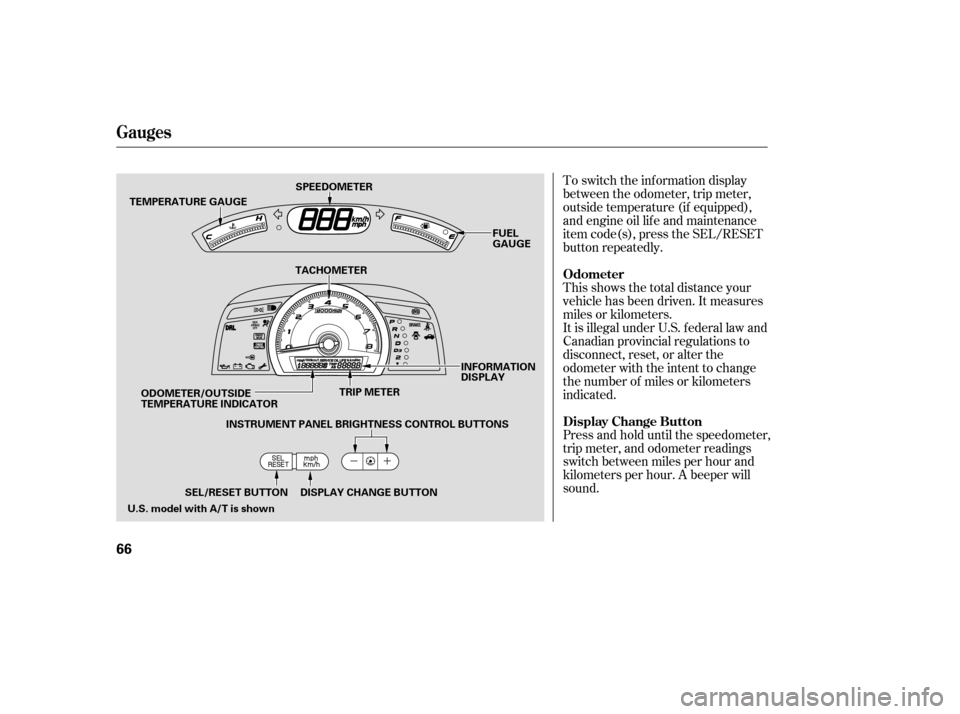
This indicator comes on when the
security system is set. See pagef or more inf ormation on the
security system. The engine can be severely damaged
if this indicator f lashes or stays on
when the engine is running. For
more inf ormation, see page .
If this indicator comes on when the
engine is running, the battery is not
being charged. For more inf ormation,
see page .
See page .
268
267
267
170
If equipped
Security System Indicator Malf unction Indicator Lamp
L ow Oil Pressure
Indicator
Charging System
Indicator
Instrument Panel Indicators
Inst rument s and Cont rols
65
SECURITY SYSTEM INDICATOR
�����—�����—�����y���������������y���
�(�#�����
���y���������y
Page 69 of 304
To switch the information display
between the odometer, trip meter,
outside temperature (if equipped),
and engine oil lif e and maintenance
item code(s), press the SEL/RESET
button repeatedly.
Press and hold until the speedometer,
trip meter, and odometer readings
switch between miles per hour and
kilometers per hour. A beeper willsound.
This shows the total distance your
vehicle has been driven. It measures
miles or kilometers.
It is illegal under U.S. f ederal law and
Canadian provincial regulations to
disconnect, reset, or alter the
odometer with the intent to change
the number of miles or kilometers
indicated.
Odometer
Display Change Button
Gauges
66
TEMPERATURE GAUGE
TRIP METER
SPEEDOMETER
FUEL
GAUGE
SEL/RESET BUTTON DISPLAY CHANGE BUTTON INFORMATION
DISPLAY
TACHOMETER
ODOMETER/OUTSIDE
TEMPERATURE INDICATOR INSTRUMENT PANEL BRIGHTNESS CONTROL BUTTONS
U.S. model with A/T is shown
�����—�����—�����y�����������
���y���
�(�#�����
���y�������
�y
Page 72 of 304
The inf ormation display in the
instrument panel shows you the
engine oil lif e and maintenance
service items when the ignition
switch is in the ON (II) position. This
inf ormation helps to keep you aware
of the periodic maintenance your
vehicle needs f or continued trouble-
f ree driving. Ref er to page f or
more inf ormation.
If the system still detects a leak in
your vehicle’s evaporative emissions
system, the malf unction indicator
lamp (MIL) comes on. If the f uel f ill
cap was not already tightened, turn
the engine of f , and check or
retighten the f uel f ill cap until it
clicks at least once. The MIL should
go off after several days of normal
driving once the cap is tightened or
replaced. If the MIL does not go of f ,
have your vehicle inspected by a
dealer. For more inf ormation, see
page .
213
268 Maintenance Minder
Gauges
Inst rument s and Cont rols
69
�����—�����—�����y���������������y���
�(�#�����
���y���������y
Page 73 of 304
�Î�Î
�Î
�Î
�Î �ÎTo use the horn, press the pad around the ‘‘H’’ logo.
:
1 : If equipped
Controls Near the Steering Wheel
70
HEADLIGHTS/
TURN SIGNALS
HAZARD WARNING
BUTTON
PASSENGER AIRBAG
OFF INDICATOR
SEL/RESET BUTTON
HORN
HOOD RELEASE HANDLE WINDSHIELD
WIPERS/WASHERS
CRUISE CONTROL
BUTTONS
STEERING WHEEL
ADJUSTMENT
REMOTE AUDIO CONTROLS INSTRUMENT PANEL BRIGHTNESS
DISPLAY CHANGE BUTTON
REAR WINDOW
DEFOGGER
HEATED MIRRORS
Vehicle with navigation system is shown. VEHICLE STABILITY ASSIST
(VSA) SYSTEM OFF SWITCH
(P. 73)
(P. 66)
(P. 66)
(P. 166)
(P. 178)
(P. 75)(P. 171)(P. 100)
(P. 74)
(P. 74)
(P. 30)
(P. 72)
(P. 71)
(P. 203)
1
1
1
�����—�����—�����y���������������y���
�(�#�����
���y���������y
Page 75 of 304
�µ�µ �µ
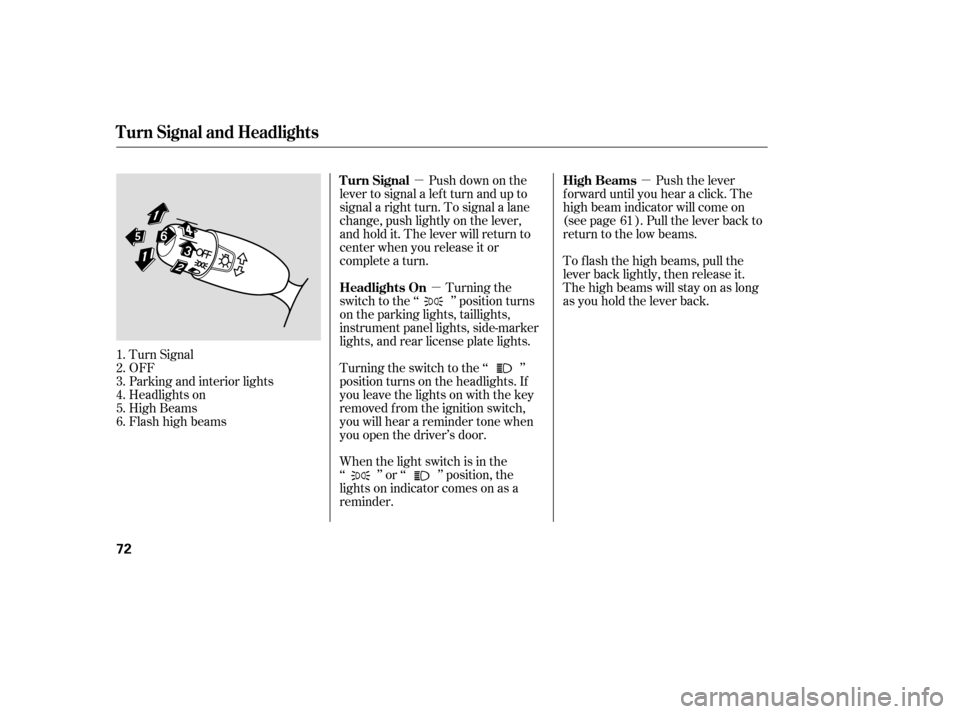
Push down on the
lever to signal a lef t turn and up to
signal a right turn. To signal a lane
change, push lightly on the lever,
and hold it. The lever will return to
center when you release it or
complete a turn.
Turn Signal
OFF
Parking and interior lights
Headlights on
High Beams
Flashhighbeams When the light switch is in the
‘‘ ’’ or ‘‘ ’’ position, the
lights on indicator comes on as a
reminder.Turning the
switch to the ‘‘ ’’ position turns
on the parking lights, taillights,
instrument panel lights, side-marker
lights, and rear license plate lights.
Turning the switch to the ‘‘ ’’
position turns on the headlights. If
you leave the lights on with the key
removed f rom the ignition switch,
you will hear a reminder tone when
you open the driver’s door. Push the lever
f orward until you hear a click. The
high beam indicator will come on
(see page ). Pull the lever back to
return to the low beams.
To f lash the high beams, pull the
lever back lightly, then release it.
The high beams will stay on as long
as you hold the lever back.
1.2.3.4.5.6. 61
Turn Signal
Headlights On High Beams
Turn Signal and Headlights
72
�����—�����—�����y���������������y���
�(�#�����
���y���������y
Page 76 of 304
�´�µ
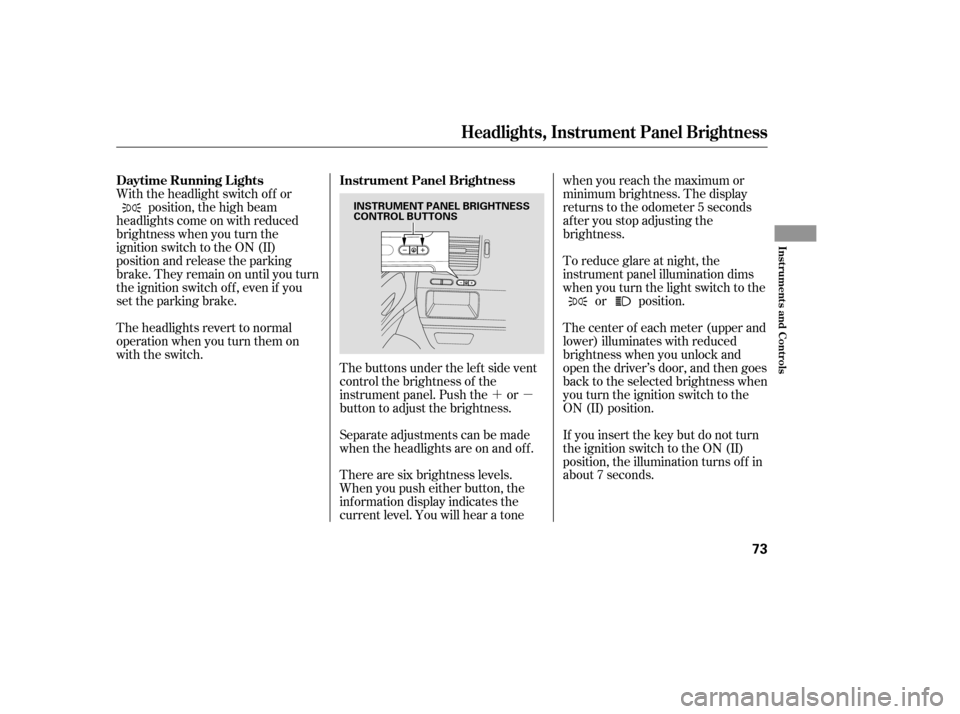
The buttons under the lef t side vent
control the brightness of the
instrument panel. Push the or
button to adjust the brightness.
Separate adjustments can be made
when the headlights are on and of f .
With the headlight switch of f or
position, the high beam
headlights come on with reduced
brightness when you turn the
ignition switch to the ON (II)
position and release the parking
brake. They remain on until you turn
the ignition switch of f , even if you
set the parking brake.
The headlights revert to normal
operation when you turn them on
with the switch.
There are six brightness levels.
When you push either button, the
inf ormation display indicates the
current level. You will hear a tonewhen you reach the maximum or
minimum brightness. The display
returns to the odometer 5 seconds
af ter you stop adjusting the
brightness.
To reduce glare at night, the
instrument panel illumination dims
when you turn the light switch to the
or position.
The center of each meter (upper and
lower) illuminates with reduced
brightness when you unlock and
open the driver’s door, and then goes
back to the selected brightness when
you turn the ignition switch to the
ON (II) position.
If you insert the key but do not turn
the ignition switch to the ON (II)
position, the illumination turns of f in
about 7 seconds.
Daytime Running L ights Instrument Panel Brightness
Headlights, Instrument Panel Brightness
Inst rument s and Cont rols
73
INSTRUMENT PANEL BRIGHTNESS
CONTROL BUTTONS
�����—�����—�����y�����������
�
�y���
�(�#�����
���y���������y
Page 77 of 304
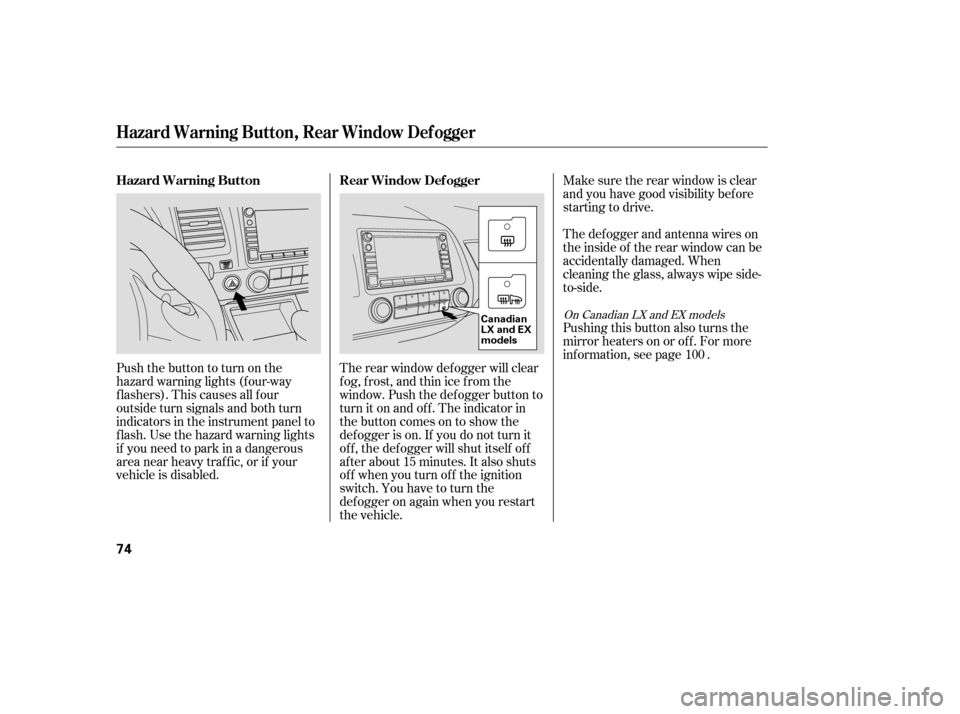
Make sure the rear window is clear
and you have good visibility bef ore
starting to drive.
The def ogger and antenna wires on
the inside of the rear window can be
accidentally damaged. When
cleaning the glass, always wipe side-
to-side.
Pushing this button also turns the
mirror heaters on or of f . For more
inf ormation, see page .
The rear window def ogger will clear
fog, frost, and thin ice from the
window. Push the def ogger button to
turn it on and off. The indicator in
the button comes on to show the
def ogger is on. If you do not turn it
of f , the def ogger will shut itself of f
af ter about 15 minutes. It also shuts
of f when you turn of f the ignition
switch. You have to turn the
def ogger on again when you restart
the vehicle.
Pushthebuttontoturnonthe
hazard warning lights (f our-way
flashers). This causes all four
outside turn signals and both turn
indicators in the instrument panel to
f lash. Use the hazard warning lights
if you need to park in a dangerous
area near heavy traffic, or if your
vehicle is disabled.
100
On Canadian LX and EX models
Hazard Warning Button, Rear Window Def ogger
Rear Window Def ogger
Hazard Warning Button
74
Canadian
LX and EX
models
�����—�����—�����y�����������
���y���
�(�#�����
���y���������y