Page 81 of 304
�µ
�µ
�µ
�µ If the f ront wheels are turned, the
anti-thef t lock may make it dif f icult
to turn the key. Firmly turn the
steering wheel to the lef t or right as
you turn the key.
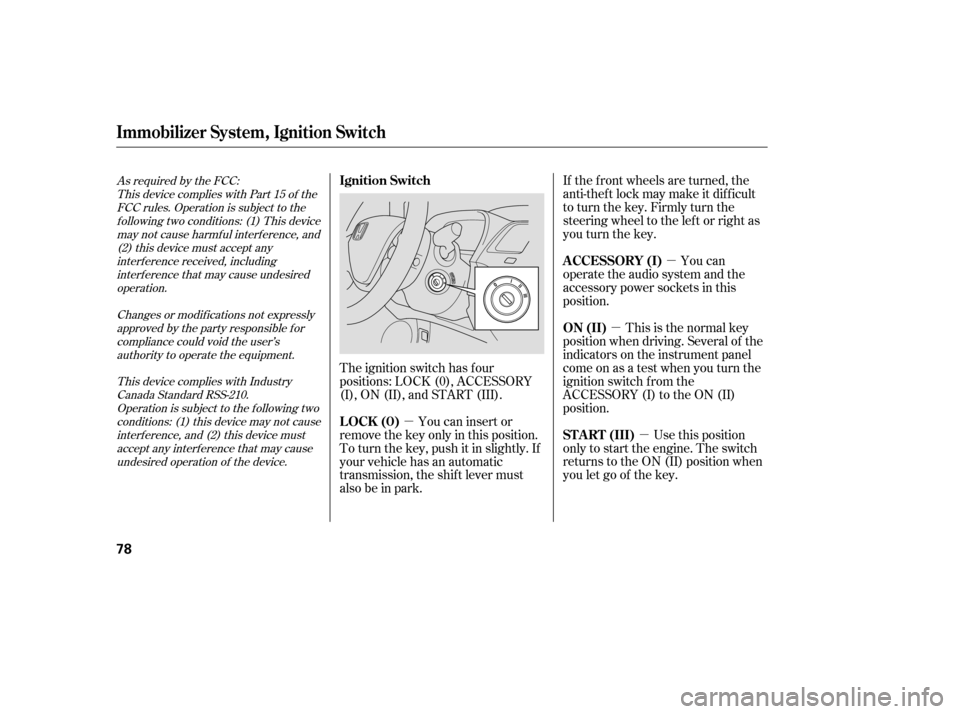
You can
operate the audio system and the
accessory power sockets in this
position.
This is the normal key
position when driving. Several of the
indicators on the instrument panel
come on as a test when you turn the
ignition switch f rom the
ACCESSORY (I) to the ON (II)
position.
Use this position
only to start the engine. The switch
returns to the ON (II) position when
you let go of the key.
You can insert or
remove the key only in this position.
To turn the key, push it in slightly. If
your vehicle has an automatic
transmission, the shif t lever must
also be in park.
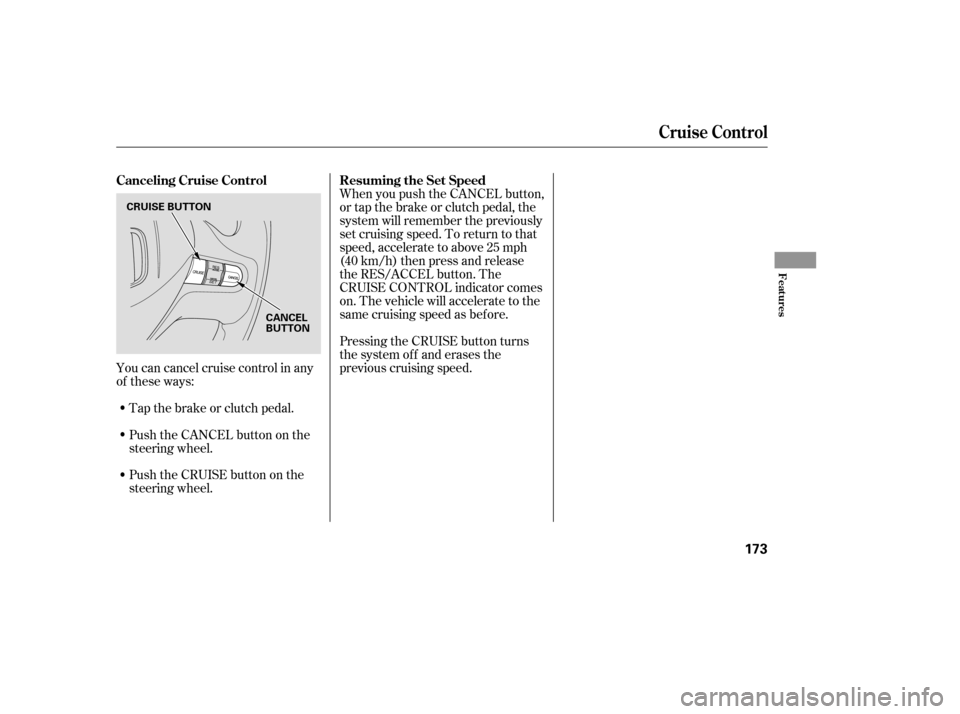
The ignition switch has f our
positions: LOCK (0), ACCESSORY
(I), ON (II), and START (III).
As required by the FCC:
This device complies with Part 15 of theFCC rules. Operation is subject to thef ollowing two conditions: (1) This device
may not cause harmf ul interf erence, and(2) this device must accept any
interf erence received, includinginterf erence that may cause undesired
operation.
Changes or modif ications not expresslyapproved by the party responsible f or
compliance could void the user’s authority to operate the equipment.
This device complies with IndustryCanada Standard RSS-210. Operation is subject to the f ollowing two
conditions: (1) this device may not causeinterf erence, and (2) this device must
accept any interf erence that may cause undesired operation of the device.
Immobilizer Syst em, Ignition Switch
A CCESSORY (I)
ON (II)
ST A RT (III)
Ignition Switch
LOCK (0)
78
�����—�����—�����y�������������
�y���
�(�#�����
���y���������y
Page 111 of 304

To remove f og f rom the inside of the
windows:Set the f an to the desired speed, or
high f or f aster def rosting.
Select . When you select , the system automatically
switches to f resh air mode and
turns on the A/C (if equipped).
The A/C indicator will not come
on, if it was previously of f .
Adjust the temperature so the
airf low f eels warm.
Select to help clear the
rear window.
To increase airf low to the
windshield, close the corner vents. Select . When you select
, the system automatically
switches to f resh air mode and
turns on the A/C (if equipped).
The A/C indicator will not come
on, if it was previously of f .
Select .
Set the f an and temperature
controls to maximum level. To clear the windows f aster, you can
close the dashboard corner vents by
rotating the wheel next to each vent.
This sends more warm air to the
windshield def roster vents. Once the
windshield is clear, select f resh air
mode to avoid f ogging the windows.
For your saf ety, make sure you have
a clear view through all the windows
bef ore driving.
Turning the f an speed control dial all
the way to the left shuts the system
of f .
Keep the system of f f or short
periods only.
To keep stale air and mustiness
f rom collecting, you should have
the f an running at all times.
When you switch to , f rom
or , the A/C stays on.
This helps prevent the windows f rom
rapidly f ogging up when the air is
suddenly routed away f rom the
windshield. If you want to turn the
A/C off, press and release the A/C
button twice. The indicator in the
buttoncomesonandthengoesoff.
5. 1. 2. 3.
1. 2. 3. 4.
Vents, Heating, and A/C
T o Def og and Def rost
T o Remove Exterior Frost or Ice
From the WindowsTo Turn Everything Of f
Features
109
�����—�����—�����y�
�������������y���
�(�#�����
���y���
�
���y
Page 168 of 304

�Û�Ý�´ �µ
�´�µ �´
�µ
Three controls f or the audio system
are mounted in the steering wheel
hub. These let you control basic
f unctions without removing your
hand f rom the wheel. The VOL button adjusts the volume
up ( ) or down ( ). Press the top
or bottom of the button, hold it until
the desired volume is reached, then
release it.
The MODE button changes the
mode. Pressing the button
repeatedly selects FM1, FM2, AM,
disc (if a disc is loaded), or a PC card
(if it is loaded). On models with
satellite radio system, you can also
select XM radio.
If you are listening to the radio, use
the CH button to change stations.
Each time you press and release the
top ( ) of the button, the system
goes to the next preset station on the
band you are listening to. Press and
releasethebottom( )togobackto
the previous station.
To activate the seek function, press
and hold the top ( ) or bottom ( )
of the CH button until you hear abeep. The system searches up or
down f rom the current f requency to
find a station with a strong signal.
If youareplayingadisc,thesystem
skips to the beginning of the next
track (f ile in MP3 or WMA f ormat)
each time you press the top ( ) of
the CH button. Press the bottom
( ) to return to the beginning of the
current track or f ile. Press it twice to
return to the previous track or f ile.
You will see the track/f ile number
and the elapsed time. If the disc has
text data or is compressed in MP3 or
WMA, you can also see any other
inf ormation (track title, f ile name,
f older name, etc.).
If equipped
Remote Audio Controls
166
CH BUTTON MODE BUTTON
VOL BUTTON
�����—�����—�����y�
����
��������y���
�(�#�����
���y���
���
�y
Page 173 of 304
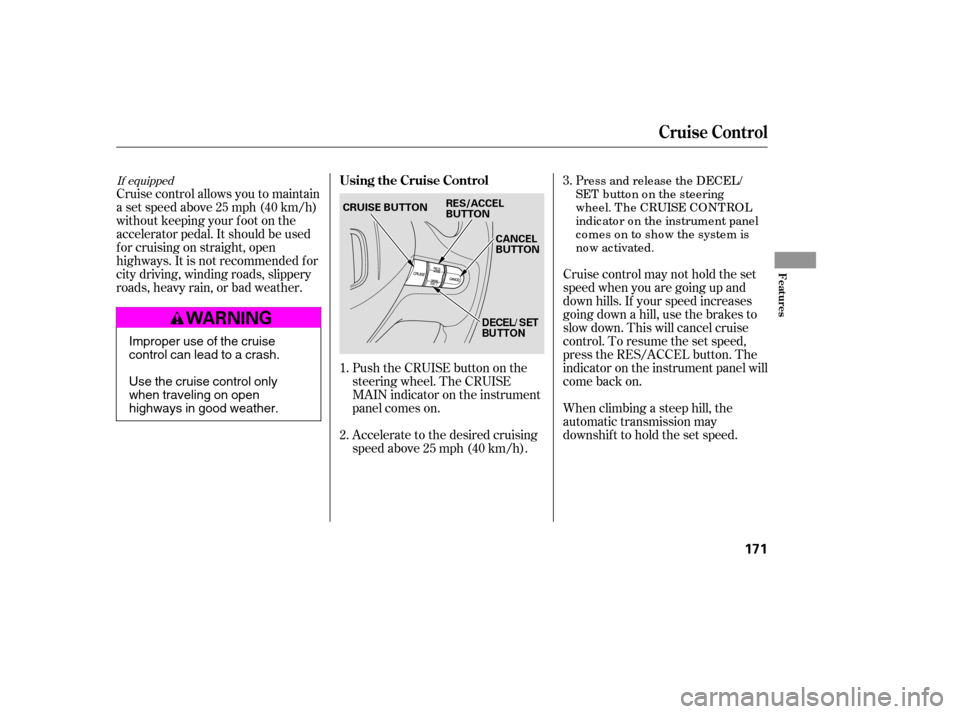
Push the CRUISE button on the
steering wheel. The CRUISE
MAIN indicator on the instrument
panel comes on.
Accelerate to the desired cruising
speedabove25mph(40km/h).
Cruise control allows you to maintain
asetspeedabove25mph(40km/h)
without keeping your f oot on the
accelerator pedal. It should be used
f or cruising on straight, open
highways. It is not recommended f or
city driving, winding roads, slippery
roads, heavy rain, or bad weather.
Cruise control may not hold the set
speed when you are going up and
down hills. If your speed increases
going down a hill, use the brakes to
slow down. This will cancel cruise
control. To resume the set speed,
press the RES/ACCEL button. The
indicator on the instrument panel will
come back on.
When climbing a steep hill, the
automatic transmission may
downshifttoholdthesetspeed.P
ress and release the DECEL/
SET buttononthesteering
wheel. T he CRUISE CONT ROL
indic ato r o n the instrument panel
c o mes o n to sho w the system is
now ac tivated.
1. 2. 3.
If equipped
Cruise Control
Using the Cruise Control
Features
171
CANCEL
BUTTON
CRUISE BUTTON
RES/ACCEL
BUTTON
DECEL/ SET
BU TTON
Improper use of the cruise
control can lead to a crash.
Use the cruise control only
when traveling on open
highways in good weather.
�����—�����—�����y�
����
�
������y���
�(�#�����
���y���
�����y
Page 175 of 304
You can cancel cruise control in any
of these ways:Tap the brake or clutch pedal.
Push the CANCEL button on the
steering wheel. When you push the CANCEL button,
or tap the brake or clutch pedal, the
system will remember the previously
set cruising speed. To return to that
speed, accelerate to above 25 mph
(40 km/h) then press and release
the RES/ACCEL button. The
CRUISE CONTROL indicator comes
on. The vehicle will accelerate to the
same cruising speed as bef ore.
Pressing the CRUISE button turns
the system off and erases the
previous cruising speed.
Push the CRUISE button on the
steering wheel.
Cruise Control
Canceling Cruise Control Resuming the Set Speed
Features
173
CRUISE BUTTON
CANCEL
BUTTON
�����—�����—�����y�
����
�
��
���y���
�(�#�����
���y���
�����y
Page 184 of 304

Larger or smaller wheels and tires
can interf ere with the operation of
your vehicle’s anti-lock brakes and
other systems.
Modif ying your steering wheel or
any other part of your vehicle’s
safety features can make the
systems inef f ective.
If you plan to modif y your vehicle,
consult your dealer.
Removing parts f rom your vehicle,
or replacing components with
non-Honda components could
seriously af f ect your vehicle’s
handling, stability, and reliability.
Some examples are:
Lowering your vehicle with a
non-Honda suspension kit that
signif icantly reduces ground
clearance can allow the
undercarriage to hit speed bumps
or other raised objects, which
could cause the airbags to deploy.
Raising your vehicle with a
non-Honda suspension kit can
af f ect the handling and stability.
Non-Honda wheels, because they
are a universal design, can cause
excessive stress on suspension
components.
Bef ore installing any accessory:
Make sure the accessory does not
obscure any lights, or interf ere
with proper vehicle operation or
perf ormance.
Be sure electronic accessories do
not overload electrical circuits
(see page ) or interf ere with
the proper operation of your
vehicle.
Do not install accessories on the
side pillars or across the rear
windows. In these areas,
accessories may interf ere with
proper operation of the side
curtain airbags.
Bef ore installing any electronic
accessory, have the installer
contact your dealer f or assistance.
If possible, have your dealer
inspect the f inal installation.
270 Modif ying Your Vehicle
A ccessories and Modif icat ions
Bef ore Driving
183
�����—�����—�����y�
����
��������y���
�(�#�����
���y���
�����y
Page 188 of 304
Because of the low-prof ile tires
f itted to your vehicle, the alloy
wheels are closer to the ground.
Driving over a pothole or road
debris at too high a speed can
seriously damage a wheel. Slow
down under these conditions.
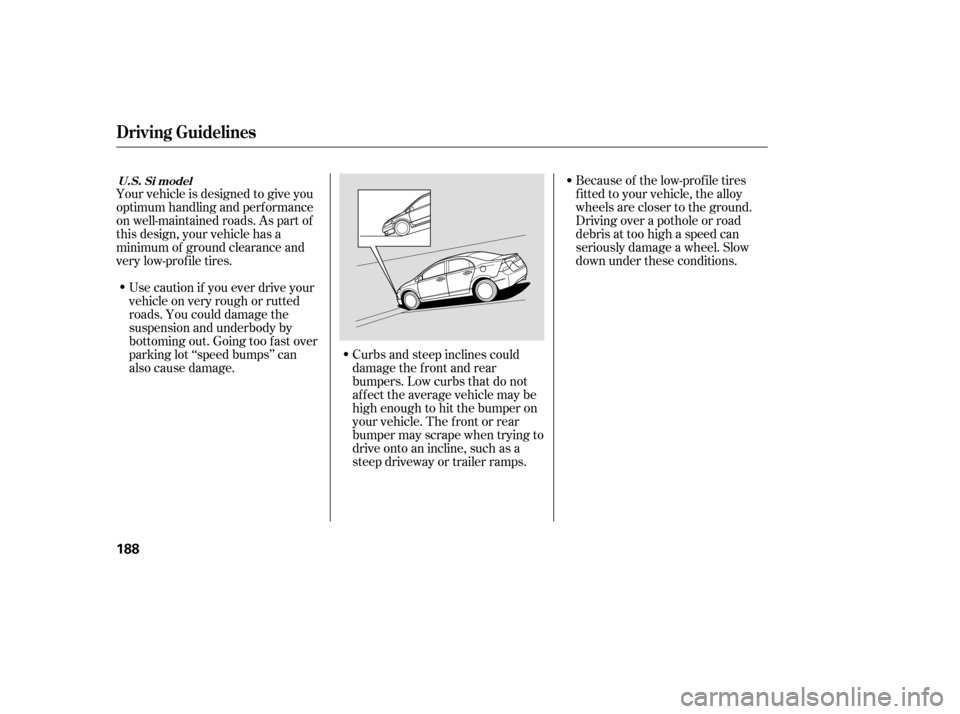
Curbs and steep inclines could
damage the f ront and rear
bumpers. Low curbs that do not
affect the average vehicle may be
high enough to hit the bumper on
your vehicle. The f ront or rear
bumper may scrape when trying to
drive onto an incline, such as a
steep driveway or trailer ramps.
Use caution if you ever drive your
vehicleonveryroughorrutted
roads. You could damage the
suspension and underbody by
bottoming out. Going too f ast over
parking lot ‘‘speed bumps’’ can
also cause damage.
Your vehicle is designed to give you
optimum handling and perf ormance
on well-maintained roads. As part of
this design, your vehicle has a
minimum of ground clearance and
very low-prof ile tires.
Driving Guidelines
U.S. Si model
188
�����—�����—�����y�
����
��������y���
�(�#�����
���y���
�����y
Page 189 of 304
Make sure all windows, mirrors,
and outside lights are clean and
unobstructed. Remove f rost, snow,
or ice.
Check that the hood and trunk are
f ully closed.Check that any items you may be
carrying are stored properly or
f astened down securely.
Check the seat adjustment (see
page ).
Check the adjustment of the
inside and outside mirrors (see
page ).
Check the steering wheel
adjustment (see page ).
Make sure the doors are securely
closed and locked.Fasten your seat belt. Check that
your passengers have f astened
their seat belts (see page ).
Youshoulddothefollowingchecks
and adjustments every day bef ore
you drive your vehicle.
When you start the engine, check
the gauges and indicators in the
instrument panel (see page ).
Visually check the tires. If a tire
looks low, use a gauge to check its
pressure (see page ).
1. 2. 3. 4.
9.
8.
7.
6.
5.
10.
245 91
99 75 14
57
Preparing to Drive
Driving
189
�����—�����—�����y�
����
����
���y���
�(�#�����
���y���
�����y