Page 71 of 304

�¶�¶�µ�µ�µ�µ
�µ�µ �µ
�µ
If equipped
The temperature sensor is in the
f ront bumper. Theref ore, the
temperature reading can be af f ected
by heat ref lection f rom the road
surf ace, engine heat, and the
exhaust f rom surrounding traf f ic.
This can cause an incorrect
temperature reading when your
speed is under 19 mph (30 km/h).
The sensor delays the display update
until it reaches the correct outside
temperature. This may take several
minutes. If the outside temperature is
incorrectly displayed, you can adjust
it up to 5°F ( 3°C) warmer or
cooler.
NOTE: The temperature must be
stabilized bef ore doing this
procedure.
This indicator displays the outside
temperature in Fahrenheit (U.S.
models) or Centigrade (Canadian
models). To see the outside
temperature, press and release the
SEL/RESET button until the
temperature is shown on the
inf ormation display. Select the outside temperature
display, then press the SEL/RESET
button f or 10 seconds. The f ollowing
sequence will appear f or 1 second
each:0,1,2,3,4,5, 5, 4, 3, 2,1,0(U.S.)or0,1,2,3, 3, 2,
1, 0 (Canada).
When it reaches the desired value,
release the SEL/RESET button. You
should see the new outside
temperature displayed.
In certain weather conditions,
temperature readings near f reezing
(32°F, 0°C) could mean that ice is
f orming on the road surf ace. Your vehicle’s on board diagnostic
system will detect a loose or missing
f uel f ill cap as an evaporative system
leak. The f irst time a leak is detected
a ‘‘CHECK FUEL CAP’’ message
appears on the information display.
Turn the engine of f , and conf irm the
f uel f ill cap is installed. If it is, loosen
it, then retighten it until it clicks at
least once. The message should go
off after several days of normal
driving once you tighten or replace
the f uel f ill cap. To scroll to another
display, press the SEL/RESET
button. The ‘‘CHECK FUEL CAP’’
message will appear each time you
restart the engine until the system
turns the message of f .
Outside Temperature Indicator
Check Fuel Cap Message
Gauges
68
�����—�����—�����y���������������y���
�(�#�����
���y���������y
Page 74 of 304
�µ
�µ
�µ �µ
�µ
�µ
�µ �µ
�µ
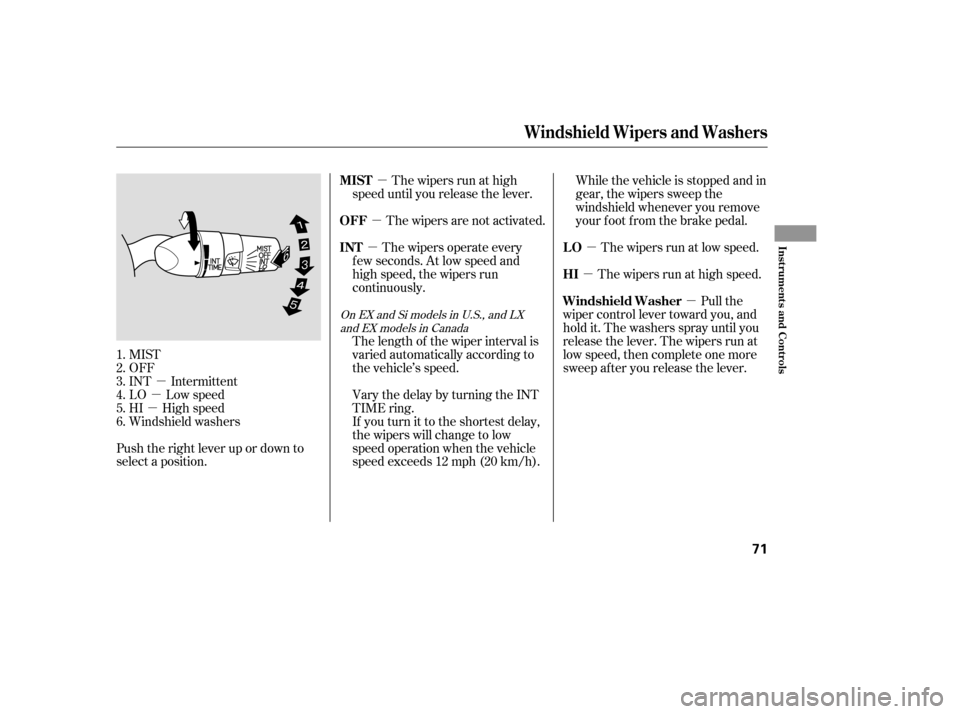
MIST
OFF
INT Intermittent
LO Low speed
HI High speed
Windshield washers
Push the right lever up or down to
select a position. The wipers are not activated.
The wipers run at high
speed until you release the lever. While the vehicle is stopped and in
gear, the wipers sweep the
windshield whenever you remove
your f oot f rom the brake pedal.
The wipers run at low speed.
The wipers run at high speed.
Pull the
wiper control lever toward you, and
hold it. The washers spray until you
release the lever. The wipers run at
low speed, then complete one more
sweep after you release the lever.
If youturnittotheshortestdelay,
the wipers will change to low
speed operation when the vehicle
speed exceeds 12 mph (20 km/h).
Vary the delay by turning the INT
TIME ring.
The length of the wiper interval is
varied automatically according to
the vehicle’s speed. The wipers operate every
f ew seconds. At low speed and
high speed, the wipers run
continuously.
1.2.3.4.5.6.
OnEXandSimodelsinU.S.,andLX and EX models in Canada
OFF
MIST
LO HI
Windshield Washer
INT
Windshield Wipers and Washers
Inst rument s and Cont rols
71
�����—�����—�����y���������������y���
�(�#�����
���y���������y
Page 80 of 304

CONT INUED
The system may not recognize your
key’s coding if another immobilizer
key or other metal object (i.e. key
f ob) is near the ignition switch when
you insert the key.
If the system repeatedly does not
recognize the coding of your key,
contact your dealer.
Do not attempt to alter this system
or add other devices to it. Electrical
problems could result that may make
your vehicle undrivable.
If you have lost your key and cannot
start your engine, contact your
dealer.
These keys contain electronic
circuits that are activated by the
immobilizer system. They will not
work to start the engine if the
circuits are damaged.
Protect the keys f rom direct
sunlight, high temperature, and
high humidity.
Donotdropthekeysorsetheavy
objects on them.
Keep the keys away f rom liquids.
If they get wet, dry them
immediately with a sof t cloth.
The keys do not contain batteries.
Do not try to take them apart. When you turn the ignition switch to
the ON (II) position, the immobilizer
system indicator should come on
brief ly, then go of f . If the indicator
starts to blink, it means the system
does not recognize the coding of the
key. Turn the ignition switch to the
LOCK (0) position, remove the key,
reinsert it, and turn the ignition
switch to the ON (II) position again.
The immobilizer system protects
your vehicle f rom thef t. If an
improperly-coded key (or other
device) is used, the engine’s f uel
system is disabled.
On DX model
Keys and Locks, Immobilizer System
Immobilizer System
Inst rument s and Cont rols
77
�����—�����—�����y���������������y���
�(�#�����
���y���������y
Page 85 of 304
Automatic transmission:
Push and hold the brake pedal,
then move the shift lever out of
Park (P).
Pushandholdthelocksideof the
master door lock switch on the
driver’s door. You will hear a
clicking sound, and af ter about 5
seconds, you will hear another
clicking sound.
Release the switch, move the shif t
lever to Park (P) (automatic
transmission), and turn the
ignition switch to the
ACCESSORY (I) position within 5
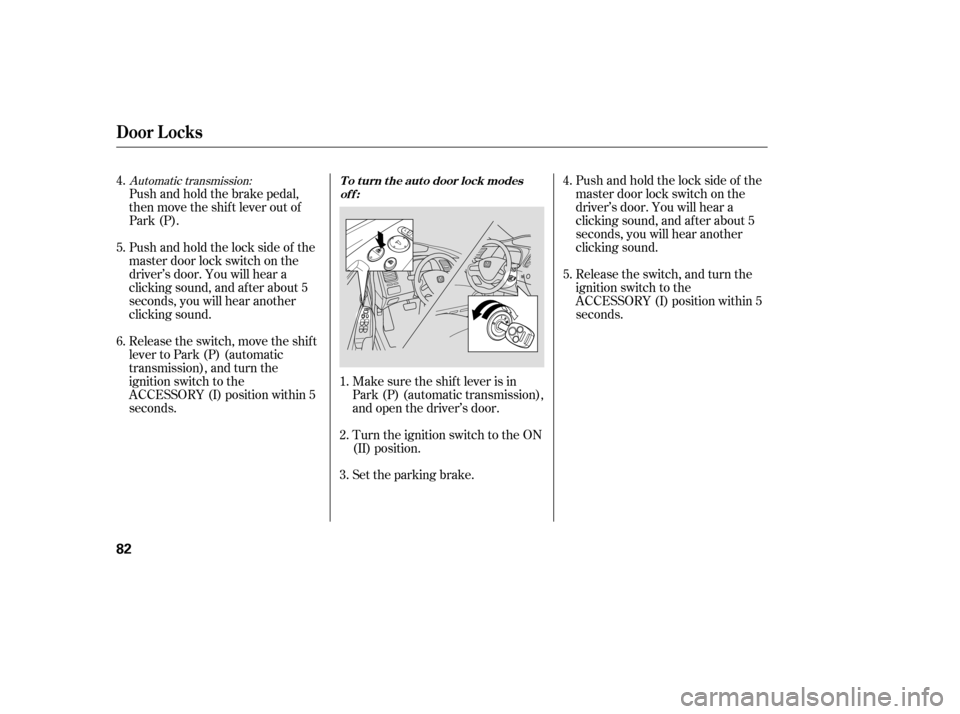
seconds.Make sure the shif t lever is in
Park (P) (automatic transmission),
and open the driver’s door.
Turn the ignition switch to the ON
(II) position.
Set the parking brake.Pushandholdthelocksideof the
master door lock switch on the
driver’s door. You will hear a
clicking sound, and af ter about 5
seconds, you will hear another
clicking sound.
Release the switch, and turn the
ignition switch to the
ACCESSORY (I) position within 5
seconds.
5.
4. 6.
1. 2. 3.4. 5.
Door L ocks
To turn the auto door lock modes
off:
82
�����—�����—�����y���������������y���
�(�#�����
���y���������y
Page 86 of 304
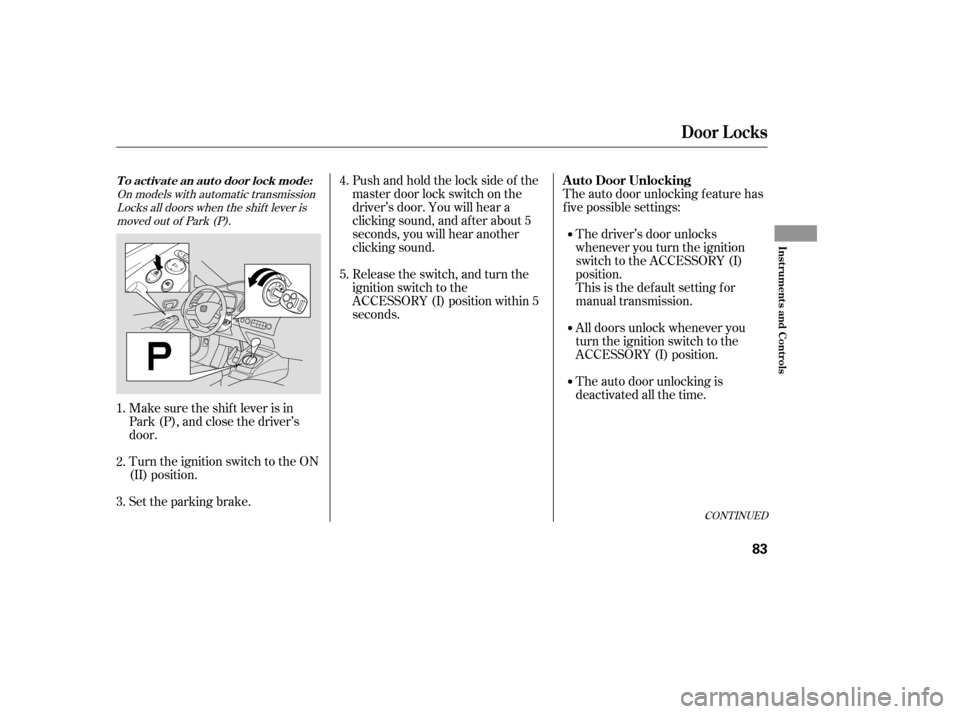
Pushandholdthelocksideof the
master door lock switch on the
driver’s door. You will hear a
clicking sound, and af ter about 5
seconds, you will hear another
clicking sound.
Release the switch, and turn the
ignition switch to the
ACCESSORY (I) position within 5
seconds.
Make sure the shif t lever is in
Park (P), and close the driver’s
door.
Turn the ignition switch to the ON
(II) position.
Set the parking brake. The auto door unlocking f eature has
f ive possible settings:
The driver’s door unlocks
whenever you turn the ignition
switch to the ACCESSORY (I)
position.
This is the def ault setting f or
manual transmission.
All doors unlock whenever you
turn the ignition switch to the
ACCESSORY (I) position.
The auto door unlocking is
deactivated all the time.
1. 2. 3. 4. 5.
On models with automatic transmission
Locks all doors when the shif t lever is
moved out of Park (P).
CONT INUED
Door L ocks
A uto Door UnlockingTo activate an auto door lock mode:
Inst rument s and Cont rols
83
�����—�����—�����y�������������
�y���
�(�#�����
���y���������y
Page 87 of 304
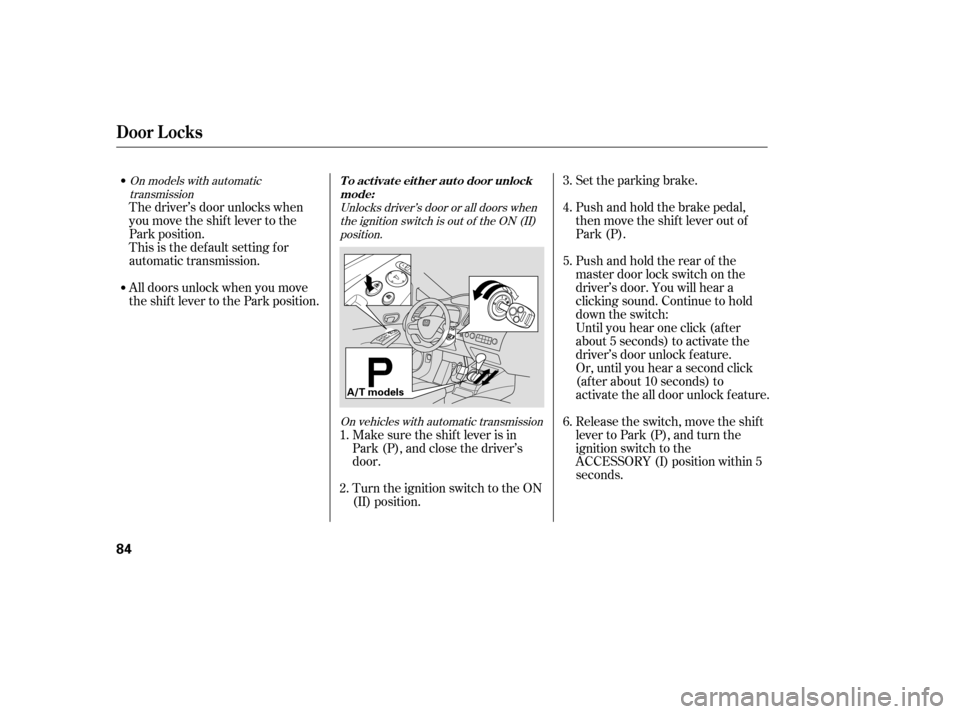
Set the parking brake.
Push and hold the brake pedal,
then move the shift lever out of
Park (P).
Pushandholdtherearof the
master door lock switch on the
driver’s door. You will hear a
clicking sound. Continue to hold
down the switch:
Until you hear one click (af ter
about 5 seconds) to activate the
driver’s door unlock f eature.
Or, until you hear a second click
(af ter about 10 seconds) to
activate the all door unlock feature.
Release the switch, move the shif t
lever to Park (P), and turn the
ignition switch to the
ACCESSORY (I) position within 5
seconds.
Make sure the shif t lever is in
Park (P), and close the driver’s
door.
Turn the ignition switch to the ON
(II) position.
The driver’s door unlocks when
you move the shif t lever to the
Park position.
This is the def ault setting f or
automatic transmission.
All doors unlock when you move
the shif t lever to the Park position.
1. 2. 3. 4. 5. 6.
Unlocks driver’s door or all doors when
the ignition switch is out of the ON (II)position.
On vehicles with automatic transmission
On models with automatic
transmission
Door L ocks
To activate either auto door unlock
mode:
84
A/T models
�����—�����—�����y���������������y���
�(�#�����
���y���������y
Page 89 of 304
Turn the ignition switch to the ON
(II) position.
Set the parking brake.
Open the driver’s door.
On vehicles with automatic
transmission, make sure the shif t
lever is in Park (P). Release the switch, and turn the
ignition switch to the
ACCESSORY (I) position within 5
seconds.
Pushandholdtherearof the
master door lock switch on the
driver’s door. You will hear a
clicking sound, and af ter about 5
seconds, you will hear another
clicking sound.
Even tho ug h yo ur vehic le’s battery is
remo ved o r g o es dead, the system
keeps the auto do o r lo c k/ unlo c k
setting yo u selec ted.
1. 2. 3. 4. 5.
To turn the auto door unlock modes
off:
Door L ocks
86
�����—�����—�����y�����������
���y���
�(�#�����
���y�������
�y
Page 91 of 304

�µ�µ
�µ
�µ
Press this button once to
lock all doors. Some exterior lights
will f lash once. When you push
LOCK twice within 5 seconds, you
will hear a horn to verif y that the
doors are locked. You cannot lock
the doors if any door is not f ully
closed or the key is in the ignition
switch. If you unlock the doors with the
remote transmitter, but do not open
any of the doors within 30 seconds,
the doors automatically relock. On
U.S. LX, EX and Si models, the
security system will also set.
Pressthisbuttonfor
about 1 second to attract attention;
the horn will sound, and the exterior
lights will f lash f or about 30 seconds.
To cancel panic mode, press any
other button on the remote
transmitter, or insert the key.
Press this
button f or about 1 second to open
the trunk. You cannot open the trunk
if the key is in the ignition switch.
The ceiling light (if the ceiling light
switch is in the door activated
position) will come on when you
press the UNLOCK button. If you do
not open any door, the light stays on
f or about 30 seconds, then f ades out.
If you relock the doors with the
remote transmitter before 30
seconds have elapsed, the light goes
of f immediately. Press this button once
to unlock the driver’s door. Push it
twice to unlock the other doors.
Some exterior lights will f lash twice
each time you press the button. This
button does not work when the key
is in the ignition switch.
If you push the LOCK button twice
within 5 seconds, you will hear a
horn to verify that the security
system has set.
On U.S. LX, EX and Si models
OnU.S.EXandSimodels
LOCK PA NIC
T RUNK REL EA SE
UNL OCK
Remote Transmitter
88
LOCK
BUTTON
TRUNK
RELEASE
BUTTON
PANIC BUTTON
UNLOCK BUTTON
PANIC BUTTON UNLOCK
BUTTON
LOCK
BUTTON
U.S. EX and Si models
U.S.: LX model
Canadian: LX, DX-G and EX models
�����—�����—�����y���������������y���
�(�#�����
���y���������y