Page 222 of 311
�Ì�Ì
�Ì
Maintenance Minder
219
: See information on maintenance and emissions warranty on page .
Independent of the maintenance minder display, replace the brake fluid
every 3 years.
Inspect idle speed every 160,000 miles (256,000 km).
Adjust the valves during services A, B, 1, 2, or 3 only if they are noisy.
If the message ‘‘SERVICE’’ does not appear more than 12 months after the
display is reset, change the engine oil every year.
NOTE: 185
1:
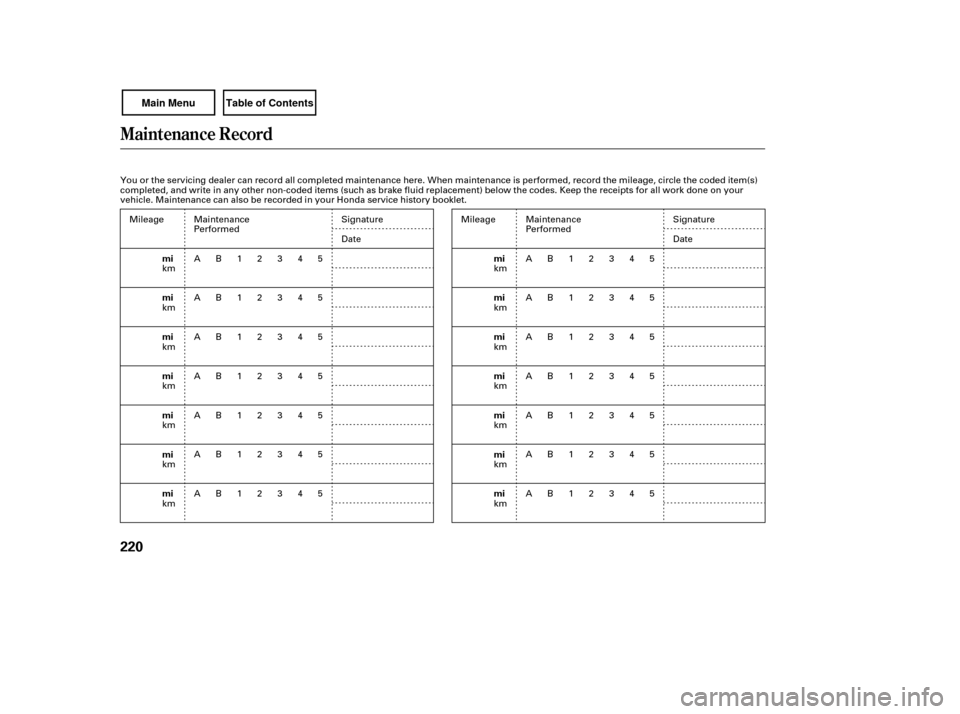
Maintenance Main Items
Replace engine oil
Replace engine oil and oil filter
Inspect front and rear brakes
Check parking brake adjustment
Inspect these items: Tie rod ends, steering gear box, and boots
Suspension components
Driveshaft boots
Brake hoses and lines (including ABS)
All fluid levels and condition of fluids
Exhaust system
Fuel lines and connections Maintenance Sub Items
Rotate tires
Replace air cleaner element If you drive in dusty conditions, replace
every 15,000 miles (24,000 km).
Replace dust and pollen filter If you drive primarily in urban areas that have high
concentrations of soot in the air from industry and
from diesel-powered vehicles, replace every 15,000
miles (24,000 km).
Inspect drive belt
Replace transmission fluid
Replace spark plugs
Inspect valve clearance
Replace engine coolant
A
B
Symbol
Symbol
1
2
3
4
51
1
Maintenance Minder
Page 223 of 311
Maintenance Record
220
mi
mi
mi
mi
mi
mi
mimi
mi
mi
mi
mi
mi
mi
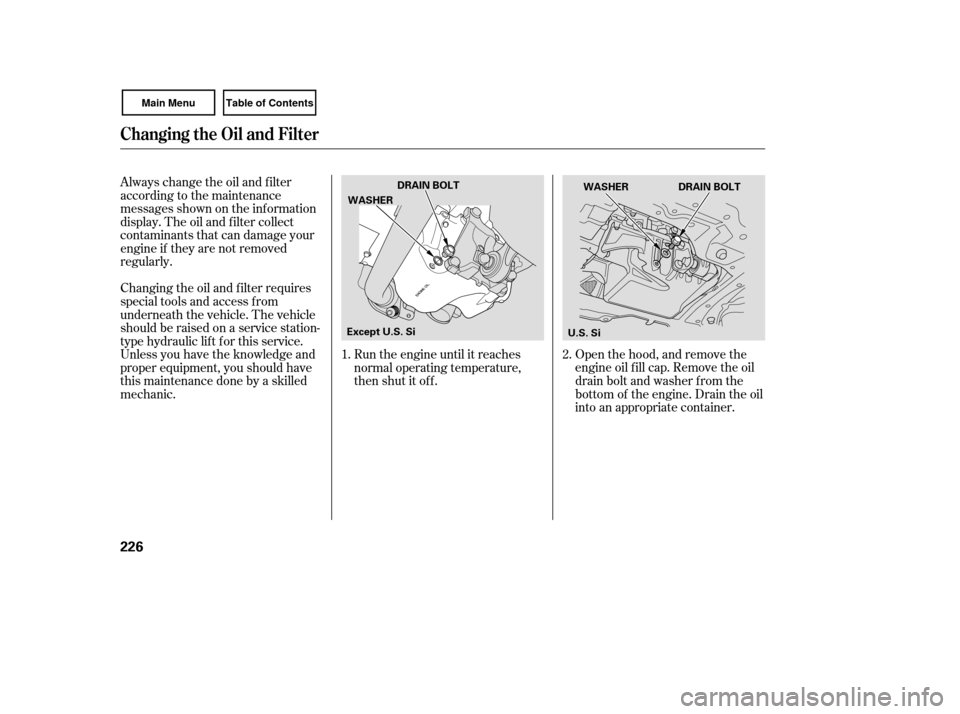
You or the servicing dealer can record all completed maintenance here. When maintenance is performed, record the mileage, circle the coded item(s)
completed, and write in any other non-coded items (such as brake fluid replacement) below the codes. Keep the receipts for all work done on your
vehicle. Maintenance can also be recorded in your Honda service history booklet.
Mileage
km
km
km
km
km
km
km Signature
Date
Mileage
km
km
km
km
km
km
km Signature
Date
Maintenance
Performed
AB12345
AB12345
AB12345
AB12345
AB12345
AB12345
AB12345 Maintenance
Performed
AB12345
AB12345
AB12345
AB12345
AB12345
AB12345
AB12345
Page 229 of 311
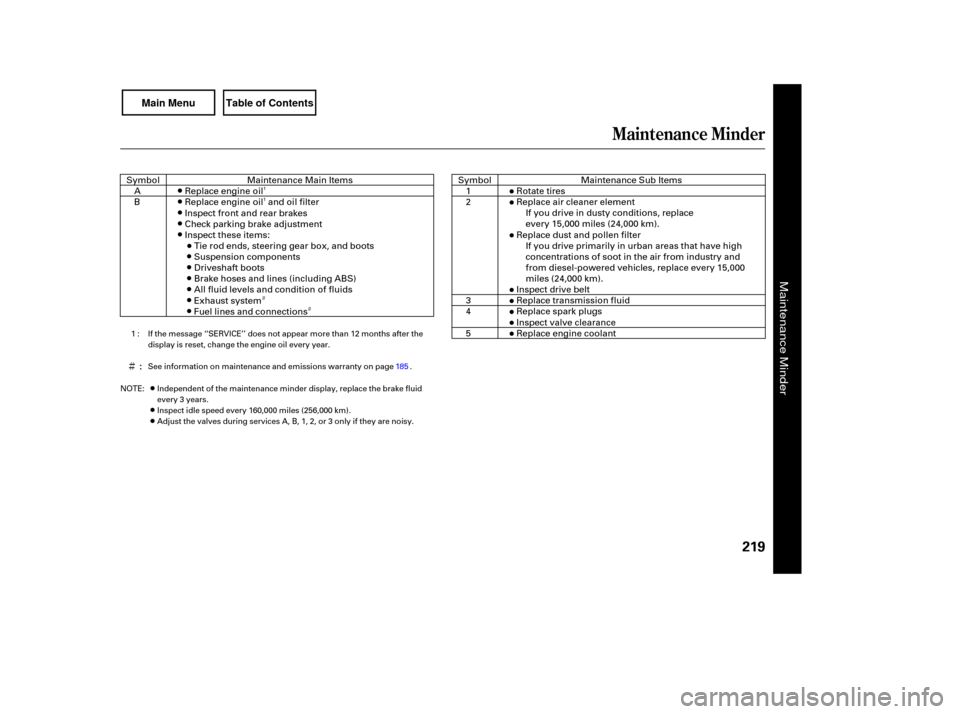
Open the hood, and remove the
engine oil f ill cap. Remove the oil
drain bolt and washer f rom the
bottom of the engine. Drain the oil
into an appropriate container.
Always change the oil and f ilter
according to the maintenance
messages shown on the inf ormation
display. The oil and f ilter collect
contaminants that can damage your
engine if they are not removed
regularly.
Changing the oil and f ilter requires
special tools and access f rom
underneath the vehicle. The vehicle
should be raised on a service station-
type hydraulic lif t f or this service.
Unless you have the knowledge and
proper equipment, you should have
this maintenance done by a skilled
mechanic.
Run the engine until it reaches
normal operating temperature,
then shut it off.
1. 2.
Changing the Oil and Filter
226
DRAIN BOLT
WASHER
DRAIN BOLT
WASHER
Except U.S. Si U.S. Si
Page 236 of 311
If Honda MTF is not available, you
may use an SAE 10W-30 or 10W-40
viscosity motor oil with the API
Certif ication seal that says ‘‘FOR
GASOLINE ENGINES’’ as a
temporary replacement. However,
motor oil does not contain the proper
additives, and continued use can
cause stif f er shif ting. Replace as
soon as it is convenient.
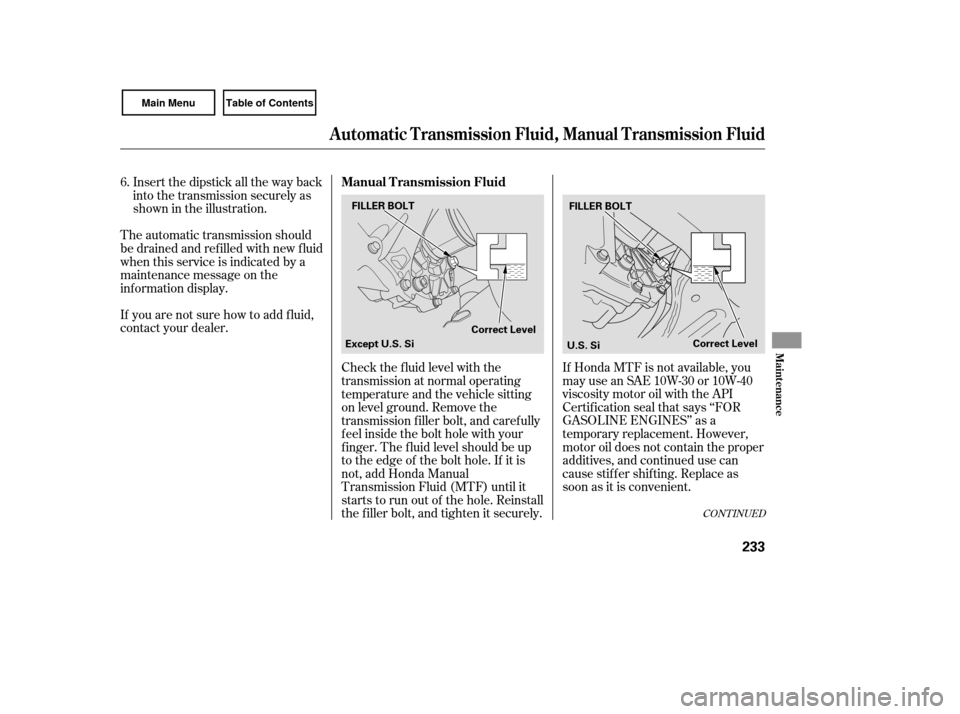
Check the f luid level with the
transmission at normal operating
temperature and the vehicle sitting
on level ground. Remove the
transmission f iller bolt, and caref ully
f eel inside the bolt hole with your
f inger. The f luid level should be up
to the edge of the bolt hole. If it is
not, add Honda Manual
Transmission Fluid (MTF) until it
starts to run out of the hole. Reinstall
the f iller bolt, and tighten it securely.
Insert the dipstick all the way back
into the transmission securely as
shown in the illustration.
The automatic transmission should
be drained and ref illed with new f luid
when this service is indicated by a
maintenance message on the
inf ormation display.
If you are not sure how to add f luid,
contact your dealer. 6.
CONT INUED
Manual Transmission Fluid
A utomatic T ransmission Fluid, Manual T ransmission Fluid
Maint enance
233
FILLER BOLT
Correct LevelFILLER BOLT
Correct Level
Except U.S. Si
U.S. Si
Page 237 of 311
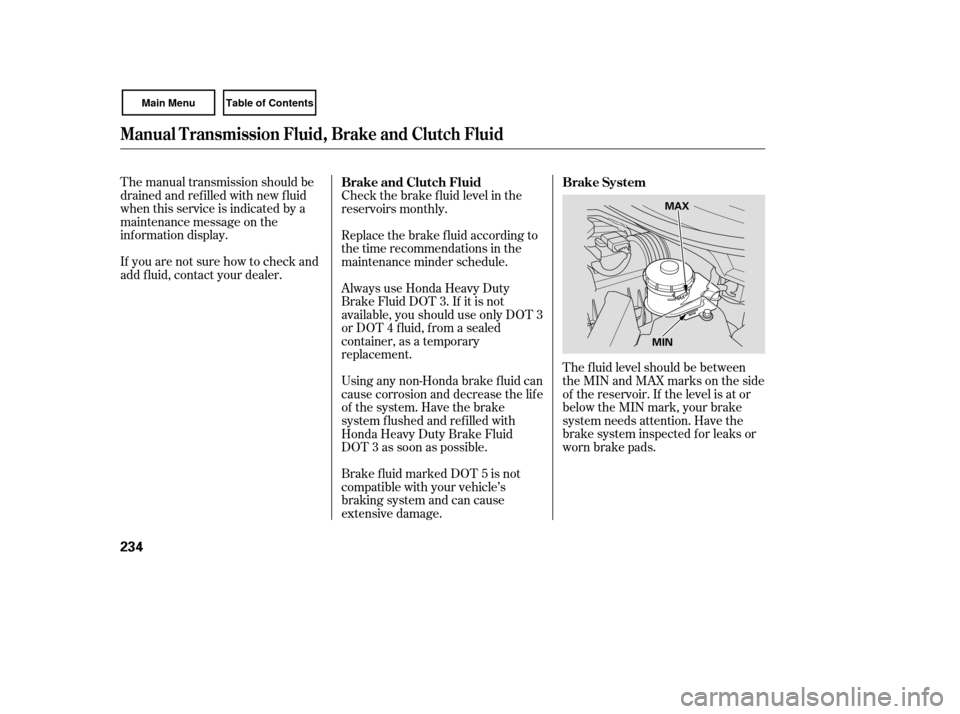
The f luid level should be between
theMINandMAXmarksontheside
of the reservoir. If the level is at or
below the MIN mark, your brake
system needs attention. Have the
brake system inspected f or leaks or
worn brake pads.
The manual transmission should be
drained and ref illed with new f luid
when this service is indicated by a
maintenance message on the
inf ormation display.
If you are not sure how to check and
add f luid, contact your dealer.
Brake f luid marked DOT 5 is not
compatible with your vehicle’s
braking system and can cause
extensive damage. Using any non-Honda brake f luid can
cause corrosion and decrease the lif e
of the system. Have the brake
system f lushed and ref illed with
Honda Heavy Duty Brake Fluid
DOT 3 as soon as possible. Always use Honda Heavy Duty
Brake Fluid DOT 3. If it is not
available, you should use only DOT 3
or DOT 4 f luid, f rom a sealed
container, as a temporary
replacement. Replace the brake f luid according to
thetimerecommendationsinthe
maintenance minder schedule. Check the brake f luid level in the
reservoirs monthly.Brake System
Brake and Clutch Fluid
Manual Transmission Fluid, Brake and Clutch Fluid
234
MAX
MIN
Page 245 of 311
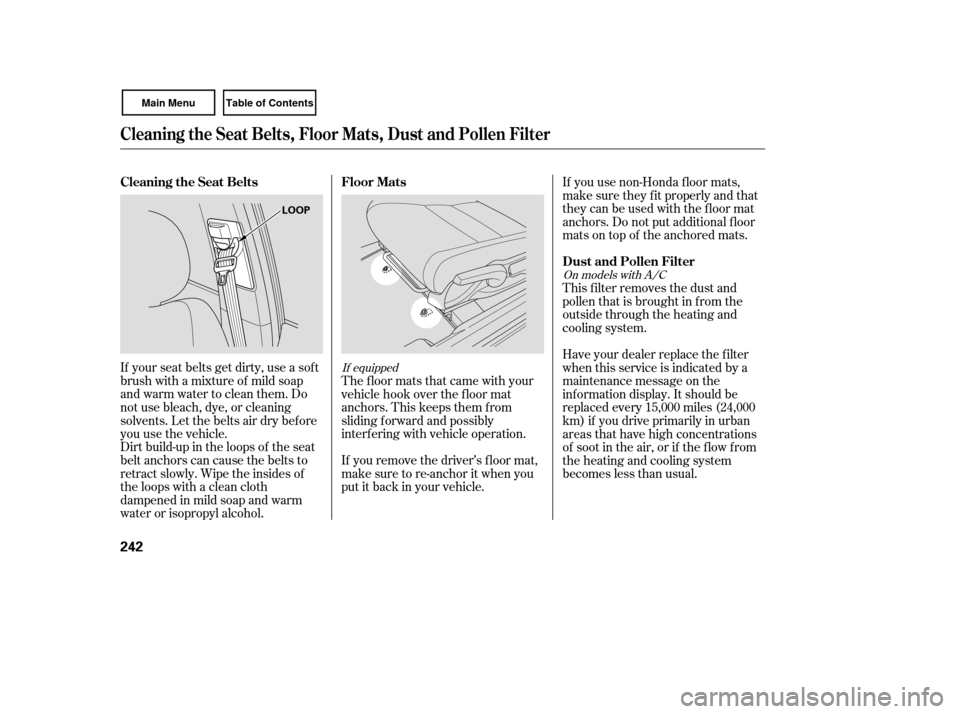
Dirt build-up in the loops of the seat
belt anchors can cause the belts to
retract slowly. Wipe the insides of
the loops with a clean cloth
dampened in mild soap and warm
water or isopropyl alcohol.This f ilter removes the dust and
pollenthatisbroughtinfromthe
outside through the heating and
cooling system.
If your seat belts get dirty, use a sof t
brush with a mixture of mild soap
and warm water to clean them. Do
not use bleach, dye, or cleaning
solvents. Let the belts air dry bef ore
you use the vehicle. The floor mats that came with your
vehicle hook over the f loor mat
anchors. This keeps them f rom
sliding f orward and possibly
interf ering with vehicle operation.
If you remove the driver’s f loor mat,
make sure to re-anchor it when you
putitbackinyourvehicle.If you use non-Honda f loor mats,
make sure they f it properly and that
theycanbeusedwiththefloormat
anchors. Do not put additional f loor
mats on top of the anchored mats.
Have your dealer replace the filter
when this service is indicated by a
maintenance message on the
inf ormation display. It should be
replaced every 15,000 miles (24,000
km) if you drive primarily in urban
areas that have high concentrations
of soot in the air, or if the f low f rom
the heating and cooling system
becomeslessthanusual.
If equipped
On models with A/C
Floor Mats
Dust and Pollen Filter
Cleaning the Seat Belts
Cleaning the Seat Belts, Floor Mats, Dust and Pollen Filter
242
LOOP
Page 263 of 311
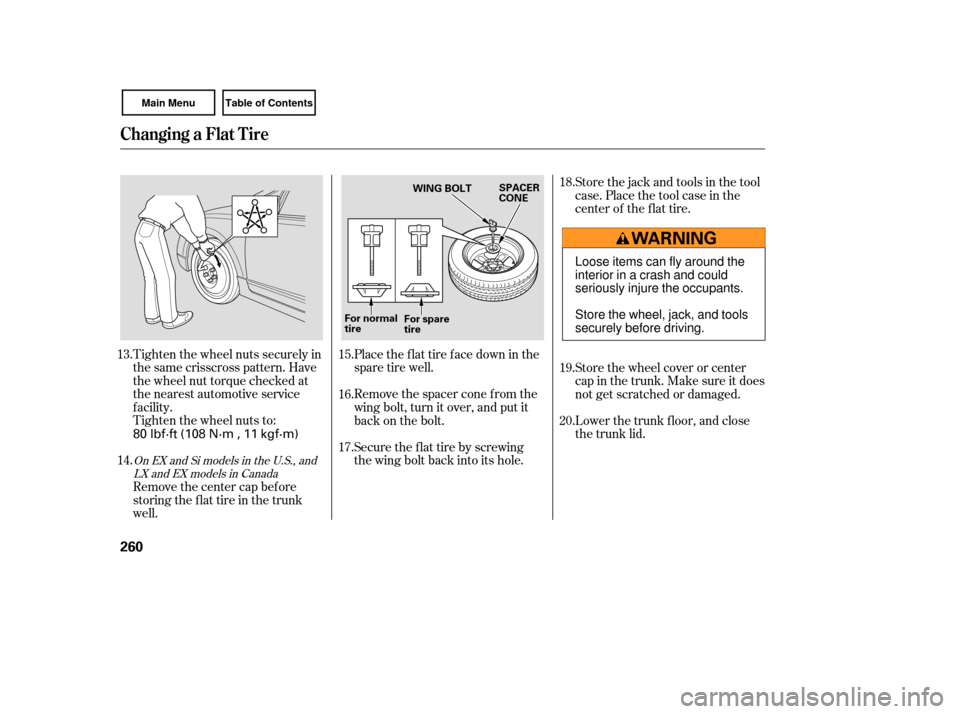
Tighten the wheel nuts securely in
the same crisscross pattern. Have
the wheel nut torque checked at
the nearest automotive service
f acility.
Tighten the wheel nuts to:Place the flat tire face down in the
spare tire well.
Remove the spacer cone f rom the
wing bolt, turn it over, and put it
back on the bolt.
Securetheflattirebyscrewing
the wing bolt back into its hole.Store the jack and tools in the tool
case. Place the tool case in the
center of the f lat tire.
Store the wheel cover or center
cap in the trunk. Make sure it does
not get scratched or damaged.
Lower the trunk f loor, and close
the trunk lid.
Remove the center cap before
storing the f lat tire in the trunk
well.
13.
14. 15.
16.
17.18.
19.
20.
OnEXandSimodelsintheU.S.,and
LX and EX models in Canada
Changing a Flat Tire
260
WING BOLT SPACER
CONE
For normal
tire For spare
tire
80 lbf·ft (108 N·m , 11 kgf·m) Loose items can fly around the
interiorinacrashandcould
seriously injure the occupants.
Store the wheel, jack, and tools
securely before driving.
Page 270 of 311
Let the vehicle sit for a minute.
Op en the hood, and check the oil
level (see page ). An engine
very low on oil can lose pressure
during cornering and other driving
maneuvers.
If necessary, add oil to bring the
level back to the full mark on the
dipsti ck (see page ).
Start the engine, and watch the oil
pressure indicator. If it does not go
out within 10 seconds, turn off the
engine. There is a mechanical
problem that needs to be repaired
befo re you can continue driving
(see on page
). Immediately turn of f all electrical
accessories. Try not to use other
electrically operated controls such as
the power windows. Keep the engine
running; starting the engine will
discharge the battery rapidly.
Go to a service station or garage
where you can get technical
assistance.
This indicator should never
come on when the engine is
running. If it starts f lashing or stays
on, the oil pressure has dropped very
low or lost pressure. Serious engine
damage is possible, and you should
take immediate action. If the charging system
indicator comes on brightly
when the engine is running, the
battery is not being charged.
Saf ely pull of f the road, and shut
of f the engine. Turn on the hazard
warning lights.
1.
2.
3.
4. 179
224
276
L ow Oil Pressure Indicator
Emergency T owingCharging System Indicator
L ow Oil Pressure Indicator, Charging System Indicator
T aking Care of t he Unexpect ed
267
Running the engine with low oil
pressure can cause serious mechanical
damage almost immediately. Turn of f
the engine as soon as you can saf ely get
the vehicle stopped.