Page 97 of 287
�µTo open the driver’s
window, push the window switch
f irmly down, then release it. To stop
the window f rom going all the way
down, pull back on the window
switch brief ly.
To close the driver’s window f ully,
pull back the window switch f irmly,
then release it. To stop the window
f rom going all the way up, push
down on the window switch brief ly.
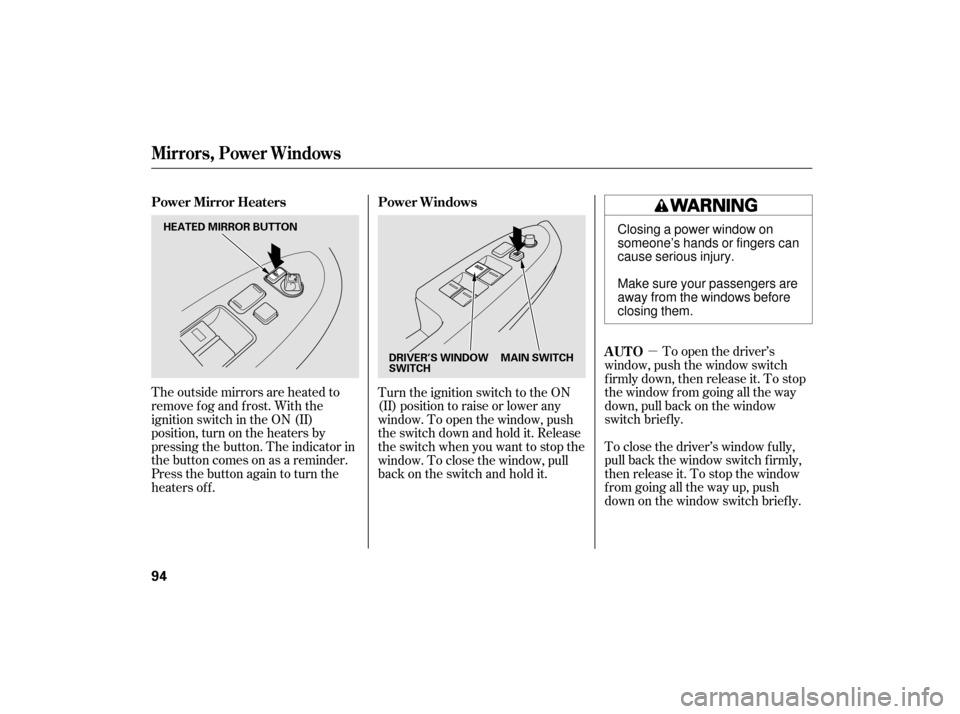
The outside mirrors are heated to
remove fog and frost. With the
ignition switch in the ON (II)
position, turn on the heaters by
pressing the button. The indicator in
the button comes on as a reminder.
Press the button again to turn the
heaters off.
Turn the ignition switch to the ON
(II) position to raise or lower any
window. To open the window, push
the switch down and hold it. Release
the switch when you want to stop the
window. To close the window, pull
back on the switch and hold it. Power Windows
AUTO
Power Mirror Heaters
Mirrors, Power Windows
94
DRIVER’S WINDOW
SWITCH
MAIN SWITCH
HEATED MIRROR BUTTON
Closing a power window on
someone’s hands or fingers can
cause serious injury.
Make sure your passengers are
away from the windows before
closing them.
06/08/08 14:32:03 31SDR620_099
Page 98 of 287

�µIf the driver’s
window senses any obstacle while it
is closing automatically, it will
reverse direction, and then stop. To
close the window, remove the
obstacle, then use the window switch
again.
Auto reverse stops sensing when the
window is almost closed. You should
always check that all passengers and
objects are away from the window
bef ore closing it.
To open or close the driver’s window
partially, push down or pull back on
the window switch lightly and hold it.
The window will stop when you
release the switch.
When you push the MAIN switch in,
the switch is off, and the passenger
windows cannot be raised or lowered.
To cancel this f eature, push on the
switch again to get it to pop out.
Keep the MAIN switch of f when you
have children in the vehicle so they
do not injure themselves by
operating the windows
unintentionally. If your vehicle’s battery is
disconnected or goes dead, or the
driver’s window f use is removed, the
AUTO f unction may be disabled. If
the AUTO f unction is disabled, the
power window system will need to be
reset after reconnecting the battery
or installing the f use.
Start the engine. Push down and
hold the driver’s window switch
until the window is f ully open.
Pull and hold the driver’s window
switch to close the window
completely, then hold the switch
f or about 2 seconds.
If the power windows do not operate
properly af ter resetting, have your
vehicle checked by your dealer. 1.
2.
CONT INUED
AUTO REVERSE
Power Windows
Inst rument s and Cont rols
95
06/08/08 14:32:13 31SDR620_100
Page 99 of 287

The power window system has a key-
of f delay f unction. The windows will
stilloperateforupto10minutes
after you turn off the ignition switch.
Opening either f ront door cancels
the delay function. You must turn
the ignition switch to the ON (II)
position again bef ore you can raise
or lower the windows.You can open and close the windows
with the key in the driver’s door lock.
To open:Insert the key in the driver’s door
lock.
Turn the key clockwise, then
release it.
You cannot close the windows with
the remote transmitter. To open the windows further,
press the button again. Press the UNLOCK button a
second time, and hold it. The
passenger’s doors unlock, and all
f our windows start to open. To
stop the windows, release the
button. Press the UNLOCK button once
to unlock the driver’s door.
You can open all of the windows
from the outside with the remote
transmitter.
1.
2.
3.
1.
2.
Opening/Closing t he Windows wit h
the Key
Opening t he Windows wit h t he
Remote Transmitter
Power Window Control
Operations
Power Windows
96
UNLOCK BUTTON
Open
Close
06/08/08 14:32:27 31SDR620_101
Page 100 of 287

Turnthekeyclockwiseagain,and
hold it. All f our windows start to
open. To stop the windows,
release the key.
To open the windows f urther, turn
andholdthekeyagain.
To close: Insert the key in the driver’s door
lock.
Turn the key counterclockwise,
then release it.
Turn the key counterclockwise
again, and hold it. All four
windowsstarttoclose.Tostopthe
windows, release the key.
To close the windows f urther, turn
andholdthekeyagain. The moonroof has two positions: it
can be tilted up in the back f or
ventilation, or it can be slid back into
the roof . Use the switch under the
lef t dashboard vent to operate the
moonroof . The ignition switch must
be in the ON (II) position. To tilt up the back of the moonroof ,
press and hold the center button
. To close the moonroof , press
and hold the upper button . To
open the moonroof , press and hold
the lower button . Release the
button when the moonroof gets to
the desired position. Make sure
everyone’s hands are away f rom the
moonroof bef ore opening or closing
it.
1.
2.
3.
4. 3.
4.
CONT INUED
Moonroof
Power Windows, Moonroof
Inst rument s and Cont rols
97
MOONROOF SWITCH
06/08/08 14:32:41 31SDR620_102
Page 102 of 287
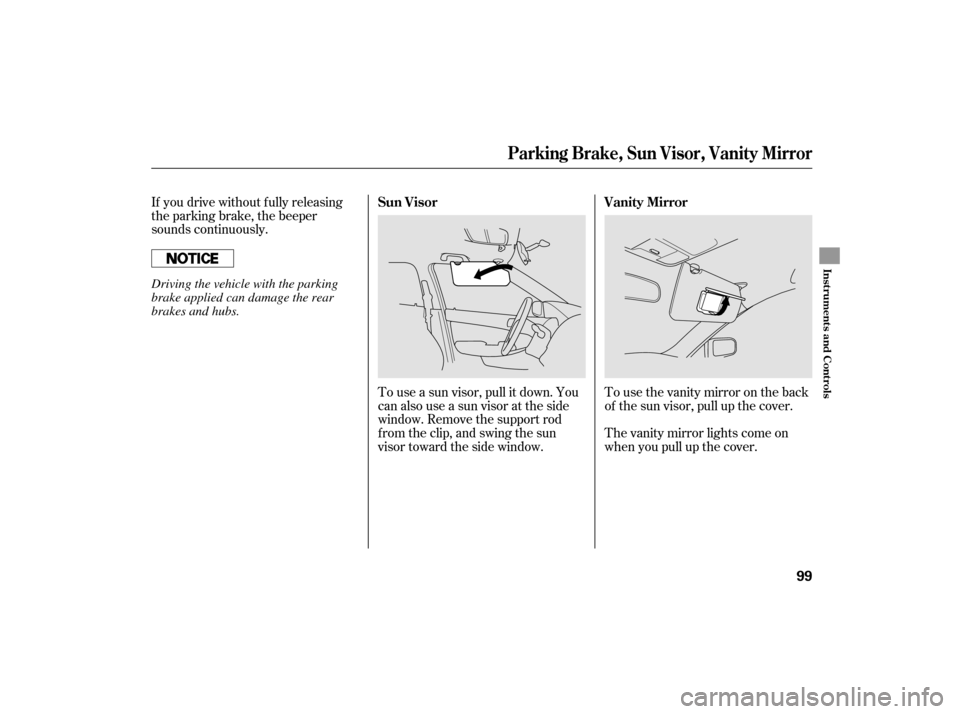
Thevanitymirrorlightscomeon
when you pull up the cover. Tousethevanitymirrorontheback
of the sun visor, pull up the cover.
If you drive without f ully releasing
the parking brake, the beeper
sounds continuously.
To use a sun visor, pull it down. You
can also use a sun visor at the side
window. Remove the support rod
f rom the clip, and swing the sun
visor toward the side window.Vanity Mirror
Sun Visor
Parking Brake, Sun Visor, Vanity Mirror
Inst rument s and Cont rols
99
Driving the vehicle with the parking
brake applied can damage the rear
brakes and hubs.
06/08/08 14:33:00 31SDR620_104
Page 109 of 287
Climate Control System
106
REAR WINDOW
DEFOGGER BUTTON
FAN CONTROL
BUTTONS
AUTO BUTTON OFF BUTTONDUAL BUTTON A/C BUTTON
TEMPERATURE CONTROL DIAL
(DRIVER’S SIDE)
FAN SPEED
INDICATOR
TEMPERATURE DISPLAY
TEMPERATURE CONTROL DIAL
(PASSENGER’S SIDE)
MODE BUTTON
WINDSHIELD DEFROST BUTTON
RECIRCULATION BUTTON
(U.S. model shown)
Without navigation system
06/08/08 14:33:58 31SDR620_111
Page 110 of 287
Climate Control System
Features
107
AUTO BUTTONMODE ICONS A/C BUTTON
AIR CONDITIONING ICONS
FAN CONTROL ICONS
DUAL BUTTON TEMPERATURE CONTROL
BUTTONS (PASSENGER’S SIDE)
RECIRCULATION BUTTON WINDSHIELD DEFROST BUTTONREAR WINDOW DEFOGGER BUTTON
TEMPERATURE CONTROL
BUTTONS (DRIVER’S SIDE)
OFF BUTTONTEMPERATURE DISPLAY
(U.S. model shown) With navigation system
06/08/08 14:34:04 31SDR620_112
Page 112 of 287

When the recirculation indicator is
on, air f rom the vehicle’s interior is
sent throughout the system again.
When the indicator is off, air is
brought in f rom the outside of the
vehicle (fresh air mode).
Thesystemshouldbeleftinfresh
air mode under almost all conditions.
Keeping the system in recirculation
mode, particularly with the A/C of f ,
can cause the windows to fog up.
Switch to recirculation mode when
driving through dusty or smoky
conditions, then return to fresh air
mode.
Press the A/C button to turn the air
conditioning on and of f . The display
shows ‘‘A/C ON’’ when the air
conditioning is on. The display
shows ‘‘A/C OFF’’ when the air
conditioning is of f .
The display shows ‘‘ON’’ and ‘‘OFF’’
after you press the A/C button. The
display shows ‘‘A/C ON’’ af ter you
touch ‘‘ON’’ to turn the air
conditioning on. The display shows
‘‘A/C OFF’’ af ter you touch ‘‘OFF’’ to
turn the air conditioning off.
When the A/C is of f , the airf low
temperature does not f all below the
outside air temperature. When you
set the airf low temperature lower
than the outside air temperature,
make sure the A/C is on.
This button turns the rear window
def ogger on and of f (see page ). The outside air intakes f or the
climate control system are at the
base of the windshield. Keep this
area clear of leaves and other debris.79On vehicles without navigation systemOn vehicles with navigation system
Air Conditioning (A/C) Button
Rear Window Def ogger Button Recirculation Button
Climate Control System
Features
109
06/08/08 14:34:30 31SDR620_114