Page 361 of 680

Remote Control
To use the remote control, aim it at the transmitter
window at the rear of the RSE overhead console
and press the desired button. Direct sunlight
or very bright light could affect the ability of the
RSE transmitter to receive signals from the remote
control. If the remote control does not seem to
be working, the batteries might need to be
replaced. See “Battery Replacement” later in this
section. Objects blocking the line of sight could
also affect the function of the remote control.
If a CD or DVD is in the Radio DVD slot,
the remote control power button can be used to
turn on the video screen display and start the disc.
The radio can also turn on the video screen
display. SeeRadio with CD and DVD (MP3) on
page 322for more information.
Notice:Storing the remote control in a hot
area or in direct sunlight can damage it,
and the repairs will not be covered by your
warranty. Keep the remote control stored in a
cool, dry place.
If the remote control becomes lost or damaged, a
new universal remote control can be purchased.
If this happens, make sure the universal
remote control uses a code set of Toshiba
®.
Remote Control Buttons
O(Power):Press this button to turn the video
screen on and off.
P(Illumination):Press this button to turn the
remote control backlight on. The backlight
automatically times out after seven to ten seconds if
no other button is pressed while the backlight is on.
v(Title):Press this button to return the DVD to
the main menu of the DVD. This function could
vary for each disc.
361
Page 364 of 680

Battery Replacement
To change the remote control batteries, do
the following:
1. Slide the rear cover back on the
remote control.
2. Replace the two batteries in the compartment.
Make sure they are installed correctly using
the diagram on the inside of the remote
control.
3. Replace the battery cover.
If the remote control is to be stored for a long
period of time, remove the batteries and keep them
in a cool, dry place.
Problem Recommended Action
No power. The ignition might not be
turned on or in accessory.
The picture does not ll
the screen. There are
black borders on the top
and bottom or on both
sides or it looks
stretched out.Check the display mode
settings in the setup menu
by pressing the display
menu button on the
remote control.
In auxiliary mode, the
picture moves or scrolls.Check the auxiliary input
connections at both
devices.
The remote control does
not work.Check to make sure there
is no obstruction between
the remote control and the
transmitter window.
Check the batteries to
make sure they are not
dead or installed
incorrectly.
After stopping the player,
I push Play but sometimes
the DVD starts where I left
off and sometimes at the
beginning.If the stop button was
pressed one time, the
DVD player resumes
playing where the DVD
was stopped. If the stop
button was pressed two
times the DVD player
begins to play from the
beginning of the DVD.
364
Page 421 of 680
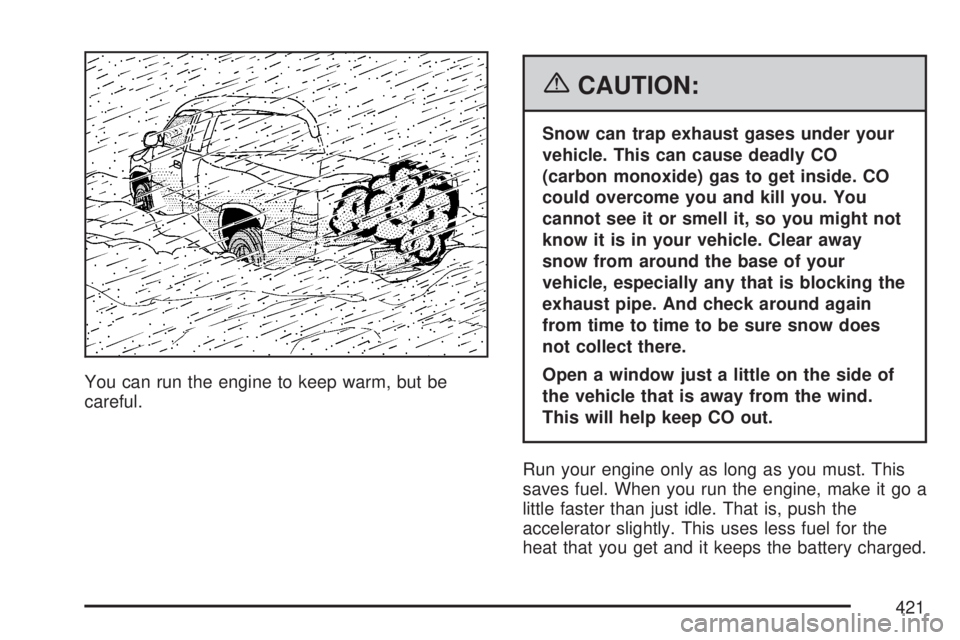
You can run the engine to keep warm, but be
careful.
{CAUTION:
Snow can trap exhaust gases under your
vehicle. This can cause deadly CO
(carbon monoxide) gas to get inside. CO
could overcome you and kill you. You
cannot see it or smell it, so you might not
know it is in your vehicle. Clear away
snow from around the base of your
vehicle, especially any that is blocking the
exhaust pipe. And check around again
from time to time to be sure snow does
not collect there.
Open a window just a little on the side of
the vehicle that is away from the wind.
This will help keep CO out.
Run your engine only as long as you must. This
saves fuel. When you run the engine, make it go a
little faster than just idle. That is, push the
accelerator slightly. This uses less fuel for the
heat that you get and it keeps the battery charged.
421
Page 422 of 680

You will need a well-charged battery to restart the
vehicle, and possibly for signaling later on with
your headlamps. Let the heater run for a while.
Then, shut the engine off and close the window
almost all the way to preserve the heat. Start
the engine again and repeat this only when you
feel really uncomfortable from the cold. But do it as
little as possible. Preserve the fuel as long as
you can. To help keep warm, you can get out of
the vehicle and do some fairly vigorous exercises
every half hour or so until help comes.
If Your Vehicle is Stuck in Sand,
Mud, Ice, or Snow
In order to free your vehicle when it is stuck, you
need to spin the wheels, but you do not want
to spin the wheels too fast. The method known as
rocking can help you get out when you are
stuck, but you must use caution.
{CAUTION:
If you let your vehicle’s tires spin at high
speed, they can explode, and you or
others could be injured. And, the
transmission or other parts of the vehicle
can overheat. That could cause an engine
compartment re or other damage. When
you are stuck, spin the wheels as little as
possible. Do not spin the wheels above
35 mph (55 km/h) as shown on the
speedometer.
422
Page 479 of 680

Heavy-DutyTrailer Wiring Harness
Package
For vehicles equipped with heavy duty trailering,
the harness is connected to a bracket on the hitch
platform. The seven-wire harness contains the
following trailer circuits:
Yellow: Left Stop/Turn Signal
Dark Green: Right Stop/Turn Signal
Brown: Taillamps
White: Ground
Light Green: Back-up Lamps
Red: Battery Feed*
Dark Blue: Trailer Brake**The fuses for these two circuits are installed in
the underhood electrical center, but the wires
are not connected. They should be connected by
your dealer or a qualied service center. The
fuse and wire for the ITBC is factory installed and
connected if the vehicle is equipped with an
ITBC. The fuse for the battery feed is not required
if your vehicle has an auxiliary battery. If your
vehicle does not have an auxiliary battery, have
your dealer or authorized service center install the
required fuse.
If you are charging a remote (non-vehicle) battery,
press the tow/haul mode button located at the
end of the shift lever. This will boost the vehicle
system voltage and properly charge the battery. If
the trailer is too light for tow/haul mode, you
can turn on the headlamps as a second way to
boost the vehicle system and charge the battery.
479
Page 480 of 680
Camper/Fifth-Wheel Trailer Wiring Package
The seven-wire camper harness is located
under the front edge of the pickup box on the
driver’s side of the vehicle, attached to the frame
bracket. A connector will have to be added to
the wiring harness which connects to the camper.
The harness contains the following camper/trailer
circuits:
Yellow: Left Stop/Turn Signal
Dark Green: Right Stop/Turn Signal
Brown: Taillamps
White: Ground
Light Green: Back-up Lamps
Red: Battery Feed
Dark Blue: Trailer BrakeIf your vehicle is equipped with the “Heavy-Duty
Trailering” option, please refer to “Heavy-Duty
Trailer Wiring Package” earlier in this section.
When the camper-wiring harness is ordered
without the heavy-duty trailering package, an
eight-wire harness with a seven-pin connector is
located at the rear of the vehicle and is tied to the
vehicle’s frame.
480
Page 481 of 680

Electric Brake Control Wiring
Provisions
These wiring provisions are included with your
vehicle as part of the trailer wiring package. These
provisions are for an electric brake controller.
The instrument panel contains blunt cut wires near
the data link connector for the trailer brake
controller. The harness contains the following
wires:
Dark Blue: Brake Signal to Trailer Connector
Red/Black: Battery
Light Blue/White: Brake Switch
White: GroundIt should be installed by your dealer or a qualied
service center.
If your vehicle is equipped with an ITBC, the blunt
cuts exist, but are not connected further in the
harness. If you install an aftermarket trailer brake
controller, the ITBC must be disconnected. Do
not power both ITBC and aftermarket controllers to
control the trailer brakes at the same time.
Auxiliary Battery
The auxiliary battery provision can be used to
supply electrical power to additional equipment that
you may choose to add, such as a slide-in
camper. If your vehicle has this provision, this
relay will be located on the driver’s side of
the vehicle, next to the underhood electrical center.
481
Page 482 of 680
Be sure to follow the proper installation instructions
that are included with any electrical equipment
that you install.
Notice:Leaving electrical equipment on for
extended periods will drain the battery. Always
turn off electrical equipment when not in
use and do not use equipment that exceeds
the maximum amperage rating for the auxiliary
battery provision.
Power Winches
If you wish to use a power winch on your vehicle,
only use it when your vehicle is stationary or
anchored.
Trailer Recommendations
You must subtract your hitch loads from the CWR
for your vehicle. Weigh your vehicle with the
trailer attached, so that you won’t go over
the GVWR or GAWR. If you are using a
weight-distributing hitch, weigh the vehicle without
the spring bars in place.
You’ll get the best performance if you spread out
the weight of your load the right way, and if
you choose the correct hitch and trailer brakes.
For more information, seeTowing a Trailer
on page 445.
482