2007 GMC CANYON warning light
[x] Cancel search: warning lightPage 198 of 492

DIC Warnings and Messages
Messages are displayed on the DIC to notify the
driver that the status of the vehicle has changed
and that some action may be needed by the driver
to correct the condition. Multiple messages may
appear one after another. The messages are
displayed for four seconds each.
Some messages may not require immediate
action, but you should press and release the trip
odometer reset stem to acknowledge that you
received the messages and to clear them from the
display. Each message must be acknowledged
individually.
Some messages cannot be cleared from the DIC
display because they are more urgent. These
messages require action before they can be
cleared. You should take any messages that
appear on the display seriously and remember
that clearing the messages will only make
the messages disappear, not correct the problem.
The following are the possible messages that can
be displayed and some information about them.
AC (Air Conditioning) OFF
This message displays when the engine coolant
temperature is too high and the air conditioning in
your vehicle needs to be turned off. SeeEngine
Overheating on page 340andClimate Control
System on page 173for more information.
This message displays along with the ENG HOT
message.
ABS (Anti-Lock Brake System) FAULT
This message displays if there is a problem
with the Anti-Lock Brake System (ABS). Check the
ABS as soon as possible and have your vehicle
serviced by your dealer. SeeBrakes on page 350
andAnti-Lock Brake System Warning Light on
page 186for more information. Press and release
the reset stem to acknowledge the message
and clear it from the display.
198
Page 199 of 492

BRAKES
This message displays if there is a problem with
the brakes. Check the brakes as soon as possible
and have your vehicle serviced by your dealer.
SeeBrakes on page 350andBrake System
Warning Light on page 185for more information.
Press and release the reset stem to acknowledge
the message and clear it from the display.
CHANGE OIL
This message displays when the oil needs to be
changed. Check the oil in your vehicle as soon
as possible and have your vehicle serviced by
your dealer. SeeEngine Oil on page 325
andScheduled Maintenance on page 437for
more information. Press and release the reset
stem to acknowledge the message and clear
it from the display.
DOORS
This message displays when one or more of
the doors is ajar. Check all the doors on your
vehicle to make sure they are closed. The
message clears from the display after all of
the doors are closed.
ENG (Engine) HOT
This message displays when the engine coolant
temperature is hot. Check the engine coolant
temperature gage. SeeEngine Coolant
Temperature Gage on page 187. Have your
vehicle serviced by your dealer as soon as
possible if you suspect the engine is overheating.
SeeEngine Overheating on page 340for more
information.
FLUID
This message displays if the brake uid is low.
Check the brake uid as soon as possible
and have your vehicle serviced by your dealer.
SeeBrakes on page 350for more information.
Press and release the reset stem to acknowledge
the message and clear it from the display.
199
Page 201 of 492

PARK BRK (Brake)
This message displays when the parking brake
is set. SeeParking Brake on page 130and
Brake System Warning Light on page 185for
more information. The message clears from the
display after the parking brake is released or
by pressing and releasing the reset stem.
REDUCED POWER
This message displays when the vehicle’s
engine power is reduced. Reduced engine power
can affect the vehicle’s ability to accelerate.
If this message is on, but there is no reduction
in performance, proceed to your destination.
The performance may be reduced the next time
the vehicle is driven. The vehicle may be driven at
a reduced speed while this message is on, but
acceleration and speed may be reduced. Anytime
this message stays on, the vehicle should be
taken to your dealer for service as soon as
possible. Press and release the reset stem to
acknowledge the message and clear it from
the display.
SERV (Service) 4WD (Four-Wheel Drive)
This message displays when there is a problem
with the transfer case control system. Check the
transfer case on your vehicle and have it serviced
by your dealer. SeeFour-Wheel Drive on page 126
for more information about the transfer case. Press
and release the reset stem to acknowledge the
message and clear it from the display.
SERV (Service) TPM
(Tire Pressure Monitor)
This message displays if any of the tire monitor
sensors have malfunctioned, if the tire monitor
sensors have not been programmed, or if
the recommended tire pressures are not
programmed. The tire pressure light also ashes
for one minute and then turns on solid until
the condition goes away or the system is serviced.
SeeTire Pressure Light on page 187. Press
and release the reset stem to acknowledge the
message and clear it from the display. This
message appears at each ignition cycle until the
system is serviced. See your dealer for service.
SeeTire Pressure Monitor System on page 378
for more information.
201
Page 202 of 492

SERV (Service) VEH (Vehicle)
This message displays if your vehicle needs
service. Have your vehicle serviced by your dealer
as soon as possible.
SERVICE CHARG (Charge)
SYS (System)
This message displays if there is a problem with
the battery charging system. Under certain
conditions, the battery warning light may also turn
on in the instrument panel cluster. SeeBattery
Warning Light on page 184. The battery will not be
charging at an optimal rate and the vehicle will
lose the ability to enter the fuel economy mode.
The vehicle is safe to drive, however have
the electrical system checked by your dealer.
Press and release the reset stem to acknowledge
the message and clear it from the display.
TRACTION FAULT
If your vehicle has the Traction Control
System (TCS), this message may display if
there is a problem with the TCS. Check the
TCS as soon as possible and have your vehicle
serviced by your dealer. SeeTraction Control
System (TCS) on page 249for more information.
Press and release the reset stem to acknowledge
the message and clear it from the display.
TURN SIGNAL
This message displays when the turn signal is on
for about 0.75 miles (1.2 km) of travel. Press
and release the reset stem to acknowledge the
message and clear it from the display.
202
Page 246 of 492
Control of a Vehicle
You have three systems that make your
vehicle go where you want it to go. They are
the brakes, the steering, and the accelerator.
All three systems have to do their work at
the places where the tires meet the road.
Sometimes, as when you are driving on snow or
ice, it is easy to ask more of those control systems
than the tires and road can provide. That means
you can lose control of your vehicle.
Adding non-GM accessories can affect your
vehicle’s performance. SeeAccessories and
Modications on page 316.
Braking
SeeBrake System Warning Light on page 185.
Braking action involves perception time and
reaction time.
First, you have to decide to push on the brake
pedal. That is perception time. Then you have to
bring up your foot and do it. That is reaction time.
Average reaction time is about three-fourths of a
second. But that is only an average. It might be less
with one driver and as long as two or three seconds
or more with another. Age, physical condition,
alertness, coordination, and eyesight all play a part.
So do alcohol, drugs, and frustration. But even in
three-fourths of a second, a vehicle moving at
60 mph (100 km/h) travels 66 feet (20 m). That
could be a lot of distance in an emergency, so
keeping enough space between your vehicle and
others is important.
And, of course, actual stopping distances vary
greatly with the surface of the road, whether it is
pavement or gravel; the condition of the road,
whether it is wet, dry, or icy; tire tread; the
condition of the brakes; the weight of the vehicle;
and the amount of brake force applied.
246
Page 247 of 492

Avoid needless heavy braking. Some people drive
in spurts — heavy acceleration followed by heavy
braking — rather than keeping pace with traffic.
This is a mistake. The brakes may not have time to
cool between hard stops. The brakes will wear out
much faster if you do a lot of heavy braking. If you
keep pace with the traffic and allow realistic
following distances, you will eliminate a lot of
unnecessary braking. That means better braking
and longer brake life.
If your vehicle’s engine ever stops while you are
driving, brake normally but do not pump the
brakes. If you do, the pedal may get harder to
push down. If the engine stops, you will still have
some power brake assist. But you will use it
when you brake. Once the power assist is used
up, it may take longer to stop and the brake pedal
will be harder to push.
Adding non-GM accessories can affect your
vehicle’s performance. SeeAccessories and
Modications on page 316.Anti-Lock Brake System (ABS)
Your vehicle has the Anti-Lock Brake System
(ABS), an advanced electronic braking system
that will help prevent a braking skid.
When you start your engine and begin to drive
away, ABS will check itself. You may hear a
momentary motor or clicking noise while this test
is going on. This is normal.
If there is a problem
with the ABS, this
warning light will stay
on. SeeAnti-Lock Brake
System Warning Light
on page 186.
247
Page 273 of 492

Driving Through Deep Standing Water
Notice:If you drive too quickly through deep
puddles or standing water, water can come in
through your engine’s air intake and badly
damage your engine. Never drive through water
that is slightly lower than the underbody of your
vehicle. If you cannot avoid deep puddles or
standing water, drive through them very slowly.
Driving Through Flowing Water
{CAUTION:
Flowing or rushing water creates strong
forces. If you try to drive through owing
water, as you might at a low water
crossing, your vehicle can be carried away.
As little as six inches of owing water
can carry away a smaller vehicle. If this
happens, you and other vehicle occupants
could drown. Do not ignore police warning
signs, and otherwise be very cautious
about trying to drive through owing water.
Some Other Rainy Weather Tips
Turn on your low-beam headlamps — not just
your parking lamps — to help make you more
visible to others.
Besides slowing down, allow some extra
following distance. And be especially careful
when you pass another vehicle. Allow yourself
more clear room ahead, and be prepared to
have your view restricted by road spray.
Have good tires with proper tread depth.
SeeTires on page 369.
273
Page 274 of 492
City Driving
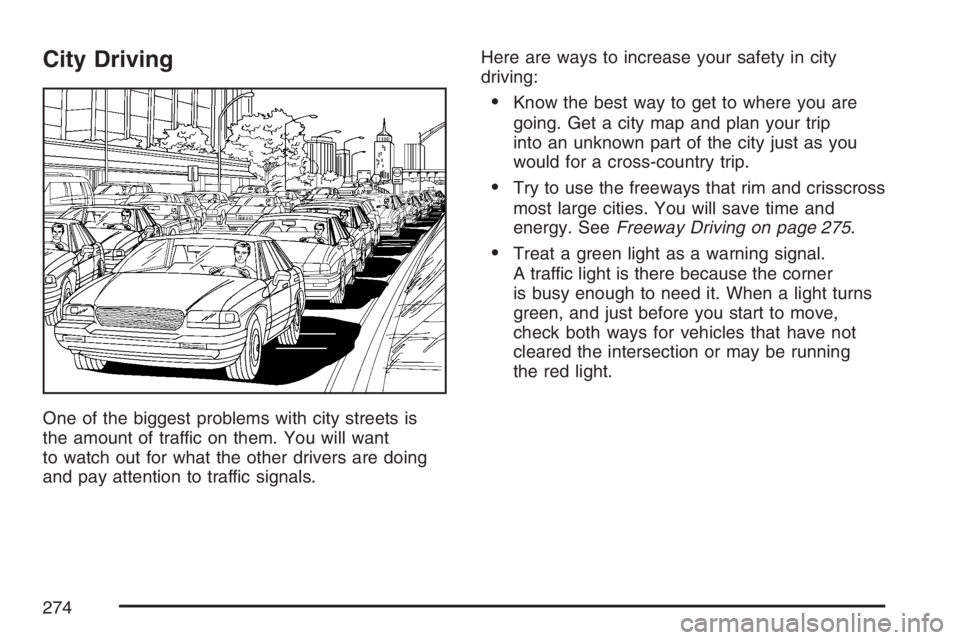
One of the biggest problems with city streets is
the amount of traffic on them. You will want
to watch out for what the other drivers are doing
and pay attention to traffic signals.Here are ways to increase your safety in city
driving:
Know the best way to get to where you are
going. Get a city map and plan your trip
into an unknown part of the city just as you
would for a cross-country trip.
Try to use the freeways that rim and crisscross
most large cities. You will save time and
energy. SeeFreeway Driving on page 275.
Treat a green light as a warning signal.
A traffic light is there because the corner
is busy enough to need it. When a light turns
green, and just before you start to move,
check both ways for vehicles that have not
cleared the intersection or may be running
the red light.
274