2007 GMC ACADIA instrument panel
[x] Cancel search: instrument panelPage 379 of 554
Passing
You’ll need more passing distance up ahead when
you’re towing a trailer. And, because you’re a
good deal longer, you’ll need to go much farther
beyond the passed vehicle before you can
return to your lane.
Backing Up
Hold the bottom of the steering wheel with
one hand. Then, to move the trailer to the left,
just move that hand to the left. To move the trailer
to the right, move your hand to the right. Always
back up slowly and, if possible, have someone
guide you.
Making Turns
Notice:Making very sharp turns while
trailering could cause the trailer to come in
contact with the vehicle. Your vehicle could
be damaged. Avoid making very sharp turns
while trailering.When you’re turning with a trailer, make wider
turns than normal. Do this so your trailer
won’t strike soft shoulders, curbs, road signs,
trees or other objects. Avoid jerky or sudden
maneuvers. Signal well in advance.
Turn Signals When Towing a Trailer
When you tow a trailer, your vehicle may need a
different turn signal asher and/or extra wiring.
Check with your dealer/retailer. The arrows
on your instrument panel will ash whenever you
signal a turn or lane change. Properly hooked
up, the trailer lamps will also ash, telling other
drivers you’re about to turn, change lanes or stop.
When towing a trailer, the arrows on your
instrument panel will ash for turns even if the
bulbs on the trailer are burned out. Thus, you may
think drivers behind you are seeing your signal
when they are not. It’s important to check
occasionally to be sure the trailer bulbs are
still working.
379
Page 384 of 554

Buying New Tires...................................... 450
Different Size Tires and Wheels................ 452
Uniform Tire Quality Grading..................... 453
Wheel Alignment and Tire Balance............ 454
Wheel Replacement.................................. 454
Tire Chains............................................... 456
If a Tire Goes Flat.................................... 457
Changing a Flat Tire................................. 458
Removing the Spare Tire and Tools.......... 459
Removing the Flat Tire and Installing
the Spare Tire....................................... 463
Secondary Latch System........................... 468
Storing a Flat or Spare Tire and Tools...... 472
Compact Spare Tire.................................. 477
Appearance Care........................................ 478
Cleaning the Inside of Your Vehicle.......... 478
Fabric/Carpet............................................. 480
Leather...................................................... 481
Instrument Panel, Vinyl, and Other
Plastic Surfaces..................................... 481
Care of Safety Belts.................................. 482
Weatherstrips............................................ 482
Washing Your Vehicle............................... 482
Cleaning Exterior Lamps/Lenses................ 483Finish Care............................................... 483
Windshield, Backglass, and
Wiper Blades......................................... 484
Aluminum or Chrome-Plated Wheels
and Trim................................................ 484
Tires......................................................... 485
Sheet Metal Damage................................. 486
Finish Damage.......................................... 486
Underbody Maintenance............................ 486
Chemical Paint Spotting............................ 486
Vehicle Care/Appearance Materials............ 487
Vehicle Identication.................................. 488
Vehicle Identication Number (VIN)........... 488
Service Parts Identication Label............... 488
Electrical System........................................ 489
High Voltage Devices and Wiring.............. 489
Add-On Electrical Equipment..................... 489
Windshield Wiper Fuses............................ 490
Power Windows and Other
Power Options....................................... 490
Fuses and Circuit Breakers....................... 490
Instrument Panel Fuse Block..................... 490
Underhood Fuse Block.............................. 493
Capacities and Specications.................... 497
Section 5 Service and Appearance Care
384
Page 395 of 554
Hood Release
To open the hood, do the following:
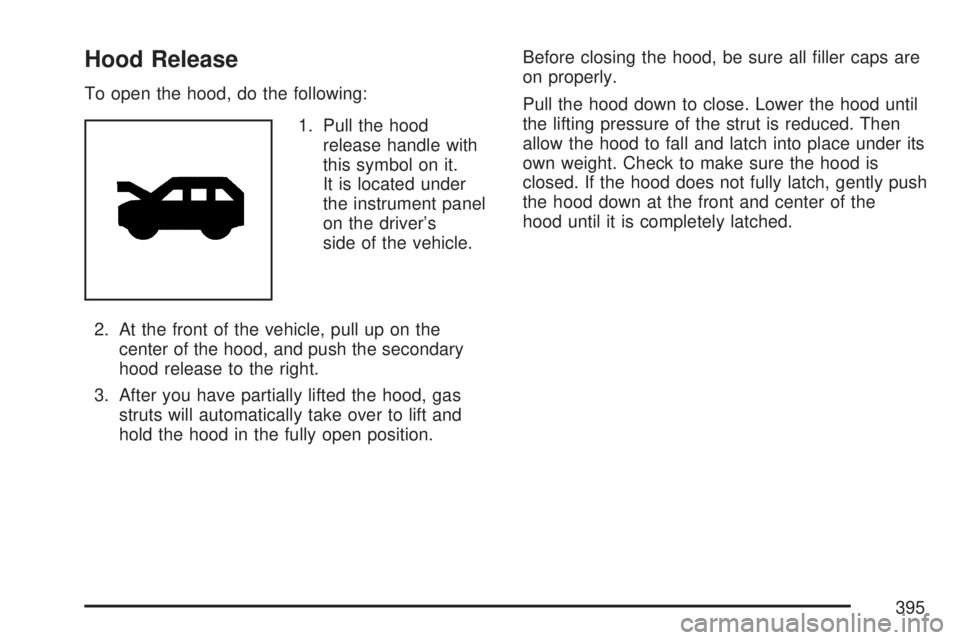
1. Pull the hood
release handle with
this symbol on it.
It is located under
the instrument panel
on the driver’s
side of the vehicle.
2. At the front of the vehicle, pull up on the
center of the hood, and push the secondary
hood release to the right.
3. After you have partially lifted the hood, gas
struts will automatically take over to lift and
hold the hood in the fully open position.Before closing the hood, be sure all ller caps are
on properly.
Pull the hood down to close. Lower the hood until
the lifting pressure of the strut is reduced. Then
allow the hood to fall and latch into place under its
own weight. Check to make sure the hood is
closed. If the hood does not fully latch, gently push
the hood down at the front and center of the
hood until it is completely latched.
395
Page 410 of 554

Radiator Pressure Cap
Notice:If the pressure cap is not tightly
installed, coolant loss and possible engine
damage may occur. Be sure the cap is properly
and tightly secured.
SeeEngine Compartment Overview on page 396
for more information on location.
Engine Overheating
There is an engine coolant temperature gage on
your vehicle’s instrument panel. SeeEngine
Coolant Temperature Gage on page 225.
Your vehicle may also have an ENGINE
OVERHEATED IDLE ENGINE and ENGINE
OVERHEATED STOP ENGINE message
displayed in the Driver Information Center (DIC).
SeeDIC Warnings and Messages on page 244.
If Steam Is Coming From Your Engine
{CAUTION:
Steam from an overheated engine can
burn you badly, even if you just open the
hood. Stay away from the engine if you
see or hear steam coming from it. Turn it
off and get everyone away from the
vehicle until it cools down. Wait until
there is no sign of steam or coolant
before you open the hood.
CAUTION: (Continued)
410
Page 444 of 554

Tire Pressure Monitor System
The Tire Pressure Monitor System (TPMS) uses
radio and sensor technology to check tire pressure
levels. TPMS sensors are mounted onto each
tire and wheel assembly, except the spare
tire. TPMS sensors monitor the air pressure in
your vehicle’s tires and transmit tire pressure
readings to a receiver located in the vehicle.
The TPMS is designed to alert the driver, if a low
tire pressure condition exists. If your vehicle has the
Driver Information Center (DIC), the driver can also
check tire pressure levels using the DIC.
When a low tire pressure condition is detected,
the TPMS illuminates the low tire pressure warning
symbol located on the instrument panel cluster.
If your vehicle has the DIC feature, a message
to check the pressure in a specic tire also
appears on the DIC display. The low tire pressure
warning symbol on the instrument panel cluster
and the CHECK TIRE PRESSURE warning
message on the DIC display appears at each
ignition cycle until the tires are inated tothe correct ination pressure. For additional
information and details about the DIC operation
and displays seeDIC Operation and Displays
(With DIC Buttons) on page 233orDIC Operation
and Displays (Without DIC Buttons) on page 239
andDIC Warnings and Messages on page 244.
You may notice, during cooler weather conditions,
the tire pressure monitor light, located on the
instrument panel cluster, and the CHECK TIRE
PRESSURE message appears when the vehicle
is rst started and then turn off as you start to drive
the vehicle. This could be an early indicator that
the tire pressures are getting low and need to
be inated to the proper pressure.
Each tire, including the spare (if provided), should
be checked monthly when cold and inated to
the ination pressure recommended by the vehicle
manufacturer on the vehicle placard or tire
ination pressure label. (If your vehicle has tires of
a different size than the size indicated on the
vehicle placard or tire ination pressure label,
you should determine the proper tire ination
pressure for those tires.)
444
Page 447 of 554

The TPMS sensor matching process is outlined
below:
1. Set the parking brake.
2. Turn the ignition switch to ON with the
engine off.
3. Using the DIC, press the vehicle information
button until the PRESS
VTO RELEARN TIRE
POSITIONS message displays. If your vehicle
does not have the DIC buttons, press the trip
odometer reset stem located on the instrument
panel cluster until the RELEARN TIRE
POSITIONS message displays.
4. If your vehicle has the DIC buttons, press the
set/reset button. The horn sounds twice to
indicate the TPMS receiver is ready, and the
TIRE LEARNING ACTIVE message
displays. If your vehicle does not have the
DIC buttons, press and hold the trip odometer
reset stem until the horn chirps twice and
the TIRE LEARNING ACTIVE message
is displayed.
5. Start with the driver side front tire. The driver
side front turn signal lamp is on.6. Remove the valve cap from the valve stem.
Activate the TPMS sensor by increasing
or decreasing the tire’s air pressure for
ve seconds, or until a horn chirp sounds.
The horn chirp, which may take up to
30 seconds to sound, conrms that the sensor
identication code has been matched to this
tire and wheel position.
7. Proceed to the passenger side front tire.
The passenger side front turn signal lamp is on.
Repeat the procedure in Step 6.
8. Proceed to the passenger side rear tire.
The passenger side rear turn signal lamp is on.
Repeat the procedure in Step 6.
9. Proceed to the driver side rear tire. The driver
side rear turn signal lamp is on. Repeat the
procedure in Step 6. Instead of a single horn
chirp a double horn chirp signals the TPMS
sensor has been matched to this tire and wheel
position and the matching process is no longer
active.
10. Turn the ignition switch to OFF.
11. Set all four tires to the recommended air
pressure level as indicated on the Tire and
Loading Information label.
12. Put the valve caps back on the valve stems.
447
Page 481 of 554
Leather
A soft cloth dampened with water may be used to
remove dust. If a more thorough cleaning is
necessary, a soft cloth dampened with a mild soap
solution can be used. Allow the leather to dry
naturally. Do not use heat to dry. Never use steam
to clean leather. Never use spot lifters or spot
removers on leather. Many commercial leather
cleaners and coatings that are sold to preserve
and protect leather may permanently change
the appearance and feel of your leather and are
not recommended. Do not use silicone or
wax-based products, or those containing organic
solvents to clean your vehicle’s interior because
they can alter the appearance by increasing
the gloss in a non-uniform manner. Never use
shoe polish on your leather.
Instrument Panel, Vinyl, and Other
Plastic Surfaces
A soft cloth dampened with water may be used to
remove dust. If a more thorough cleaning is
necessary, a clean soft cloth dampened with a
mild soap solution can be used to gently remove
dust and dirt. Never use spot lifters or removers
on plastic surfaces. Many commercial cleaners and
coatings that are sold to preserve and protect
soft plastic surfaces may permanently change the
appearance and feel of your interior and are
not recommended. Do not use silicone or
wax-based products, or those containing organic
solvents to clean your vehicle’s interior because
they can alter the appearance by increasing
the gloss in a non-uniform manner.
Some commercial products may increase gloss on
your instrument panel. The increase in gloss
may cause annoying reections in the windshield
and even make it difficult to see through the
windshield under certain conditions.
481
Page 488 of 554
Vehicle Identication
Vehicle Identication Number (VIN)
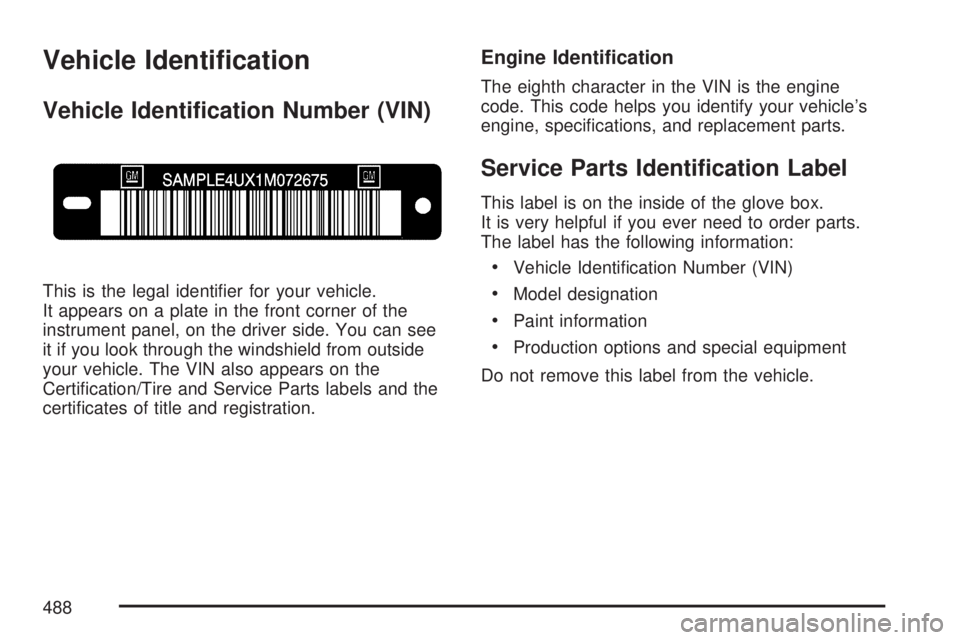
This is the legal identier for your vehicle.
It appears on a plate in the front corner of the
instrument panel, on the driver side. You can see
it if you look through the windshield from outside
your vehicle. The VIN also appears on the
Certication/Tire and Service Parts labels and the
certicates of title and registration.
Engine Identication
The eighth character in the VIN is the engine
code. This code helps you identify your vehicle’s
engine, specications, and replacement parts.
Service Parts Identication Label
This label is on the inside of the glove box.
It is very helpful if you ever need to order parts.
The label has the following information:
Vehicle Identication Number (VIN)
Model designation
Paint information
Production options and special equipment
Do not remove this label from the vehicle.
488