Page 1 of 288
Introduction 4
Instrument Cluster 10
Warning lights and chimes 10
Gauges 14
Entertainment Systems 16
AM/FM stereo with CD 16
AM/FM stereo with in-dash six CD 21
Satellite radio information 27
Family entertainment system 30
Navigation system 45
Climate Controls 46
Manual heating and air conditioning 46
Automatic temperature control 48
Rear window defroster 53
Lights 54
Headlamps 54
Turn signal control 58
Bulb replacement 58
Driver Controls 64
Windshield wiper/washer control 64
Steering wheel adjustment 65
Power windows 68
Mirrors 70
Speed control 72
Moon roof 76
Message center 81
Locks and Security 91
Keys 91
Locks 91
Anti-theft system 105
Table of Contents
1
2007 Five Hundred(500)
Owners Guide (post-2002-fmt)
USA(fus)
Page 2 of 288
Seating and Safety Restraints 110
Seating 110
Safety restraints 117
Airbags 131
Child restraints 145
Tires, Wheels and Loading 158
Tire information 158
Tire inflation 160
Vehicle loading 174
Trailer towing 179
Recreational towing 181
Driving 182
Starting 182
Brakes 185
Traction Control™ 188
Transmission operation 189
Roadside Emergencies 202
Getting roadside assistance 202
Hazard flasher switch 203
Fuel pump shut-off switch 204
Fuses and relays 204
Changing tires 210
Lug nut torque 217
Jump starting 217
Wrecker towing 223
Customer Assistance 225
Reporting safety defects (U.S. only) 231
Reporting safety defects (Canada only) 232
Cleaning 233
Table of Contents
2
2007 Five Hundred(500)
Owners Guide (post-2002-fmt)
USA(fus)
Page 5 of 288

SAFETY AND ENVIRONMENT PROTECTION
Warning symbols in this guide
How can you reduce the risk of personal injury to yourself or others? In
this guide, answers to such questions are contained in comments
highlighted by the warning triangle symbol. These comments should be
read and observed.
Warning symbols on your vehicle
When you see this symbol, it is
imperative that you consult the
relevant section of this guide before
touching or attempting adjustment
of any kind.
Protecting the environment
We must all play our part in
protecting the environment. Correct
vehicle usage and the authorized
disposal of waste, cleaning and
lubrication materials are significant
steps towards this aim. Information in this respect is highlighted in this
guide with the tree symbol.
BREAKING-IN YOUR VEHICLE
Your vehicle does not need an extensive break-in. Try not to drive
continuously at the same speed for the first 1,000 miles (1,600 km) of
new vehicle operation. Vary your speed frequently in order to give the
moving parts a chance to break in.
Drive your new vehicle at least 500 miles (800 km) before towing a
trailer. For more detailed information about towing a trailer, refer to
Trailer towingin theTires, Wheels and Loadingchapter.
Do not add friction modifier compounds or special break-in oils since
these additives may prevent piston ring seating. SeeEngine oilin the
Maintenance and Specificationschapter for more information on oil
usage.
SPECIAL NOTICES
New Vehicle Limited Warranty
For a detailed description of what is covered and what is not covered by
your vehicle’s New Vehicle Limited Warranty, refer to theWarranty
Guidethat is provided to you along with yourOwner’s Guide.
2007 Five Hundred(500)
Owners Guide (post-2002-fmt)
USA(fus)
Introduction
5
Page 6 of 288

Special instructions
For your added safety, your vehicle is fitted with sophisticated electronic
controls.
Please read the sectionAirbag supplemental restraint system
(SRS)in theSeating and Safety Restraintschapter. Failure to
follow the specific warnings and instructions could result in personal
injury.
Front seat mounted rear-facing child or infant seats should
NEVERbe placed in front of an active passenger airbag.
Service Data Recording
Service data recorders in your vehicle are capable of collecting and
storing diagnostic information about your vehicle. This potentially
includes information about the performance or status of various systems
and modules in the vehicle, such as engine, throttle, steering or brake
systems. In order to properly diagnose and service your vehicle, Ford
Motor Company, Ford of Canada, and service and repair facilities may
access vehicle diagnostic information through a direct connection to your
vehicle when diagnosing or servicing your vehicle.
Event Data Recording
Other modules in your vehicle — event data recorders — are capable of
collecting and storing data during a crash or near crash event. The
recorded information may assist in the investigation of such an event.
The modules may record information about both the vehicle and the
occupants, potentially including information such as:
•how various systems in your vehicle were operating;
•whether or not the driver and passenger seatbelts were buckled;
•how far (if at all) the driver was depressing the accelerator and/or the
brake pedal;
•how fast the vehicle was traveling; and
•where the driver was positioning the steering wheel.
2007 Five Hundred(500)
Owners Guide (post-2002-fmt)
USA(fus)
Introduction
6
Page 38 of 288
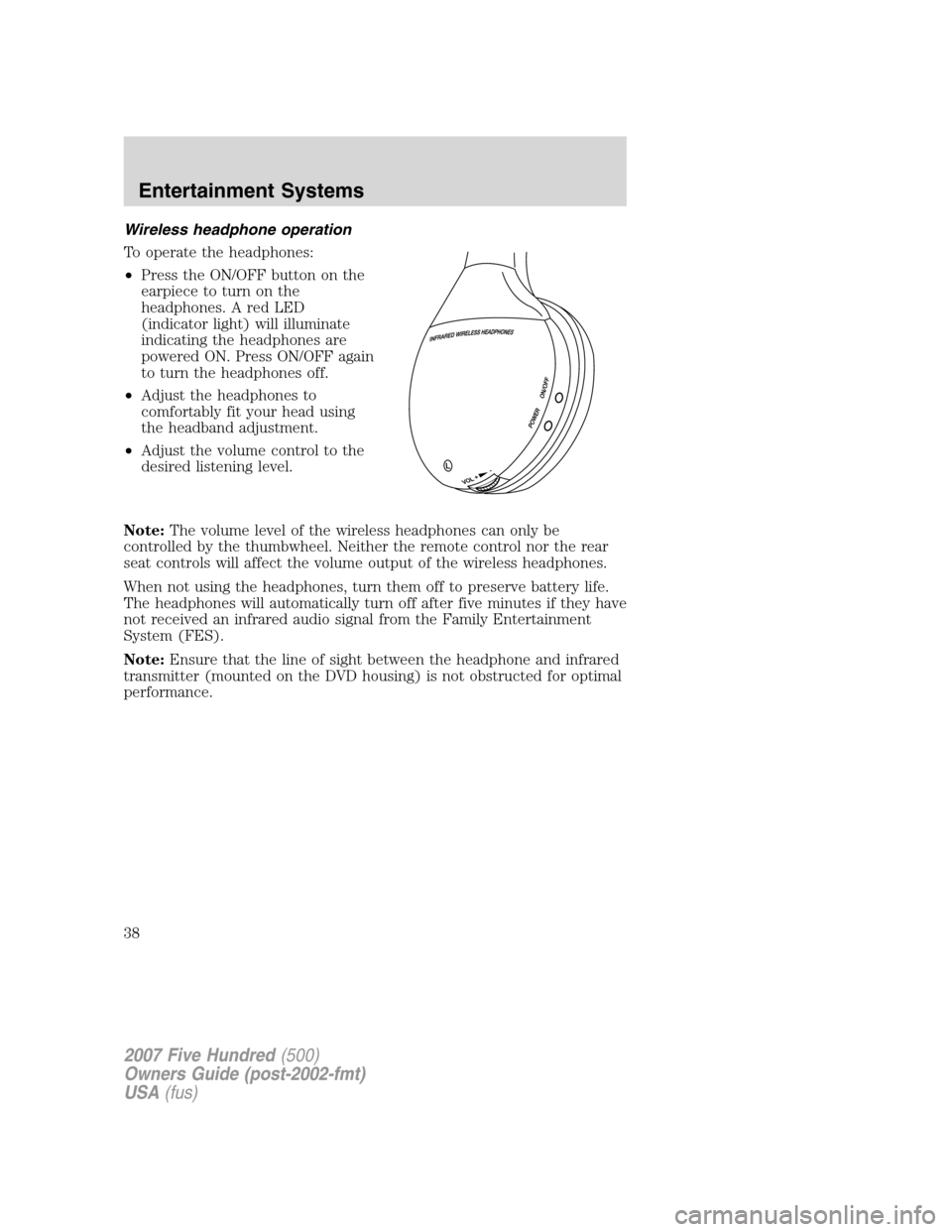
Wireless headphone operation
To operate the headphones:
•Press the ON/OFF button on the
earpiece to turn on the
headphones. A red LED
(indicator light) will illuminate
indicating the headphones are
powered ON. Press ON/OFF again
to turn the headphones off.
•Adjust the headphones to
comfortably fit your head using
the headband adjustment.
•Adjust the volume control to the
desired listening level.
Note:The volume level of the wireless headphones can only be
controlled by the thumbwheel. Neither the remote control nor the rear
seat controls will affect the volume output of the wireless headphones.
When not using the headphones, turn them off to preserve battery life.
The headphones will automatically turn off after five minutes if they have
not received an infrared audio signal from the Family Entertainment
System (FES).
Note:Ensure that the line of sight between the headphone and infrared
transmitter (mounted on the DVD housing) is not obstructed for optimal
performance.
2007 Five Hundred(500)
Owners Guide (post-2002-fmt)
USA(fus)
Entertainment Systems
38
Page 65 of 288
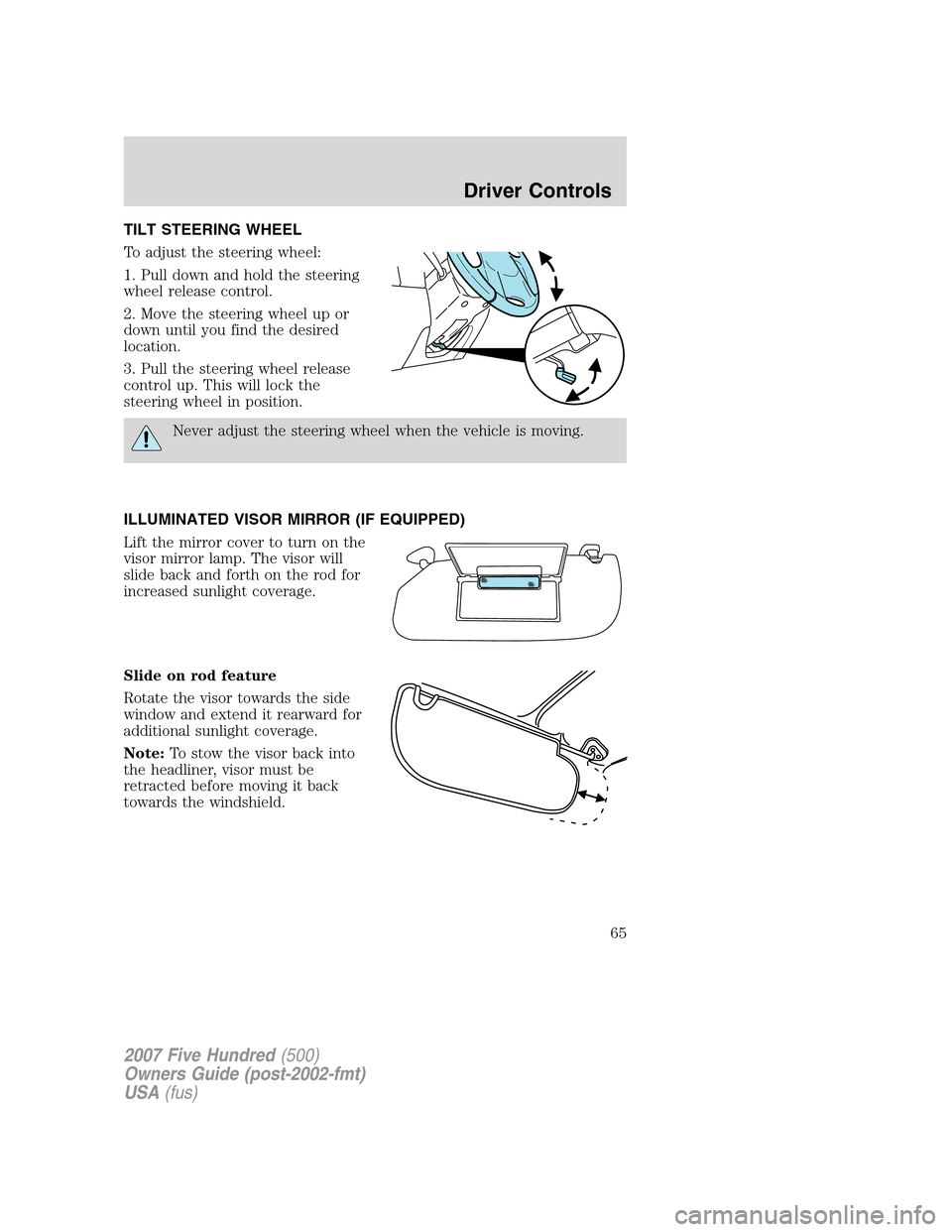
TILT STEERING WHEEL
To adjust the steering wheel:
1. Pull down and hold the steering
wheel release control.
2. Move the steering wheel up or
down until you find the desired
location.
3. Pull the steering wheel release
control up. This will lock the
steering wheel in position.
Never adjust the steering wheel when the vehicle is moving.
ILLUMINATED VISOR MIRROR (IF EQUIPPED)
Lift the mirror cover to turn on the
visor mirror lamp. The visor will
slide back and forth on the rod for
increased sunlight coverage.
Slide on rod feature
Rotate the visor towards the side
window and extend it rearward for
additional sunlight coverage.
Note:To stow the visor back into
the headliner, visor must be
retracted before moving it back
towards the windshield.
2007 Five Hundred(500)
Owners Guide (post-2002-fmt)
USA(fus)
Driver Controls
65
Page 72 of 288
Memory feature (if equipped)
The accelerator and brake pedal positions are saved when doing a
memory set function and can be recalled along with the vehicle
personality features when a memory position is selected through the
remote entry transmitter, keyless entry keypad or memory switch on the
driver’s door (if equipped with memory feature). Refer toMemory
seats/power mirrors/adjustable pedalsin theSeating and Safety
Restraintschapter.
SPEED CONTROL
With speed control set, you can maintain a set speed without keeping
your foot on the accelerator pedal.
Do not use the speed control in heavy traffic or on roads that
are winding, slippery or unpaved.
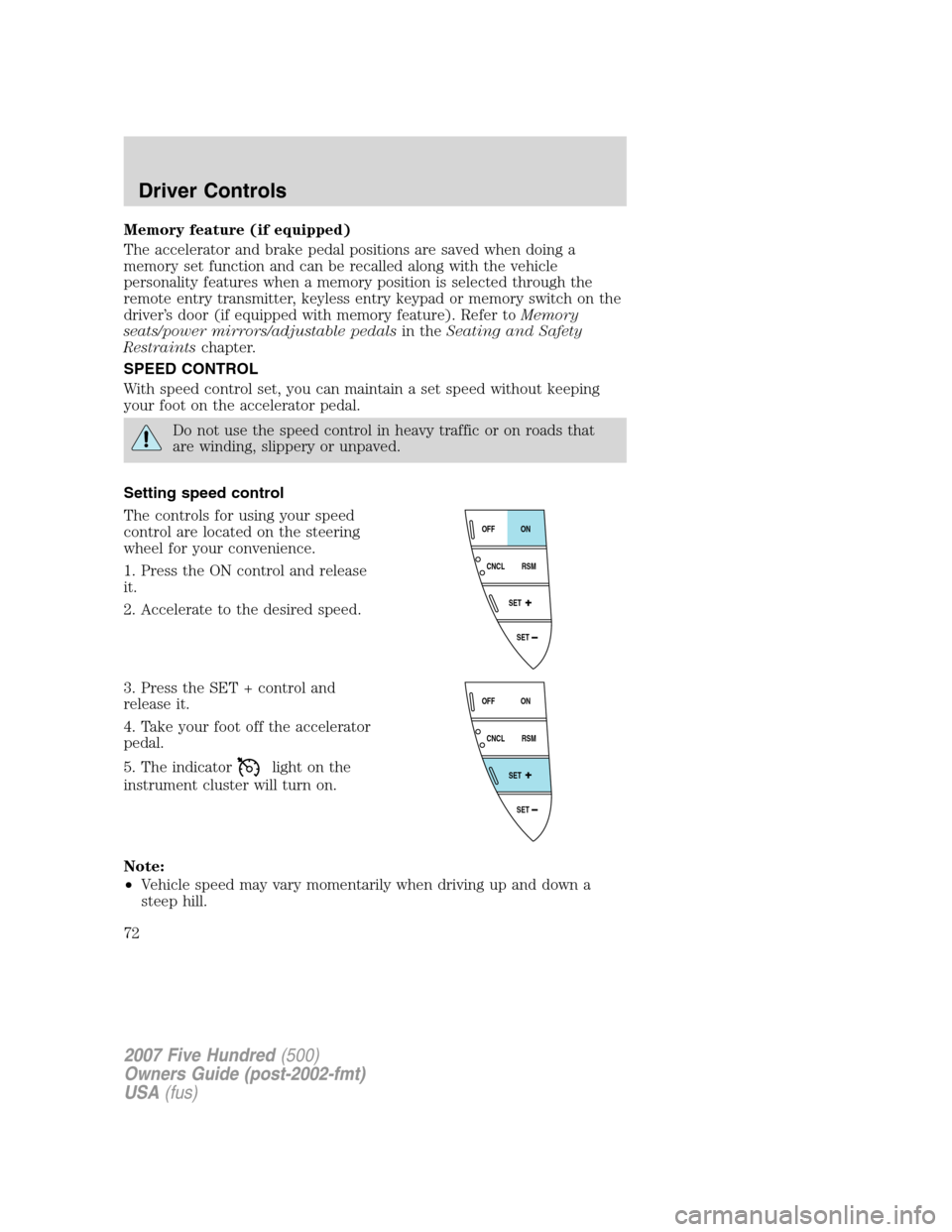
Setting speed control
The controls for using your speed
control are located on the steering
wheel for your convenience.
1. Press the ON control and release
it.
2. Accelerate to the desired speed.
3. Press the SET + control and
release it.
4. Take your foot off the accelerator
pedal.
5. The indicator
light on the
instrument cluster will turn on.
Note:
•Vehicle speed may vary momentarily when driving up and down a
steep hill.
SET
SET
RSM CNCLON
OFF
SET
SET
RSM CNCLON
OFF
2007 Five Hundred(500)
Owners Guide (post-2002-fmt)
USA(fus)
Driver Controls
72
Page 75 of 288
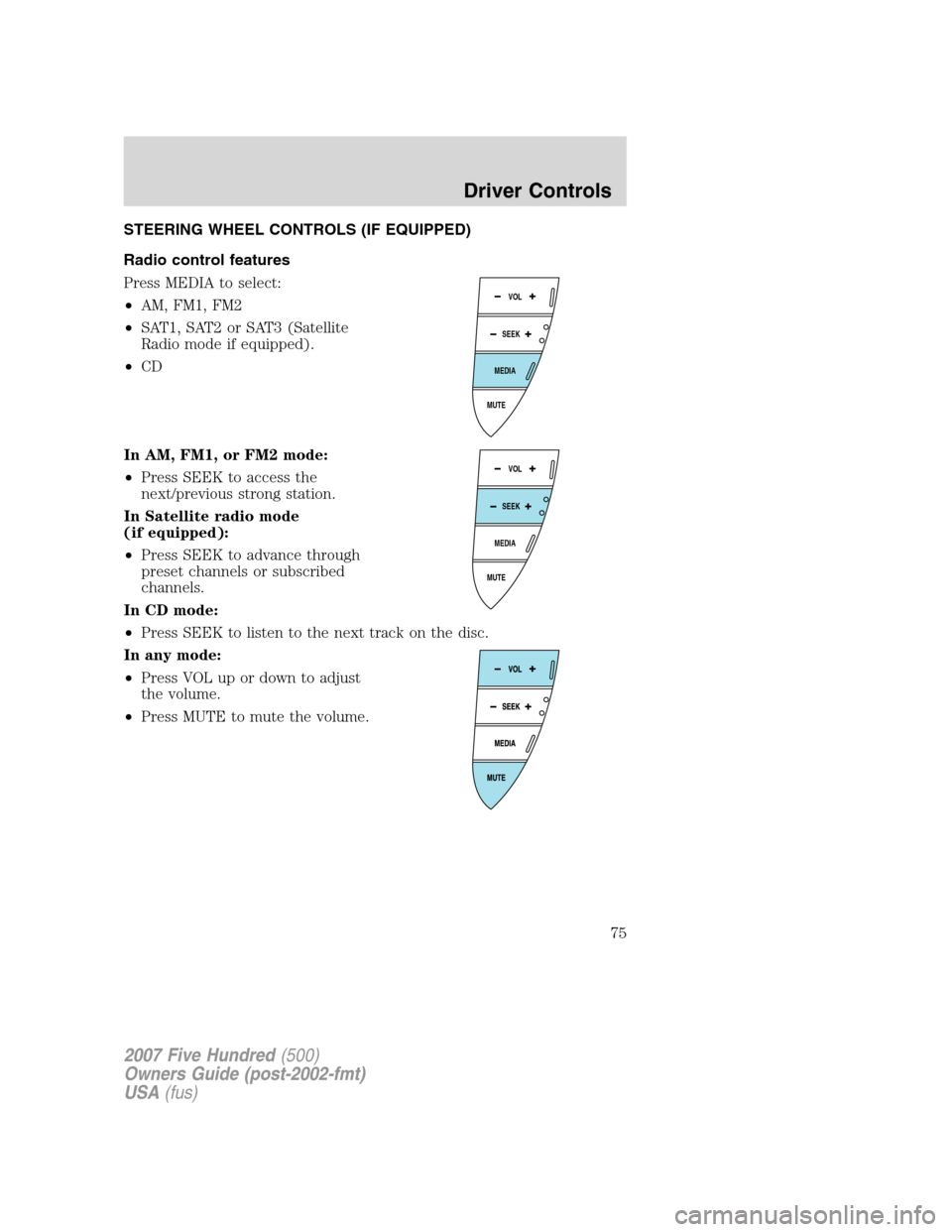
STEERING WHEEL CONTROLS (IF EQUIPPED)
Radio control features
Press MEDIA to select:
•AM, FM1, FM2
•SAT1, SAT2 or SAT3 (Satellite
Radio mode if equipped).
•CD
In AM, FM1, or FM2 mode:
•Press SEEK to access the
next/previous strong station.
In Satellite radio mode
(if equipped):
•Press SEEK to advance through
preset channels or subscribed
channels.
In CD mode:
•Press SEEK to listen to the next track on the disc.
In any mode:
•Press VOL up or down to adjust
the volume.
•Press MUTE to mute the volume.
MUTE
MEDIA
SEEKVOL
MUTE
MEDIA
SEEKVOL
2007 Five Hundred(500)
Owners Guide (post-2002-fmt)
USA(fus)
Driver Controls
75