2007 FORD FIVE HUNDRED rear entertainment
[x] Cancel search: rear entertainmentPage 1 of 288

Introduction 4
Instrument Cluster 10
Warning lights and chimes 10
Gauges 14
Entertainment Systems 16
AM/FM stereo with CD 16
AM/FM stereo with in-dash six CD 21
Satellite radio information 27
Family entertainment system 30
Navigation system 45
Climate Controls 46
Manual heating and air conditioning 46
Automatic temperature control 48
Rear window defroster 53
Lights 54
Headlamps 54
Turn signal control 58
Bulb replacement 58
Driver Controls 64
Windshield wiper/washer control 64
Steering wheel adjustment 65
Power windows 68
Mirrors 70
Speed control 72
Moon roof 76
Message center 81
Locks and Security 91
Keys 91
Locks 91
Anti-theft system 105
Table of Contents
1
2007 Five Hundred(500)
Owners Guide (post-2002-fmt)
USA(fus)
Page 17 of 288

3.Menu:Press to toggle through
the following modes:
Setting the clock:Press MENU until SELECT HOUR or SELECT MINS
is displayed. Use
//SEEKto manually increase/decrease.
Press MENU again to disengage clock mode.
If your vehicle is equipped with an in-dash clock, refer toClockin the
Driver Controlschapter.
CATEGORY(Satellite Radio if equipped): Press MENU until the
currently active category appears in the display (CATEGORY MODE). In
CATEGORY MODE, press
/to scroll through the list of available
SIRIUS channel Categories (Pop, Rock, News, etc.) Press
SEEK
or SCAN to select the category. After a category is selected, press SEEK
to search for that specific category of channels only (i.e. ROCK). To
select a different category, press MENU until the category appears in the
display. Press
/to select a different category. You may also select
CATEGORY ALL to seek all available SIRIUS categories and channels.
Satellite radio is available only with a valid SIRIUS subscription.
Check with your authorized dealer for availability.
Autoset:Allows you to set the strongest local radio stations without
losing your original manually set preset stations for AM/FM1/FM2 . Press
MENU to access. Use
//SEEKto set.
When the six strongest stations are filled, the station stored in preset 1
will begin playing. If there are less than six strong stations, the system
will store the last one in the remaining presets.
Bass:Press to adjust the bass setting. Use
//SEEK.
Treble:Press to adjust the treble setting. Use
//SEEK.
Balance:Press to adjust the audio between the left and right speakers.
Use
//SEEK.
Fade:Press to adjust the audio between the front and rear speakers.
Use
//SEEK.
2007 Five Hundred(500)
Owners Guide (post-2002-fmt)
USA(fus)
Entertainment Systems
17
Page 22 of 288

2.Phone/mute:Press to mute the
playing media. Press again to return
to the playing media.
3.Menu:Press to toggle through
the following modes:
Setting the clock:Press MENU until SELECT HOUR or SELECT MINS
is displayed. Press
//SEEKto adjust the hours/minutes.
Press MENU again to disengage clock mode.
If your vehicle is equipped with an in-dash clock, refer to “Setting the
clock” in theDriver Controlschapter.
CATEGORY(Satellite Radio if equipped): Press MENU until the
currently active category appears in the display (CATEGORY MODE). In
CATEGORY MODE, press
/to scroll through the list of available
SIRIUS channel Categories (Pop, Rock, News, etc.) Press
SEEK
or SCAN to select the category. After a category is selected, press SEEK
to search for that specific category of channels only (i.e. ROCK). To
select a different category, press MENU until the category appears in the
display. Press
/to select a different category. You may also select
CATEGORY ALL to seek all available SIRIUS categories and channels.
Satellite radio is available only with a valid SIRIUS subscription.
Check with your authorized dealer for availability.
Autoset:Allows you to set the strongest local radio stations without
losing your original manually set preset stations for AM/FM1/FM2 .
Use
//SEEKto turn on/off.
When the six strongest stations are filled, the station stored in preset 1
will begin playing. If there are less than six strong stations, the system
will store the last one in the remaining presets.
Bass:Press to adjust the bass setting. Use
//SEEK.
Treble:Press to adjust the treble setting. Use
//SEEK.
Balance:Press to adjust the audio between the left and right speakers.
Use
//SEEK.
Fade:Press to adjust the audio between the front and rear speakers.
Use
//SEEK.
2007 Five Hundred(500)
Owners Guide (post-2002-fmt)
USA(fus)
Entertainment Systems
22
Page 23 of 288

Occupancy mode:(Available on Audiophile radios only):
Use
//SEEKselect and optimize sound for ALL SEATS,
DRIVERS SEAT or REAR SEATS.
Speed sensitive volume:Radio volume automatically changes slightly
with vehicle speed to compensate for road and wind noise.
Use
//SEEKto adjust. Recommended level is 1–3. Level 0
turns the feature off and level 7 is the maximum setting.
Track/Folder Mode:Available only on MP3 discs in CD mode. In Track
Mode, pressing
SEEKwill scroll through all tracks on the disc.
In Folder mode, pressing
SEEKwill scroll only through tracks
within the selected folder.
Compression:Available only in CD mode, brings soft and loud CD
passages together for a more consistent listening level.
Repeat:Available only in CD mode. Press to repeat the current CD
track.
RDS(Available on Audiophile radios only): Allows you to search
RDS-equipped stations for a certain category of music format: Classic,
Country, Info, Jazz/RB, Religious, Rock, Soft, Top 40. RDS (only available
in FM mode) must be activated to access Find and Show functions.
To activate, press and hold MENU until RDS (ON/OFF) appears in the
display. Press MENU repeatedly to scroll through Find, Show and RDS.
Use
//SEEKto toggle RDS ON/OFF. When RDS is Off, you
will not be able to access Find and Show functions.
Find:Allows you to search RDS-equipped stations for the desired music
category. Use
/to find the desired program type, then use
SEEKor SCAN to begin the search.
Show:Allows you to display the name of the radio station or program
type. Use
//SEEKto show type, name or none.
4.Aux:Press to toggle between
FES/DVD and AUX modes. If no
auxiliary sources are available, NO
AUX AUDIO will be displayed. To return to radio mode, press AM/FM.
If equipped with Satellite Radio, press AUX to cycle through SAT1, SAT2
and SAT3 modes.
Satellite radio is available only with a valid SIRIUS subscription.
Check with your authorized dealer for availability.
2007 Five Hundred(500)
Owners Guide (post-2002-fmt)
USA(fus)
Entertainment Systems
23
Page 28 of 288

SIRIUS satellite radio service:SIRIUS Satellite Radio is a subscription
based satellite radio service that broadcasts music, sports, news and
entertainment programming. A service fee is required in order to receive
SIRIUS service. Vehicles that are equipped with a factory installed
SIRIUS Satellite Radio system include:
•Hardware and limited subscription term, which begins on the date of
sale or lease of the vehicle.
•Online media player providing access to all 65 SIRIUS music channels
over the internet (U.S. customers only).
For information on extended subscription terms, contact SIRIUS at
1–888–539–7474.
Note:SIRIUS reserves the unrestricted right to change, rearrange, add
or delete programming including canceling, moving or adding particular
channels, and its prices, at any time, with or without notice to you. Ford
Motor Company shall not be responsible for any such programming
changes.
Satellite Radio Electronic Serial Number (ESN):This 12–digit
Satellite Serial Number is needed to activate, modify or track your
satellite radio account. You will need this number when communicating
with SIRIUS. While in Satellite Radio mode, you can view this number on
the radio display by pressing AUX and Preset 1 control simultaneously.
Radio Display Condition Action Required
ACQUIRING Radio requires more
than two seconds to
produce audio for the
selected channel.No action required.
This message should
disappear shortly.
SAT FAULT Internal module or
system failure
present.If this message does
not clear within a short
period of time, or with
an ignition key cycle,
your receiver may have
a fault. See your
authorized dealer for
service.
2007 Five Hundred(500)
Owners Guide (post-2002-fmt)
USA(fus)
Entertainment Systems
28
Page 36 of 288
7.MENU/MODEcontrol
In DVD playback mode, press to access the disc menu.
In stop mode, press to change media types (e.g. AM, FM, CD...)
8.VOL (VOLUME)control
Press (+) to increase or (-) to decrease the volume level.
Dual play mode
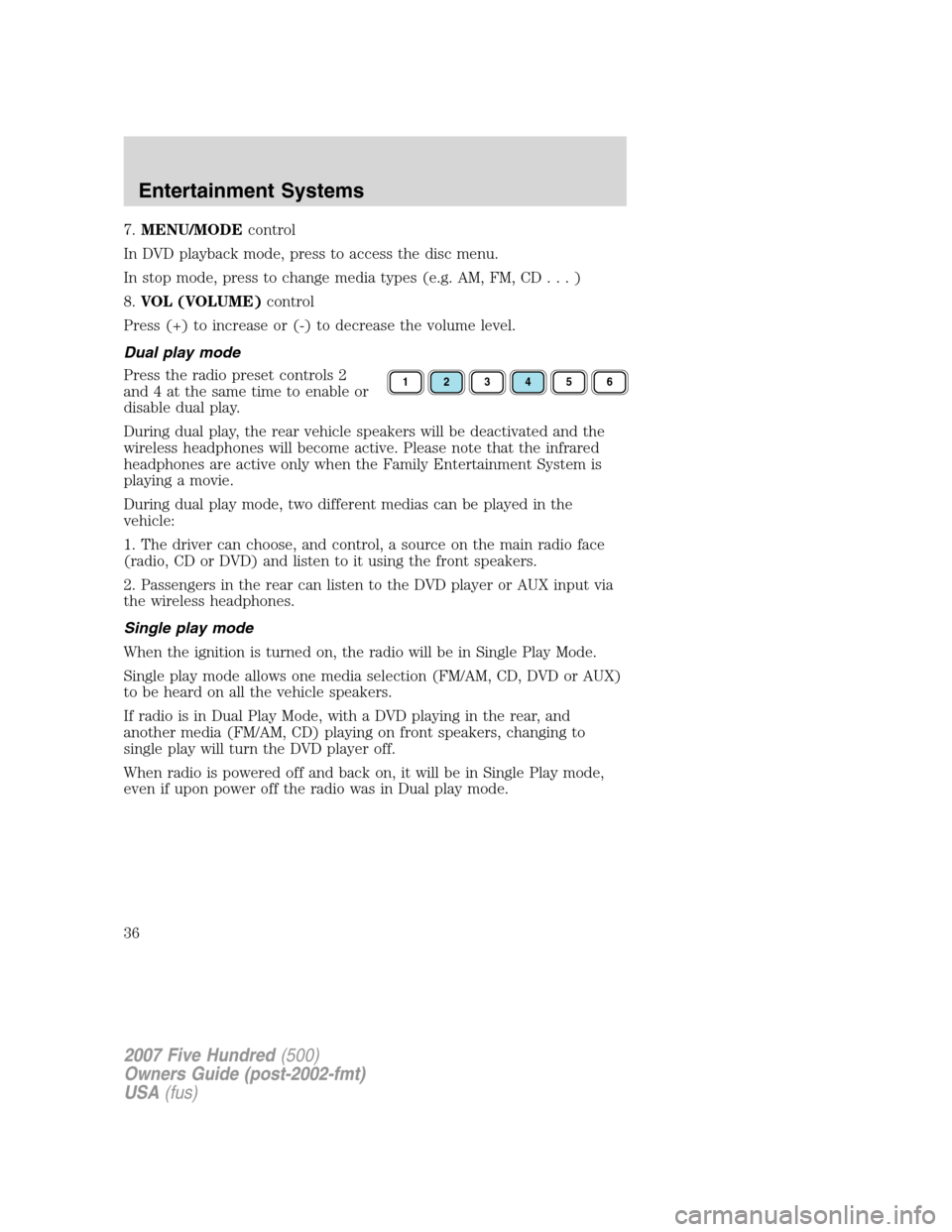
Press the radio preset controls 2
and 4 at the same time to enable or
disable dual play.
During dual play, the rear vehicle speakers will be deactivated and the
wireless headphones will become active. Please note that the infrared
headphones are active only when the Family Entertainment System is
playing a movie.
During dual play mode, two different medias can be played in the
vehicle:
1. The driver can choose, and control, a source on the main radio face
(radio, CD or DVD) and listen to it using the front speakers.
2. Passengers in the rear can listen to the DVD player or AUX input via
the wireless headphones.
Single play mode
When the ignition is turned on, the radio will be in Single Play Mode.
Single play mode allows one media selection (FM/AM, CD, DVD or AUX)
to be heard on all the vehicle speakers.
If radio is in Dual Play Mode, with a DVD playing in the rear, and
another media (FM/AM, CD) playing on front speakers, changing to
single play will turn the DVD player off.
When radio is powered off and back on, it will be in Single Play mode,
even if upon power off the radio was in Dual play mode.
123456
2007 Five Hundred(500)
Owners Guide (post-2002-fmt)
USA(fus)
Entertainment Systems
36
Page 37 of 288
Battery replacement
Batteries are provided with the remote control unit. Since all batteries
have a limited shelf life, replace them when the remote control fails to
control the DVD player. There is a LED indicator light on the remote
control that will illuminate when any control is pressed.
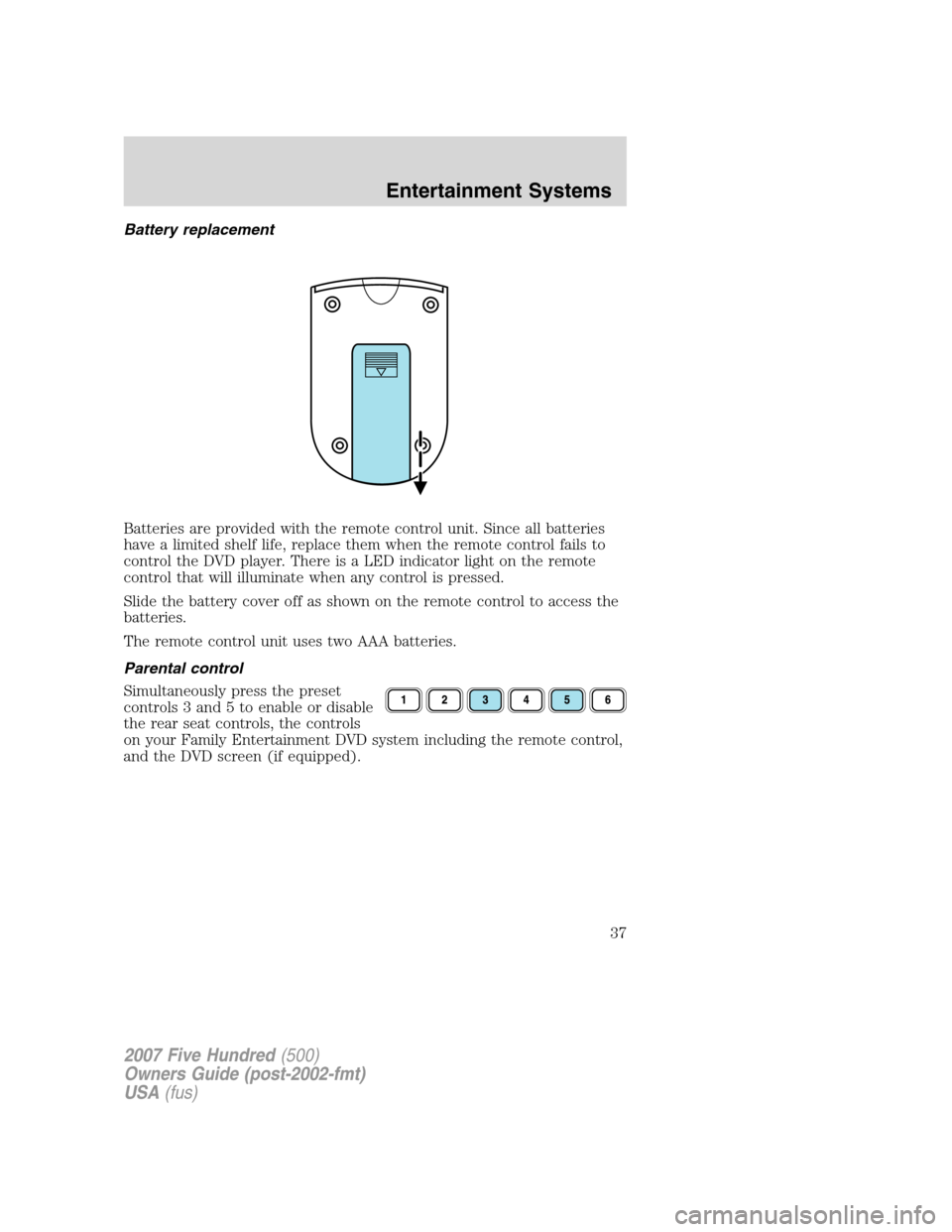
Slide the battery cover off as shown on the remote control to access the
batteries.
The remote control unit uses two AAA batteries.
Parental control
Simultaneously press the preset
controls 3 and 5 to enable or disable
the rear seat controls, the controls
on your Family Entertainment DVD system including the remote control,
and the DVD screen (if equipped).
2007 Five Hundred(500)
Owners Guide (post-2002-fmt)
USA(fus)
Entertainment Systems
37
Page 38 of 288
Wireless headphone operation
To operate the headphones:
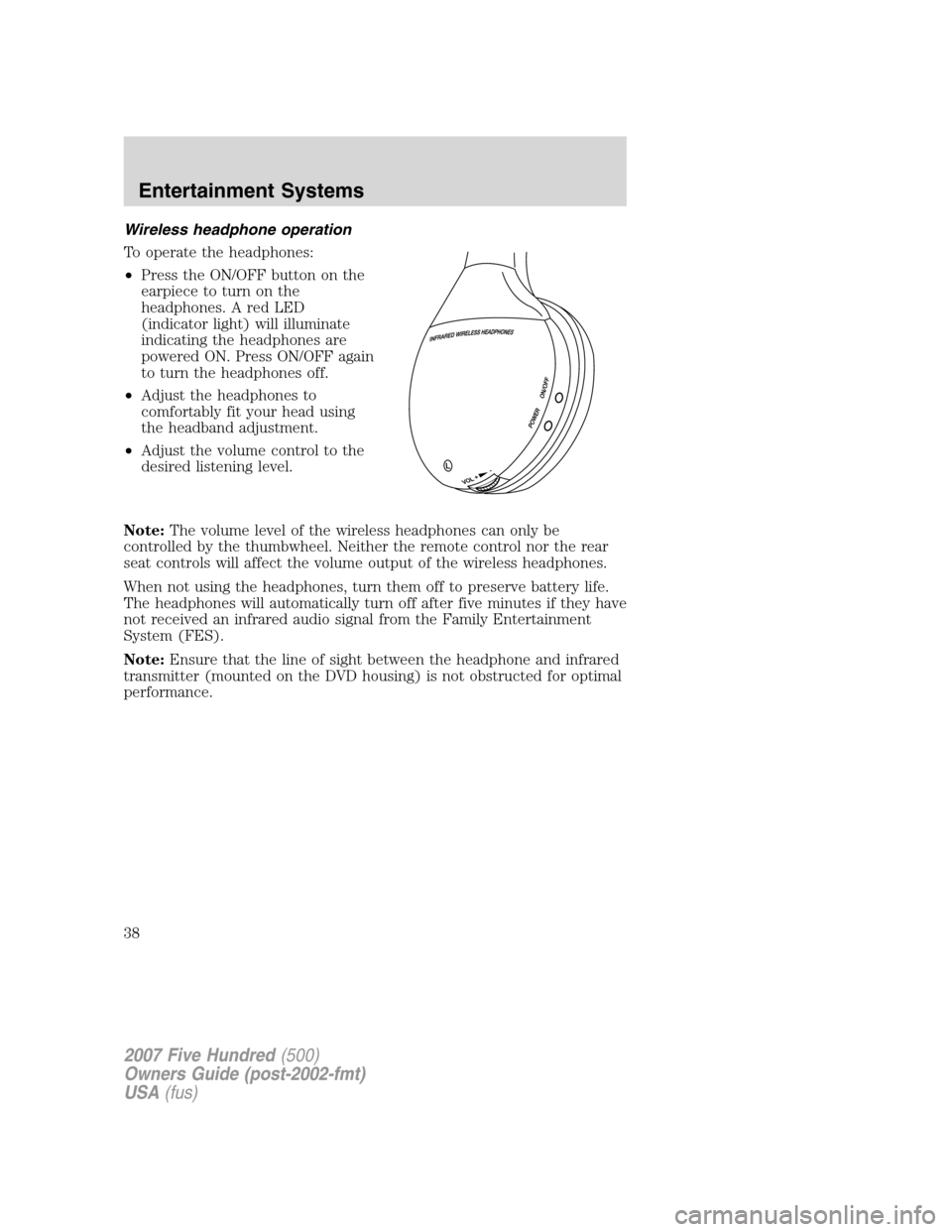
•Press the ON/OFF button on the
earpiece to turn on the
headphones. A red LED
(indicator light) will illuminate
indicating the headphones are
powered ON. Press ON/OFF again
to turn the headphones off.
•Adjust the headphones to
comfortably fit your head using
the headband adjustment.
•Adjust the volume control to the
desired listening level.
Note:The volume level of the wireless headphones can only be
controlled by the thumbwheel. Neither the remote control nor the rear
seat controls will affect the volume output of the wireless headphones.
When not using the headphones, turn them off to preserve battery life.
The headphones will automatically turn off after five minutes if they have
not received an infrared audio signal from the Family Entertainment
System (FES).
Note:Ensure that the line of sight between the headphone and infrared
transmitter (mounted on the DVD housing) is not obstructed for optimal
performance.
2007 Five Hundred(500)
Owners Guide (post-2002-fmt)
USA(fus)
Entertainment Systems
38