2007 FORD F250 AUX
[x] Cancel search: AUXPage 25 of 312
FADE (Fade):Press MENU to reach the fade setting.
Use
//SEEK, SEEKto adjust the audio between the front
and rear speakers.
SPEEDVOL (Speed sensitive volume) (if equipped):Press MENU
to reach the SPEEDVOL setting. Radio volume automatically changes
slightly with vehicle speed to compensate for road and wind noise. Use
the
//SEEK, SEEKto adjust.
The default setting isoff; increasing your vehicle speed will not change
the volume level.
Adjust1–7:Increasing this setting from 1 (lowest setting) to 7 (highest
setting) allows the radio volume to automatically change slightly with
vehicle speed to compensate for road and wind noise.
Recommended level is1–3;level 0 turns the feature off and level 7 is the
maximum setting.
Setting the clock:Press MENU to reach SELECT HOUR or SELECT
MINS. Use
SEEK, SEEKto adjust the hours/minutes. Press
MENU again to disengage clock mode.
4.AUX:Press the AUX button to
toggle between FES/DVD (if
equipped), and SAT1, SAT2 and
SAT3 modes (satellite radio, if equipped). If no auxiliary sources are
available, NO AUX AUDIO will be displayed.
Satellite radio is available only with a valid SIRIUS subscription.
Check with your authorized dealer for availability
5.SEEK:
In radio mode,press the
SEEK, SEEKbutton to
access the previous/next strong
station.
In CD mode,press
SEEK, SEEKbutton access the
previous/next track.
In satellite radio mode (if equipped),press
SEEK, SEEKto
seek to the previous/next channel. If a specific category is selected,
(Jazz, Rock, News, etc.), press
SEEK, SEEKto seek to the
previous/next channel in the selected category. Press and hold
SEEK, SEEKto fast seek through the previous/next channels.
2007 F-250/350/450/550(f23)
Owners Guide (post-2002-fmt)
USA(fus)
Entertainment Systems
25
Page 30 of 312
FADE (Fade):Press MENU to reach the fade setting.
Use
//SEEK, SEEKto adjust the audio between the front
and rear speakers.
SPEEDVOL (Speed sensitive volume) (if equipped):Press MENU
to reach the SPEEDVOL setting. Radio volume automatically changes
slightly with vehicle speed to compensate for road and wind noise. Use
the
//SEEK, SEEKto adjust.
The default setting isoff; increasing your vehicle speed will not change
the volume level.
Adjust1–7:Increasing this setting from 1 (lowest setting) to 7 (highest
setting) allows the radio volume to automatically change slightly with
vehicle speed to compensate for road and wind noise.
Recommended level is1–3;level 0 turns the feature off and level 7 is the
maximum setting.
Setting the clock:Press MENU to reach SELECT HOUR or SELECT
MINS. Use
SEEK, SEEKto adjust the hours/minutes. Press
MENU again to disengage clock mode.
4.AUX:Press the AUX button to
toggle between FES/DVD (if
equipped), and SAT1, SAT2 and
SAT3 modes (satellite radio, if equipped). If no auxiliary sources are
available, NO AUX AUDIO will be displayed.
5.SEEK:
In radio mode,press the
SEEK, SEEKbutton to
access the previous/next strong station.
In CD mode,press
SEEK, SEEKbutton access the
previous/next track.
In satellite radio mode (if equipped),press
SEEK, SEEK
to seek to the previous/next channel. If a specific category is selected,
(Jazz, Rock, News, etc.), press
SEEK, SEEKto seek to the
previous/next channel in the selected category. Press and hold
SEEKto fast seek through the previous/next channels.
In TEXT MODE,press
SEEK, SEEKto view the
previous/additional display text.
2007 F-250/350/450/550(f23)
Owners Guide (post-2002-fmt)
USA(fus)
Entertainment Systems
30
Page 35 of 312
SIRIUS satellite radio service:SIRIUS Satellite Radio is a continental
U.S. based satellite radio service that broadcasts over 120 channels of
music, sports, news and entertainment coast-to-coast. A service fee is
required in order to receive SIRIUS service. Vehicles that are equipped
with a factory installed SIRIUS Satellite Radio system include:
•Hardware and limited subscription term, which begins on the date of
sale or lease of the vehicle.
•SIRIUS online media player access: providing access to all 100%
commercial-free music channels over the internet. Call SIRIUS at
1–888–539–7474 to obtain login instructions and your password.
For information on extended subscription terms, contact SIRIUS at
1–888–539–7474.
Note:SIRIUS reserves the unrestricted right to change, rearrange, add
or delete programming including canceling, moving or adding particular
channels, and its prices, at any time, with or without notice to you. Ford
Motor Company shall not be responsible for any such programming
changes.
Satellite Radio Electronic Serial Number (ESN):This12digit
Satellite Serial Number is needed to activate, modify or track your
satellite radio account. You will need this number when communicating
with SIRIUS. While in Satellite Radio mode, you can view this number on
the radio display by pressing AUX and Preset 1 control simultaneously.
Radio Display Condition Action Required
ACQUIRING Radio requires more
than two seconds to
produce audio for the
selected channel.No action required.
This message should
disappear shortly.
SAT FAULT Internal module or
system failure
present.If this message does
not clear within a short
period of time, or with
an ignition key cycle,
your receiver may have
a fault. See your
authorized dealer for
service.
2007 F-250/350/450/550(f23)
Owners Guide (post-2002-fmt)
USA(fus)
Entertainment Systems
35
Page 61 of 312
Storage compartment (if equipped)
Press the release on the door to
open the storage compartment.
The storage compartment may be
used to secure sunglasses or a
similar object and the front tab can
be used for holding tickets, paper,
envelopes, etc. The front bin may be
used to store small objects.
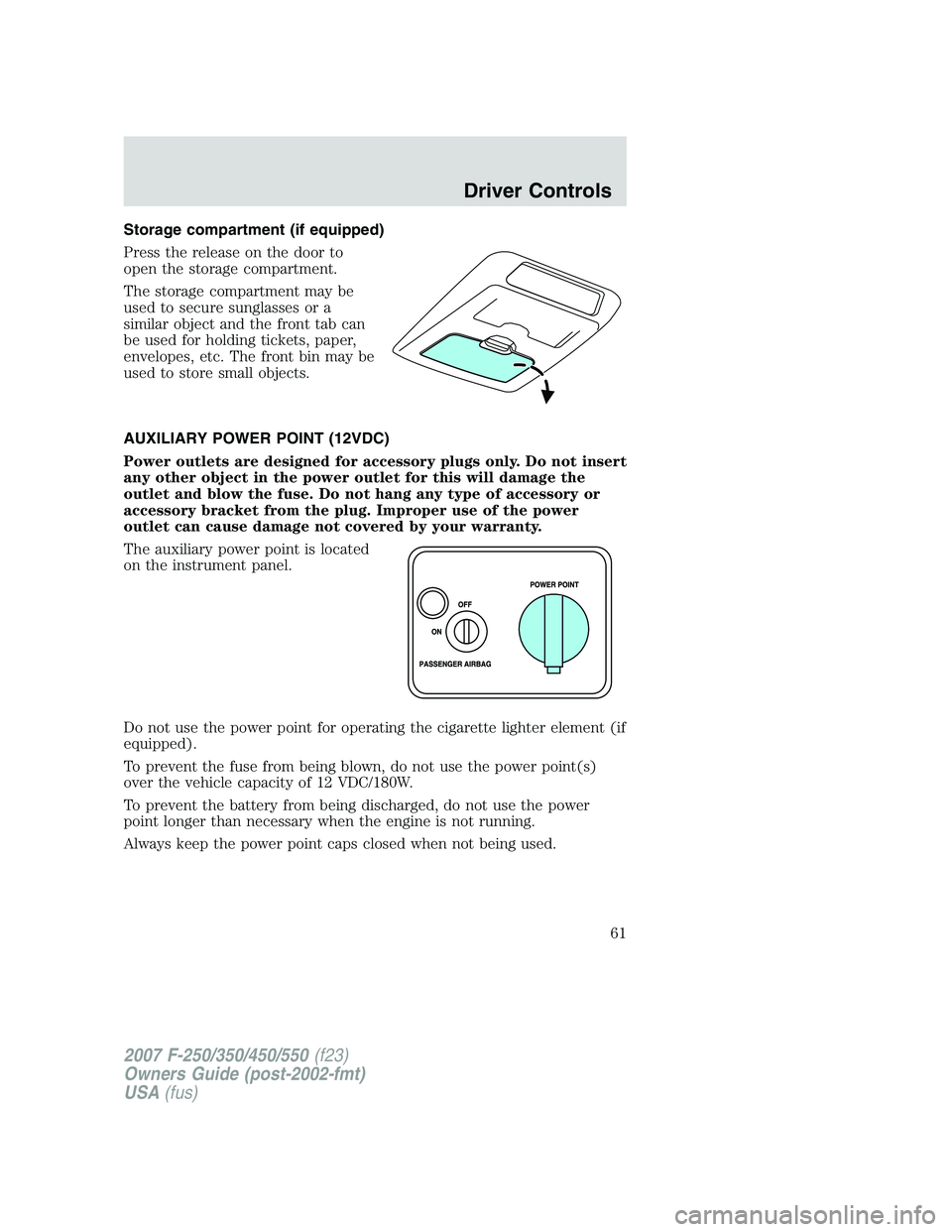
AUXILIARY POWER POINT (12VDC)
Power outlets are designed for accessory plugs only. Do not insert
any other object in the power outlet for this will damage the
outlet and blow the fuse. Do not hang any type of accessory or
accessory bracket from the plug. Improper use of the power
outlet can cause damage not covered by your warranty.
The auxiliary power point is located
on the instrument panel.
Do not use the power point for operating the cigarette lighter element (if
equipped).
To prevent the fuse from being blown, do not use the power point(s)
over the vehicle capacity of 12 VDC/180W.
To prevent the battery from being discharged, do not use the power
point longer than necessary when the engine is not running.
Always keep the power point caps closed when not being used.
2007 F-250/350/450/550(f23)
Owners Guide (post-2002-fmt)
USA(fus)
Driver Controls
61
Page 69 of 312
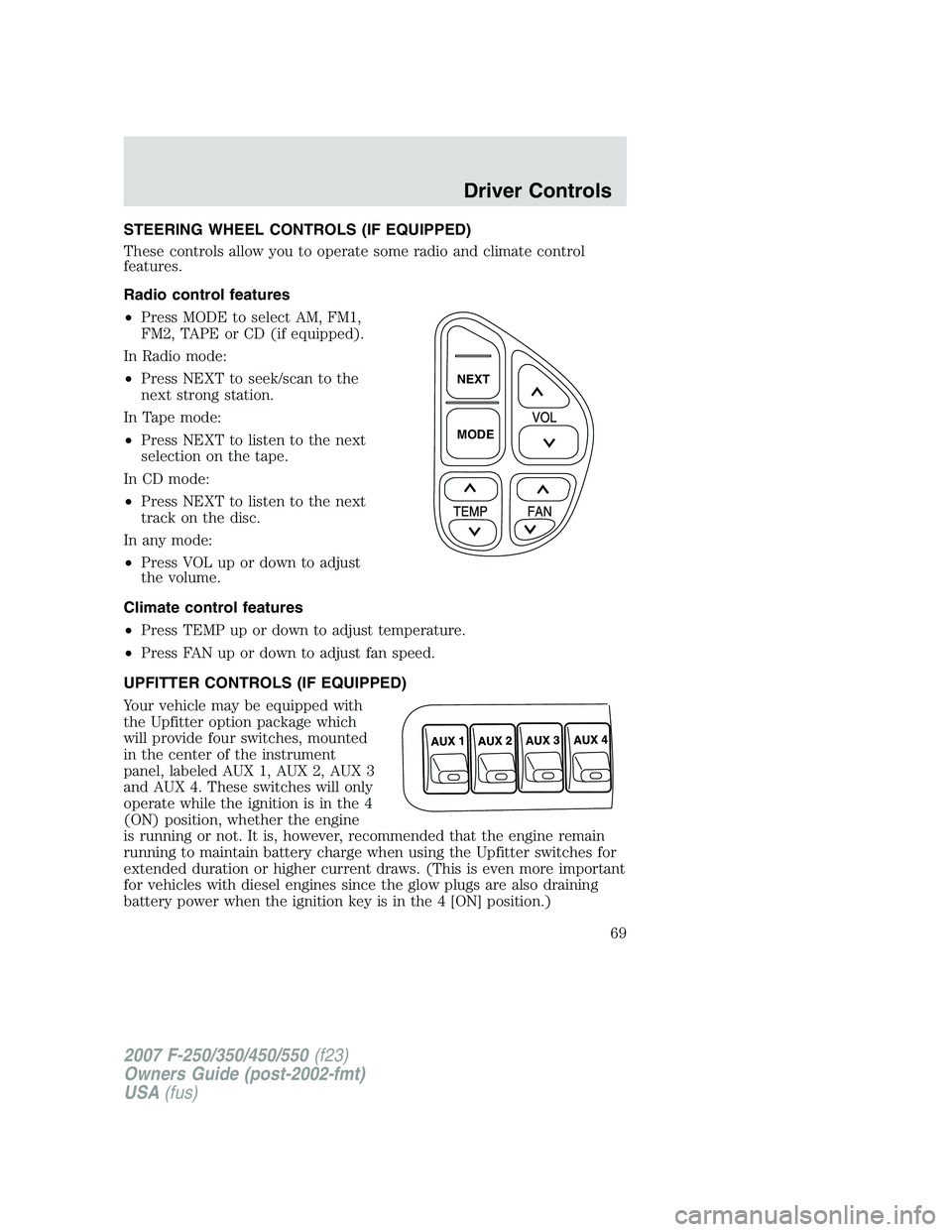
STEERING WHEEL CONTROLS (IF EQUIPPED)
These controls allow you to operate some radio and climate control
features.
Radio control features
•Press MODE to select AM, FM1,
FM2, TAPE or CD (if equipped).
In Radio mode:
•Press NEXT to seek/scan to the
next strong station.
In Tape mode:
•Press NEXT to listen to the next
selection on the tape.
In CD mode:
•Press NEXT to listen to the next
track on the disc.
In any mode:
•Press VOL up or down to adjust
the volume.
Climate control features
•Press TEMP up or down to adjust temperature.
•Press FAN up or down to adjust fan speed.
UPFITTER CONTROLS (IF EQUIPPED)
Your vehicle may be equipped with
the Upfitter option package which
will provide four switches, mounted
in the center of the instrument
panel, labeled AUX 1, AUX 2, AUX 3
and AUX 4. These switches will only
operate while the ignition is in the 4
(ON) position, whether the engine
is running or not. It is, however, recommended that the engine remain
running to maintain battery charge when using the Upfitter switches for
extended duration or higher current draws. (This is even more important
for vehicles with diesel engines since the glow plugs are also draining
battery power when the ignition key is in the 4 [ON] position.)
NEXT
MODE
2007 F-250/350/450/550(f23)
Owners Guide (post-2002-fmt)
USA(fus)
Driver Controls
69
Page 71 of 312
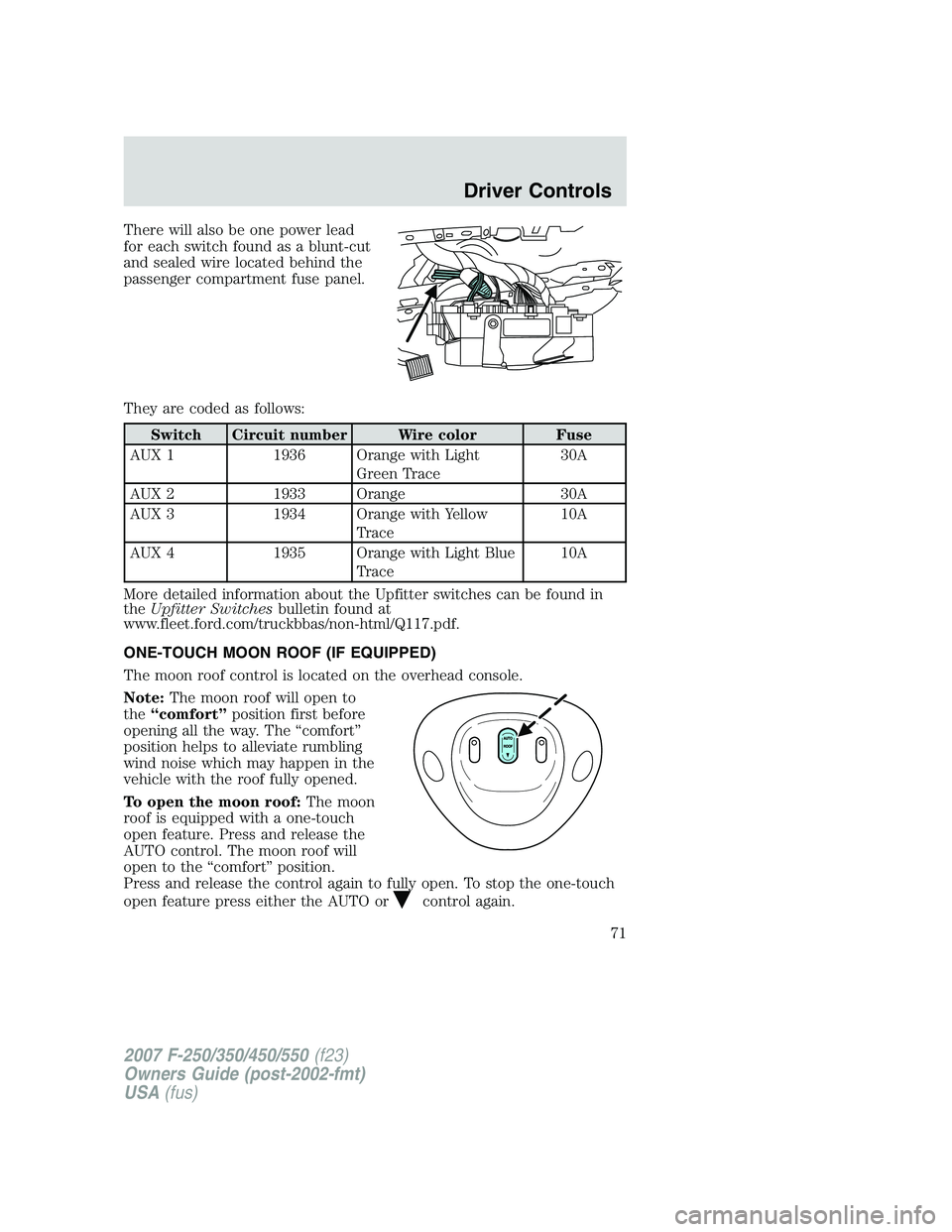
There will also be one power lead
for each switch found as a blunt-cut
and sealed wire located behind the
passenger compartment fuse panel.
They are coded as follows:
Switch Circuit number Wire color Fuse
AUX 1 1936 Orange with Light
Green Trace30A
AUX 2 1933 Orange 30A
AUX 3 1934 Orange with Yellow
Trace10A
AUX 4 1935 Orange with Light Blue
Trace10A
More detailed information about the Upfitter switches can be found in
theUpfitter Switchesbulletin found at
www.fleet.ford.com/truckbbas/non-html/Q117.pdf.
ONE-TOUCH MOON ROOF (IF EQUIPPED)
The moon roof control is located on the overhead console.
Note:The moon roof will open to
the“comfort”position first before
opening all the way. The “comfort”
position helps to alleviate rumbling
wind noise which may happen in the
vehicle with the roof fully opened.
To open the moon roof:The moon
roof is equipped with a one-touch
open feature. Press and release the
AUTO control. The moon roof will
open to the “comfort” position.
Press and release the control again to fully open. To stop the one-touch
open feature press either the AUTO or
control again.
2007 F-250/350/450/550(f23)
Owners Guide (post-2002-fmt)
USA(fus)
Driver Controls
71
Page 203 of 312
Maintenance and Modifications
The suspension and steering systems on your vehicle have been designed
and tested to provide predictable performance whether loaded or empty
and durable load carrying capability. For this reason, Ford Motor
Company strongly recommends that you do not make modifications such
as adding or removing parts (such as lift kits or stabilizer bars) or by
using replacement parts not equivalent to the original factory equipment.
Any modifications to a vehicle that raise the center of gravity can make
it more likely the vehicle will roll over as a result of a loss of control.
Ford Motor Company recommends that caution be used with any vehicle
equipped with a high load or device (such as ladder racks or pickup box
cover).
Failure to maintain your vehicle properly may void the warranty, increase
your repair cost, reduce vehicle performance and operational capabilities
and adversely affect driver and passenger safety. Frequent inspection of
vehicle chassis components is recommended if the vehicle is subjected to
heavy off-road usage.
VEHICLE USED AS A STATIONARY POWER SOURCE
Auxiliary equipment called power take-off, or PTO, is often added to the
engine or transmission to operate utility equipment. Examples include a
wheel-lift for tow trucks, tools for construction and cranes. PTO
applications draw auxiliary horsepower from the powertrain, often while
the vehicle is stationary. In this condition, there is limited cooling air
flow through the radiator and around the vehicle that normally occurs
when a vehicle is moving. Depending on the level and duration of
auxiliary horsepower draw, vehicle conditions and surrounding
environmental conditions and other factors, this can contribute to
elevated transmission fluid temperatures and result in accelerated fluid
deterioration, fuel vapor over-pressurization, and other concerns. Ford
trucks are fully qualified for stationary PTO operation for 10 minutes or
less of continuous operation. For stationary PTO operation of extended
duration (beyond 10 minutes), diesel engine is recommended. Further
consult your aftermarket PTO installer, since the duration of operation
limit for the aftermarket PTO may be less than 10 minutes.
A more complete description of PTO operation is discussed in theFord
Truck Body Builders Layout Book,found at
www.fleet.ford.com/truckbbas.
2007 F-250/350/450/550(f23)
Owners Guide (post-2002-fmt)
USA(fus)
Driving
203
Page 204 of 312
DRIVING THROUGH WATER
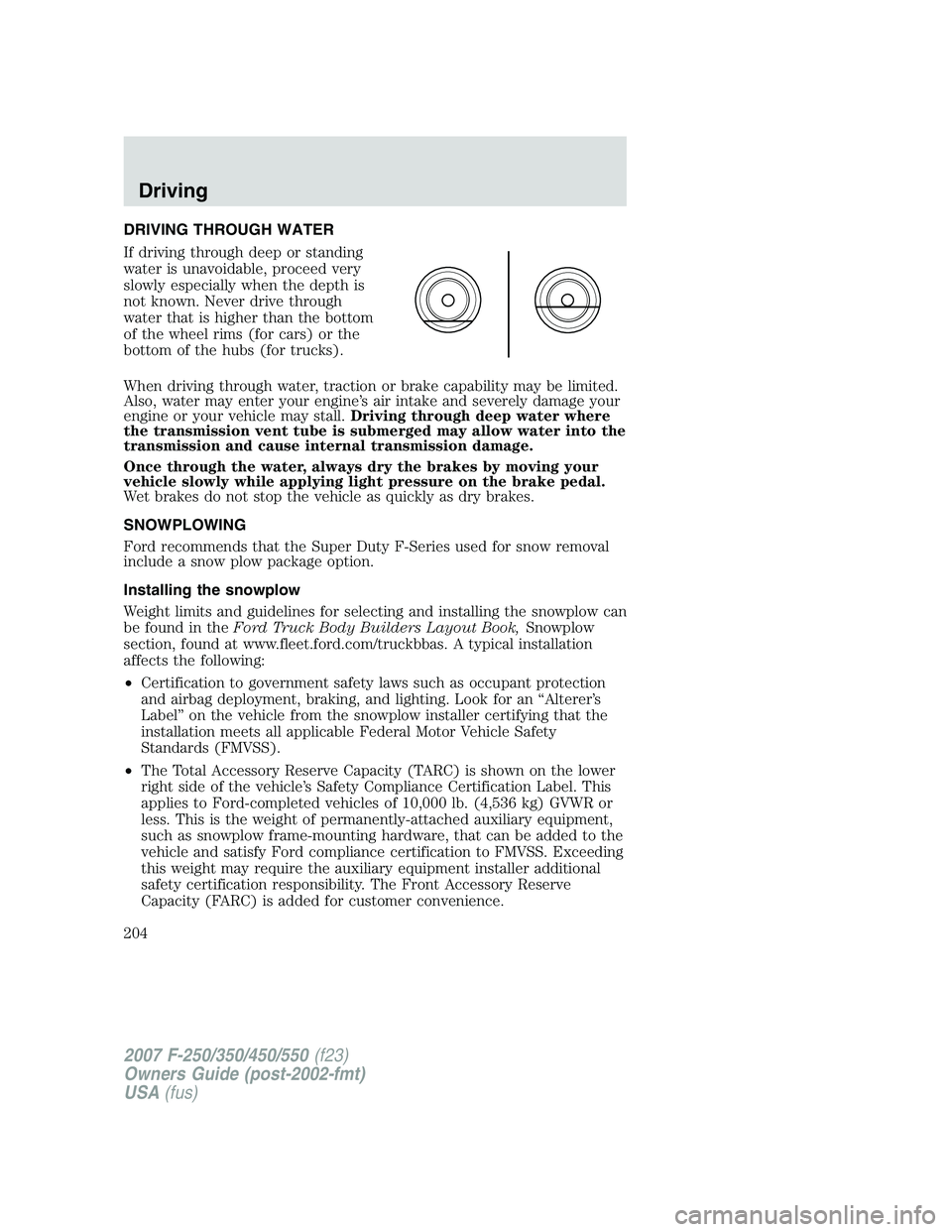
If driving through deep or standing
water is unavoidable, proceed very
slowly especially when the depth is
not known. Never drive through
water that is higher than the bottom
of the wheel rims (for cars) or the
bottom of the hubs (for trucks).
When driving through water, traction or brake capability may be limited.
Also, water may enter your engine’s air intake and severely damage your
engine or your vehicle may stall.Driving through deep water where
the transmission vent tube is submerged may allow water into the
transmission and cause internal transmission damage.
Once through the water, always dry the brakes by moving your
vehicle slowly while applying light pressure on the brake pedal.
Wet brakes do not stop the vehicle as quickly as dry brakes.
SNOWPLOWING
Ford recommends that the Super Duty F-Series used for snow removal
include a snow plow package option.
Installing the snowplow
Weight limits and guidelines for selecting and installing the snowplow can
be found in theFord Truck Body Builders Layout Book,Snowplow
section, found at www.fleet.ford.com/truckbbas. A typical installation
affects the following:
•Certification to government safety laws such as occupant protection
and airbag deployment, braking, and lighting. Look for an “Alterer’s
Label” on the vehicle from the snowplow installer certifying that the
installation meets all applicable Federal Motor Vehicle Safety
Standards (FMVSS).
•The Total Accessory Reserve Capacity (TARC) is shown on the lower
right side of the vehicle’s Safety Compliance Certification Label. This
applies to Ford-completed vehicles of 10,000 lb. (4,536 kg) GVWR or
less. This is the weight of permanently-attached auxiliary equipment,
such as snowplow frame-mounting hardware, that can be added to the
vehicle and satisfy Ford compliance certification to FMVSS. Exceeding
this weight may require the auxiliary equipment installer additional
safety certification responsibility. The Front Accessory Reserve
Capacity (FARC) is added for customer convenience.
2007 F-250/350/450/550(f23)
Owners Guide (post-2002-fmt)
USA(fus)
Driving
204