Page 61 of 328
6. Install the bulb socket into the lamp assembly and rotate clockwise.
7. Carefully install the tail lamp assembly on the vehicle by securing the
lamp assembly with two screws.
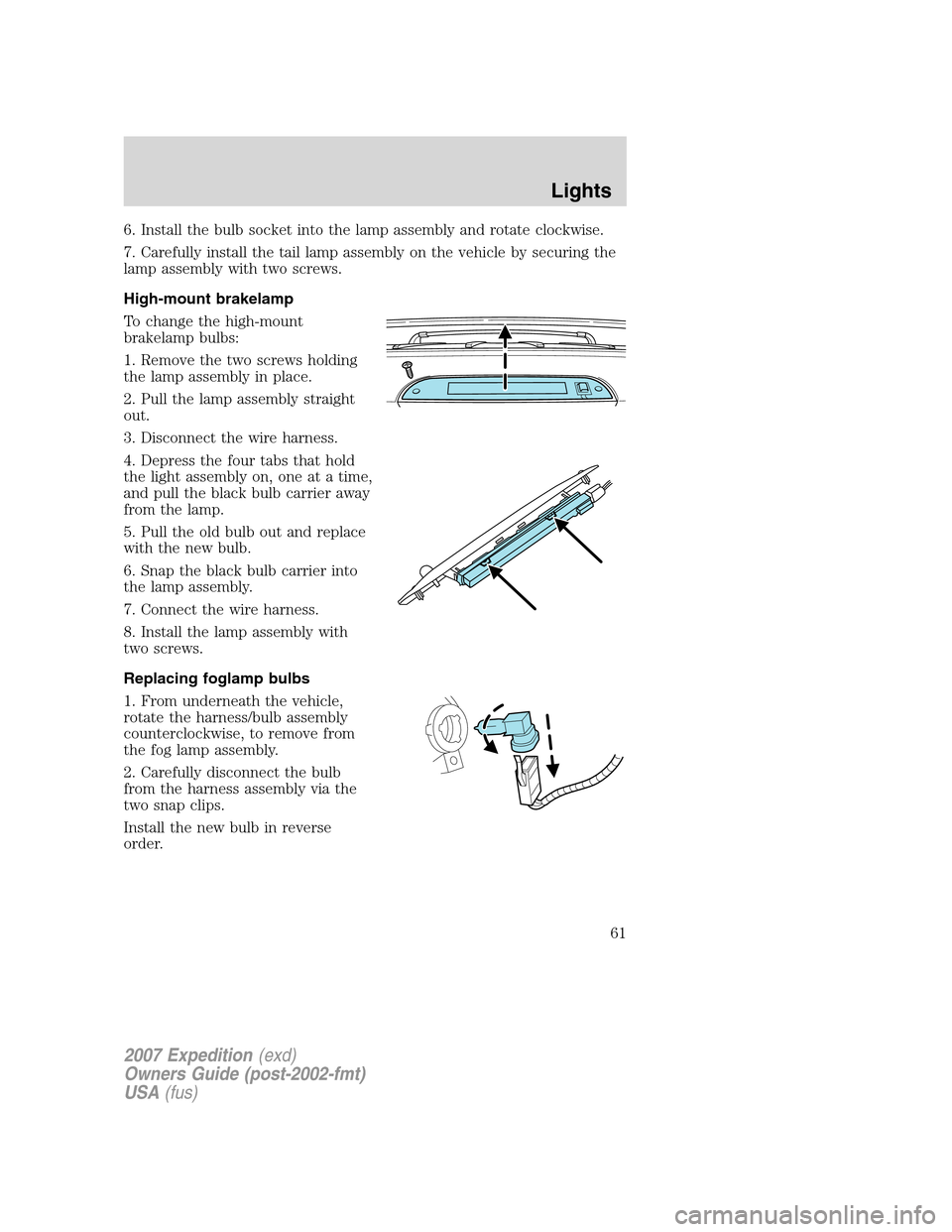
High-mount brakelamp
To change the high-mount
brakelamp bulbs:
1. Remove the two screws holding
the lamp assembly in place.
2. Pull the lamp assembly straight
out.
3. Disconnect the wire harness.
4. Depress the four tabs that hold
the light assembly on, one at a time,
and pull the black bulb carrier away
from the lamp.
5. Pull the old bulb out and replace
with the new bulb.
6. Snap the black bulb carrier into
the lamp assembly.
7. Connect the wire harness.
8. Install the lamp assembly with
two screws.
Replacing foglamp bulbs
1. From underneath the vehicle,
rotate the harness/bulb assembly
counterclockwise, to remove from
the fog lamp assembly.
2. Carefully disconnect the bulb
from the harness assembly via the
two snap clips.
Install the new bulb in reverse
order.
2007 Expedition(exd)
Owners Guide (post-2002-fmt)
USA(fus)
Lights
61
Page 62 of 328
Replacing license plate lamp bulb
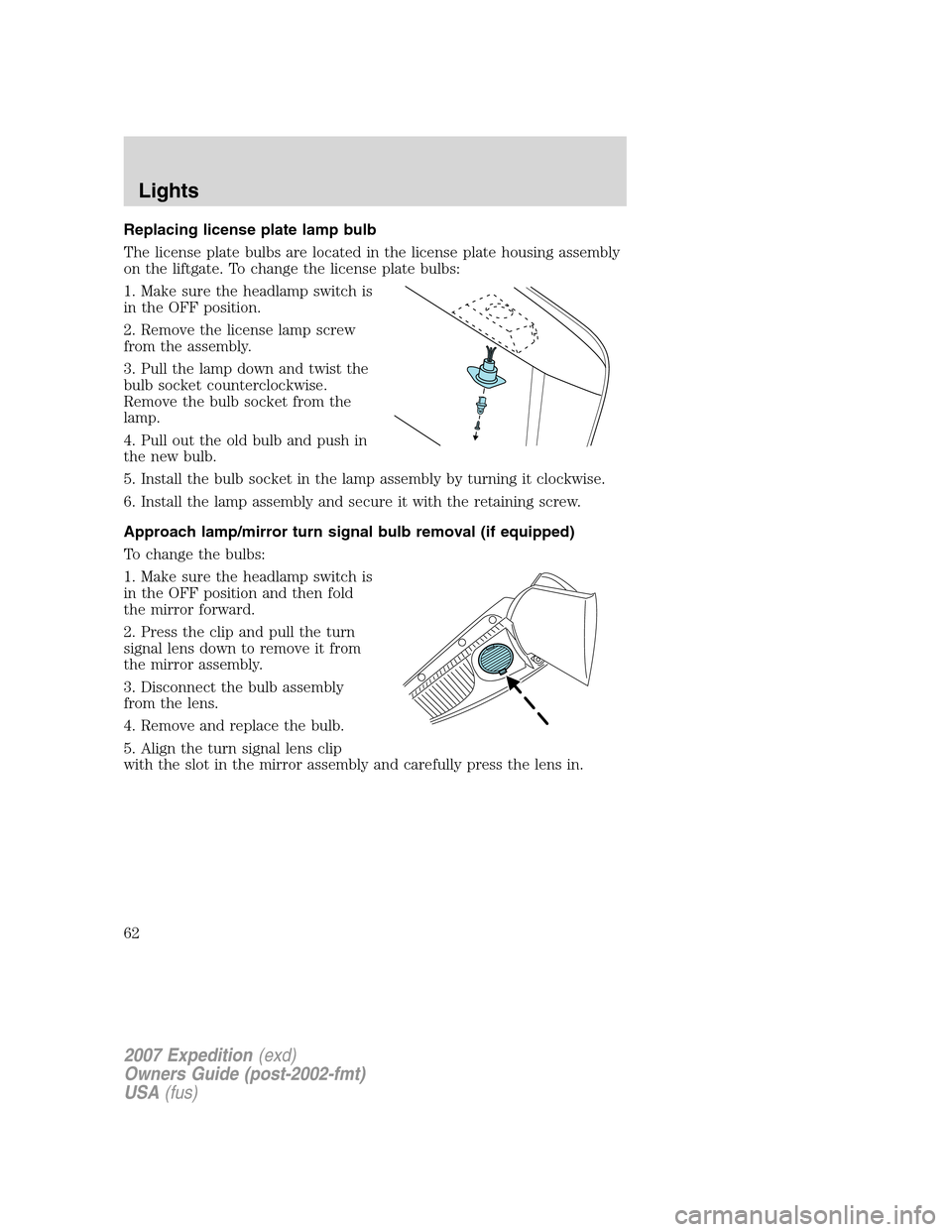
The license plate bulbs are located in the license plate housing assembly
on the liftgate. To change the license plate bulbs:
1. Make sure the headlamp switch is
in the OFF position.
2. Remove the license lamp screw
from the assembly.
3. Pull the lamp down and twist the
bulb socket counterclockwise.
Remove the bulb socket from the
lamp.
4. Pull out the old bulb and push in
the new bulb.
5. Install the bulb socket in the lamp assembly by turning it clockwise.
6. Install the lamp assembly and secure it with the retaining screw.
Approach lamp/mirror turn signal bulb removal (if equipped)
To change the bulbs:
1. Make sure the headlamp switch is
in the OFF position and then fold
the mirror forward.
2. Press the clip and pull the turn
signal lens down to remove it from
the mirror assembly.
3. Disconnect the bulb assembly
from the lens.
4. Remove and replace the bulb.
5. Align the turn signal lens clip
with the slot in the mirror assembly and carefully press the lens in.
2007 Expedition(exd)
Owners Guide (post-2002-fmt)
USA(fus)
Lights
62
Page 79 of 328
The moon roof has a built-in sliding shade that can be manually opened
or closed when the glass panel is shut. To close the shade, pull it toward
the front of the vehicle.
HOMELINK�WIRELESS CONTROL SYSTEM (IF EQUIPPED)
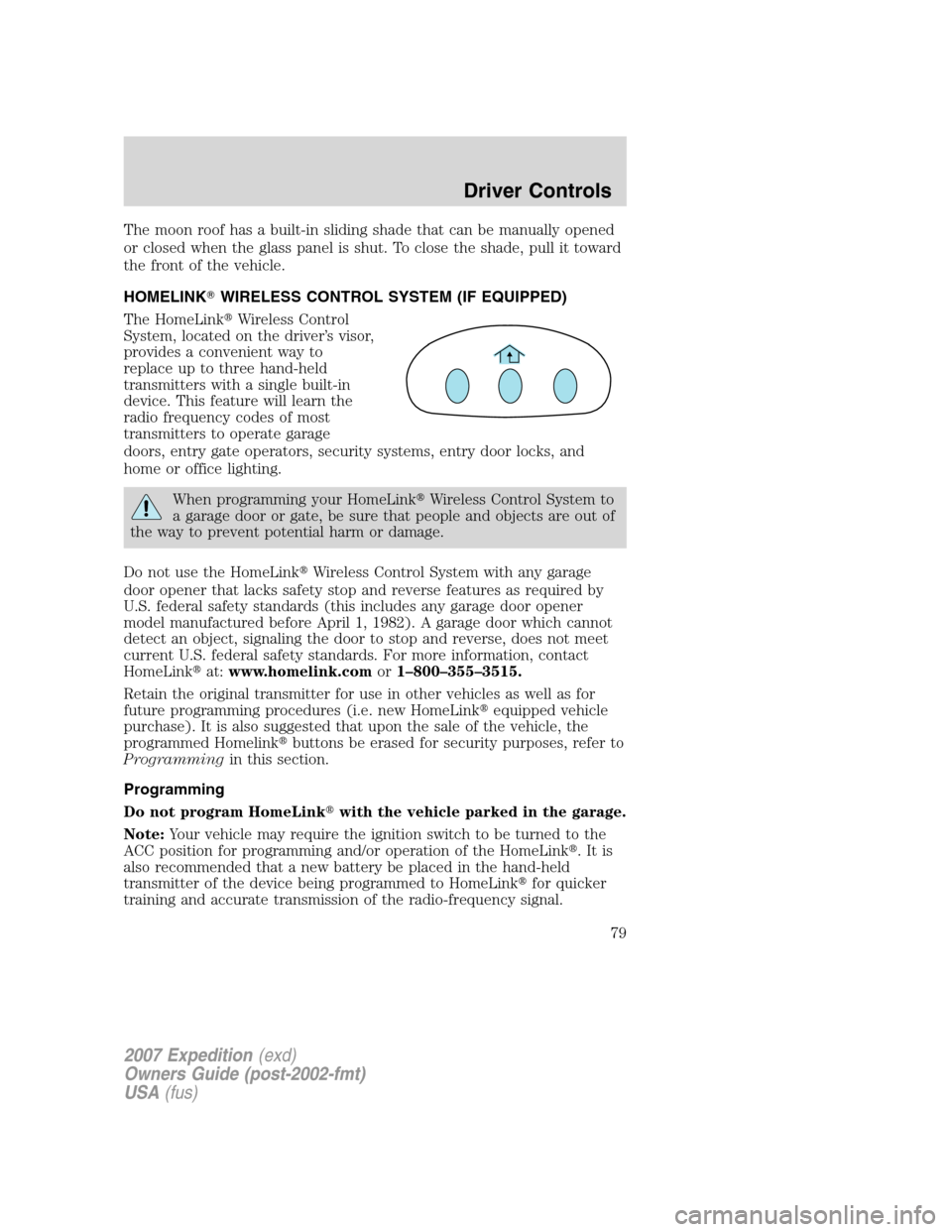
The HomeLink�Wireless Control
System, located on the driver’s visor,
provides a convenient way to
replace up to three hand-held
transmitters with a single built-in
device. This feature will learn the
radio frequency codes of most
transmitters to operate garage
doors, entry gate operators, security systems, entry door locks, and
home or office lighting.
When programming your HomeLink�Wireless Control System to
a garage door or gate, be sure that people and objects are out of
the way to prevent potential harm or damage.
Do not use the HomeLink�Wireless Control System with any garage
door opener that lacks safety stop and reverse features as required by
U.S. federal safety standards (this includes any garage door opener
model manufactured before April 1, 1982). A garage door which cannot
detect an object, signaling the door to stop and reverse, does not meet
current U.S. federal safety standards. For more information, contact
HomeLink�at:www.homelink.comor1–800–355–3515.
Retain the original transmitter for use in other vehicles as well as for
future programming procedures (i.e. new HomeLink�equipped vehicle
purchase). It is also suggested that upon the sale of the vehicle, the
programmed Homelink�buttons be erased for security purposes, refer to
Programmingin this section.
Programming
Do not program HomeLink�with the vehicle parked in the garage.
Note:Your vehicle may require the ignition switch to be turned to the
ACC position for programming and/or operation of the HomeLink�.Itis
also recommended that a new battery be placed in the hand-held
transmitter of the device being programmed to HomeLink�for quicker
training and accurate transmission of the radio-frequency signal.
2007 Expedition(exd)
Owners Guide (post-2002-fmt)
USA(fus)
Driver Controls
79
Page 82 of 328
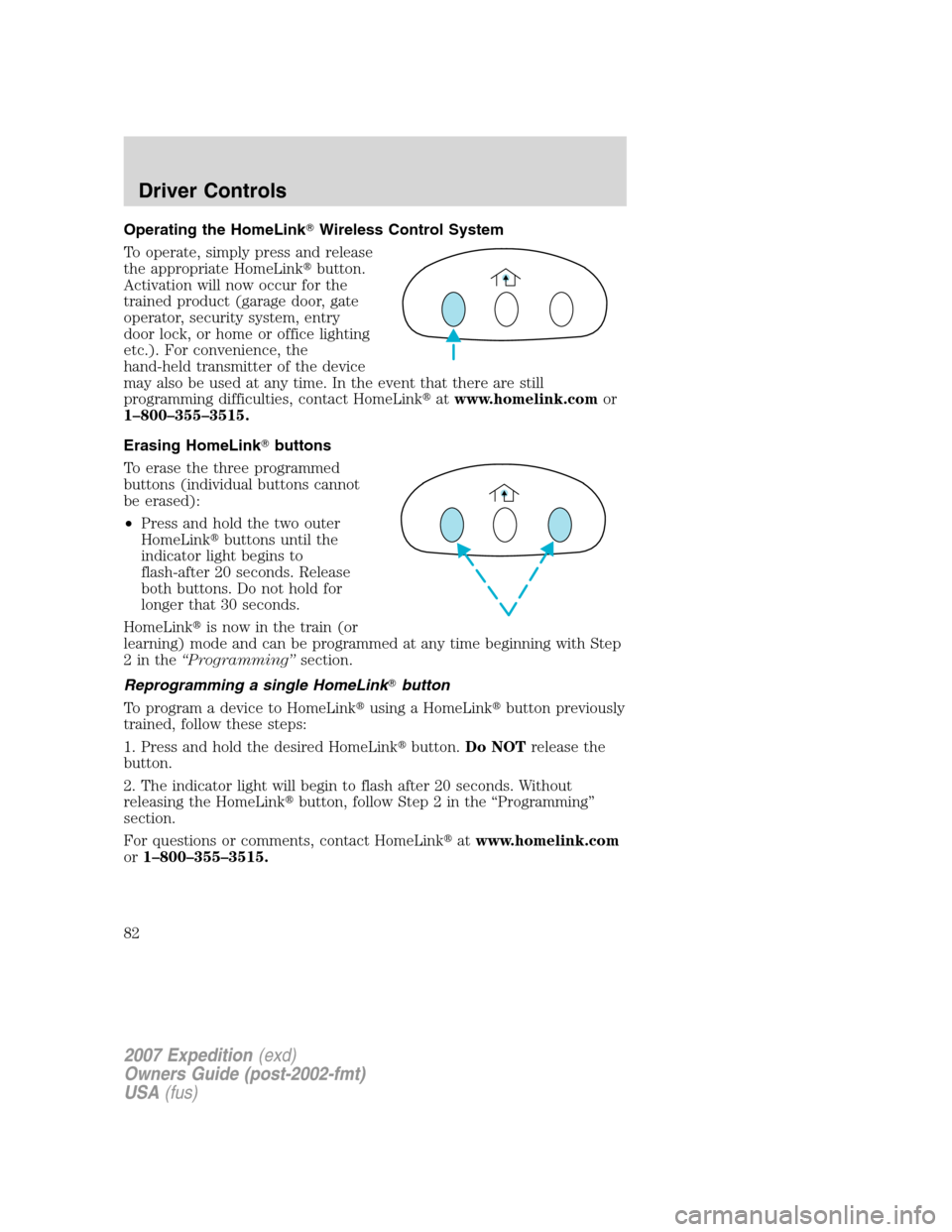
Operating the HomeLink�Wireless Control System
To operate, simply press and release
the appropriate HomeLink�button.
Activation will now occur for the
trained product (garage door, gate
operator, security system, entry
door lock, or home or office lighting
etc.). For convenience, the
hand-held transmitter of the device
may also be used at any time. In the event that there are still
programming difficulties, contact HomeLink�atwww.homelink.comor
1–800–355–3515.
Erasing HomeLink�buttons
To erase the three programmed
buttons (individual buttons cannot
be erased):
•Press and hold the two outer
HomeLink�buttons until the
indicator light begins to
flash-after 20 seconds. Release
both buttons. Do not hold for
longer that 30 seconds.
HomeLink�is now in the train (or
learning) mode and can be programmed at any time beginning with Step
2inthe“Programming”section.
Reprogramming a single HomeLink�button
To program a device to HomeLink�using a HomeLink�button previously
trained, follow these steps:
1. Press and hold the desired HomeLink�button.Do NOTrelease the
button.
2. The indicator light will begin to flash after 20 seconds. Without
releasing the HomeLink�button, follow Step 2 in the “Programming”
section.
For questions or comments, contact HomeLink�atwww.homelink.com
or1–800–355–3515.
2007 Expedition(exd)
Owners Guide (post-2002-fmt)
USA(fus)
Driver Controls
82
Page 98 of 328

To open the liftgate from the
Instrument panel:
Press the button once to open the
liftgate, press it again to close.
To open the liftgate with the Key fob:
Refer toRemote Entry Systemin theLocks and securitychapter.
To open the liftgate with outside
release handle (manual
actuation):
1. To open, unlock the liftgate with
the key fob or power door unlock
control.
2. Pull and release the liftgate
handle to open the liftgate.
Note:For the best performance allow the power system to open the
liftgate after releasing the handle. Continued upward force after
unlatching may activate the obstacle detection feature and stop the
power system.
Note:If weight is added to the gate (bike rack, snow, etc.) the gate may
automatically start a power close event immediately after a power open.
In this mode a unique continuous chime will sound.
To close the liftgate with the
rear cargo area control button:
Press and release the control on the
left rear quarter panel to close the
liftgate. The chime will beep once if
conditions are not correct to start
an operation (i.e., the vehicle is out
of park). In a normal close, the
chime will begin just before the gate
starts to move and continue for total
of three seconds.
Press and release the control to open or reverse the liftgate.
Rear cargo area control button will not open the liftgate when the
liftgate is latched.
2007 Expedition(exd)
Owners Guide (post-2002-fmt)
USA(fus)
Driver Controls
98
Page 102 of 328
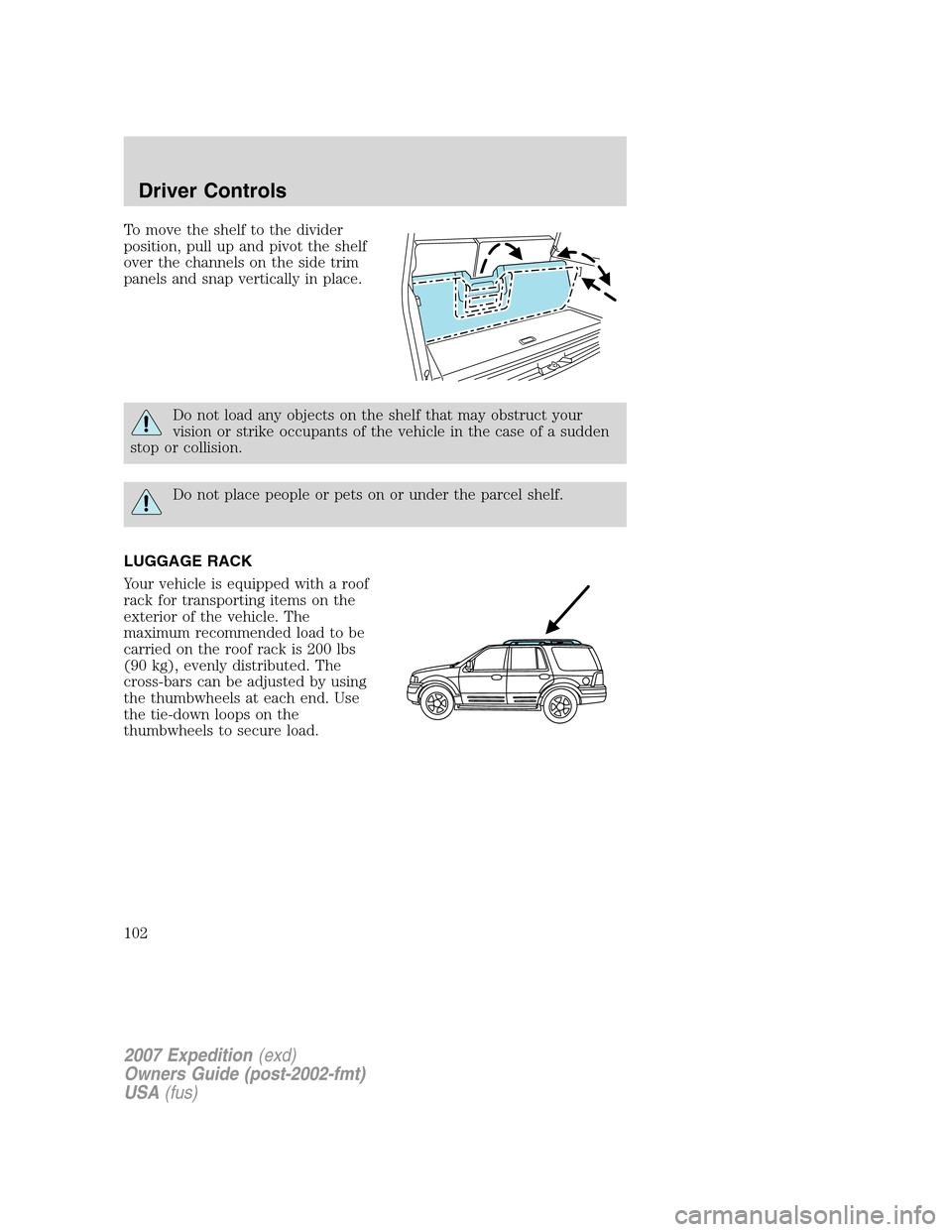
To move the shelf to the divider
position, pull up and pivot the shelf
over the channels on the side trim
panels and snap vertically in place.
Do not load any objects on the shelf that may obstruct your
vision or strike occupants of the vehicle in the case of a sudden
stop or collision.
Do not place people or pets on or under the parcel shelf.
LUGGAGE RACK
Your vehicle is equipped with a roof
rack for transporting items on the
exterior of the vehicle. The
maximum recommended load to be
carried on the roof rack is 200 lbs
(90 kg), evenly distributed. The
cross-bars can be adjusted by using
the thumbwheels at each end. Use
the tie-down loops on the
thumbwheels to secure load.
2007 Expedition(exd)
Owners Guide (post-2002-fmt)
USA(fus)
Driver Controls
102
Page 103 of 328
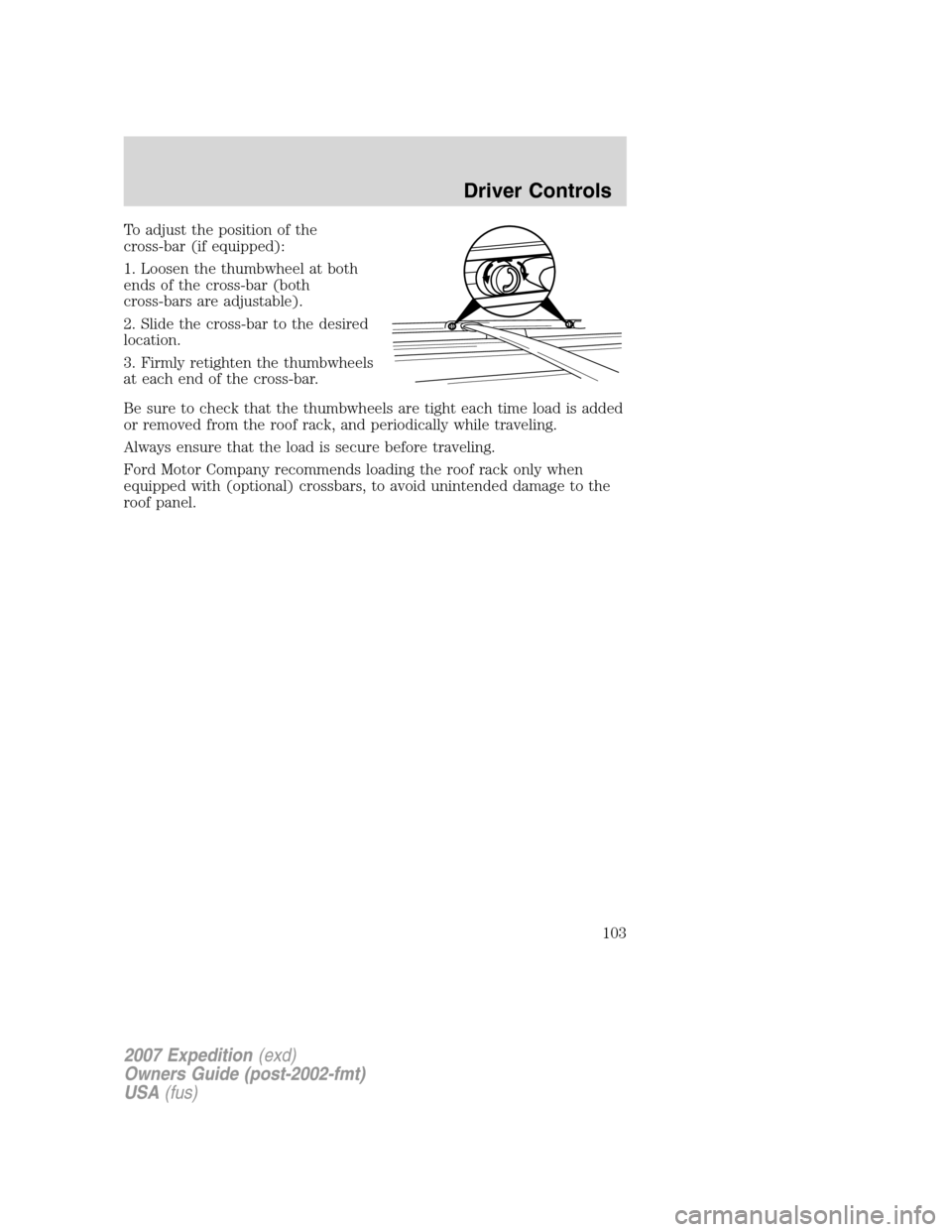
To adjust the position of the
cross-bar (if equipped):
1. Loosen the thumbwheel at both
ends of the cross-bar (both
cross-bars are adjustable).
2. Slide the cross-bar to the desired
location.
3. Firmly retighten the thumbwheels
at each end of the cross-bar.
Be sure to check that the thumbwheels are tight each time load is added
or removed from the roof rack, and periodically while traveling.
Always ensure that the load is secure before traveling.
Ford Motor Company recommends loading the roof rack only when
equipped with (optional) crossbars, to avoid unintended damage to the
roof panel.
2007 Expedition(exd)
Owners Guide (post-2002-fmt)
USA(fus)
Driver Controls
103
Page 104 of 328

KEYS
One key operates all the locks and starts the vehicle. Always carry a
spare key with you in case of an emergency.
Your keys are programmed to your vehicle; using a non-programmed key
will not permit your vehicle to start. If you lose your authorized dealer
supplied keys, replacement keys are available through your authorized
dealer. Refer to theSecuriLock�passive anti-theft systemsection later
in this chapter for more information.
POWER DOOR LOCKS
If the door does not unlock when the control is pressed, refer to the
Power door lock disable featuresection in this chapter.
Press control to unlock all doors.
Press control to lock all doors.
Smart unlocking feature
The smart unlocking feature helps prevent you from locking yourself out
of the vehicle. With the key in any ignition position, the driver’s door will
automatically unlock if it is locked using the power lock control on the
driver’s door panel while the driver’s door is open.
Autolock
The autolock feature will lock all the doors, liftgate and liftgate window
when:
•all doors are closed,
•the ignition is in the 3 (ON) position,
•you shift into any gear putting the vehicle in motion, and
•the vehicle attains a speed greater than 12 mph (20 km/h).
2007 Expedition(exd)
Owners Guide (post-2002-fmt)
USA(fus)
Locks and Security
104