Page 33 of 464
WINDOWS
Power Windows
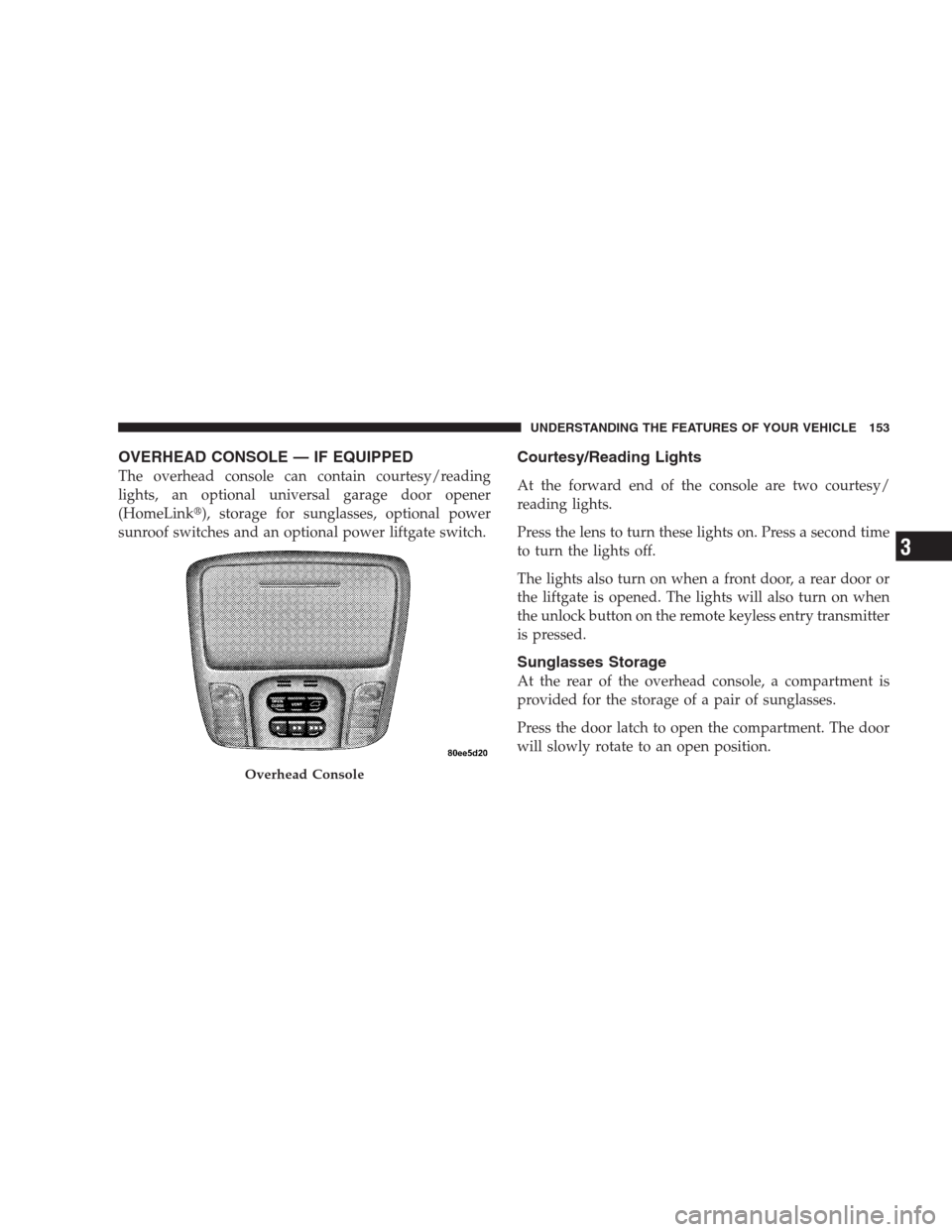
The window controls on the driver’s door control all the
door windows. The switches will operate only when the
ignition switch is in the ON or ACCESSORY position.The window lock switch on the driver’s door allows you
to disable the window controls on the passenger doors.
When the lock switch is pressed the window controls on
the passenger doors will not illuminate and the passen-
ger windows will be disabled.
Auto Down Feature
All the power window switches have an auto down
feature. Press the window switch to the second detent,
release, and the window will go down automatically.
To open the window part way, press the window switch
to the first detent and release it when you want the
window to stop.
The power window switches remain active for up to 45
seconds after the ignition switch has been turned off.
Opening either front door will cancel this feature.
Power Window Switches
THINGS TO KNOW BEFORE STARTING YOUR VEHICLE 33
2
Page 35 of 464

Reset
Any time the vehicle battery is disconnected, or goes
dead, the auto-up function will be disabled. To reactivate
the auto-up feature, perform the following steps after
vehicle power is restored:
1. Pull the window switch up to close window com-
pletely and continue to hold the switch up for an
additional two seconds after the window is closed.
2. Push the window switch down firmly to the second
detent to open the window completely and continue to
hold the switch down for an additional two seconds after
the window is fully open.
Wind Buffeting
Wind buffeting can be described as the perception of
pressure on the ears or a helicopter type sound in the
ears. Your vehicle may exhibit wind buffeting with the
windows down, or the sunroof (if equipped) in certainopen or partially open positions. This is a normal occur-
rence and can be minimized. If the buffeting occurs with
the rear windows open, open the front and rear windows
together to minimize the buffeting. If the buffeting occurs
with the sunroof open, adjust the sunroof opening to
minimize the buffeting.
LIFTGATE
NOTE:The key that is used to start the vehicle is also
used to lock or unlock the doors and open the liftgate.
To open the liftgate, insert the key into the lock and turn
to the right. On vehicles equipped with power locks the
liftgate can also be unlocked using the remote keyless
entry or by activating the power door lock switches
located on the front doors.
THINGS TO KNOW BEFORE STARTING YOUR VEHICLE 35
2
Page 64 of 464

WARNING!
Deployed airbags, front seat belt buckle pretension-
ers and driver inflatable knee blocker cannot protect
you in another collision. Have the airbags, front seat
belt buckle pretensioners and driver inflatable knee
blocker replaced by an authorized dealer as soon as
possible. Also, have the Occupant Classification
System serviced as well.
Enhanced Accident Response
If the airbags and seat belt pretensioners deploy after an
impact and the electrical system remains functional,
vehicles equipped with power door locks will unlock
automatically. In addition, approximately 10 seconds
after the vehicle has stopped moving, the interior lights
will illuminate until the ignition switch is turned off.
Maintaining Your Airbag System
WARNING!
•Modifications to any part of the airbag system could cause
it to fail when you need it. You could be injured because
the airbags are not there to protect you. Do not modify the
components or wiring, including adding any kind of
badges or stickers to the steering wheel hub trim cover or
the upper right side of the instrument panel. Do not
modify the front bumper, vehicle body structure, or frame.
•Do not attempt to modify any part of your advanced airbag
system. The airbag may inflate accidentally or may not
function properly if modifications are made. Take your
vehicle to an authorized dealer for any advanced airbag
system service. If your seat including your trim cover and
cushion needs to be serviced in any way (including re-
moval or loosening/tightening of seat attachment bolts),
take the vehicle to your authorized dealer. Only manufac-
turer approved seat accessories may be used. If it is
necessary to modify an advanced airbag system for per-
sons with disabilities, contact your authorized dealer.
64 THINGS TO KNOW BEFORE STARTING YOUR VEHICLE
Page 127 of 464
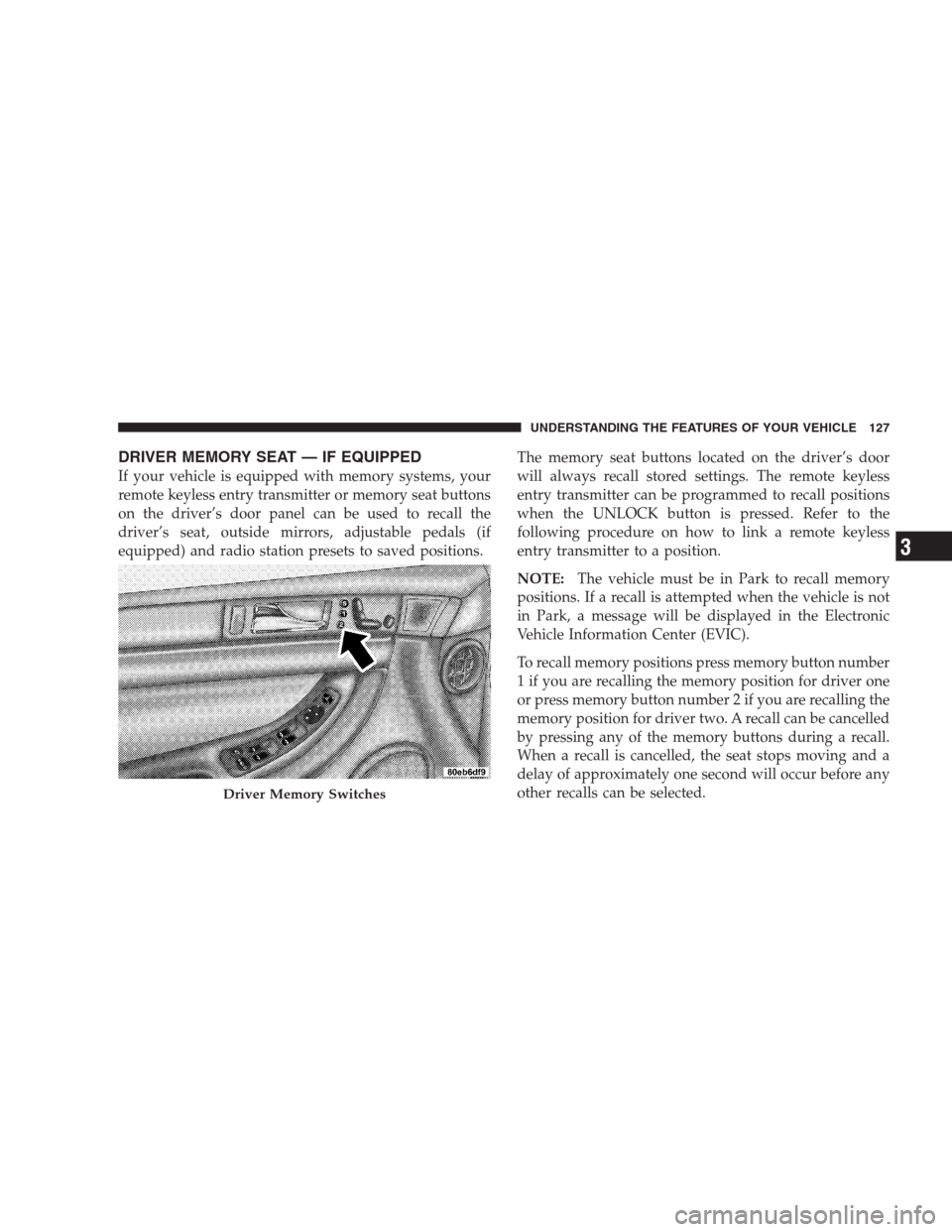
DRIVER MEMORY SEAT — IF EQUIPPED
If your vehicle is equipped with memory systems, your
remote keyless entry transmitter or memory seat buttons
on the driver’s door panel can be used to recall the
driver’s seat, outside mirrors, adjustable pedals (if
equipped) and radio station presets to saved positions.The memory seat buttons located on the driver’s door
will always recall stored settings. The remote keyless
entry transmitter can be programmed to recall positions
when the UNLOCK button is pressed. Refer to the
following procedure on how to link a remote keyless
entry transmitter to a position.
NOTE:The vehicle must be in Park to recall memory
positions. If a recall is attempted when the vehicle is not
in Park, a message will be displayed in the Electronic
Vehicle Information Center (EVIC).
To recall memory positions press memory button number
1 if you are recalling the memory position for driver one
or press memory button number 2 if you are recalling the
memory position for driver two. A recall can be cancelled
by pressing any of the memory buttons during a recall.
When a recall is cancelled, the seat stops moving and a
delay of approximately one second will occur before any
other recalls can be selected.
Driver Memory Switches
UNDERSTANDING THE FEATURES OF YOUR VEHICLE 127
3
Page 128 of 464
Your vehicle has been delivered with two remote keyless
entry transmitters. One or both transmitters can be linked
to either memory position. Up to eight remote keyless
entry transmitters can be used with your vehicle. The
memory seat system can also accommodate up to eight
transmitters linked to either of the two stored seat
positions or any combination of the two positions.
To Program Memory Seat Buttons & RKE
Transmitters, Follow These Steps:
1. Turn the ignition switch to the ON position.
2. Select Remote Linked to Memory from the EVIC and
enter “Yes”.
3. Use the seat, mirror and adjustable pedal switches to
adjust the seat, recliner, side view mirrors and adjustable
pedals to the desired positions.
4. Set the radio station presets.5. Turn the ignition switch to the OFF position and
remove the key.
6. Press and release the SET (S) button located on the
driver’s door. A light in the button will flash telling you
that you are in the set memory mode. You have five
seconds to complete the next step.
7. Within 5 seconds, press and release button 1 or 2 on
the driver’s door. A chime will sound signaling you that
the driver memory has been set. A message will also be
displayed in the Electronic Vehicle Information Center
(EVIC), indicating a position has been set.
8. Within 5 seconds, press and release the LOCK button
on one of the Remote Keyless Entry Transmitters. A
chime will sound signaling you that the transmitter has
been successfully linked. A message will also be dis-
played in the Electronic Vehicle Information Center
(EVIC), indicating the transmitter has been linked.
128 UNDERSTANDING THE FEATURES OF YOUR VEHICLE
Page 129 of 464
Repeat the above steps for the second position using the
other driver’s door numbered button and Remote Key-
less Entry Transmitter.
Each time the SET (S) button and a numbered button are
pressed, you erase the old memory and store a new one.
To Disable A Transmitter Link, Follow These Steps:
1. Select “Remote Linked To Memory” from the Elec-
tronic Vehicle Information Center, Customer Program-
mable features.
2. Turn the ignition switch to the OFF position and
remove the key.
3. Press and release the SET (S) button located on the
driver’s door. A light in the button will flash telling you
that you are in the set memory mode. You have five
seconds to complete the next step.4. Within 5 seconds, press and release button 1 or 2 on
the driver’s door. A chime will sound signaling you that
the driver memory has been set. A message will also be
displayed in the Electronic Vehicle Information Center
(EVIC), indicating a position has been set.
5. Within 5 seconds, press and release the UNLOCK
button on the remote keyless entry transmitters. A chime
will sound signaling you that the transmitter link has
been successfully disabled. A message will also be dis-
played in the Electronic Vehicle Information Center
(EVIC), indicating the transmitter has been disabled.
To disable another transmitter from memory positions 1
or 2, repeat steps 1– 4 for each transmitter.
NOTE:This function can be selected using the “Cus-
tomer Programmable Features” in the Electronic Vehicle
Information Center (EVIC) section, Otherwise see your
authorized dealer.
UNDERSTANDING THE FEATURES OF YOUR VEHICLE 129
3
Page 149 of 464
Press the switch rearward to move the pedals rearward
(toward the driver).
•The pedals can be adjusted with the ignition OFF.
•The pedals can be adjusted while driving.
•The pedalscannotbe adjusted when the vehicle is in R
(Reverse) or when the Speed Control is ON. A message
will be displayed in the Electronic Vehicle Information
Center (EVIC) if the pedals are attempted to be ad-
justed when the system is locked out (“Adjustable
Pedal Disabled — Cruise Control Engaged” or “Ad-
justable Pedal Disabled — Vehicle In Reverse”).NOTE:If your vehicle is equipped with memory seat
feature, your remote keyless entry transmitter or memory
seat buttons on the driver’s door panel can be used to
recall the adjustable pedals to saved positions.CAUTION!
Do not place any article under the adjustable pedals
or impede its ability to move as it may cause damage
to the pedal controls. Pedal travel may become
limited if movement is stopped by an obstruction in
the adjustable pedal’s path.
UNDERSTANDING THE FEATURES OF YOUR VEHICLE 149
3
Page 153 of 464
OVERHEAD CONSOLE — IF EQUIPPED
The overhead console can contain courtesy/reading
lights, an optional universal garage door opener
(HomeLink�), storage for sunglasses, optional power
sunroof switches and an optional power liftgate switch.
Courtesy/Reading Lights
At the forward end of the console are two courtesy/
reading lights.
Press the lens to turn these lights on. Press a second time
to turn the lights off.
The lights also turn on when a front door, a rear door or
the liftgate is opened. The lights will also turn on when
the unlock button on the remote keyless entry transmitter
is pressed.
Sunglasses Storage
At the rear of the overhead console, a compartment is
provided for the storage of a pair of sunglasses.
Press the door latch to open the compartment. The door
will slowly rotate to an open position.
Overhead Console
UNDERSTANDING THE FEATURES OF YOUR VEHICLE 153
3