Page 57 of 464

WARNING!
Ignoring the AIRBAG warning light in your instru-
ment panel could mean you won’t have the airbags
to protect you in a collision. If the light does not
come on, stays on after you start the vehicle, or if it
comes on as you drive, have the airbag system
checked right away.
•TheDriver and Passenger Airbag/Inflator Unitsare
located in the center of the steering wheel and the right
side of the instrument panel. When the ORC and
impact sensors detects a collision requiring the air-
bags, it signals the inflator units. A large quantity of
nontoxic gas is generated to inflate the front airbags.
Different airbag inflation rates may be possible based
on collision severity and occupant size. The steering
wheel hub trim cover and the upper right side of the
instrument panel separate and fold out of the way asthe airbags inflate to their full size. The airbags fully
inflate in about 50–70 milliseconds. This is about half
of the time it takes to blink your eyes. The airbags then
quickly deflate while helping to restrain the driver and
front passenger.
The driver’s and passenger’s front airbag gas is vented
through the airbag material towards the instrument
panel. In this way the airbags do not interfere with
your control of the vehicle.•TheSide Impact SRS Window Bagsare designed to
activate only in certain side collisions. When the ORC
and the side impact sensors (with side impact option)
detects a collision requiring the window bags to
inflate, it signals the inflators on the crash side of the
vehicle. A quantity of nontoxic gas is generated to
inflate the window bag. The inflating window bag
pushes the outside edge of the headliner out of the
way and covers the window. The airbag inflates in
THINGS TO KNOW BEFORE STARTING YOUR VEHICLE 57
2
Page 64 of 464

WARNING!
Deployed airbags, front seat belt buckle pretension-
ers and driver inflatable knee blocker cannot protect
you in another collision. Have the airbags, front seat
belt buckle pretensioners and driver inflatable knee
blocker replaced by an authorized dealer as soon as
possible. Also, have the Occupant Classification
System serviced as well.
Enhanced Accident Response
If the airbags and seat belt pretensioners deploy after an
impact and the electrical system remains functional,
vehicles equipped with power door locks will unlock
automatically. In addition, approximately 10 seconds
after the vehicle has stopped moving, the interior lights
will illuminate until the ignition switch is turned off.
Maintaining Your Airbag System
WARNING!
•Modifications to any part of the airbag system could cause
it to fail when you need it. You could be injured because
the airbags are not there to protect you. Do not modify the
components or wiring, including adding any kind of
badges or stickers to the steering wheel hub trim cover or
the upper right side of the instrument panel. Do not
modify the front bumper, vehicle body structure, or frame.
•Do not attempt to modify any part of your advanced airbag
system. The airbag may inflate accidentally or may not
function properly if modifications are made. Take your
vehicle to an authorized dealer for any advanced airbag
system service. If your seat including your trim cover and
cushion needs to be serviced in any way (including re-
moval or loosening/tightening of seat attachment bolts),
take the vehicle to your authorized dealer. Only manufac-
turer approved seat accessories may be used. If it is
necessary to modify an advanced airbag system for per-
sons with disabilities, contact your authorized dealer.
64 THINGS TO KNOW BEFORE STARTING YOUR VEHICLE
Page 81 of 464
Periodic Safety Checks You Should Make Outside
The Vehicle
Tires
Examine tires for excessive tread wear or uneven wear
patterns. Check for stones, nails, glass, or other objects
lodged in the tread. Inspect tread and sidewall for cuts or
cracks. Check wheel nuts for tightness, and tires (includ-
ing spare) for proper pressure.
Lights
Have someone observe the operation of exterior lights
while you work the controls. Check turn signal and high
beam indicator lights on the instrument panel.
Fluid Leaks
Check area under vehicle after overnight parking for fuel,
engine coolant, oil or other fluid leaks. Also, if gasoline
fumes are detected or fuel, power steering fluid, trans-
mission fluid or brake fluid leaks are suspected, the cause
should be located and corrected immediately.
THINGS TO KNOW BEFORE STARTING YOUR VEHICLE 81
2
Page 85 of 464
▫Headlights, Parking Lights, Instrument Panel
Lights.............................135
▫Automatic Headlights..................136
▫Daytime Running Lights (Canada Only).....136
▫Lights-On Reminder...................136
▫Headlight Time Delay..................136
▫Fog Lights — If Equipped...............137
▫Turn Signals.........................137
▫Highbeam/Lowbeam Select Switch.........138
▫Passing Light........................138
�Windshield Wipers And Washers...........138
▫Windshield Washers...................138
▫Mist Feature.........................139▫Windshield Wiper Operation.............139
▫Intermittent Wiper System...............139
▫Rear Window Wiper/Washer.............139
�Tilt Steering Column....................141
�Electronic Stability Program (ESP) /
Traction Control Switch (TCS) — If Equipped . . . 141
�Rear Park Assist System — If Equipped.......143
�Rear Camera — If Equipped...............146
�Adjustable Pedals — If Equipped...........148
�Electronic Speed Control..................150
▫To Activate..........................150
▫To Set At A Desired Speed...............151
▫To Deactivate........................151
UNDERSTANDING THE FEATURES OF YOUR VEHICLE 85
3
Page 93 of 464
The UConnect™ system can be used with any Hands-
Free Profile certified Bluetooth™ cellular phone. See
www.chrysler.com/uconnect for supported phones. If
your cellular phone supports a different profile (e.g.,
Headset Profile), you may not be able to use any UCon-
nect™ features. Refer to your cellular service provider or
the phone manufacturer for details.
The UConnect™ system is fully integrated with the
vehicle’s audio system. The volume of the UConnect™
system can be adjusted either from the radio volume
control knob, or from the steering wheel radio control
(right switch), if so equipped.
The radio display will be used for visual prompts from
the UConnect™ system such as�CELL�or caller ID on
certain radios.Operations
Voice commands can be used to operate the UConnect™
system and to navigate through the UConnect™ menu
structure. Voice commands are required after most
UConnect™ system prompts. You will be prompted for a
specific command and then guided through the available
options.
•Prior to giving a voice command, one must wait for
the voice on beep, which follows the�Ready�prompt
or another prompt.
•For certain operations, compound commands can be
used. For example, instead of saying�Setup�and then
�Phone Pairing,�the following compound command
can be said:�Setup Phone Pairing.�
•For each feature explanation in this section, only the
combined form of the voice command is given. You
can also break the commands into parts and say each
part of the command, when you are asked for it. For
UNDERSTANDING THE FEATURES OF YOUR VEHICLE 93
3
Page 134 of 464
Interior Lights
The interior lights come on when a door is opened.
The interior lights will automatically turn off in about 15
minutes if a door is left open or the dimmer control is left
in the Dome light position. Turn the ignition switch ON
to restore the interior light operation.
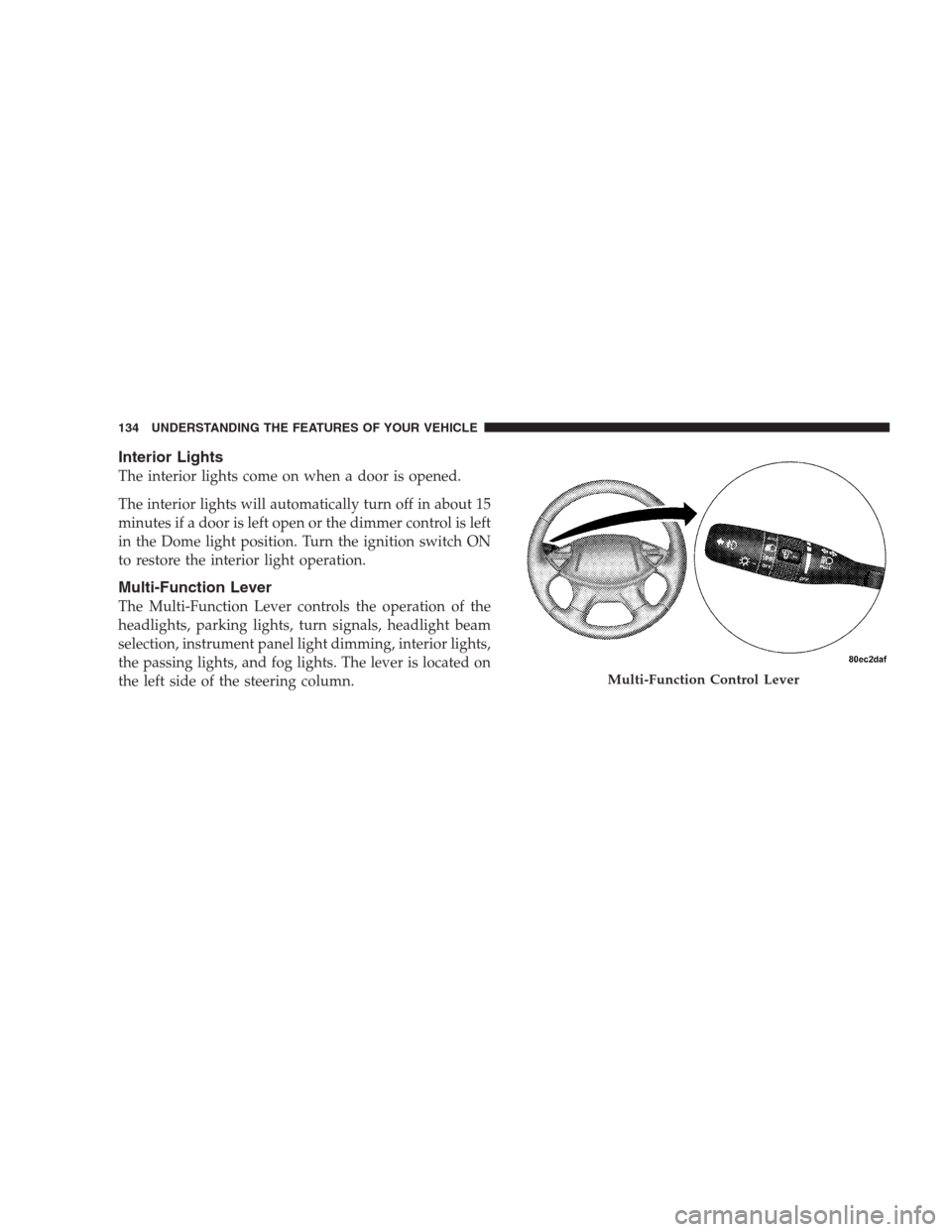
Multi-Function Lever
The Multi-Function Lever controls the operation of the
headlights, parking lights, turn signals, headlight beam
selection, instrument panel light dimming, interior lights,
the passing lights, and fog lights. The lever is located on
the left side of the steering column.
Multi-Function Control Lever
134 UNDERSTANDING THE FEATURES OF YOUR VEHICLE
Page 138 of 464
Highbeam/Lowbeam Select Switch
Pull the Multi-Function Lever towards you to switch the
headlights to HIGH beam. Pull the Lever a second time
to switch the headlights to LOW beam.
Passing Light
You can signal another vehicle with your headlights by
lightly pulling the Multi-Function Lever toward you.
This will cause the headlights to turn on at high beam
and remain on until the lever is released.
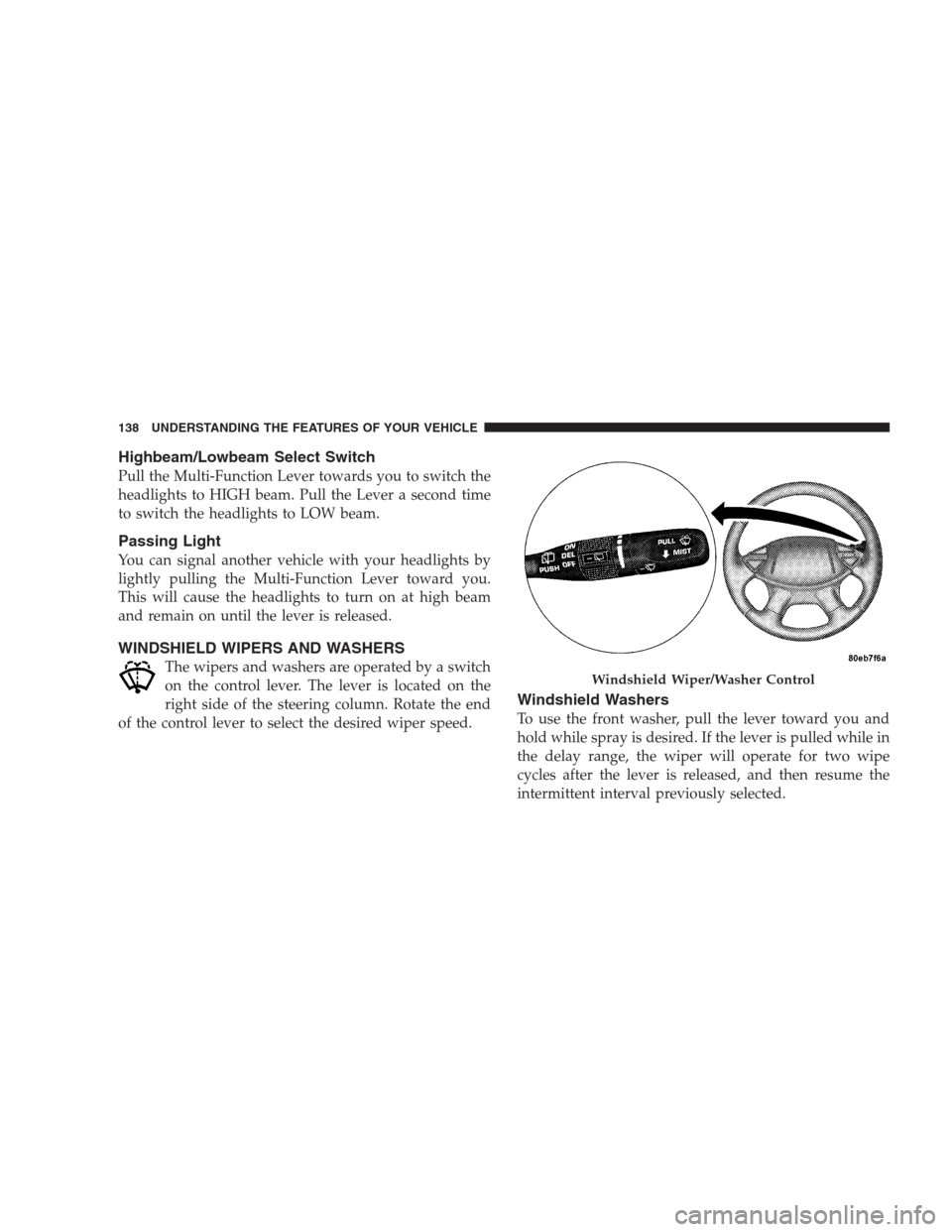
WINDSHIELD WIPERS AND WASHERS
The wipers and washers are operated by a switch
on the control lever. The lever is located on the
right side of the steering column. Rotate the end
of the control lever to select the desired wiper speed.
Windshield Washers
To use the front washer, pull the lever toward you and
hold while spray is desired. If the lever is pulled while in
the delay range, the wiper will operate for two wipe
cycles after the lever is released, and then resume the
intermittent interval previously selected.
Windshield Wiper/Washer Control
138 UNDERSTANDING THE FEATURES OF YOUR VEHICLE
Page 139 of 464
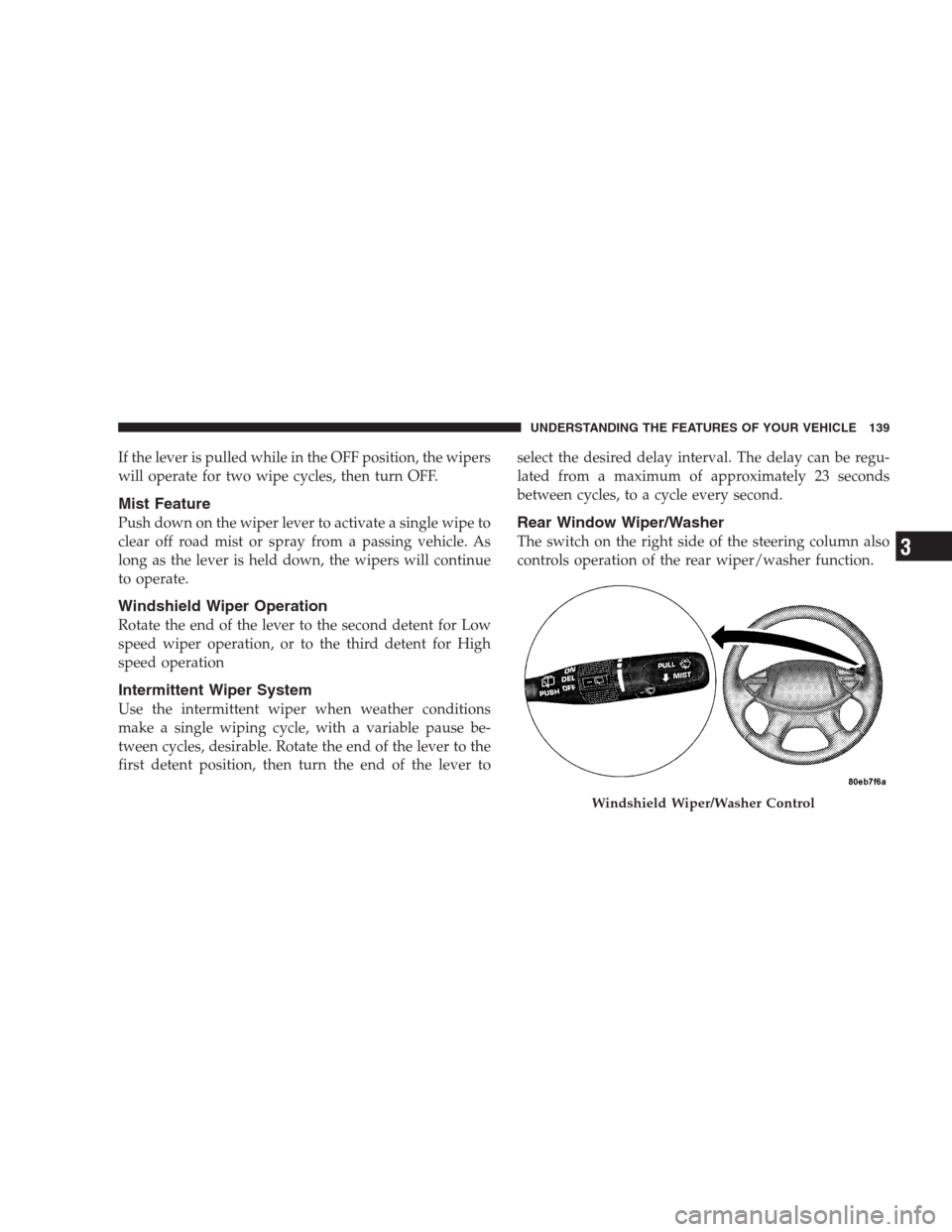
If the lever is pulled while in the OFF position, the wipers
will operate for two wipe cycles, then turn OFF.
Mist Feature
Push down on the wiper lever to activate a single wipe to
clear off road mist or spray from a passing vehicle. As
long as the lever is held down, the wipers will continue
to operate.
Windshield Wiper Operation
Rotate the end of the lever to the second detent for Low
speed wiper operation, or to the third detent for High
speed operation
Intermittent Wiper System
Use the intermittent wiper when weather conditions
make a single wiping cycle, with a variable pause be-
tween cycles, desirable. Rotate the end of the lever to the
first detent position, then turn the end of the lever toselect the desired delay interval. The delay can be regu-
lated from a maximum of approximately 23 seconds
between cycles, to a cycle every second.
Rear Window Wiper/Washer
The switch on the right side of the steering column also
controls operation of the rear wiper/washer function.
Windshield Wiper/Washer Control
UNDERSTANDING THE FEATURES OF YOUR VEHICLE 139
3