2007 CHEVROLET SILVERADO park assist
[x] Cancel search: park assistPage 232 of 684
The red light in the URPA display will also be lit if
the vehicle is in REVERSE (R). If the vehicle
has a Driver Information Center (DIC), PARK
ASSIST OFF will display on the screen. URPA
automatically turns back on each time the vehicle
is started.
How the System Works
When the shift lever is moved into REVERSE (R),
the rear display will briey come on to let you
know the display is operating correctly. URPA
comes on automatically when the shift lever
is moved into REVERSE (R).
The system does not work at a reverse speed
greater than 5 mph (8 km/h). To remind you of this,
the red light on the rear display will ash.
How the System Works when Backing
If the shift lever is in REVERSE (R), URPA detects
objects close to the rear bumper. The rst time an
object is detected a single beep will sound. If an
object is detected at a REVERSE (R) speed
between 0 mph (0 km/h) and 5 mph (8 km/h), the
following describes what will occur based on your
distance to a detected object located behind the
vehicle:
At distances between 40 inches (1 m) and
8 ft (2.5 m), a single amber light will come on.
At distances between 23 inches (0.6 m) and
40 inches (1 m), both amber lights will be on.
At distances between 12 inches (0.3 m) and
23 inches (0.6 m), all three lights (amber/
amber/red) will be on.
At distances less than 12 inches (0.3 m), a
beeping sound will repeat for a short time and
all three lights (amber/amber/red) will ash.
232
Page 233 of 684

When the System Does Not Seem to
Work Properly
If the URPA system will not activate due to a
temporary condition, the message PARK ASSIST
OFF will be displayed on the DIC screen and a
red light will come on the URPA display when the
shift lever is moved into REVERSE (R). This
occurs under the following conditions:
The driver disables the system.
The parking brake pedal is depressed.
A trailer was attached to your vehicle, or a
bicycle or an object was hanging out of your
trunk during your last drive when you turned off
the vehicle. If the attached objects are removed
from your vehicle before the start of your next
drive, the system will return to normal operation
unless an object is detected when the vehicle is
shifted into REVERSE (R). If this occurs, URPA
assumes the object is still attached, so you will
have to wait until the vehicle is driven forward
above 15 mph (25 km/h) before URPA will
return to normal operation.
The ultrasonic sensors are not kept clean. So,
be sure to keep your vehicle’s rear bumper free
of mud, dirt, snow, ice, and slush. For cleaning
instructions, seeWashing Your Vehicle on
page 605. If the DIC still displays the PARK
ASSIST OFF message after cleaning the
bumper and driving forward at a speed of at
least 15 mph (25 km/h), see your dealer.
Other conditions that may affect system
performance include vibrations from a
jackhammer or the compression of air brakes
on a very large truck or other mechanical
devices that interfere with URPA performance.
When URPA is disabled without driver action
and the driver attempts to turn URPA back on
by pressing the rear park aid button, the
indicator light will ash for 3 seconds and then
stay lit to indicate that URPA is off.
As always, drivers should use care when backing
up a vehicle. Always look behind you, being
sure to check for other vehicles, obstructions and
blind spots.
233
Page 286 of 684
PARK ASSIST OFF
If your vehicle has the Ultrasonic Rear Parking
Assist (URPA) system, after the vehicle has been
started, this message displays to remind the
driver that the URPA system has been turned off.
Press the set/reset button or the trip odometer
reset stem to acknowledge this message and clear
it from the DIC display. To turn the URPA
system back on, seeUltrasonic Rear Parking
Assist (URPA) on page 230.
PASSENGER DOOR OPEN
This message displays and a chime sounds if the
passenger’s door is not fully closed and the
vehicle is in a drive gear. Stop and turn off the
vehicle, check the door for obstructions, and close
the door again. Check to see if the message
still appears on the DIC.
REMOTE KEY LEARNING ACTIVE
This message displays while you are matching a
Remote Keyless Entry (RKE) transmitter to
your vehicle. See “Matching Transmitter(s) to Your
Vehicle” underRemote Keyless Entry (RKE)
System Operation on page 113andDIC Operation
and Displays (With DIC Buttons) on page 270or
DIC Operation and Displays (Without DIC Buttons)
on page 277for more information.
REPLACE BATTERY IN REMOTE KEY
This message displays if a Remote Keyless
Entry (RKE) transmitter battery is low. The battery
needs to be replaced in the transmitter. See
“Battery Replacement” underRemote Keyless
Entry (RKE) System Operation on page 113.
RIGHT REAR DOOR OPEN (Crew Cab)
This message displays and a chime sounds if
the passenger’s side rear door is not fully closed
and the vehicle is in a drive gear. Stop and
turn off the vehicle, check the door for
obstructions, and close the door again. Check to
see if the message still appears on the DIC.
286
Page 288 of 684

SERVICE PARK ASSIST
If your vehicle has the Ultrasonic Rear Parking
Assist (URPA) system, this message displays
if there is a problem with the URPA system. Do
not use this system to help you park. See
Ultrasonic Rear Parking Assist (URPA) on
page 230for more information. See your dealer
for service.
SERVICE STABILITRAK
If your vehicle has StabiliTrak®and this message
displays, it means there may be a problem with the
StabiliTrak
®system. If you see this message, try to
reset the system. Stop; turn off the engine for at
least 15 seconds; then start the engine again. If this
message still comes on, it means there is a
problem. You should see your dealer for service.
The vehicle is safe to drive, however, you do not
have the benet of StabiliTrak
®, so reduce your
speed and drive accordingly.
SERVICE THEFT DETERRENT SYSTEM
This message displays when there is a problem
with the theft-deterrent system. The vehicle may or
may not restart so you may want to take thevehicle to your dealer before turning off the
engine. SeePASS-Key
®III+ Operation on
page 132for more information.
SERVICE TIRE MONITOR SYSTEM
If your vehicle has the Tire Pressure Monitor
(TPM) system, this message displays if a part on
the system is not working properly. If you drive
your vehicle while any of the four sensors
are missing or inoperable, the warning comes on
in about 20 minutes. A sensor would be missing,
for example, if you put different wheels on
your vehicle without transferring the sensors. If the
warning comes on and stays on, there may be
a problem with the TPM. See your dealer.
SERVICE TRACTION CONTROL
If your vehicle has StabiliTrak®, this message
displays when there is a problem with the Traction
Control System (TCS). When this message
displays, the system will not limit wheel spin.
Adjust your driving accordingly. See your dealer
for service. SeeStabiliTrak
®System on page 384
for more information.
288
Page 449 of 684
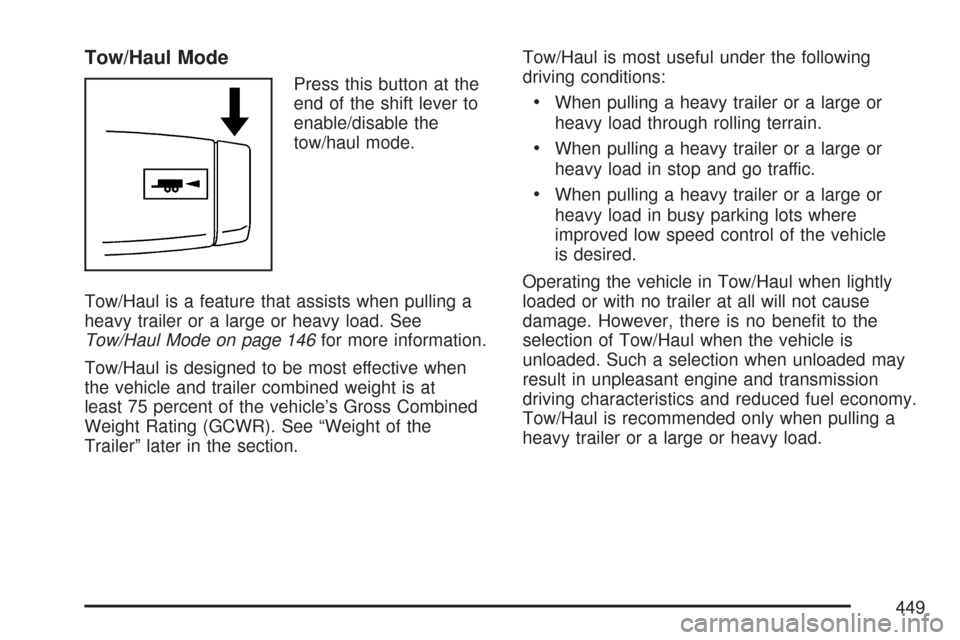
Tow/Haul Mode
Press this button at the
end of the shift lever to
enable/disable the
tow/haul mode.
Tow/Haul is a feature that assists when pulling a
heavy trailer or a large or heavy load. See
Tow/Haul Mode on page 146for more information.
Tow/Haul is designed to be most effective when
the vehicle and trailer combined weight is at
least 75 percent of the vehicle’s Gross Combined
Weight Rating (GCWR). See “Weight of the
Trailer” later in the section.Tow/Haul is most useful under the following
driving conditions:
When pulling a heavy trailer or a large or
heavy load through rolling terrain.
When pulling a heavy trailer or a large or
heavy load in stop and go traffic.
When pulling a heavy trailer or a large or
heavy load in busy parking lots where
improved low speed control of the vehicle
is desired.
Operating the vehicle in Tow/Haul when lightly
loaded or with no trailer at all will not cause
damage. However, there is no benet to the
selection of Tow/Haul when the vehicle is
unloaded. Such a selection when unloaded may
result in unpleasant engine and transmission
driving characteristics and reduced fuel economy.
Tow/Haul is recommended only when pulling a
heavy trailer or a large or heavy load.
449
Page 613 of 684
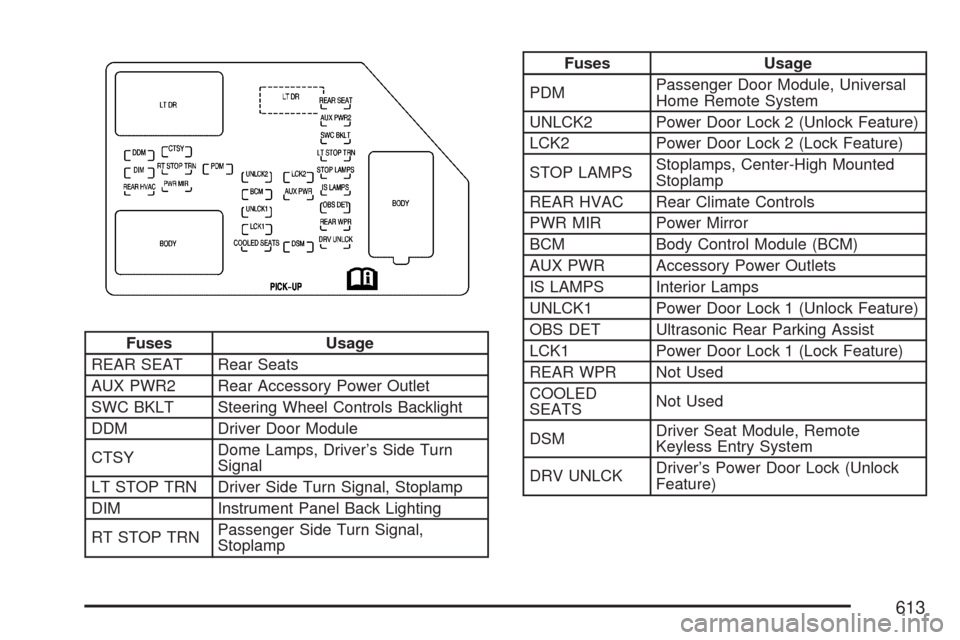
Fuses Usage
REAR SEAT Rear Seats
AUX PWR2 Rear Accessory Power Outlet
SWC BKLT Steering Wheel Controls Backlight
DDM Driver Door Module
CTSYDome Lamps, Driver’s Side Turn
Signal
LT STOP TRN Driver Side Turn Signal, Stoplamp
DIM Instrument Panel Back Lighting
RT STOP TRNPassenger Side Turn Signal,
Stoplamp
Fuses Usage
PDMPassenger Door Module, Universal
Home Remote System
UNLCK2 Power Door Lock 2 (Unlock Feature)
LCK2 Power Door Lock 2 (Lock Feature)
STOP LAMPSStoplamps, Center-High Mounted
Stoplamp
REAR HVAC Rear Climate Controls
PWR MIR Power Mirror
BCM Body Control Module (BCM)
AUX PWR Accessory Power Outlets
IS LAMPS Interior Lamps
UNLCK1 Power Door Lock 1 (Unlock Feature)
OBS DET Ultrasonic Rear Parking Assist
LCK1 Power Door Lock 1 (Lock Feature)
REAR WPR Not Used
COOLED
SEATSNot Used
DSMDriver Seat Module, Remote
Keyless Entry System
DRV UNLCKDriver’s Power Door Lock (Unlock
Feature)
613
Page 619 of 684

J-Case Fuses Usage
59 Cooling Fan 1
60 Automatic Level Control Compressor
61 Heavy Duty Anti-lock Brake System
62 Cooling Fan 2
63 Anti-lock Brake System 1
64 Starter
65 Stud 2 (Trailer Brakes)
66 Left Bussed Electrical Center 1
67 Not Used
68 Heated Windshield Washer System
69 Four-Wheel Drive System
70Stud 1 (Trailer Connector Battery
Power) (Optional – 40A Fuse
Required)
71 Mid-Bussed Electrical Center 1
72 Climate Control Blower
73 Tailgate Open/Close Assist
74 Left Bussed Electrical Center 2Relays Usage
FAN HI Cooling Fan High Speed
FAN LO Cooling Fan Low Speed
ENG EXH VLV Not Used
FAN CNTRL Cooling Fan Control
HDLP LO/HID Low-Beam Headlamp
FOG LAMP Front Fog Lamps
A/C CMPRSR Air Conditioning Compressor
STRTR Starter
PWR/TRN Powertrain
FUEL PMP Fuel Pump
PRK LAMP Parking Lamps
REAR DEFOG Rear Defogger
RUN/CRANK Switched Power
619
Page 678 of 684
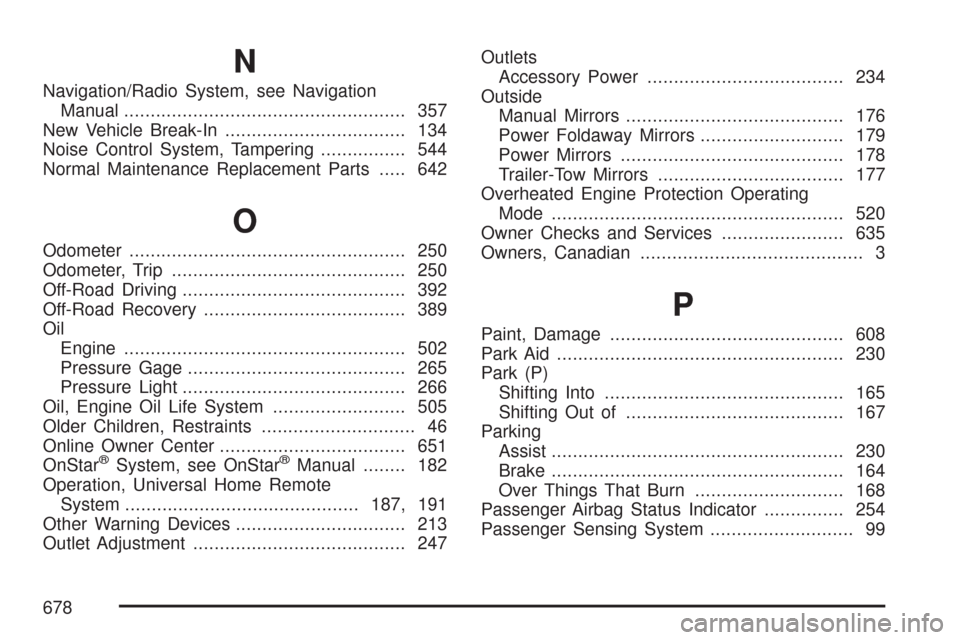
N
Navigation/Radio System, see Navigation
Manual..................................................... 357
New Vehicle Break-In.................................. 134
Noise Control System, Tampering................ 544
Normal Maintenance Replacement Parts..... 642
O
Odometer.................................................... 250
Odometer, Trip............................................ 250
Off-Road Driving.......................................... 392
Off-Road Recovery...................................... 389
Oil
Engine..................................................... 502
Pressure Gage......................................... 265
Pressure Light.......................................... 266
Oil, Engine Oil Life System......................... 505
Older Children, Restraints............................. 46
Online Owner Center................................... 651
OnStar
®System, see OnStar®Manual........ 182
Operation, Universal Home Remote
System............................................187, 191
Other Warning Devices................................ 213
Outlet Adjustment........................................ 247Outlets
Accessory Power..................................... 234
Outside
Manual Mirrors......................................... 176
Power Foldaway Mirrors........................... 179
Power Mirrors.......................................... 178
Trailer-Tow Mirrors................................... 177
Overheated Engine Protection Operating
Mode....................................................... 520
Owner Checks and Services....................... 635
Owners, Canadian.......................................... 3
P
Paint, Damage............................................ 608
Park Aid...................................................... 230
Park (P)
Shifting Into............................................. 165
Shifting Out of......................................... 167
Parking
Assist....................................................... 230
Brake....................................................... 164
Over Things That Burn............................ 168
Passenger Airbag Status Indicator............... 254
Passenger Sensing System........................... 99
678