2007 CHEVROLET SILVERADO brakes
[x] Cancel search: brakesPage 276 of 684
OUTPUT shows the power output to the trailer
anytime a trailer with electric brakes is connected.
Output is displayed in 0 to 10 bars. Dashes
may appear in the OUTPUT display. See
“Integrated Trailer Brake Control System” under
Towing a Trailer on page 447for more information.
Engine Hours
Press the vehicle information button until ENGINE
HOURS displays. This display shows the total
number of hours the engine has run.
Relearn Tire Positions
If your vehicle has a Tire Pressure Monitor (TPM)
system, after rotating the tires or after replacing
a tire or sensor, the system must re-learn the tire
positions. To re-learn the tire positions, see
Tire Pressure Monitor System on page 563. See
Tire Inspection and Rotation on page 568andDIC
Warnings and Messages on page 281for more
information.
Relearn Remote Key
This display allows you to match Remote Keyless
Entry (RKE) transmitters to your vehicle. To match
an RKE transmitter to your vehicle, do the following:
1. Press the vehicle information button until
PRESS
VTO RELEARN REMOTE KEY
displays.
2. Press the set/reset button until REMOTE KEY
LEARNING ACTIVE is displayed.
3. Press and hold the lock and unlock buttons
on the rst transmitter at the same time for
about 15 seconds.
On vehicles with memory recall seats, the rst
transmitter learned will match driver 1 and
the second will match driver 2.
A chime will sound indicating that the
transmitter is matched.
4. To match additional transmitters at this time,
repeat Step 3.
Each vehicle can have a maximum of eight
transmitters matched to it.
5. To exit the programming mode, you must
cycle the key to LOCK.
276
Page 279 of 684
To adjust this setting, see “Integrated Trailer
Brake Control System” underTowing a Trailer on
page 447for more information.
OUTPUT shows the power output to the trailer
anytime a trailer with electric brakes is connected.
Output is displayed in 0 to 10 bars. Dashes
may appear in the OUTPUT display. See
“Integrated Trailer Brake Control System” under
Towing a Trailer on page 447for more information.
Oil Life
To access this display, the vehicle must be in
PARK (P). Press the trip odometer reset stem until
OIL LIFE REMAINING displays. This display
shows an estimate of the oil’s remaining useful
life. If you see 99% OIL LIFE REMAINING on the
display, that means 99% of the current oil life
remains. The engine oil life system will alert you to
change your oil on a schedule consistent with
your driving conditions.
When the remaining oil life is low, the CHANGE
ENGINE OIL SOON message will appear on the
display. See “CHANGE ENGINE OIL SOON” under
DIC Warnings and Messages on page 281. You
should change your oil as soon as you can.SeeEngine Oil (Gasoline Engine) on page 502.In
addition to the engine oil life system monitoring the
oil life, additional maintenance is recommended in
the Maintenance Schedule in this manual. See
Scheduled Maintenance (Gasoline Engine) on
page 627for more information.
Remember, you must reset the OIL LIFE display
yourself after each oil change. It will not reset
itself. Also, be careful not to reset the OIL LIFE
display accidentally at any time other than
when the oil has just been changed. It cannot be
reset accurately until the next oil change. To
reset the engine oil life system, seeEngine Oil
Life System on page 505.
Relearn Tire Positions
To access this display, the vehicle must be in
PARK (P). If your vehicle has a Tire Pressure
Monitor (TPM) system, after rotating the tires or
after replacing a tire or sensor, the system
must re-learn the tire positions. To re-learn the tire
positions, seeTire Pressure Monitor System on
page 563. SeeTire Inspection and Rotation
on page 568andDIC Warnings and Messages on
page 281for more information.
279
Page 282 of 684
CHECK TIRE PRESSURE
If your vehicle has a Tire Pressure Monitor (TPM)
system, this message displays when the
pressure in one or more of the vehicle’s tires need
to be checked. This message also displays
LEFT FRONT, RIGHT FRONT, LEFT REAR, or
RIGHT REAR to indicate which tire needs to
be checked. You can receive more than one tire
pressure message at a time. To read the other
messages that may have been sent at the same
time, press the set/reset button or the trip
odometer reset stem. If a tire pressure message
appears on the DIC, stop as soon as you can.
Have the tire pressures checked and set to those
shown on the Tire Loading Information label.
SeeTires on page 552,Loading Your Vehicle on
page 427, andInation - Tire Pressure on
page 561. The DIC display also shows the tire
pressure values for the front and rear tires
by pressing the vehicle information button. See
“DIC Operation and Displays (With DIC Buttons)”
earlier in this section. If the tire pressure is
low, the low tire pressure warning light comes on.
SeeTire Pressure Light on page 261.
CHECK TRAILER WIRING
On vehicles with the Integrated Trailer Brake
Control (ITBC) system, this message may display
and a chime may sound when one of the
following conditions exists:
A trailer with electric brakes becomes
disconnected from the vehicle.
If the disconnect occurs while the vehicle
is stopped, this message clears itself
after a short time.
If the disconnect occurs while the vehicle
is moving, this message stays on until
the ignition is turned off.
There is a short in the wiring to the electric
trailer brakes.
When this message displays, power is no longer
available to the trailer brakes.
282
Page 287 of 684
SERVICE 4 WHEEL DRIVE
This message displays if a problem occurs with
the four-wheel-drive system. If this message
appears, stop as soon as possible and turn off the
vehicle. Restart the vehicle and check for the
message on the DIC display. If the message is still
displayed or appears again when you begin
driving, the four-wheel-drive system needs service.
See your dealer.
SERVICE AIR BAG
This message displays if there is a problem with
the airbag system. Have your dealer inspect
the system for problems. SeeAirbag Readiness
Light on page 252andAirbag System on page 85
for more information.
SERVICE BATTERY CHARGING
SYSTEM
On some vehicles, this message displays if there
is a problem with the battery charging system.
Under certain conditions, the charging system light
may also turn on in the instrument panel cluster.
SeeCharging System Light on page 256.
Driving with this problem could drain the battery.Turn off all unnecessary accessories. Have the
electrical system checked as soon as possible.
See your dealer.
SERVICE BRAKE SYSTEM
This message displays along with the brake
system warning light if there is a problem with the
brake system. SeeBrake System Warning
Light on page 258. If this message appears, stop
as soon as possible and turn off the vehicle.
Restart the vehicle and check for the message on
the DIC display. If the message is still displayed
or appears again when you begin driving, the
brake system needs service as soon as possible.
See your dealer.
SERVICE BRAKES SOON
This message displays if there is a problem with
the brake system. If this message appears, stop as
soon as possible and turn off the vehicle. Restart
the vehicle and check for the message on the
DIC display. If the message is still displayed
or appears again when you begin driving, the
brake system needs service. See your dealer.
287
Page 289 of 684
SERVICE TRAILER BRAKE SYSTEM
On vehicles with the Integrated Trailer Brake
Control (ITBC) system, this message displays and
a chime sounds when there is a problem with
the ITBC system.
When this message displays, power is no longer
available to the trailer brakes.
As soon as it is safe to do so, carefully pull your
vehicle over to the side of the road and turn
the ignition off. Check the wiring connection to the
trailer and turn the ignition back on. If this
message still displays, either your vehicle or the
trailer needs service. See your dealer.
See “Integrated Trailer Brake Control System”
underTowing a Trailer on page 447for more
information.
STABILITRAK OFF
If your vehicle has StabiliTrak®, this message
displays when you turn off StabiliTrak®, or when
the stability control has been automatically
disabled. To limit wheel spin and realize the full
benets of the stability enhancement system, you
should normally leave StabiliTrak
®on. However,
you should turn StabiliTrak®off if your vehicle gets
stuck in sand, mud, ice, or snow and you wantto rock your vehicle to attempt to free it, or if you
are driving in extreme off-road conditions and
require more wheel spin. SeeIf Your Vehicle is
Stuck in Sand, Mud, Ice, or Snow on page 424.To
turn the StabiliTrak
®system on or off, see
StabiliTrak®System on page 384.
There are several conditions that can cause this
message to appear.
One condition is overheating, which could
occur if StabiliTrak®activates continuously
for an extended period of time.
The message also displays if the brake
system warning light is on. SeeBrake System
Warning Light on page 258.
The message could display if the stability
system takes longer than usual to complete its
diagnostic checks due to driving conditions.
The message displays if an engine or vehicle
related problem has been detected and the
vehicle needs service. See your dealer.
The message also displays if the vehicle is
shifted into 4LO.
The message turns off as soon as the conditions
that caused the message to be displayed are
no longer present.
289
Page 290 of 684
TIGHTEN GAS CAP
This message may display along with the check
engine light on the instrument panel cluster if
the vehicle’s fuel cap is not tightened properly. See
Malfunction Indicator Lamp on page 262.
Reinstall the fuel cap fully. SeeFilling the Tank on
page 494. The diagnostic system can determine
if the fuel cap has been left off or improperly
installed. A loose or missing fuel cap allows fuel to
evaporate into the atmosphere. A few driving
trips with the cap properly installed should turn this
light and message off.
TIRE LEARNING ACTIVE
If your vehicle has a Tire Pressure Monitor (TPM)
system, this message displays when the system
is re-learning the tire positions on your vehicle.
SeeDIC Operation and Displays (With DIC
Buttons) on page 270orDIC Operation and
Displays (Without DIC Buttons) on page 277for
more information. The tire positions must be
re-learned after rotating the tires or after replacing
a tire or sensor. SeeTire Inspection and
Rotation on page 568,Tire Pressure Monitor
System on page 563, andInation - Tire Pressure
on page 561for more information.
TRACTION CONTROL OFF
If your vehicle has StabiliTrak®, this message
displays when the Traction Control System (TCS)
is turned off. Adjust your driving accordingly.
SeeStabiliTrak
®System on page 384for more
information.
TRAILER CONNECTED
On vehicles with the Integrated Trailer Brake
Control (ITBC) system, this message displays
briey when a trailer with electric brakes is
rst connected to the vehicle.
This message clears itself after several seconds.
This message also clears if you acknowledge
it. After this message clears, the TRAILER
GAIN/OUTPUT display appears in the DIC.
See “TRAILER GAIN/OUTPUT” underDIC
Operation and Displays (With DIC Buttons) on
page 270orDIC Operation and Displays (Without
DIC Buttons) on page 277and “Integrated
Trailer Brake Control System” underTowing a
Trailer on page 447for more information.
290
Page 380 of 684
Control of a Vehicle
You have three systems that make your vehicle go
where you want it to go. They are the brakes, the
steering, and the accelerator. All three systems
have to do their work at the places where the tires
meet the road.
Sometimes, as when you are driving on snow
or ice, it is easy to ask more of those control
systems than the tires and road can provide.
That means you can lose control of your vehicle.
SeeStabiliTrak
®System on page 384.
Adding non-GM accessories can affect your
vehicle’s performance. SeeAccessories and
Modications on page 488.
Braking
SeeBrake System Warning Light on page 258.
Braking action involves perception time and
reaction time.
First, you have to decide to push on the brake
pedal. That is perception time. Then you have to
bring up your foot and do it. That is reaction time.
Average reaction time is about three-fourths of a
second. But that is only an average. It might
be less with one driver and as long as two or
three seconds or more with another. Age, physical
condition, alertness, coordination, and eyesight
all play a part. So do alcohol, drugs, and
frustration. But even in three-fourths of a second,
a vehicle moving at 60 mph (100 km/h) travels
66 feet (20 m). That could be a lot of distance in an
emergency, so keeping enough space between
your vehicle and others is important.
And, of course, actual stopping distances vary
greatly with the surface of the road, whether it is
pavement or gravel; the condition of the road,
whether it is wet, dry, or icy; tire tread; the
condition of the brakes; the weight of the vehicle;
and the amount of brake force applied.
380
Page 381 of 684
Avoid needless heavy braking. Some people drive
in spurts — heavy acceleration followed by
heavy braking — rather than keeping pace with
traffic. This is a mistake. The brakes may not have
time to cool between hard stops. The brakes
will wear out much faster if you do a lot of
heavy braking. If you keep pace with the traffic
and allow realistic following distances, you
will eliminate a lot of unnecessary braking.
That means better braking and longer brake life.
If your vehicle’s engine ever stops while you
are driving, brake normally but do not pump the
brakes. If you do, the pedal may get harder
to push down. If the engine stops, you will still
have some power brake assist. But you will use it
when you brake. Once the power assist is used
up, it may take longer to stop and the brake pedal
will be harder to push.
Adding non-GM accessories can affect your
vehicle’s performance. SeeAccessories and
Modications on page 488.Anti-Lock Brake System (ABS)
Your vehicle has the Anti-Lock Brake System
(ABS), an advanced electronic braking system that
will help prevent a braking skid.
When you start your engine and begin to drive
away, ABS will check itself. You may hear a
momentary motor or clicking noise while this test
is going on. This is normal.
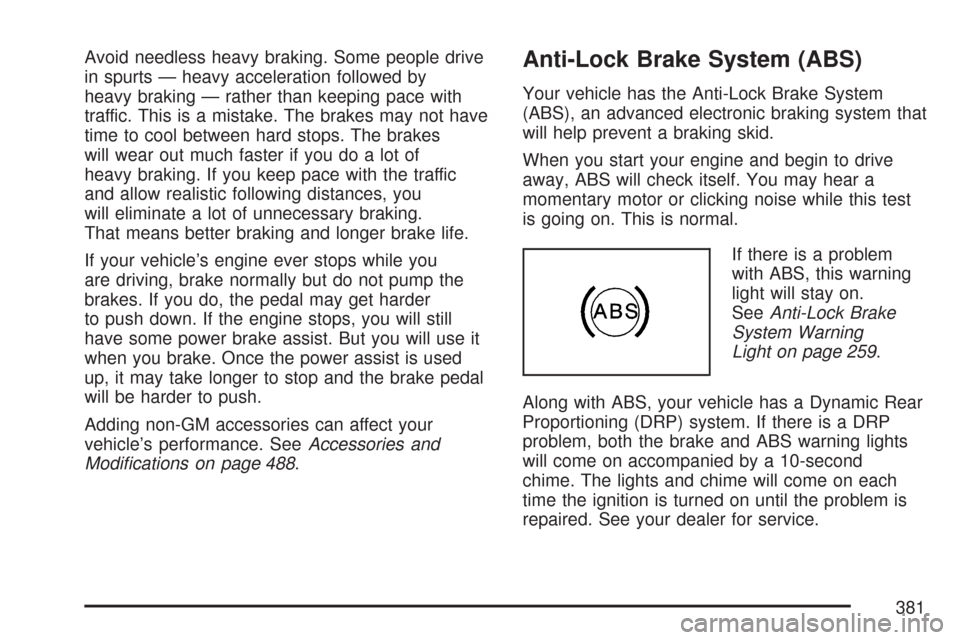
If there is a problem
with ABS, this warning
light will stay on.
SeeAnti-Lock Brake
System Warning
Light on page 259.
Along with ABS, your vehicle has a Dynamic Rear
Proportioning (DRP) system. If there is a DRP
problem, both the brake and ABS warning lights
will come on accompanied by a 10-second
chime. The lights and chime will come on each
time the ignition is turned on until the problem is
repaired. See your dealer for service.
381