2007 CHEVROLET EQUINOX service
[x] Cancel search: servicePage 113 of 492
PASS-Key®III+ Operation
Your vehicle has PASS-Key®III+ (Personalized
Automotive Security System) theft-deterrent
system. PASS-Key
®III+ is a passive
theft-deterrent system. This means you do not
have to do anything special to arm or disarm the
system. It works when you transition the key
to RUN, ACC or START from the LOCK position.
When the PASS-Key
®III+ system senses that
someone is using the wrong key, it prevents
the vehicle from starting. Anyone using a
trial-and-error method to start the vehicle will be
discouraged because of the high number of
electrical key codes.
If the engine does not start and the security light
on the instrument panel comes on when trying
to start the vehicle, the key may have a damaged
transponder. Turn the ignition off and try again.
If the engine still does not start, and the key
appears to be undamaged, try another ignition key.
At this time, you may also want to check the fuse,
seeFuses and Circuit Breakers on page 429.If the engine still does not start with the other key,
your vehicle needs service. If your vehicle does
start, the rst key may be faulty. See your dealer
who can service the PASS-Key
®III+ to have a new
key made. In an emergency, contact Roadside
Assistance.
It is possible for the PASS-Key
®III+ decoder
to “learn” the transponder value of a new
or replacement key. Up to nine additional keys
may be programmed for the vehicle. The following
procedure is for programming additional keys
only. If all the currently programmed keys are
lost or do not operate, you must see your dealer
or a locksmith who can service PASS-Key
®III+
to have keys made and programmed to the
system.
See your dealer or a locksmith who can service
PASS-Key
®III+ to get a new key blank that is cut
exactly as the ignition key that operates the system.
113
Page 114 of 492
To program the new additional key do the
following:
1. Verify that the new key has a
1stamped on it.
2. Insert the original, already programmed, key in
the ignition and start the engine. If the engine
will not start, see your dealer for service.
3. After the engine has started, turn the key to
LOCK, and remove the key.
4. Insert the new key to be programmed and turn
it to the RUN position within ve seconds of
removing the original key.
5. The security light will turn off once the key
has been programmed.
6. Repeat Steps 1 through 5 if additional keys
are to be programmed.
If you are driving and the security light comes on
and stays on, you may be able to restart your
engine. Your PASS-Key
®III+ system, however,
may not be working properly and must be serviced
by your dealer.
If you lose or damage your PASS-Key
®III+ key,
see your dealer or a locksmith who can service
PASS-Key
®III+ to have a new key made.
Starting and Operating
Your Vehicle
New Vehicle Break-In
Notice:Your vehicle does not need an
elaborate break-in. But it will perform better in
the long run if you follow these guidelines:
Do not drive at any one constant speed,
fast or slow, for the rst 500 miles (805 km).
Do not make full-throttle starts. Avoid
downshifting to brake, or slow, the vehicle.
Avoid making hard stops for the rst
200 miles (322 km) or so. During this time
your new brake linings are not yet broken
in. Hard stops with new linings can mean
premature wear and earlier replacement.
Follow this breaking-in guideline every
time you get new brake linings.
Do not tow a trailer during break-in. See
Towing a Trailer on page 322for the trailer
towing capabilities of your vehicle and
more information.
Following break-in, engine speed and load
can be gradually increased.
114
Page 115 of 492
Ignition Positions
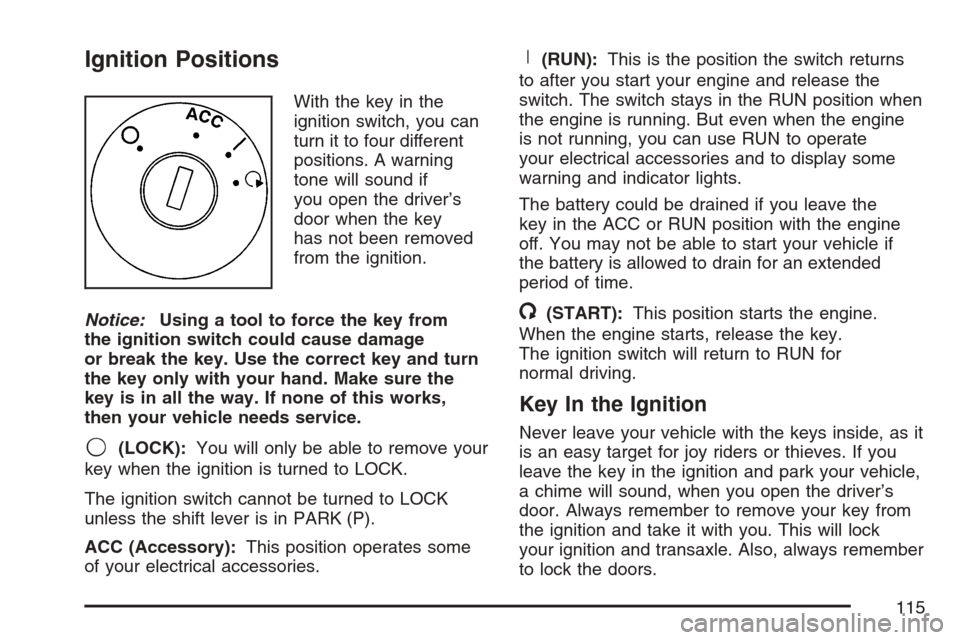
With the key in the
ignition switch, you can
turn it to four different
positions. A warning
tone will sound if
you open the driver’s
door when the key
has not been removed
from the ignition.
Notice:Using a tool to force the key from
the ignition switch could cause damage
or break the key. Use the correct key and turn
the key only with your hand. Make sure the
key is in all the way. If none of this works,
then your vehicle needs service.
9(LOCK):You will only be able to remove your
key when the ignition is turned to LOCK.
The ignition switch cannot be turned to LOCK
unless the shift lever is in PARK (P).
ACC (Accessory):This position operates some
of your electrical accessories.
R(RUN):This is the position the switch returns
to after you start your engine and release the
switch. The switch stays in the RUN position when
the engine is running. But even when the engine
is not running, you can use RUN to operate
your electrical accessories and to display some
warning and indicator lights.
The battery could be drained if you leave the
key in the ACC or RUN position with the engine
off. You may not be able to start your vehicle if
the battery is allowed to drain for an extended
period of time.
/(START):This position starts the engine.
When the engine starts, release the key.
The ignition switch will return to RUN for
normal driving.
Key In the Ignition
Never leave your vehicle with the keys inside, as it
is an easy target for joy riders or thieves. If you
leave the key in the ignition and park your vehicle,
a chime will sound, when you open the driver’s
door. Always remember to remove your key from
the ignition and take it with you. This will lock
your ignition and transaxle. Also, always remember
to lock the doors.
115
Page 129 of 492
Mirrors
Manual Rearview Mirror
To adjust the angle of the mirror, move the mirror to
a position that allows you see to out of the back
window. To adjust the height of the mirror, adjust
the arm that connects the mirror to the windshield.
To reduce glare from lights behind you, move the
lever toward you to the night position.
Manual Rearview Mirror with OnStar®
To adjust the angle of the mirror, move the mirror
to a position that allows you see to out of the back
window. To adjust the height of the mirror, adjust
the arm that connects the mirror to the windshield.
To reduce glare from lights behind you, move the
lever toward you to the night position.
There are also OnStar
®buttons located at the
bottom of the mirror face. See your dealer for more
information on the system and how to subscribe
to OnStar
®. SeeOnStar®System on page 133
for more information about the services OnStar®
provides.
Automatic Dimming Rearview Mirror
with OnStar
®and Compass
If your vehicle has this feature, an automatic
dimming mirror automatically dims to the proper
level to minimize glare at night from lights
behind your vehicle. For more information about
OnStar
®, seeOnStar®System on page 133.
The mirror includes a display in the upper right
corner of the mirror face that shows the compass
reading.
O(On/Off):Press this button to operate the
automatic dimming and compass features.
Automatic Dimming Mirror Operation
The automatic dimming mirror function is turned on
each time the ignition is started. A light near the
on/off button will come on to indicate the automatic
dimming is on.
Press and hold the on/off button for about
four seconds to manually turn the automatic
dimming function on or off.
129
Page 133 of 492
OnStar®System
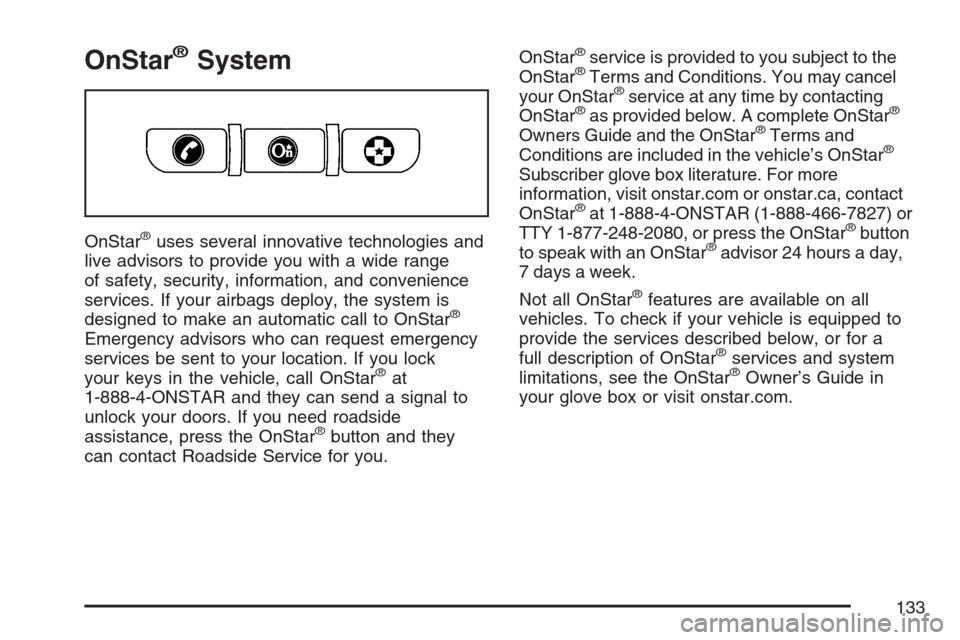
OnStar®uses several innovative technologies and
live advisors to provide you with a wide range
of safety, security, information, and convenience
services. If your airbags deploy, the system is
designed to make an automatic call to OnStar
®
Emergency advisors who can request emergency
services be sent to your location. If you lock
your keys in the vehicle, call OnStar
®at
1-888-4-ONSTAR and they can send a signal to
unlock your doors. If you need roadside
assistance, press the OnStar
®button and they
can contact Roadside Service for you.OnStar
®service is provided to you subject to the
OnStar®Terms and Conditions. You may cancel
your OnStar®service at any time by contacting
OnStar®as provided below. A complete OnStar®
Owners Guide and the OnStar®Terms and
Conditions are included in the vehicle’s OnStar®
Subscriber glove box literature. For more
information, visit onstar.com or onstar.ca, contact
OnStar
®at 1-888-4-ONSTAR (1-888-466-7827) or
TTY 1-877-248-2080, or press the OnStar®button
to speak with an OnStar®advisor 24 hours a day,
7 days a week.
Not all OnStar
®features are available on all
vehicles. To check if your vehicle is equipped to
provide the services described below, or for a
full description of OnStar
®services and system
limitations, see the OnStar®Owner’s Guide in
your glove box or visit onstar.com.
133
Page 134 of 492
OnStar®Services
For new vehicles with OnStar®, the Safe & Sound
Plan, or the Directions & Connections®Plan is
included for one year from the date of purchase.
You can extend this plan beyond the rst year,
or upgrade to the Directions & Connections
®Plan.
For more information, press the OnStar®button
to speak with an advisor. Some OnStar®services
(such as Remote Door Unlock or Stolen Vehicle
Location Assistance) may not be available
until you register with OnStar
®.
Available Services with Safe & Sound®Plan
Automatic Notication of Airbag Deployment
Advanced Automatic Crash Notication (AACN)
(If equipped)
Link to Emergency Services
Roadside Assistance
Stolen Vehicle Location Assistance
AccidentAssist
Remote Door Unlock/Vehicle Alert
OnStar®Vehicle Diagnostics
GM Goodwrench®On Demand Diagnostics
OnStar®Hands-Free Calling with
30 complimentary minutes
OnStar®Virtual Advisor ( U.S. Only)
Available Services included with
Directions & Connections®Plan
All Safe and Sound Plan Services
Driving Directions - Advisor delivered
or OnStar®Turn-by-Turn Navigation
(If equipped)
RideAssist
Information and Convenience Services
OnStar®Hands-Free Calling
OnStar®Hands-Free Calling allows eligible
OnStar®subscribers to make and receive calls
using voice commands. Hands-Free Calling is
fully integrated into the vehicle, and can be
used with OnStar
®Pre-Paid Minute Packages.
134
Page 135 of 492
Hands-Free Calling may also be linked to a
Verizon Wireless service plan in the U.S. or a
Bell Mobility service plan in Canada, depending
on eligibility. To nd out more, refer to the
OnStar
®Owners Guide in the vehicle’s glove
box, visit www.onstar.com or www.onstar.ca,
or speak with an OnStar
®advisor by pressing
the OnStar®button or calling 1-888-4-ONSTAR
(1-888-466-7827).
OnStar®Virtual Advisor
OnStar®Virtual Advisor is a feature of OnStar®
Hands-Free Calling that uses your minutes to
access location-based weather, local traffic reports,
and stock quotes. By pressing the phone button
and giving a few simple voice commands, you can
browse through the various topics. See the OnStar
®
Owners Guide for more information (Only available
in the continental U.S.).
OnStar®Steering Wheel Controls
Your vehicle may have a Talk/Mute button that
can be used to interact with OnStar®Hands-Free
Calling. SeeAudio Steering Wheel Controls on
page 280for more information.On some vehicles, you may have to hold the
button for a few seconds and give the command
“ONSTAR” in order to activate the OnStar
®
Hands-Free Calling feature.
On some vehicles, the mute button can be used
to dial numbers into voicemail systems, or to
dial phone extensions. See the OnStar
®Owner’s
Guide for more information.
How OnStar®Service Works
In order to provide you with OnStar®services,
your vehicle’s OnStar®system has the capability
of recording and transmitting vehicle information.
This information is automatically sent to an
OnStar
®Call Center at the time of an OnStar®
button press, Emergency button press or if
your airbags or AACN system deploys. The vehicle
information usually includes your GPS location
and, in the event of a crash, additional information
regarding the accident that your vehicle has
been involved in (e.g. the direction from which
your vehicle was hit). When you use the Virtual
Advisor feature of OnStar
®Hands-Free Calling,
your vehicle also sends OnStar®your GPS
location so that we can provide you with
location-based services.
135
Page 136 of 492
OnStar®service cannot work unless your vehicle
is in a place where OnStar®has an agreement
with a wireless service provider for service in
that area. OnStar
®service also cannot work
unless you are in a place where the wireless
service provider OnStar
®has hired for that area
has coverage, network capacity and reception
when the service is needed, and technology that
is compatible with the OnStar
®service. Not all
services are available everywhere, particularly
in remote or enclosed areas, or at all times.
OnStar
®service that involves location information
about your vehicle cannot work unless GPS
satellite signals are unobstructed and available
in that place as well.Your vehicle must have a working electrical
system (including adequate battery power) for the
OnStar
®equipment to operate. There are other
problems OnStar®cannot control that may prevent
OnStar®from providing OnStar®service to you
at any particular time or place. Some examples are
damage to important parts of your vehicle in an
accident, hills, tall buildings, tunnels, weather
or wireless phone network congestion.
Your Responsibility
You may need to increase the volume of your
radio to hear the OnStar®advisor. If the light
next to the OnStar®buttons is red, this means
that your system is not functioning properly
and should be checked by a dealer. If the
light appears clear (no light is appearing), your
OnStar
®subscription has expired. You can
always press the OnStar®button to conrm
that your OnStar®equipment is active.
136