2007 CHEVROLET AVALANCHE remote control
[x] Cancel search: remote controlPage 342 of 618

{(Subtitles):Press this button to turn ON/OFF
subtitles and to move through subtitle options
when a DVD is playing. The format and content
of this function varies for each disc.
AUX (Auxiliary):Press this button to switch the
system between the DVD player and an auxiliary
source.
d(Camera):Press this button to change
camera angles on DVDs that have this feature
when a DVD is playing. The format and content
of this function varies for each disc.
1 through 0 (Numeric Keypad):The numeric
keypad provides the capability of direct chapter
or track number selection.
\(Clear):Press this button within three seconds
after entering a numeric selection, to clear all
numerical inputs.
}10 (Double Digit Entries):Press this button
to select chapter or track numbers greater
than nine. Press this button before entering
the number.
Battery Replacement
To change the remote control batteries, do the
following:
1. Remove the battery compartment door
located on the bottom of the remote control.
2. Replace the two batteries in the compartment.
Make sure that they are installed correctly,
using the diagram on the inside of the
battery compartment.
3. Close the battery door securely.
If the remote control is to be stored for a long
period of time, remove the batteries and keep
them in a cool, dry place.
Problem Recommended Action
No power. The ignition might not be
turned on or in accessory.
The picture does not ll
the screen. There are
black borders on the
top and bottom or on
both sides or it looks
stretched out.Check the display mode
settings in the setup
menu by pressing the
display menu button on
the remote control.
342
Page 343 of 618

Problem Recommended Action
In auxiliary mode, the
picture moves or scrolls.Check the auxiliary
input connections at
both devices.
The remote contro
does not work.Check to make sure
there is no obstruction
between the remote
control and the
transmitter window.
Check the batteries to
make sure they are
not dead or installed
incorrectly.
After stopping the player,
I push Play but sometimes
the DVD starts where
I left off and sometimes
at the beginning.If the stop button was
pressed one time, the
DVD player resumes
playing where the DVD
was stopped. If the
stop button was pressed
two times the DVD player
begins to play from the
beginning of the DVD.Problem Recommended Action
The auxiliary source is
running but there is no
picture or sound.Check that the RSE video
screen is in the auxiliary
source mode.
Check the auxiliary input
connections at both
devices.
Sometimes the wireless
headphone audio cuts
out or buzzes.Check for obstructions,
low batteries, reception
range, and interference
from cellular telephone
towers or by using your
cellular telephone in
the vehicle.
Check that the
headphones are on
correctly using the
L (left) and R (right)
on the headphones.
I lost the remote and/or
the headphones.See your dealer for
assistance.
The DVD is playing,
but there is no picture
or sound.Check that the RSE video
screen is sourced to
the DVD player.
343
Page 372 of 618

Traveling to Remote Areas
It makes sense to plan your trip, especially
when going to a remote area. Know the terrain and
plan your route. You are much less likely to get bad
surprises. Get accurate maps of trails and terrain.
Try to learn of any blocked or closed roads.
It is also a good idea to travel with at least
one other vehicle. If something happens to
one of them, the other can help quickly.
Does your vehicle have a winch? If so, be sure to
read the winch instructions. In a remote area, a
winch can be handy if you get stuck. But you will
want to know how to use it properly.
Getting Familiar with Off-Road Driving
It is a good idea to practice in an area that is
safe and close to home before you go into
the wilderness. Off-road driving does require some
new and different skills. Here is what we mean.
Tune your senses to different kinds of signals.
Your eyes, for example, need to constantly sweep
the terrain for unexpected obstacles. Your ears
need to listen for unusual tire or engine sounds.
With your arms, hands, feet, and body, you will
need to respond to vibrations and vehicle bounce.Controlling your vehicle is the key to successful
off-road driving. One of the best ways to control
your vehicle is to control your speed. Here are
some things to keep in mind. At higher speeds:
You approach things faster and you have less
time to scan the terrain for obstacles.
You have less time to react.
You have more vehicle bounce when you drive
over obstacles.
You will need more distance for braking,
especially since you are on an unpaved
surface.
{CAUTION:
When you are driving off-road, bouncing
and quick changes in direction can easily
throw you out of position. This could
cause you to lose control and crash.
So, whether you are driving on or off the
road, you and your passengers should
wear safety belts.
372
Page 549 of 618

Fuses Usage
AUX PWR2 Rear Cargo Area Power Outlets
SWC BKLT Steering Wheel Controls Backlight
DDM Driver Door Module
CTSYDome Lamps, Driver’s Side
Turn Signal
LT STOP TRN Driver’s Side Turn Signal, Stoplamp
DIM Instrument Panel Back Lighting
RT STOP TRNPassenger’s Side Turn Signal,
Stoplamp
BCM Body Control Module
UNLCK2 Power Door Lock 2 (Unlock Feature)
LCK2 Power Door Lock 2 (Lock Feature)
STOP LAMPSStoplamps, Center-High
Mounted Stoplamp
REAR HVAC Rear Climate Controls
PDMPassenger Door Module,
Universal Home Remote SystemFuses Usage
AUX PWR Accessory Power Outlets
IS LPS Interior Lamps
UNLCK1 Power Door Lock 1 (Unlock Feature)
OBS DETUltrasonic Rear Parking Assist,
Power Liftgate
LCK1 Power Door Lock 1 (Lock Feature)
REAR WPR Rear Wiper
COOLED
SEATSNot Used
DSMDriver Seat Module,
Remote Keyless Entry System
Harness
ConnectorUsage
LT DR Driver’s Door Harness Connection
BODY Harness Connector
BODY Harness Connector
549
Page 612 of 618

O
Odometer.................................................... 241
Odometer, Trip............................................ 241
Off-Road Driving.......................................... 368
Off-Road Recovery...................................... 365
Oil
Engine..................................................... 446
Pressure Gage......................................... 253
Pressure Light.......................................... 254
Oil, Engine Oil Life System......................... 449
Older Children, Restraints............................. 45
Online Owner Center................................... 585
OnStar
®System, see OnStar®Manual........ 156
Operation, Universal Home
Remote System..............................161, 166
Other Warning Devices................................ 206
Outlet Adjustment........................................ 238
Outlet(s), Accessory Power.......................... 226
Outside
Power Foldaway Mirrors........................... 153
Power Mirrors.......................................... 152
Overheated Engine Protection
Operating Mode....................................... 463
Owner Checks and Services....................... 570
Owners, Canadian.......................................... 3
P
Paint, Damage............................................ 544
Park Aid...................................................... 222
Park (P)
Shifting Into............................................. 139
Shifting Out of......................................... 141
Parking
Assist....................................................... 222
Brake....................................................... 138
Over Things That Burn............................ 142
Passenger Airbag Status Indicator............... 243
Passenger Sensing System........................... 81
Passing....................................................... 365
PASS-Key
®III+........................................... 120
PASS-Key®III+ Operation........................... 121
Power
Accessory Outlet(s).................................. 226
Door Locks.............................................. 103
Electrical System..................................... 547
Lumbar Controls........................................ 11
Retained Accessory (RAP)....................... 124
Running Boards....................................... 115
Seat.......................................................... 10
Steering Fluid.......................................... 469
Windows.................................................. 117
612
Page 617 of 618
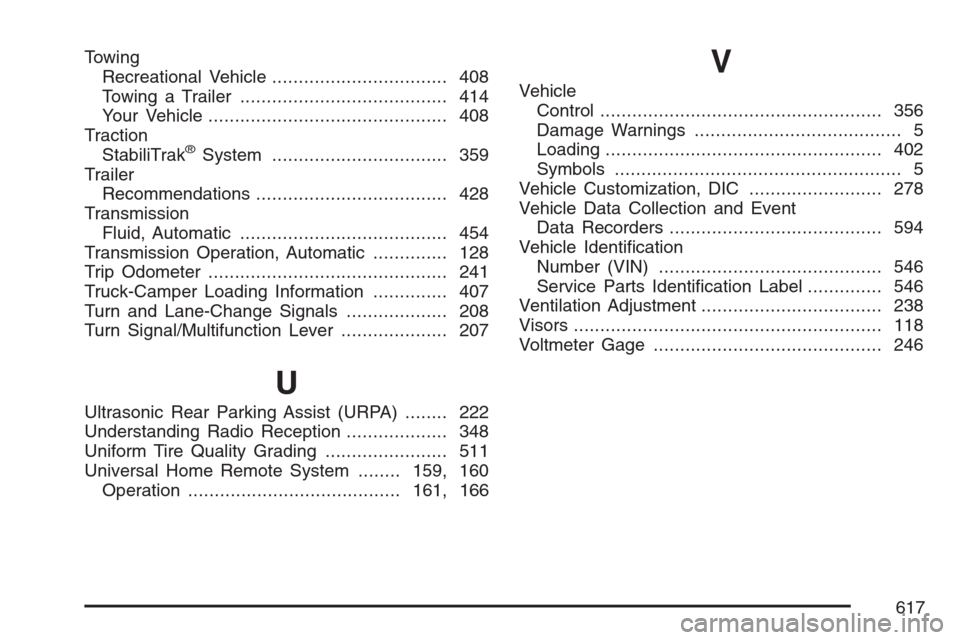
Towing
Recreational Vehicle................................. 408
Towing a Trailer....................................... 414
Your Vehicle............................................. 408
Traction
StabiliTrak
®System................................. 359
Trailer
Recommendations.................................... 428
Transmission
Fluid, Automatic....................................... 454
Transmission Operation, Automatic.............. 128
Trip Odometer............................................. 241
Truck-Camper Loading Information.............. 407
Turn and Lane-Change Signals................... 208
Turn Signal/Multifunction Lever.................... 207
U
Ultrasonic Rear Parking Assist (URPA)........ 222
Understanding Radio Reception................... 348
Uniform Tire Quality Grading....................... 511
Universal Home Remote System........159, 160
Operation........................................161, 166
V
Vehicle
Control..................................................... 356
Damage Warnings....................................... 5
Loading.................................................... 402
Symbols...................................................... 5
Vehicle Customization, DIC......................... 278
Vehicle Data Collection and Event
Data Recorders........................................ 594
Vehicle Identication
Number (VIN).......................................... 546
Service Parts Identication Label.............. 546
Ventilation Adjustment.................................. 238
Visors.......................................................... 118
Voltmeter Gage........................................... 246
617