2007 CADILLAC XLR change wheel
[x] Cancel search: change wheelPage 225 of 512

The DIC may display a CHANGE OIL NOW
message. If you see CHANGE OIL NOW, it means
the oil life is gone. For more information, see
Scheduled Maintenance on page 465andEngine
Oil on page 377.
When the oil is changed, you will need to reset
the system. SeeEngine Oil Life System on
page 380. Always keep a written record of the
mileage and date when you changed your oil.
Audio System(s)
Determine which radio your vehicle has and then
read the pages following to familiarize yourself
with its features.
Driving without distraction is a necessity for a
safer driving experience. SeeDefensive Driving on
page 322. By taking a few moments to read this
manual and get familiar with your vehicle’s audio
system, you can use it with less effort, as well
as take advantage of its features. While your
vehicle is parked, set up your audio system by
presetting your favorite radio stations, setting the
tone and adjusting the speakers. Then, whendriving conditions permit, you can tune to your
favorite stations using the presets and steering
wheel controls if the vehicle has them.
{CAUTION:
This system provides you with a far greater
access to audio stations and song listings.
Giving extended attention to entertainment
tasks while driving can cause a crash and
you or others can be injured or killed.
Always keep your eyes on the road and
your mind on the drive — avoid engaging
in extended searching while driving.
Keeping your mind on the drive is important for
safe driving. For more information, seeDefensive
Driving on page 322.
225
Page 312 of 512
To select HOME and AWAY preset stations, do
the following:
1. With the audio system on, touch the Audio
hard key and turn the audio system off.
2. Touch the HOME or AWAY button from the
main audio screen.
The next time the audio system is turned on,
the system will recall the last active preset
selection.
When battery power is removed and later applied,
you will not have to reset your home audio
system preset stations because the audio system
remembers them. However, you will have to
reset your away radio preset stations.
Voice Recognition
The navigation system’s voice recognition allows
for hands-free operation of navigation and
audio system features. Voice recognition can be
used when the ignition is on or when Retained
Accessory Power (RAP) is active.This feature only works if the map DVD is inserted
and I AGREE has been selected. If you try to
use voice recognition without the map DVD
inserted, the system will display “Please insert the
navigation map DVD to use the voice recognition
feature.”
To use navigation voice recognition, do the
following:
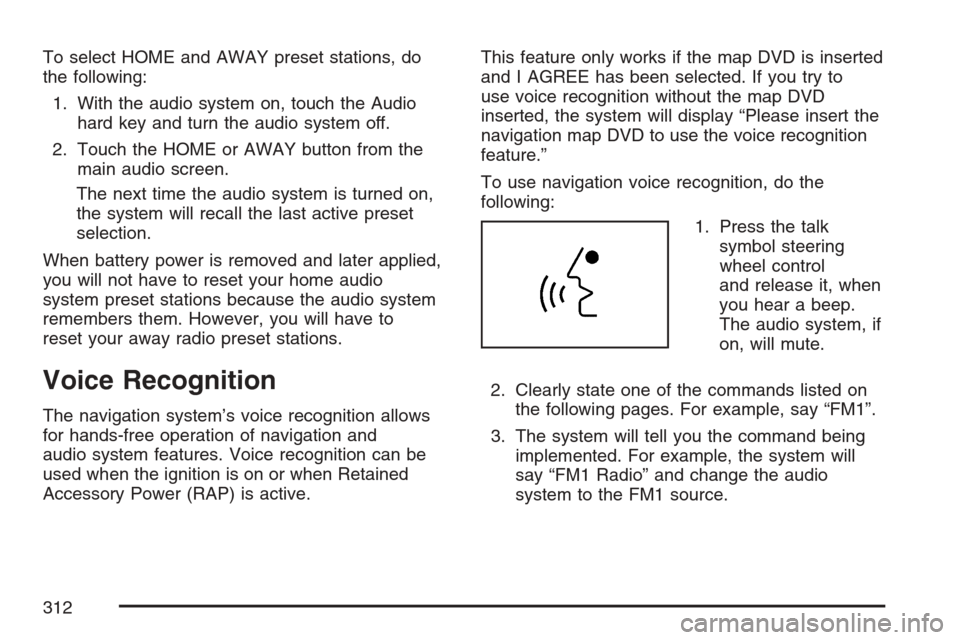
1. Press the talk
symbol steering
wheel control
and release it, when
you hear a beep.
The audio system, if
on, will mute.
2. Clearly state one of the commands listed on
the following pages. For example, say “FM1”.
3. The system will tell you the command being
implemented. For example, the system will
say “FM1 Radio” and change the audio
system to the FM1 source.
312
Page 328 of 512

Let us say the road is wet and you are driving
safely. Suddenly, an animal jumps out in front of
you. You slam on the brakes and continue braking.
Here is what happens with ABS:
A computer senses that wheels are slowing down.
If one of the wheels is about to stop rolling, the
computer will separately work the brakes at each
wheel.ABS can change the brake pressure faster than
any driver could. The computer is programmed to
make the most of available tire and road
conditions. This can help you steer around the
obstacle while braking hard.
As you brake, your computer keeps receiving
updates on wheel speed and controls braking
pressure accordingly.
328
Page 329 of 512

Remember: ABS does not change the time you
need to get your foot up to the brake pedal
or always decrease stopping distance. If you get
too close to the vehicle in front of you, you will not
have time to apply your brakes if that vehicle
suddenly slows or stops. Always leave enough
room up ahead to stop, even though you
have ABS.
Using ABS
Do not pump the brakes. Just hold the brake
pedal down rmly and let anti-lock work for you.
You may hear a motor or clicking noise and
feel the brake pedal move a little during a stop,
but this is normal.
Braking in Emergencies
With ABS, you can steer and brake at the same
time. In many emergencies, steering can help you
more than even the very best braking.
Traction Control System (TCS)
Your vehicle has a traction control system that
limits wheel spin. This is especially useful in
slippery road conditions. The system operates only
if it senses that one or both of the rear wheels
are spinning or beginning to lose traction. When
this happens, the system works the rear brakes
and reduces engine power to limit wheel spin.
The TRAC SYSTEM ACTIVE message will display
on the Driver Information Center (DIC) when the
traction control system is limiting wheel spin.
SeeDIC Warnings and Messages on page 206.
You may feel or hear the system working, but this
is normal.
If your vehicle is in cruise control when the
traction control system begins to limit wheel spin,
the cruise control will automatically disengage.
When road conditions allow you to safely
use it again, you may reengage the cruise control.
SeeAdaptive Cruise Control on page 150or
Cruise Control on page 147for more information.
329
Page 333 of 512

Steering
Power Steering
If you lose power steering assist because the
engine stops or the system is not functioning, you
can steer but it will take much more effort.
Magnetic Speed Variable Assist
Steering
Your vehicle has a steering system that
continuously adjusts the effort you feel when
steering at all vehicle speeds. It provides ease
when parking, yet a rm, solid feel at highway
speeds.
Steering Tips
It is important to take curves at a reasonable
speed.
A lot of the “driver lost control” accidents mentioned
on the news happen on curves. Here is why:
Experienced driver or beginner, each of us is
subject to the same laws of physics when driving
on curves. The traction of the tires against the
road surface makes it possible for the vehicle to
change its path when you turn the front wheels.If there is no traction, inertia will keep the vehicle
going in the same direction. If you have ever
tried to steer a vehicle on wet ice, you will
understand this.
The traction you can get in a curve depends on
the condition of the tires and the road surface, the
angle at which the curve is banked, and your
speed. While you are in a curve, speed is the one
factor you can control.
Suppose you are steering through a sharp curve.
Then you suddenly accelerate. Both control
systems — steering and acceleration — have to
do their work where the tires meet the road.
Adding the sudden acceleration can demand too
much of those places. You can lose control.
SeeTraction Control System (TCS) on page 329.
What should you do if this ever happens? Ease
up on the accelerator pedal, steer the vehicle the
way you want it to go, and slow down.
Speed limit signs near curves warn that you
should adjust your speed. Of course, the posted
speeds are based on good weather and road
conditions. Under less favorable conditions you will
want to go slower.
333
Page 354 of 512

Rocking Your Vehicle to Get It Out
First, turn the steering wheel left and right.
That will clear the area around the front wheels.
You should turn the traction control system
off. SeeTraction Control System (TCS) on
page 329. Then shift back and forth between
REVERSE (R) and a forward gear, spinning the
wheels as little as possible. Release the
accelerator pedal while you shift, and press lightly
on the accelerator pedal when the transmission
is in gear. By slowly spinning the wheels in
the forward and reverse directions, you will cause
a rocking motion that may free your vehicle. If
that does not get your vehicle out after a few tries,
it may need to be towed out. If your vehicle
does need to be towed out, seeTowing Your
Vehicle on page 359.
Loading Your Vehicle
It is very important to know how much weight your
vehicle can carry. This weight is called the vehicle
capacity weight and includes the weight of all
occupants, cargo, and all nonfactory-installed
options. Two labels on your vehicle show how much
weight it may properly carry, the Tire and Loading
Information label and the Certication label.
{CAUTION:
Do not load your vehicle any heavier than
the Gross Vehicle Weight Rating (GVWR),
or either the maximum front or rear Gross
Axle Weight Rating (GAWR). If you do,
parts on your vehicle can break, and it
can change the way your vehicle handles.
These could cause you to lose control
and crash. Also, overloading can shorten
the life of your vehicle.
354
Page 401 of 512

Brake Wear
Your vehicle has four-wheel disc brakes.
Disc brake pads have built-in wear indicators that
make a high-pitched warning sound when the
brake pads are worn and new pads are needed.
The sound may come and go or be heard all
the time your vehicle is moving, except when you
are pushing on the brake pedal rmly.
{CAUTION:
The brake wear warning sound means that
soon the brakes will not work well. That
could lead to an accident. When you hear
the brake wear warning sound, have your
vehicle serviced.
Notice:Continuing to drive with worn-out
brake pads could result in costly brake repair.
Some driving conditions or climates may cause
a brake squeal when the brakes are rst applied or
lightly applied. This does not mean something is
wrong with your brakes.
Brake linings should always be replaced as
complete axle sets.
Brake Pedal Travel
See your dealer if the brake pedal does not return
to normal height, or if there is a rapid increase in
pedal travel. This could be a sign of brake trouble.
Brake Adjustment
As you make brake stops, your disc brakes
automatically adjust for wear.
Replacing Brake System Parts
The braking system on a vehicle is complex. Its
many parts have to be of top quality and work well
together if the vehicle is to have really good
braking. Your vehicle was designed and tested with
top-quality GM brake parts. When you replace parts
of your braking system — for example, when your
brake linings wear down and you need new ones
put in — be sure you get new approved GM
replacement parts. If you do not, your brakes may
no longer work properly. For example, if someone
puts in brake linings that are wrong for your vehicle,
the balance between your front and rear brakes can
change — for the worse. The braking performance
you have come to expect can change in many other
ways if someone puts in the wrong replacement
brake parts.
401
Page 414 of 512

Low-Prole Tires (XLR-V)
Notice:If your vehicle has P235/45R19 or
P255/40R19 size tires, they are classied as
low-prole tires. Low-prole tires are more
susceptible to damage from road hazards or
curb impact than standard prole tires.
Tire and or wheel assembly damage can occur
when coming into contact with road hazards
like potholes or sharp edged objects, or
when sliding into a curb. Your GM warranty
does not cover this type of damage. Keep tires
set to the correct ination pressure and
when possible avoid contact with curbs,
potholes, and other road hazards.
Winter Tires (XLR-V)
If you expect to drive on snow or ice covered
roads often, you may want to get winter tires for
your vehicle. All season tires provide good overall
performance on most surfaces but they may
not offer the traction you would like or the same
level of performance as winter tires on snow or ice
covered roads.Winter tires, in general, are designed for increased
traction on snow and ice covered roads. With
winter tires, there may be decreased dry
road traction, increased road noise, and shorter
tread life. After switching to winter tires, be alert for
changes in vehicle handling and braking.
See your dealer for details regarding winter tire
availability and proper tire selection. Also,
seeBuying New Tires on page 428.
If you choose to use winter tires:
Use tires of the same brand and tread type on
all four wheel positions.
Use only radial ply tires of the same size, load
range, and speed rating as the original
equipment tires.
Winter tires with the same speed rating as your
original equipment tires may not be available for H,
V, W, Y, and ZR speed rated tires. If you choose
winter tires with a lower speed rating, never
exceed the tire’s maximum speed capability.
414