Page 123 of 534

Running the Engine While Parked
It is better not to park with the engine running. But if
you ever have to, here are some things to know.
{CAUTION:
Idling the engine with the climate control
system off could allow dangerous exhaust
into your vehicle. See the earlier caution
underEngine Exhaust on page 122.
Also, idling in a closed-in place can let
deadly carbon monoxide (CO) into your
vehicle even if the climate control fan is at
the highest setting. One place this can
happen is a garage. Exhaust — with
CO — can come in easily. NEVER park in
a garage with the engine running.
Another closed-in place can be a blizzard.
SeeWinter Driving on page 325.
{CAUTION:
It can be dangerous to get out of your
vehicle if the shift lever is not fully in
PARK (P) with the parking brake rmly
set. Your vehicle can roll. Do not leave
your vehicle when the engine is running
unless you have to. If you have left the
engine running, the vehicle can move
suddenly. You or others could be injured.
To be sure your vehicle will not move,
even when you are on fairly level ground,
always set your parking brake and move
the shift lever to PARK (P).
Follow the proper steps to be sure your vehicle
will not move. SeeShifting Into Park (P) on
page 119.
If you are pulling a trailer, seeTowing a Trailer on
page 339.
123
Page 127 of 534
To adjust for compass variance, do the following:
1. Find your current location and variance
zone number on the following zone map.
2. Press and hold the on/off button for
six seconds. Release the button when
(FOR ZONE) is displayed. The number
shown is the current zone number.3. Scroll through the zone numbers that appear in
the window on the mirror by pressing the on/off
button. Once you nd your zone number,
release the button. After about four seconds,
the mirror will return to the compass display,
and the new zone number will be set.
Outside Power Mirror
The outside power
mirror control is located
on the driver’s door.
1. Turn the knob toward the mirror you desire
to adjust.
2. Move the control in the direction you want the
mirror to go.
127
Page 128 of 534

3. Adjust the mirror in all four directions so that
you can see the side of your vehicle and the
area behind your vehicle.
4. After adjusting each mirror, turn the control to
the center position so the mirror cannot be
moved.
If you reach the mirror’s end of the travel position
in any direction, the mirror will enter a ratcheting
mode. This action is harmless. It is a warning that
the mirror can go no further. To stop this action,
back the mirror up by moving the control in
the opposite direction.
Fold the mirror in manually before entering a car
wash. To do this, pull the mirror in toward the
vehicle. Push the mirror back out when nished.Outside Curb View Assist Mirror
If the vehicle has this feature, the passenger’s
outside mirror will adjust to a preset tilt position
while the vehicle is in REVERSE (R) gear.
Curb view assist may be useful when you are
parallel parking. The mirror will return to normal
position when the vehicle is shifted out of
REVERSE (R) gear. Automatic mirror movement
in either direction will follow a short delay.
You may be able to turn this feature on or off
through the Driver Information Center (DIC).
SeeDIC Vehicle Customization on page 208.
128
Page 146 of 534

Rear Floor Storage Lid
{CAUTION:
If any removable convenience item is not
secured properly, it can move around in a
collision or sudden stop. People in the
vehicle could be injured. Be sure to
secure any such item properly.
Your vehicle has a rear cargo area with a
removable storage lid.
To remove the rear oor storage lid, do the
following:
1. Press the latch release and lift up the
latch handle.
2. Raise the lid slightly to unhook it.
3. Pull the lid toward you to release it from the
forward mounting tabs.
To reinstall the rear oor storage lid, reverse the
previous steps. Make sure the lid is secure by
applying slight pressure to the latch until you hear
it click.
Convenience Net
Your vehicle may have this feature. A convenience
net in the rear of your vehicle helps keep small
items in place during sharp turns or quick
stops and starts. The net is not designed to retain
these items during off-road use. The net is not
for larger, heavier items.
To use the convenience net, do the following:
1. Attach the upper loops to the retainers on both
sides of the liftgate opening. The label should
be in the upper passenger’s side corner,
visible from the rear of the vehicle.
2. Attach the lower hooks to the rear cargo tie
downs on the oor.
146
Page 155 of 534
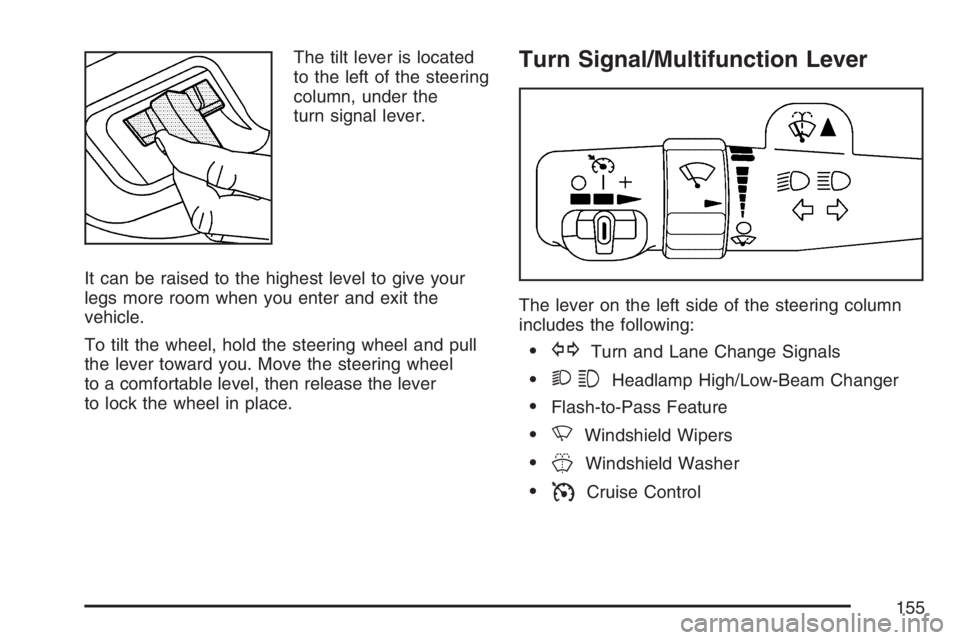
The tilt lever is located
to the left of the steering
column, under the
turn signal lever.
It can be raised to the highest level to give your
legs more room when you enter and exit the
vehicle.
To tilt the wheel, hold the steering wheel and pull
the lever toward you. Move the steering wheel
to a comfortable level, then release the lever
to lock the wheel in place.Turn Signal/Multifunction Lever
The lever on the left side of the steering column
includes the following:
GTurn and Lane Change Signals
23Headlamp High/Low-Beam Changer
Flash-to-Pass Feature
NWindshield Wipers
JWindshield Washer
ICruise Control
155
Page 156 of 534

Turn and Lane-Change Signals
The turn signal has two upward (for right) and
two downward (for left) positions. These positions
let you signal a turn or a lane change.
To signal a turn, move the lever all the way up or
down. When the turn is nished, the lever
returns automatically.
An arrow on the
instrument panel
cluster ashes in the
direction of the turn or
lane change.
To signal a lane change, raise or lower the lever
until the arrow starts to ash. Hold it there until you
complete your lane change. The lever returns
by itself when released. The bottom of the outside
rearview mirrors might also have lane change
indicators.As you signal a turn or a lane change, if the
arrows ash more quickly than normal, a signal
bulb could be burned out and other drivers will not
see your turn signal.
If a bulb is burned out, replace it to help avoid an
accident. If the arrows do not go on at all when
you signal a turn, check the fuse. SeeFuses and
Circuit Breakers on page 465and check for
burned-out bulbs.
If you have a trailer towing option with added
wiring for the trailer lamps, a turn signal asher is
used. With this asher installed, the signal
indicator ashes even if a turn signal bulb is
burned out. Check the front and rear turn signal
lamps regularly to make sure they are working.
Turn Signal On Chime
If your turn signal is left on for more than 3/4 of a
mile (1.2 km), a chime sounds at each ash of
the turn signal. To turn off the chime, move
the turn signal lever to the off position.
156
Page 157 of 534
Headlamp High/Low-Beam Changer
To change the headlamps from low to high
beam, push the lever toward the instrument panel.
To return to low-beam headlamps, pull the
multifunction lever toward you. Then release it.
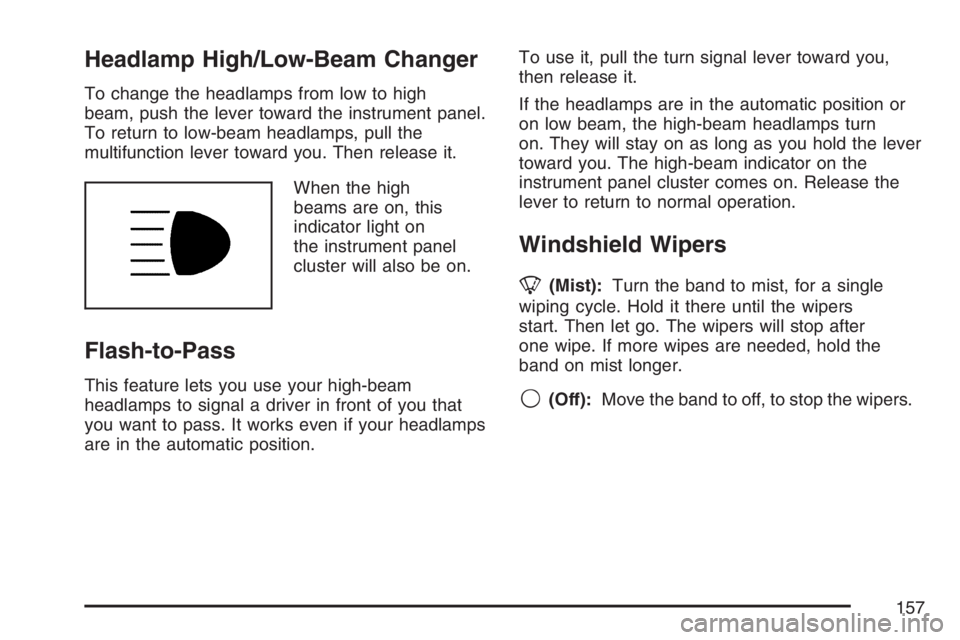
When the high
beams are on, this
indicator light on
the instrument panel
cluster will also be on.
Flash-to-Pass
This feature lets you use your high-beam
headlamps to signal a driver in front of you that
you want to pass. It works even if your headlamps
are in the automatic position.To use it, pull the turn signal lever toward you,
then release it.
If the headlamps are in the automatic position or
on low beam, the high-beam headlamps turn
on. They will stay on as long as you hold the lever
toward you. The high-beam indicator on the
instrument panel cluster comes on. Release the
lever to return to normal operation.
Windshield Wipers
8(Mist):Turn the band to mist, for a single
wiping cycle. Hold it there until the wipers
start. Then let go. The wipers will stop after
one wipe. If more wipes are needed, hold the
band on mist longer.
9(Off):Move the band to off, to stop the wipers.
157
Page 171 of 534

Driver’s Side Temperature Knob:Turn this knob
clockwise or counterclockwise to manually raise or
lower the temperature on the driver’s side of the
vehicle. The display will show the temperature
setting decreasing or increasing and an arrow
pointing toward the driver. This knob can also
adjust the passenger’s side temperature setting
simultaneously if the two zones are linked as
described in Passenger’s Side Temperature Knob.
Passenger’s Side Temperature Knob:Turn this
knob clockwise or counterclockwise to manually
raise or lower the temperature on the passenger’s
side of the vehicle. The display will show the
temperature setting decreasing or increasing and
an arrow pointing toward the passenger. The
passenger’s temperature setting can be set
to match and link to the driver’s temperature
setting by pressing and holding the AUTO button
for three seconds. Now, by adjusting the
driver’s side temperature setting, the passenger’s
side temperature setting will follow and both
arrows will appear on the display. The passenger’s
side temperature setting also resets and relinks
to the driver’s side temperature setting if the
vehicle has been off for more than three hours.Automatic Operation
AUTO (Automatic):When automatic operation
is active, the system will control the inside
temperature, the air delivery mode, and the
fan speed.
Use the steps below to place the entire system in
automatic mode:
1. Press the AUTO button.
When AUTO is selected, the air conditioning
operation and air inlet mode will be
automatically controlled. The air conditioning
compressor will run when the outside
temperature is over approximately 40°F (4°C).
The air inlet will normally be set to outside
air. If it’s hot outside, the air inlet will
automatically switch to recirculate inside air to
help quickly cool down your vehicle.
171