2007 BUICK LACROSSE steering
[x] Cancel search: steeringPage 157 of 512

Reducing Speed While Using Cruise
Control
To reduce your speed while using cruise control:
Press and hold the SET– button on the
steering wheel until you reach the lower speed
you want, then release it.
To slow down in very small amounts, press
the SET– button on the steering wheel
briey. Each time this is done, you will go
about 1 mph (1.6 km/h) slower.
Passing Another Vehicle While Using
Cruise Control
Use the accelerator pedal to increase vehicle
speed. When you take your foot off the pedal, the
vehicle will slow down to the cruise speed you
set earlier.
Using Cruise Control on Hills
How well the cruise control will work on hills
depends upon the vehicle speed, load and the
steepness of the hills. When going up steep hills,
you may have to step on the accelerator pedal
to maintain your speed. When going downhill, you
may have to brake or shift to a lower gear to
keep your speed down. Of course, applying the
brake ends the cruise control. Many drivers
nd this to be too much trouble and do not use
cruise control on steep hills.
Ending Cruise Control
There are three ways to end cruise control:
Step lightly on the brake pedal.
Press the[(cancel) button on the
steering wheel.
Press theT(on/off) button on the
steering wheel.
Erasing Speed Memory
The cruise control set speed memory is erased by
turning off the cruise control or the ignition.
157
Page 160 of 512

When it is dark enough outside, the DRL will turn
off and the vehicle’s headlamps and parking
lamps will turn on. The other lamps that come on
with the headlamps will also come on.
When it is bright enough outside, the headlamps
will go off and the DRL will come on.
To idle the vehicle with the DRL off, turn the
exterior lamp control off and then do one of the
following:
Turn the exterior lamp control to the parking
lamp position.
Turn the exterior lamp control to the
headlamp position.
Turn the exterior lamp control from AUTO to
off and back to AUTO.
This feature is not available for vehicles rst sold
in Canada.
To turn off the automatic headlamp feature when it
is dark outside, move the exterior lamp control
to the parking lamp position. The parking lamps
remain on and the headlamps turn off. The
fog lamps also go on if they were on previously.
As with any vehicle, the regular headlamp system
should be turned on when needed.
Fog Lamps
If your vehicle has fog
lamps, the button is
located in the center of
the exterior lamps
control on the left side
of the steering column.
Press the fog lamps button to turn the lamps
on or off.
While the high-beam headlamps are on, the fog
lamps are off.
Some localities have laws that require the
headlamps to be on along with the fog lamps.
Exterior Lighting Battery Saver
If the parking lamps or headlamps have been left
on after the ignition has been turned to off, the
exterior lamps will turn off after about 10 minutes.
This protects the battery from being drained.
Use the exterior lamp control to turn the lamps
back on, if they are still needed.
160
Page 161 of 512

Interior Lamps
Your interior lamps
control is located next to
the exterior lamps
control and to the left of
the steering wheel on
the instrument panel.
9(Off):Turn the control to this position to
disable courtesy lamps, entry lighting, delayed
entry lighting, and delayed exit lighting.
1(Door):Turn the control to this position to turn
the interior lamps on when any door is open and
when the ignition key is removed from the ignition.
+(On):Turn the control to this position to turn
on the interior lamps.
The interior lamps can be controlled, or
automatically turned on or off under certain
conditions. They are explained in the following text.
Instrument Panel Brightness
The instrument panel lights can be brightened or
dimmed by pressing the center knob of the
interior lamp controls until it pops out. Turn the
knob clockwise to brighten the lights or
counterclockwise to dim them.
Courtesy Lamps
Courtesy lamps come on to make it easier to
enter and exit the vehicle. These lamps will come
on when the interior lamp control is in the door
position and any door is opened.
Entry Lighting
The courtesy lamps will come on and stay on for a
set time whenever the interior lamp control is in
the door position and the UNLOCK button on
the Remote Keyless Entry (RKE) transmitter is
pressed.
The lamps will stay on while a door is opened and
then turn off automatically about 25 seconds
after it is closed. If the UNLOCK button is pressed
and a door is not opened, the lamps will turn off
after about 25 seconds.
161
Page 226 of 512
SERVICE VARIABLE EFFORT
STEERING
If your vehicle has variable effort steering, this
message displays when if this system is not
functioning properly. SeeSteering on page 297for
more information. Have the system serviced by
your dealer as soon as possible.
This message displays only while the ignition is in
RUN. Press any of the DIC buttons to acknowledge
this message and to clear it from the screen.
This message continues to display for two seconds
if it has not been acknowledged when the engine is
turned off. It also re-displays for two seconds if the
message has been acknowledged, but the
condition still exists when the engine is turned off.
If the condition still exists, the message re-appears
when the engine is turned on.
SERVICE VEHICLE SOON
This message displays when a non-emissions
related malfunction occurs. Have the vehicle
serviced by your dealer as soon as possible.This message displays only while the ignition is in
RUN. Press any of the DIC buttons to acknowledge
this message and to clear it from the screen.
This message continues to display for two seconds
if it has not been acknowledged when the engine is
turned off. It also re-displays for two seconds if the
message has been acknowledged, but the
condition still exists when the engine is turned off.
If the condition still exists, the message re-appears
when the engine is turned on.
STABILITY CONTROL ACTIVE
If your vehicle has StabiliTrak®, this message
displays when StabiliTrak®is actively assisting you
with directional control of the vehicle. Slippery
road conditions may exist when this message is
displayed, so adjust your driving accordingly.
SeeStabiliTrak
®System on page 296.
This message displays only while the ignition is in
RUN. This message stays on until road conditions
change and StabiliTrak
®is not active.
This message cannot be acknowledged and
cleared from the screen.
226
Page 238 of 512

Audio System(s)
Determine which radio your vehicle has and then
read the pages following to familiarize yourself
with its features.
Driving without distraction is a necessity for a
safer driving experience. SeeDefensive Driving on
page 286. By taking a few moments to read this
manual and get familiar with your vehicle’s
audio system, you can use it with less effort, as
well as take advantage of its features. While your
vehicle is parked, set up your audio system by
presetting your favorite radio stations, setting the
tone, and adjusting the speakers. Then, when
driving conditions permit, you can tune to
your favorite stations using the presets and
steering wheel controls if the vehicle has them.{CAUTION:
This system provides you with a far greater
access to audio stations and song listings.
Giving extended attention to entertainment
tasks while driving can cause a crash and
you or others can be injured or killed.
Always keep your eyes on the road and
your mind on the drive — avoid engaging
in extended searching while driving.
Keeping your mind on the drive is important for
safe driving. Here are some ways in which you can
help avoid distraction while driving.
238
Page 239 of 512

While your vehicle is parked:
Familiarize yourself with all of its controls.
Familiarize yourself with its operation.
Set up your audio system by presetting your
favorite radio stations, setting the tone, and
adjusting the speakers. Then, when driving
conditions permit, you can tune to your favorite
radio stations using the presets and steering
wheel controls if the vehicle has them.
Notice:Before adding any sound equipment
to your vehicle, such as an audio system,
CD player, CB radio, mobile telephone,
or two-way radio, make sure that it can be
added by checking with your dealer. Also,
check federal rules covering mobile radio and
telephone units. If sound equipment can be
added, it is very important to do it properly.
Added sound equipment may interfere with the
operation of your vehicle’s engine, radio, or
other systems, and even damage them.
Your vehicle’s systems may interfere with the
operation of sound equipment that has
been added.Notice:The chime signals related to safety
belts, parking brake, and other functions of
your vehicle operate through the radio/
entertainment system. If that equipment is
replaced or additional equipment is added to
your vehicle, the chimes may not work. Make
sure that replacement or additional equipment
is compatible with your vehicle before installing
it. SeeAccessories and Modifications on
page 341.
Your vehicle has a feature called Retained
Accessory Power (RAP). With RAP, the audio
system can be played even after the ignition is
turned off. SeeRetained Accessory Power (RAP)
on page 110for more information.
Setting the Time
Press and hold H until the correct hour appears on
the display. AM or PM will appear on the display
(Radio with CD (UpLevel, MP3, and Six-Disc CD)).
Press and hold M until the correct minute
appears on the display. The time can be set with
the ignition on or off.
239
Page 280 of 512
Theft-Deterrent Feature
THEFTLOCK®is designed to discourage theft of
your vehicle’s radio. The feature works
automatically by learning a portion of the Vehicle
Identication Number (VIN). If the radio is
moved to a different vehicle, it will not operate and
LOC or LOCKED will appear on the display.
With THEFTLOCK
®activated, the radio will not
operate if stolen.
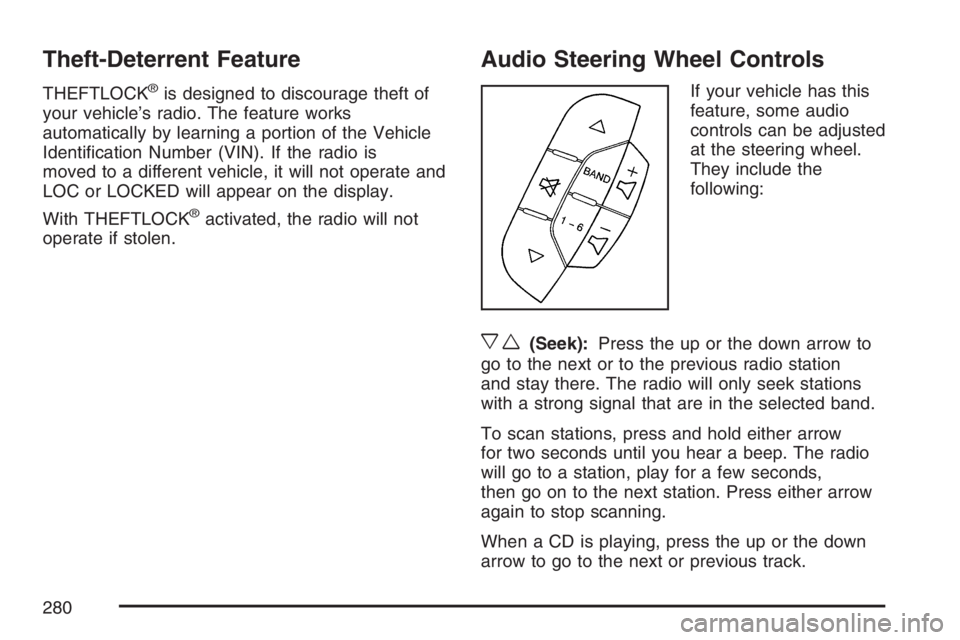
Audio Steering Wheel Controls
If your vehicle has this
feature, some audio
controls can be adjusted
at the steering wheel.
They include the
following:
xw(Seek):Press the up or the down arrow to
go to the next or to the previous radio station
and stay there. The radio will only seek stations
with a strong signal that are in the selected band.
To scan stations, press and hold either arrow
for two seconds until you hear a beep. The radio
will go to a station, play for a few seconds,
then go on to the next station. Press either arrow
again to stop scanning.
When a CD is playing, press the up or the down
arrow to go to the next or previous track.
280
Page 285 of 512
Your Driving, the Road, and Your Vehicle.... 286
Defensive Driving...................................... 286
Drunken Driving........................................ 287
Control of a Vehicle.................................. 290
Braking...................................................... 290
Anti-Lock Brake System (ABS).................. 291
Braking in Emergencies............................. 293
Traction Control System (TCS).................. 294
Enhanced Traction System (ETS).............. 295
StabiliTrak
®System................................... 296
Steering.................................................... 297
Off-Road Recovery.................................... 300
Passing..................................................... 300
Loss of Control.......................................... 302
Driving at Night......................................... 303
Driving in Rain and on Wet Roads............ 305City Driving............................................... 308
Freeway Driving........................................ 309
Before Leaving on a Long Trip.................. 310
Highway Hypnosis..................................... 311
Hill and Mountain Roads........................... 312
Winter Driving........................................... 314
If Your Vehicle is Stuck in Sand,
Mud, Ice, or Snow ................................. 318
Rocking Your Vehicle to Get It Out........... 319
Loading Your Vehicle................................ 319
Towing........................................................ 325
Towing Your Vehicle ................................. 325
Recreational Vehicle Towing...................... 326
Towing a Trailer........................................ 327
Section 4 Driving Your Vehicle
285