2007 BMW MOTORRAD K 1200 R ignition
[x] Cancel search: ignitionPage 4 of 168

Table of ContentsYou can also consult the index at
the end of this Rider's Manual if
you want to find a particular topic
or item of information.
1 General instructions . . . . . 5
Overview . . . . . . . . . . . . . . . . . . . . . . 6
Abbreviations and symbols . . . . 6
Equipment . . . . . . . . . . . . . . . . . . . . 7
Technical data . . . . . . . . . . . . . . . . 7
Currency . . . . . . . . . . . . . . . . . . . . . . 7
2 General views . . . . . . . . . . . . . 9
General view, left side . . . . . . . . 11
General view, right side . . . . . . 13
Underneath the seat . . . . . . . . . 15
Handlebar fitting, left . . . . . . . . . 16
Handlebar fitting, right . . . . . . . . 17
Instrument cluster . . . . . . . . . . . . 18
Headlight . . . . . . . . . . . . . . . . . . . . . 193 Status indicators . . . . . . . 21
Standard status
indicators . . . . . . . . . . . . . . . . . . . . . 22
Status indicators with on-
board computer
OE
........... 23
Status indicators with
tyre-pressure monitoring
(RDC)
OE...................... 24
Standard warnings . . . . . . . . . . . 24
Warnings issued by the on-
board computer
OE
........... 29
ABS warnings
OE
............. 31
ASC warnings
OE
............. 33
RDC warnings
OE
............. 35
Anti-theft alarm
warnings
OE................... 40
4 Operation . . . . . . . . . . . . . . . . 43
Ignition switch and steering
lock . . . . . . . . . . . . . . . . . . . . . . . . . . 44
Electronic immobiliser
(EWS) . . . . . . . . . . . . . . . . . . . . . . . . 45
Clock . . . . . . . . . . . . . . . . . . . . . . . . . 46
Odometer and tripmeters . . . . 47
On-board computer
OE
....... 50 Tyre pressure monitoring
RDC
OE
....................... 53
Lights . . . . . . . . . . . . . . . . . . . . . . . . 54
Turn indicators . . . . . . . . . . . . . . . 55
Hazard warning flashers . . . . . . 56
Emergency off switch (kill
switch) . . . . . . . . . . . . . . . . . . . . . . . 57
Grip heating
OE
............... 57
Automatic Stability Control
ASC
OE
....................... 58
Clutch . . . . . . . . . . . . . . . . . . . . . . . . 59
Brakes . . . . . . . . . . . . . . . . . . . . . . . 59
Mirrors . . . . . . . . . . . . . . . . . . . . . . . 60
Spring preload . . . . . . . . . . . . . . . 61
Damping . . . . . . . . . . . . . . . . . . . . . 61
Electronic Suspension Ad-
justment ESA
OE
............. 62
Tyres . . . . . . . . . . . . . . . . . . . . . . . . . 65
Headlight . . . . . . . . . . . . . . . . . . . . . 65
Seat . . . . . . . . . . . . . . . . . . . . . . . . . . 66
Helmet holder . . . . . . . . . . . . . . . . 67
Luggage loops . . . . . . . . . . . . . . . 68
Page 28 of 168
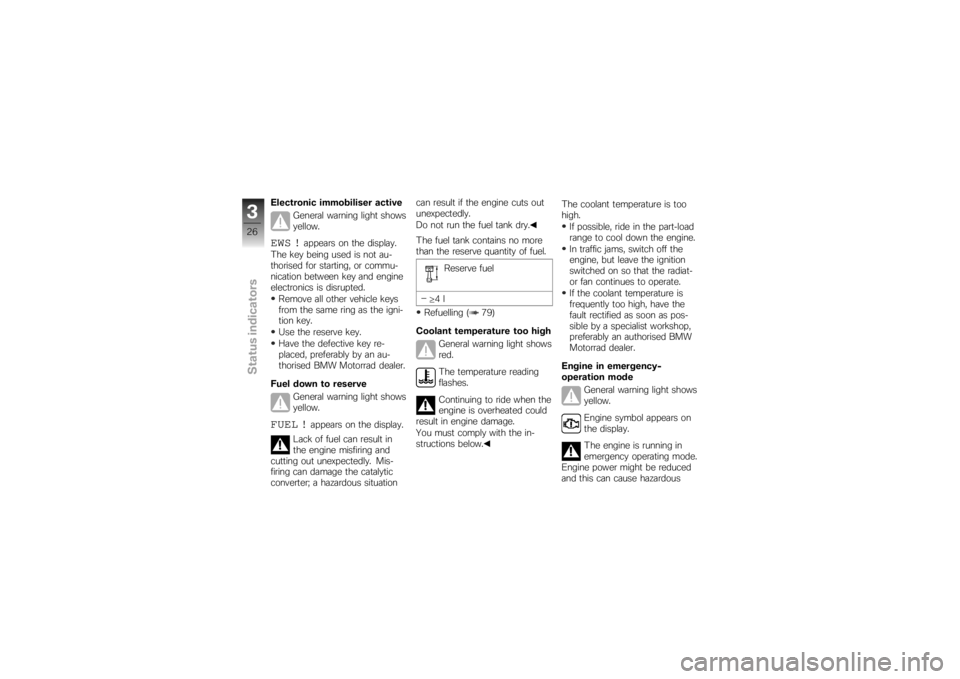
Electronic immobiliser activeGeneral warning light shows
yellow.EWS !
appears on the display.
The key being used is not au-
thorised for starting, or commu-
nication between key and engine
electronics is disrupted. Remove all other vehicle keys
from the same ring as the igni-
tion key.
Use the reserve key.
Have the defective key re-
placed, preferably by an au-
thorised BMW Motorrad dealer.
Fuel down to reserve General warning light shows
yellow.
FUEL !
appears on the display.
Lack of fuel can result in
the engine misfiring and
cutting out unexpectedly. Mis-
firing can damage the catalytic
converter; a hazardous situation can result if the engine cuts out
unexpectedly.
Do not run the fuel tank dry.
The fuel tank contains no more
than the reserve quantity of fuel.
Reserve fuel
≥ 4l
Refuelling ( 79)
Coolant temperature too high General warning light shows
red.
The temperature reading
flashes.
Continuing to ride when the
engine is overheated could
result in engine damage.
You must comply with the in-
structions below. The coolant temperature is too
high.
If possible, ride in the part-load
range to cool down the engine.
In traffic jams, switch off the
engine, but leave the ignition
switched on so that the radiat-
or fan continues to operate.
If the coolant temperature is
frequently too high, have the
fault rectified as soon as pos-
sible by a specialist workshop,
preferably an authorised BMW
Motorrad dealer.
Engine in emergency-
operation mode General warning light shows
yellow.
Engine symbol appears on
the display.
The engine is running in
emergency operating mode.
Engine power might be reduced
and this can cause hazardous
326zStatus indicators
Page 45 of 168

Operation
Operation
Ignition switch and steering lock..... 44
Electronic immobiliser (EWS) ........ 45
Clock ................................ 46
Odometer and tripmeters ............ 47
On-board computer
OE
............... 50
Tyre pressure monitoring
RDC
OE
.............................. 53
Lights ................................ 54
Turn indicators ....................... 55
Hazard warning flashers . . ............ 56
Emergency off switch (kill switch) . . . . 57
Grip heating
OE
....................... 57
Automatic Stability Control
ASC
OE
.............................. 58
Clutch ............................... 59 Brakes . .
............................. 59
Mirrors . . ............................. 60
Spring preload ....................... 61
Damping ............................. 61
Electronic Suspension Adjustment
ESA
OE
............................... 62
Tyres . . . ............................. 65
Headlight ............................ 65
Seat ................................. 66
Helmet holder ....................... 67
Luggage loops ....................... 68
443zOperation
Page 46 of 168
Ignition switch and
steering lockKeysYou receive one master key and
one spare key. Please consult
the information on the electronic
immobiliser (EWS) if a key is lost
or mislaid ( 45).
Ignition switch and steering lock,
tank filler cap lock and seat lock
are all operated with the same
key.
with OA Case:
If you wish you can arrange to
have the cases fitted with locks
that can be opened with this
key as well. Consult a specialist
workshop, preferably an author-
ised BMW Motorrad dealer.
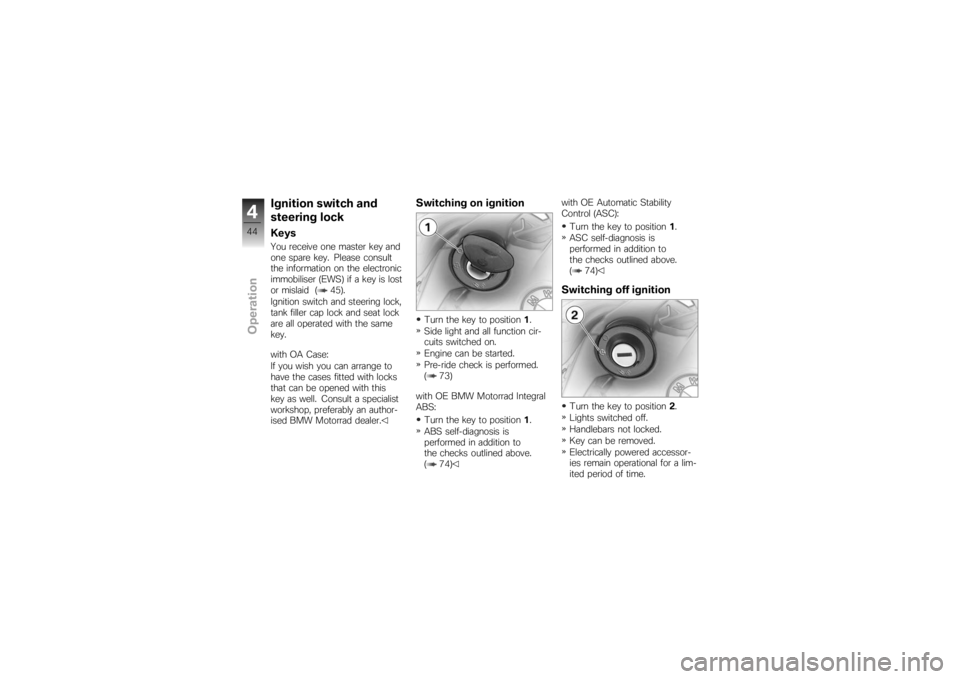
Switching on ignitionTurn the key to position1.
Side light and all function cir-
cuits switched on.
Engine can be started.
Pre-ride check is performed.
( 73)
with OE BMW Motorrad Integral
ABS: Turn the key to position 1.
ABS self-diagnosis is
performed in addition to
the checks outlined above.
( 74) with OE Automatic Stability
Control (ASC):
Turn the key to position 1.
ASC self-diagnosis is
performed in addition to
the checks outlined above.
( 74)
Switching off ignitionTurn the key to position 2.
Lights switched off.
Handlebars not locked.
Key can be removed.
Electrically powered accessor-
ies remain operational for a lim-
ited period of time.
444zOperation
Page 47 of 168
The battery can be recharged
via the on-board socket.Locking handlebars
If the motorcycle is on the
side stand, the surface of
the ground will determine wheth-
er it is better to turn the handle-
bars to the left or right. However,
the motorcycle is more stable on
a level surface with the handle-
bars turned to the left than with
the handlebars turned to the
right.
On level ground, always turn the
handlebars to the left to set the
steering lock. Turn the handlebars to the full
left or right lock position.
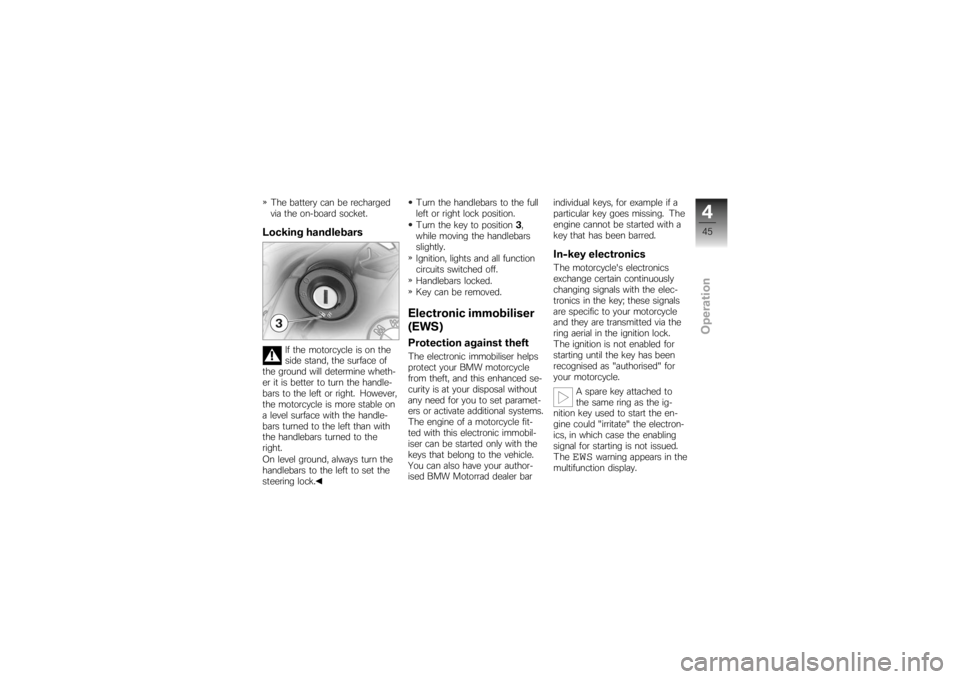
Turn the key to position
3,
while moving the handlebars
slightly.
Ignition, lights and all function
circuits switched off.
Handlebars locked.
Key can be removed.
Electronic immobiliser
(EWS)Protection against theftThe electronic immobiliser helps
protect your BMW motorcycle
from theft, and this enhanced se-
curity is at your disposal without
any need for you to set paramet-
ers or activate additional systems.
The engine of a motorcycle fit-
ted with this electronic immobil-
iser can be started only with the
keys that belong to the vehicle.
You can also have your author-
ised BMW Motorrad dealer bar individual keys, for example if a
particular key goes missing. The
engine cannot be started with a
key that has been barred.
In-key electronicsThe motorcycle's electronics
exchange certain continuously
changing signals with the elec-
tronics in the key; these signals
are specific to your motorcycle
and they are transmitted via the
ring aerial in the ignition lock.
The ignition is not enabled for
starting until the key has been
recognised as "authorised" for
your motorcycle.
A spare key attached to
the same ring as the ig-
nition key used to start the en-
gine could "irritate" the electron-
ics, in which case the enabling
signal for starting is not issued.
The
EWS
warning appears in the
multifunction display.
445zOperation
Page 48 of 168
Always keep the spare key sep-
arately from the ignition key.Replacement and extra
keysYou can obtain replacement/extra
keys only through an authorised
BMW Motorrad dealer. The keys
are part of an integrated secur-
ity system, so the dealer is un-
der an obligation to check the
legitimacy of all applications for
replacement/extra keys. If you
want to have a lost key barred,
you have to bring with you all
the other keys that belong to
the motorcycle. A key that has
been barred can subsequently be
cleared and reactivated for use.ClockSetting clock
Attempting to set the clock
while riding the motorcycle
can lead to accidents. Set the clock only when the mo-
torcycle is stationary.
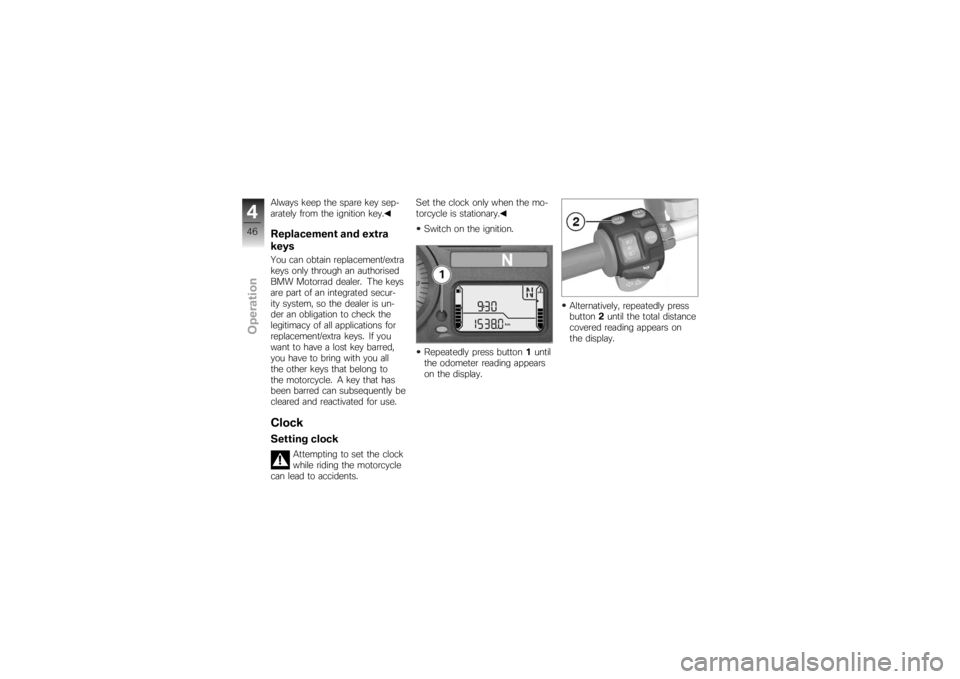
Switch on the ignition.
Repeatedly press button 1until
the odometer reading appears
on the display. Alternatively, repeatedly press
button
2until the total distance
covered reading appears on
the display.
446zOperation
Page 49 of 168
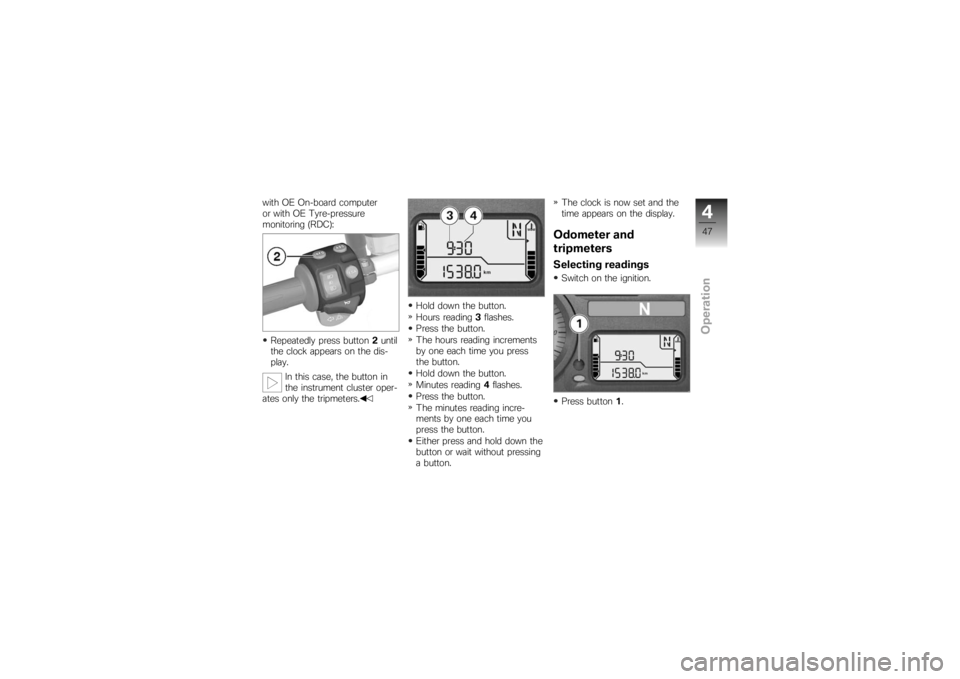
with OE On-board computer
or with OE Tyre-pressure
monitoring (RDC):Repeatedly press button 2until
the clock appears on the dis-
play.
In this case, the button in
the instrument cluster oper-
ates only the tripmeters. Hold down the button.
Hours reading
3flashes.
Press the button.
The hours reading increments
by one each time you press
the button.
Hold down the button.
Minutes reading 4flashes.
Press the button.
The minutes reading incre-
ments by one each time you
press the button.
Either press and hold down the
button or wait without pressing
a button. The clock is now set and the
time appears on the display.
Odometer and
tripmetersSelecting readingsSwitch on the ignition.
Press button
1.
447zOperation
Page 50 of 168
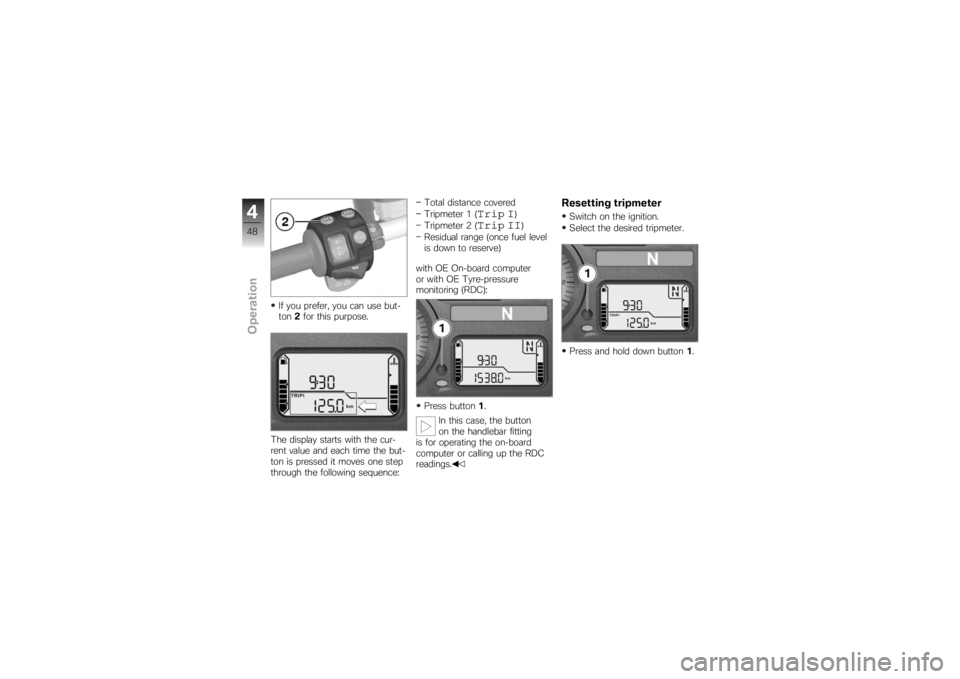
If you prefer, you can use but-
ton2for this purpose.
The display starts with the cur-
rent value and each time the but-
ton is pressed it moves one step
through the following sequence: Total distance covered
Tripmeter 1 (
Trip I
)
Tripmeter 2 (
Trip II
)
Residual range (once fuel level
is down to reserve)
with OE On-board computer
or with OE Tyre-pressure
monitoring (RDC):
Press button 1.
In this case, the button
on the handlebar fitting
is for operating the on-board
computer or calling up the RDC
readings.
Resetting tripmeterSwitch on the ignition.
Select the desired tripmeter.
Press and hold down button 1.
448zOperation