Cockpit
12
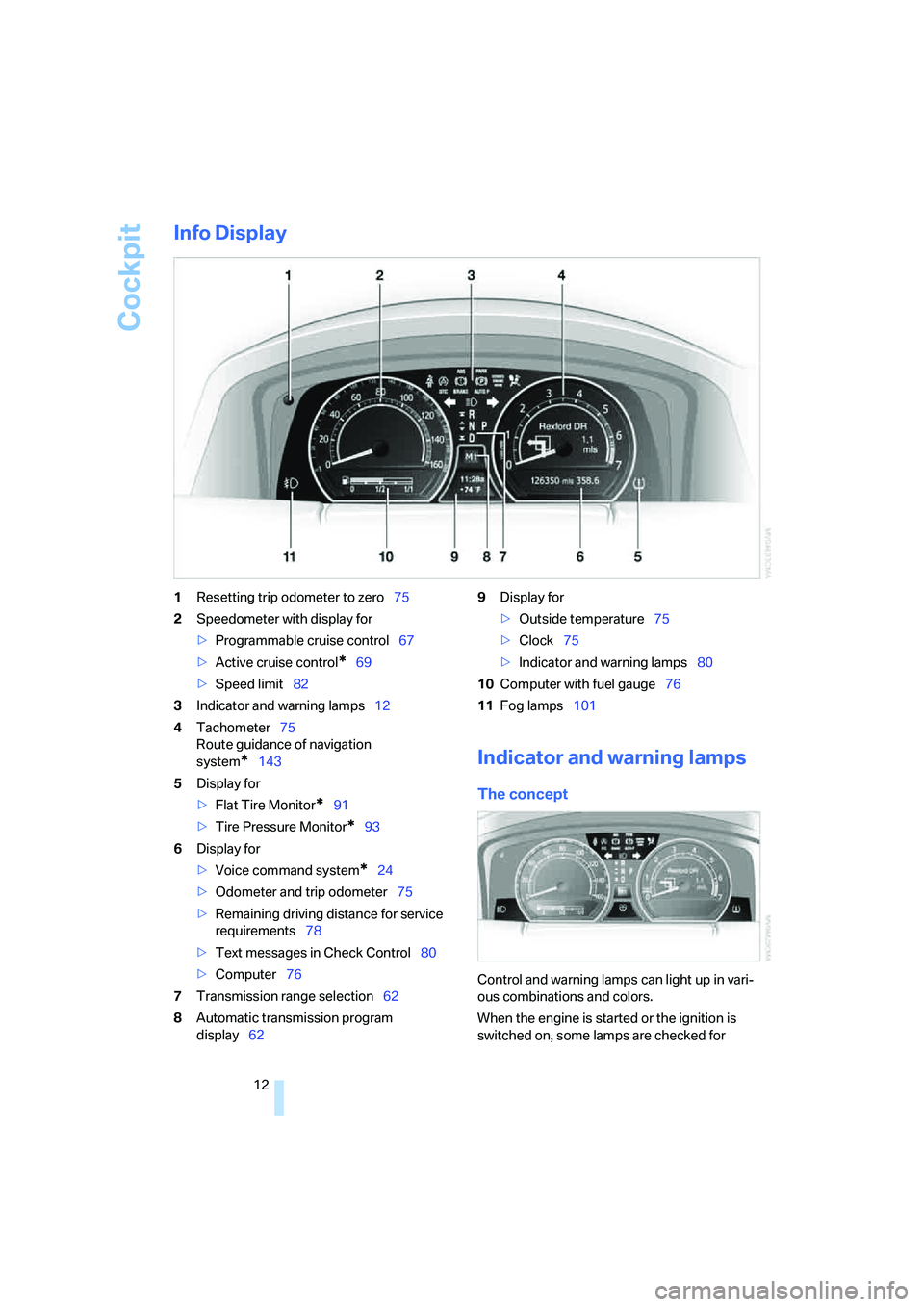
Info Display
1Resetting trip odometer to zero75
2Speedometer with display for
>Programmable cruise control67
>Active cruise control
*69
>Speed limit82
3Indicator and warning lamps12
4Tachometer75
Route guidance of navigation
system
*143
5Display for
>Flat Tire Monitor
*91
>Tire Pressure Monitor
*93
6Display for
>Voice command system
*24
>Odometer and trip odometer75
>Remaining driving distance for service
requirements78
>Text messages in Check Control80
>Computer76
7Transmission range selection62
8Automatic transmission program
display629Display for
>Outside temperature75
>Clock75
>Indicator and warning lamps80
10Computer with fuel gauge76
11Fog lamps101
Indicator and warning lamps
The concept
Control and warning lamps can light up in vari-
ous combinations and colors.
When the engine is started or the ignition is
switched on, some lamps are checked for
Controls
75Reference
At a glance
Driving tips
Communications
Navigation
Entertainment
Mobility
Everything under control
Odometer, outside temperature display, clock
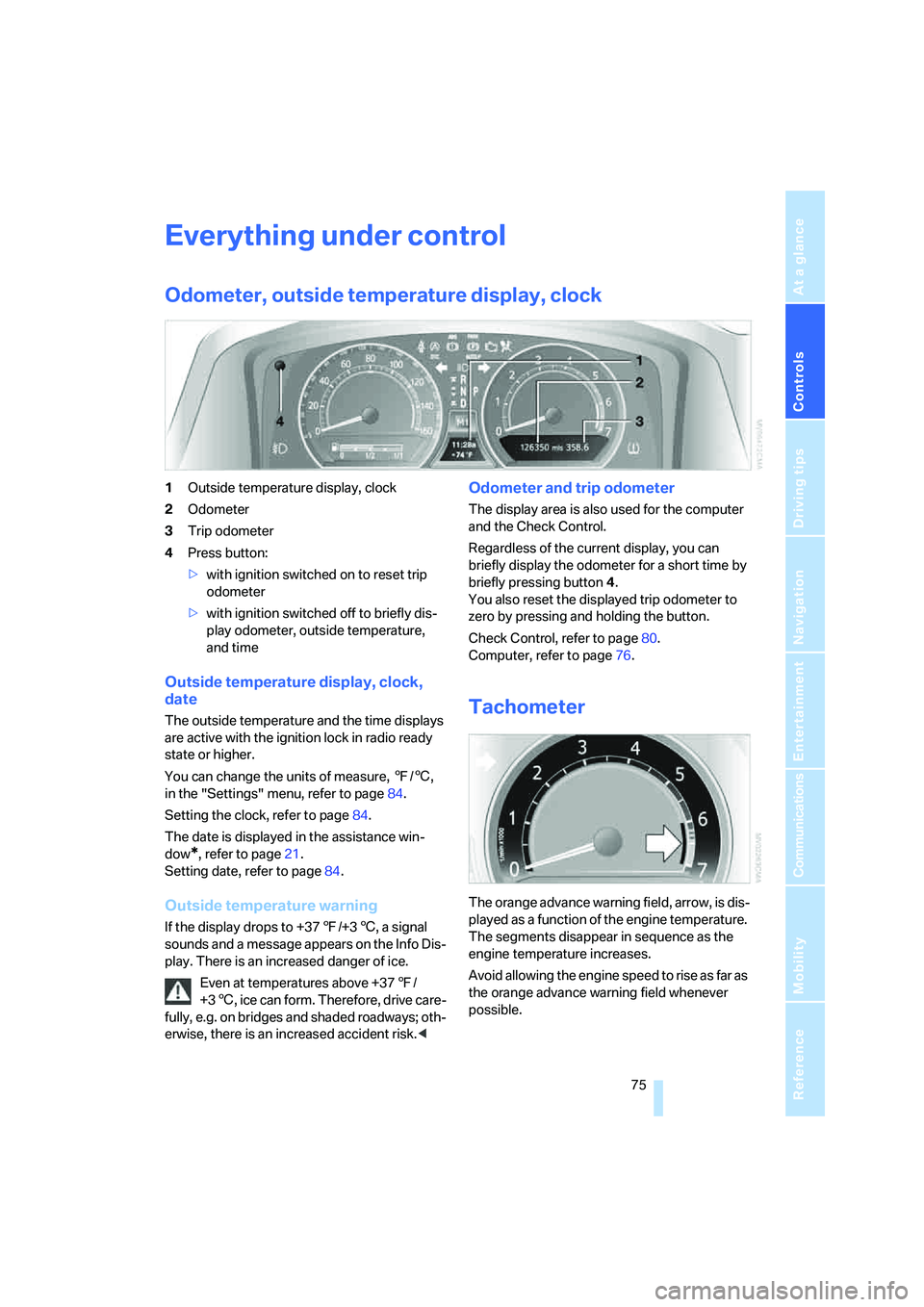
1Outside temperature display, clock
2Odometer
3Trip odometer
4Press button:
>with ignition switched on to reset trip
odometer
>with ignition switched off to briefly dis-
play odometer, outside temperature,
and time
Outside temperature display, clock,
date
The outside temperature and the time displays
are active with the ignition lock in radio ready
state or higher.
You can change the units of measure, 7/6,
in the "Settings" menu, refer to page84.
Setting the clock, refer to page84.
The date is displayed in the assistance win-
dow
*, refer to page21.
Setting date, refer to page84.
Outside temperature warning
If the display drops to +377/+36, a signal
sounds and a message appears on the Info Dis-
play. There is an increased danger of ice.
Even at temperatures above +377/
+36, ice can form. Therefore, drive care-
fully, e.g. on bridges and shaded roadways; oth-
erwise, there is an increased accident risk.<
Odometer and trip odometer
The display area is also used for the computer
and the Check Control.
Regardless of the current display, you can
briefly display the odometer for a short time by
briefly pressing button4.
You also reset the displayed trip odometer to
zero by pressing and holding the button.
Check Control, refer to page80.
Computer, refer to page76.
Tachometer
The orange advance warning field, arrow, is dis-
played as a function of the engine temperature.
The segments disappear in sequence as the
engine temperature increases.
Avoid allowing the engine speed to rise as far as
the orange advance warning field whenever
possible.