2007 BMW 750I 211
[x] Cancel search: 211Page 5 of 254
Reference
At a glance
Controls
Driving tips
Communications
Navigation
Entertainment
Mobility
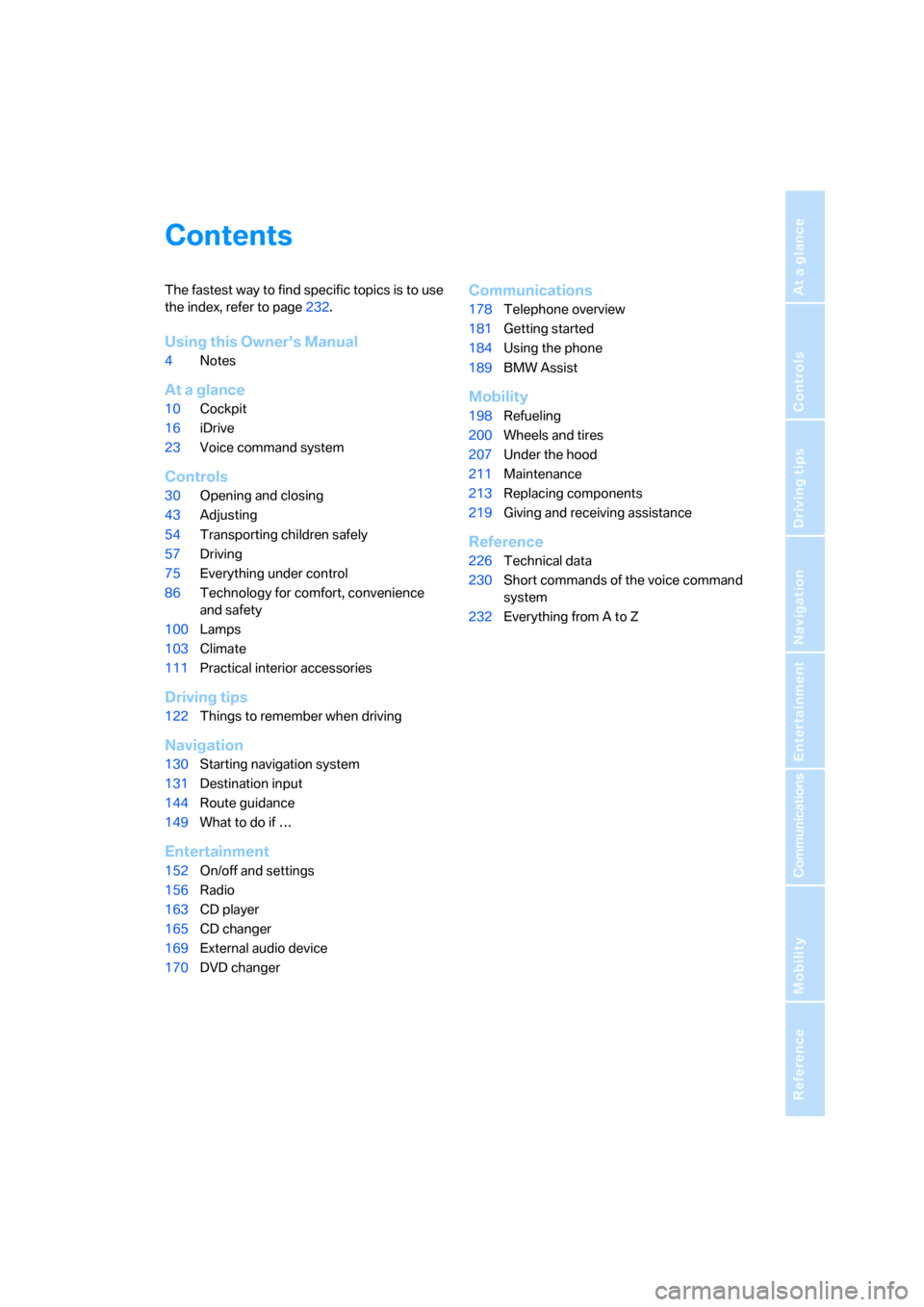
Contents
The fastest way to find specific topics is to use
the index, refer to page232.
Using this Owner's Manual
4Notes
At a glance
10Cockpit
16iDrive
23Voice command system
Controls
30Opening and closing
43Adjusting
54Transporting children safely
57Driving
75Everything under control
86Technology for comfort, convenience
and safety
100Lamps
103Climate
111Practical interior accessories
Driving tips
122Things to remember when driving
Navigation
130Starting navigation system
131Destination input
144Route guidance
149What to do if …
Entertainment
152On/off and settings
156Radio
163CD player
165CD changer
169External audio device
170DVD changer
Communications
178Telephone overview
181Getting started
184Using the phone
189BMW Assist
Mobility
198Refueling
200Wheels and tires
207Under the hood
211Maintenance
213Replacing components
219Giving and receiving assistance
Reference
226Technical data
230Short commands of the voice command
system
232Everything from A to Z
Page 32 of 254

Opening and closing
30
Opening and closing
Remote control/key
1Remote control with integrated key
2Spare key
3Adapter for spare key, in onboard tool kit,
refer to page213
Remote control with integrated key
Each remote control contains a battery which is
automatically charged in the ignition lock while
driving. Use each remote control for an
extended drive at least twice a year to keep the
battery charged. For Comfort Access
*, the
remote control contains a replaceable battery,
refer to page39.
Depending on which remote control is detected
by the vehicle during unlocking, different set-
tings are called up and carried out in the vehicle,
refer to Key Memory on page31.
Information on the required maintenance is also
stored in the remote control, refer to CBS Con-
dition Based Service, page211.
Integrated key
Press button1 to release the key.
You can use the integrated key to lock and
unlock the following:
>the storage compartment under the front
armrest
>the driver's door
>the luggage compartment lid
Inside the storage compartment, you will also
find the switch for locking the luggage compart-
ment lid separately, refer to page35.
If you then lock the storage compartment under
the center armrest, refer to page114, and only
surrender the remote control, this will prevent
unauthorized access to the vehicle through the
luggage compartment lid. This is an advantage
in a hotel, for example.
New remote controls
New remote controls, additional or when lost,
can be obtained from your BMW center.
Spare key
Store the spare key in a safe place such as your
wallet. This key is not intended for constant
use.
The spare key and integrated key fit the same
locks.
Page 213 of 254

Mobility
211Reference
At a glance
Controls
Driving tips
Communications
Navigation
Entertainment
Maintenance
BMW Maintenance System
The BMW Maintenance System serves to
retain the operating and road safety of your
BMW. The service schedule also includes oper-
ations related to the vehicle's comfort and con-
venience features, such as replacement of the
filters for the inside air. The aim is to optimize
maintenance procedures with a view to reduc-
ing the cost of running the vehicle.
Should the day come when you decide to sell
your BMW, you will find that a complete dealer
service history is an asset of inestimable value.
CBS Condition Based Service
Sensors and special algorithms take the differ-
ent driving conditions of your BMW into
account. As a result, Condition Based Service
determines the current and future maintenance
requirements. By letting you define a service
and maintenance regimen that reflects your
own individual requirements, the system forms
the basis for trouble-free driving.
On the Control Display, you can have the
remaining times and distances for selected
maintenance procedures and any legally man-
dated deadlines displayed, refer to page78:
>Engine oil
>Brakes, separate for front and rear
>Microfilter
>Brake fluid
>Spark plugs>Vehicle check
>Legally prescribed inspections depending
on national regulations
Service data in the remote control
Your vehicle continuously stores service-
requirement information in the remote control
while you are driving. After accessing the data
stored in the vehicle key, your BMW Service
Advisor can suggest precisely the right array of
service procedures for your own individual vehi-
cle. This is why it is important when you take
your vehicle in for service to give the BMW Ser-
vice Advisor the last remote control you used
for driving.
Storage periods with the battery discon-
nected are not taken into account by the
CBS maintenance system. If this occurs, have a
BMW center update the time-dependent main-
tenance procedures, such as checking brake
fluid and if necessary engine oil and the micro/
activated charcoal filter.<
Service and Warranty Information
Booklet for US models and
Warranty and Service Guide Booklet
for Canadian models
Please consult your Service and Warranty Infor-
mation Booklet for US models and Warranty
and Service Guide Booklet for Canadian models
for additional information on service require-
ments.
BMW recommends that you have service
and repair operations performed at your
BMW center.
Take the time to ensure that these service pro-
cedures are confirmed by entries in your vehi-
cle's Service and Warranty Information Booklet
for US models and Warranty and Service Guide
Booklet for Canadian models. These entries
verify that your vehicle has received the speci-
fied regular maintenance.<
Page 236 of 254
Everything from A to Z
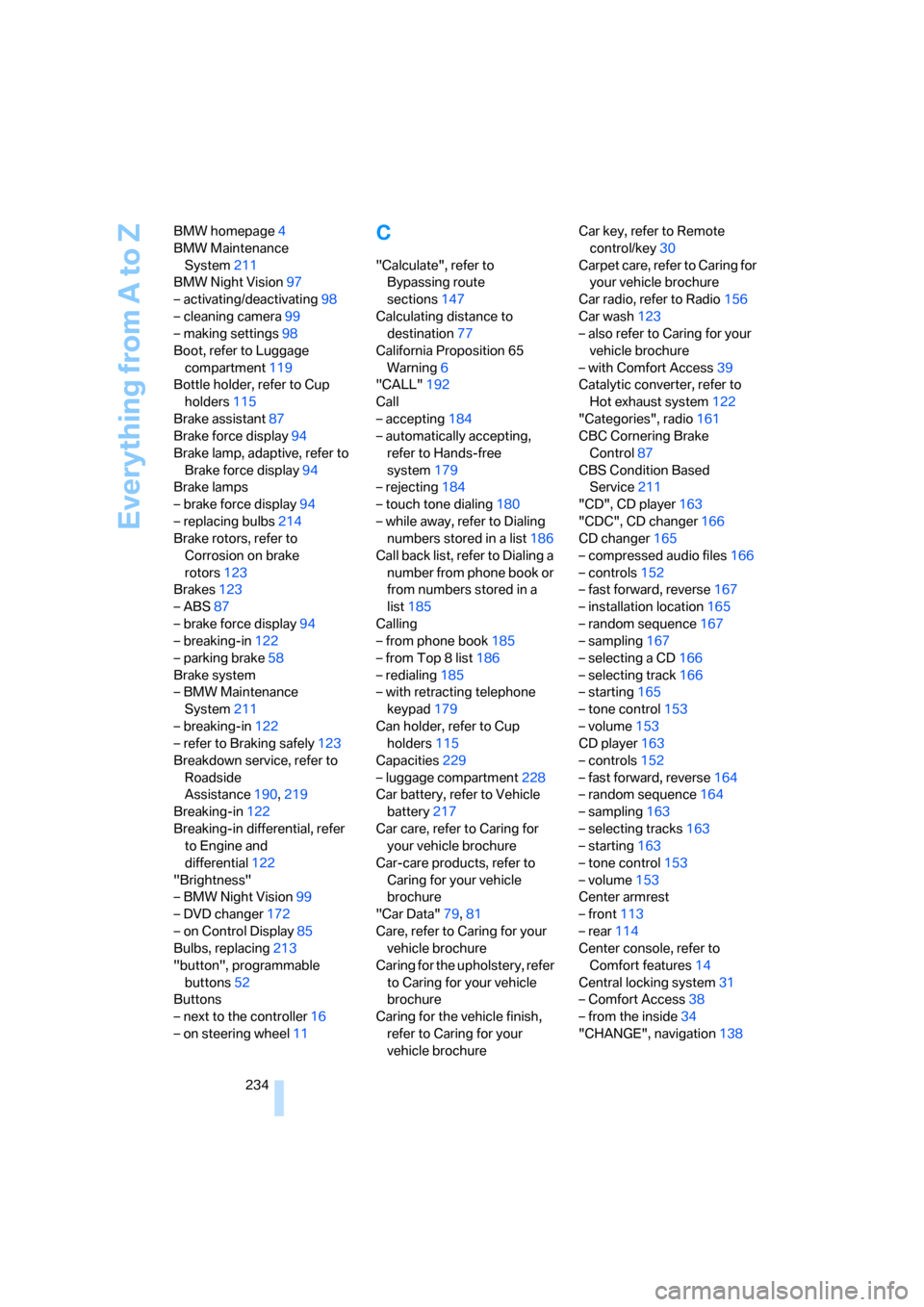
234 BMW homepage4
BMW Maintenance
System211
BMW Night Vision97
– activating/deactivating98
– cleaning camera99
– making settings98
Boot, refer to Luggage
compartment119
Bottle holder, refer to Cup
holders115
Brake assistant87
Brake force display94
Brake lamp, adaptive, refer to
Brake force display94
Brake lamps
– brake force display94
– replacing bulbs214
Brake rotors, refer to
Corrosion on brake
rotors123
Brakes123
– ABS87
– brake force display94
– breaking-in122
– parking brake58
Brake system
– BMW Maintenance
System211
– breaking-in122
– refer to Braking safely123
Breakdown service, refer to
Roadside
Assistance190,219
Breaking-in122
Breaking-in differential, refer
to Engine and
differential122
"Brightness"
– BMW Night Vision99
– DVD changer172
– on Control Display85
Bulbs, replacing213
"button", programmable
buttons52
Buttons
– next to the controller16
– on steering wheel11
C
"Calculate", refer to
Bypassing route
sections147
Calculating distance to
destination77
California Proposition 65
Warning6
"CALL"192
Call
– accepting184
– automatically accepting,
refer to Hands-free
system179
– rejecting184
– touch tone dialing180
– while away, refer to Dialing
numbers stored in a list186
Call back list, refer to Dialing a
number from phone book or
from numbers stored in a
list185
Calling
– from phone book185
– from Top 8 list186
– redialing185
– with retracting telephone
keypad179
Can holder, refer to Cup
holders115
Capacities229
– luggage compartment228
Car battery, refer to Vehicle
battery217
Car care, refer to Caring for
your vehicle brochure
Car-care products, refer to
Caring for your vehicle
brochure
"Car Data"79,81
Care, refer to Caring for your
vehicle brochure
Caring for the upholstery, refer
to Caring for your vehicle
brochure
Caring for the vehicle finish,
refer to Caring for your
vehicle brochureCar key, refer to Remote
control/key30
Carpet care, refer to Caring for
your vehicle brochure
Car radio, refer to Radio156
Car wash123
– also refer to Caring for your
vehicle brochure
– with Comfort Access39
Catalytic converter, refer to
Hot exhaust system122
"Categories", radio161
CBC Cornering Brake
Control87
CBS Condition Based
Service211
"CD", CD player163
"CDC", CD changer166
CD changer165
– compressed audio files166
– controls152
– fast forward, reverse
167
– installation location165
– random sequence167
– sampling167
– selecting a CD166
– selecting track166
– starting165
– tone control153
– volume153
CD player163
– controls152
– fast forward, reverse164
– random sequence164
– sampling163
– selecting tracks163
– starting163
– tone control153
– volume153
Center armrest
– front113
– rear114
Center console, refer to
Comfort features14
Central locking system31
– Comfort Access38
– from the inside34
"CHANGE", navigation138
Page 237 of 254

Reference 235
At a glance
Controls
Driving tips
Communications
Navigation
Entertainment
Mobility
Changes, technical, refer to
For your own safety5
Changing scale, map view in
navigation145
Changing settings on Control
Display84
Changing time display84
Changing units of measure on
Control Display84
Changing wheels215
– run-flat tires205
"Channels", radio160
Check Control80
– "CHECK"81
– CHECK button81
Child's seats, refer to
Installing child restraint
systems54
Child restraint fixing system
LATCH55
Child restraint systems54
Child-safety lock56
Chrome parts, refer to Caring
for your vehicle brochure
Chrome-plated parts, care,
refer to Caring for your
vehicle brochure
Cigarette lighter116
"City / Postal Code",
navigation133
Cleaning, vehicle, refer to
Caring for your vehicle
brochure
Cleaning headlamps, tank
capacity, refer to Wiper fluid
filler neck66
Cleaning windshield65
"Climate"
– activating activation time for
parked car ventilation110
– preselecting activation time
for parked car
ventilation109
– rear climate control108
– rear refrigerator117
– switching parked car
ventilation on and off
directly109Climate comfort
windshield126
Clock75
– 12/24-hour mode84
– also refer to Assistance
window21
– display format84
– setting84
"Clock", settings84
Closing
– from inside34
– from outside32
Clothes hooks114
Cockpit10
Cold start, refer to Starting
engine57
"Color", DVD changer172
Combined instrument, refer to
Info Display12
"Comfort", EDC Electronic
Damper Control
90
Comfort Access38
– before driving into a car
wash39
– changing battery39
Comfort features14
Comfort program, EDC
Electronic Damper
Control90
Comfort seat44
– in rear45
"Communication", phone184
Compact Disc
– refer to CD changer165
– refer to CD player163
Compartments, refer to
Storage compartments113
Compressed audio files,
CD changer166
Computer76
– displays on Control
Display77
– units of measure and display
format84
"Concierge", BMW Assist192
Condensation, refer to When
vehicle is parked123Condition Based Service
CBS211
Connecting car vacuum
cleaner, refer to Power
socket116
Consumption, refer to
Average fuel
consumption77
Consumption statistics, refer
to Average fuel
consumption77
"Continue route guidance?",
navigation144
"Contrast"
– BMW Night Vision98
– DVD changer172
Control Center, refer to
iDrive16
Control Display
– rear seat screen21
– refer to iDrive16
– setting brightness85
Controller
– programmable button52
– rear seat screen21
– refer to iDrive16
Controls and displays10,14
Coolant210
– level210
– temperature76
Cooler, refer to Rear
refrigerator117
Cooling
– maximum106,108
– refer to AUTO program
104
– refer to Rear climate
control108
– refer to Rear refrigerator117
– refer to Switching cooling
function on and off
manually107
Copyright2
Cornering Brake Control
CBC87
Cradle for mobile phone, refer
to Using snap-in
adapter178
Page 243 of 254

Reference 241
At a glance
Controls
Driving tips
Communications
Navigation
Entertainment
Mobility
Lug bolts
– refer to Preparing for a wheel
change216
– tightening torque, refer to
After mounting217
– wrench, refer to What you
will need215
Luggage compartment119
– capacity228
– convenient access39
– locking separately35
– net119
– opening/closing, refer to
Luggage compartment
lid35
– opening from inside36
– opening from outside35
– opening with remote
control33
– refer to Luggage
compartment lid35
Luggage compartment lid
– automatic operation33,36
– Comfort Access39
– emergency actuation, refer
to Manual operation36
– emergency release37
– locking separately35
– opening from inside36
– opening from outside35
– opening separately35
– opening with remote
control33
– remote control33
– unlocking manually, refer to
Opening separately35
Luggage rack, refer to Roof-
mounted luggage rack125
Lumbar support
adjustment44
M
M+S tires, refer to Winter
tires206
Maintenance211
– refer to Service required78
Maintenance System211Make-up mirror, refer to
Illuminated vanity mirror51
Malfunction
– door lock34
– fuel filler door198
– glass sunroof42
– luggage compartment lid37
Malfunction displays, refer to
Check Control80
"MANUAL",
radio157,159,162
Manually unlocking and
locking the transmission
lock64
Manual operation
– door lock34
– driver's door34
– fuel filler door198
– glass sunroof42
– luggage compartment lid36
– parking brake60
– transmission lock for
automatic transmission with
Steptronic64
Manual station scan157
Map CD, refer to Navigation
CD/DVD130
"Map dir. travel",
navigation145
"Map facing N.",
navigation145
Map for navigation
– changing scale24,145
– destination entry135
Map view facing north145
Master key, refer to Remote
control/key30
Maximum cooling106,108
"medium", automatic climate
control105
"Memo", hour signal85
Memory, refer to
– Key Memory31
– Seat, mirror and steering
wheel memory46
"MENU", DVD changer174
"menu", rear screen22
"Menu name"19
Menus, Control Display17Microfilter, automatic climate
control107
Microphone for voice
command
179
Mirror dimming feature51
Mirrors50
– automatic curb monitor51
– folding in and out51
– heating51
– memory, refer to Seat, mirror
and steering wheel
memory46
"Missed", phone186
Missed calls, refer to Dialing
numbers stored in a list186
Mobile phone
– changing from hands-free
system to mobile phone187
– changing from mobile phone
to hands-free system187
– dialing a number from Top 8
list186
– hands-free system179
– initiating an emergency
call219
– inserting181
– inserting phone cradle181
– missed calls186
– operating181
– operating via retracting
telephone keypad179
– operating with buttons on
steering wheel11
– overview178
– pairing with vehicle182
– phone book185
– redialing185
– refer to Telephone
overview178
– removing182
– removing phone cradle181
– snap-in adapter178
– unpairing from vehicle183
– volume adjustment179
Modifications, technical, refer
to For your own safety5
Monitor, refer to
– iDrive16
– rear seat screen21
Page 247 of 254

Reference 245
At a glance
Controls
Driving tips
Communications
Navigation
Entertainment
Mobility
Route guidance144
– by voice instructions146
– changing route
specifications141
– continuing144
– displaying driving route130
– distance and arrival77
– selecting new route146
– starting144
– terminating144
– volume of voice
instructions146
"ROUTE GUIDE",
navigation134,140
Route instructions, refer to
Route guidance by voice
instructions146
"Route preference",
navigation142
RSC Run-flat System
Component, refer to Run-
flat tires205
Run-flat tires205
– flat tire91,93
– tire inflation pressure200
– tire replacement205,206
– winter tires206
S
Sack for skis, refer to Ski
bag117
Safe braking123
Safety5
Safety belts48
– care, refer to Caring for your
vehicle brochure
– sitting safely43
– warning lamp48
Safety belt tensioners
– refer to Airbags95
– refer to Safety belts48
Safety systems, refer to
– Airbags95
– Driving stability control
systems87
– Safety belts48
Safety tires, refer to Run-flat
tires205Sampling, Scan
– CD changer167
– CD player163
– radio157
Sampling a music track, Scan
– CD changer167
– CD player163
"SAT", radio160
SAT, waveband160
"SCAN"
– CD changer167
– CD player163
– radio157
Scan, sampling
– CD changer167
– CD player163
– radio157
"Screen", adjusting
brightness85
Screw thread for tow
fitting221
Seats43
– adjusting44
– automatic backrest width
adjustment44
– comfort seat44
– heating49
– in rear45
– lumbar support44
– memory, refer to Seat, mirror
and steering wheel
memory46
– shoulder support45
– storing adjustments46
– thigh support44
– ventilation, refer to Active
seat ventilation50
"Seat temp.", seat heating49
Seat ventilation, refer to
Active seat ventilation50
Securing cargo125
Selecting
– menu items with iDrive19
– route for navigation141
Selecting audio source152
Selecting country132
Selecting functions, refer to
iDrive16
Selecting map view145Selecting menu17
Selecting transmission
range62
Selector lever, automatic
transmission with
Steptronic62
Selector lever interlock, refer
to Selecting transmission
range62
Service, refer to Roadside
Assistance190,219
Service and Warranty
Information Booklet for
US models211
Service car, refer to Roadside
Assistance190,219
Service required78
"Services", BMW Assist192
"Service Status", BMW
Assist191
"SET", setting speed limit82
"Set time 1", parked car
ventilation109
"Set time 2", parked car
ventilation109
Setting button, refer to
iDrive16
Setting language on Control
Display84
"Settings"
– activating/deactivating
Bluetooth link183
– pairing mobile phone with
vehicle182
Settings
– assistance window20
– BMW Night Vision98
– data and time84
– entertainment152
– Key Memory31
– language84
– units of measure84
Setting time, refer to
Preselecting activation
time109
Setting volume, speed-
dependent154
Page 251 of 254

Reference 249
At a glance
Controls
Driving tips
Communications
Navigation
Entertainment
Mobility
W
Warning and indicator
lamps13
Warnings, refer to Check
Control80
Warning triangle220
Warranty and Service Guide
Booklet for Canadian
models211
Washer fluid66
Washer jets, refer to
Windshield washer
nozzles66
Washing systems, refer to
Wiper fluid filler neck66
Washing the vehicle, refer to
Caring for your vehicle
brochure
Waste receptacle, refer to
– Ashtray, front115
– Center armrest, front114
Water on roads, refer to
Driving through water123
Waveband156
– High Definition Radio162
"WB", radio160
WB, weather reports159
Wear indicators in tires, refer
to Minimum tread depth204
Weather reports159
Weights228
Wheel/tire combination, refer
to New wheels and tires205
Wheelbase, refer to
Dimensions227
Wheel change, spare
wheel216
Wheel changing between
axles206
Wheel chock, refer to What
you will need216
Wheel replacement205
Wheels and tires200
Width, refer to
Dimensions227Windshield
– cleaning, refer to Windshield
cleaning66
– defrosting, refer to
Defrosting windows and
removing condensation106
Windshield washer system
– refer to Wiper system65
– washer fluid66
– windshield washer
nozzles66
Windshield wipers, refer to
Wiper system65
– care, refer to Caring for your
vehicle brochure
– changing wiper blades213
Winter tires206
– changing215
– condition204
– run-flat tires206
– speed limit selection82
– storage
206
Wiper blade replacement213
Wiper fluid, filler neck66
Wiper system65
"With highway",
navigation142
"With map", navigation135
Without freeway, refer to
Changing route criteria142
Wood decoration, refer to
Caring for your vehicle
brochure
Wordmatch principle for
navigation142
Wrenches/screwdrivers, refer
to Onboard toolkit213
X
Xenon lamp, replacing
bulbs213
Y
"YES", navigation
– deleting address book140
– deleting destination list138
– deleting individual
destinations from address
book140
"YES", Tire Pressure
Monitor92
Your individual vehicle5
Z
"Zoom", BMW Night Vision98