Page 77 of 491

This shows the estimated distance
you can travel on the fuel rema ining
in the fuel tank. This distan ce is
estimated from the fuel economy
you received over the last several
miles(U.S.) or kilometers (Canada),
so it will vary with changes in speed,
traffic, etc.
This shows the time passed traveled
since you last reset it. When you turn
the ignition switch to the ON (II)
pos ition, ELAPSED TIME is reset.
You can customize the ELAPSED
TIME reset condition in the multi-
information display (see page ).You
can customize the Trip A and
AVG. FUEL A reset condition in the
multi-info rmation display (see page
).
This shows your vehicle’s average
f uel economy in mpg (U.S. models)
or liter/100 km (Canadian models)
since you last reset the Trip A or
Trip B. When you reset Trip A, AVG.
SPEED is also reset. This shows the average speed you
are traveling in miles per hour (mph)
f or U.S. models or kilometers per
hour (km/h) f or Canadian models.
When the battery is disconnected, or
you ref uel, RANGE is also reset.
The average fuel mileage will be
reset when you reset the trip meter,
or if the vehicle’s battery goes dead
or is disconnected.
When you turn of f the engine, INST.
MPG or INST. L/100 km is also
reset. This shows your current f uel
mileage. Along with the trip meter, the trip
computer calculates these values:
Instantaneous f uel mileage
Range
Elapsed Time
Average Fuel Economy Average Vehicle Speed
10199
RANGE
EL A PSED T IME
AVG. FUEL A/B A VG. SPEED
INST.MPG(U.S.models)/INST.
L /100km (Canadian models) Trip Computer
Multi-Inf ormation Display
Inst rument s and Cont rols
75
�����—�����—�����y�
���������
���y���
�(�����������y���������y
Page 84 of 491

�Î�Î�Î �Î
�Î �Î
�Î
�Î
�µ�™ �¶�™
�µ�™ �¶�™�Î
�Î
�Î
�Î
�ΠCUSTOMIZE MENU Description
Causes the system to beep when a
vehicle ahead of you gets too close.
Changes the ACC display speed
unit.
Changes the language used in the
display.
Changes the outside temperatu re
reading above or below its current
reading.
Causes trip meter A and the
average fuel economy to reset
when you refuel.
Resets the elapsed time of your
current trip.
Changes the driver’s seat, the
steering wheel, and the outside
mirror positions to your stored
setting.
Mo ves the steering wheel fully in
and out when the key is removed. Page
90
92
95
97
99
101
104
106
PRE-RUNNING CAR
DE
TECT BEEP
ACC DISPLAY SPEED
UNIT
LANGUAGE
SELECTION
ADJUST OUTSIDE
TEMP. DISPLAY
TRIP A & AVG. FUEL
RESET with REFUEL
ELAPSED TIME RESET
MEMORY POSITION
LINK
AUTO TILT &
TELESCOPIC
ACC SETUP
(see page 89)
METER SETUP
(see page 94)
POSITION SETUP
(see page 103)
ON
OFF
MPH
km/h
ENGLISH
FRENCH
SPANISH
ON
OFF
IGN
OFF
TRIP A
TRIP B
ON
OFF
ON
OFF
CHG
SETTING
(see page 87)
1:
2:
3: Default
setting
Default setting for U.S. models
Default setting for Canadian model
CUST OMIZE GROUP
5°F 0°F 5°F
3°C 0°C 3°C
CUSTOMIZE ENTRYCUSTOMIZE SET UP1
23 1
1 1
1
1
2 3
previous
setting
Multi-Inf ormation Display
82
�����—�����—�
���y�
�������������y���
�(�����������y���������y
Page 96 of 491
�Û
�Ý
�Û�Ý
�Û�Ý
LANGUAGE SELECTION
ADJUST OUTSIDE TEMP.
DISPLAY
TRIP A & AVG. FUEL RESET
with REFUEL
Here
are the four custom settings
forthemetersetup:
ELAPSED TIME RESET
While METER SETUP is shown in
the CUSTOMIZE GROUP of the
multi-information display, press the
SEL/RESET button.
Each time you press the INFO ( /
) button, the screen changes as
shown in the illustration. Press the
INFO ( / ) button until you see
the setting you want to customize,
then press the SEL/RESET button
to enter your selection.
Meter
Setup
Multi-Information Display
94
Press the or button.
Press the SEL/RESET button. seepage95
seepage97 seepage99
see page 101
�����—�����—�
���y�
������
������y���
�(�����������y���������y
Page 101 of 491
�Û�Ý�Û�Ý
While METER SETUP is shown in
the CUSTOMIZE GROUP of the
multi-inf ormation display, press the
SEL/RESET button. The screen
changes to CUSTOMIZE MENU.
Press the INFO ( / ) button until
you see the above display.
To cause trip A and average fuel
economy A to reset every time you
ref uel your vehicle, f ollow these
instructions:
Press the SEL/RESET button. The
screen changes as shown above.
Select ON or OFF by pressing the
INFO ( / ) button, then press the
SEL/RESET button to enter your
selection.
CONT INUED
T rip A & A vg. Fuel Reset wit h Ref uel
Multi-Inf ormation Display
Inst rument s and Cont rols
99
�����—�����—�
���y�
������
������y���
�(�����������y���
�����y
Page 102 of 491
�Û�Ý
To exit TRIP A & AVG. FUEL
RESET with REFUEL without
changing the current setting, select
EXIT by pressing the INFO ( / )
button, then press the SEL/RESET
button. The screen goes back to
CUSTOMIZE MENU.
When your choice is set, you will see
the above display f or several seconds,
then the screen goes back to
CUSTOMIZE ENTRY.
If your choice is not set, you will see
the above display f or several seconds,
then the screen goes back to
CUSTOMIZE SETUP. If this
happens, you need to repeat the trip
A and average f uel reset with ref uel
setup.
Multi-Inf ormation Display
100
�����—�����—�
���y�
������
������y���
�(�����������y���
�����y
Page 242 of 491
Press this button to display the
screen (see page ).
The
compass system in your vehicle
contains several convenient features,
including a direction and elevation
finder, a cal endar reminder for
important events, a calculator, and a
trip computer to help you track your
mileage and fuel economy.
The controls for the compass system
are on the center console panel.
These controls are also used to
operate the climate control system
(see page ) and the audio system
(see page ).
Press this button to display the
screen (see page ) for the
trip computer, calendar, calculator,
and voice command Help. 198
246245
208
Menu Button
Compass But t on
Compass System Controls
Main
Menu
Compass System (U.S. model without navigation system)
240
UPPER
DISPLAY
SCREEN
MENU
BUTTON SET UP
BUTTON
CANCEL
BUTTON INTERFACE
DIAL
COMPASS
BUTTON
TRIP
BUTTON
(Display mode)
BUTTON
�����—�����—�
���y�
�������������y���
�(�����������y���������y
Page 250 of 491
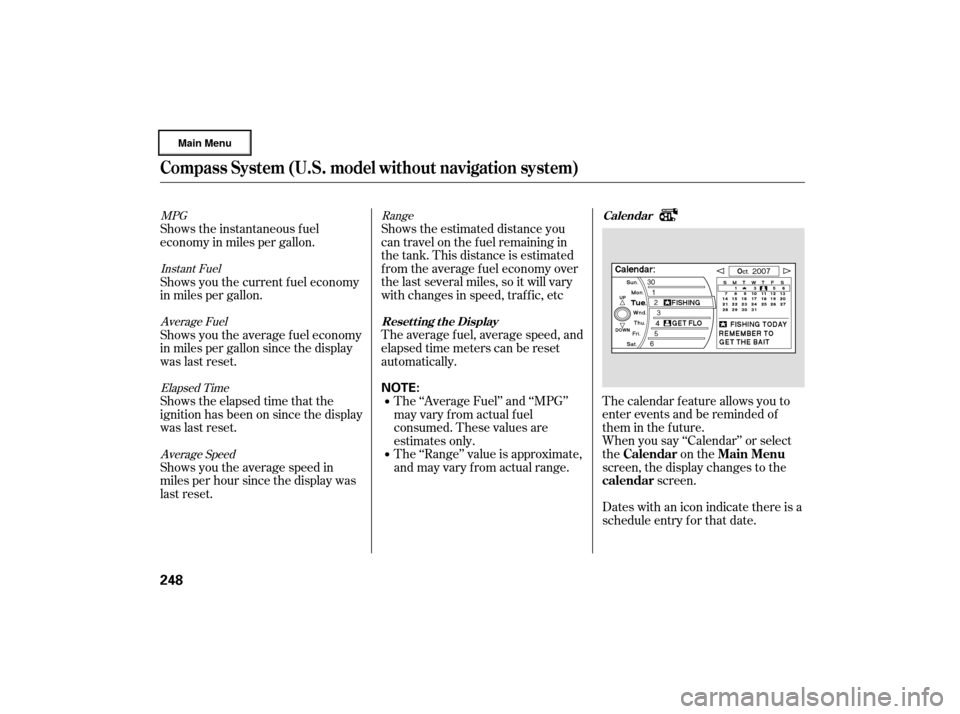
The calendar f eature allows you to
enter events and be reminded of
them in the future.
When you say ‘‘Calendar’’ or select
the on the
screen, the display changes to thescreen.
Dates with an icon indicate there is a
schedule entry f or that date.
Shows the estimated distance you
cantravelonthefuelremainingin
the tank. This distance is estimated
f rom the average f uel economy over
the last several miles, so it will vary
withchangesinspeed,traffic,etc
The average fuel, average speed, and
elapsed time meters can be reset
automatically.
The ‘‘Range’’ value is approximate,
and may vary from actual range. The ‘‘Average Fuel’’ and ‘‘MPG’’
may vary f rom actual f uel
consumed. These values are
estimates only.
Shows the instantaneous f uel
economy in miles per gallon.
Shows you the current f uel economy
in miles per gallon.
Shows you the average f uel economy
in miles per gallon since the display
was last reset.
Shows the elapsed time that the
ignition has been on since the display
was last reset.
Shows you the average speed in
miles per hour since the display was
last reset.
Range
MPG
Instant FuelAverage Fuel
Elapsed TimeAverage Speed Calendar
Resetting the Display
Calendar Main Menu
calendar
Compass System (U.S. model without navigation system)
248
NOTE:
�����—�����—�
���y�
������
������y���
�(�����������y���������y
Page 327 of 491
Bef ore you begin driving your
vehicle, you should know what
gasoline to use and how to check the
levels of important f luids. You also
need to know how to properly store
luggage or packages. The
inf ormation in this section will help
you. If you plan to add any
accessories to your vehicle, please
read the information in this section
first..............................
Break-in Period .326
.................
Fuel Recommendation .326
.........
Service Station Procedures .327
.....................................
Ref ueling .327
......
Tighten Fuel Cap Message.329
Opening and Closing
.................................
the Hood .329
....................................
Oil Check .331
..............
Engine Coolant Check.331
...............................
Fuel Economy .332
...
Accessories and Modif ications .333
.............................
Carrying Cargo .335
Bef ore Driving
Bef ore Driving
325
�����—�����—�
���y�
������
������y���
�(�����������y���������y


